frankensonos
Health Warn
- License — License: NOASSERTION
- Description — Repository has a description
- Active repo — Last push 0 days ago
- Low visibility — Only 5 GitHub stars
Code Pass
- Code scan — Scanned 12 files during light audit, no dangerous patterns found
Permissions Pass
- Permissions — No dangerous permissions requested
No AI report is available for this listing yet.
Memory-safe Rust controller for your own Sonos speakers on your own LAN — reliable SSDP/UPnP-SOAP/GENA interoperability (S1 + S2), a Spotify-library classical DJ, and a CLI + HTTP API + MCP server so AI agents can run the house, including off-LAN over Tailscale.
FrankenSonos
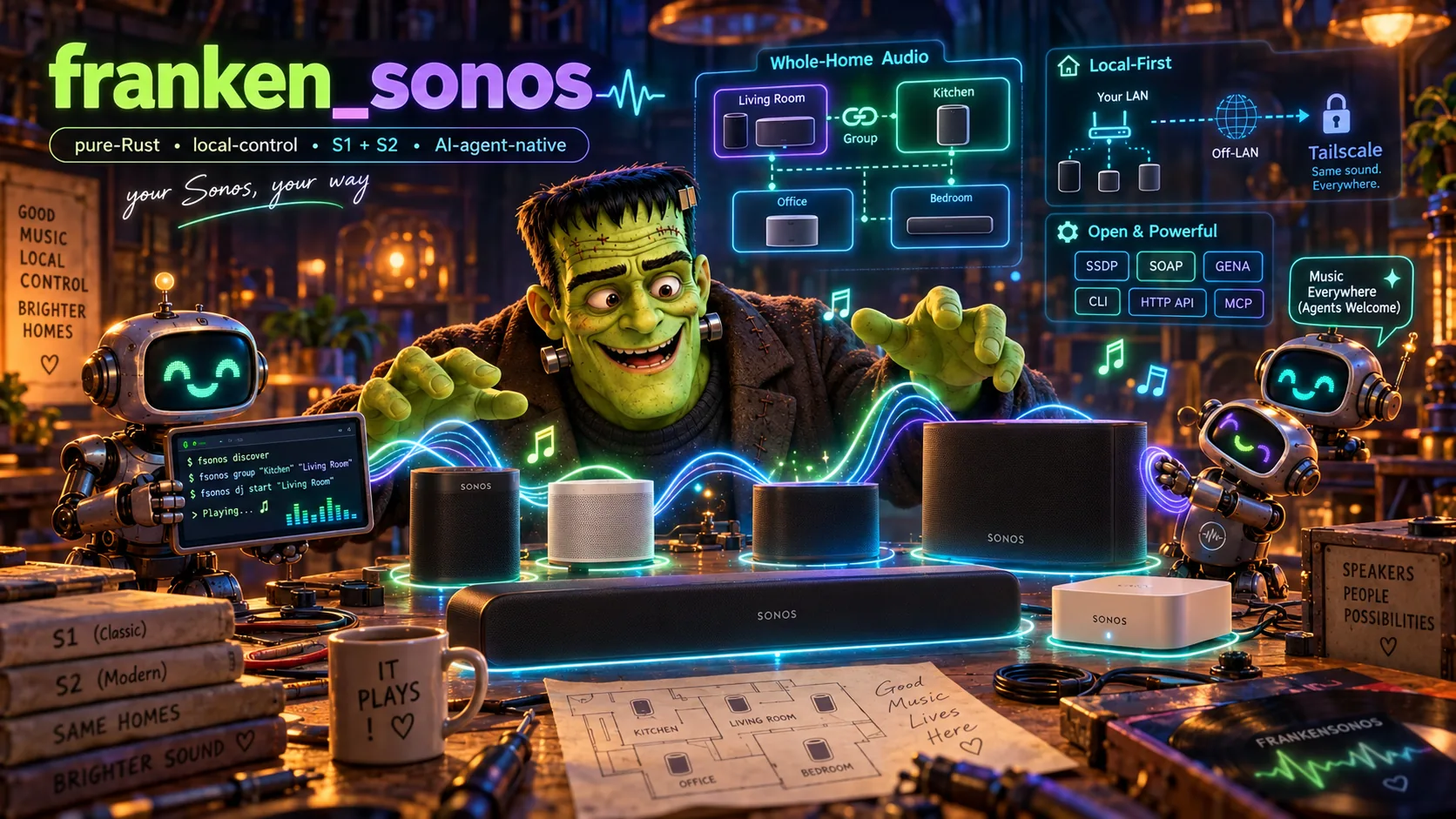
Your Sonos, your way. A memory-safe Rust controller for the Sonos speakers
you already own. It talks to them directly on your own network, so you can
script them and let your own AI agents run them instead of the official app.

-dea584)



Status: under active development (pre-
0.1.0). The architecture, plan, and
a green multi-crate workspace are in place; the control paths are being
implemented against real hardware. Commands below describe the target
interface. See Roadmap for what works today.
The problem
Sonos hardware is excellent and long-lived, but the software around it often
isn't: apps that lose devices, flaky discovery, grouping that fights you, and
automation that is either impossible or breaks. The legacy S1 line (Play:5
Gen 1, Bridges) is frozen on unsupported firmware, and the S2 line has moved on
without it. The Spotify Web API also cannot start playback on a Sonos at all, so
"just script Spotify" doesn't work.
The solution
FrankenSonos is a local controller and daemon that speaks the speakers' own,
long-documented local protocols: SSDP discovery, UPnP/SOAP control on port
1400, and GENA event subscriptions. SoCo,
node-sonos, and the
Home Assistant Sonos integration
work the same way. FrankenSonos adds two things they don't have: a
classical-music DJ that picks from your own Spotify library, and an MCP server
(next to the CLI and HTTP API) so Claude, Grok, Meta Muse, OpenAI agents, or any
other MCP client can run your house — from the same room, or from anywhere in
the world as long as you are on your Tailscale tailnet.
Why use it
| Feature | What it does |
|---|---|
| Discovery | Finds every player across both S1 and S2 generations, with a direct-seed fallback when SSDP multicast is flaky |
| Control | Play / pause / next / volume / group / ungroup, always addressed to the group's coordinator |
| Spotify DJ | Reads your saved albums and liked tracks (your account, read-only) and plays a varied classical stream with anti-repeat, without a phone in hand |
| Agent control | An HTTP API and an MCP server (list_zones, play, dj_start, …) expose the house as tools |
| From anywhere | Any device on your Tailscale tailnet commands your speakers from anywhere in the world — nothing is exposed to the public internet, and the speakers never leave the LAN |
| Memory-safe | Pure Rust 2024, #![forbid(unsafe_code)] everywhere, built on an owned async stack (no Tokio/reqwest) |
| No site data | The public repo contains nothing about your setup; it is learned at runtime and stored locally |
Quick example
fsonos discover                               # list every player on the LAN (S1 + S2)
fsonos zones                                  # show live group topology
fsonos play "Living Room" spotify:track:...   # render a track on a zone
fsonos group "Kitchen" "Living Room"          # group two rooms
fsonos dj start "Living Room"                 # start the classical DJ
fsonos dj skip  "Living Room"                 # next pick
fsonos serve --http 127.0.0.1:8099            # run the daemon: HTTP API + MCP + DJ
An agent reaches the same control surface over MCP:
// MCP tools exposed by `fsonos serve`
list_zones · play · pause · resume · next · set_volume · group · ungroup
dj_start · dj_skip · dj_stop
Design philosophy
- FrankenSonos talks to the speakers the way they already expect to be talked
to. This is ordinary control of hardware you own on your own network, the same
category as SoCo and Home Assistant. - Protocol encode/decode (SSDP, SOAP, GENA, DIDL) and DJ selection are pure,
unit-tested functions, and all network and disk I/O sits behind narrow traits.
The engine can be tested without a speaker in the room. - Live state comes from GENA event subscriptions instead of polling, and
group-wide commands go to the group's coordinator automatically. - S1 and S2 differ in music-service linkage, the Queue service, and SonosNet vs
Wi-Fi. The model records each player's generation and branches only where the
protocols differ. - Only the daemon is exposed. Tailscale fronts the daemon and the speakers stay
on the LAN. There is no custom firmware, and nothing on the devices changes.
How it compares
| FrankenSonos | Official Sonos app | SoCo / node-sonos | Home Assistant | |
|---|---|---|---|---|
| Local control (no cloud) | ✅ | ⚠️ partial | ✅ | ✅ |
| S1 and S2 together | ✅ | ❌ (separate apps) | ✅ | ✅ |
| Spotify-library DJ built in | ✅ | ❌ | ❌ | ❌ |
| MCP server for AI agents | ✅ | ❌ | ❌ | ❌ |
| Memory-safe, single binary | ✅ Rust | — | ❌ Python/JS | ❌ |
| Off-LAN via your own tailnet | ✅ | ☁️ via Sonos cloud | DIY | DIY |
Nothing else does all of this. The others stop at local control; FrankenSonos is
the only one that is agent-native (MCP and HTTP API), ships a real
Spotify-library DJ, drives both Sonos generations at once, and lets any device on
your Tailscale tailnet command your speakers from anywhere in the world — all in
one memory-safe binary, with no cloud, no phone app, and nothing installed on the
speakers. It is built to be the best way to run Sonos, full stop.
Architecture
            SSDP / UPnP-SOAP / GENA (your LAN, port 1400)
                              │
          ┌───────────────────▼───────────────────┐
          │  fsonos-proto   discovery · SOAP ·     │
          │                 events · DIDL/URIs     │
          └───────────────────┬───────────────────┘
                              │
          ┌───────────────────▼───────────────────┐   ┌───────────────┐
          │  fsonos-core    inventory · topology · │   │ fsonos-spotify│
          │                 grouping · store (DB)  │◄──┤ library + DJ  │
          └───────────────────┬───────────────────┘   └──────┬────────┘
                              │                              │
   ┌──────────────┬───────────┼───────────────┐      Spotify Web API
   ▼              ▼           ▼               ▼       (read-only, your account)
fsonos-api     fsonos-mcp   fsonos-cli    launchd + Tailscale
(HTTP API)    (MCP tools)   (`fsonos`)    (daemon, tailnet-fronted)
| Crate | Responsibility |
|---|---|
fsonos-types |
Shared domain vocabulary (players, groups, tracks) |
fsonos-proto |
SSDP, UPnP/SOAP, GENA events, DIDL-Lite / URIs |
fsonos-core |
Inventory, topology, grouping, orchestration, local store |
fsonos-spotify |
Spotify Web API library reads + the DJ engine |
fsonos-api |
HTTP control API (fastapi_rust) |
fsonos-mcp |
MCP server with the agent tools (fastmcp_rust) |
fsonos-cli |
The fsonos binary: CLI and serve daemon |
Built on the author's Rust stack: asupersync
(async runtime), fsqlite
(local store), fastmcp_rust,
and fastapi_rust. Full
design: COMPREHENSIVE_PLAN_FOR_FRANKENSONOS.md.
Installation
No prebuilt binaries yet (pre-release). Build from source:
git clone https://github.com/Dicklesworthstone/frankensonos
cd frankensonos
cargo build --release      # toolchain is pinned in rust-toolchain.toml
cargo test --workspace     # run the unit + golden tests
The binary is target/release/fsonos. Run it on a machine that is on the same
LAN as your speakers (and, for off-LAN agent access, on your tailnet).
Roadmap
The plan tracks milestones M0 through M6. The build is driven by a beads task
graph (br ready) and a multi-agent swarm, one lane per agent.
- M0, foundation (done): green workspace, plan, docs, task graph.
- M1,
FND-DEPS(done): the async/DB/MCP/API stack is wired, with proof tests
for an fsqlite round-trip, an HTTP loopback, MCP over stdio, and the API
health route. - M2, see and control: discovery, topology, and direct play/pause/volume on real
hardware. - M3, Spotify render: learn per-household render params and enqueue a track on
both S1 and S2. - M4, DJ: library read and queue feeding, so
fsonos dj startkeeps a varied
set going. - M5, surfaces and daemon: HTTP API, MCP,
serve, launchd, and Tailscale. - M6, reliability: resubscription, reconnection, health checks, golden fixtures.
Next, already in the task graph (plan §12): fsonos doctor and fsonos setup,
a DJ that plays whole works in order and explains its picks, read tools for
agents, volume caps with an action log and undo, scenes, schedules and a sleep
timer, announcements, and a web remote for any device on your tailnet.
Scope & privacy
FrankenSonos controls hardware you own, on your own network, and reads your own
Spotify library with your own credentials. It does not touch device firmware,
reverse-engineer binaries, or handle any secrets beyond your own local OAuth
cache. This repository is public and contains no site data (IPs, serials,
tokens, room lists); all of that is learned at runtime and stored locally. The
full in/out-of-scope boundary is in docs/SCOPE.md.
Limitations
- It is pre-release. Most control paths are still being implemented, so expect
sharp edges and changing interfaces until0.1.0. - Sonos plays Spotify through its own music-service integration; the Spotify Web
API is only used to read your library. The per-household render parameters
have to be learned from your own Sonos favorites, and Spotify Premium must be
linked once in each Sonos app. - You run the daemon. It needs a machine on your speaker LAN (a Mac mini, a Pi,
a NAS). The speakers themselves do not run anything new. - The local API and MCP server have no authentication by default. Bind them to
loopback or your tailnet, never a public interface (a bind guard enforces
this).
FAQ
Does this replace the Sonos app? That's the goal for control, discovery,
grouping, and the DJ. You still link Spotify once in the official app so Sonos
can render it.
Does it modify my speakers or their firmware? No. It only sends them the
same local control requests the official app and other open-source controllers
use. Nothing is flashed or changed on the devices.
Why can't it just use the Spotify API to play music? The Spotify Web API
can't target a Sonos renderer. Sonos plays Spotify through its own music-service
integration; FrankenSonos builds the right x-sonos-spotify: request for your
household (parameters learned from your own favorites).
S1 and S2 at once? Yes. The model covers both and addresses each household
correctly.
Can my AI agent control it from my phone / another city? Yes, over your
Tailscale tailnet: the agent reaches the daemon, and the daemon reaches the
speakers on the LAN. The speakers never leave the LAN.
What streaming services work? Spotify first (the author's use case). The
control layer is source-agnostic, so other services can follow.
About Contributions
Please don't take this the wrong way, but I do not accept outside contributions
for any of my projects. I simply don't have the mental bandwidth to review
anything, and it's my name on the thing, so I'm responsible for any problems it
causes; thus, the risk-reward is highly asymmetric from my perspective. I'd also
have to worry about other "stakeholders," which seems unwise for tools I mostly
make for myself for free. Feel free to submit issues, and even PRs if you want to
illustrate a proposed fix, but know I won't merge them directly. Instead, I'll
have Claude or Codex review submissions via gh and independently decide whether
and how to address them. Bug reports in particular are welcome. Sorry if this
offends, but I want to avoid wasted time and hurt feelings. I understand this
isn't in sync with the prevailing open-source ethos that seeks community
contributions, but it's the only way I can move at this velocity and keep my
sanity.
License
MIT License with an OpenAI/Anthropic rider; see LICENSE.
(LicenseRef-MIT-OpenAI-Anthropic-Rider; not plain MIT.)
Reviews (0)
Sign in to leave a review.
Leave a reviewNo results found