skena
Health Warn
- License — License: MIT
- Description — Repository has a description
- Active repo — Last push 0 days ago
- Low visibility — Only 5 GitHub stars
Code Fail
- os.homedir — User home directory access in .vscode/skena-mcp.js
- process.env — Environment variable access in esbuild.config.mjs
- child_process — Shell command execution capability in scripts/skena-canvas.js
- fs module — File system access in scripts/skena-canvas.js
- os.homedir — User home directory access in src/extension/canvas-io.ts
- process.env — Environment variable access in src/extension/editor-provider.ts
- process.env — Environment variable access in src/extension/file-resolver.ts
- network request — Outbound network request in src/extension/file-resolver.ts
Permissions Pass
- Permissions — No dangerous permissions requested
No AI report is available for this listing yet.
A VS Code extension that renders JSON Canvas (.canvas) files as interactive node graphs with rich content previews, connected to a markdown knowledge vault. Your research, code, and ideas - on one stage.
Skena — Visual Research Canvas for VS Code
Render JSON Canvas (
.canvas) files as interactive node graphs right inside VS Code. Preview markdown notes, notebooks, code, and charts side-by-side. Navigate with vim keys. Talk to an AI companion that sees your canvas and works on it with you — no API key needed. Works over Remote SSH. Obsidian-compatible.
Screenshots
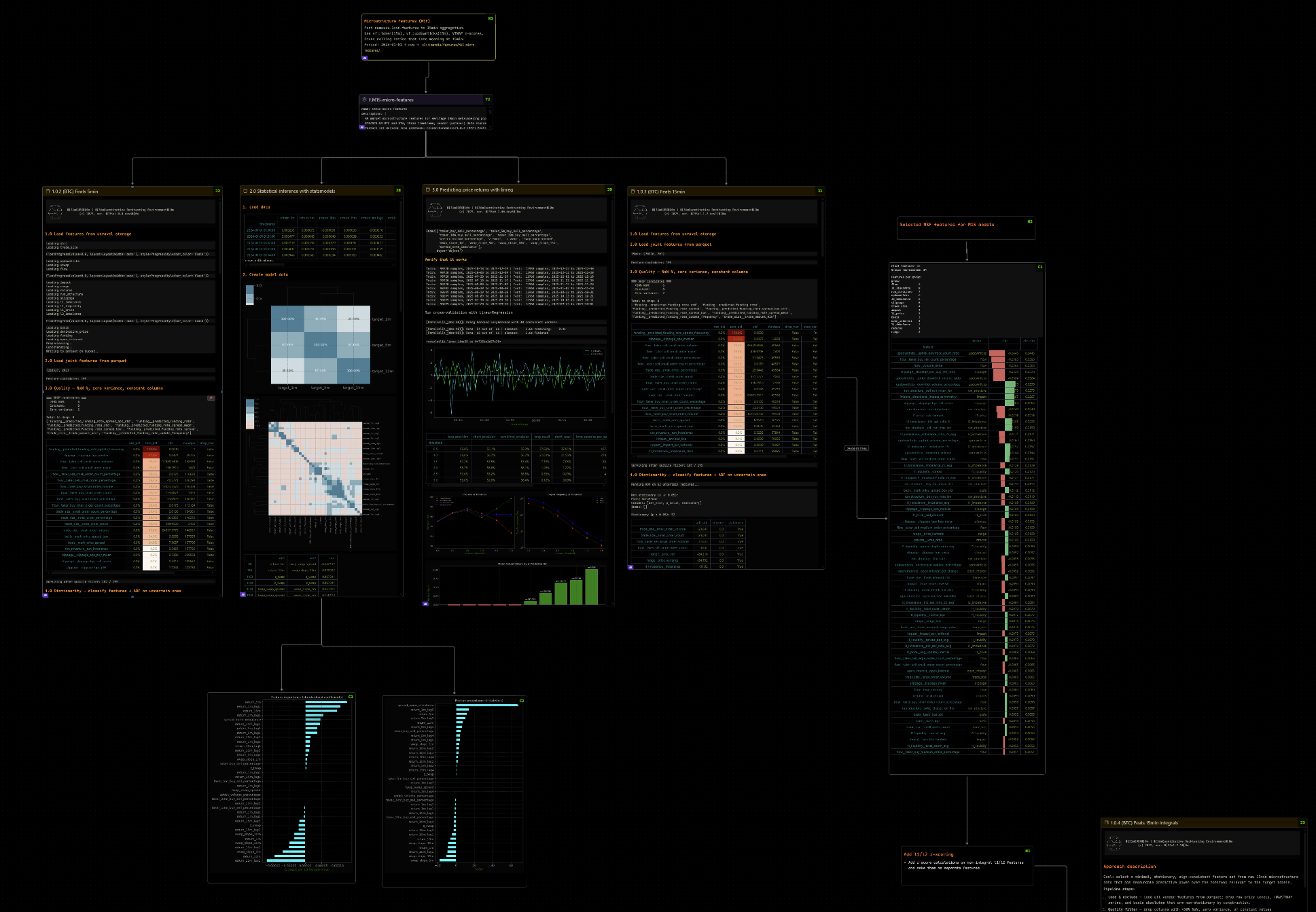
A full research canvas — notebook charts, correlation matrices, backtest results, and code all on one spatial board.
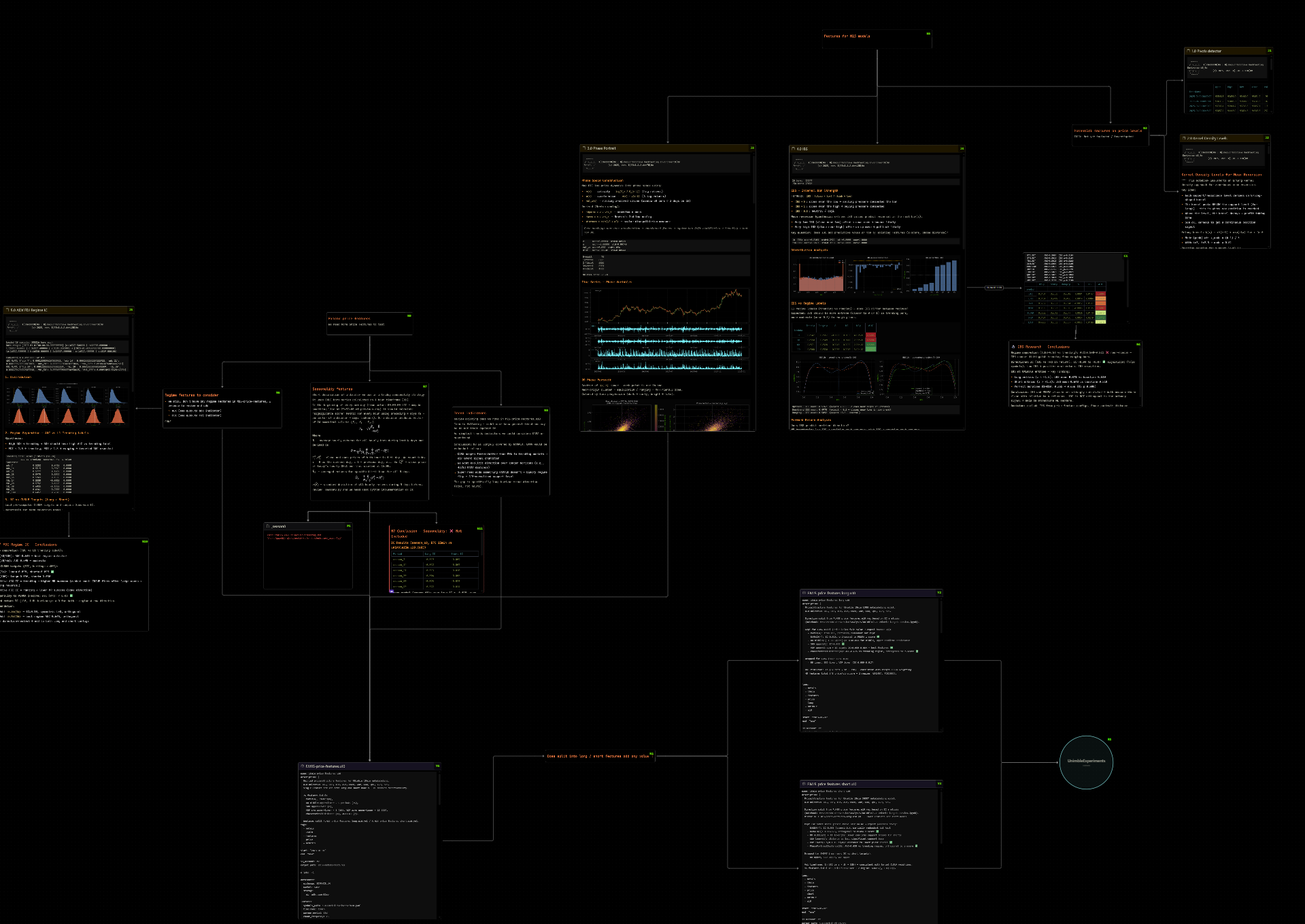
Navigate your research by relationship, not by folder. Nodes auto-update when files change on disk.
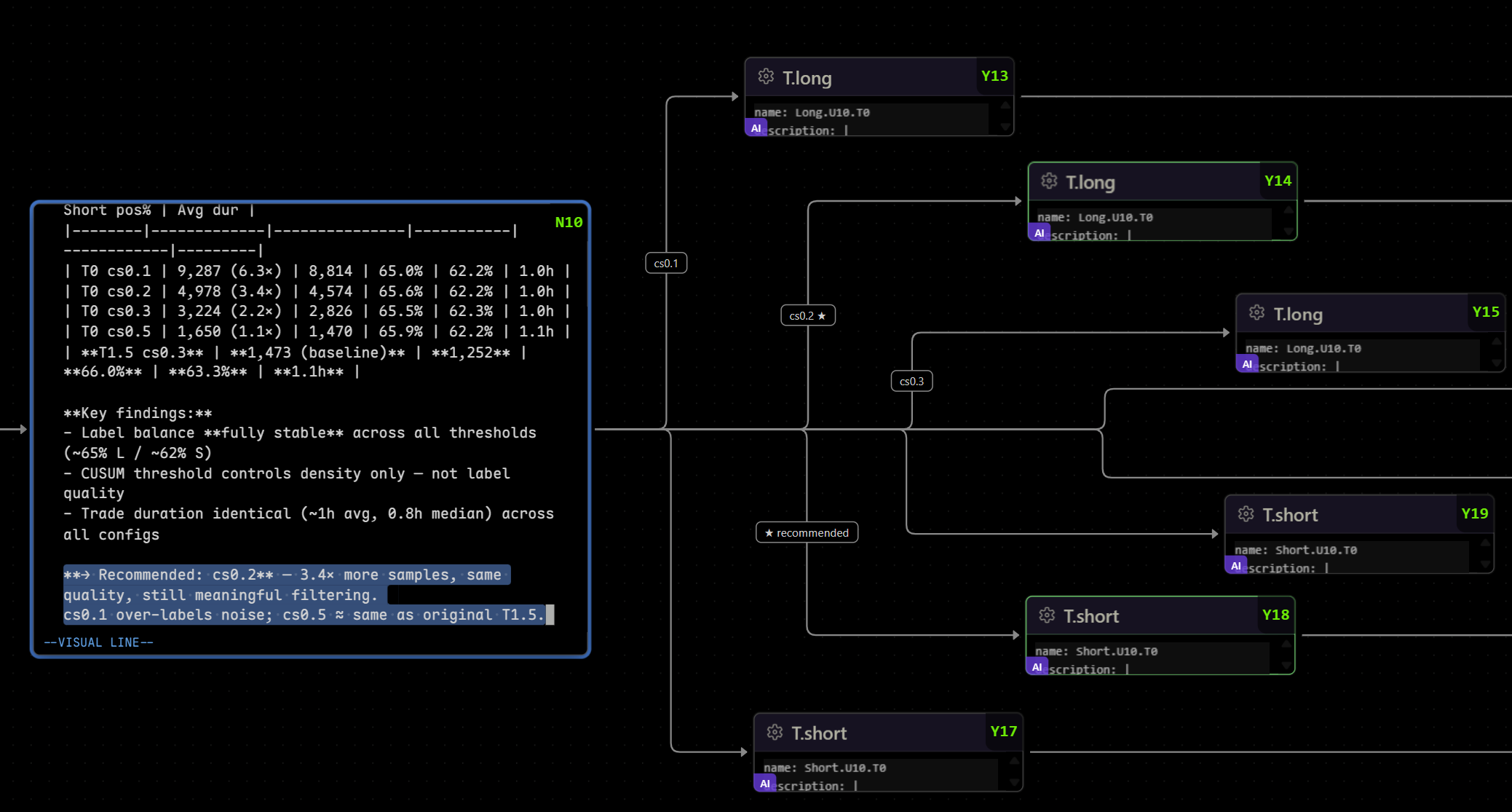
Write notes alongside the artifacts they describe. Monaco editor with full vim bindings — i, o, yy, dd, p all work.
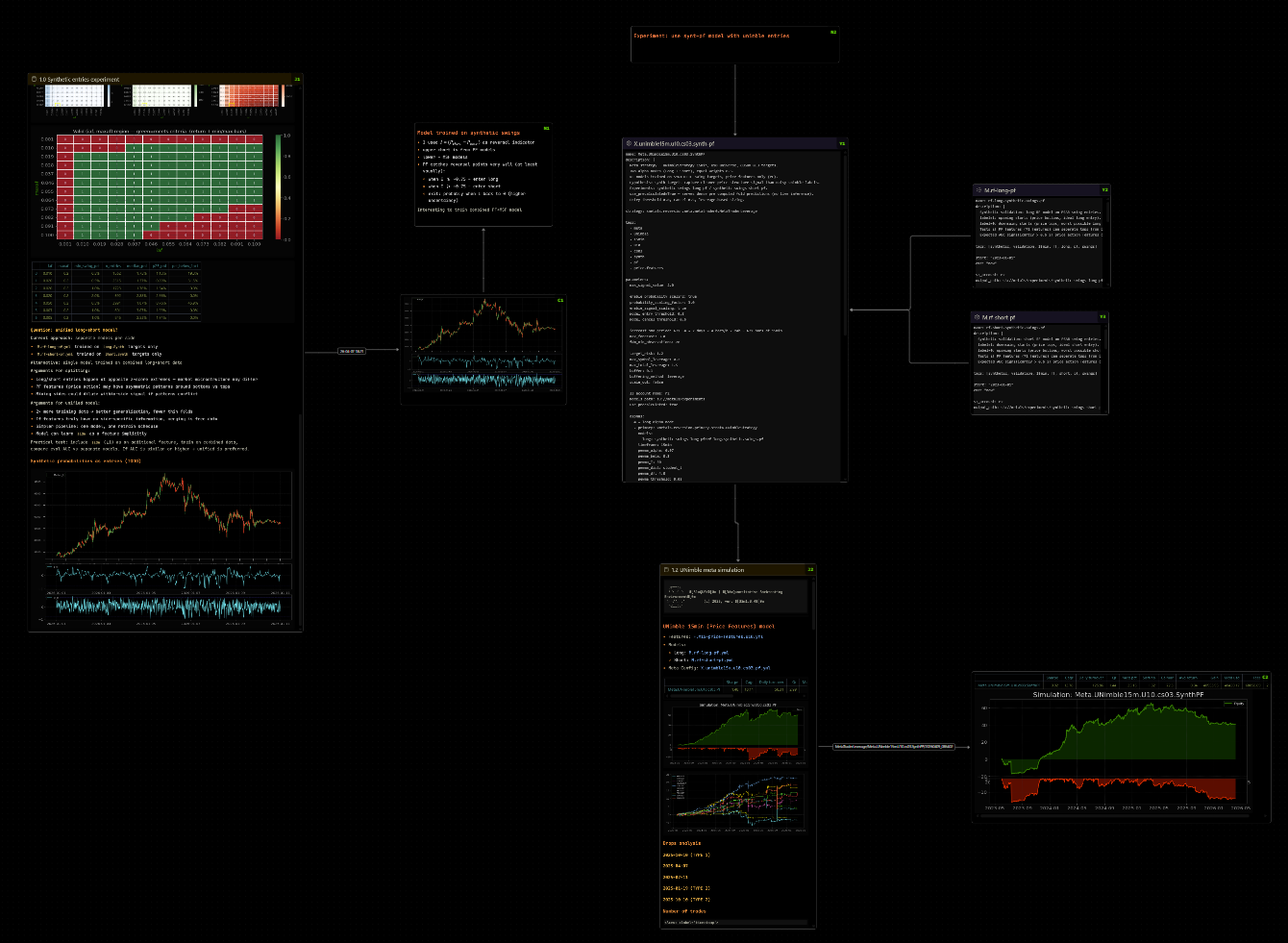
Pin notebook cell outputs as standalone nodes. Drag, zoom, connect — then save and push to git.
Why Skena
Quantitative research (or any deep technical work) generates a web of interconnected files — notebooks, results, code, configs, notes. Most tools force a choice:
| Tool | Problem |
|---|---|
| Obsidian canvas | Requires a desktop app — unusable on headless remote servers |
| Notion | Disconnected from code, slow, no git |
| Plain markdown | No visual overview of relationships |
Skena brings the spatial canvas experience into VS Code, so it works wherever VS Code works — including over Remote SSH on headless servers.
It reads and writes the standard JSON Canvas 1.0 format, so .canvas files are fully compatible with Obsidian.
Features
AI companion — chat that lives on your canvas
A floating chat overlay embedded in the canvas itself, not in a side panel. It sees what you see and acts on the canvas directly.
- Canvas-aware context — the companion receives the focused node's content, its 1-hop connections, and your current viewport: zoom level, on-screen node labels, and the verbatim text visible in the focused node.
- Acts on the canvas — it can add notes, read and update nodes through Skena's bundled MCP tools. New notes land next to the node you're focused on.
- Three providers (
skena.ai.provider):
| Provider | What it is | API key |
|---|---|---|
harness |
Drives your local Claude Code CLI | None — uses your existing /login |
anthropic |
Anthropic API directly | skena.ai.apiKey |
openai-compat |
Ollama, LM Studio, Groq, OpenAI, any OpenAI-format endpoint | endpoint-dependent |
- Harness mode is the flagship: one persistent Claude Code process per canvas, streaming responses, full agent tool use (file reads, shell, MCP), session resume when you reopen a canvas, and an isolated profile (
~/.skena/cc-profile) that keeps your global hooks out of the token bill. Permission mode, allowed tools, and reachable directories are all configurable. - Chat UX — Monaco input with vim bindings, markdown + LaTeX rendering in responses, draggable/resizable panel with a draggable input/output splitter, per-canvas history persisted in a
.skena.jsonsidecar, Reset (⟲) and Compact (⤵) controls.
| Key | Action |
|---|---|
Alt+` |
Collapse / expand the chat panel |
Alt+I |
Toggle focus between chat input and canvas |
Activity heatmap
Press gh to toggle a glow layer over the canvas: nodes and edges light up by thread cluster (color) and recency (intensity). Recently created or edited threads glow brightest — instantly shows where the work is happening on a large board.
Rich inline previews
- Markdown (
.md) — rendered with frontmatter header bar, status badges, scrollable content - Jupyter Notebooks (
.ipynb) — code cells, markdown cells, chart outputs, base64 images - Python / YAML — syntax-highlighted code preview via Shiki
- Images — scaled to fit the node
Vim spatial navigation
Navigate the canvas without touching the mouse:
| Key | Action |
|---|---|
h / j / k / l |
Move focus to nearest node in direction |
Enter |
Open focused file in VS Code editor |
Shift+H/J/K/L |
Add new text node connected in direction |
Space |
Pin node for group movement or edge connection |
c |
Toggle edge between pinned node and focused node (connect / disconnect) |
yy / dd / p |
Copy / delete / paste nodes (canvas clipboard) |
u / r |
Undo / redo (50-entry canvas history) |
w / W |
Widen / narrow focused node |
e / E |
Expand / shrink focused node height |
z / Z |
Zoom in / out |
Shift+Alt+H/J/K/L |
Pan the viewport (vim scroll semantics) |
Alt+Shift+C |
Center viewport on focused node at readable zoom |
gh |
Toggle activity heatmap |
Ctrl+N |
Add node via fuzzy vault search |
Ctrl+F or / |
Search within canvas |
Alt+P |
Pin hovered notebook cell output as a standalone node |
Ctrl+Shift+V |
Paste clipboard as a cell node |
Alt+` / Alt+I |
AI chat: collapse/expand · focus toggle |
Monaco text editor inside nodes
Double-click any text node to edit it inline — full Monaco editor with vim keybindings, markdown syntax highlighting, and VS Code theme integration.
Vault integration
Point Skena at a folder of .md files (a vault). Use Ctrl+N to fuzzy-search and add any entry as a node. The vault is watched for changes — nodes update automatically.
Canvas portals
Select nodes → right-click → Move to sub-canvas — selected nodes move to a new .canvas file and a portal node replaces them. Click the portal to open the linked canvas in a new tab.
Zoom-adaptive rendering (LOD)
| Zoom | What you see |
|---|---|
| Very zoomed out | Colored rectangles + title only |
| Overview | Title + status badge |
| Reading distance | Full rendered content |
| Zoomed in | Full detail, scrollable |
MCP server
On activation, Skena auto-deploys a local MCP server to .vscode/skena-mcp.js so Claude Code and other AI tools can read and write canvas nodes programmatically.
VS Code Remote SSH compatible
All processing runs in the extension host on the remote machine. No local toolchain needed.
Getting Started
- Install the extension from the marketplace
- Create or open any
.canvasfile — Skena opens it automatically as a visual canvas - (Optional) Configure your vault in
.vscode/settings.json:
{
  "skena.vaults": [
    { "name": "v1", "path": "~/vault" }
  ],
  "skena.vaultDirectories": ["notes", "knowledge", "logs"]
}
- Press
Ctrl+Non the canvas to fuzzy-search your vault and add nodes - (Optional) Enable the AI companion — if you have Claude Code installed and logged in, this is all it takes (no API key):
{
  "skena.ai.provider": "harness"
}
Then press Alt+` on any canvas to open the chat.
Configuration
{
  // Named vaults — supports multiple. URI: vault://<name>/path/to/file.md
  "skena.vaults": [
    { "name": "v1", "path": "~/vault" }
  ],

  // Directories to scan in each vault
  "skena.vaultDirectories": ["alpha", "knowledge", "logs", "inbox"],

  // Default node dimensions for newly created nodes
  "skena.nodeWidth": 400,
  "skena.nodeHeight": 250,

  // Auto-save debounce (ms)
  "skena.autoSaveDelay": 500,

  // Show source cells alongside notebook outputs
  "skena.notebook": {
    "showSourceCells": false
  },

  // AI companion — pick a provider
  "skena.ai.provider": "harness",          // harness | anthropic | openai-compat
  "skena.ai.model": "sonnet",              // model id or CLI alias

  // harness provider (Claude Code CLI — no API key)
  "skena.ai.harnessPermissionMode": "acceptEdits",
  "skena.ai.harnessAllowedTools": ["Bash"],
  "skena.ai.harnessAddDirs": ["~/projects"],
  "skena.ai.harnessIsolate": true,         // isolated CC profile, no global hooks
  "skena.ai.session.restore": true,        // resume the canvas conversation on reopen

  // anthropic / openai-compat providers
  "skena.ai.apiKey": "",                   // or ANTHROPIC_API_KEY env var
  "skena.ai.baseURL": "http://localhost:11434/v1"  // e.g. Ollama
}
Multi-root workspaces:
skena.*settings are window-scoped — VS Code ignores them in folder-level.vscode/settings.jsoninside a multi-root workspace. Put them in thesettingsblock of your.code-workspacefile instead.
Canvas Format
Skena reads and writes standard JSON Canvas 1.0 — the same format used by Obsidian. Files are plain JSON, version-control friendly, and diffable.
Supported node types: file, text, group, link, cell (standalone output), chat (AI terminal, UI only), portal (link to another canvas)
Extension node types (cell, chat, portal) are silently ignored by Obsidian, so files remain fully interoperable.
Obsidian Compatibility
.canvas files created in Skena open correctly in Obsidian and vice versa. Vault .md files use standard YAML frontmatter — readable by Obsidian, Foam, and any markdown tool.
License
Reviews (0)
Sign in to leave a review.
Leave a reviewNo results found