azeroth-world-editor
Health Pass
- License — License: GPL-3.0
- Description — Repository has a description
- Active repo — Last push 0 days ago
- Community trust — 12 GitHub stars
Code Pass
- Code scan — Scanned 12 files during light audit, no dangerous patterns found
Permissions Pass
- Permissions — No dangerous permissions requested
No AI report is available for this listing yet.
Azeroth World Editor (AWE): a 3D world and quest editor for AzerothCore servers
A world editor for your AzerothCore server: build quests and shape the world around them, then export it all as SQL.
Quests, scripting, NPCs and objects, spawns and patrols in 3D, without editing database tables by hand.




Download · Documentation · Build from source

What it does
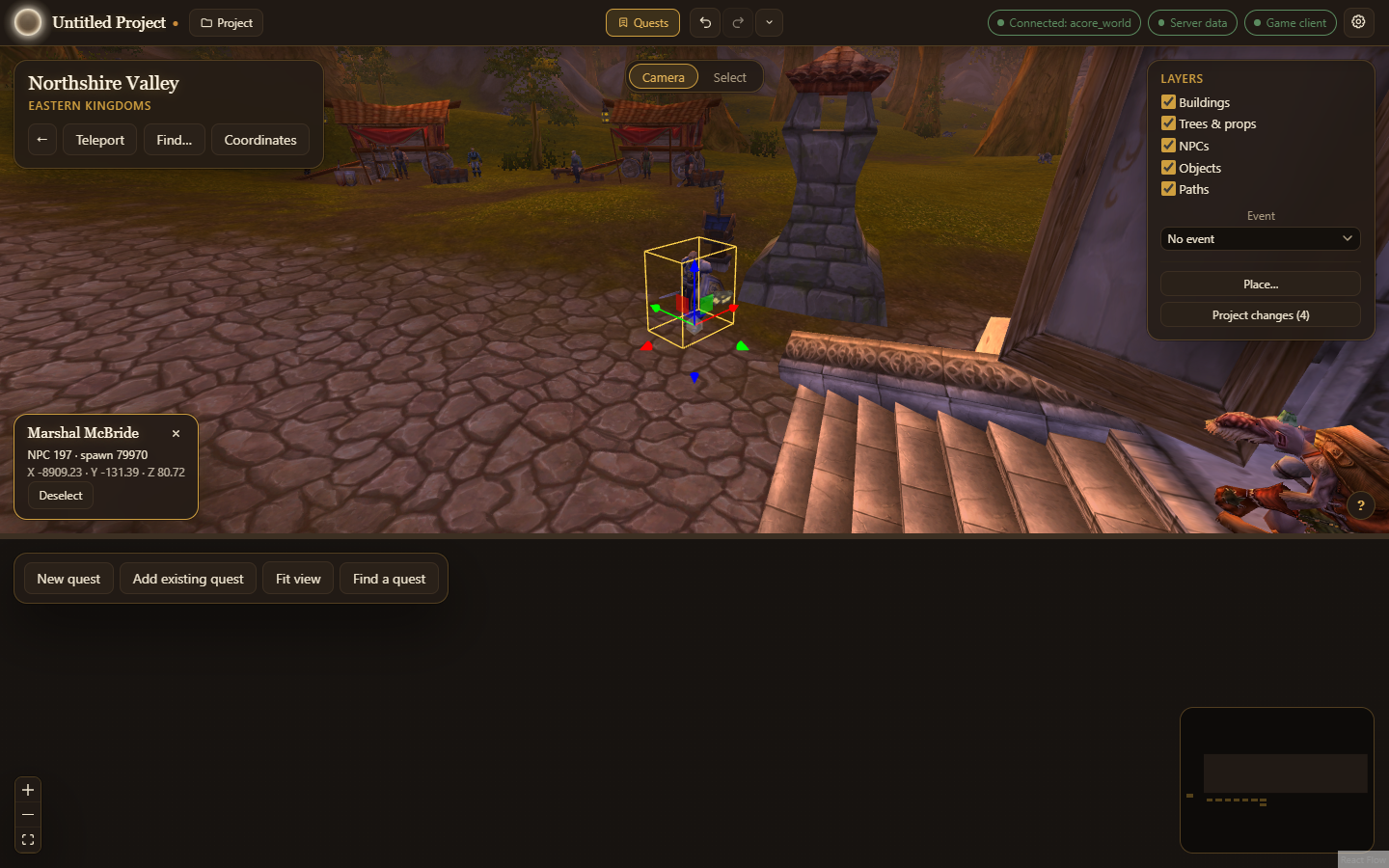
- The world in 3D. Walk the game world from your client files; place, move and turn NPCs and objects (including the passengers of ships, zeppelins and gunships, which stand on their vessels wherever those dock), draw their paths and press Play to watch NPCs walk them and wander, set respawn times and build spawn groups, then export the changes as a project patch.
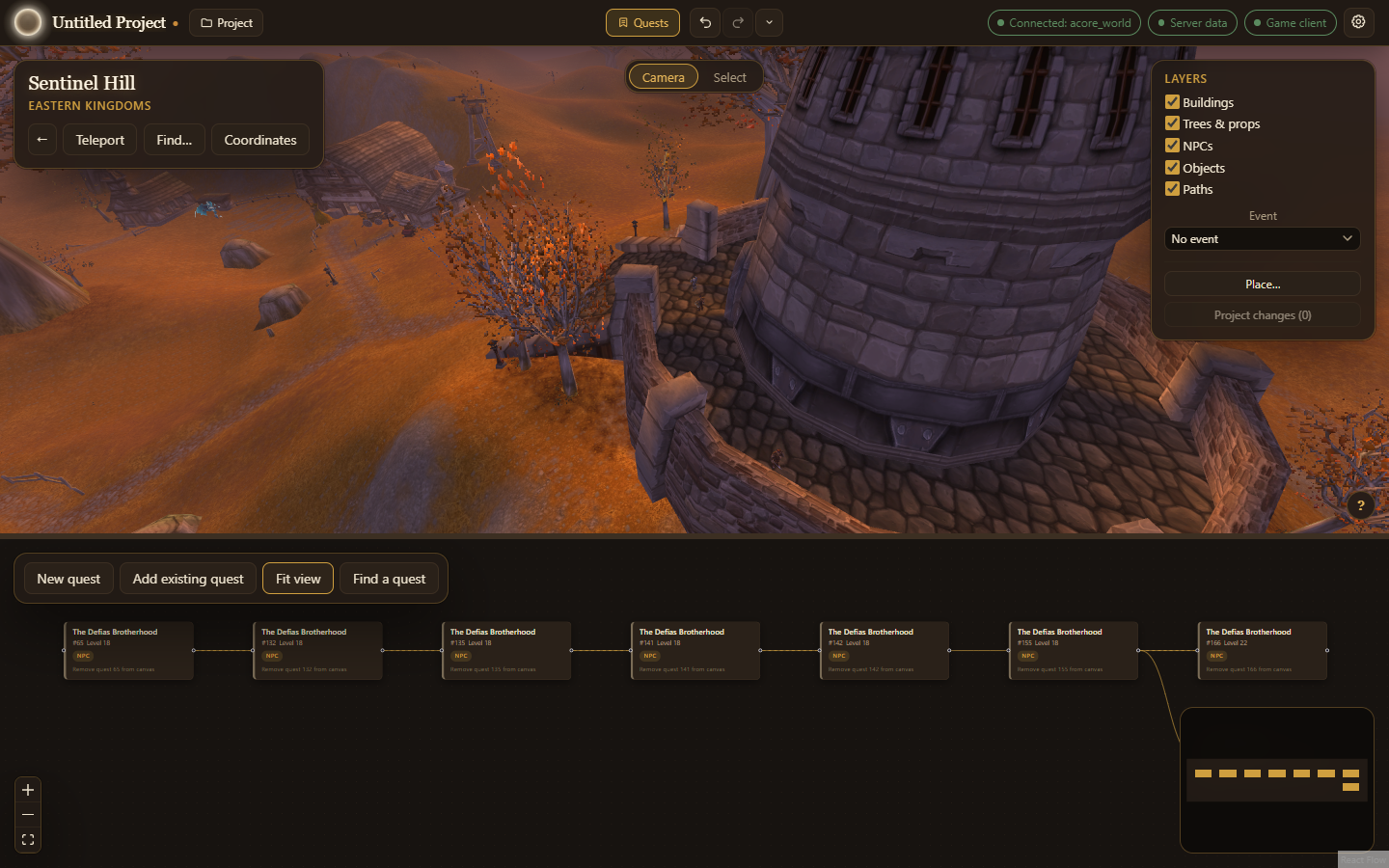
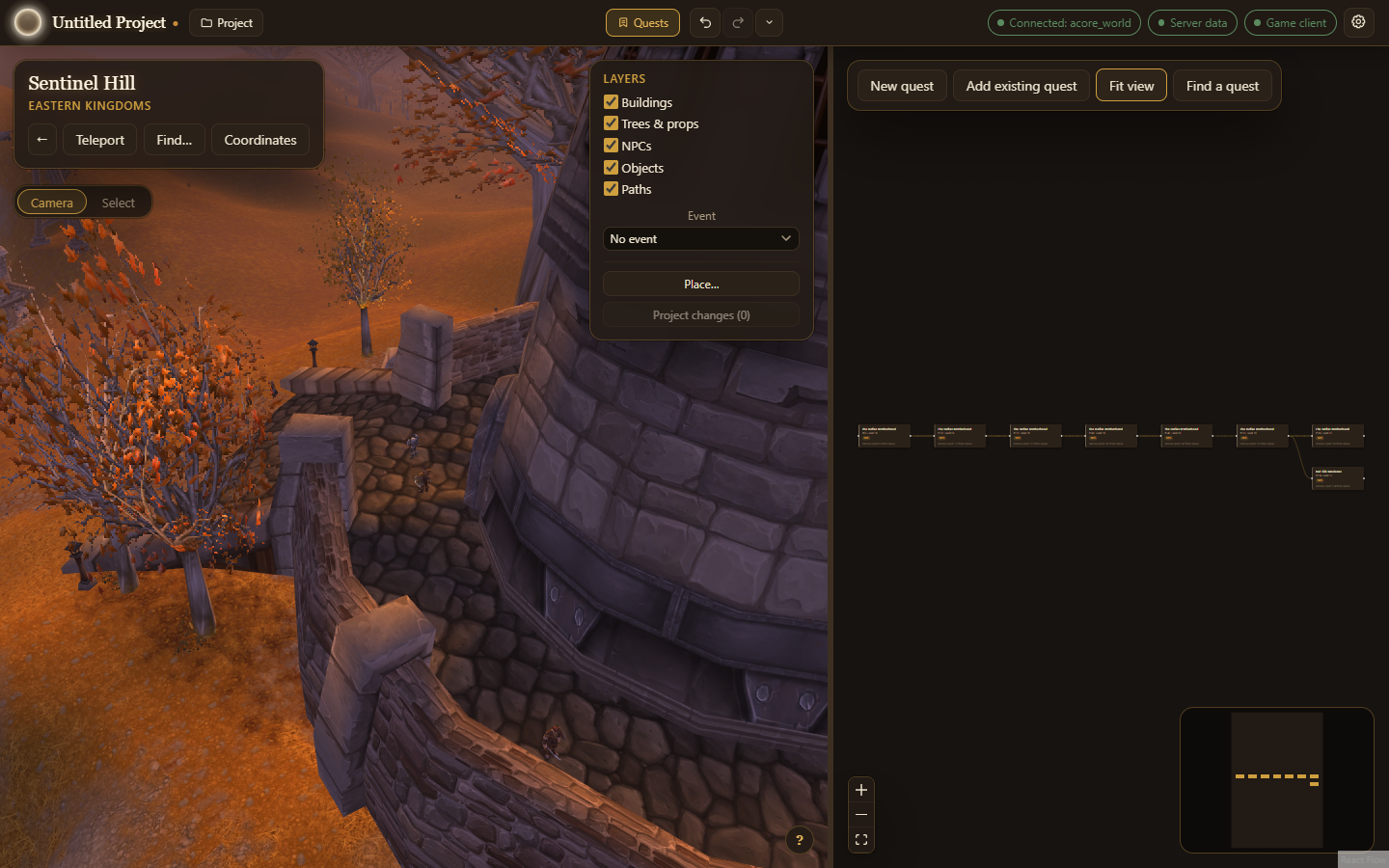
- Quest chains docked to the World. The Quests dock sits under or beside the 3D view. Make new quests or bring in existing chains from your world database, see how they connect, and drag from one quest to another to link them. Pick a quest and the camera flies to its NPCs; select one of them in the World and it is marked on the quest's card; drag one from the card onto the ground to place it.
- Givers and objectives. Choose who offers and takes back a quest, and what the player must kill, use, collect or explore.
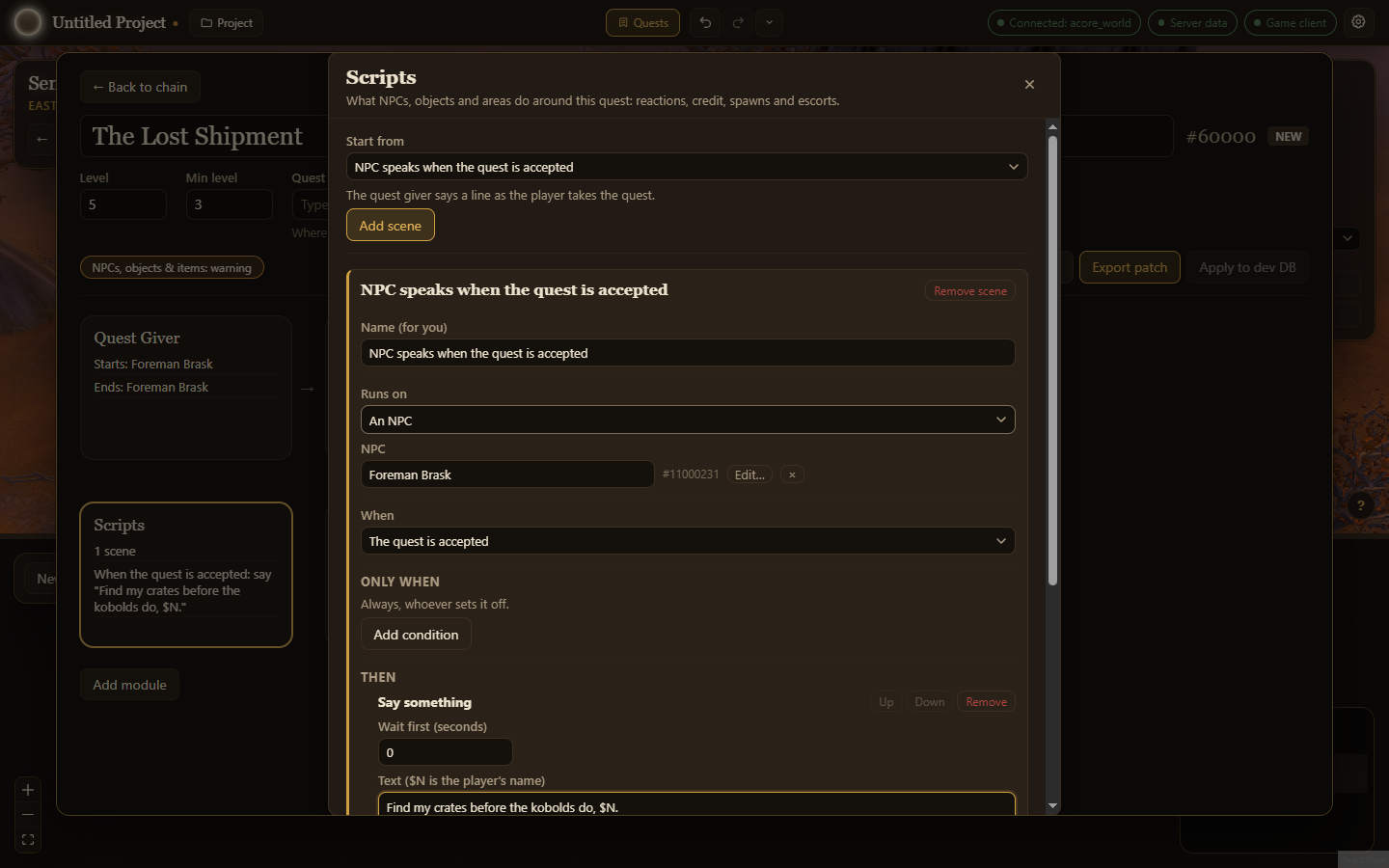
- Quest scripting. Describe what happens around a quest as scenes: an NPC speaks on accept, a talk option gives credit, an escort walks a path.
- Combat wizard. Design how an NPC fights, from one ability to a boss with phases, adds and health thresholds.
- New NPCs and objects. Pick how they look, their faction and weapons, who sees them (the living, only the dead like a spirit healer, or both) and the game events their spawns follow; make readable books and notes, and chests with loot.
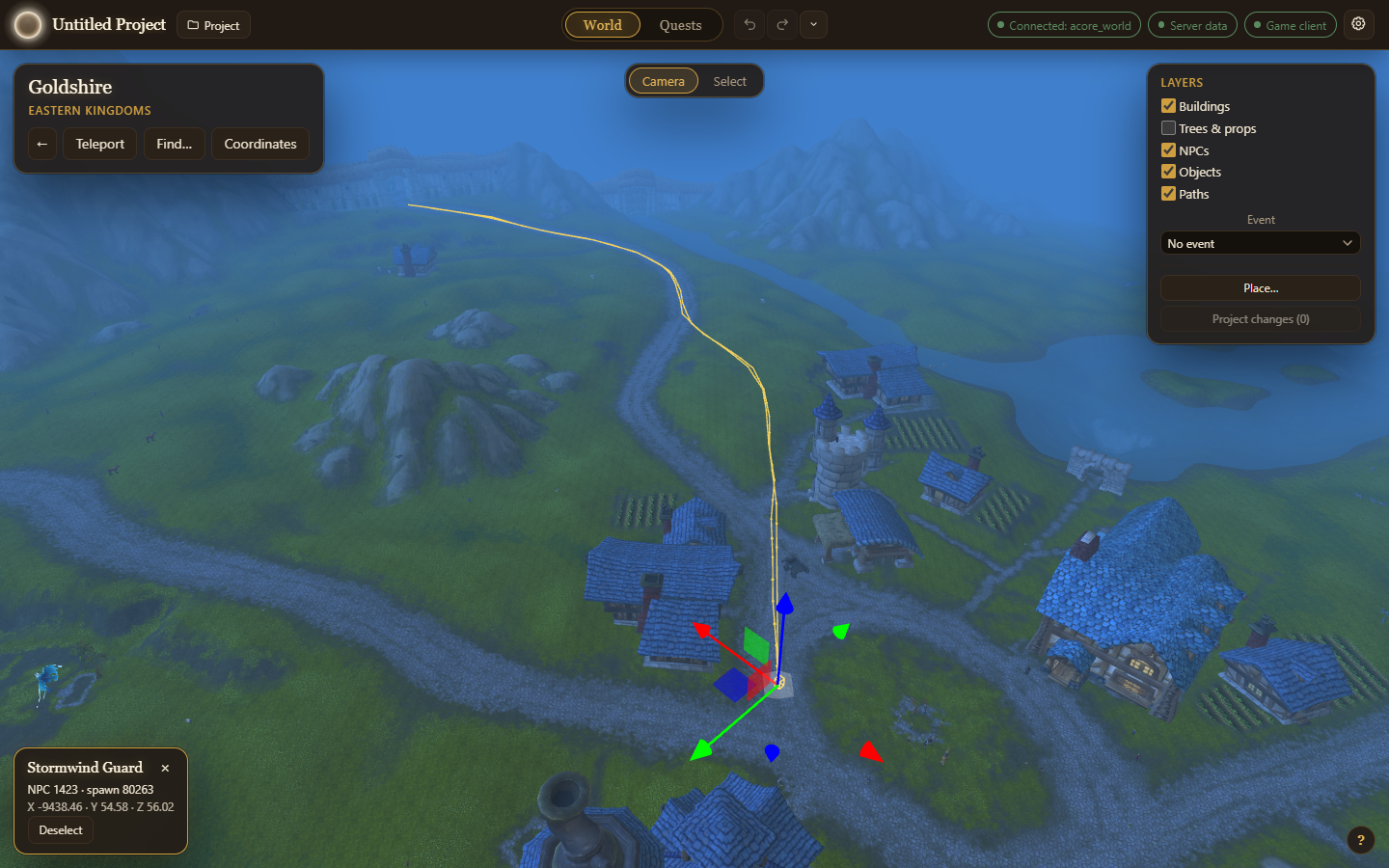
- Patrols. Place a new NPC in the World from its quest, draw its patrol on the ground and give each point a wait, a pace and actions such as a line to say.
- Work with an AI assistant. Turn on MCP / AI in Settings and connect an assistant such as Claude Code. It can look up your world (quests by zone, what stands around a point and which way it faces, name clashes, optionally lore from warcraft.wiki.gg), then write quests, scenes, boss fights, patrols, loot and new NPCs, objects and items in your open project. Each change is one undoable AI: … step, editing pauses while it writes, and it can never write to your world database.
- Test in game. Get the GM commands to reload and try a quest on your test server.
- Export. Review every change, then export an SQL patch or apply it to a dev database. Your live world database is only ever read.
 |
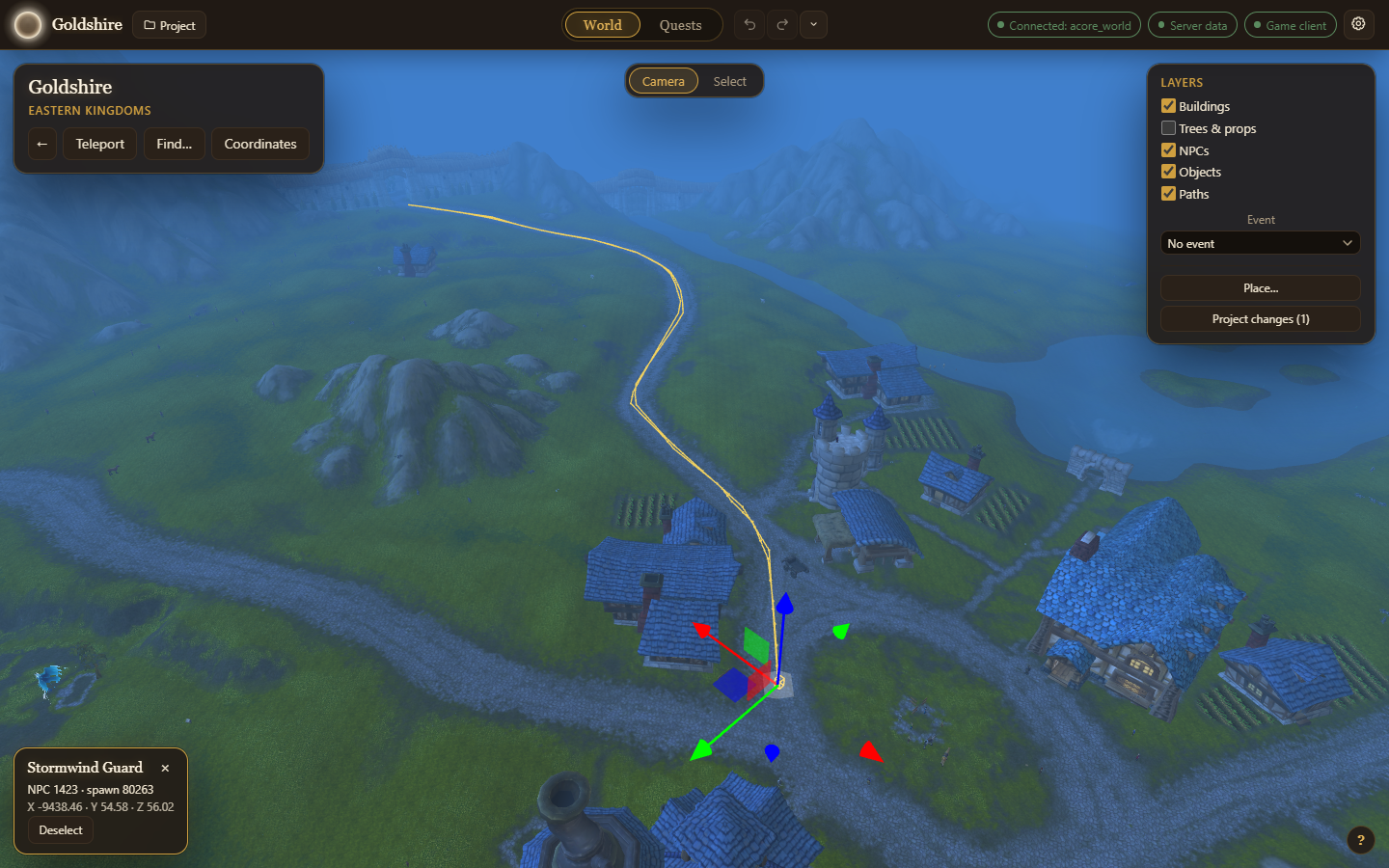 |
| Before: the stock route leaves the road north of Goldshire | After: dragged back onto the road, one entry in Project changes |
 |
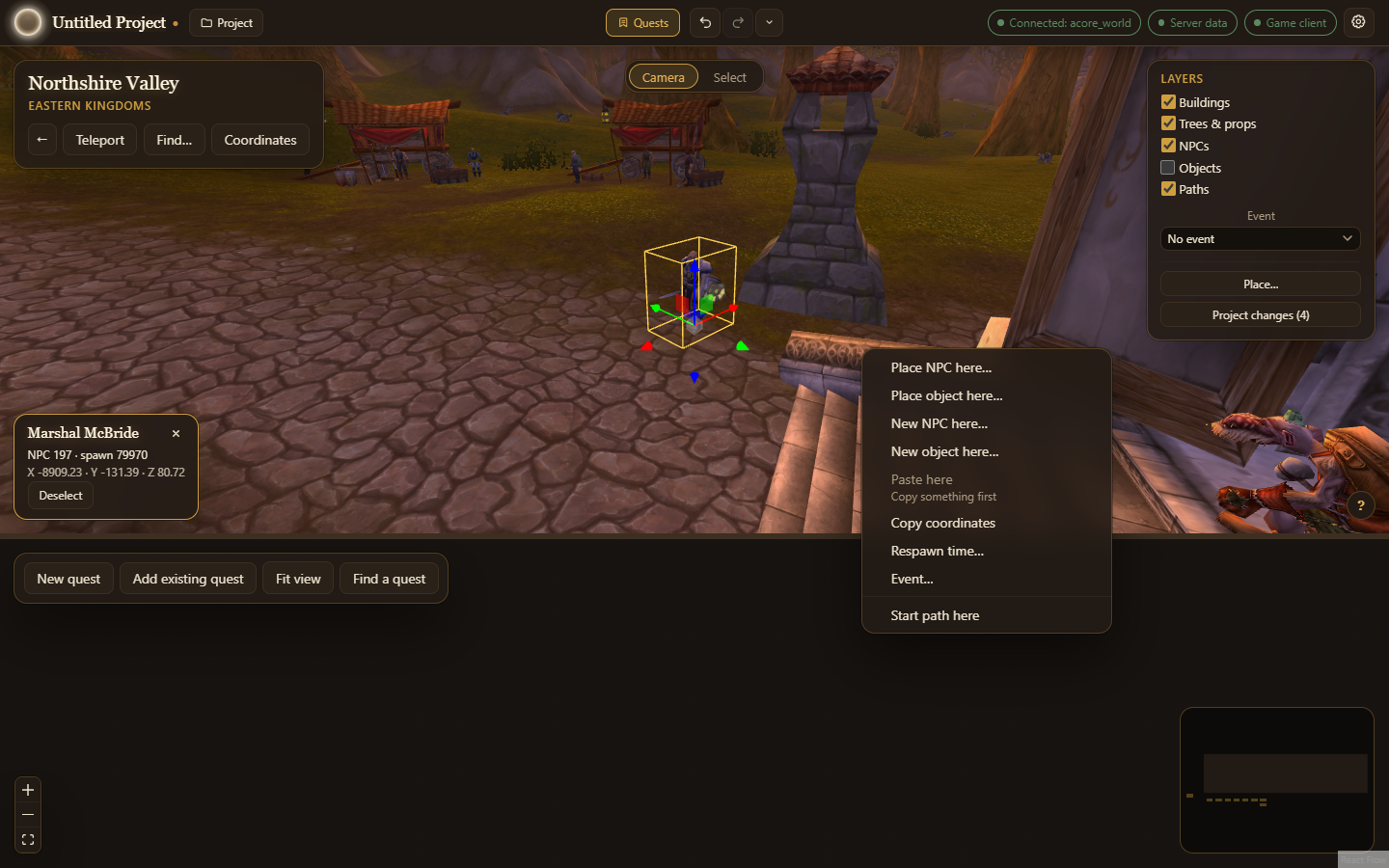 |
| Quests: the chain in a dock under the World | Right-click: what you can do with what is under the cursor |
 |
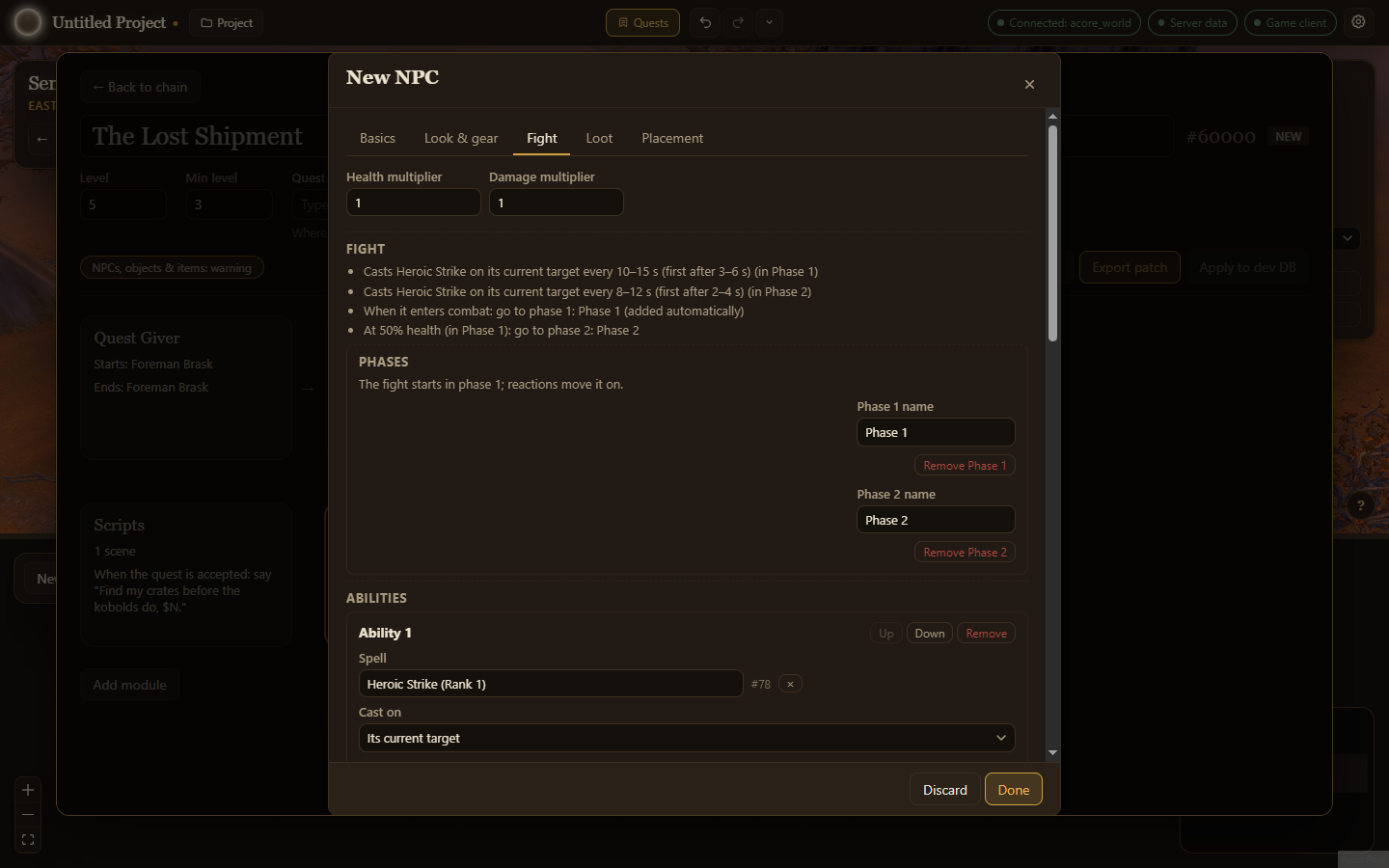 |
| Quest scripting: what happens around a quest, as scenes | Combat wizard: from one ability to a boss with phases |
 |
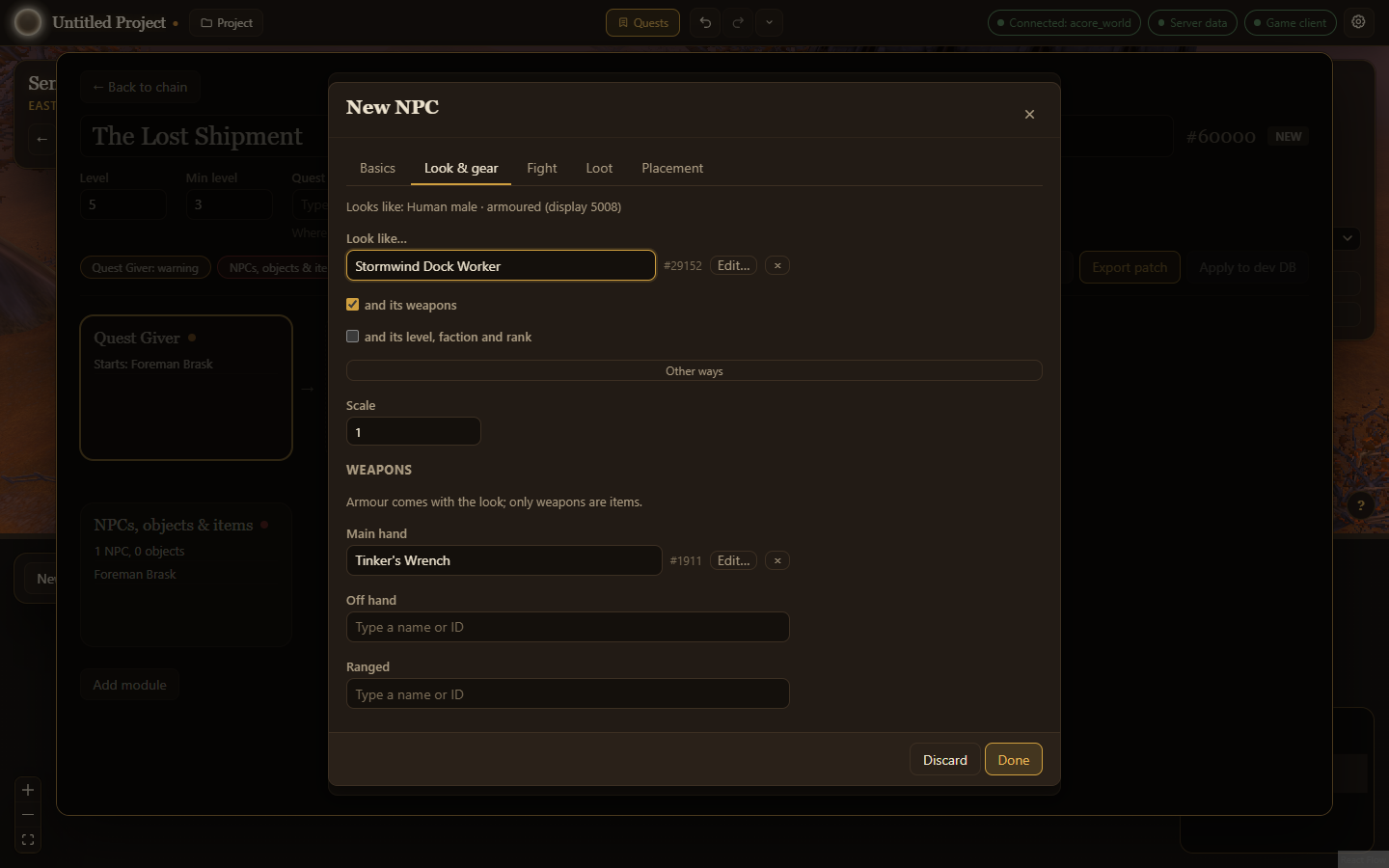 |
| Beside the World: the other dock layout, from Settings | NPC editor: looks, faction and weapons |
Requirements
- An AzerothCore world database (including the Conquest of AzerothCore fork) reachable over MySQL.
- Recommended: your game client folder, which the 3D World is drawn from (without it, the app is the quest tools only).
- Optional: your server's data folder (the one holding
dbc/) for XP values, name search and ground heights.
Download
Get the installer for Windows, macOS or Linux from the Releases page. The builds are not code-signed, so your system warns you the first time you open the app; the install guide shows how to get past it.
Documentation
The guide for quest authors and contributors: https://dmck96.github.io/azeroth-world-editor/
Building from source
npm ci
cp .env.example .env   # then fill in your world database
npm run dev
See CONTRIBUTING.md for tests, conventions and releases.
License
Reviews (0)
Sign in to leave a review.
Leave a reviewNo results found