illithid
Health Warn
- License — License: MIT
- Description — Repository has a description
- Active repo — Last push 0 days ago
- Low visibility — Only 6 GitHub stars
Code Warn
- process.env — Environment variable access in scripts/apply-fixture.ts
Permissions Pass
- Permissions — No dangerous permissions requested
No AI report is available for this listing yet.
One library of rules, skills, subagents and MCP servers for Claude Code, Codex, OpenCode, Gemini CLI and GitHub Copilot. Edit once, synced to every tool.
Illithid
Your agents. One shared setup.
Keep using Claude Code, Codex, OpenCode, and more. Manage their rules, skills, subagents, and MCP servers in one place.



 Claude Code |
 Codex |
 OpenCode |
 Gemini CLI |
 GitHub Copilot |
 Grok CLI |
Configure once. Keep your agents in sync.
Edit your shared setup once, preview the changes, and apply them to the tools you use. Choose which rules, skills, subagents, MCP servers, hooks, and permissions each tool receives.
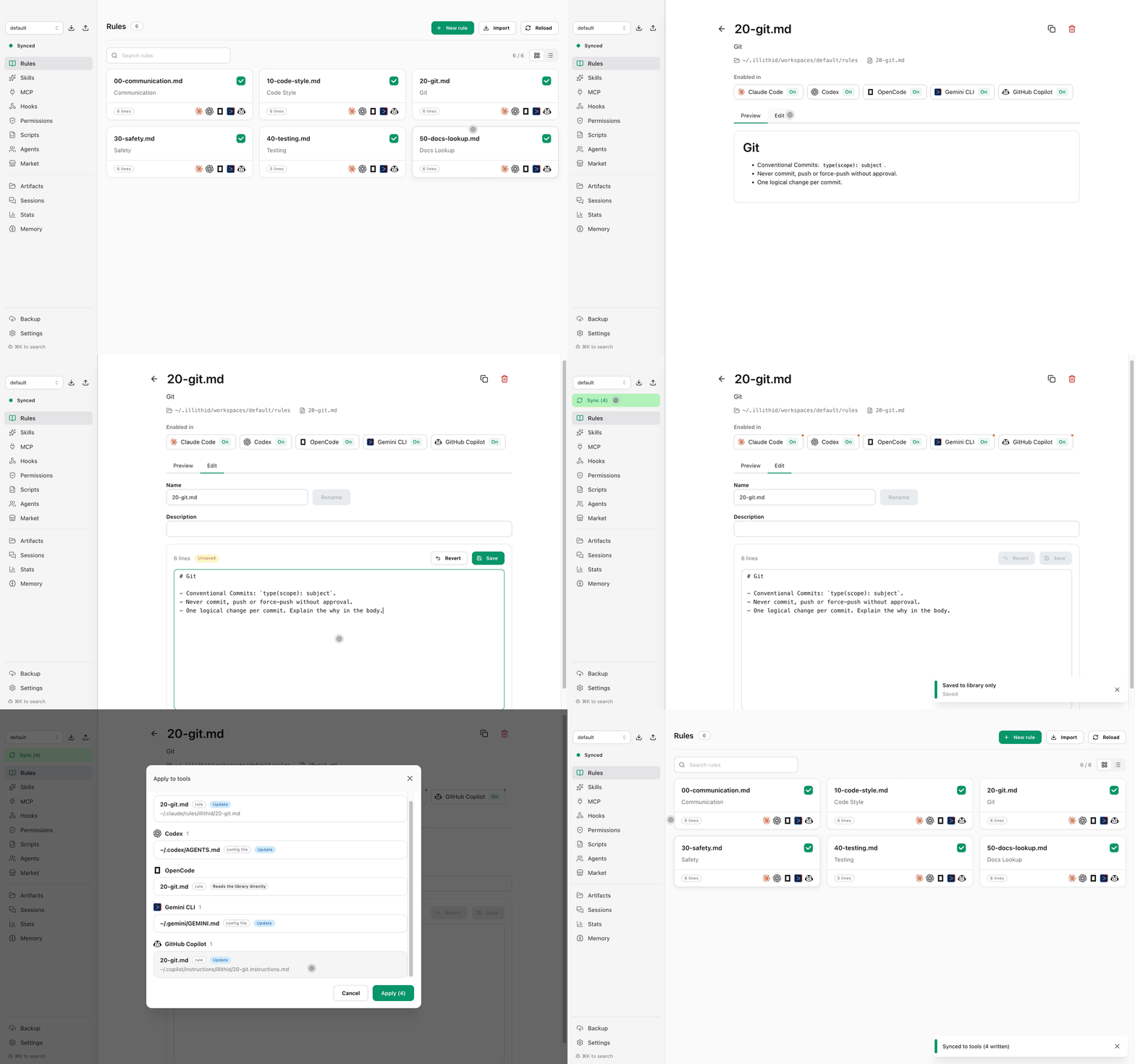
Bring your existing setup.
Import the configuration you already use. Choose your tools and review every change before applying it. Imported originals are backed up before Illithid starts managing them.
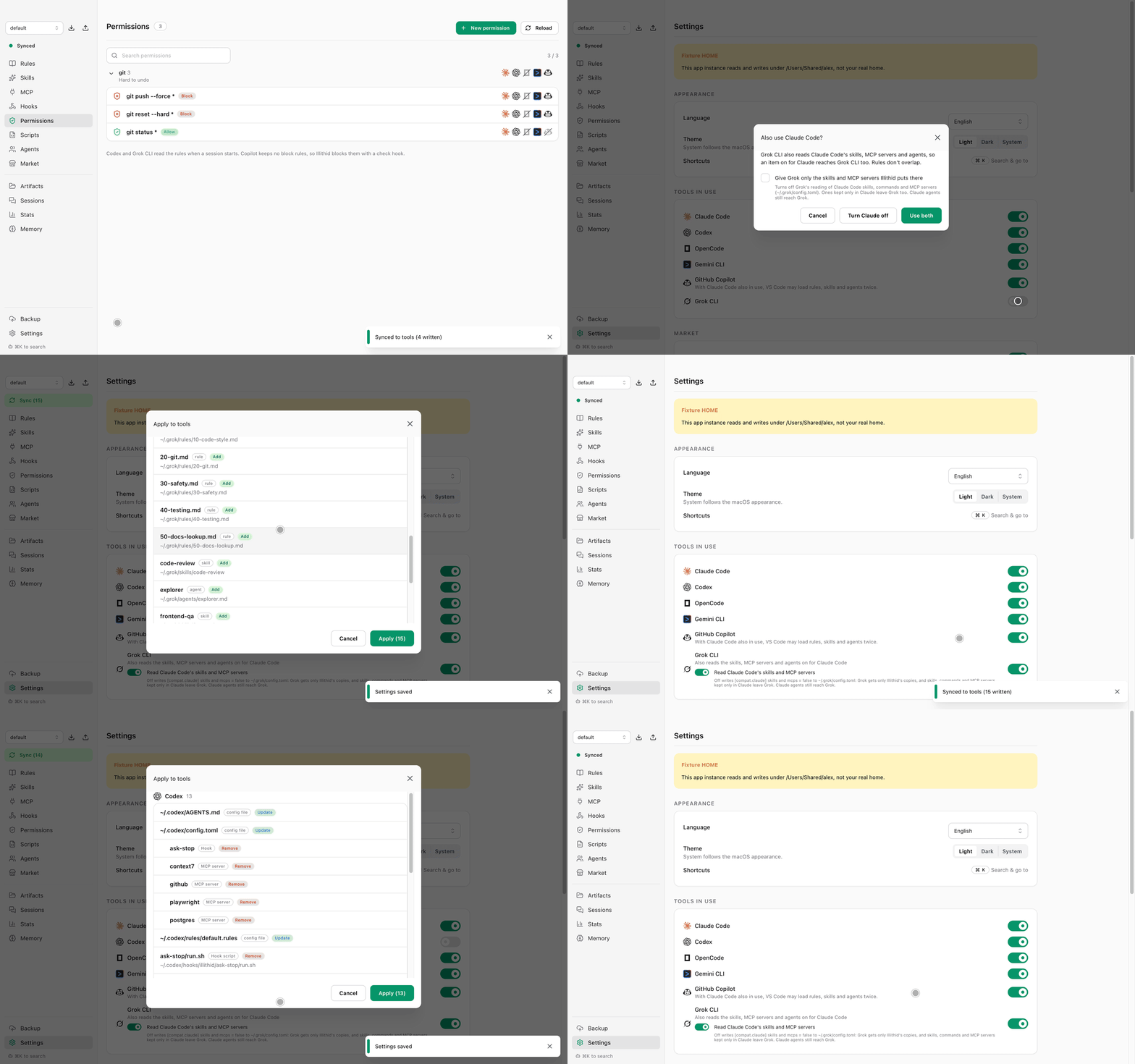
Automate checks with hooks.
Write a hook once and it runs in Claude Code, Codex, Gemini CLI, GitHub Copilot, and Grok CLI, each in its own format. Pick when it runs, then run your own script or check the work with a plain-language rule. Keep shared scripts in the library; a script can be a folder with its own helper files.
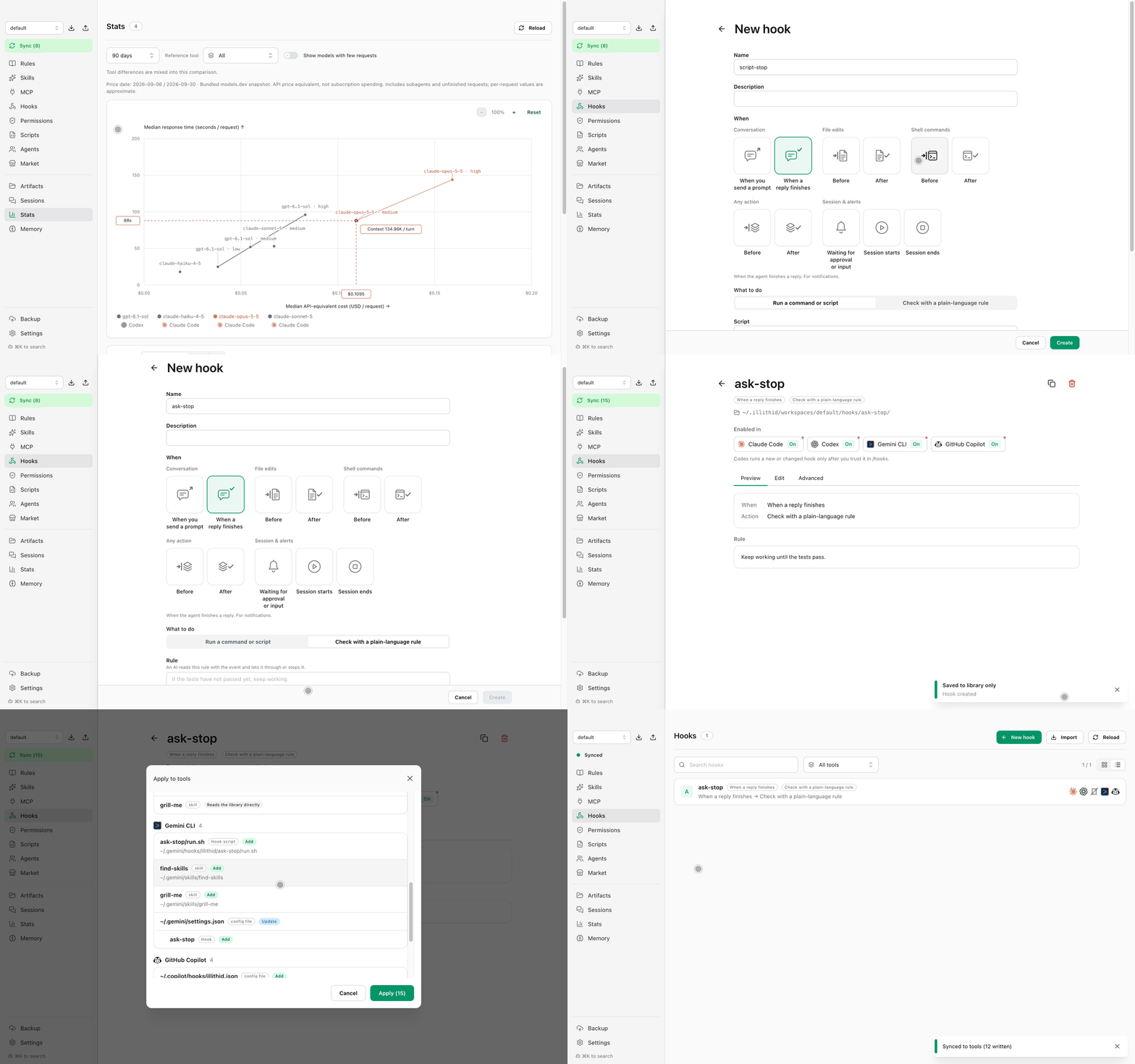
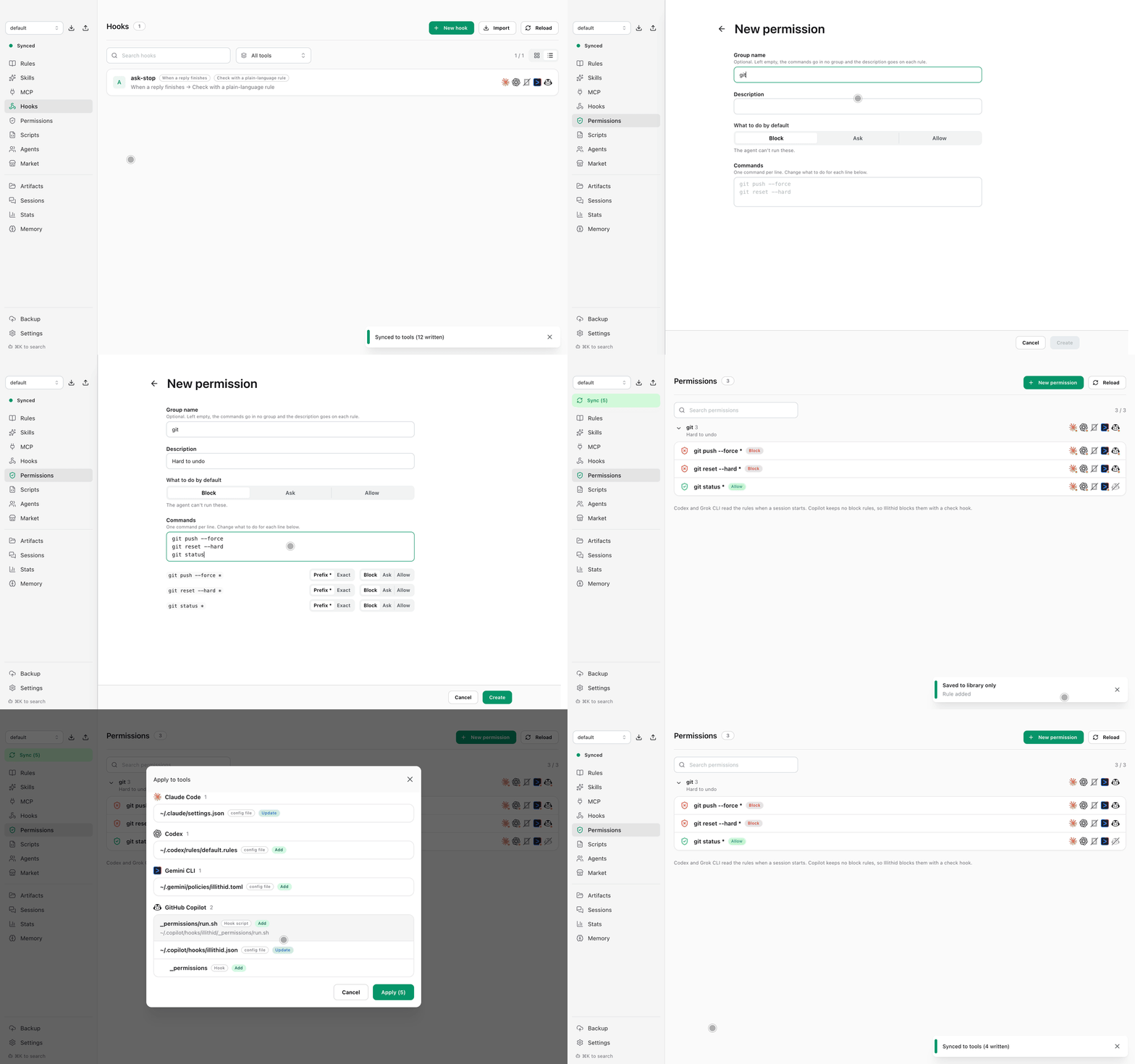
Decide which commands agents can run.
Allow, ask for, or block shell commands once, and Illithid writes the rule for Claude Code, Codex, Gemini CLI, and GitHub Copilot, each in its own format. Group related commands, and turn a rule off for a single tool. MCP servers get the same choices: in a server's Permissions tab, set a default for all its tools and override single tools, applied to Claude Code, Codex, Gemini CLI, and OpenCode.
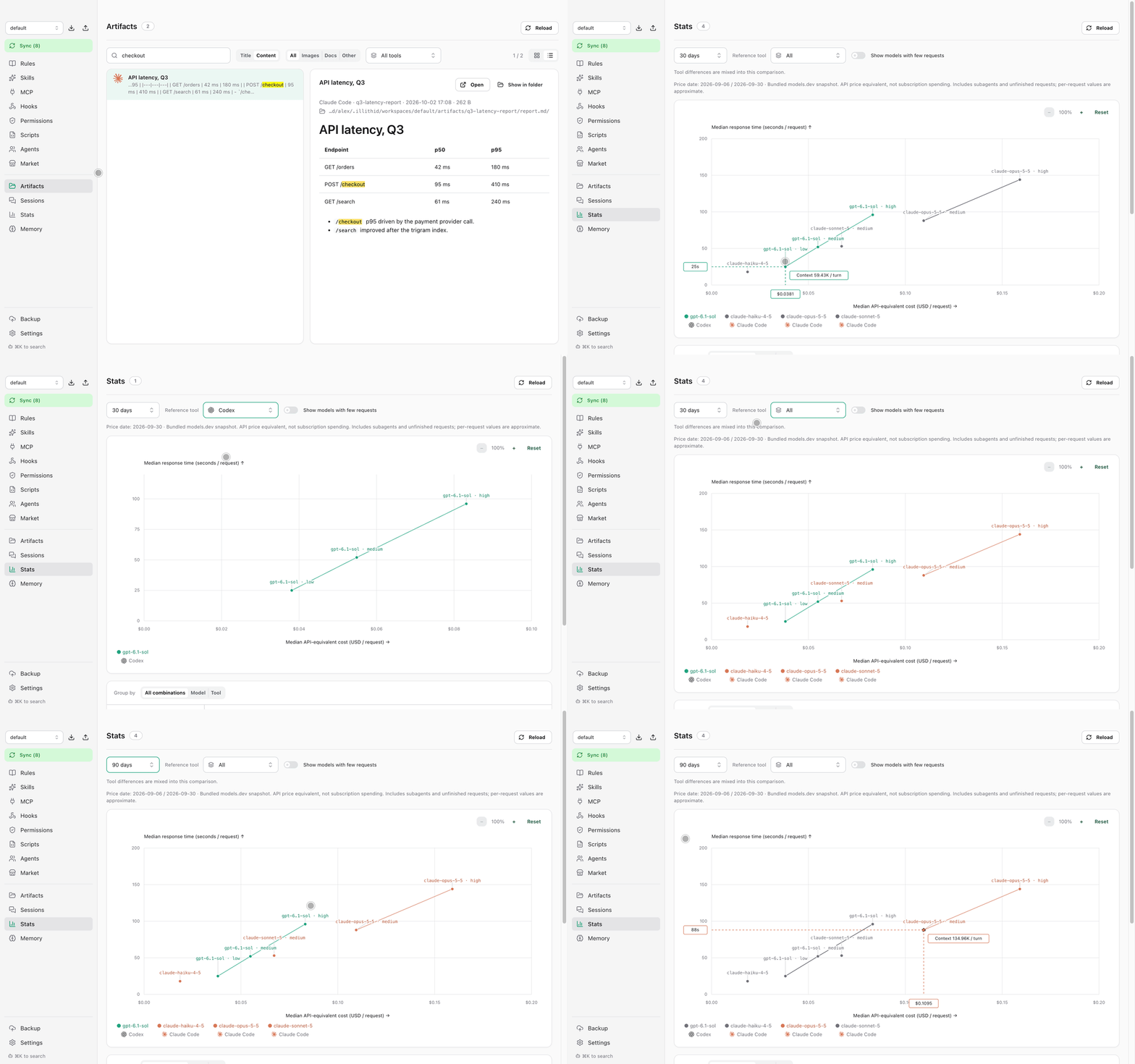
Understand your model usage.
Compare request counts, token usage, and median response time from local session logs. See API-equivalent costs calculated from published token rates, separate from your subscription bill. Filter by tool and date range to compare model and effort combinations.
Install
brew install --cask doominkim/tap/illithid
Or download the DMG above.
Also included
- Market: discover and install rules, skills, and MCP servers.
- Sessions: search and resume past conversations.
- Memory: review and promote agent memories to the shared library.
- Artifacts: browse reports, documents, and images produced by your agents.
- Workspaces & backup: keep separate setups, export or import them, and back up the library with Git. Configured builds can sign in with GitHub and create a private backup repository; existing repository URLs remain supported. See GitHub backup setup.
Safe by default
- Illithid only writes to the tools you pick in Settings → Tools in use, and shows every change in a preview before applying it.
- Replaced or deleted files are moved to
~/.config/illithid/backups/, never erased. - Old backups go to the Trash after 30 days (configurable).
FAQ
Does my code or prompts go through Illithid?
No. Illithid never talks to any model API. It edits local config files and reads local session logs. Network access includes Git backup (only if you connect a remote), optional GitHub backup sign-in and repository setup, the update check and the Market, which talks to skills.sh, the official MCP registry and GitHub. You can turn the Market off in Settings. Illithid also asks GitHub once a day whether a newer version is out; turn that off under Settings → Updates.
Will it overwrite my existing setup?
On first run Illithid offers to import what you have. Imported originals are backed up before Illithid takes them over.
How do I stop using it?
Quit the app and uninstall. The files it wrote are plain rules, skills and config entries, so your tools keep working. To stop syncing one tool, turn it off in Settings; the preview shows what Illithid removes from it.
Why macOS only?
Secrets are stored in the macOS Keychain, so only macOS builds are published for now.
Build from source
Requires Node.js 22 or newer.
npm install
npm run dev          # run with hot reload
npm run build:mac    # DMGs in dist/
Without a Developer ID certificate, build unsigned with CSC_IDENTITY_AUTO_DISCOVERY=false npm run build:mac.
App languages
English, Korean, Japanese and Chinese.
License
Reviews (0)
Sign in to leave a review.
Leave a reviewNo results found