openaxe
Health Warn
- License — License: MIT
- Description — Repository has a description
- Active repo — Last push 0 days ago
- Low visibility — Only 5 GitHub stars
Code Pass
- Code scan — Scanned 12 files during light audit, no dangerous patterns found
Permissions Pass
- Permissions — No dangerous permissions requested
No AI report is available for this listing yet.
A sharp open source TUI/CLI AI coding agent.
openaxe
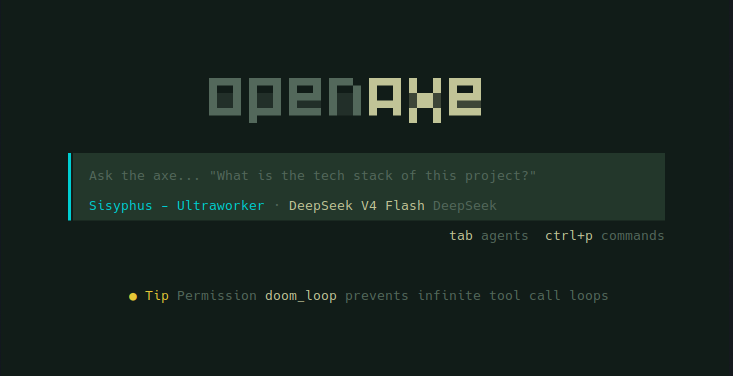
Lean TUI/CLI AI coding assistant — Effect v4, security-first, 64% fewer packages, zero Electron.
A fork of anomalyco/opencode that strips the bloat and crystalizes the power. Runs in your terminal, no cloud dependency.
Reading Guide
New to openaxe? Here's what to read in order:
| If you want to... | Start here |
|---|---|
| Try it now | Quick Start → User Guide |
| Understand the project | Features → Architecture → Security |
| Configure your setup | Configuration → Providers |
| Extend openaxe | Plugin System → External Plugins |
| Compare with upstream | Advantages |
| Develop openaxe | Architecture → repo AGENTS.md |
Quick Start
Prerequisites
- None for the binary install — just
curl(andunzipon macOS) - Bun 1.2+ — only required to build from source:
curl -fsSL https://bun.sh/install | bash(Linux/macOS) orpowershell -c "irm bun.sh/install.ps1 | iex"(Windows) - Git (for session/GitHub features)
- Ripgrep (optional, for faster codebase search)
Install
Linux / macOS
# Rolling release (recommended for daily use) — no binary, runs from source via bun dev
# Always on latest: update = git pull + bun install
curl -fsSL https://raw.githubusercontent.com/dressedinblack5/openaxe/dev/install.sh | sh -s -- --dev

# Install from source (same rolling model, fuller setup: PATH + desktop entry)
curl -fsSL https://raw.githubusercontent.com/dressedinblack5/openaxe/dev/install | bash

# Prebuilt binary — for users who don't want to run from source
curl -fsSL https://raw.githubusercontent.com/dressedinblack5/openaxe/dev/install.sh | sh
Windows
Option 1 — Pre-built binary (recommended)
Download the latest openaxe-windows-x64.zip from the releases page, extract, and add to PATH.
Option 2 — Install script (cmd.exe)
curl -fsSLo install.bat https://raw.githubusercontent.com/dressedinblack5/openaxe/dev/install.bat
install.bat
Downloads the right binary for your architecture, creates a desktop shortcut, and adds to PATH.
Option 3 — PowerShell one-liner (via Git Bash)
Requires Git for Windows (provides Git Bash). Then in Git Bash:
curl -fsSL https://raw.githubusercontent.com/dressedinblack5/openaxe/dev/install.sh | sh
Build from source
git clone https://github.com/dressedinblack5/openaxe.git
cd openaxe
bun install
cd packages/openaxe
bun dev          # Primary: run TUI directly (no binary)
bun devis the primary way to run openaxe. It runs the TUI directly from source with no build step. On Linux/macOS, the rolling release (--dev) install keeps you on latest without ever touching a binary. The binary is only needed for Windows distribution and official releases.
First Run
# Start the TUI in your project directory
cd my-project
openaxe

# Single prompt, non-interactive
openaxe run "explain this codebase"
Features
- Multi-provider LLM — 25+ providers: Anthropic, OpenAI, Google, Groq, Mistral, AWS Bedrock, Azure, TogetherAI, xAI, DeepInfra, Perplexity, Cerebras, OpenRouter, Alibaba, Venice, GitLab, Cohere, NVIDIA, Google Vertex, SAP AI Core, Vercel, DeepSeek, Fireworks, Ollama, and more
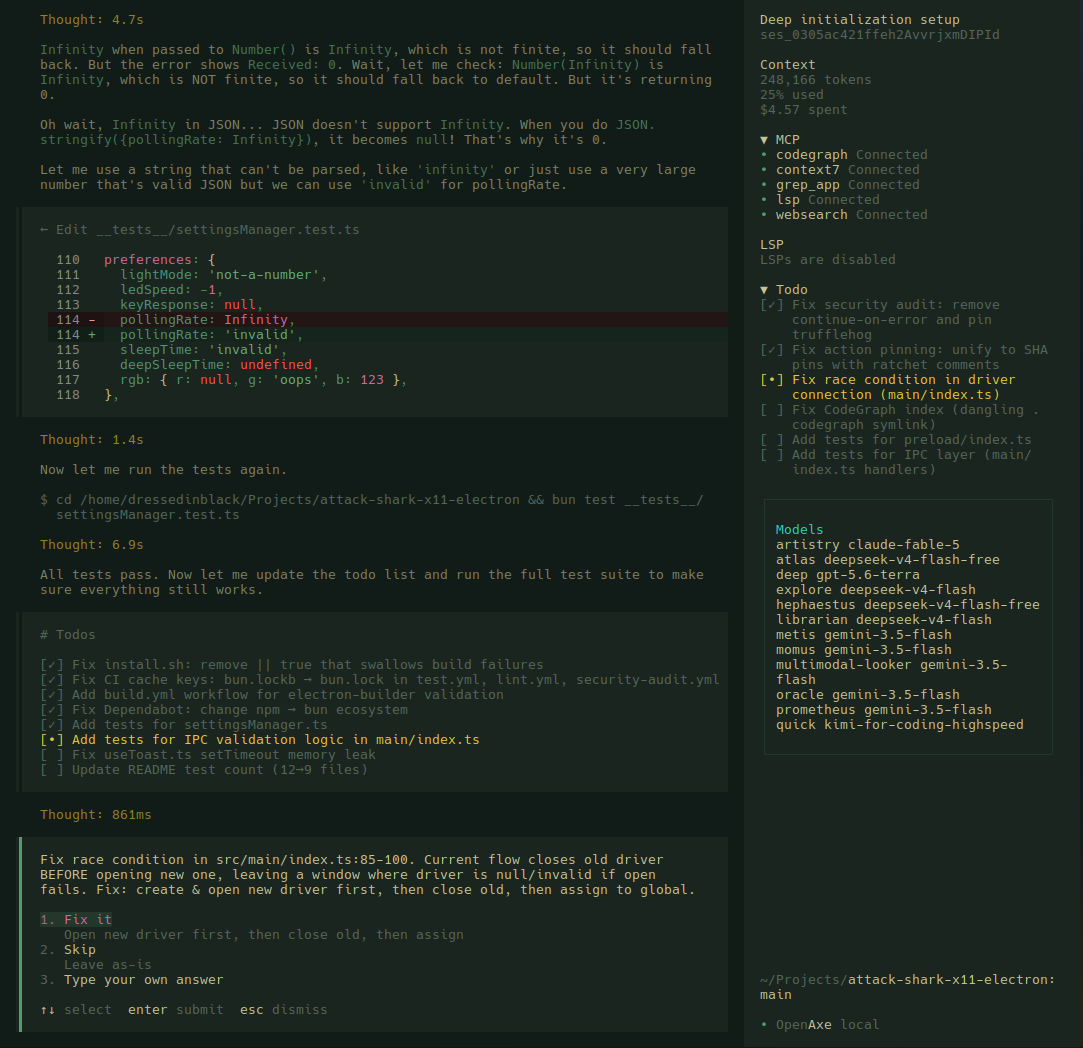
- Rich TUI — SolidJS terminal UI via OpenTUI, session management, conversation history, keyboard-driven workflow
- MCP & ACP — Model Context Protocol server management and Agent Client Protocol server
- Plugin system — Extend with plugins from npm, local paths, or git URLs
- Session management — Persistent SQLite + Drizzle ORM, export/import, session fork/continue
- GitHub integration — PR fetch/checkout, GitHub agent for issue/PR operations
- Headless server — Background HTTP API server with optional web interface
- All major platforms — Linux, macOS, Windows. Linux/macOS run from source via
bun dev(rolling release); binaries are built for Windows distribution and official releases (AVX2/musl detection) - Workspace memory — project-scoped SQLite memory store with semantic search, injected into the LLM context as a system-context builtin
- Auto-verification guardrails — automatic LSP diagnostics after every file mutation, plus
tsc/cargo/ruff/go vet, bracket balance, and import validation; bracket checker now skips//and/* */comments and template strings to eliminate false positives - Predictive context prepper — new
core/context-prepperSystemContext source that runsgit diff HEAD --name-statuson each turn and injects<recent_changes>so the agent knows what changed before you ask - Versioned artifact store — content-versioned storage for build outputs and generated files with TUI preview
- Auto-commit — automatic git commits at each AI mutation turn
- Error journal — tool errors logged to
.openaxe/errors.jsonlfor debugging - Revert — undo AI file changes via snapshot-based rollback from the TUI session menu (
revert/unrevertsession actions) - Learning review — post-turn background eval that auto-discovers skill and observation updates from each interaction (opt-in via
experimental.learning.review) - Context compressor — LLM-driven structured compression with ghost-skill re-injection: produces sectioned summaries that preserve agent context across long sessions (opt-in via
experimental.compressor.enabled) - Cross-session search — SQLite FTS5 full-text index over all past session messages; the
session_searchtool finds relevant history across sessions (CJK-capable trigram tokenizer) - Kanban swarm board — SQLite-backed
kanbantool for coordinating root→worker→verifier multi-agent task flows - Procedural skill memory —
skill_writetool lets the agent create and update project-local.openaxe/skills/SKILL.mdfiles, persisting learned procedures across sessions - Tool discovery —
tool_searchresolves tools by name/description at runtime, andplan_exitlets subagents signal plan completion
Plugins
Preinstalled Plugins
Ships with auth plugins for these providers — no npm install needed, just run openaxe providers login <provider>:
| Plugin | Provider |
|---|---|
| Codex | OpenAI Codex (o1, o3, GPT) |
| GitHub Copilot | GitHub Copilot chat models |
| GitLab | GitLab Duo Agent Platform |
| Poe | Poe by Quora |
| Cloudflare Workers AI | Cloudflare Workers AI inference |
| Cloudflare AI Gateway | Cloudflare AI Gateway (multi-provider proxy) |
| Azure | Azure OpenAI Service |
| DigitalOcean | DigitalOcean GPU Droplets / Paperspace |
| Snowflake Cortex | Snowflake Cortex AI |
| xAI | xAI Grok models |
External Plugins
Extend openaxe with custom tools, providers, TUI themes, or workspace adapters from npm:
openaxe plugin my-plugin          # from npm
openaxe plugin ./path/to/pkg      # from local file
openaxe plugin user/pkg           # from git
Plugins are npm packages that declare entrypoints in package.json under exports["./server"] or exports["./tui"]. Add them to openaxe.jsonc:
{
  "plugin": ["my-plugin"],
}
Recommended Plugins
Auto-configured on first run. They auto-install the first time you run openaxe:
| Plugin | Description | Kind |
|---|---|---|
| oh-my-openagent | Agent orchestration: Sisyphus, Prometheus, Momus, Metis agents | server + tui |
| opencode-plugin-selector | Interactive plugin manager | server only |
| @tarquinen/opencode-dcp | Context compression for long sessions | server + tui |
| ecc-universal | Everything Claude Code — agents, skills, hooks, MCP, and rules | server only |
Write your own using the @opencode-ai/plugin SDK.
Configuration
Configure via .openaxe/openaxe.jsonc in your project root:
{
  "model": "provider/model-name",
  "plugin": ["plugin-name"],
  "mcp": {
    "my-server": {
      "type": "local",
      "command": "npx",
      "args": ["-y", "@org/mcp-server"],
    },
  },
  "permission": {
    "bash": "allow",
  },
}
Built-in Tools
openaxe ships with a rich set of built-in tools that the AI assistant can invoke. The tool system supports 30+ tools covering file operations, code intelligence, shell execution, web access, subagent delegation, cross-session search, task orchestration, and skill memory.
LSP Code Intelligence — Native Tooling Arsenal
openaxe ships an Effect-based native LSP client (not an MCP wrapper) — direct JSON-RPC 2.0 over stdio with no intermediary. Provides diagnostics, navigation, and code actions directly to the tool system.
Architecture
src/lsp/
├── lsp.ts          Effect service (Interface + Service + layer), 23 methods, InstanceState-scoped
├── client.ts       JSON-RPC via vscode-jsonrpc, push+pull diagnostic merge, per-server debounce
├── server.ts       30+ builtin server definitions, 15 with auto-download
├── launch.ts       Child process spawn helper
├── diagnostic.ts   Diagnostics-to-string formatting
└── language.ts     Extension → languageId mapping
The tool bridge lives in src/tool/lsp.ts — exposes all operations to the AI assistant. Always available, no feature gate.
17 Tool Operations
| Operation | LSP Request | What it does |
|---|---|---|
goToDefinition |
textDocument/definition |
Find where a symbol is defined |
findReferences |
textDocument/references |
Find all references to a symbol |
hover |
textDocument/hover |
Get documentation and type info |
documentSymbol |
textDocument/documentSymbol |
List all symbols in a document |
workspaceSymbol |
workspace/symbol |
Search project-wide symbols |
goToImplementation |
textDocument/implementation |
Find implementations of an interface/abstract |
prepareCallHierarchy |
textDocument/prepareCallHierarchy |
Get call hierarchy entry point |
incomingCalls |
callHierarchy/incomingCalls |
What calls this function |
outgoingCalls |
callHierarchy/outgoingCalls |
What this function calls |
codeAction |
textDocument/codeAction |
List available quick fixes and refactorings |
applyCodeAction |
textDocument/codeAction + edit |
Apply a quick fix by title |
rename |
textDocument/rename |
Rename symbol across the codebase |
prepareRename |
textDocument/prepareRename |
Check if a symbol can be renamed |
typeDefinition |
textDocument/typeDefinition |
Find the type definition (e.g. class of a variable) |
signatureHelp |
textDocument/signatureHelp |
Get parameter info at a call site |
completion |
textDocument/completion |
Get code completion suggestions |
formatting |
textDocument/formatting |
Format a document |
Common parameters: Each operation accepts filePath, with line/character (1-based) for location-based ops. Operation-specific params: query (workspaceSymbol), newName (rename), title (applyCodeAction), tabSize/insertSpaces (formatting).
Patterns
- InstanceState-scoped: Single
Stateobject per open project (clients, servers, broken map, spawning map). Cleaned up on project close viaEffect.addFinalizer. - Broken server retry: Failed spawns tracked in a
brokenmap with 5-minute TTL. After cooldown, the server is retried automatically. - Spawning dedup: Concurrent spawns for the same server+root pair are deduplicated via an in-flight
spawningmap. - Error isolation: All LSP requests catch errors to
null/[]— transport errors never propagate to the caller. - Diagnostic merge: Push diagnostics (from
textDocument/publishDiagnostics) and pull diagnostics (on-demand) are merged per file, deduped by diagnostic message.
Auto-Verification Guardrail
Every file mutation (edit, write, apply_patch) automatically triggers touchFile + diagnostics() to surface errors to the AI immediately after the change. The read tool also refreshes LSP state on file open.
Server Management
30+ builtin language server definitions (TypeScript, Pyright, rust-analyzer, gopls, clangd, etc.), 15 with auto-download if the binary is missing. Lazily spawned per project root. Servers can be configured, overridden, or disabled via openaxe.jsonc under the lsp key.
Hermes-Inspired Intelligence Features
Five systems ported from the Hermes agent architecture:
Learning Review (src/session/learning/)
A post-turn background task that evaluates completed interactions to automatically discover skill updates and observations. Provides fire-and-forget learning without blocking the main session loop.
Module: src/session/learning/learning.ts
Service: @opencode/LearningReview
Trigger: after every process() returning "continue"
review()— forked as a background job after each assistant turn- Evaluates user request + assistant response to decide if skill definitions or observations should be persisted
- Tolerates markdown-fenced LLM responses before
JSON.parse; only non-empty results are persisted todata/learning/reviews.jsonl - Optional TF gate (
experimental.learning.gate) skips the LLM call only on a confident not-learnable verdict — uncertainty always falls through to the LLM path
{
  "experimental": {
    "learning": {
      "review": true, // enable post-turn learning eval
      "provider": "google", // review provider
      "model": "gemini-2.5-flash", // review model
      "fallback": [{ "provider": "google", "model": "gemini-2.0-flash" }], // tried in order
      "gate": {
        "enabled": false, // TF learnability pre-filter (needs learning-gate.tflite)
        "threshold": 0.5, // min confidence to trust a not-learnable verdict
        "modelPath": "model/learning-gate.tflite",
      },
    },
  },
}
Context Compressor (src/session/compressor/)
LLM-driven structured compression with ghost-skill re-injection. Enhances standard compaction by producing sectioned summaries (decisions, code changes, context, unresolved items) and tracking which skills were referenced so the agent retains awareness of its toolset after compaction.
Module: src/session/compressor/compressor.ts
Service: @opencode/Compressor
Hook: called during compaction before the compaction LLM prompt
compress()— consumes active skill definitions as "ghost skills" in the compression prompt- Returns structured sections + dense summary + list of referenced skills
- Enriches the compaction prompt with
<structured_summary>sections - Config key:
experimental.compressor.enabled(boolean) +.model(optional separate model)
{
  "experimental": {
    "compressor": {
      "enabled": true, // enable LLM-driven structured compression
      "model": "provider/model", // optional: separate model for compression
    },
  },
}
Cross-Session Search (src/database/fts.ts + src/tool/session-search.ts)
SQLite FTS5 full-text index over all session_message rows. The session_search tool queries past sessions without re-reading full transcripts.
Module: src/database/fts.ts            FTSIndex service (raw SQLite FTS5 virtual table)
Tool:   session_search                 query → { sessionID, sessionTitle, snippet, rank }[]
- Indexes user/assistant/system message text lazily with a high-water (time, rowid) cursor
- Trigram tokenizer — CJK-aware substring matching, not just whitespace-separated words
- Results restricted to a single session via the optional
sessionIDinput - FTS table dropped in a finalizer before the native DB closes (no teardown segfault)
- Reserved FTS5 characters (
* : ^ ( ) ") sanitized in queries - Permission-gated via
permission.assert({ action: "session_search", ... })
Kanban Swarm Board (src/kanban/ + src/tool/kanban.ts)
SQLite-backed kanban board for coordinating multi-agent task flows (root → workers → verifier).
Module: src/kanban/kanban.ts   Kanban service (boards, cards, transitions)
Tool:   kanban                 create board / add card / move card / list
- Boards, lanes, and cards persisted in SQLite via the Drizzle schema
- Card lifecycle:
backlog → todo → in_progress → done(plusblocked), with priority, ordering, an optionalworker_session_idfor assigned subagents, and an optionalparent_idfor root→worker→verifier hierarchies - Permission-gated via
permission.assert({ action: "kanban", ... })
Procedural Skill Memory (src/tool/skill-write.ts)
The skill_write tool lets the agent create and update project-local .openaxe/skills/<name>/SKILL.md files, persisting learned procedures across sessions.
Tool: skill_write write|list → project .openaxe/skills/<name>/SKILL.md
- Writes only to the project-local skills directory (no path override)
listreturns existing skills;writecreates or updates a skill file- Invalidates the
SkillV2cache after writes so new skills are immediately visible to the agent - Permission-gated via
permission.assert({ action: "skill_write", ... })
Tool Discovery & Planning (src/tool/tool-search.ts, src/tool/plan-exit.ts)
tool_search— resolves tools by name or description at runtime so the agent can discover capabilities dynamicallyplan_exit— lets subagents signal plan completion back to the orchestrator- Both permission-gated via
permission.assert
Architecture
The monorepo ships 13 packages:
| Package | Role |
|---|---|
openaxe |
CLI orchestrator — yargs entry, lazy-loaded commands |
core |
Session/agent/project/tool orchestration, DB, permissions |
llm |
LLM integrations — 25+ providers, 6 protocol adapters |
tui |
SolidJS terminal UI via OpenTUI |
ui |
Shared SolidJS component library |
schema |
Data validation schemas (Effect) |
server |
HTTP server and API |
plugin |
Plugin system — tool, TUI, effect, promise entry points |
sdk |
Generated JS SDK |
cli |
Alternative Effect-runtime CLI |
effect-drizzle-sqlite |
SQLite layer — Drizzle ORM + Effect |
http-recorder |
Record/replay HTTP for testing |
script |
Utility package |
Security
- Plugin permission system — every capability (bash, file I/O, network, MCP) declared in config, enforced at runtime. No escalation beyond declared scope.
- Zero phone-home — no telemetry, no crash reporting, no analytics. LLM calls go directly to your provider.
- BYO-key only — no managed API keys. Credentials in
~/.local/share/openaxe/auth.json(permissions 600). Prefer env vars (OPENAI_API_KEY, etc.). - MCP subprocess isolation — MCP servers run as separate OS processes with no session/DB access.
- Session data locality — all data in local SQLite. No cloud sync. Full export/import control.
- OpenTelemetry — optional OTLP tracing for audit trails. Opt-in, never default-on.
- Explicit upgrades —
openaxe upgradeis manual. No silent background updates. - No network by default — server binds to
127.0.0.1:0(random port). No daemon unless started. --puremode — run without plugins to eliminate third-party code.- PII gate (internal plugin) — regex redaction of emails, AWS keys, GitHub tokens, SSNs, and API keys in tool args on every
tool.execute.before, pluspermission.askdenial on high-confidence PII hits (≥ 0.8). Best-effort by design: it never throws and never blocks clean calls; loads even in--puremode. - Supply chain — native deps use
node-gyp rebuildduring install. For defense-in-depth:bun install --ignore-scripts+bun audit.
Advantages Over Official OpenCode
| openaxe | official opencode | |
|---|---|---|
| Monorepo size | 13 packages | 36 |
| Dependency footprint | ~1.1 GB | ~2 GB+ |
| Architecture | TUI/CLI only | TUI + Electron + web apps |
| Effects | Effect v4 throughout | Mixed patterns |
| Plugin audit | All plugins reviewed for TUI/CLI compliance | Unrestricted |
| Security surface | No Electron, no web app attack surface | Electron + Astro/Starlight/Storybook/SST Cloud |
| Startup | Lazy-loaded CLI commands | Eager imports |
| Identity | Renamed project-wide (openaxe) |
N/A |
Contributions welcome — see
AGENTS.mdfor development guidelines.
Links
Reviews (0)
Sign in to leave a review.
Leave a reviewNo results found