claude-epic-status-line
Health Warn
- License — License: MIT
- Description — Repository has a description
- Active repo — Last push 0 days ago
- Low visibility — Only 9 GitHub stars
Code Fail
- rm -rf — Recursive force deletion command in statusline.sh
- network request — Outbound network request in statusline.sh
- rm -rf — Recursive force deletion command in uninstall.sh
Permissions Pass
- Permissions — No dangerous permissions requested
No AI report is available for this listing yet.
A feature-rich status line for Claude Code with colors, rate limits, git info, session cost, worktree detection, and auto-compact warnings
Claude Epic Status Line
A feature-rich status line for Claude Code that displays model info, context usage, git status, rate limits, session cost, and more — quiet when everything is healthy, loud exactly where something needs attention. Zero-config by default, deeply customizable when you want it (thresholds, palette, glyph sets, per-segment toggles).
📖 Full documentation — installation · usage · configuration · tips · troubleshooting
What it looks like
Watch the 70-second tour
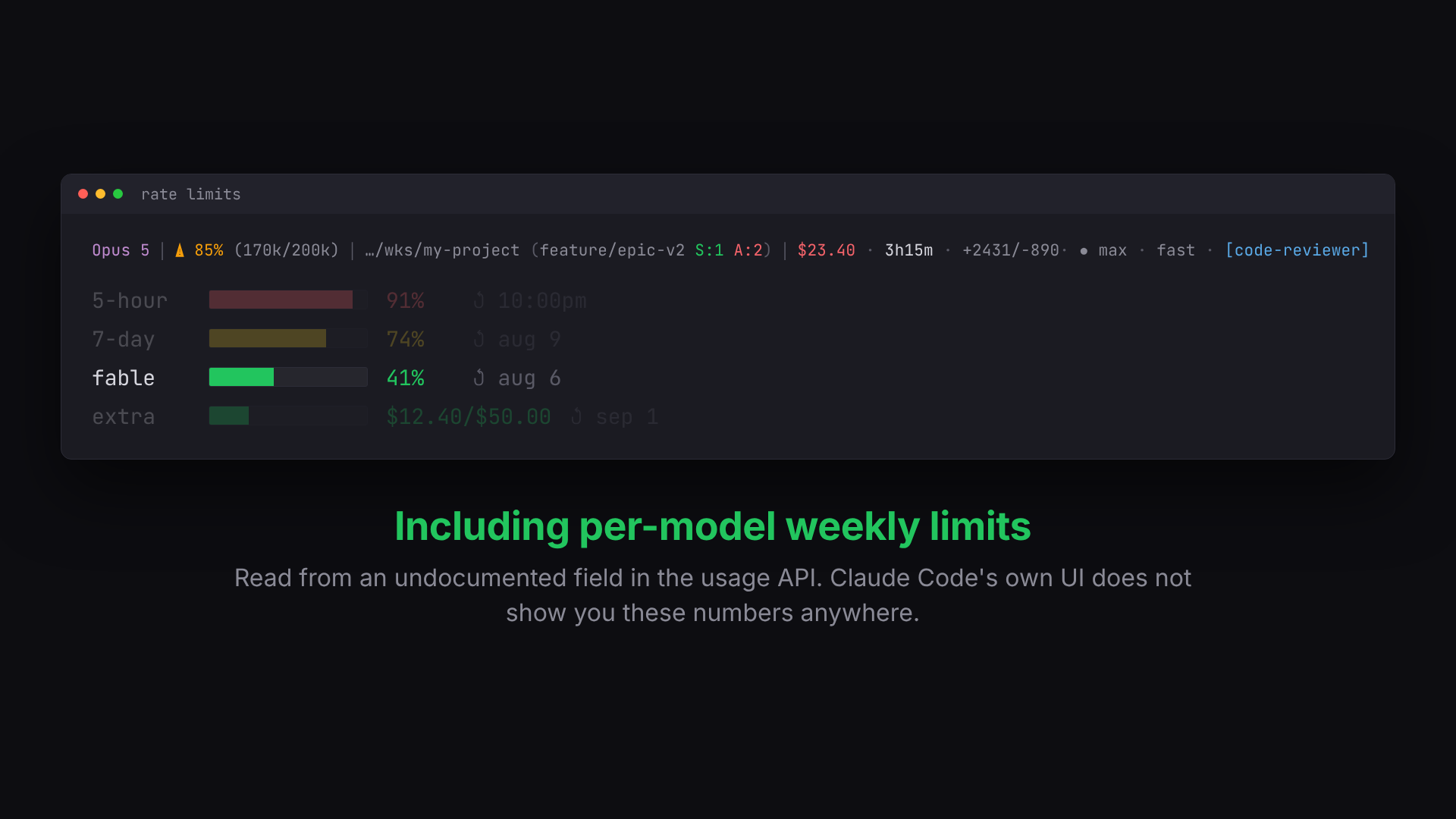
Click to play, or watch it on the documentation site.
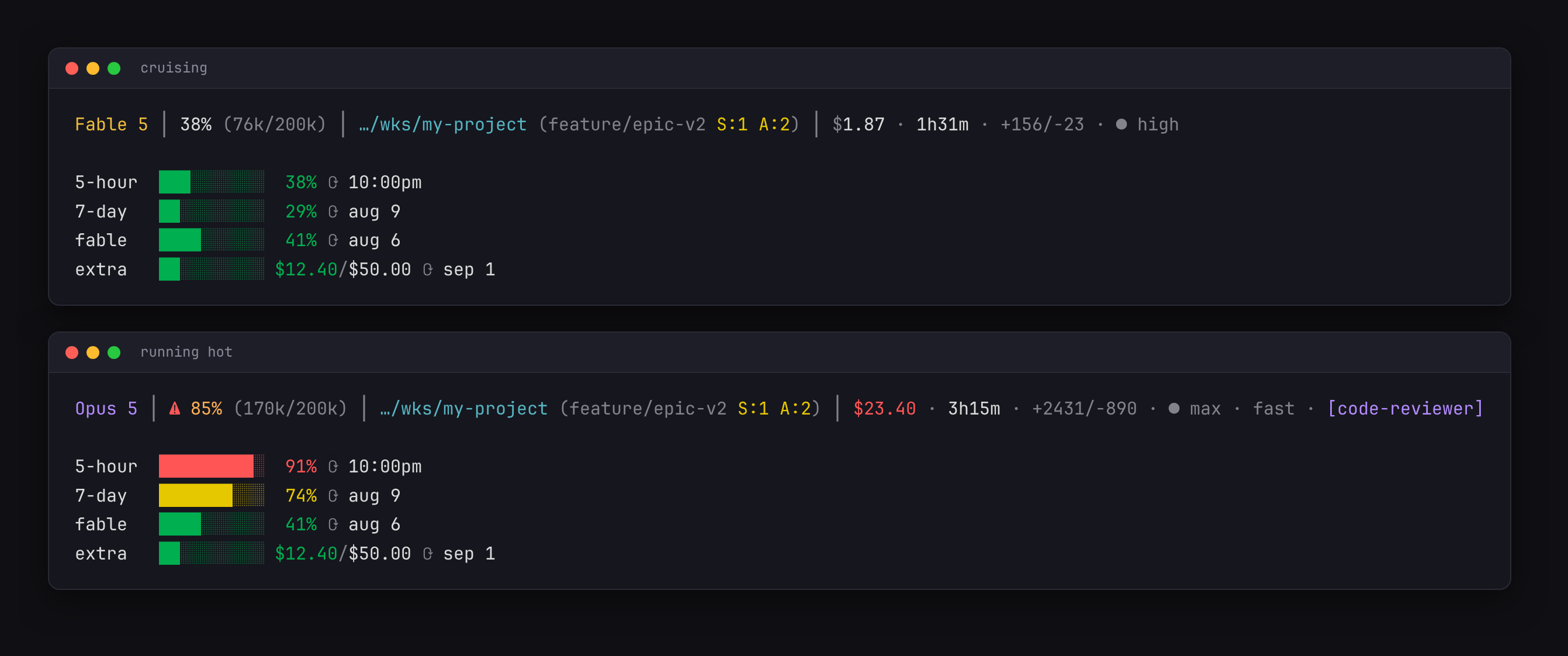
The status line itself
Features
| Segment | Description |
|---|---|
| Model | Short model name (e.g., Opus 4.6 instead of Claude Opus 4.6) |
| Context | Usage percentage + token counts (e.g., 12% (42k/200k)) with color coding |
| Auto-compact warning | Steady bold ⚠ when context usage >= 80% |
| Directory | Truncated to last 2 path components |
| Git branch | Branch name with detailed status: staged (S:2), unstaged (U:1), untracked (A:3) |
| Git ahead/behind | ⇡2⇣1 arrows showing commits ahead/behind upstream |
| Worktree | ⎇wt indicator when running inside a git worktree |
| Session cost | $X.XX with configurable warn/critical thresholds and currency |
| Session duration | 5m, 1h30m, etc. |
| Lines changed | +156/-23 cumulative lines added/removed |
| Effort level | ● high, ◑ medium, ◔ low (from the session itself) |
| Badges | Subagent name, fast mode, thinking, vim, non-default output style, ⚠200k+ |
| Rate limits | █░ progress bars for 5-hour, 7-day, per-model, and extra usage with reset times |
Color coding
One escalation scale drives every percentage-based segment (context, rate bars) — quiet when healthy, then:
- Yellow — ≥ 70% (
CESL_WARN) - Orange — ≥ 80% (
CESL_HIGH); context also gains a steady bold⚠ - Red — ≥ 90% (
CESL_CRIT)
Session cost uses its own CESL_COST_WARN/CESL_COST_CRIT thresholds, and the model name is colored by model family (Opus, Sonnet, Haiku, Fable).
Requirements
jq— JSON parsingcurl— fetching rate limit data from the Anthropic APIgit— branch and worktree detection
Installation
Quick install
git clone https://github.com/dsebastien/claude-epic-status-line.git
cd claude-epic-status-line
bash install.sh
Manual install
- Copy
statusline.shto~/.claude/statusline-command.sh - Add this to your
~/.claude/settings.json:
{
  "statusLine": {
    "type": "command",
    "command": "bash '/home/YOUR_USER/.claude/statusline-command.sh'"
  }
}
- Restart Claude Code.
Uninstall
bash uninstall.sh
Or manually remove the statusLine key from ~/.claude/settings.json and delete ~/.claude/statusline-command.sh.
Configuration
Everything is optional — with zero config the status line renders its default design. Settings layer as: script defaults < ~/.config/claude-epic-status-line/config.sh < CESL_* environment variables (environment wins).
install.sh scaffolds the config file with every knob present but commented out at its default value — open it to see what's tunable: escalation thresholds (CESL_WARN/CESL_HIGH/CESL_CRIT), cost thresholds, bar width, cache TTL, currency, glyph set (unicode/nerd/ascii), per-segment CESL_SHOW_* toggles, the full color palette, and per-model-family hues.
Debugging: pipe a status JSON through statusline.sh explain to see the raw input, every parsed value, the API/cache state, and your effective config.
Theme recipes
Copy into your config.sh:
# Monochrome minimal — no hues, just states
CESL_COLOR_DIR='150;150;150'
CESL_COLOR_OPUS='200;200;200'
CESL_COLOR_SONNET='200;200;200'
CESL_COLOR_HAIKU='200;200;200'
CESL_COLOR_FABLE='200;200;200'
CESL_COLOR_MODEL='200;200;200'
# Wide dashboard — chunkier bars, ASCII-safe
CESL_BAR_WIDTH=20
CESL_GLYPHS=ascii
# Quiet mode — just model, context, and rate limits
CESL_SHOW_DIR=0
CESL_SHOW_COST=0
CESL_SHOW_DURATION=0
CESL_SHOW_LINES=0
CESL_SHOW_EFFORT=0
CESL_SHOW_BADGES=0
CESL_SHOW_GIT=0
How it works
The script receives JSON from Claude Code via stdin with session data (model, context window usage, cwd, cost, effort, rate limits, etc.). The stdin payload is parsed in a single jq call for performance (auxiliary data — cache validation, API enrichment — uses separate small jq invocations), then the status line segments are assembled.
The 5-hour and 7-day rate-limit bars come straight from that stdin data (Claude Code ≥ 2.1.140 recommended). The Anthropic usage API is queried only as enrichment — extra-usage credits and per-model weekly limits — using your OAuth token (resolved from CLAUDE_CODE_OAUTH_TOKEN, ~/.claude/.credentials.json, secret-tool on Linux, or macOS Keychain), cached in a per-user directory for CESL_CACHE_TTL seconds (60 by default). No token? Those rows simply don't render.
Platform support
Works on Linux and macOS (bash 3.2+, BSD or GNU userland). Date formatting and credential resolution adapt automatically to the platform. Git and keychain lookups are bounded to ~2 seconds — via timeout(1) where available, or a built-in fallback on stock macOS — so a huge repository can never freeze your status line.
Documentation
The full guide lives at dsebastien.github.io/claude-epic-status-line, and its sources are in docs/:
| Page | Covers |
|---|---|
| Overview | What it is, the video, key features |
| Installation | Requirements, quick and manual install, upgrading, uninstalling |
| Usage | Every segment explained, the rate-limit dashboard, the explain subcommand |
| Configuration | Every CESL_* knob with its default |
| Tips & best practices | Theme recipes, threshold tuning, parallel sessions |
| Troubleshooting | When something does not render |
| Release notes | What changed, and breaking changes |
Support
If you find this useful, consider buying me a coffee.
Check out my other projects at dsebastien.net.
Credits
Inspired by kamranahmedse/claude-statusline.
License
MIT
Reviews (0)
Sign in to leave a review.
Leave a reviewNo results found