dvir-token-manager
Health Warn
- License — License: MIT
- Description — Repository has a description
- Active repo — Last push 0 days ago
- Low visibility — Only 5 GitHub stars
Code Pass
- Code scan — Scanned 12 files during light audit, no dangerous patterns found
Permissions Pass
- Permissions — No dangerous permissions requested
No AI report is available for this listing yet.
A privacy-first, fully local Hebrew/RTL dashboard for analyzing Claude Code token usage, costs, prompts, tools, skills, and sessions. Reads JSONL transcripts from ~/.claude/projects/, stdlib-only Python, no telemetry, no outbound HTTP.
Token Manager | DN
A local dashboard for analyzing Claude Code token usage. It reads the JSONL transcripts Claude Code stores under ~/.claude/projects/ and turns them into cost views, conversation history, top-spend prompt analysis, tool-usage heatmaps, cache analytics, cross-project comparisons, and skill usage breakdowns.
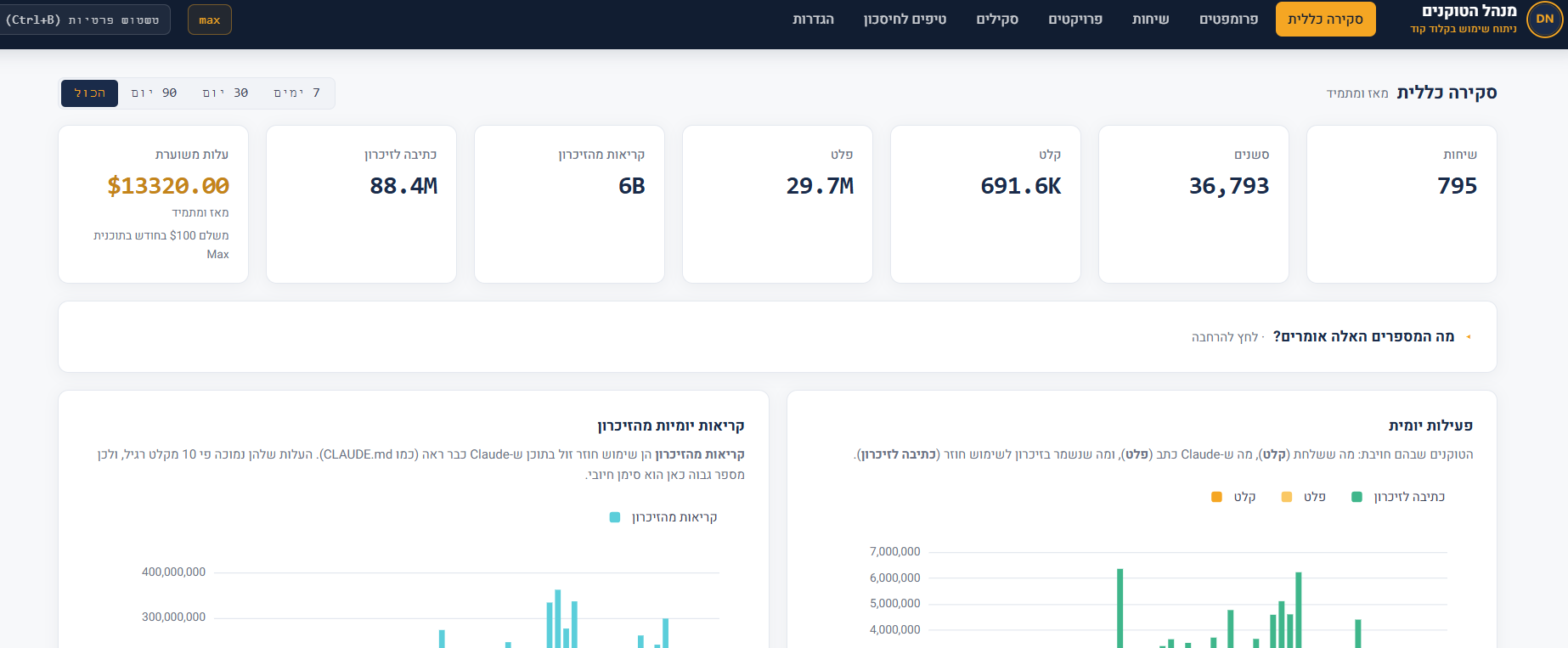
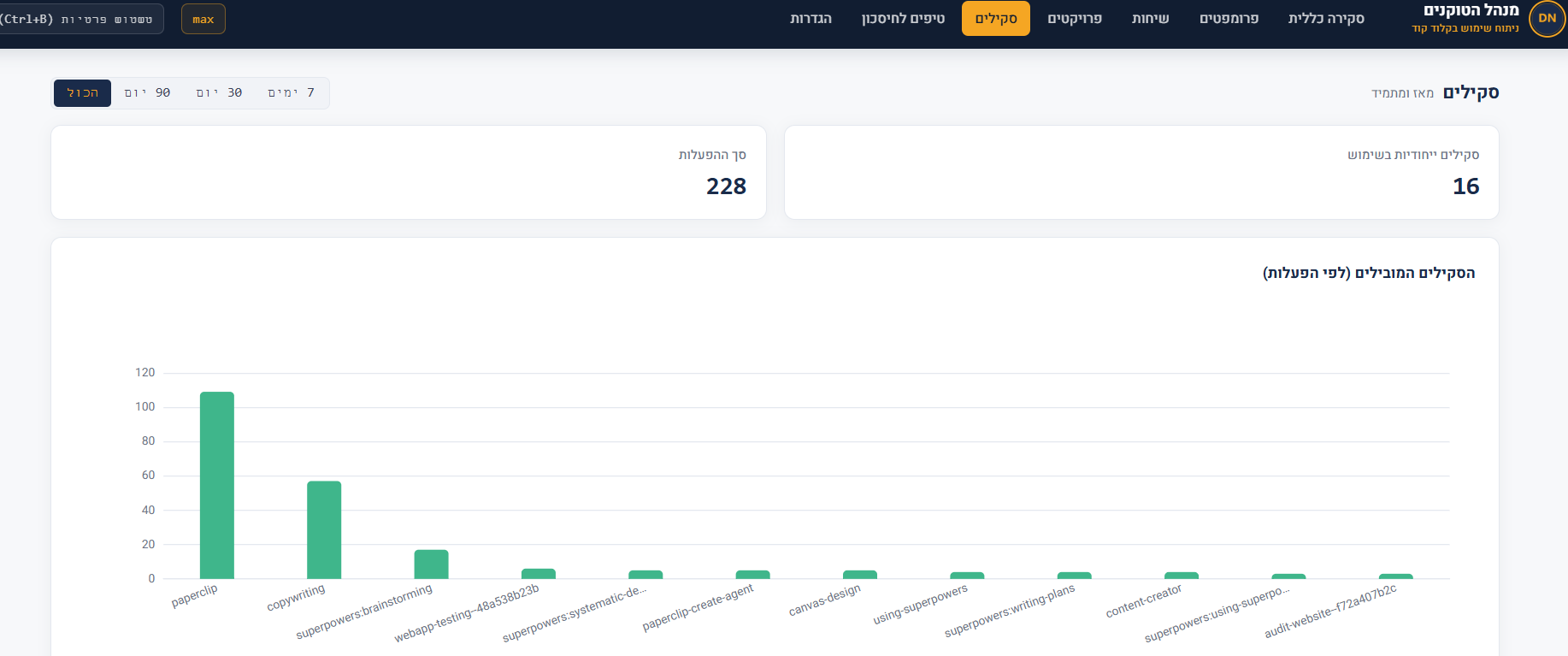
Fully private
The tool runs entirely on your machine. No telemetry, no outbound network calls, no third-party requests. The server listens on 127.0.0.1:8080 only. All assets (ECharts, Heebo, icons) are served locally from the web/ directory.
For independent verification, see PRIVACY_AUDIT.md in the project directory.
Requirements
- Python 3.8 or newer
- Claude Code installed with at least one existing conversation under
~/.claude/projects/ - A modern browser (Chrome, Edge, Firefox)
- No
pip installrequired. The tool uses the Python standard library only.
Running
git clone https://github.com/DvirNaaman/dvir-token-manager.git
cd dvir-token-manager
python cli.py dashboard
The command starts the server at http://127.0.0.1:8080 and opens it automatically in your browser. The server re-scans every 30 seconds and pushes live updates over SSE, so you don't need to refresh manually.
To stop: Ctrl+C.
Additional CLI commands
python cli.py scan      # manually scan for new JSONL files
python cli.py today     # today's summary in the terminal
python cli.py stats     # all-time summary in the terminal
python cli.py tips      # savings tips based on usage patterns
Any command accepts --db PATH and --projects-dir PATH to override defaults.
Environment variables
| Variable | Default | Purpose |
|---|---|---|
HOST |
127.0.0.1 |
Server listen address |
PORT |
8080 |
Server listen port |
CLAUDE_PROJECTS_DIR |
~/.claude/projects |
Source of JSONL files |
TOKEN_DASHBOARD_DB |
~/.claude/token-dashboard.db |
Location of the local SQLite database |
Privacy blur shortcut
Pressing Ctrl + B anywhere in the dashboard blurs prompt text and sensitive content, useful for screenshots. Press again to unblur.
How to verify zero outbound calls
macOS / Linux:
grep -rEi "https?://(?!127\.0\.0\.1|localhost)" --include="*.py" --include="*.js" --include="*.html" --include="*.css" .
Windows (PowerShell):
Get-ChildItem -Recurse -Include *.py,*.js,*.html,*.css |
  Select-String -Pattern 'https?://(?!127\.0\.0\.1|localhost)'
The output should be empty aside from comments in ECharts LICENSE headers and the upstream attribution links listed in PRIVACY_AUDIT.md.
Credits and license
- Original engine: Nate Herk — author of the original JSONL analyzer and dashboard code, released under the MIT license.
- Hebrew/RTL adaptation, UI, and branding: Dvir Naaman — full UI rewrite, translation, Meridian palette, local Heebo font, tips engine, and iconography.
The project as a whole is distributed under the MIT license (see the LICENSE file). You're welcome to use, modify, and distribute it — just preserve both copyright lines in the license file.
Troubleshooting
Hebrew text shows as mojibake in the terminal on Windows: run chcp 65001 once in the CMD window before the command, or use PowerShell / Windows Terminal which support UTF-8 by default.
Dashboard is empty: make sure at least one conversation exists under ~/.claude/projects/<slug>/<session>.jsonl. In non-standard environments, point to it manually with --projects-dir.
Port in use: run with a different port.
- macOS / Linux:
PORT=8090 python cli.py dashboard - Windows (PowerShell):
$env:PORT=8090; python cli.py dashboard - Windows (CMD):
set PORT=8090 && python cli.py dashboard
A note on Claude Opus 4.8
This dashboard is built and maintained with Claude Code. When Claude Opus 4.8 was released we moved our development workflow over to it straight away and refreshed the project's tooling to match. In daily use we found 4.8 noticeably sharper at multi step reasoning and large context work than the earlier 4.x models, which made maintaining a token analytics tool like this one, with its careful data parsing and many edge cases, considerably smoother. As part of this refresh the model identifiers and defaults across our projects were updated to Opus 4.8.
Reviews (0)
Sign in to leave a review.
Leave a reviewNo results found