Nexus
Health Warn
- License — License: MIT
- Description — Repository has a description
- Active repo — Last push 0 days ago
- Low visibility — Only 5 GitHub stars
Code Pass
- Code scan — Scanned 12 files during light audit, no dangerous patterns found
Permissions Pass
- Permissions — No dangerous permissions requested
This tool is a lightweight tiling workspace designed to manage and orchestrate multiple AI coding agents within a native macOS environment. It automatically arranges terminal panes and runs CLI agents while maintaining session states via SQLite.
Security Assessment
The application executes shell commands and manages terminal sessions using a Zig-based PTY pool. The automated code scan of 12 files found no dangerous patterns, hardcoded secrets, or dangerous permission requests. However, the installation guide instructs users to run `xattr -cr` to bypass macOS Gatekeeper protections on an unsigned, non-notarized binary. While normal for independent macOS apps, this removes standard system-level security checks and requires placing high trust in the developer. Overall risk: Medium.
Quality Assessment
The project is actively maintained with recent repository updates and uses a standard MIT license. The codebase structure is solid, utilizing a Zig daemon core paired with a System WebView frontend. However, it currently has extremely low community visibility with only 5 GitHub stars, meaning the code has not undergone widespread peer review or testing by a broader user base.
Verdict
Use with caution due to the low community trust and the requirement to bypass macOS security checks for an unsigned binary.
Tiling workspace for AI coding agents. Zig core + system WebView.
Nexus

Tiling workspace for AI coding agents
AI 编程代理的平铺式工作空间
Zig core + system WebView • Low memory footprint • Multi-agent orchestration
What it does
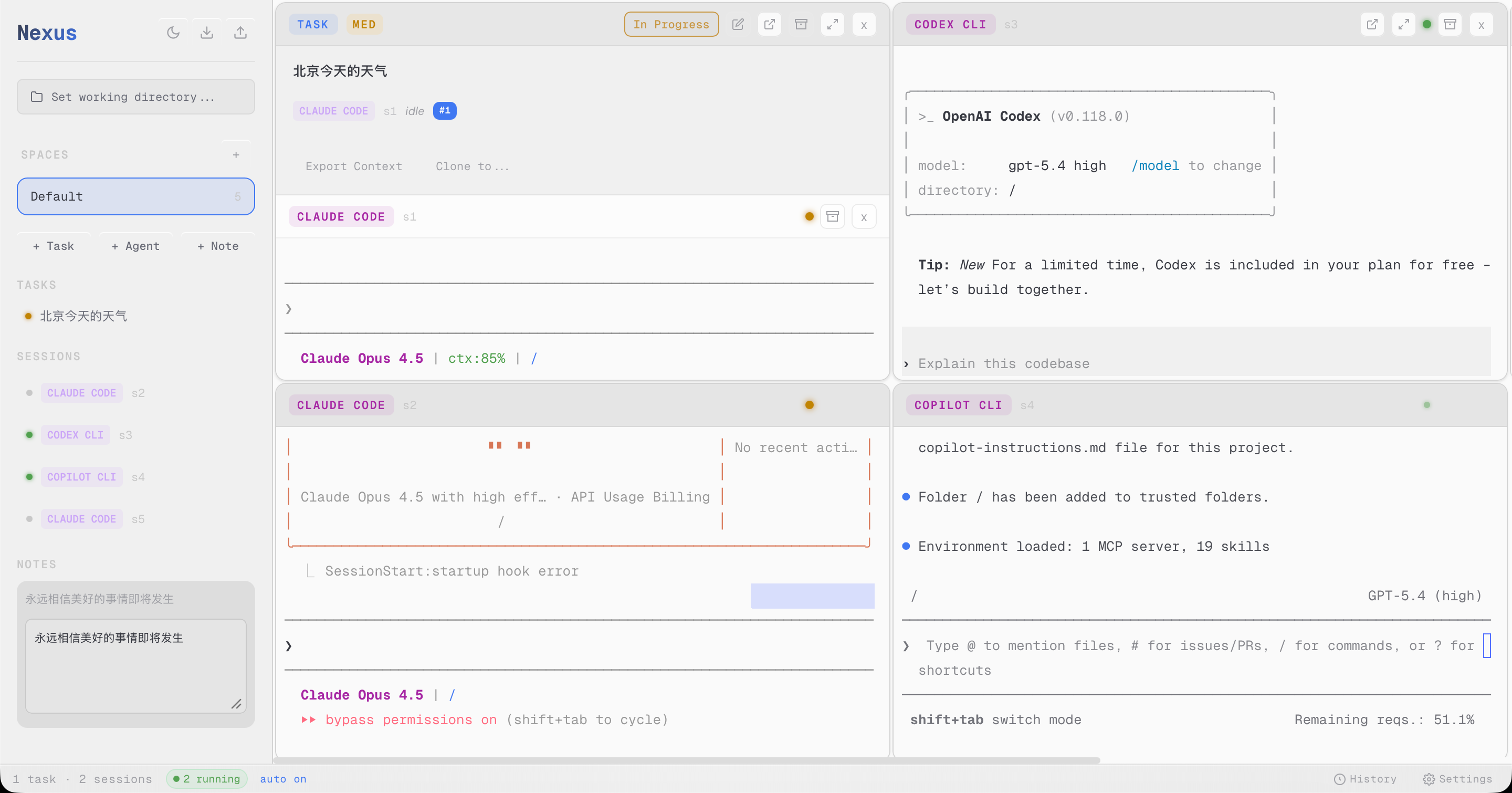
- Auto-tiling terminals — Grid layout that automatically arranges panes
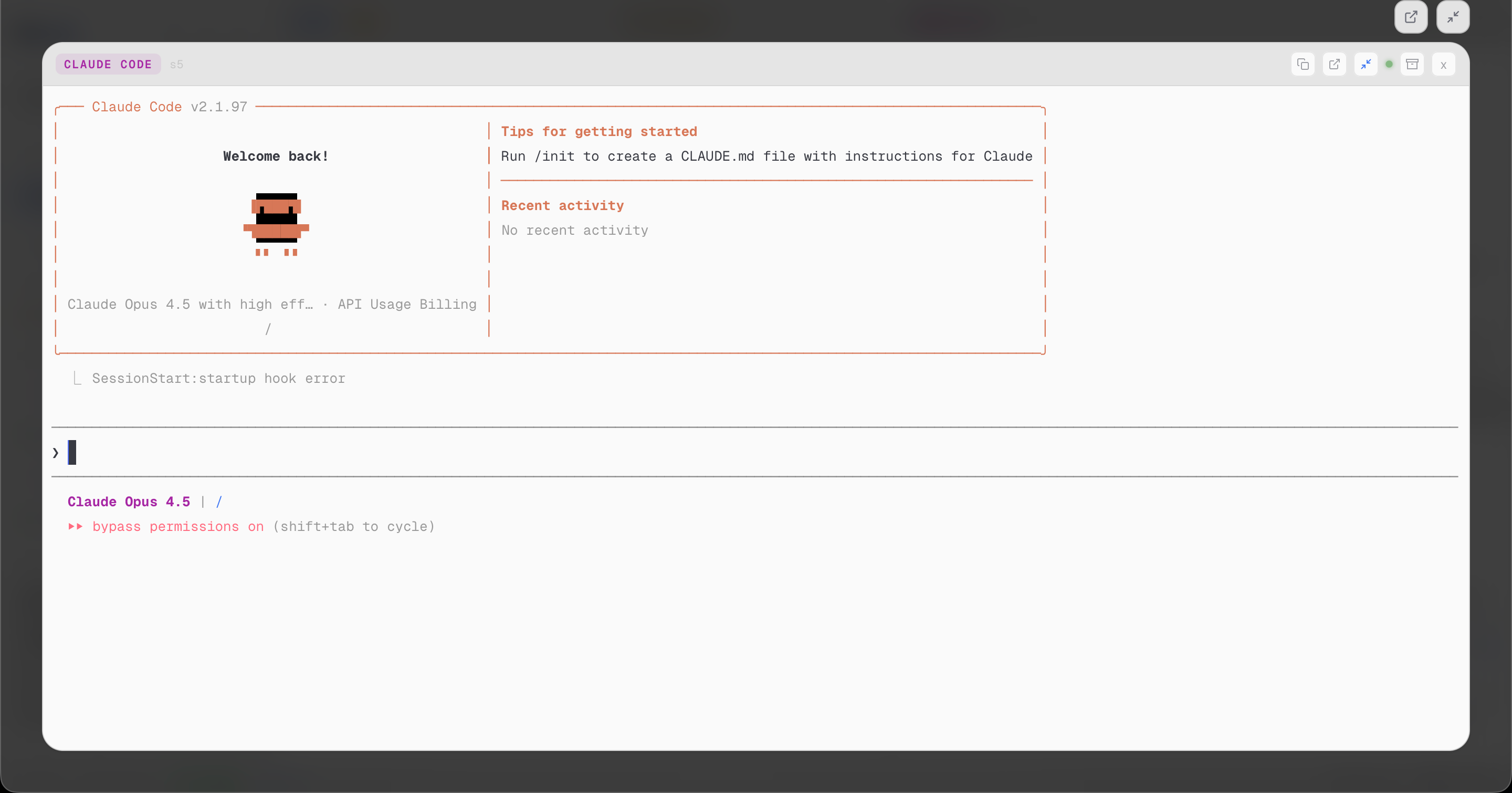
- Run any CLI agent — Claude Code, Codex, Copilot CLI, or any terminal program
- Spaces — Organize work into separate spaces, each with its own terminals and tasks
- Task management — Create tasks, assign to agents, track progress
- Persistent workspaces — Layout and state survive app restarts (SQLite-backed)
- Lightweight — ~3MB binary, ~30-50MB RAM (vs Electron's 200-300MB)
- macOS native — System WebView, native menus, Cmd+Q/C/V/X/A support
Installation
Download
Go to the Releases page and download the DMG for your Mac:
- Apple Silicon (M1/M2/M3):
Nexus-*-aarch64.dmg - Intel:
Nexus-*-x86_64.dmg
For bleeding-edge builds, check the nightly releases (tagged nightly-*).
Install
- Open the downloaded DMG
- Drag
Nexus.appto your Applications folder - Important: Before first launch, run this command in Terminal to remove quarantine:
xattr -cr /Applications/Nexus.app
- Open Nexus from Applications or Spotlight
Why is this needed? The app is ad-hoc signed (not notarized by Apple). macOS blocks unsigned apps by default. The
xattr -crcommand clears the quarantine attribute so you can run it.
Screenshots
Architecture
┌─────────────────────────────────────────────────────────────┐
│  Zig Daemon                                                 │
│  • PTY pool (forkpty)                                       │
│  • Session lifecycle management                             │
│  • SQLite persistence (~/.nexus/nexus.db)                     │
│  • HTTP static server + WebSocket JSON-RPC                  │
└──────────────────────────┬──────────────────────────────────┘
                           │ WebSocket
┌──────────────────────────┴──────────────────────────────────┐
│  System WebView                                             │
│  • Preact + Signals (reactive state)                        │
│  • xterm.js (terminal emulation)                            │
│  • CSS Grid (auto-tiling layout)                            │
│  • Glassmorphism UI                                         │
└─────────────────────────────────────────────────────────────┘
Build
Requirements: Zig 0.15+, Node.js 20+
# Build frontend
cd frontend && npm install && npm run build && cd ..

# Run development
zig build run

# Build release
zig build -Doptimize=ReleaseFast
Testing
# Frontend functional/unit coverage
npm --prefix frontend run test:run

# Backend Zig coverage
zig build test

# Run both test suites
./tests/run-functional-tests.sh
Package as macOS App
# Build release binary
zig build -Doptimize=ReleaseFast

# Create app bundle structure
mkdir -p Nexus.app/Contents/{MacOS,Resources}
cp zig-out/bin/nexus Nexus.app/Contents/MacOS/nexus
cp -r frontend/dist/* Nexus.app/Contents/Resources/static/

# Sign for local use
xattr -cr Nexus.app && codesign --force --deep --sign - Nexus.app

# Run
open Nexus.app
Keyboard Shortcuts
| Key | Action |
|---|---|
| Cmd+T | New task |
| Cmd+K | New agent |
| Cmd+J | New note |
| Cmd+W | Close focused pane |
| Cmd+1..9 | Focus pane by index |
| Cmd+C/V/X | Copy/Paste/Cut |
| Cmd+A | Select all |
| Cmd+Z | Undo |
| Cmd+Q | Quit |
Project Structure
├── src/
│   ├── main.zig      # Entry point, WebView setup
│   ├── ipc.zig       # WebSocket JSON-RPC server
│   ├── pty.zig       # PTY spawning and management
│   ├── session.zig   # Session lifecycle
│   ├── db.zig        # SQLite persistence
│   ├── macos.zig     # macOS native features (menus, dialogs)
│   └── notify.zig    # System notifications
├── frontend/
│   ├── src/
│   │   ├── app.tsx           # Main app component
│   │   ├── store.ts          # State management (Signals)
│   │   ├── ipc.ts            # WebSocket client
│   │   ├── components/       # UI components
│   │   └── theme/            # CSS tokens and styles
│   └── package.json
├── build.zig
└── README.md
License
MIT. See LICENSE.
Roadmap
Planned Features
- Rich content rendering — Render git diff, markdown, code blocks natively in-app (no external viewer)
- Plan mode interception — Capture Claude Code's plan mode output and notify users for review/approval
- CC Switch integration — Built-in model/config switching, integrated with cc-switch project
- Frontend redesign — Modern, polished UI with improved aesthetics and UX
- Workspace analytics — Summarize and analyze workspace activity, agent performance, and task completion
Completed
- Auto-tiling terminal grid
- Multi-agent orchestration
- SQLite persistence
- Nightly release builds
中文文档
功能特性
- 自动平铺终端 — 网格布局自动排列窗格
- 运行任意 CLI 代理 — Claude Code、Codex、Copilot CLI 或任何终端程序
- 工作空间 — 将工作组织到独立空间,每个空间有自己的终端和任务
- 任务管理 — 创建任务、分配给代理、跟踪进度
- 持久化工作空间 — 布局和状态在重启后保留(SQLite 存储)
- 轻量级 — 约 3MB 二进制文件,约 30-50MB 内存(对比 Electron 的 200-300MB)
- macOS 原生 — 系统 WebView、原生菜单、Cmd+Q/C/V/X/A 支持
安装
下载
前往 Releases 页面下载适合你 Mac 的 DMG:
- Apple Silicon (M1/M2/M3):
Nexus-*-aarch64.dmg - Intel:
Nexus-*-x86_64.dmg
如需最新开发版,可下载 nightly 构建(标签为 nightly-*)。
安装步骤
- 打开下载的 DMG 文件
- 将
Nexus.app拖到「应用程序」文件夹 - 重要: 首次启动前,在终端运行以下命令移除隔离属性:
xattr -cr /Applications/Nexus.app
- 从启动台或 Spotlight 打开 Nexus
为什么需要这一步? 应用使用 ad-hoc 签名(未经 Apple 公证)。macOS 默认阻止未签名应用运行。
xattr -cr命令清除隔离属性,使应用可以正常启动。
架构
┌─────────────────────────────────────────────────────────────┐
│  Zig 守护进程                                                │
│  • PTY 池 (forkpty)                                         │
│  • 会话生命周期管理                                           │
│  • SQLite 持久化 (~/.nexus/nexus.db)                        │
│  • HTTP 静态服务器 + WebSocket JSON-RPC                      │
└──────────────────────────┬──────────────────────────────────┘
                           │ WebSocket
┌──────────────────────────┴──────────────────────────────────┐
│  系统 WebView                                                │
│  • Preact + Signals (响应式状态)                             │
│  • xterm.js (终端模拟)                                       │
│  • CSS Grid (自动平铺布局)                                    │
│  • 毛玻璃风格 UI                                              │
└─────────────────────────────────────────────────────────────┘
构建
依赖: Zig 0.15+, Node.js 20+
# 构建前端
cd frontend && npm install && npm run build && cd ..

# 开发模式运行
zig build run

# 构建发布版
zig build -Doptimize=ReleaseFast
测试
# 前端功能/单元测试
npm --prefix frontend run test:run

# 后端 Zig 测试
zig build test

# 运行全部测试
./tests/run-functional-tests.sh
打包为 macOS 应用
# 构建发布版二进制
zig build -Doptimize=ReleaseFast

# 创建应用包结构
mkdir -p Nexus.app/Contents/{MacOS,Resources}
cp zig-out/bin/nexus Nexus.app/Contents/MacOS/nexus
cp -r frontend/dist/* Nexus.app/Contents/Resources/static/

# 本地签名
xattr -cr Nexus.app && codesign --force --deep --sign - Nexus.app

# 运行
open Nexus.app
快捷键
| 按键 | 操作 |
|---|---|
| Cmd+T | 新建任务 |
| Cmd+K | 新建代理 |
| Cmd+J | 新建笔记 |
| Cmd+W | 关闭当前窗格 |
| Cmd+1..9 | 按索引聚焦窗格 |
| Cmd+C/V/X | 复制/粘贴/剪切 |
| Cmd+A | 全选 |
| Cmd+Z | 撤销 |
| Cmd+Q | 退出 |
路线图
计划中的功能
- 富内容渲染 — 在应用内原生渲染 git diff、markdown、代码块(无需外部查看器)
- Plan 模式拦截 — 捕获 Claude Code 的 plan 模式输出,提醒用户审查/批准
- CC Switch 集成 — 内置模型/配置切换,与 cc-switch 项目联动
- 前端重设计 — 现代化、精致的 UI,改进美观度和用户体验
- 工作空间分析 — 总结和分析工作空间活动、代理性能和任务完成情况
已完成
- 自动平铺终端网格
- 多代理编排
- SQLite 持久化
- Nightly 发布构建
许可证
MIT. 见 LICENSE。
Reviews (0)
Sign in to leave a review.
Leave a reviewNo results found