mcp-log-proxy
Health Pass
- License — License: MIT
- Description — Repository has a description
- Active repo — Last push 0 days ago
- Community trust — 29 GitHub stars
Code Pass
- Code scan — Scanned 3 files during light audit, no dangerous patterns found
Permissions Pass
- Permissions — No dangerous permissions requested
No AI report is available for this listing yet.
a web logging proxy for MCP client-server communication
mcp-log-proxy
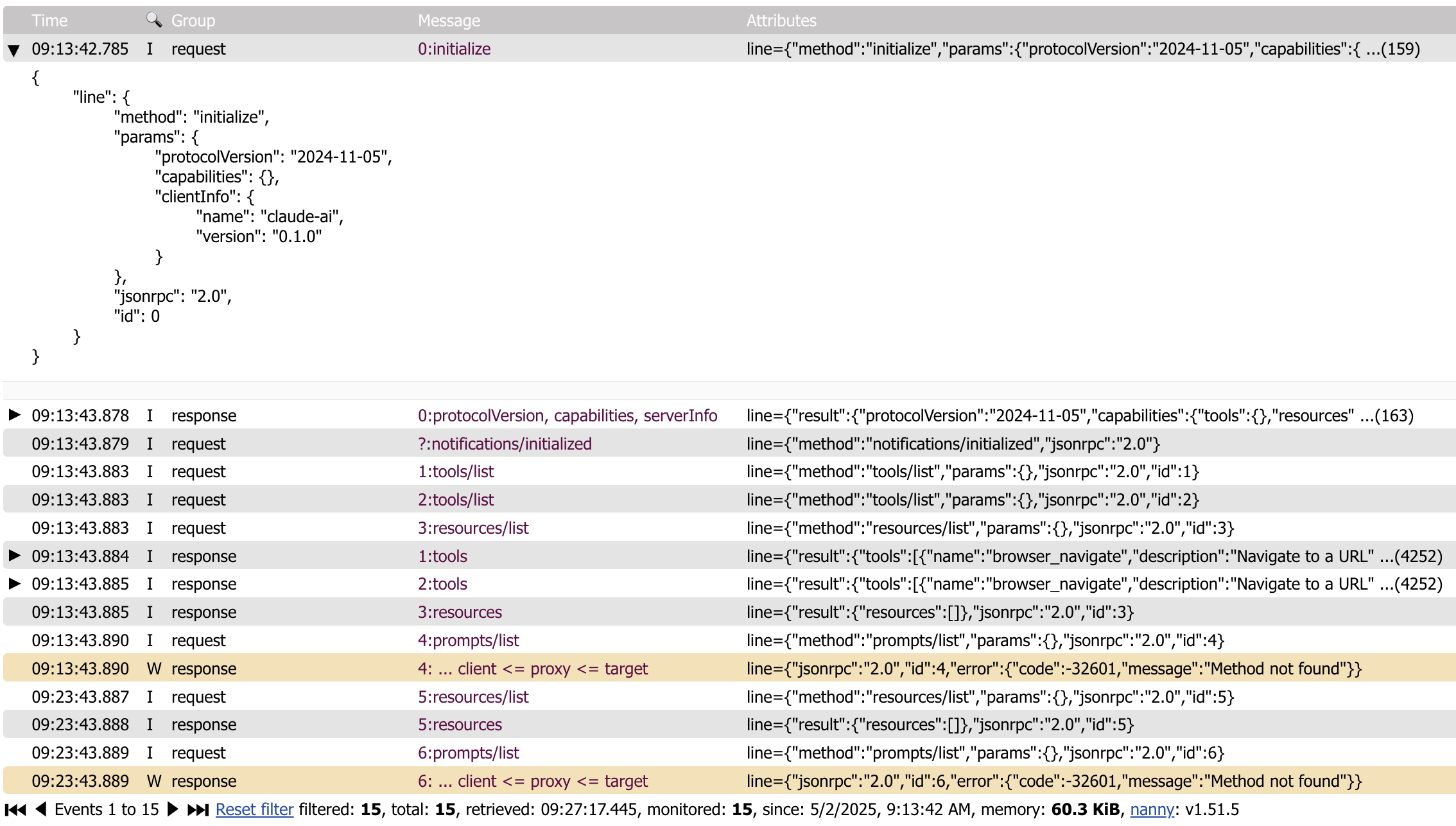
mcp-log-proxy can be used to see the messages to and from a MCP client and a MCP server using a Web interface.
Currently, it only supports the STDIO interface.
Multiple proxies
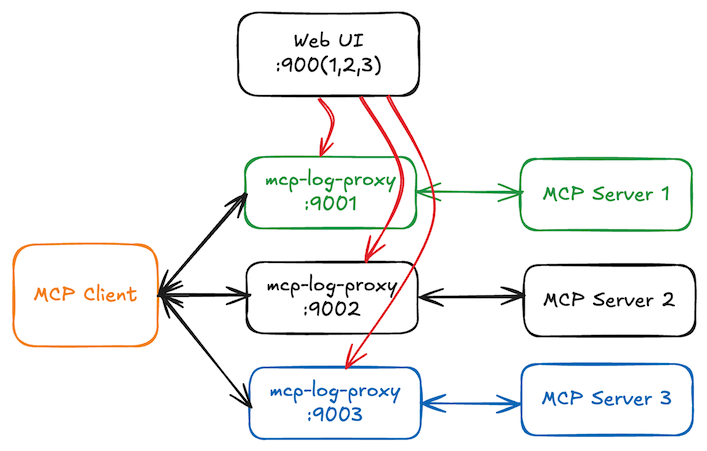
All running mcp-log-proxy processes will register themselves in .mcp-log-proxy-instances.json located in your home directory. On the web page, you can use the selector to switch to another proxy instance.
install
brew tap "emicklei/tap"
and then
brew install emicklei/tap/mcp-log-proxy
or via Go
go install github.com/emicklei/mcp-log-proxy@latest
usage
mcp-log-proxy requires one argument -command that contains the full command line for starting the MCP server.
For example, to proxy traffic to the melrose-mcp server, the full command is:
mcp-log-proxy -command melrose-mcp
This example assumes that both tools are available on your execution PATH.
Once the proxy is started, messages can be viewed on http://localhost:5656.
optional flags
You can override the HTTP host address (default localhost) using the host flag, for example to listen on all interfaces or a specific interface address:
mcp-log-proxy -command melrose-mcp -host 0.0.0.0
mcp-log-proxy -command melrose-mcp -host 1.2.3.4
You can override the Web page title using the title flag:
mcp-log-proxy -command melrose-mcp -title "Melrōse (proxy)"
You can override the HTTP port(default 5656) using the port flag:
mcp-log-proxy -command melrose-mcp -port 9999
When running multiple proxies, the mcp-log-proxy will detect whether a HTTP port is taken and choose a different port instead. Using the Web UI you can select any of the other running proxies.
You can override the log file location of the proxy that captures errors in the proxy itself using the log flag:
mcp-log-proxy -command melrose-mcp -log /your/logs/mcp-log-proxy.log
Claude examples
This example proxies the use of the melrose-mcp server.
Locate the binaries to get the correct paths.
"melrōse": {
  "command": "/Users/SOME-USER/go/bin/mcp-log-proxy",
  "args": [
    "-command",
    "/Users/SOME-USER/go/bin/melrose-mcp -log /Users/SOME-USER/Library/Logs/claude-melrose.log",
    "-log",
    "/Users/SOME-USER/Library/Logs/claude-melrose-proxy.log",
    "-port",
    "7788",
    "-title",
    "Claude Melrose MCP"
  ]
},
Proxying the browsermcp server.
"browsermcp": {
  "command": "/Users/SOME-USER/go/bin/mcp-log-proxy",
  "args": [
    "-command",
    "npx @browsermcp/mcp@latest",
    "-log",
    "/Users/SOME-USER/Library/Logs/claude-browsermcp-proxy.log",
    "-port",
    "7799",
    "-title",
    "Claude Browser MCP"
  ]
}
Goose Example
This example proxies the use of the melrose-mcp server.
Locate the binaries to get the correct paths.
/Users/SOME-USER/go/bin/mcp-log-proxy -command /Users/SOME-USER/go/bin/melrose-mcp -log /Users/SOME-USER/Library/Logs/goose-melrose.log -port 8888 -title Melrose-MCP
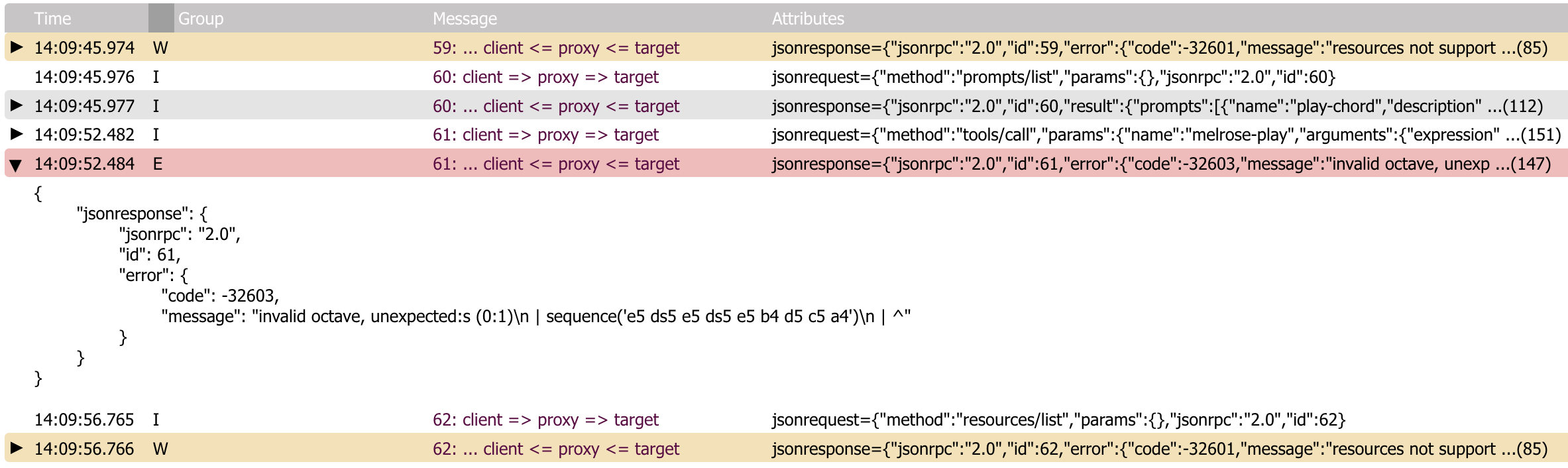
Error information
© 2025, https://ernestmicklei.com. MIT License.
Reviews (0)
Sign in to leave a review.
Leave a reviewNo results found