claw-orchestrator
Health Pass
- License — License: MIT
- Description — Repository has a description
- Active repo — Last push 0 days ago
- Community trust — 430 GitHub stars
Code Fail
- process.env — Environment variable access in bin/cli.ts
- network request — Outbound network request in bin/cli.ts
- execSync — Synchronous shell command execution in src/__tests__/council-postprocess.test.ts
- fs.rmSync — Destructive file system operation in src/__tests__/council-postprocess.test.ts
Permissions Pass
- Permissions — No dangerous permissions requested
This tool acts as a unified control layer that runs, manages, and orchestrates various coding agents (like Claude Code, Gemini, and Cursor) through a single headless runtime. It allows developers to manage persistent sessions, route tasks, and run multi-agent collaborations programmatically.
Security Assessment
Overall Risk: Medium. The tool acts as an orchestrator for external CLIs, so it inherently requires system access. It reads environment variables and makes outbound network requests, which are standard for routing tasks and managing APIs. However, the static scan flagged the presence of synchronous shell command execution and destructive file system operations. Fortunately, these potentially dangerous actions are strictly isolated within test files rather than the core runtime. No hardcoded secrets or explicitly dangerous permissions were detected in the production code.
Quality Assessment
The project demonstrates strong health and active maintenance, evidenced by a repository push as recent as today. It is fully licensed under the permissive MIT license. Community trust is solid, with the project having accumulated 430 GitHub stars, indicating active adoption and interest from other developers.
Verdict
Use with caution. The core tool is safe and well-maintained, but you should review its required environment variables and monitor exactly which external agent CLIs it executes on your machine.
Run Claude Code, Codex, Gemini, Cursor Agent and custom coding CLIs as one unified runtime for claw-style agent systems. Runs standalone, with first-class OpenClaw plugin support.
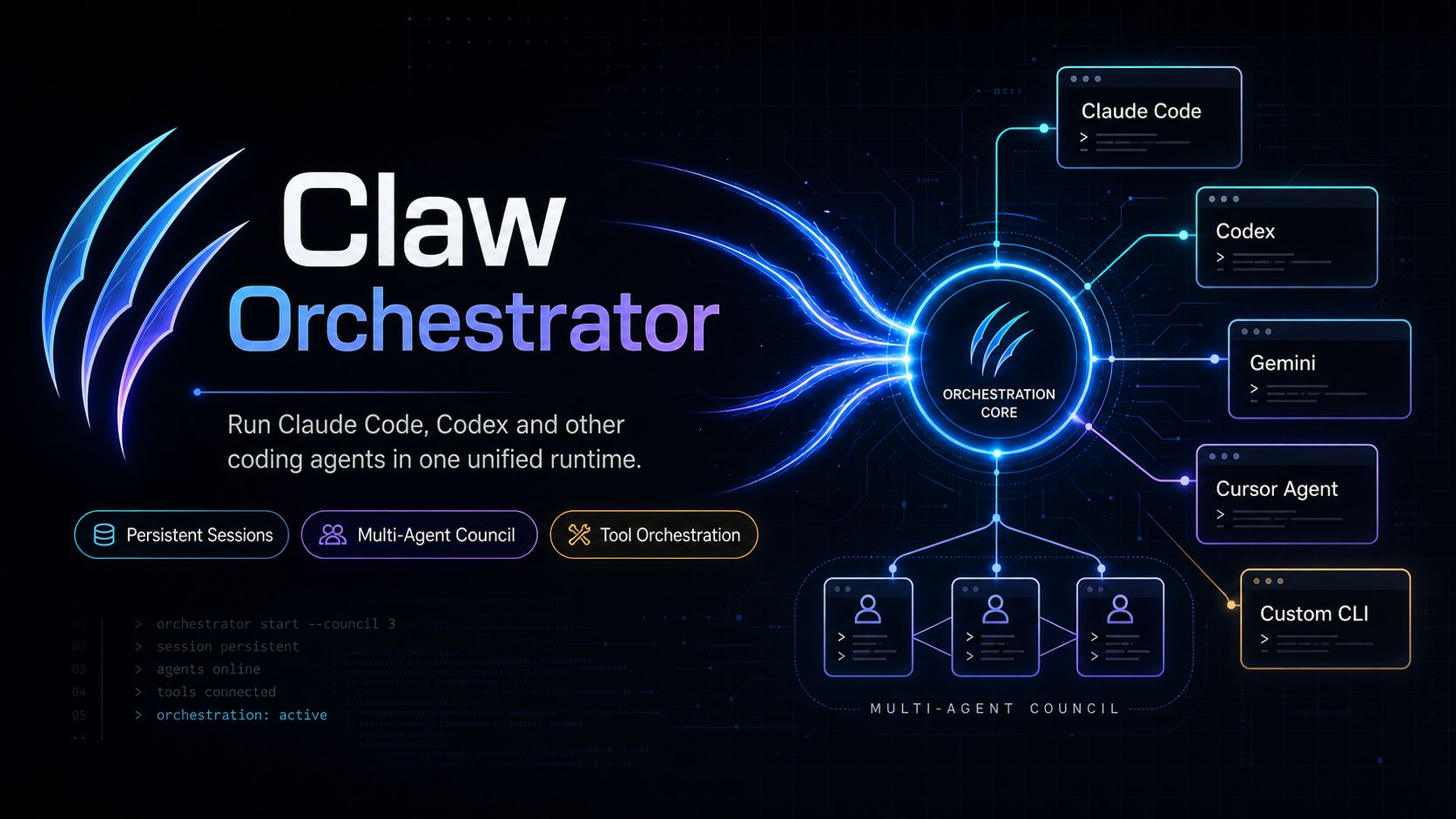
Claw Orchestrator
Run Claude Code, Codex and other coding agents in one unified runtime.
Claw Orchestrator turns interactive coding CLIs into programmable, headless agent engines. Start persistent sessions, route tasks across different coding agents, coordinate multi-agent councils, and expose everything through a clean tool-based API.
Claude Code, Codex, Gemini, Cursor Agent, or your own custom CLI — orchestrated as one runtime.
Runs standalone, with first-class OpenClaw plugin support and a path to other claw-style agent platforms.


Why Claw Orchestrator?
Coding agents are powerful, but most are still designed as interactive CLIs.
That works well when a human is sitting in front of a terminal. It breaks down when you want agents to:
- keep long-running coding sessions alive
- switch between Claude Code, Codex, Gemini, Cursor Agent, or custom CLIs
- collaborate as a team on the same codebase
- integrate coding capabilities into OpenClaw first, and other claw-style agent systems over time
- manage context, tools, worktrees, and execution state programmatically
Claw Orchestrator is the control layer for that.
Core Features
Persistent Sessions
Keep coding agents alive across requests.
const session = await manager.startSession({
  name: "fix-tests",
  engine: "claude",
  cwd: "/path/to/project",
});

await manager.sendMessage("fix-tests", "Fix the failing tests");
Multi-Engine Runtime
Drive different coding agents through one unified interface.
await manager.startSession({ name: "claude-task", engine: "claude" });
await manager.startSession({ name: "codex-task",  engine: "codex"  });
await manager.startSession({ name: "gemini-task", engine: "gemini" });
await manager.startSession({ name: "cursor-task", engine: "cursor" });
Multi-Agent Council
Run multiple agents in parallel with isolated git worktrees, independent reasoning, and review-based collaboration.
await manager.councilStart("Design and implement an auth system", {
  agents: [
    { name: "Planner",  engine: "claude" },
    { name: "Builder",  engine: "codex"  },
    { name: "Reviewer", engine: "claude" },
  ],
});
Tool Orchestration
Expose coding sessions as tools so other agents and systems can control them. The runtime registers 35 tools, including:
session_start         session_send         session_status
session_grep          session_compact      session_inbox
team_send             team_list            agents_list
council_start         council_review       council_accept
ultraplan_start       ultrareview_start
(For backward compatibility with v2.x callers, the legacy claude_session_* aliases remain registered through v3.0.x and will be removed in v3.1.)
Quick Start
Standalone (no OpenClaw)
npm install -g @enderfga/claw-orchestrator
clawo serve
clawo session start --engine claude --name fix-tests --cwd .
clawo session send fix-tests "Fix the failing tests"
Programmatic
import { SessionManager } from "@enderfga/claw-orchestrator";

const manager = new SessionManager();
await manager.startSession({ name: "task", cwd: "/project" });
const result = await manager.sendMessage("task", "Fix the failing tests");
Run a multi-agent council
clawo council start "Refactor the API layer and add tests"
As an OpenClaw plugin
If you run OpenClaw, Claw Orchestrator installs as a managed plugin. The same tools (session_start, team_send, council_start, ...) become available to every OpenClaw agent.
curl -fsSL https://raw.githubusercontent.com/Enderfga/claw-orchestrator/main/install.sh | bash
This installs via npm, registers the plugin in ~/.openclaw/openclaw.json, and restarts the gateway. See skills/references/getting-started.md for the full setup, including upgrading from openclaw-claude-code v2.x.
Engine Compatibility
| Engine | CLI | Tested Version | Status |
|---|---|---|---|
| Claude Code | claude |
2.1.126 | Supported |
| Codex | codex |
0.128.0 | Supported |
| Gemini | gemini |
0.36.0 | Supported |
| Cursor Agent | agent |
2026.03.30 | Supported |
| Custom CLI | any | — | Supported |
Any coding CLI that can run as a subprocess can be integrated as a custom engine.
Architecture
                 ┌─────────────────────┐
                 │  Claw Orchestrator  │
                 └──────────┬──────────┘
                            │
        ┌───────────────────┼───────────────────┐
        │                   │                   │
 ┌──────▼──────┐     ┌──────▼──────┐     ┌──────▼──────┐
 │ Claude Code │     │    Codex    │     │ Custom CLI  │
 └──────┬──────┘     └──────┬──────┘     └──────┬──────┘
        │                   │                   │
        └───────────┬───────┴───────────┬───────┘
                    │                   │
             Persistent Sessions   Tool API
                    │                   │
                    └──── Multi-Agent Council
For source-level architecture, see CLAUDE.md. For deeper reference docs, see skills/references/.
Migrating from @enderfga/openclaw-claude-code (v2.x)
v3.0 renames the package, the CLI binary, and the tool API.
| What | v2.x | v3.0 |
|---|---|---|
| npm package | @enderfga/openclaw-claude-code |
@enderfga/claw-orchestrator |
| CLI binary | claude-code-skill |
clawo (the old name still works in v3.0.x) |
| Tool names | claude_session_start, claude_session_send, ... |
session_start, session_send, ... (old names still work in v3.0.x) |
| OpenClaw plugin id | openclaw-claude-code |
claw-orchestrator |
To upgrade:
npm uninstall -g @enderfga/openclaw-claude-code
npm install -g @enderfga/claw-orchestrator
# If you use OpenClaw, the install.sh handles the plugin entry migration:
curl -fsSL https://raw.githubusercontent.com/Enderfga/claw-orchestrator/main/install.sh | bash
The legacy aliases (claude-code-skill binary and claude_* tool names) remain registered for the duration of v3.0.x. They will be removed in v3.1; update your scripts before upgrading.
Project Status
Active development. Current focus areas:
- stable multi-engine session management
- richer council workflows
- custom engine configuration ergonomics
- runtime control APIs
- cleaner CLI and OpenClaw integration
Contributing
See CONTRIBUTING.md. PR prefixes (feat:, fix:, docs:, chore:, test:) are required. Run npm run build && npm run lint && npm run format:check && npm run test before submitting.
License
MIT — see LICENSE.
Reviews (0)
Sign in to leave a review.
Leave a reviewNo results found