cloche
Health Warn
- License — License: Apache-2.0
- Description — Repository has a description
- Active repo — Last push 0 days ago
- Low visibility — Only 5 GitHub stars
Code Fail
- rm -rf — Recursive force deletion command in scripts/cloche-grab.sh
Permissions Pass
- Permissions — No dangerous permissions requested
No AI report is available for this listing yet.
Screenshot CLI that frames any window into a polished, share-ready card and prints stable JSON for shells, hotkeys, and AI agents
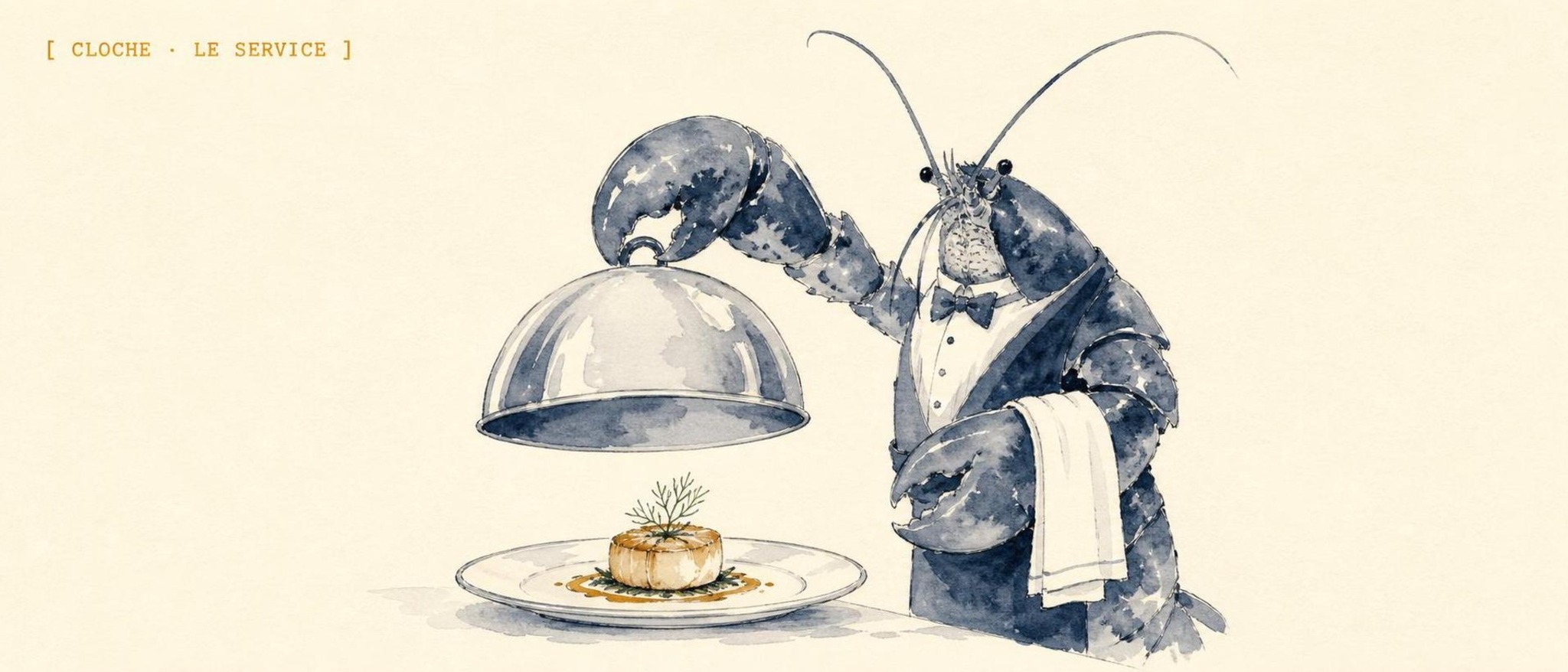
Cloche
An open-source desktop screenshot CLI that turns any window into a polished, share-ready card, prints stable JSON, and works the same from your shell, a hotkey, or an AI agent.
Website: cloche.escoffierlabs.dev





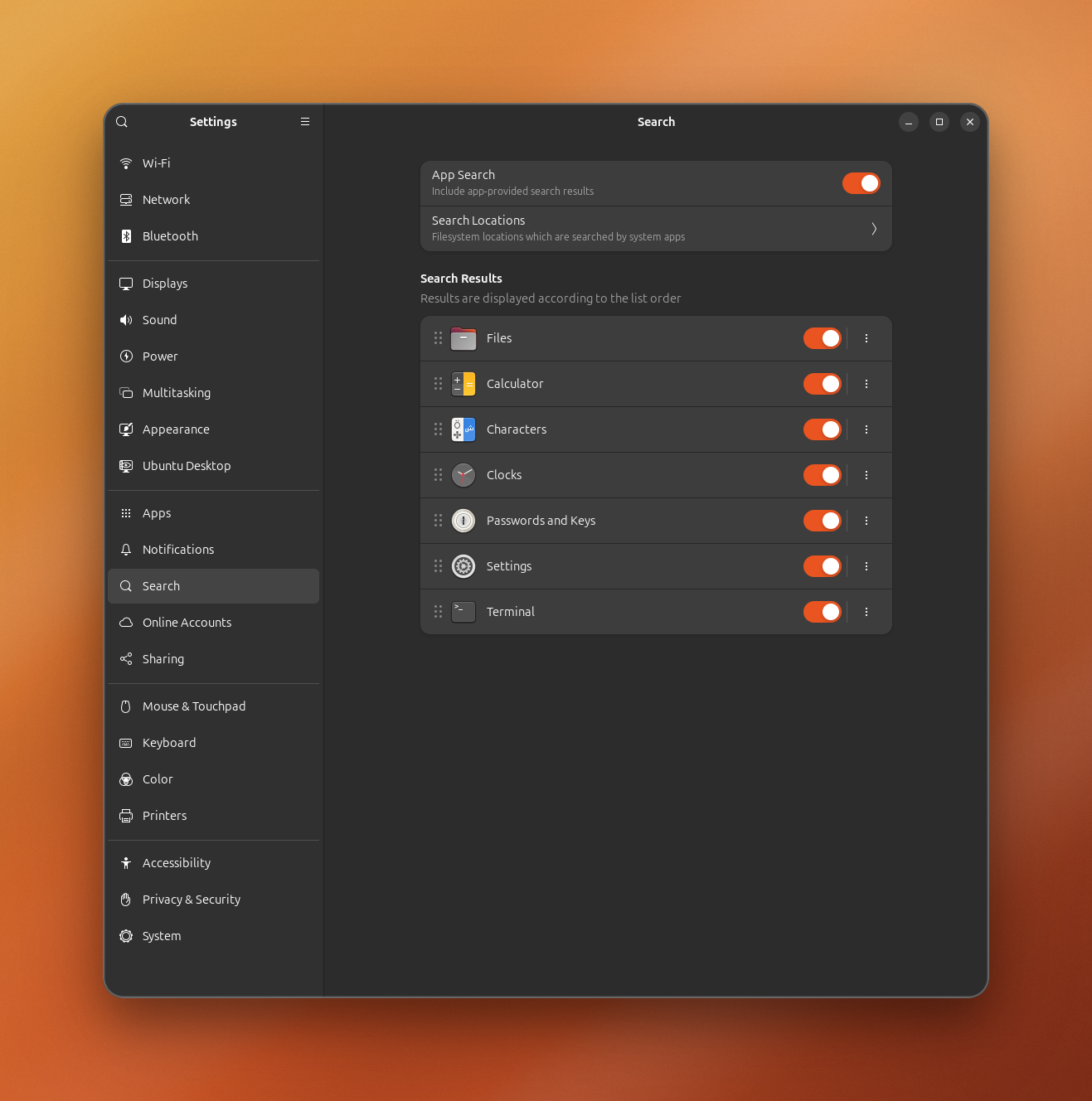
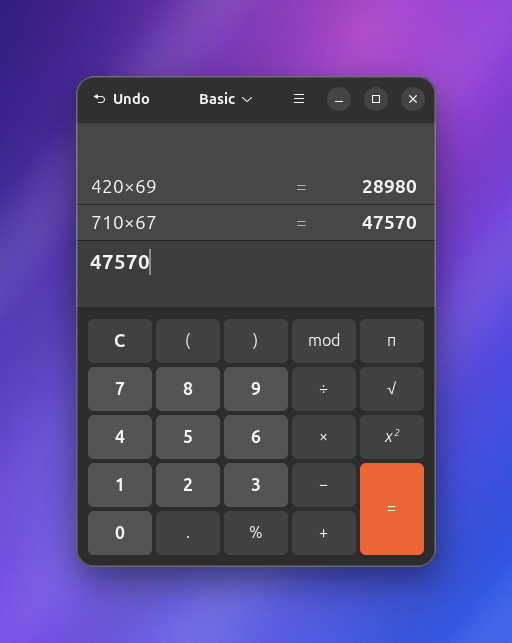
Cloche is an open-source desktop capture CLI for people and AI agents. It captures the active app or window, frames the result as a polished presentation card, writes raw images plus metadata, and prints stable JSON so scripts, local tools, and coding agents can all drive the same command. The screenshots above are real Cloche output, not mockups: a raw capture dropped onto a gradient backdrop with a rounded window and a soft shadow.
What makes it different is that the capture, the polish, and the machine-readable output are one tool. Most screenshot apps are GUI-only and stop at a PNG; Cloche works headless from a shell, binds to a single hotkey, or runs as an MCP server, and every path emits the same JSON contract. The name comes from the glass dome used to present a dish cleanly: Cloche lifts what is on your screen, frames it, and makes it ready to share.
The first production mode is Shots: polished screenshots with raw files, metadata, optional text extraction, and gallery helpers. The roadmap adds Reels for short screen recordings, then GIF export for lightweight loops.
This repo started as appshots. The appshots binary remains as a compatibility alias while cloche becomes the primary command.
What it does
Cloche is a command-line screenshot and screen-capture tool that produces share-ready presentation cards and stable JSON on Linux and Windows. It does the whole capture pipeline in one binary: grab the pixels, polish them onto a gradient backdrop, write the metadata, and hand a clean JSON result to whatever called it.
- Captures the active window, a selected window, the full screen, or an interactively selected region.
- Writes
shot.png,metadata.json, optionaltext.txt, and a polishedshot-card.png. - Styles any existing image into the same presentation card with
cloche polish. - Emits stable JSON on stdout for agents and automation.
- Extracts best-effort visible or accessible app text when the OS exposes it.
- Provides
gallery,latest, andpreviewhelpers for capture history. - Runs directly as a CLI, or as a small stdio MCP server through
cloche mcp. - Keeps
appshotsas a compatibility command during the rename.
Install
Cloche needs Rust 1.88 or newer. Distro packages can lag (Ubuntu 24.04'sapt install cargo ships 1.75, which is too old); if cargo install cloche
fails with an MSRV error, install a current toolchain with
rustup first.
Install the latest release from crates.io:
cargo install cloche
Build and install from a local checkout:
cargo install --path . --bins
Or use the install script:
bash scripts/install.sh
On Windows:
powershell -ExecutionPolicy Bypass -File scripts/install.ps1
Quick Start
Capture the active app or window as a Shot:
cloche capture --target active --out-dir /tmp/cloche-shot-$(date +%s) --format json
Style an existing screenshot into a presentation card without recapturing:
cloche polish /tmp/diff.png --palette violet-haze --format json
Render an existing short recording through the experimental Remotion reel engine:
cd remotion && npm install && cd ..
cloche reels render \
  --input raw.mp4 \
  --out demo.mp4 \
  --cues cues.json \
  --title "Create a project"
The cue file follows the AppReels timeline shape:
{
  "titleCard": { "text": "Create a project", "ms": 900 },
  "captions": [{ "startMs": 1000, "endMs": 2600, "text": "Open the project menu" }],
  "zooms": [{ "startMs": 1200, "endMs": 2400, "scale": 1.08 }],
  "outroCard": { "text": "Done", "ms": 700 }
}
Preview the latest capture:
cloche preview
Create a self-contained HTML gallery of recent Shots:
cloche gallery --root /tmp --html /tmp/cloche.html --title "My Shots" --open
Generate a Codex turn/start payload from a Shot:
cloche codex-payload --thread-id "$THREAD_ID" /tmp/cloche-shot-123
Command Reference
cloche doctor --format json
cloche list-windows --format json
cloche capture --target active --presentation both --out-dir /tmp/cloche-shot --format json
cloche capture --target active --style-seed 12345 --out-dir /tmp/cloche-shot --format json
cloche capture --target screen --out-dir /tmp/cloche-shot --format json
cloche capture --target window --title Firefox --out-dir /tmp/cloche-shot --format json
cloche capture --target region --presentation both --clipboard --out-dir /tmp/cloche-shot --format json
cloche polish /tmp/diff.png --format json
cloche polish /tmp/diff.png --out /tmp/diff-card.png --palette ember-glow --style-seed 12345
cloche gallery --limit 10
cloche gallery --root /tmp --html /tmp/cloche.html --title "My Shots" --open
cloche latest
cloche preview
cloche open /tmp/cloche-shot
cloche schema
cloche schema --for polish
cloche codex-payload --thread-id THREAD_ID /tmp/cloche-shot
cloche mcp
cloche setup
cloche setup --print
cloche setup hotkey
cloche setup agent --client claude-code
cloche setup verify --format json
The old appshots command remains as an alias for the same code path.
Modes
Shots are available now. A Shot is a still capture with raw and presentation images, metadata, and optional extracted text.
Reels are planned next. A Reel will be a short desktop recording with the same Cloche presentation system, cursor emphasis, captions, and stable metadata. The existing Appreels prototype is the starting point for this mode.
GIF export is planned after Reels. GIFs will be generated from finished Reels as a delivery format, not recorded as the primary source format.
Why Cloche Exists
OpenAI documents Appshots as a macOS app feature for Codex. The Codex repository can already resume threads that contain local images through app-server v2 turn/start input:
{ "type": "localImage", "path": "/absolute/path/to/shot.png", "detail": "high" }
Linux and Windows users still need a reliable way to create those captures from a normal CLI. Cloche fills that capture side while staying independent of any one agent stack. Use it with Codex, OpenClaw, Claude Code, Hermes, a local MCP client, or a plain shell script.
Reference: https://developers.openai.com/codex/appshots
Output Files
Each successful Shot directory contains:
shot.png, the raw captured image.shot-card.png, a presentation image: the screenshot with rounded corners and a soft shadow on a full-bleed gradient backdrop, fully opaque so it survives JPEG and pasting anywhere.metadata.json, the same JSON object printed to stdout.text.txt, optional best-effort accessible text from the focused app.
Capture exits with 0 only when a raw image was written. Text extraction and presentation-image failures are warnings because accessibility support and desktop compositing vary by toolkit, app, desktop environment, and OS. --target screen exists as a fallback and debugging mode. --target active is the default.
Use --presentation raw, --presentation card, or --presentation both to control output image generation. Use --style-seed <number> to reproduce a randomized card style exactly.
--target region opens an interactive selector (Flameshot when available, ImageMagick import drag-select on X11): drag a rectangle and the shot is taken the moment you release. Add --clipboard to copy the finished card straight to the clipboard (wl-copy on Wayland, xclip on X11). Region capture needs a human at the desk; it is not for headless agents. Not yet supported on Windows: use Win+Shift+S, save the file, then cloche polish <file>.
Hotkey Workflow
Bind one key to get a share-ready card on your clipboard: press it, drag a
region, paste the polished card anywhere. The capture, polish, and clipboard
copy all happen in cloche; only the key binding is set up per desktop.
The fastest path is one command:
cloche setup
It installs cloche-grab, binds it to Print on GNOME (and prints the exact
steps on KDE/sway/i3), registers the MCP server with any agent it detects, then
verifies that capture, the hotkey, and the MCP server actually work. Runcloche setup --print to preview every change first, or cloche setup verify
any time to re-check. The manual steps below are what cloche setup automates,
and the fallback for unsupported desktops.
The repo ships scripts/cloche-grab.sh, which wraps the capture and adds a
desktop notification. Install it and bind it:
# 1. Put the script on your PATH (or point the binding at it in place).
install -Dm755 scripts/cloche-grab.sh ~/.local/bin/cloche-grab

# 2. Confirm it works (it opens the region selector):
cloche-grab
Then bind cloche-grab to a key:
- GNOME: Settings -> Keyboard -> View and Customize Shortcuts -> Custom
Shortcuts -> +. Name it "Cloche Grab", commandcloche-grab, and set the
shortcut (e.g. Print). To move the native screenshot UI off Print first:gsettings set org.gnome.shell.keybindings show-screenshot-ui "['<Shift>Print']". - KDE: System Settings -> Shortcuts -> Custom Shortcuts -> Edit -> New ->
Global Shortcut -> Command/URL, commandcloche-grab, then assign a key. - Anything else (sway, i3, ...): bind a key to
cloche-grabin your WM
config.
Prefer no script? Bind this one-liner directly instead:
cloche capture --target region --presentation both --clipboard --out-dir ~/Pictures/ClocheShots/$(date +%s)
cloche polish writes a single card PNG instead of a Shot directory:<input>-card.png next to the input by default, or the --out <path> you
pass (it must end in .png). Its stdout JSON reports input, card, andpresentationStyle.
Agent Use
Any shell-capable agent can call:
cloche capture --target active --out-dir /tmp/cloche-shot-$(date +%s) --format json
Then parse image.path from stdout or read the generated metadata.json.
Codex app-server clients can turn a capture into a ready turn/start payload:
cloche codex-payload --thread-id "$THREAD_ID" /tmp/cloche-shot-123
Other agents should treat Cloche as a normal subprocess tool. The core command has no MCP dependency, desktop-app dependency, or agent-specific runtime dependency.
MCP Server
cloche mcp runs a minimal stdio MCP server for clients that prefer the Model Context Protocol over direct subprocess calls. It speaks newline-delimited JSON-RPC 2.0 on stdin/stdout and exposes capture, polish, list_windows, doctor, latest, and gallery as tools. Each tool call shells out to the same binary, so the JSON contract is identical to the CLI.
cloche setup agent registers this server with Claude Code, OpenClaw, and Codex CLI automatically (backing up any config it edits, and skipping clients already configured). The manual config below is for other clients or if you prefer to wire it yourself.
Register it like any stdio MCP server:
{
  "mcpServers": {
    "cloche": { "command": "cloche", "args": ["mcp"] }
  }
}
Compatibility config:
{
  "mcpServers": {
    "appshots": { "command": "appshots", "args": ["mcp"] }
  }
}
Linux Backend Notes
- X11 active/window capture uses
xdotool/wmctrlfor window metadata and ImageMagickimportfor PNG capture. - Wayland wlroots screen capture uses
grim. - GNOME/KDE Wayland may block silent active-window capture by design. Use
--target screenor runcloche doctor --format jsonfor diagnostics. - Text extraction is best-effort through AT-SPI using Python GI when available.
If you are invoking Cloche from SSH, a TTY, or an agent process that did not inherit the desktop environment, Cloche will try to discover the live desktop variables from desktop processes. On GNOME X11 they usually look like:
export DISPLAY=:1
export XAUTHORITY=/run/user/$(id -u)/gdm/Xauthority
export DBUS_SESSION_BUS_ADDRESS=unix:path=/run/user/$(id -u)/bus
export XDG_SESSION_TYPE=x11
You can discover the active values from a desktop process:
tr '\0' '\n' </proc/$(pgrep -u "$(id -u)" -n gnome-shell)/environ | grep -E '^(DISPLAY|XAUTHORITY|DBUS_SESSION_BUS_ADDRESS|XDG_SESSION_TYPE)='
Windows Backend Notes
- Active/window capture uses Win32 foreground-window and top-level-window metadata, then captures the target window with
PrintWindowso covered windows are not polluted by whatever is on top. It falls back to.NET CopyFromScreenifPrintWindowis unavailable for that window. - Screen capture uses the Windows virtual screen.
- Text extraction is best-effort through UI Automation.
- Capture must run in a logged-in interactive desktop session. Plain OpenSSH sessions can build and run
doctor, but Windows blocks screen capture from the non-interactive SSH service session.
Gallery HTML Export
cloche gallery --html <path> writes a single self-contained HTML file with each capture's image embedded inline, so the result can be shared without any companion files. Combine with --root, --limit, --title, and --open. The JSON output gains an htmlPath field pointing at the written file.
Release Packaging
Build a local release archive:
bash scripts/package-release.sh
On Windows:
powershell -ExecutionPolicy Bypass -File scripts/package-release.ps1
Archives are written under dist/. Tagged GitHub releases are packaged by .github/workflows/release.yml for Linux and Windows.
Why not other screenshot tools?
- Flameshot, Spectacle, GNOME Screenshot, Greenshot, ShareX are excellent interactive GUI tools, built for a human clicking and annotating. They do not present a stable command surface for scripts, they do not emit machine-readable JSON, and they do not run headless from an agent process. Cloche is CLI-first and JSON-first; it uses tools like Flameshot for the region-select step but owns the polish, metadata, and contract.
grim/scrot/ ImageMagickimport/maimcapture pixels and stop there. You still hand-roll the framing, the gradient, the metadata, and the JSON. Cloche wraps the same low-level capture and does the rest in one command.carbon-now,silicon,ray.somake beautiful cards out of source code or arbitrary images, not live windows. Cloche captures the actual app and then frames it, andcloche polish <image>covers the "I already have a screenshot" case.- The macOS Appshots app for Codex is the inspiration, but it is macOS-only and tied to one agent stack. Cloche fills the same capture role on Linux and Windows while staying agent-neutral: use it with Codex, OpenClaw, Claude Code, Hermes, any MCP client, or a plain shell script.
What Cloche is not
Cloche is a local capture tool, not a service or an annotation suite.
It does not:
- run a background daemon, tray app, or scheduler
- upload, sync, or phone home with your captures
- annotate, blur, or redact (it frames what is on screen; review before you share)
- record audio or do OCR (text extraction is best-effort via the OS accessibility layer only)
- replace your editor or your sharing host; it writes local files and a JSON receipt, and you take it from there
Roadmap
See ROADMAP.md.
Reviews (0)
Sign in to leave a review.
Leave a reviewNo results found