ccvault
Health Warn
- License — License: MIT
- Description — Repository has a description
- Active repo — Last push 0 days ago
- Low visibility — Only 7 GitHub stars
Code Warn
- network request — Outbound network request in ccvault.py
Permissions Pass
- Permissions — No dangerous permissions requested
No AI report is available for this listing yet.
Back up, browse, search and export your Claude Code conversations — 100% local, zero dependencies, no network.
📦 ccvault — Claude Code Vault
English · 中文

🔗 Built for and shared with the LINUX DO community.
Back up, browse, search, and export your Claude Code conversations — 100% local, zero dependencies, no network.
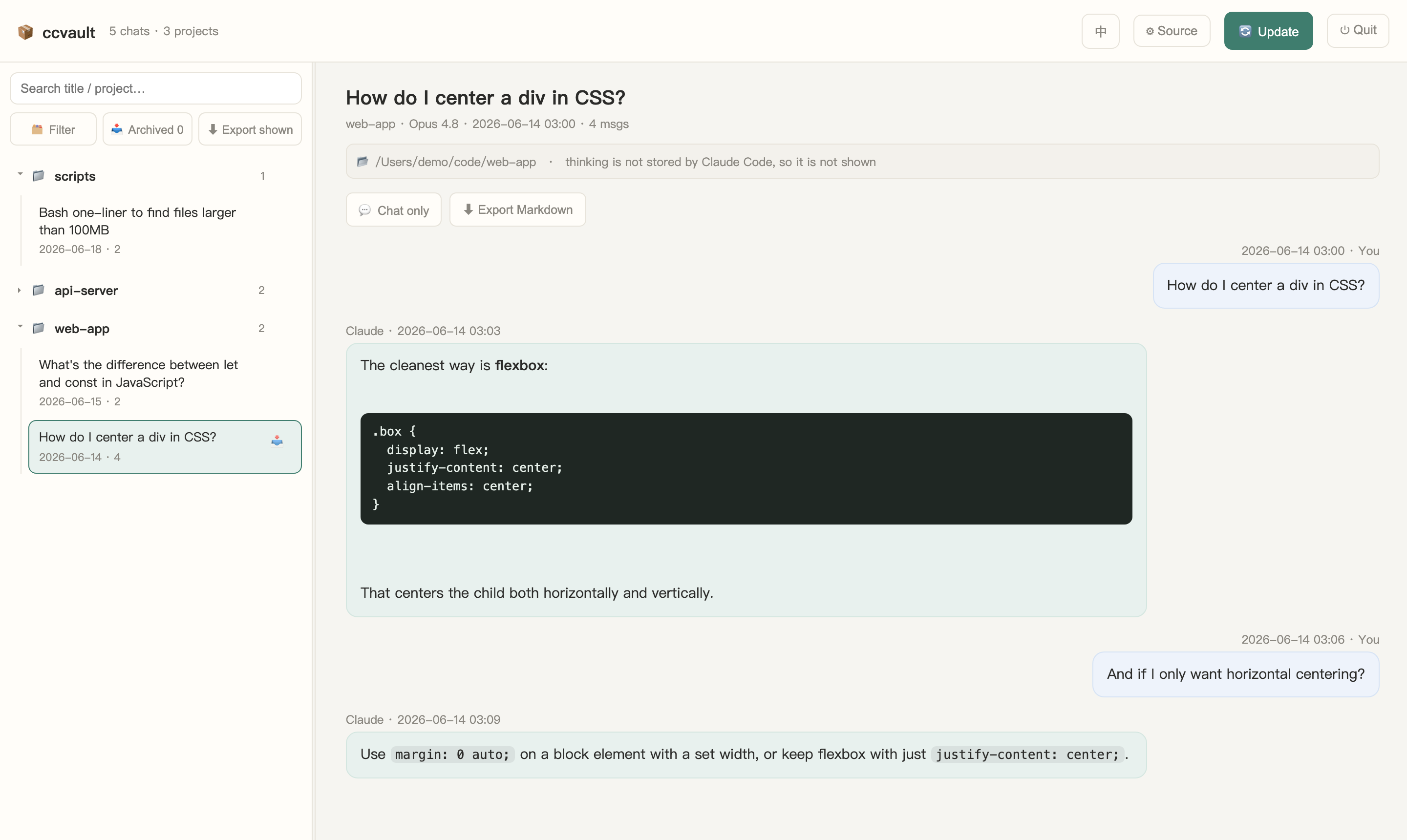
Browse, search, filter, archive, and export — in English or 中文 (one-click toggle). All data stays on your machine.
Claude Code stores your chats as .jsonl transcripts under ~/.claude/projects. They're complete but hard to read, and they can be lost if Claude Code is reinstalled or cleaned. ccvault turns them into a clean local archive you fully own, with a browser UI to read, search, and export them.
Features
- 🗂 Browse every conversation in a foldered, searchable sidebar
- 💬 Readable chat-bubble view; tool calls & results collapsible; a "chat only" mode that hides everything but the messages
- 🔍 Filter which projects to show; archive (hide) individual chats — restorable anytime
- ⬇ Export a single chat, a whole project, or everything you currently see — as Markdown / a zip
- 🔄 Incremental update — only new or changed chats get reprocessed
- ♊ Auto-dedupe — Claude Code saves a fresh snapshot every time you resume a chat; ccvault keeps only the most complete one, so the same conversation never shows up twice (
--no-dedupekeeps them all) - 🪟 Window names — named your sessions in the Claude desktop app? ccvault picks those names up and uses them as titles in the sidebar and in exports (falling back to the first message). Names are remembered in
~/.ccvault/session-names.json, so they survive after the window is closed - 🔒 Private by design — runs entirely on
127.0.0.1, never touches the network, never modifies your original transcripts
Requirements
- Python 3.8+ — standard library only, nothing to
pip install - A modern web browser
Quick start
git clone https://github.com/Ethan-YS/ccvault.git
cd ccvault
python3 ccvault.py
It auto-detects ~/.claude/projects, builds a local archive at ~/.ccvault/archive, and opens your browser.
- macOS — double-click
ccvault.command - Windows — double-click
ccvault.bat - Linux / anything —
python3 ccvault.py
Options
python3 ccvault.py --src PATH      # custom transcripts folder
python3 ccvault.py --out PATH      # custom archive output folder
python3 ccvault.py --port 8765
python3 ccvault.py --copy-raw      # also copy the original .jsonl into the archive
python3 ccvault.py --no-dedupe     # keep every snapshot (don't merge resume duplicates)
python3 ccvault.py --update-only   # rebuild the archive and exit (no server)
python3 ccvault.py --no-window-names  # ignore window names from the Claude desktop app
You can also point ccvault at a different transcripts folder from the web UI (⚙︎ Source) — useful if your .claude lives somewhere non-standard, or to browse a backup.
Privacy
- Everything runs locally. There are no network calls, ever.
- Your transcripts are read read-only; the originals under
~/.claude/projectsare never modified. - The archive lives at
~/.ccvault/archive— outside this repo. Conversation data is never committed (.gitignoreblocks it).
Notes
- Window names come from the small per-session files the Claude desktop app keeps under
~/.claude/sessionsonly while a window is open. ccvault reads them (never writes them) and keeps just the session id, the name and the working directory. Because a file vanishes as soon as its window is closed, ccvault copies the names over every time it looks — so run it (or let a scheduled--update-onlyrun) while your windows are open. A session that was never open while ccvault ran keeps its first message as the title. - Claude Code does not store the model's thinking text in transcripts (only an encrypted signature), so thinking can't be shown or exported. This is a limitation of the source data, not ccvault.
License
Reviews (0)
Sign in to leave a review.
Leave a reviewNo results found