omnigen-vault
Health Pass
- License — License: MIT
- Description — Repository has a description
- Active repo — Last push 0 days ago
- Community trust — 16 GitHub stars
Code Fail
- exec() — Shell command execution in scripts/build-search-index.mjs
- os.homedir — User home directory access in scripts/register-mcp.mjs
- fs.rmSync — Destructive file system operation in src/cli.js
- os.homedir — User home directory access in src/cli.js
- network request — Outbound network request in src/codex/provider.js
Permissions Pass
- Permissions — No dangerous permissions requested
No AI report is available for this listing yet.
Infinite text-free AI image generator + SQLite-indexed multilingual vault & gallery — with a local MCP your AI can drive.
Omnigen Vault
An infinite, text-free image engine + self-curating multilingual gallery — and an MCP your AI drives.
Generate every kind of image in the world, in every art style ever made, with
zero text in the frame — organized by category & resolution, thumbnailed,
multilingual full-text indexed (EN · KO · JA · ZH · ES), browsable in a slick
web gallery, and instantly reusable by any AI via MCP.
🔍 Live gallery → · MCP for AI · English · 한국어 · 日本語 · 中文 · Español
Node ≥22 · zero npm dependencies · macOS menu-bar app · MIT
⚠️ Unsupported backend — use at your own risk
Omnigen generates images by calling an undocumented, private ChatGPT/Codex backend using your local ChatGPT auth tokens — this is not the official OpenAI API. The contract may change or break without notice, and heavy use may put your ChatGPT account at risk (rate limits or restrictions). Your tokens are read at runtime and never stored by Omnigen, but you use this at your own risk. For production workloads use the official OpenAI API. Recommended for personal use.
✨ Why it's special
- Infinite by design. A deterministic, resumable prompt engine crosses 67
real-world categories × 270+ researched art styles × lighting × palette ×
composition × mood — over 1.6 billion base combinations before it even
starts recycling. Stop and resume anytime; it never repeats. - Every style on Earth. 270+ text-free visual styles spanning photography
(analog & digital), classical → contemporary painting, world/folk/indigenous
traditions, illustration/3D/CGI, printmaking & craft, and modern aesthetics —
scattered so every batch is visually diverse, not a monotonous run. - Truly text-free. Every prompt forbids text, and each image is OCR-verified
(confidence-filtered to ignore texture noise); anything with real lettering is
auto-regenerated or quarantined. - Self-organizing vault. Saves to
images/<category>/<resolution>/, generates
thumbnails, and indexes everything in SQLite with FTS5 full-text search +
ratings + perceptual-hash de-duplication. - Two galleries. A self-contained static
gallery.html, and a live
multilingual web server (search, filter, infinite-scroll, lightbox, in-browser
ratings) you can expose to the world via Cloudflare Tunnel. - Won't crash your Mac. Hard disk-usage ceiling + OS-volume guard + free-space
floor. Concurrent, low-memory, instant-cancel. - Native menu-bar app. Start/stop, pick options, change save folder, launch at
login, build galleries — all from a clean, icon-driven menu. Code-signed. - AI-native. A machine-readable query API so an agent can find and use the
perfect image instantly (see below).
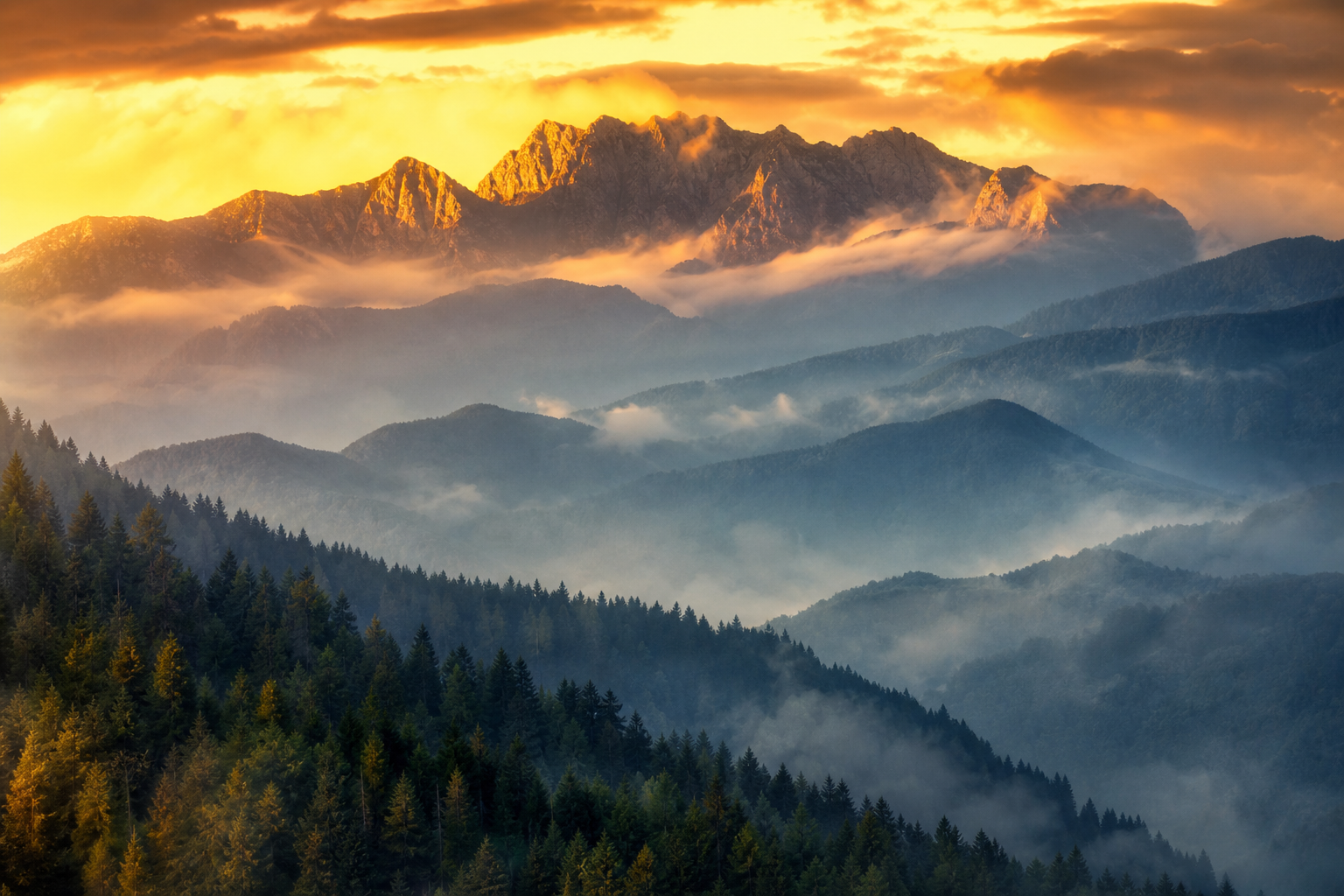

Every image is 100% text-free and OCR-verified.
🚀 Quick start
git clone <your-repo-url> omnigen-vault && cd omnigen-vault
node bin/omnigen doctor          # checks auth, disk, OCR, thumbnails, sqlite
node bin/omnigen generate        # infinite, resumable generation (Ctrl-C to stop)
node bin/omnigen gallery && open "$(node bin/omnigen stats >/dev/null; echo)"  # build a gallery
Requirements: Node 22+ (uses built-in node:sqlite + fetch — no npm install),
a logged-in Codex/ChatGPT session, tesseract for OCR (brew install tesseract),
and a mounted external/data disk for the vault.
🤖 For AI agents — read, install, and use
Everything to go from zero to results, in order. Zero npm install — the CLI,
MCP server, and web server are pure Node. Generation reuses your local
ChatGPT/Codex auth (~/.codex/auth.json); log in once (Codex CLI / ChatGPT app)
and doctor verifies it.
1. Prerequisites — install only what's missing:
node --version             # need ≥ 22   → else: brew install node   (or https://nodejs.org)
brew install tesseract     # OCR text-check (optional — or run generate with --no-ocr)
brew install cloudflared   # only if you'll expose a public URL (optional)
2. Install & generate:
git clone https://github.com/ezBuilder/omnigen-vault.git && cd omnigen-vault
node bin/omnigen doctor                 # checks auth, disk, OCR, sqlite — fix what it flags
node bin/omnigen generate               # infinite, resumable, text-free (Ctrl-C to stop)
3. Find & reuse an image — one machine-readable command:
node bin/omnigen query "misty mountain at golden hour" --json --limit 5
[{ "path": "~/.omnigen-vault/images/mountains-peaks/landscape/...png",
   "category": "mountains-peaks", "style": "impressionist painting, broken color",
   "size": "1536x1024", "prompt": "…", "tags": ["…"] }]
…or query the live server's JSON API, or call it from Node:
node bin/omnigen serve --port 8787
curl 'localhost:8787/api/search?q=neon%20city&minRating=4&limit=10'
import { resolveConfig, queryVault } from './src/index.js';
const hits = queryVault(resolveConfig(), { query: 'a red fox in snow', limit: 3 });
4. Or wire it straight into your agent over MCP — one command, and your AI
searches the vault and gets images back inline (details below):
claude mcp add omnigen --env OMNIGEN_VAULT_ROOT=~/.omnigen-vault -- npx -y -p github:ezBuilder/omnigen-vault omnigen-mcp
🔌 Use it from any AI app (MCP)
Omnigen ships an MCP server so your AI can search the vault, view images
inline, browse categories, and generate new ones — all locally, on your own
machine and your own quota. Search works in Korean / Japanese / Chinese /
Spanish too, and results come back with localized subject + prompt.
Tools: search_images (localized; filter by category / orientation / rating) ·get_image (by id or path) · list_categories (localized labels + counts) ·generate_image.
Add it to Claude Code / Codex / Cursor / Claude Desktop:
# straight from GitHub — no npm publish needed; works as soon as the repo is public:
claude mcp add omnigen --env OMNIGEN_VAULT_ROOT=~/.omnigen-vault -- npx -y -p github:ezBuilder/omnigen-vault omnigen-mcp

# or from a local clone (most reliable, fully offline):
claude mcp add omnigen --env OMNIGEN_VAULT_ROOT=~/.omnigen-vault -- node /ABSOLUTE/PATH/omnigen-vault/bin/omnigen-mcp
…or a JSON config block for any MCP client (Cursor, Claude Desktop, Antigravity):
{
  "mcpServers": {
    "omnigen": {
      "command": "npx",
      "args": ["-y", "-p", "github:ezBuilder/omnigen-vault", "omnigen-mcp"],
      "env": { "OMNIGEN_VAULT_ROOT": "~/.omnigen-vault" }
    }
  }
}
Once it's published to npm, the shorter npx -y -p omnigen-vault omnigen-mcp works too.
Then ask your agent "find a misty mountain at golden hour" or "generate a
watercolor fox" — it calls the tool and gets the image back inline.
Agent Skill — for skill-aware agents, copy skills/omnigen/ into your skills
dir (~/.claude/skills/, ~/.codex/skills/, or project .agents/skills/).
Stay current: omnigen upgrade (git pull / npx) updates to the latest version.
🪟 Cross-platform & Windows
The CLI, MCP server, and web server are pure Node → they run on macOS, Linux,
and Windows. Instead of the macOS menu-bar app, configure everything from the CLI:
omnigen config setup          # guided settings (save folder, size, concurrency, OCR, disk limit)
omnigen config set size fhd   # or set individual keys
omnigen config show           # view saved + effective settings
Settings persist to ~/.omnigen-vault.json (override path with $OMNIGEN_CONFIG)
and apply to every command. On Windows: install Node ≥22; thumbnails (macOS sips)
are skipped gracefully (the gallery falls back to full images); for OCR install
Tesseract and point OMNIGEN_TESSERACT at tesseract.exe, or run --no-ocr.
The native menu-bar app is macOS-only.
🖥️ Menu-bar app (macOS)
bash app/build.sh                       # compiles, embeds icon, code-signs
ditto app/OmnigenVault.app /Applications/OmnigenVault.app
open /Applications/OmnigenVault.app
A clean menu-bar menu (SF Symbol icons, no clutter): start/stop toggle, generate
by word, build gallery, open folder, and a Settings window
(save location · concurrency · resolution · OCR · disk ceiling · launch-at-login ·
auto-start). Live count + disk % in the menu. Quitting always stops the worker.
🌐 Make it public — your own URL (optional)
The gallery is a normal local HTTP server, so any tunnel turns it into a public
HTTPS URL — no domain or account of your own required. Start the server, then
pick one tunnel:
node bin/omnigen serve --public --port 8787        # read-only, hardened

# expose it with ONE of these (each prints a public URL):
cloudflared tunnel --url http://localhost:8787     # Cloudflare — free, no account (*.trycloudflare.com)
npx localtunnel --port 8787                         # localtunnel — free, no account
ngrok http 8787                                     # ngrok — free tier (sign-up)
tailscale funnel 8787                               # Tailscale — if you already use it
Prefer no public URL? Skip the tunnel — it just serves on http://localhost:8787
(plus your LAN).
Cloudflare Tunnel, in detail
Install once — brew install cloudflared (macOS) · winget install Cloudflare.cloudflared
(Windows) · or a binary from Cloudflare's downloads.
Then pick A (instant, anonymous) or B (your own domain):
# A) Quick & anonymous — a throwaway public URL, no login, no domain:
cloudflared tunnel --url http://localhost:8787      # → https://<random>.trycloudflare.com

# B) Your own domain — a stable URL via a NAMED tunnel (one-time interactive login):
cloudflared tunnel login                            # opens a browser; authorize your domain
cloudflared tunnel create omnigen                   # creates the tunnel + credentials
cloudflared tunnel route dns omnigen gallery.example.com
cloudflared tunnel run --url http://localhost:8787 omnigen
With B, https://gallery.example.com keeps pointing at your machine even when
its IP changes — exactly how the author's live demo gallery.ezbuilder.app runs.
You run your own; nothing in the repo points anyone at the author's URL.
Safety
Public mode is read-only (ratings write-back is opt-in), serves images only by
id with realpath-confined path validation, rate-limits, caps request size, sets
strict security headers, and supports an optional --token. See
SECURITY.md. The gallery UI is multilingual (EN/KO/JA/ZH/ES) and
auto-detects the visitor's language.
🧭 Commands
| command | what it does |
|---|---|
generate |
infinite, resumable, text-free generation (by-category or --theme "word") |
query "…" --json |
full-text search → paths + metadata for AI use |
gallery |
build a static gallery (newest-first, search + filter + lightbox) |
serve |
live multilingual gallery + JSON API (+ --public for the world) |
dedupe |
perceptual-hash near-duplicate detection |
export --rating 4 --out DIR |
copy a curated set + contact sheet |
retag · stats · doctor · init |
maintenance & diagnostics |
upgrade [--dry-run] |
update to the latest version (git pull / npx) |
Run node bin/omnigen for the full option reference.
🏗️ Architecture
prompt taxonomy ─▶ Codex image backend ─▶ stream PNG ─▶ OCR text check
   67 cats ×                                                  │ clean → save
   270+ styles                                                ▼
        images/<category>/<resolution>/*.png  +  thumbs/  +  index.sqlite (FTS5)
                                                                  │
                          query · gallery · serve (live, i18n) ◀──┘
Zero runtime dependencies — node:sqlite, node:http, fetch, and macOSsips/tesseract do all the work.
🧪 Tests
node --test
License
MIT — see LICENSE.
Reviews (0)
Sign in to leave a review.
Leave a reviewNo results found