home-assistant-lovelace-taste-skill
Health Pass
- License — License: MIT
- Description — Repository has a description
- Active repo — Last push 0 days ago
- Community trust — 17 GitHub stars
Code Pass
- Code scan — Scanned 3 files during light audit, no dangerous patterns found
Permissions Pass
- Permissions — No dangerous permissions requested
No AI report is available for this listing yet.
An agent skill that builds Home Assistant dashboard cards that look and behave like native ones.

Home Assistant Lovelace Taste Skill
Build Lovelace cards that look, behave and feel like part of Home Assistant.




An Agent Skill for Claude and other coding agents that support theSKILL.md format. It helps agents build custom Home Assistant cards and frontend components
that follow the platform's visual language and engineering conventions.
The scope goes beyond styling. It covers the complete lifecycle of a card: design tokens and
native interaction patterns, the Lovelace card API and visual editor, entity discovery,
registration, localization, verification and distribution.
Why this skill exists
AI-generated cards can be functional and still feel out of place. They may hard-code colors that
break in dark mode, format numbers and dates independently of the user's locale, require users to
enter entity IDs by hand, or re-render the entire card whenever any entity in Home Assistant
changes. Some fail even earlier: when an integration loads the card before Home Assistant has
finished initializing its custom element registry, the dashboard reports that the custom element
doesn't exist.
This skill addresses those issues through one guiding principle:
Let Home Assistant make the visual decisions. Build on its design tokens, components and
interaction patterns instead of recreating them.
It combines that design foundation with the implementation details and verification steps needed
to make cards reliable across themes, languages, devices, layouts and releases.
Cards built with it
The projects below show the skill applied to different integrations and use cases. The README
images follow your GitHub light or dark theme, while the cards themselves adapt to the active
Home Assistant theme.
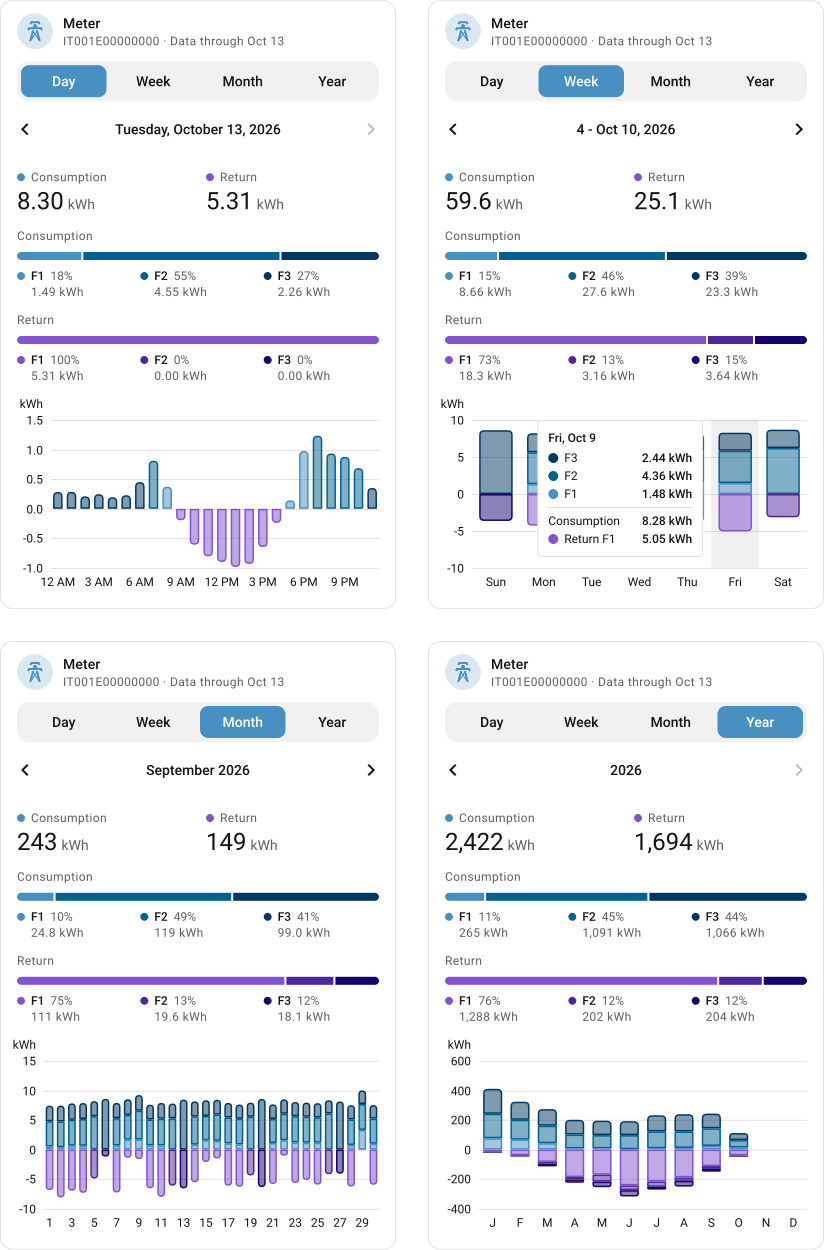
E-Distribuzione A POD card for the Italian electricity distribution operator's integration. It displays energy consumption and injection across day, week, month and year views, and ships with the integration itself, so there is nothing else to install. |
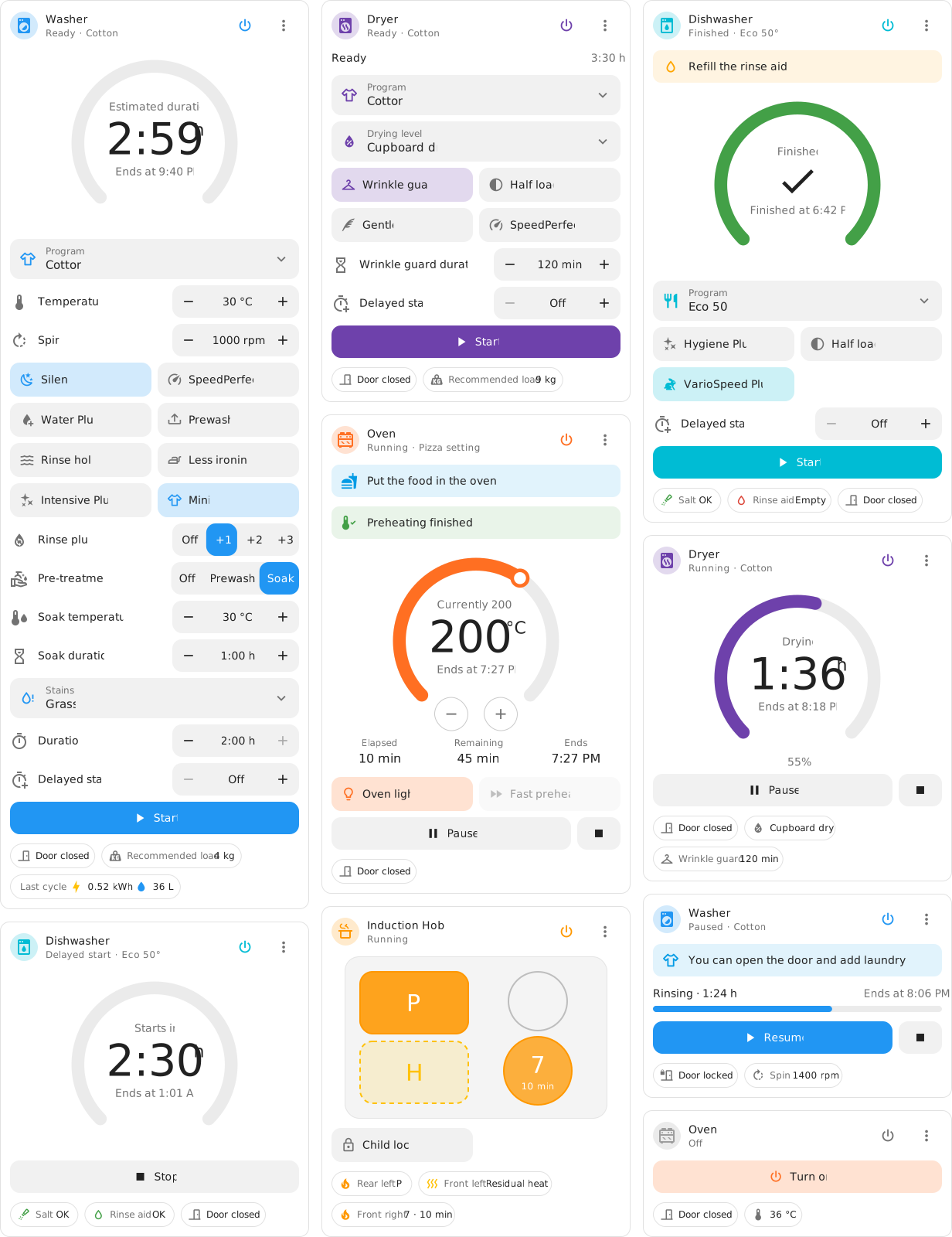
Bosch Home Connect cards A set of cards for Bosch and Siemens appliances connected through Home Connect Local, distributed as a HACS plugin. It includes dedicated interfaces for washers, dryers, dishwashers, ovens and induction hobs. |
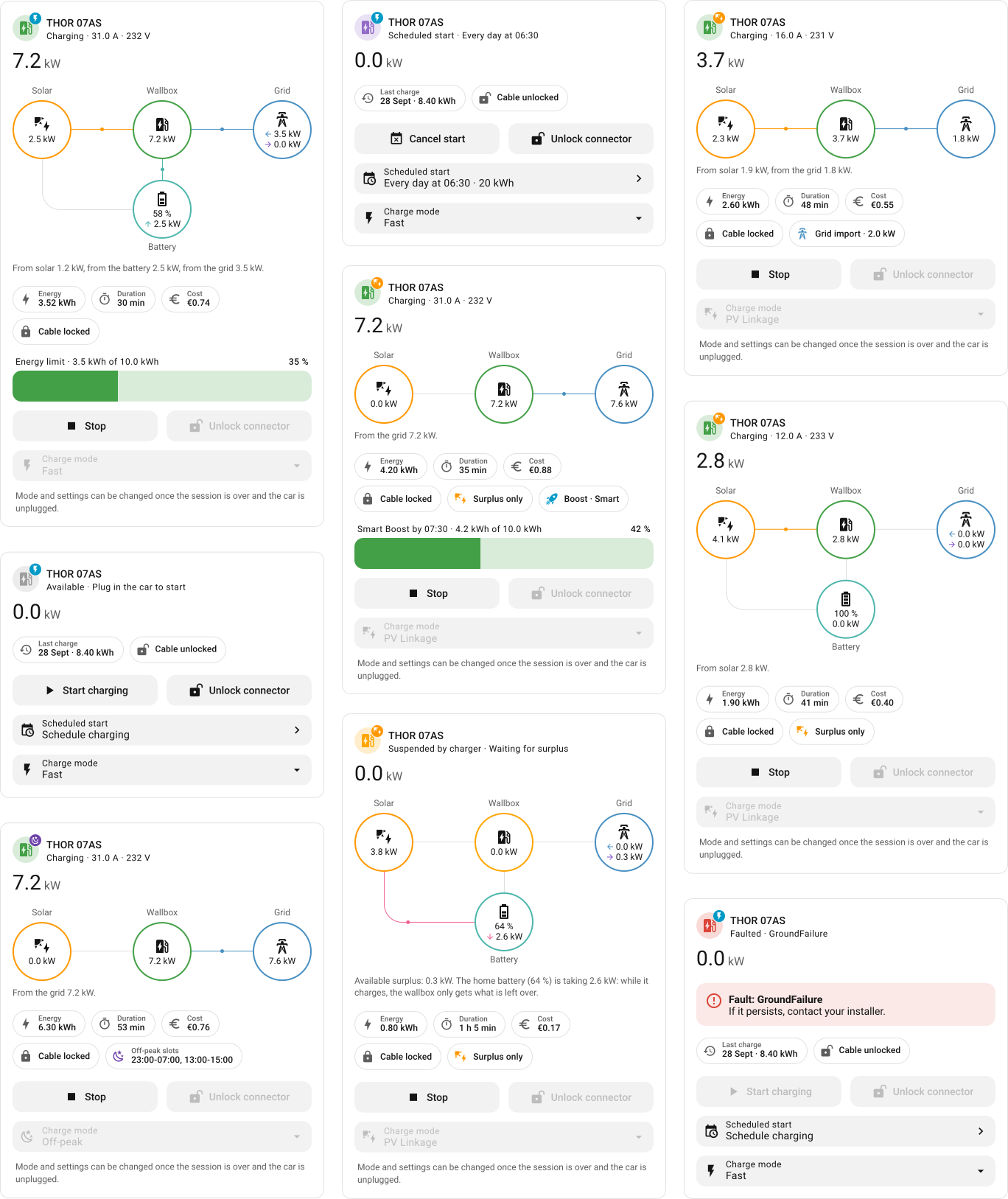
Growatt THOR A TypeScript and Lit card for the Growatt THOR EV charger integration. It brings together charging modes, home battery status, scheduled starts and fault states. |
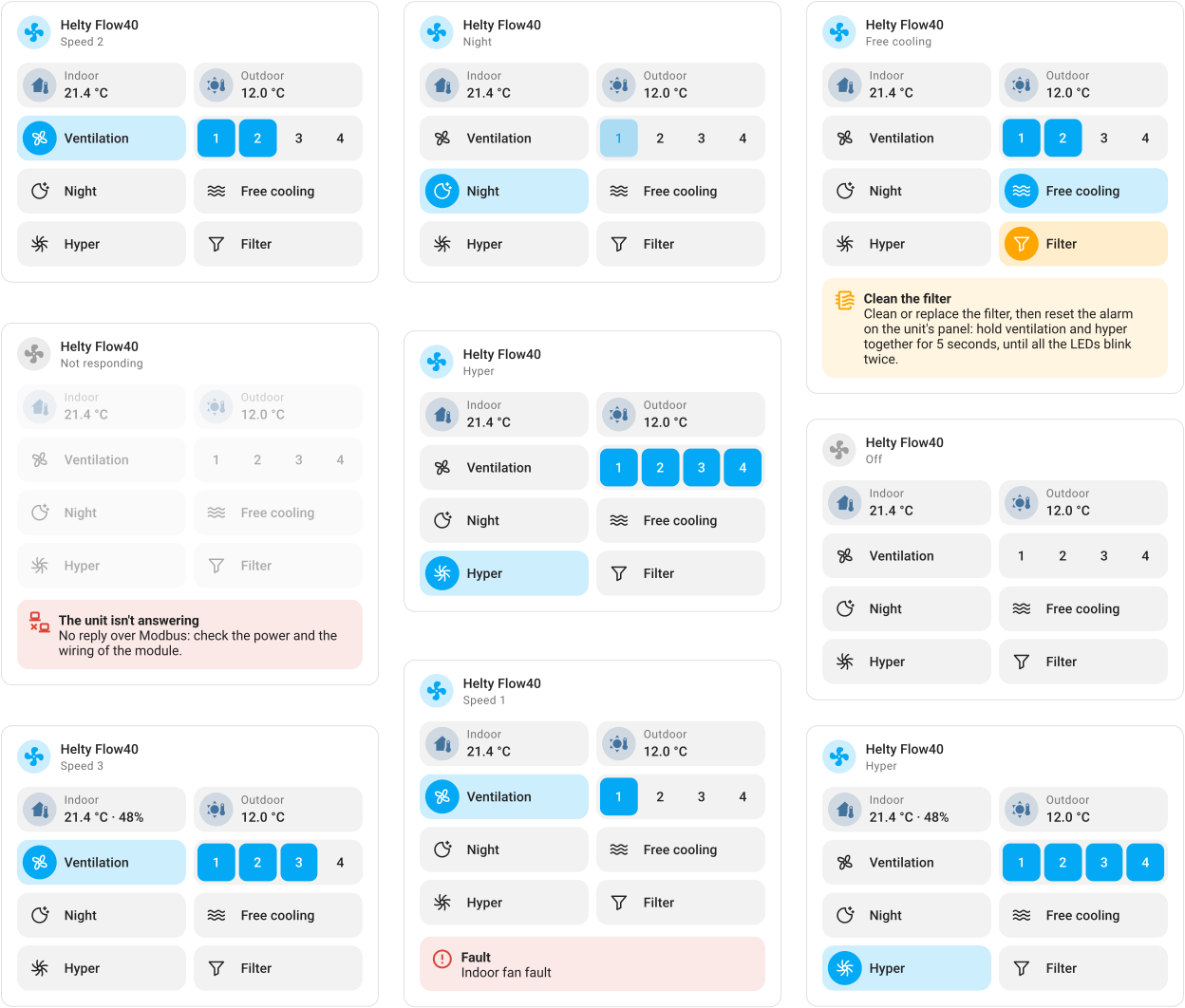
Helty Flow40 A card inspired by the ventilation unit's physical control panel, designed for both the project's ESPHome firmware and Home Assistant's Helty integration. |
|
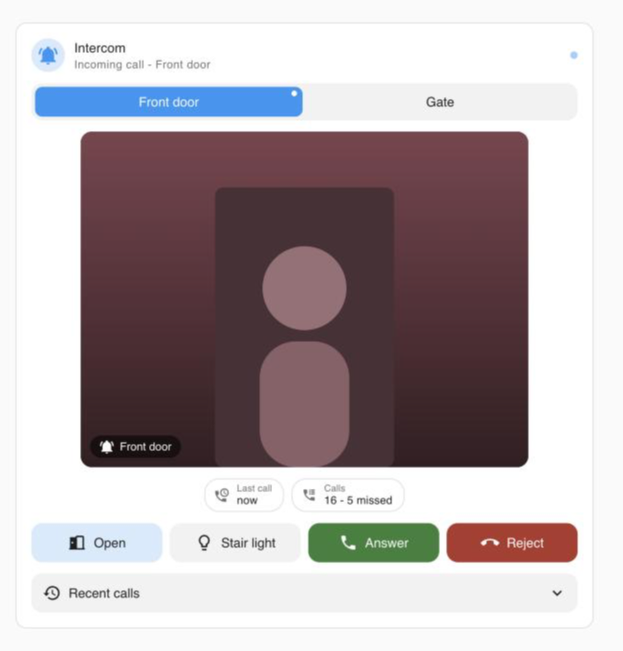
BTicino Intercom A Classe 100X card for the BTicino Intercom integration, featuring WebRTC video and two-way audio, a call log and a door button. Its interface is designed to sit naturally alongside Home Assistant's native cards. The implementation is currently under review in the integration's companion repository. |
What the skill covers
The skill brings together the visual, behavioral and technical details involved in building and
maintaining a production-ready Lovelace card.
- Design system and native patterns: Home Assistant color, typography, spacing, radius,
shadow and motion tokens, including light and dark defaults. Includes copy-ready CSS for
tile headers, badges, alerts, card features, segmented controls, select rows, charts, dialogs
and bottom sheets. - Theme support: token-based colors and tints that work across light, dark and custom themes.
It avoids operating-system color preferences and accounts for theme changes when colors are
computed in JavaScript. - Card API and configuration: card and editor skeletons,
getGridOptionsfor sections
dashboards, visual editors built withha-formand selectors, Home Assistant formatting
helpers, services, statistics and frontend events. - Efficient updates: the card re-renders only when its own entities, the registry, the
language or the theme change, and patches the DOM instead of replacing it, so focus, open
selects and animations survive. - Native interaction patterns: more-info dialogs, standard service calls, optimistic updates,
debounced controls, toast notifications and explicit handling ofunavailableandunknownstates. - Device-based entity discovery: users select a device instead of entering entity IDs.
The card resolves its entities through the entity registry andtranslation_key, remaining
resilient to renamed entities and different interface languages. - Localization and locale-aware formatting: the user's language, number format, 12- or
24-hour clock and time zone. - Responsive layout and accessibility: container queries, touch target sizes, keyboard
interaction, visible focus indicators and reduced-motion support. - Reliable registration and distribution: custom element registration after Home Assistant
initializes its registry, HACS packaging, or serving the card directly from its integration. - Verification and release workflow: a demo page with a mock
hassobject, scenarios based
on real integration data, regression checks against the published version, screenshots in both
themes and a release checklist.
Example prompts
- "Build a card for my washing machine integration showing the current program, remaining time
and a start button." - "This card looks wrong in the dark theme. Update it to use Home Assistant's design tokens."
- "Add a visual editor so users can select a device instead of entering entity IDs."
- "Review my custom card and identify what prevents it from feeling native."
- "My card reports 'Custom element doesn't exist' when the integration loads it. Find the cause."
Install
Claude Code, as a plugin
/plugin marketplace add fabioscarparo/home-assistant-lovelace-taste-skill
/plugin install ha-lovelace-taste@ha-lovelace-taste
Update the marketplace to fetch new versions:
/plugin marketplace update ha-lovelace-taste
Claude Code, manually
Copy the skill directory into your personal skills folder, or into .claude/skills/ within a
project:
git clone https://github.com/fabioscarparo/home-assistant-lovelace-taste-skill.git
cp -R home-assistant-lovelace-taste-skill/skills/ha-lovelace-taste ~/.claude/skills/
Claude apps
Download ha-lovelace-taste.zip from the
latest release
and upload it from the Skills section in Claude's settings.
Other agents
Any coding agent that supports the Agent Skills format can use theskills/ha-lovelace-taste directory. To install it with the
skills CLI, run:
npx skills add fabioscarparo/home-assistant-lovelace-taste-skill
Repository structure
skills/ha-lovelace-taste/
  SKILL.md               workflow, design rules, behavior, languages, layout, shipping
  references/
    design-tokens.md     tokens with light and dark defaults, CSS for native patterns
    card-api.md          card and editor APIs, registration, hass helpers, events, distribution
    verification.md      mock hass demo, real-data scenarios, regression checks, images, checklist
The agent starts with SKILL.md whenever a task involves a Home Assistant card. It then
consults the relevant reference file as the work moves into design, implementation or
verification. This keeps the main workflow focused while preserving the implementation details
when they are needed.
Keeping up with Home Assistant
Token values and component details are derived from the Home Assistant frontend source
(dev branch, October 2026). The frontend evolves continuously, so values and component
behavior may change between releases. When exact parity matters, verify the current source
before relying on a token or implementation detail.
Found a discrepancy or a new native pattern? Open an issue or pull request and include a link
to the relevant frontend source file.
Disclaimer
This is an independent project and is not affiliated with, endorsed by or sponsored by Home
Assistant or the Open Home Foundation. Home Assistant is a trademark of the Open Home Foundation.
License
Reviews (0)
Sign in to leave a review.
Leave a reviewNo results found