cad-studio
Health Pass
- License — License: MIT
- Description — Repository has a description
- Active repo — Last push 0 days ago
- Community trust — 12 GitHub stars
Code Fail
- rm -rf — Recursive force deletion command in build.sh
- network request — Outbound network request in site/main.js
Permissions Pass
- Permissions — No dangerous permissions requested
No AI report is available for this listing yet.
📐 Describe a part, get a printable model: a native macOS CAD studio powered by Claude Code and build123d.
CAD Studio
Describe a part, get a printable model. A native macOS CAD studio powered by the coding agent on your Mac (Claude Code or Codex) and build123d.
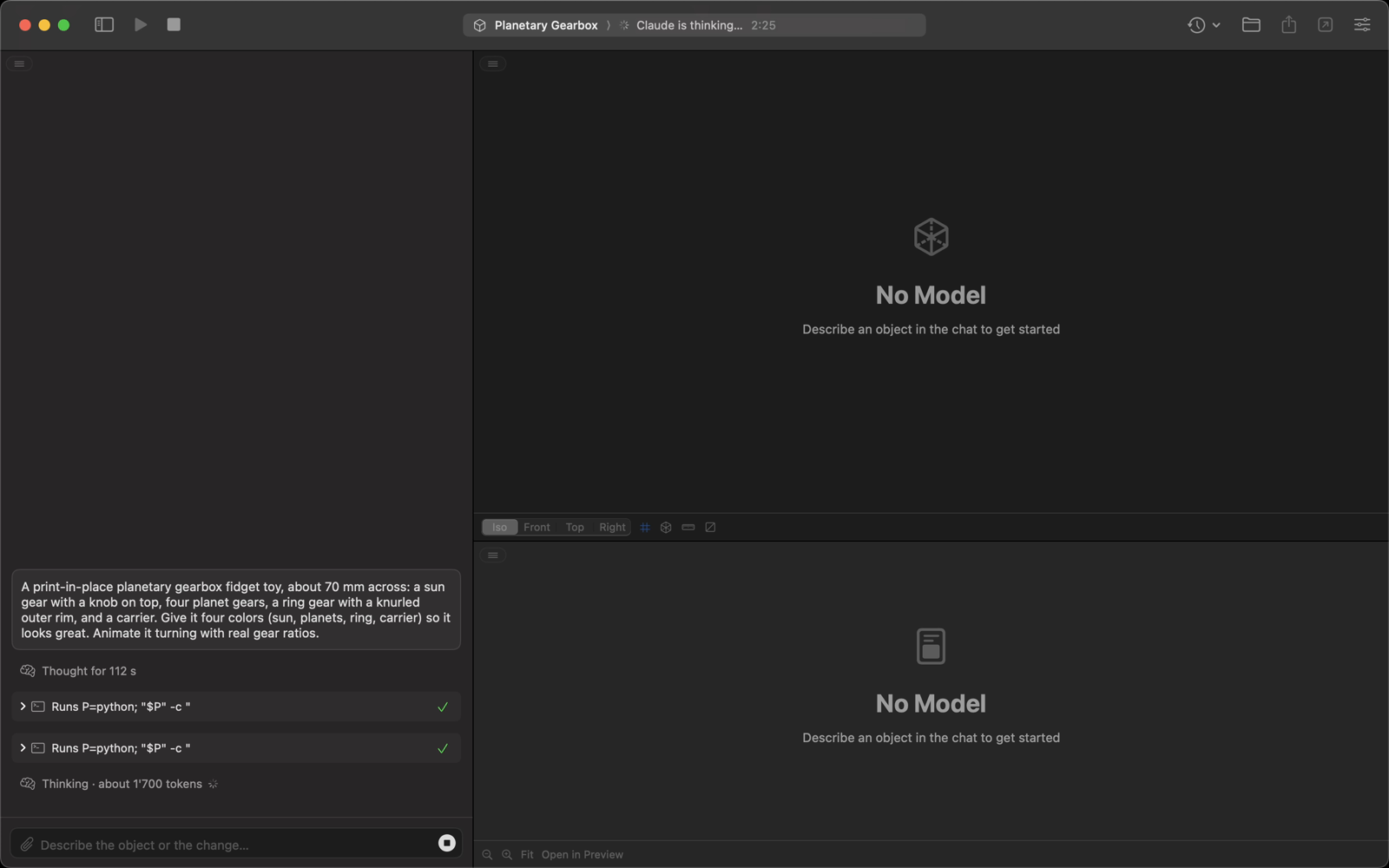
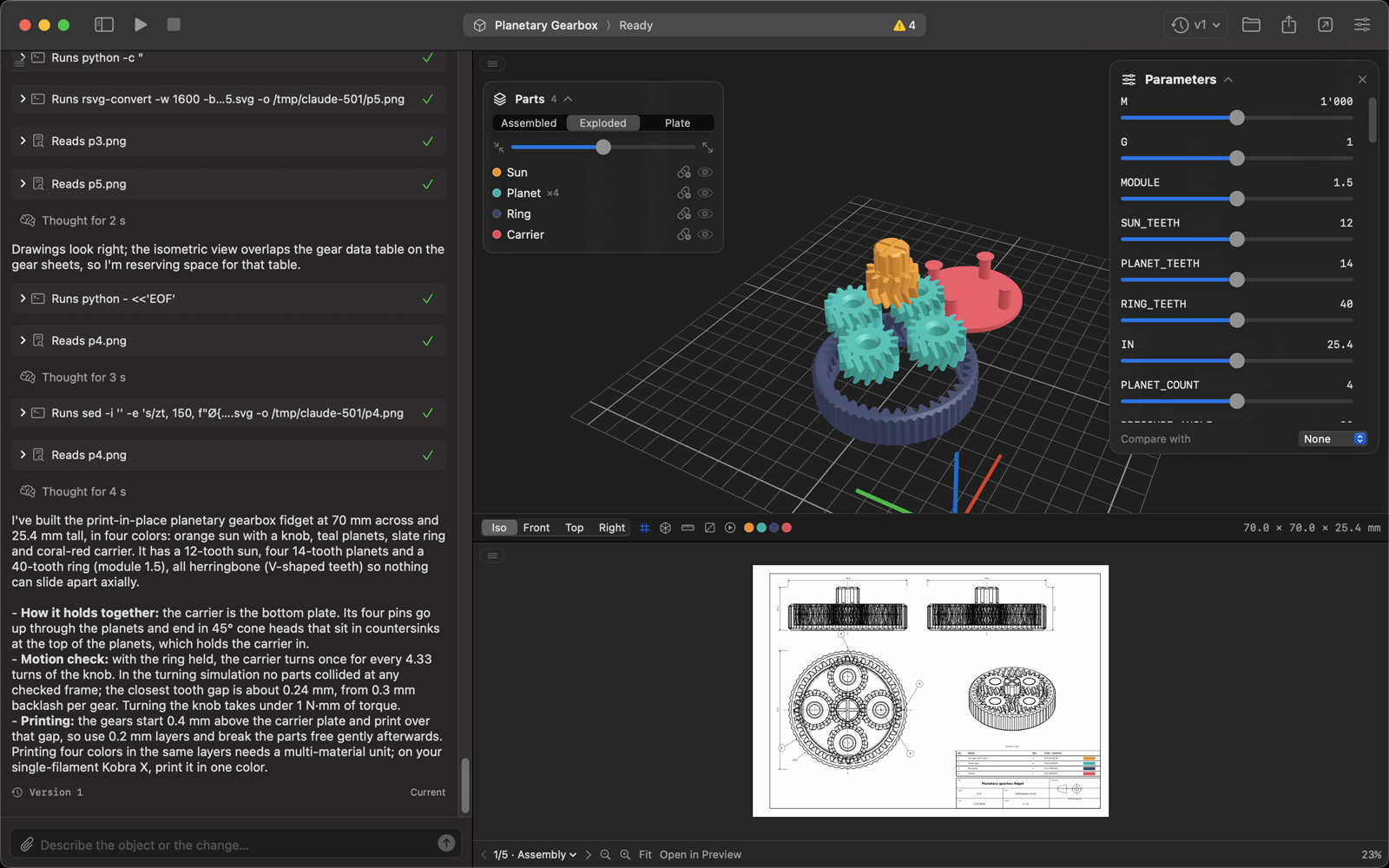
Type "a print-in-place planetary gearbox with four colors, animated with real gear ratios" and CAD Studio has your coding agent write a parametric model.py, run it with build123d and hand you a 3D model, an ISO technical drawing and files ready for your slicer. Every change is a new version you can go back to.
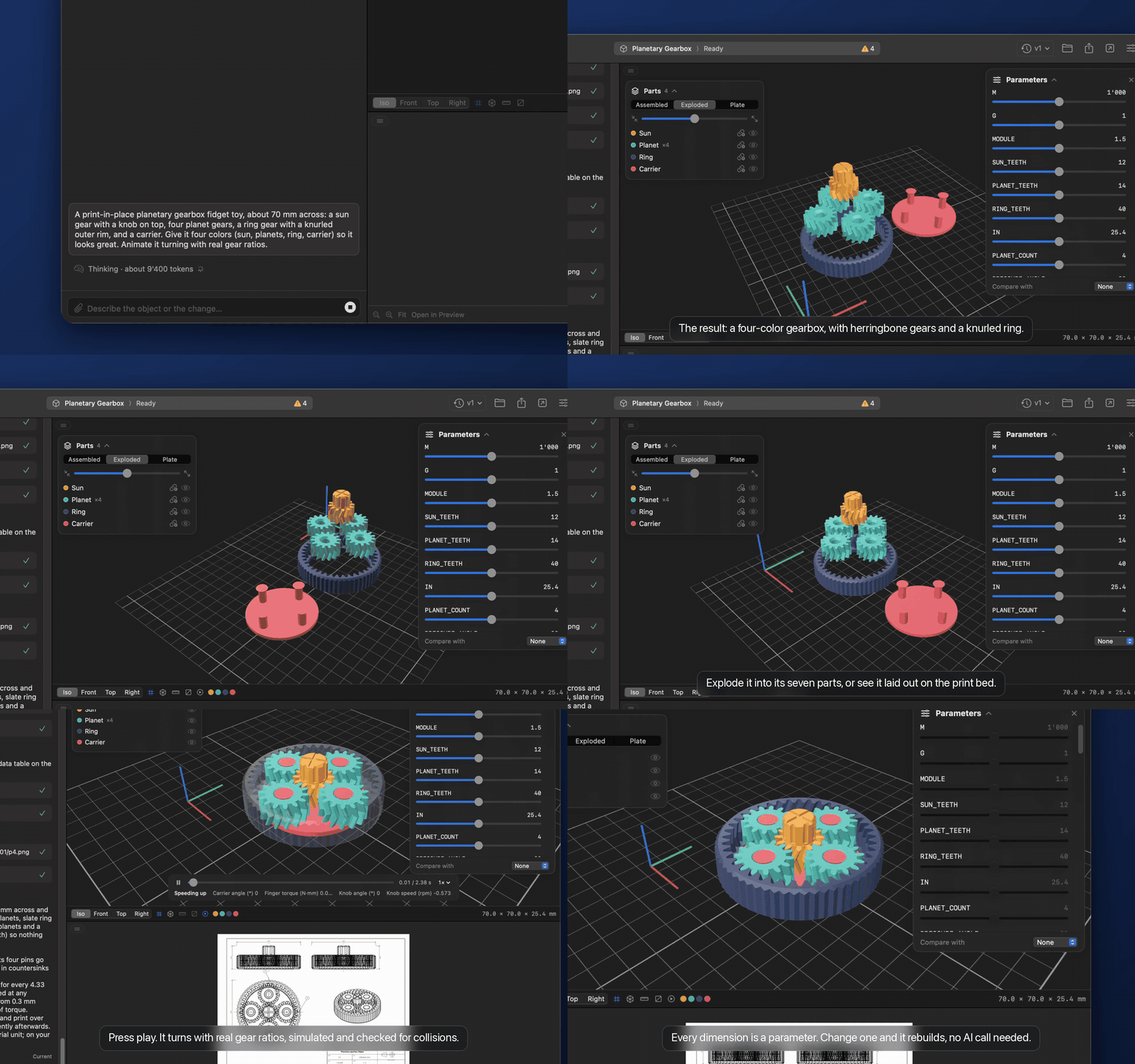
Website · ▶︎ Watch the narrated demo (MP4, with sound)
Features
- Chat with an agent that writes and fixes parametric build123d scripts for you
- Live 3D viewer with orbit, zoom, pan, grid, wireframe and multi-color 3MF parts
- Measure distances and cut sections through the model
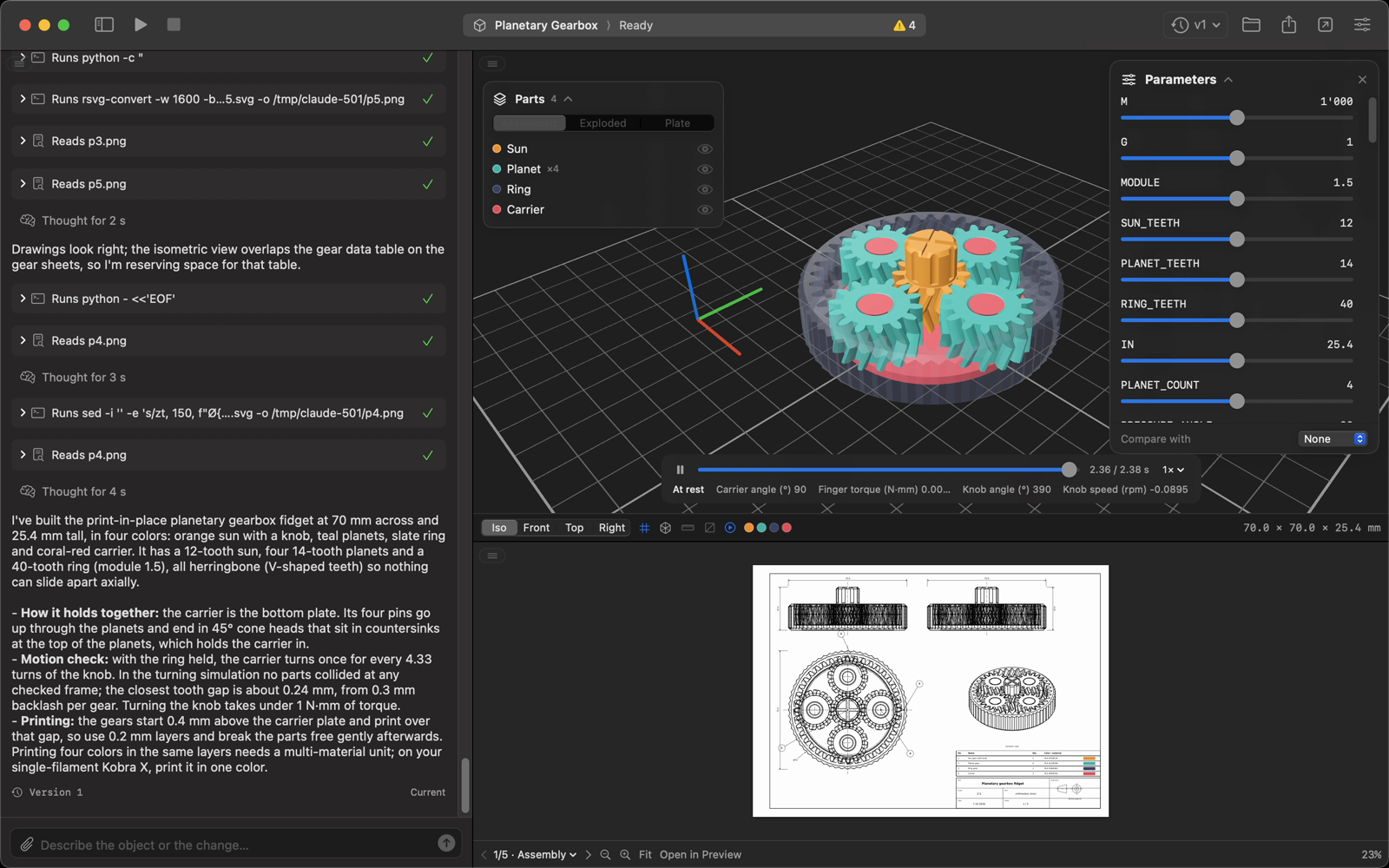
- Animate mechanisms with a physics simulation (masses, springs, friction) and per-frame collision checks
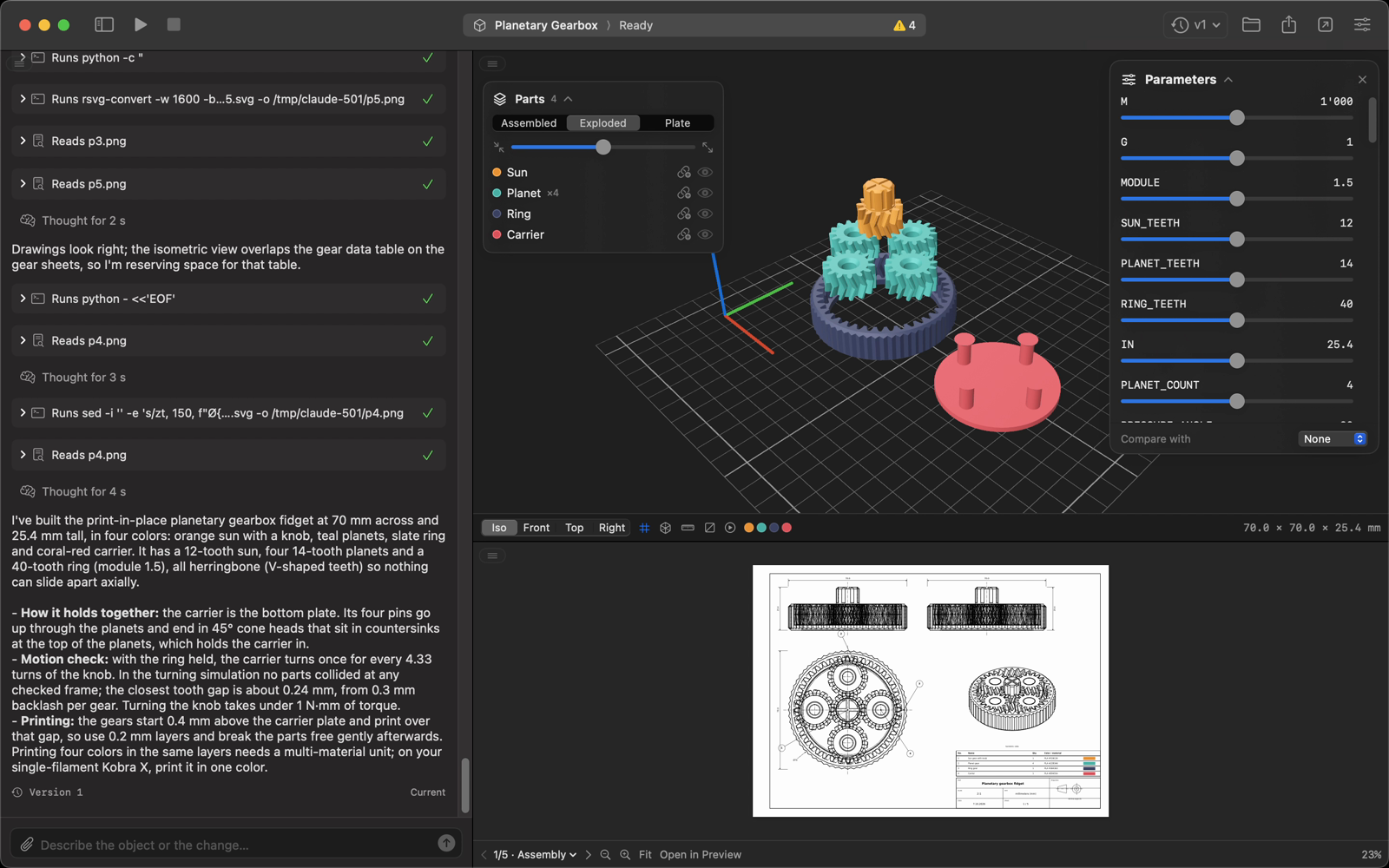
- Multi-part models: assembled, exploded or print-plate view, show, hide or keep parts together
- Print plate with every part oriented and laid out for printing (
plate.3mf, opened in your slicer) - Floating parameter panel with sliders: tweak dimensions without calling the agent
- ISO technical drawings (first-angle projection): assembly with parts list plus one sheet per part, as a multi-page PDF
- Version history: jump back to any generation, chat and context included, and compare versions in 3D
- Attach or paste (⌘V) reference images, sketches, PDFs and STEP/STL files to the chat
- Export STEP, 3MF, STL, PDF drawing and
model.pyas one ZIP - Printer-aware design rules for FDM, multi-material, resin and SLS, in mm, cm, m or inches
- Drag panels anywhere: chat left, right or at the bottom, layout saved per project
- English, Italian, German and French
Screenshots
Every screenshot below is from the same project: a print-in-place planetary gearbox, from the first launch to version 2.
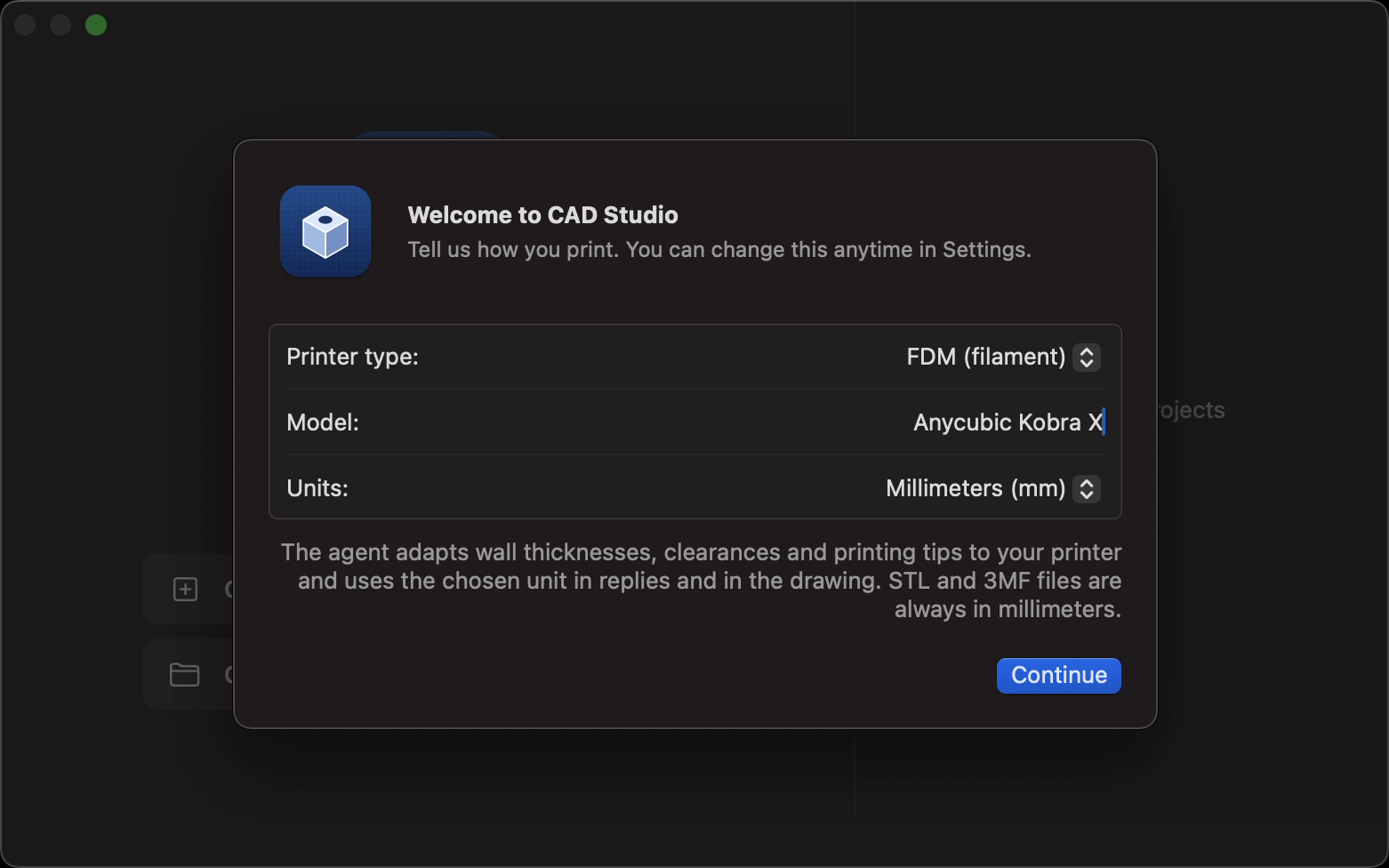
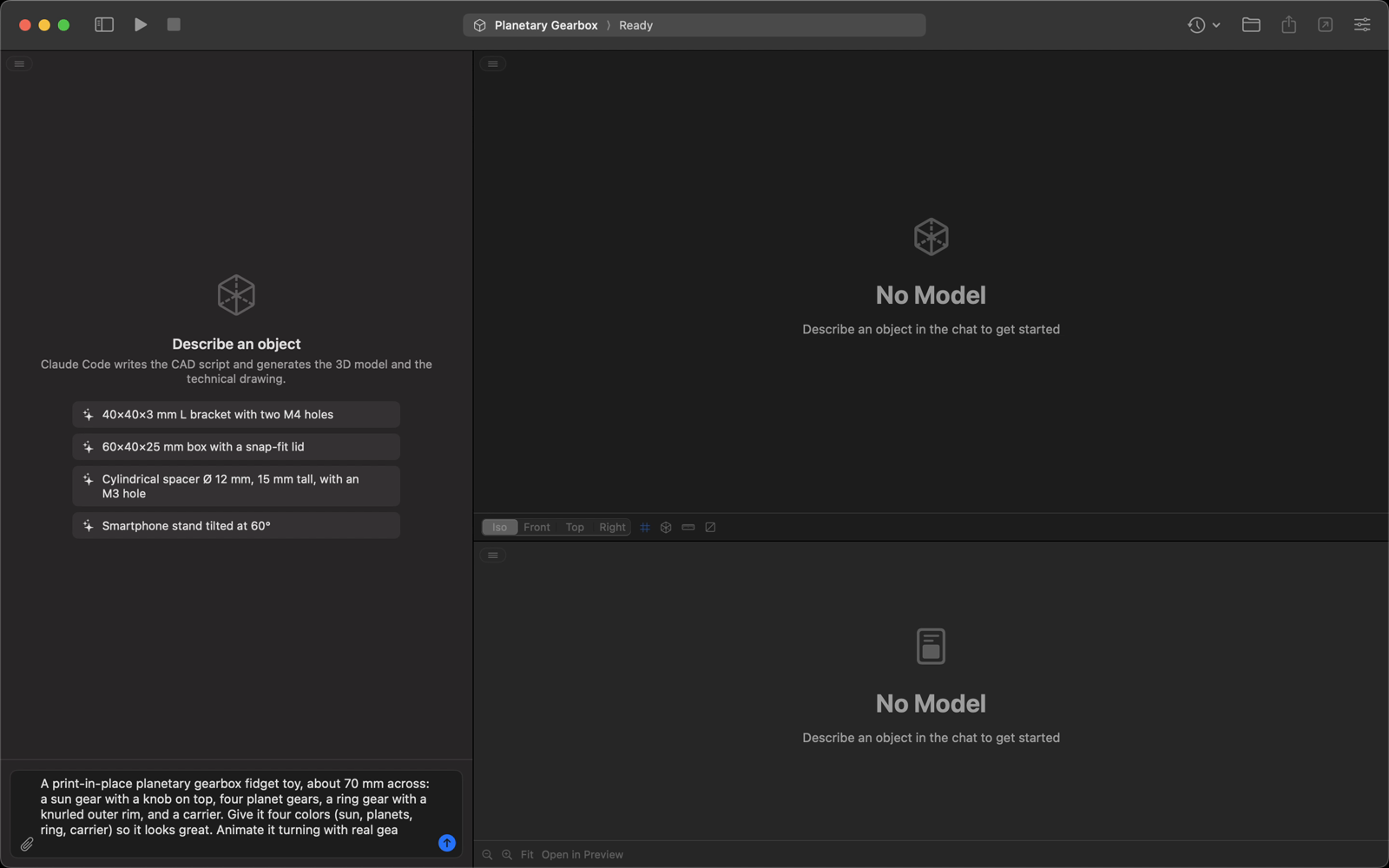
Set up once, then describe your part. Pick your printer and units on first launch, create a project and type what you need.
| First launch | Describe the part |
|---|---|
 |
 |
| The agent at work | The finished gearbox |
 |
 |
Parts, motion and drawings. Explode the assembly, play the simulated motion and flip through the drawing sheets.
| Exploded view | Simulated motion |
|---|---|
 |
 |
| Edit parameters without the agent | Measure distances |
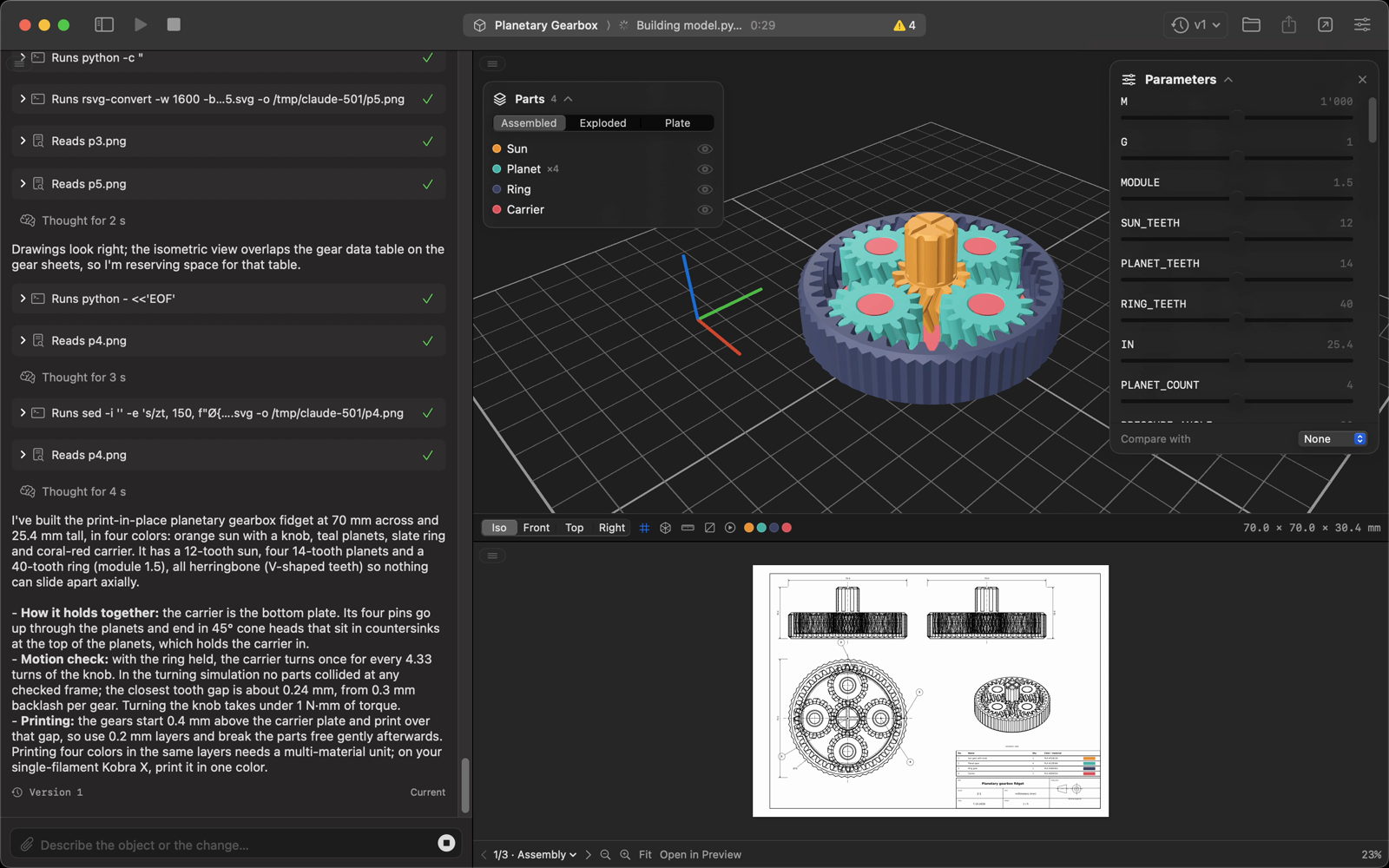 |
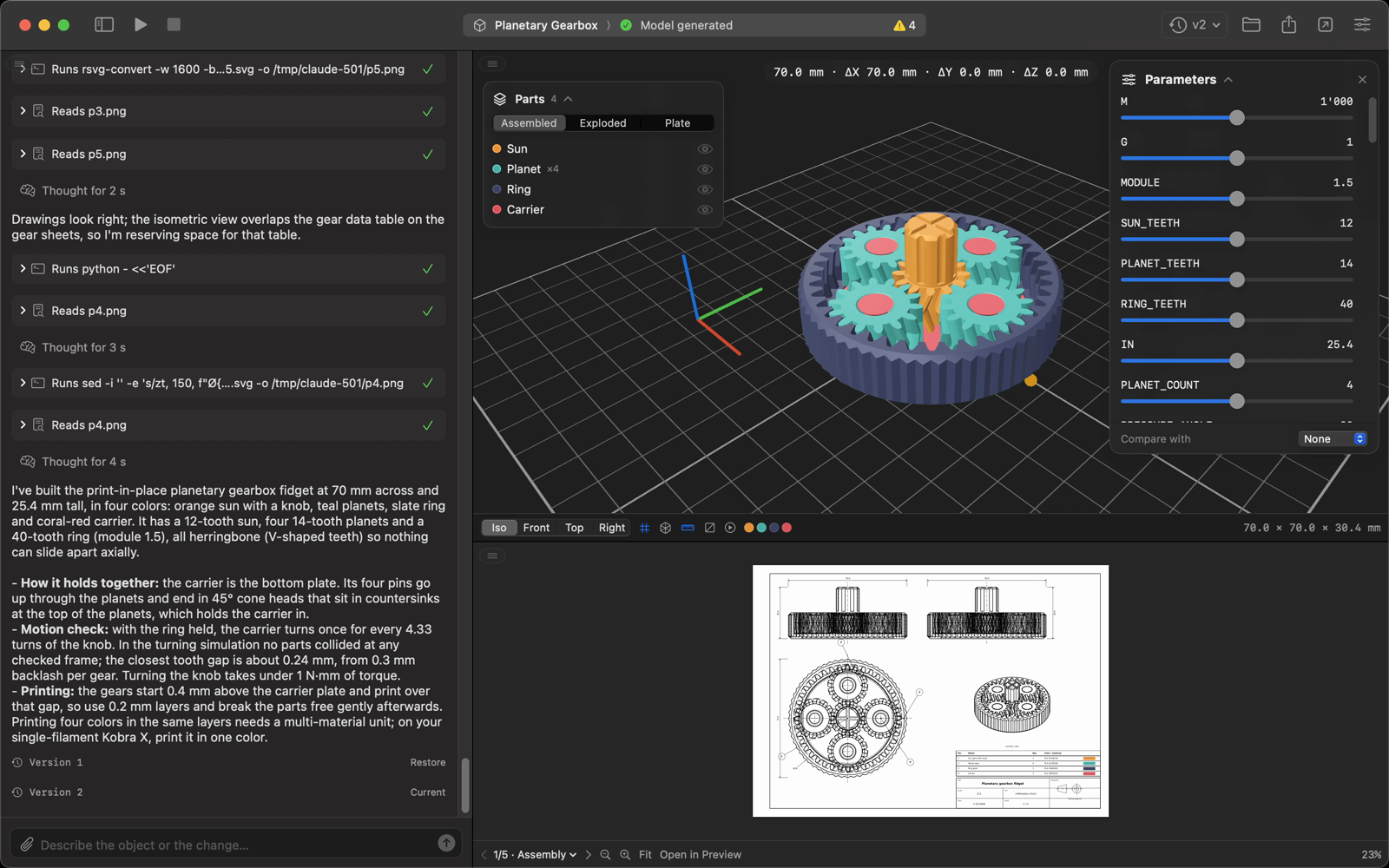 |
| Section view | One sheet per part |
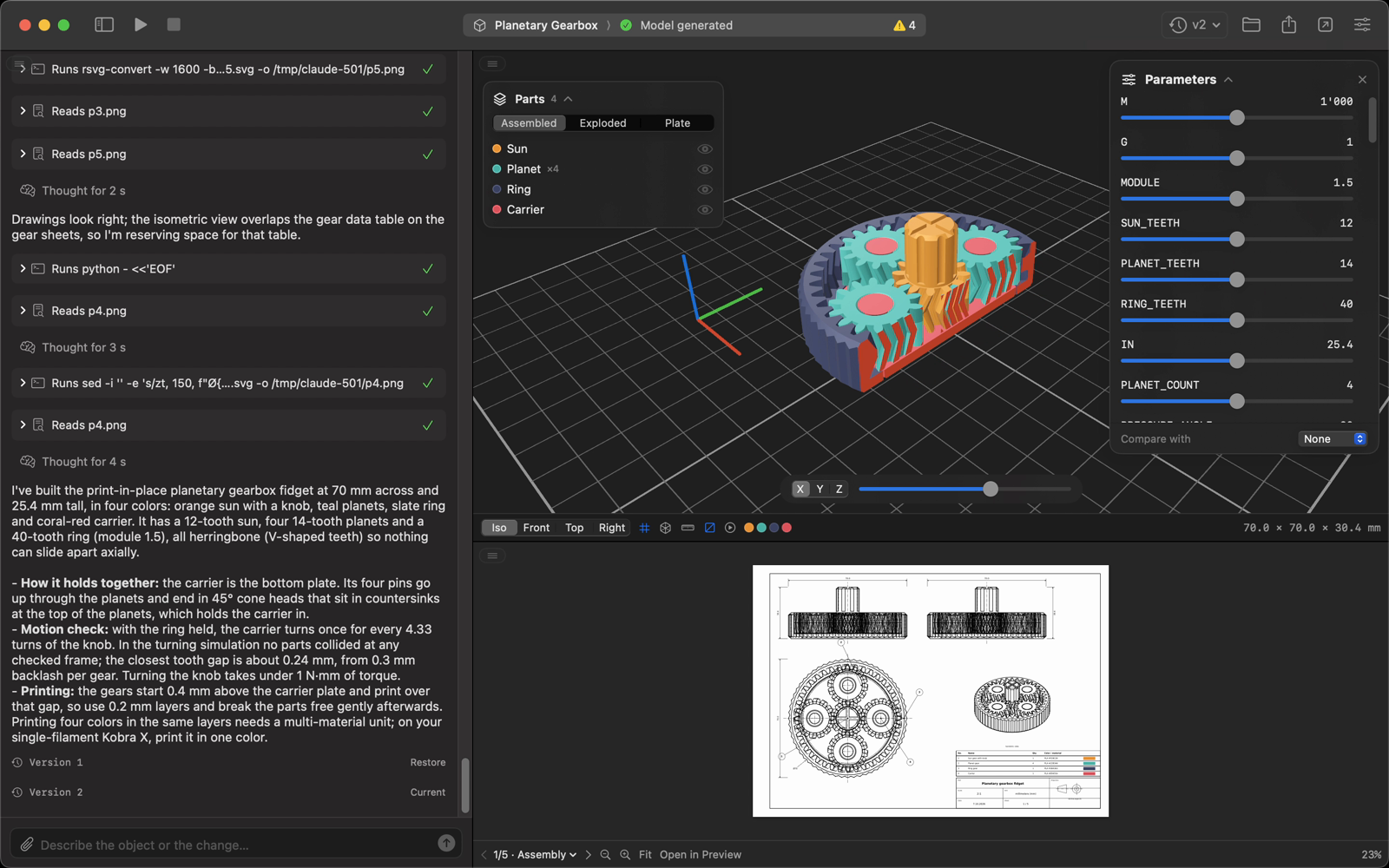 |
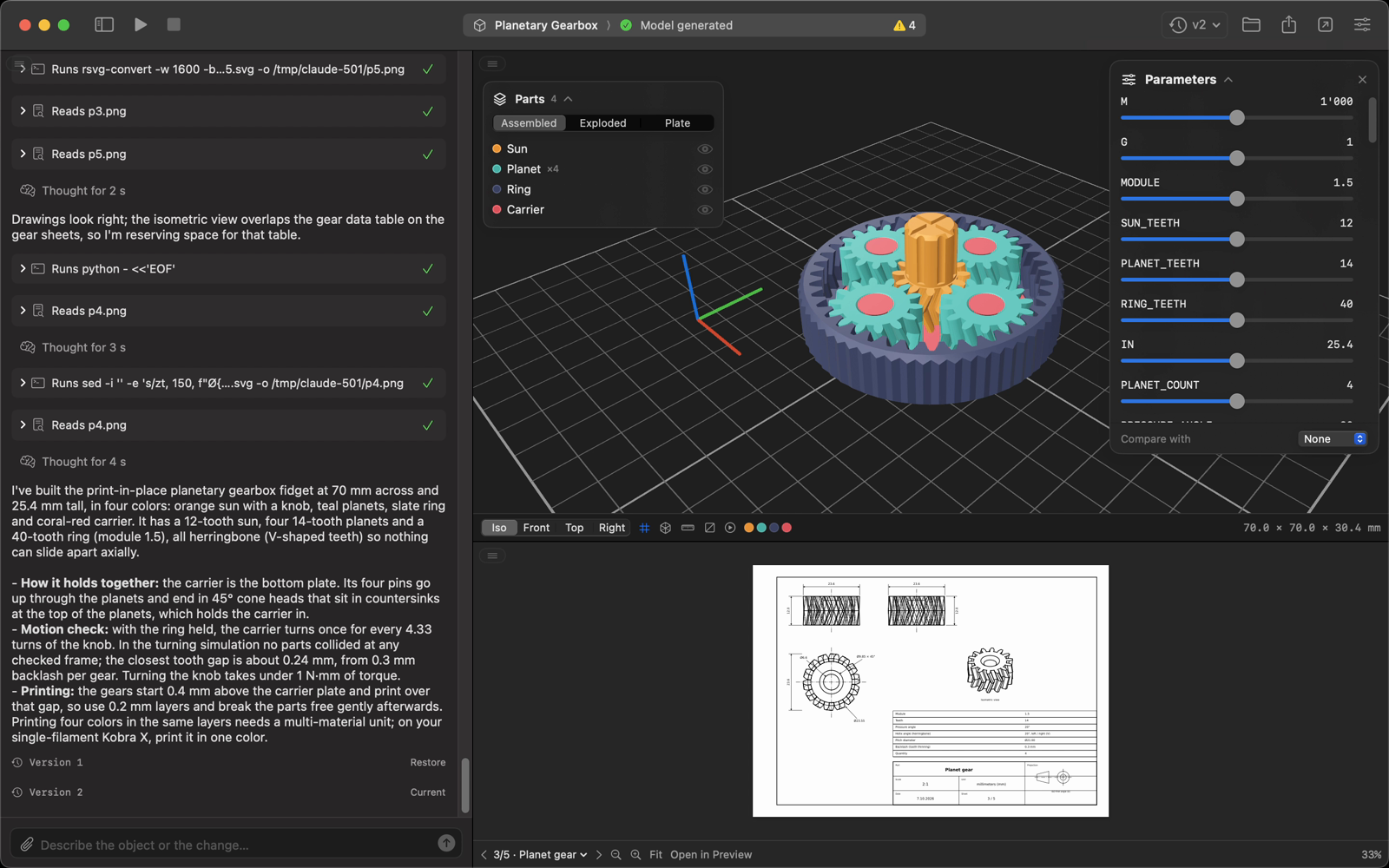 |
| Ask for a change: version 2 | Compare with version 1 |
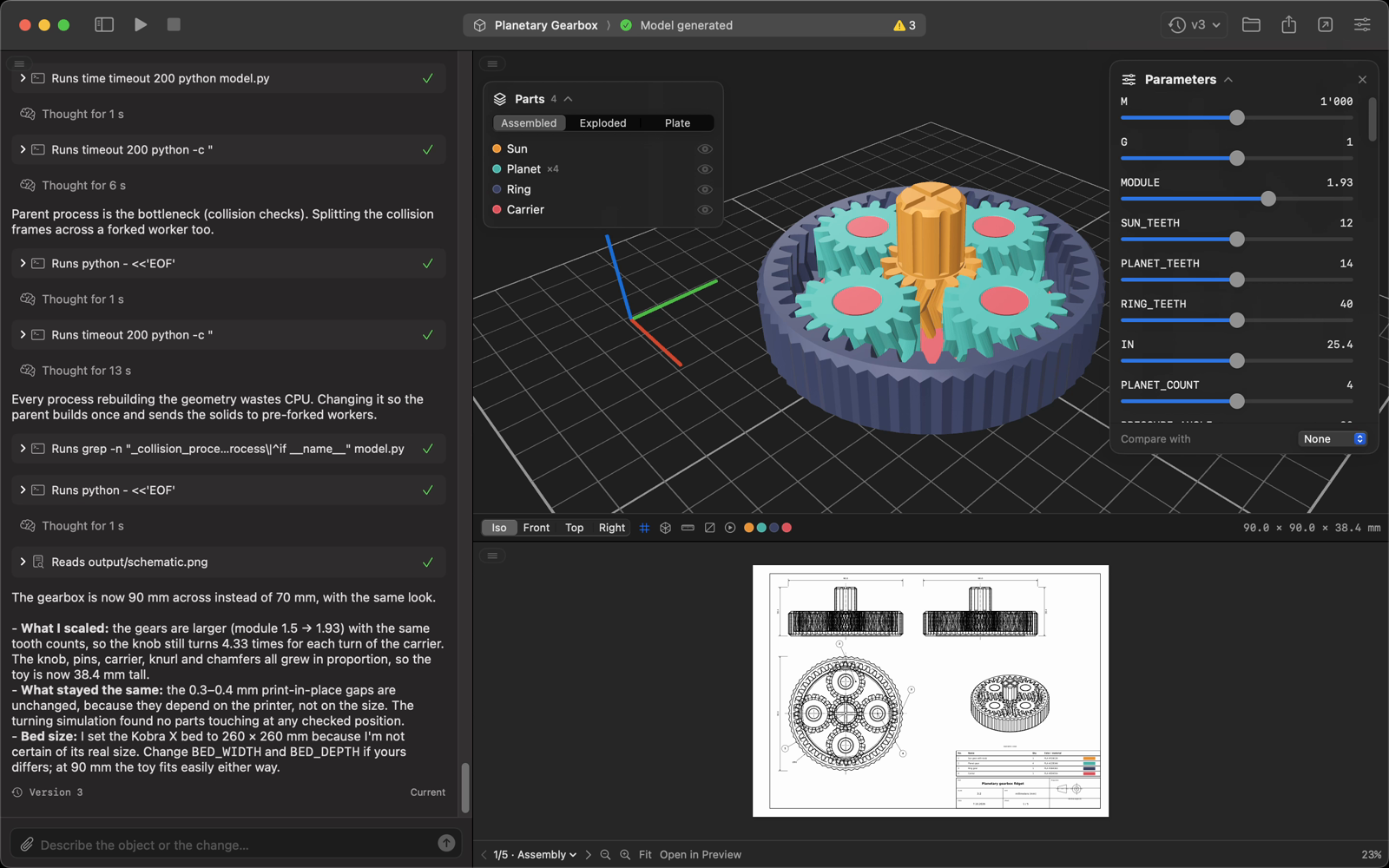 |
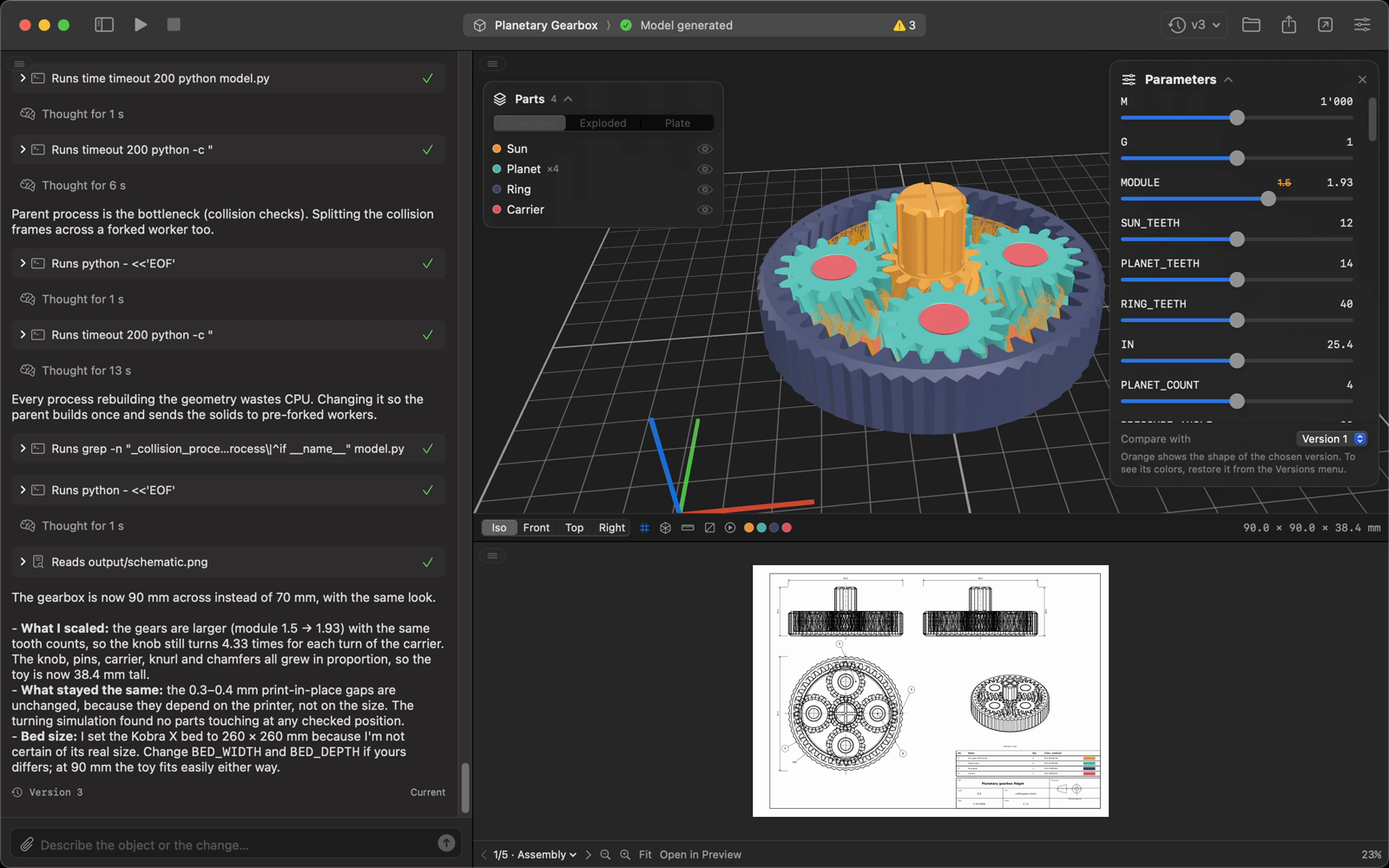 |
| Chat on the right | Chat at the bottom |
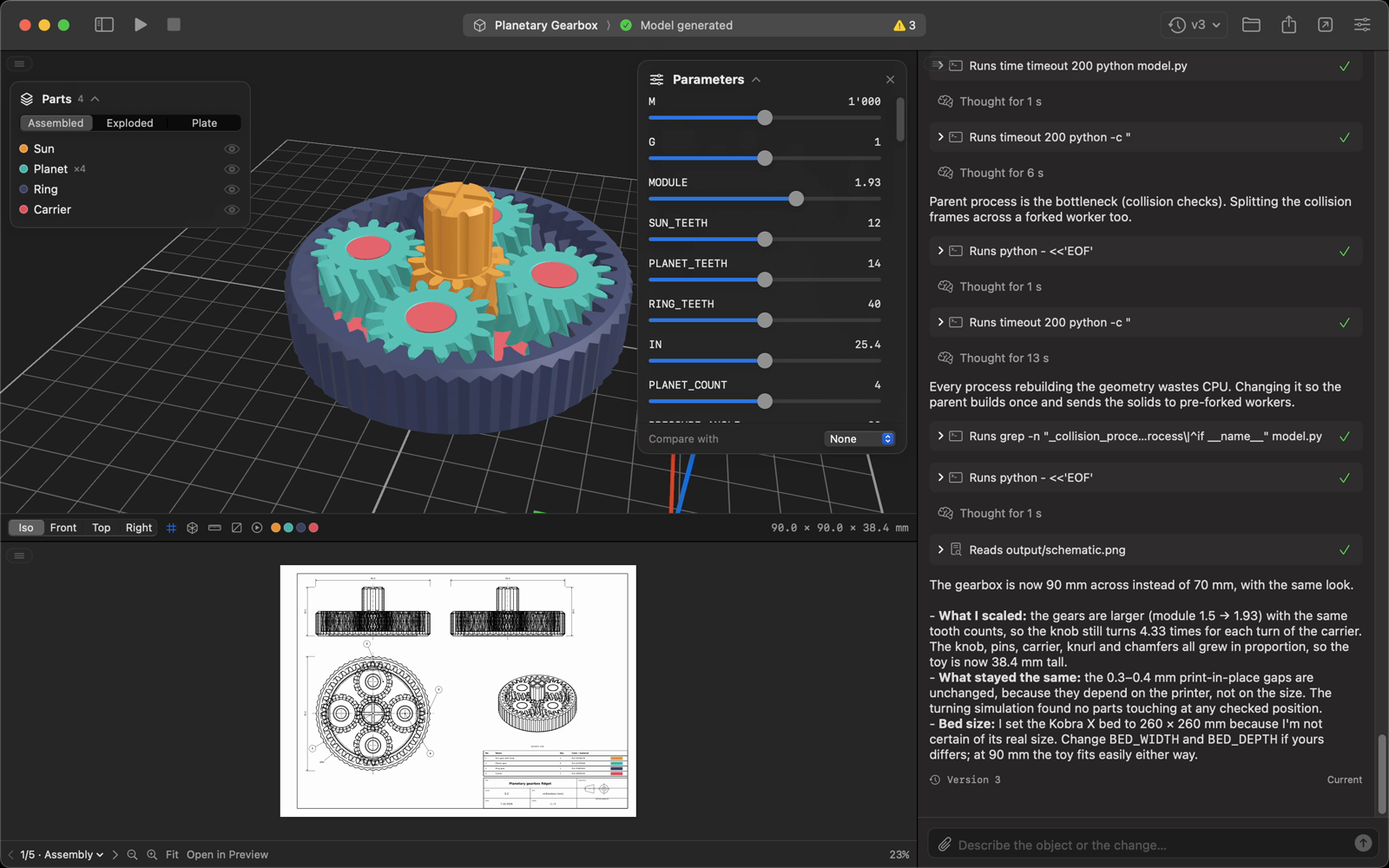 |
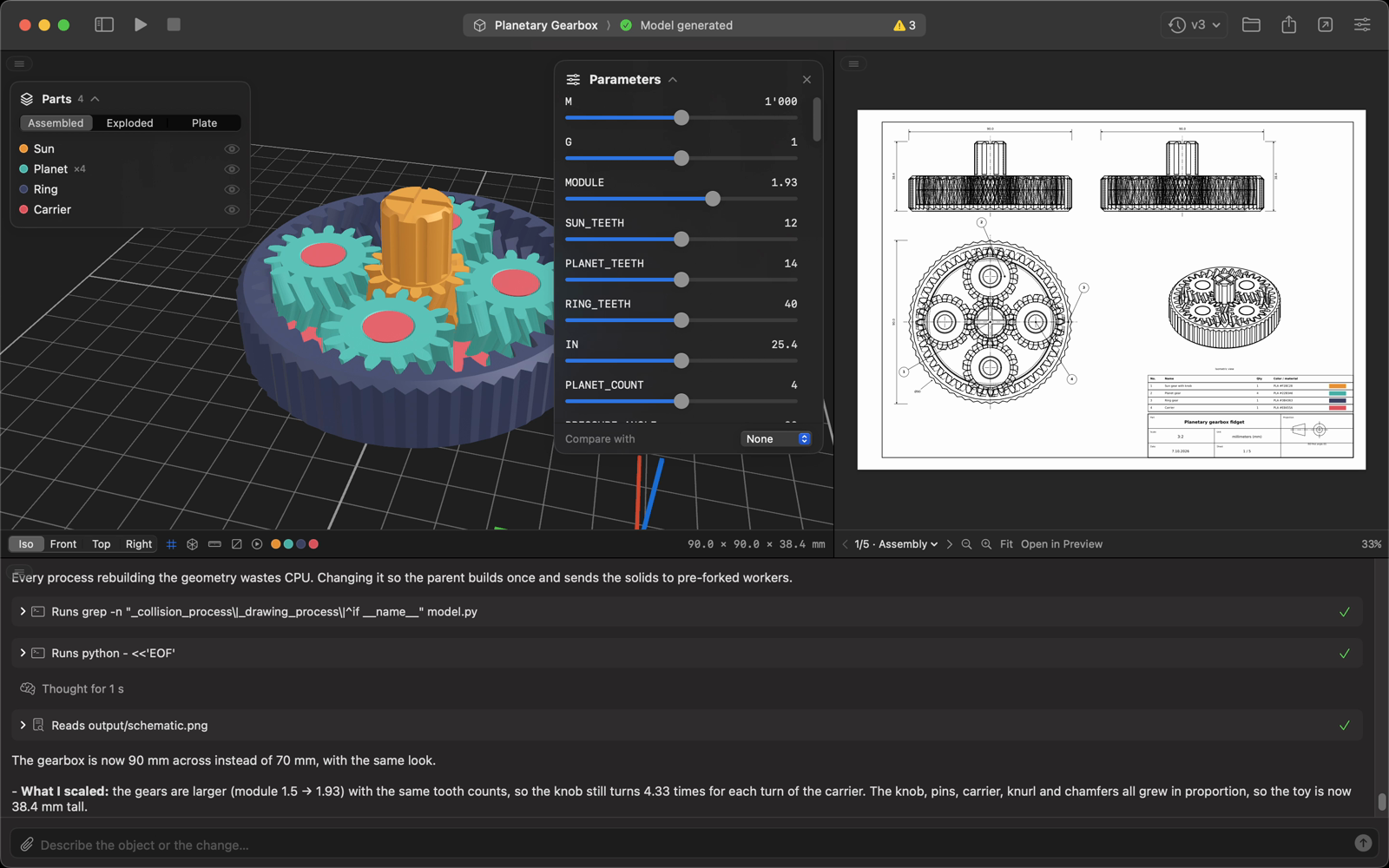 |
Quick Start
Prerequisites
- macOS 15 or later
- Claude Code signed in (run
claudeonce in Terminal), or Codex CLI signed in (codex login); pick one in Settings → Agent - uv or Python 3.10–3.13, used to install build123d on first launch
Download
Grab CADStudio.dmg from the latest release and drag CAD Studio into Applications. The app isn't notarized, so the first time macOS blocks it: open System Settings → Privacy & Security and click Open Anyway, or run:
xattr -dr com.apple.quarantine "/Applications/CAD Studio.app"
Build from source (needs Xcode 16 or later)
git clone https://github.com/filippofinke/cad-studio.git
cd cad-studio
./build.sh --install
This builds a universal CAD Studio.app, copies it to /Applications and launches it. ./build.sh --dmg builds build/CADStudio.dmg. You can also open CADStudio.xcodeproj and press ⌘R.
How it works
Every project is a folder. CAD Studio runs the agent installed on your Mac in headless mode (claude -p --output-format stream-json, or codex exec --json in its workspace sandbox) inside that folder, with a CAD system prompt that asks for a single parametric model.py. The agent runs the script with a dedicated Python environment (~/Library/Application Support/CAD Studio/venv, with build123d, matplotlib and numpy) until it produces:
<Project>/
├── model.py              # parametric build123d script
├── references/           # images attached in the chat
├── output/
│   ├── model.3mf         # main model, with part colors
│   ├── model.stl
│   ├── model.step
│   ├── plate.3mf         # parts laid out ready to print
│   ├── schematic.svg / .png / .pdf   # page 1 + multi-page PDF
│   ├── schematic-2.svg …  # one sheet per part
│   ├── animation.json    # optional: simulated motion, values and collisions
│   └── manifest.json     # size, volume, parameters, warnings
└── .cadstudio/           # chat, session, logs and versions
The app streams the agent's text and tool calls into the chat, watches output/ and reloads the 3D view and the drawing as soon as files change. Each successful generation is copied to .cadstudio/versions/<n>/ together with the chat and a forked Claude session, so going back to a version also restores what the agent remembers.
Notes
- Generations use your Claude Code or Codex plan. A simple part takes one to two minutes; a complex mechanism can take half an hour.
- By default the agent ignores your personal configuration (Claude Code hooks, plugins and MCP servers, Codex
config.toml). Turn this off in Settings → Advanced if your login depends on them. - Settings → Agent → Restricted Bash (Claude Code) limits the agent to the project's Python interpreter and read-only commands.
- Files are always in millimeters; the chosen unit is used in replies and drawings.
Contributing
Open a pull request against main with a Conventional Commits title (feat: …, fix: …). PRs are squash-merged, and release-please turns them into a release PR that bumps the version and updates the changelog. Merging it publishes a GitHub release with the DMG attached.
Author
👤 Filippo Finke
- Website: https://filippofinke.ch
- Twitter: @filippofinke
- GitHub: @filippofinke
- LinkedIn: @filippofinke
Show your support
Give a ⭐️ if this project helped you!

📝 License
Copyright © 2026 Filippo Finke.
This project is MIT licensed.
Not affiliated with Anthropic.
Reviews (0)
Sign in to leave a review.
Leave a reviewNo results found