prism-viz
Health Warn
- License — License: MIT
- Description — Repository has a description
- Active repo — Last push 0 days ago
- Low visibility — Only 9 GitHub stars
Code Fail
- exec() — Shell command execution in main.ts
Permissions Pass
- Permissions — No dangerous permissions requested
No AI report is available for this listing yet.
Prism: sandboxed, themed, interactive visualizations in Obsidian notes
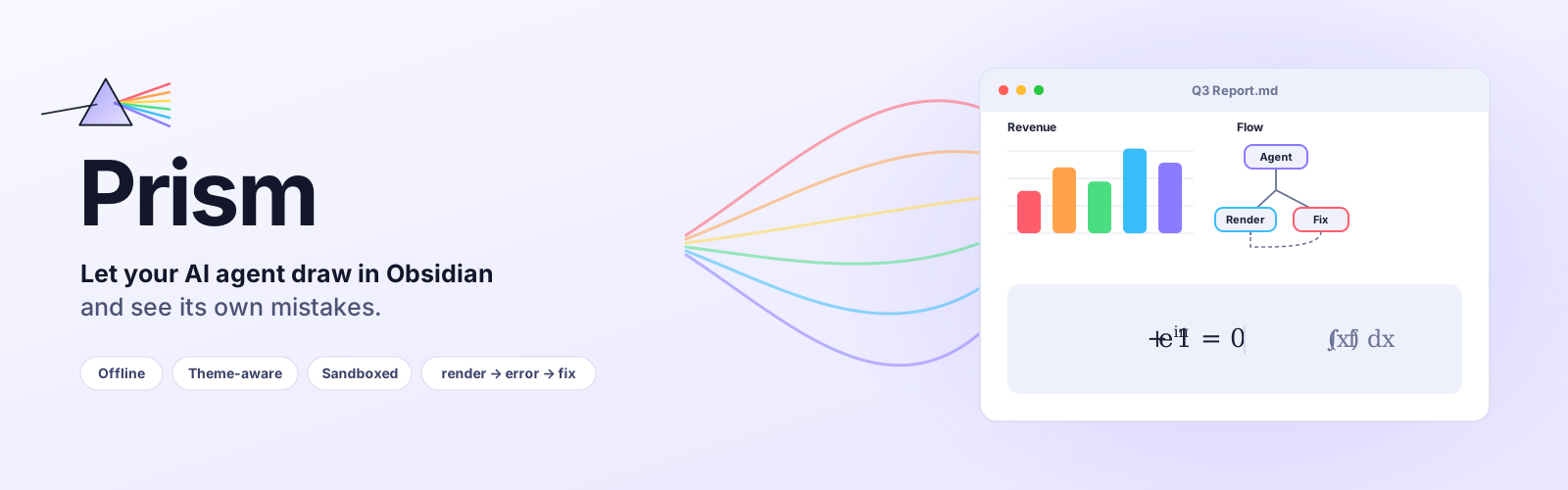
Interactive charts, diagrams, dashboards and formulas right inside your notes.
Offline, in your vault's theme, safely sandboxed – and built so Claude Code and Codex can render, check and fix what they write.




Install · Quickstart · With AI agents · Features · Privacy · Example vault
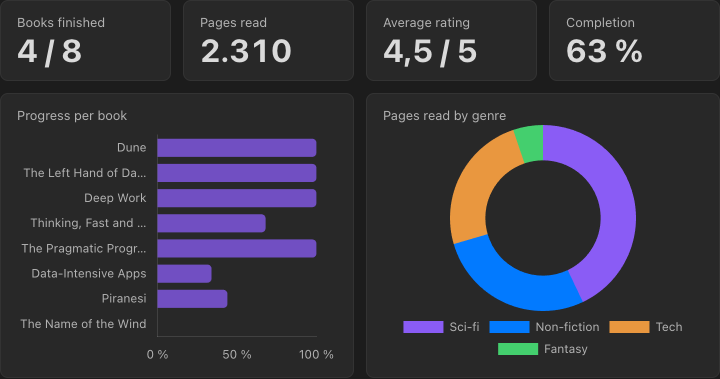
A dashboard built from a plain Markdown table in the same note. Edit the table and the charts follow.
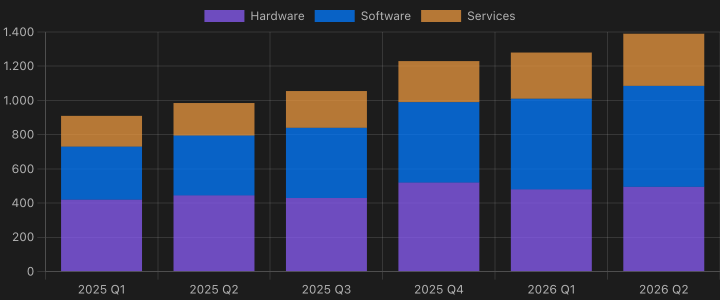 No-code charts: a YAML spec pointing at a table |
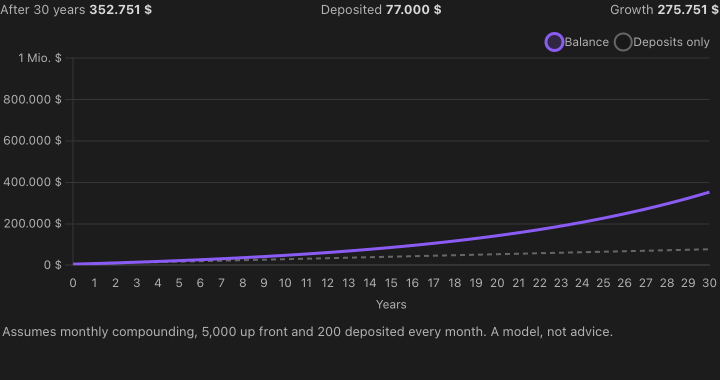 Explorable explanations: a slider in one block drives a chart in another |
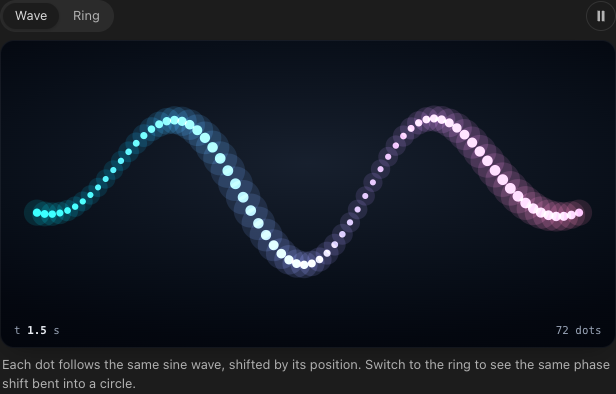 Scenes: prism.canvas + prism.animate, paused off screen |
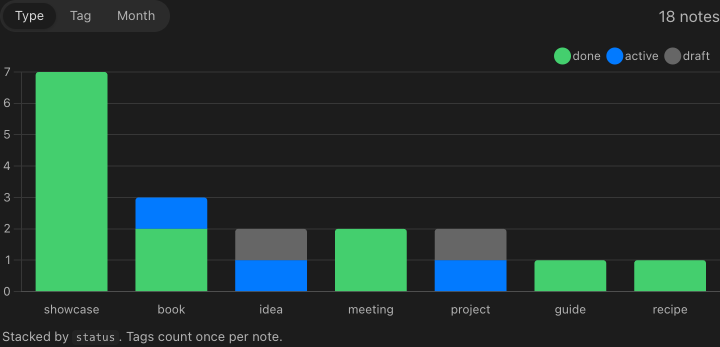 Your vault as data: prism.notes() over frontmatter |
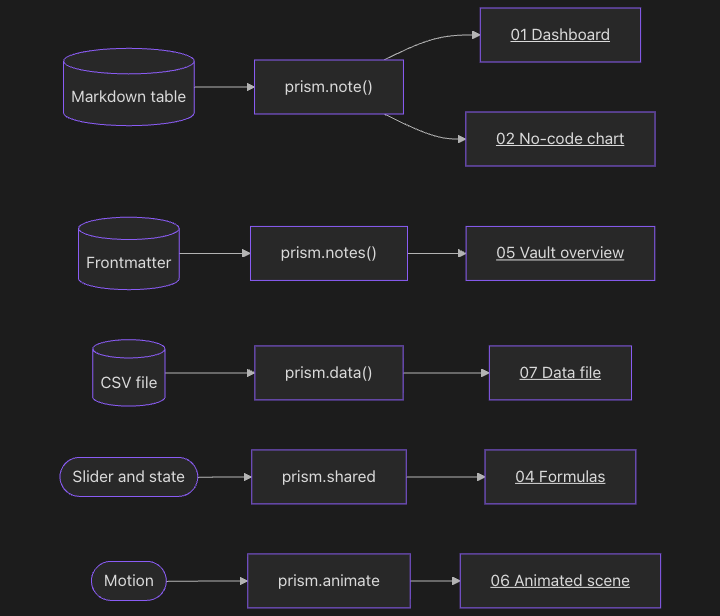 Mermaid: [[links]] in nodes open the note |
 Formulas: KaTeX, offline, with mhchem |
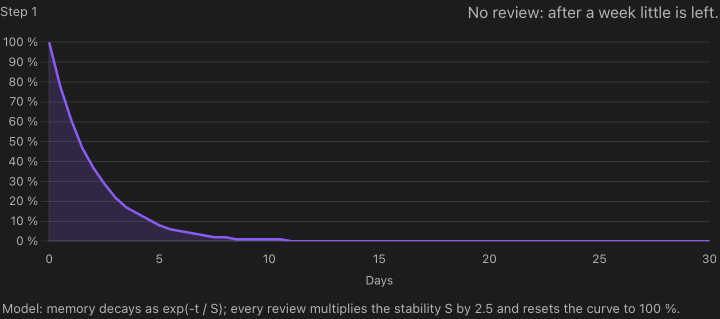 Scrollytelling: the chart follows the section you are reading |
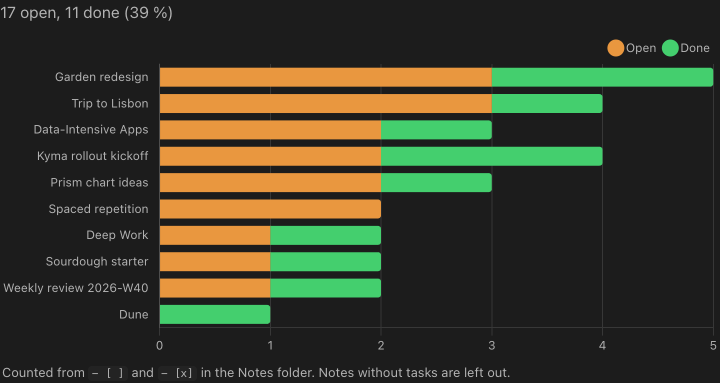 Tasks across the vault: prism.notes({ include: ["tasks"] }) |
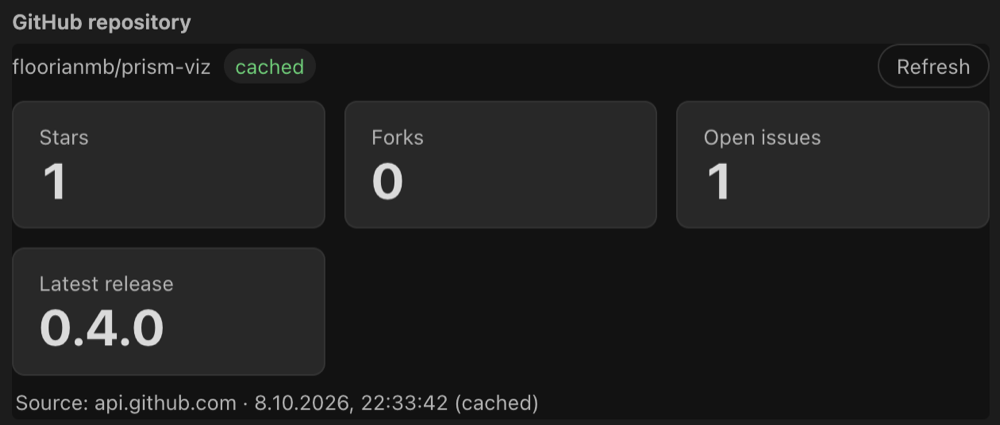 Live API data (opt-in): prism.http.json, sent by Obsidian, no CORS |
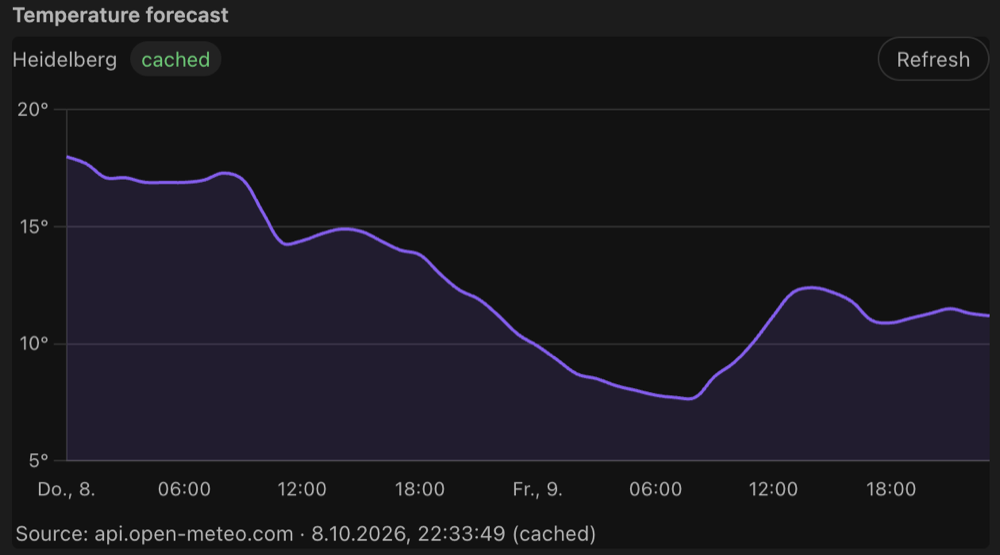 Charts from web APIs: cached in prism.state, every loading state handled |
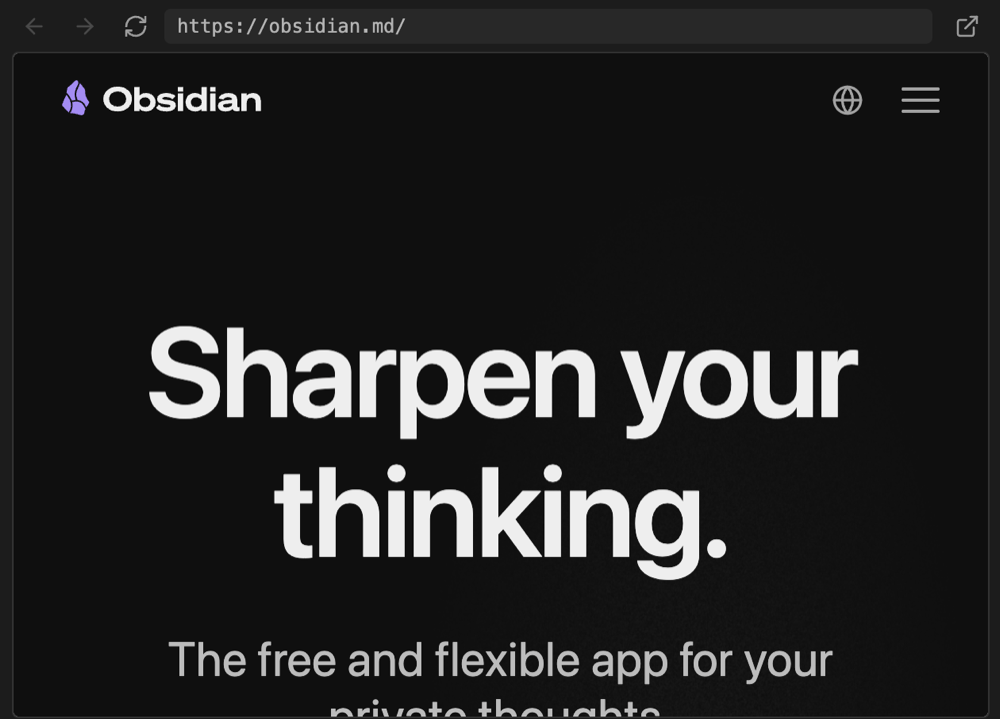 Web pages (opt-in): ```viz web as a desktop webview, works for sites that refuse framing |
 …or as an iframe: mode: iframe, also on mobile |
All of these are in the example vault, together with variants, a link graph, the page monitor, a Bases chart and an HTML widget. Screenshots are real renders in Obsidian's default dark theme.
Why Prism?
- 🤖 Built for agents. Your agent writes a
```vizblock, renders the note from the command line and gets back errors with note line numbers plus a PNG snapshot. It fixes the block until the render is clean, with no copy-pasting screenshots back and forth. A ready-made skill teaches Claude Code and Codex how to do it. - 📒 Your notes are the data. Chart a Markdown table, the frontmatter of every note, your tasks, links and backlinks, or a CSV in your vault. Edit the note and the chart follows.
- 🎨 Looks like it belongs. Blocks pick up your theme's colors and fonts, switch live between light and dark, size themselves and show up in PDF exports.
- 🔒 Safe by default. Every block runs in a sandboxed iframe with a strict CSP and no network access. Chart.js, D3, Mermaid, three.js and KaTeX are bundled, so everything works offline.
Install
From the community plugins (recommended)
- Open Settings → Community plugins → Browse and search for Prism.
- Select Install, then Enable.
With BRAT (for beta versions)
- Install and enable BRAT from the community plugins.
- Run BRAT: Add a beta plugin for testing and enter
floorianmb/prism-viz. - Enable Prism under Settings → Community plugins.
Manually
- Download
main.js,manifest.jsonandstyles.cssfrom the latest release. - Put them into
<your vault>/.obsidian/plugins/prism-viz/. - Reload Obsidian and enable Prism.
Just looking? Open the examples/ folder as a vault. It has a note for every feature.
Quickstart
Put a table in a note and add a chart below it. No code needed:
| Month | Notes | Tasks done |
| ----- | ----: | ---------: |
| Jan   |    34 |         21 |
| Feb   |    41 |         29 |
| Mar   |    57 |         38 |
^stats

```viz chart title="My vault in Q1"
type: bar
source: ^stats
x: Month
```
Change a number in the table and the chart updates. Want more? A ```viz block takes any HTML, SVG and JavaScript, with the bundled libraries and a prism API for your notes:
```viz chart title="Notes by type"
<canvas id="c"></canvas>
<script>
prism.notes().then(notes => {
  const counts = {};
  for (const n of notes) { const t = n.frontmatter.type ?? "(none)"; counts[t] = (counts[t] || 0) + 1; }
  new Chart(c, { type: "bar", data: { labels: Object.keys(counts), datasets: [{ data: Object.values(counts) }] },
                 options: { plugins: { legend: { display: false } } } });
});
</script>
```
Or start from a template: Prism: Insert starter (dashboard, architecture diagram, timeline, chart from frontmatter, chart from a table, formula).
Use it with Claude Code or Codex
Install the skill (from a clone of this repo):
npm run install-skill. It copiesskill/to~/.claude/skills/prismand~/.codex/skills/prism, wherever those folders exist.
Alternatively run Prism: Generate agent rules in Obsidian. It writesPRISM.mdand a snippet for yourCLAUDE.md/AGENTS.md.Ask for a visualization, e.g. "Add a dashboard of my reading list to Books.md".
The agent closes the loop on its own:
node .obsidian/plugins/prism-viz/scripts/prism-render.mjs "Books.md"The note renders invisibly in the running Obsidian app. The command prints JSON with every error (note line, origin, message) and the paths of the PNG snapshots, and exits with
0= ok,1= block errors,2= render failed,3= Obsidian not reachable. The agent fixes the block, looks at the snapshot and renders again until the result is clean.
If something breaks while you are reading, use Copy prompt for agent in the block's menu or error panel. It copies the location, the errors, the source and the render command, ready to paste.
Features
Visualize anything: HTML/JS blocks, no-code charts, tables, formulas, Mermaid, Bases, HTML filesvizcode blocks (Live Preview and Reading view): HTML fragment or full document, rendered in an iframe viasrcdoc. Info line: library keywordschart,d3,mermaid,three, plusheight=N,title="…",id=name,raw,eager,notoolbar,source. All libraries are bundled intomain.js.- No-code charts: a
```viz chartblock may contain a YAML spec instead of HTML (type,source: ^table-id | table:<heading> | file.csv,x,y,series,filter,sort,stacked…). - Tables:
```viz tablerenders a searchable, sortable table with locale number formats, source links and confidence badges. - Formulas:
```viz mathrenders LaTeX with KaTeX (offline, fonts inlined, mhchem). - Mermaid that navigates:
A["[[Note]]"]labels open the note on click. - Bases: a "Prism chart" view for
.basefiles (Obsidian 1.10+): group by a property, count or aggregate a value, split into series, stacked, sorted. - HTML files:
![[file.html]]embeds use the same renderer, and.htmlfiles open in a Prism view. Options via<meta name="prism" content="chart height=400">,<!-- prism: … -->or![[file.html|height=400]]. - Page monitor:
```viz monitorshows RAM and CPU of the page it is on.
prism.note()returns the block's own note: frontmatter, headings, links, backlinks, tasks and typed Markdown tables (German number formats, units,–as empty).prism.onNoteChangefollows edits.prism.notes({ folder, tag, limit, sort, order, include })queries the vault (read-only path, title, tags, frontmatter, mtime).include: ["links", "backlinks", "headings", "tasks"]adds those per note, and tasks carry Tasks-plugin dates and priorities.prism.onNotesChangefires on changes.- Data files:
prism.data("folder/file.csv")reads CSV/TSV (row objects, column-wise typed), JSON/GeoJSON, YAML and TXT. Access is read-only and limited to the folders listed under Data folders in the settings (empty = off; notes and hidden files are never readable).prism.dataFiles(folder?)lists them,prism.onDataChange(cb)follows changes, andprism.parseCsv(text)parses inline CSV.
- Shared state:
prism.sharedis state shared by all blocks of a note.prism.state.bind/prism.shared.bindtwo-way bind form controls, so a slider in one block can drive charts in others. - Scrollytelling:
prism.onSection(cb)reports the heading the reader is at while scrolling. - Variants:
prism.variantsshows alternative views of the same content with a persisted switcher. - Building blocks:
prism.canvas(crisp canvas that follows its element),prism.animate(frame loop with real elapsed time that pauses off screen and respects reduced motion),prism.segmented(persisted segmented control) and the classes.toolbar,.stage,.hud,.chip,.icon-button,.caption. - Persisted state:
prism.state.get/set/deleteis stored in the plugin data, andlocalStorageis shimmed onto it.
- Render on demand:
obsidian://prism?render=<note path>[&id=…&snapshot=0&width=720&timeout=60]renders every viz block of a note (or an HTML file) invisibly in the running app and writes.prism/renders/<id>.jsonandlatest.json(status, errors with note lines, snapshot paths). The CLIscripts/prism-render.mjswraps it.--all [folder]renders every note with viz blocks and prints a summary. On macOS Obsidian stays in the background. - Error feedback:
window.onerror, unhandled rejections,console.error, CSP violations, Mermaid errors and timeouts show up as a badge and are written to<vault>/.prism/errors.jsonwith note path and line numbers. Optional PNG snapshots go to.prism/snapshots/. - Agent skill (
skill/):SKILL.mdwith the plan → write → render → fix workflow,design.mdwith the quality bar, andreference.mdwith the full API. - Gallery: Prism: Open gallery lists every viz block of the vault with its latest snapshot and render status. Render previews renders the missing ones.
- Theme bridge: Obsidian's CSS variables (colors, fonts, sizes, palette) are available inside the frame and update live on theme and light/dark changes. A default stylesheet and helper classes (
.card,.grid,.row,.kpi, …) are included; opt out withraw. Chart.js and Mermaid follow the theme automatically. - Auto-height via
ResizeObserver, cached per block so re-renders do not jump. - Page previews: note links inside blocks show Obsidian's hover preview (
prism.hoverNotefor canvas/SVG hit areas). Blocks know about fullscreen viaprism.displayMode. - PDF export: each block is rendered in the light theme and replaced by a static PNG.
- Hover toolbar: source, reload, fullscreen, PNG export, plus copy as PNG, record a 5 s WebM video, SVG export, save as
.html, copy source / errors and Copy prompt for agent.
- Sandbox:
sandbox="allow-scripts"(no same-origin, top navigation, popups, forms or modals) and the CSPdefault-src 'none'; script-src 'unsafe-inline'; style-src 'unsafe-inline'; img-src data: blob:; font-src data:;plusbase-uri/form-action 'none'. Messages are accepted only from the block's own frame with a per-render token, and navigation away from the srcdoc is detected and reverted. - Network is off unless you allowlist domains. Online access is opt-in and off by default: API requests (
prism.http, requests wait for a click by default) and Web pages (```viz webblocks, iframes). Turning either on shows the consequences and asks for confirmation. - Robustness: lazy rendering, loops in user scripts are stopped after 2 s of blocking, a ready/heartbeat watchdog with a Stop button, a crash guard that does not auto-run a block that froze Obsidian before, and full cleanup on unload.
The complete API is documented in skill/reference.md.
Settings
Default height, maximum auto height, theme sync, lazy rendering, error log, snapshots, data folders, network allowlist and online access.
Network use and privacy
Prism works offline and does not connect to the internet unless you turn that on yourself.
- No network by default. Chart.js, D3, Mermaid, three.js, KaTeX and html-to-image are bundled in
main.js. Nothing is downloaded at runtime, and the plugin never installs or updates code on its own. - No telemetry, no account, no ads. Prism has no server of its own and sends no usage data anywhere.
- Opt-in network access. Only these settings, all empty or off by default, let blocks reach the network. Which remote services are contacted depends entirely on the URLs and domains you put into your notes and settings:
- Network allowlist: blocks may load scripts, styles, images and fonts from, and send requests to, the domains you list here.
- Online access → API requests: blocks may call web APIs with
prism.httpthrough Obsidian'srequestUrl, to show live data. By default nothing is sent until you click Run requests below the block. - Online access → Web pages:
```viz webblocks and<iframe>s may show web pages inside a note.
- Code in your notes. A
```vizblock runs the HTML and JavaScript written in the note, in a sandboxed iframe (scripts only, strict CSP, no direct access to Obsidian or your vault, and no network beyond what you allow above). Only use blocks from sources you trust, as with any code you run. - Files. The plugin only works inside your vault. It reads data files from the folders you list under Data folders (read-only) and writes to
.prism/(error log, render results, snapshots), plus files you create on purpose (exports,PRISM.mdfrom Generate agent rules). Only the developer scriptnpm run install-skillwrites outside a vault (~/.claude/skills,~/.codex/skills), and only when you run it yourself from a clone of this repo. - Desktop only. The page monitor reads CPU and memory figures of Obsidian's own processes through Electron. These stay on your machine.
Development
npm install
npm run build   # type-check, bundle the libraries and main.js, generate skill/reference.md
npm run dev     # watch mode
The runtime files are manifest.json, main.js and styles.css. Pushing a tag that matches the manifest version (e.g. 0.3.0) builds them and publishes a GitHub release.
main.ts                   plugin: code block processor, commands, notes query, exports, snapshots
src/frame.ts              one rendered block: iframe lifecycle, message bridge, toolbar, errors, watchdogs
src/document.ts           srcdoc builder (CSP, theme, base CSS, libraries) and line map
src/runtime/prelude.ts    iframe runtime (window.prism), bundled to a string at build time
src/runtime/chartSpec.ts  declarative chart spec → Chart.js config
src/runtime/table.ts      interactive table for ```viz table / prism.table
src/noteInfo.ts           note tables, headings and tasks for prism.note() / prism.notes({ include })
src/basesView.ts          "Prism chart" view for Obsidian Bases
src/loopGuard.ts          infinite-loop instrumentation (acorn)
src/theme.ts              Obsidian theme → CSS variables
src/errorLog.ts           .prism/errors.json
src/htmlFile.ts           .html view and embeds
src/data.ts               data file path resolution and allowlist
src/perf/                 page monitor: block stats, Electron process metrics
src/online/               opt-in network access: settings + consent, prism.http, ```viz web blocks
scripts/prism-render.mjs  CLI for agents (render a note, print JSON)
scripts/build-skill.mjs   skill/reference.md from src/agentRules.ts (part of npm run build)
scripts/install-skill.mjs installs skill/ for Codex and Claude Code
examples/                 example vault with a note per feature
Limits
errors.jsonreflects the last render, either when a block was visible in Obsidian or viaobsidian://prism?render=…. The render command needs the desktop app (it launches Obsidian if it is not running).![[file.html]]embeds use Obsidian's internal embed registry. If it is unavailable, embeds fall back to Reading view only.- PNG export and snapshots use html-to-image. WebGL canvases need
preserveDrawingBuffer: true, and export needs the block to be visible.
License
MIT, see LICENSE. Third-party licenses: THIRD_PARTY_LICENSES.txt.
Reviews (0)
Sign in to leave a review.
Leave a reviewNo results found