app-store-screenshots-skill
Health Warn
- License — License: MIT
- Description — Repository has a description
- Active repo — Last push 0 days ago
- Low visibility — Only 5 GitHub stars
Code Pass
- Code scan — Scanned 4 files during light audit, no dangerous patterns found
Permissions Pass
- Permissions — No dangerous permissions requested
No AI report is available for this listing yet.
Claude Code skill for localized, caption-framed App Store screenshots (iPhone + iPad): simulator capture automation, HTML/CSS frame compositor, App Store Connect upload
app-store-screenshots-skill
A Claude Code skill for
producing localized, caption-framed App Store screenshots (iPhone + iPad)
from real simulator captures, and replacing them on App Store Connect.
Battle-tested end to end on a shipping game: 7 shots × 10 languages ×
iPhone + iPad = 140 frames, uploaded across 39 ASC locales and
resubmitted for review in a single day.
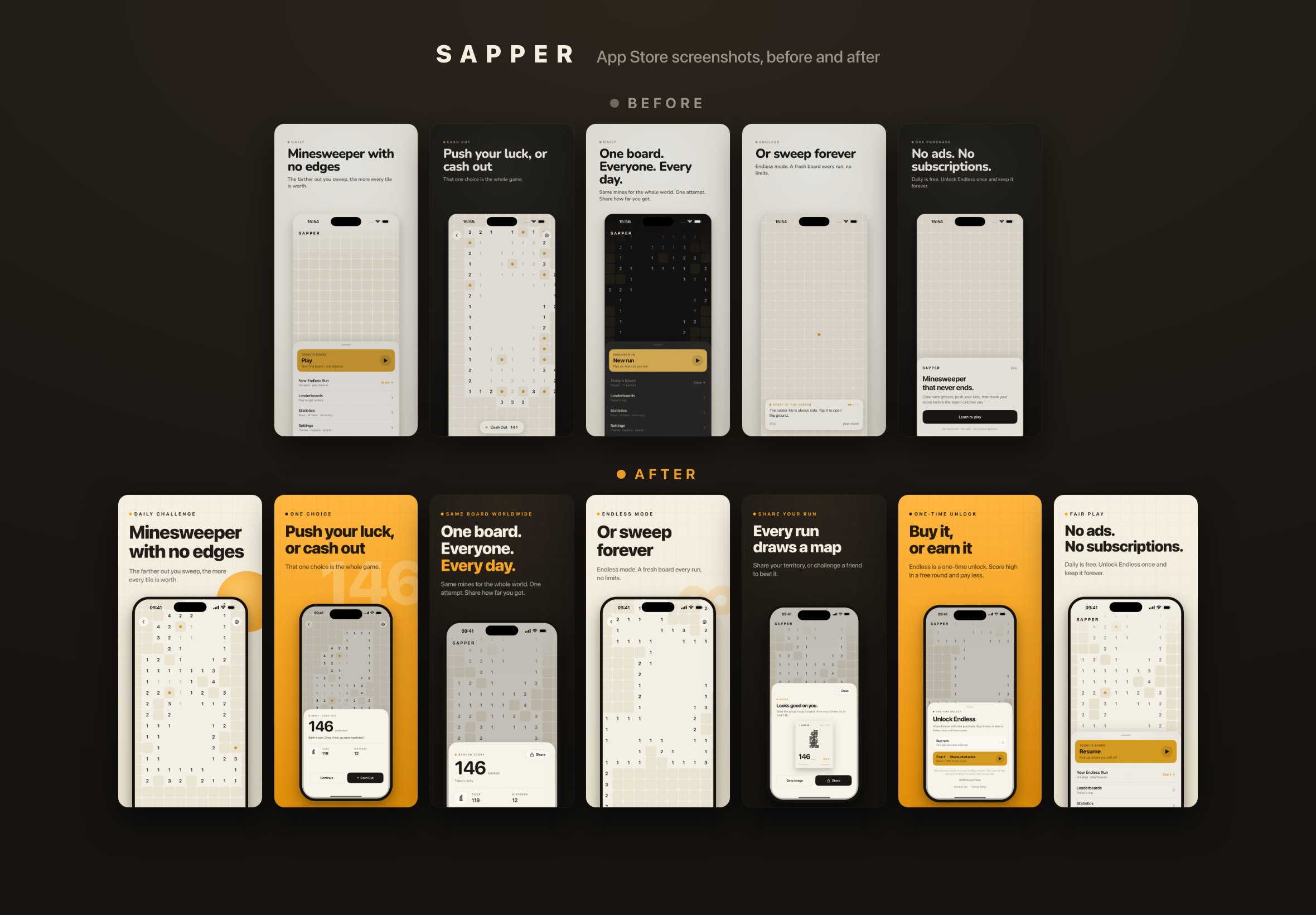
What's included
The playbook covers six phases, each with a detailed reference:
- Design principles — what makes a screenshot convert before any pixel is
produced: value-prop-first panel 1, sell the outcome not the feature, one
message per shot, the hide-the-copy test, human elements, trust signals,
and why the shortest copy wins (it buys the biggest type). Includes a
composition pattern library and teardowns of seven real listings - Sizes & devices — exact capture resolutions (1320×2868 / 2064×2752),
which simulators produce them natively, ASC display-type mapping, and the
device-mock CSS values that shipped - Captions — caption anatomy (eyebrow / headline / sub), a 7-shot
narrative arc, and transcreation rules per locale: app-glossary reuse,
explicit per-locale line breaks, CJK sizing, formality - Capture per locale — build app state once, re-shoot per language via
backgrounding + relaunch with locale args; iPhone vs iPad differences
(lock-button backgrounding, system-language reboots for the iPad date);
every accessibility-automation gotcha we hit - Compositor — an HTML/CSS frame generator rendered by headless Chrome at
exact store resolution, with headline auto-fit and copy/device overlap
auto-push - ASC upload — app-language → 39-locale fan-out mapping, uploading to the
display types the listing already uses, and the silent fan-out-abort gotcha
with a mandatory verification script - Review resubmission — cancel/rebuild a pending submission without
losing Game Center items
Plus working scripts to copy into an app's repo: the compositor
(scripts/generate.py), the captions data shape, a per-locale capture loop
skeleton with all the hardened helpers, and the post-upload verifier.
Prerequisites
- Xcode + iOS simulators (iPhone 6.9" and iPad 13" classes)
- XcodeBuildMCP CLI
(brew install cameroncooke/xcodebuildmcp/xcodebuildmcp) — UI automation +
bundles the AXe binary the capture scripts use - asc CLI, authenticated
- Google Chrome (headless frame rendering)
- Python 3 (stdlib only)
Installation
npx skills add framara/app-store-screenshots-skill
To install globally (all projects):
npx skills add framara/app-store-screenshots-skill -g
Usage
Once installed, Claude Code uses this skill automatically when you ask things
like:
- "Create App Store screenshots for my app in all our languages"
- "Redesign my store screenshots with captions, iPhone and iPad"
- "Replace the screenshots on App Store Connect and resubmit"
Philosophy
App Store screenshots are marketing frames, not raw UI: a big localized
headline over a device mock containing a real, localized, real-data capture.
The pipeline keeps three layers independent so each changes cheaply:
- Raw captures — slow to make, often not regenerable; archived in git
- Captions + design config — one JSON for all locales and shots
- Compositor — re-renders all frames in minutes after any copy tweak
License
MIT
Reviews (0)
Sign in to leave a review.
Leave a reviewNo results found