Agent-Quest
Health Warn
- License — License: MIT
- Description — Repository has a description
- Active repo — Last push 0 days ago
- Low visibility — Only 5 GitHub stars
Code Pass
- Code scan — Scanned 12 files during light audit, no dangerous patterns found
Permissions Pass
- Permissions — No dangerous permissions requested
No AI report is available for this listing yet.
Real-time gamified dashboard to monitor Claude Code CLI AI agents with a 2D visual interface
A fantasy village dashboard for monitoring your Claude Code agents.




Use the Claude Code CLI as usual — each agent session auto-spawns a hero on the dashboard, live.
Agent Quest is a browser-based monitoring dashboard that visualizes active Claude Code agent sessions as fantasy heroes in a 2D village. Each running agent becomes a hero who walks between buildings based on what it's doing: Read sends it to the Library, Edit to the Forge, Bash to the Arena, and so on.
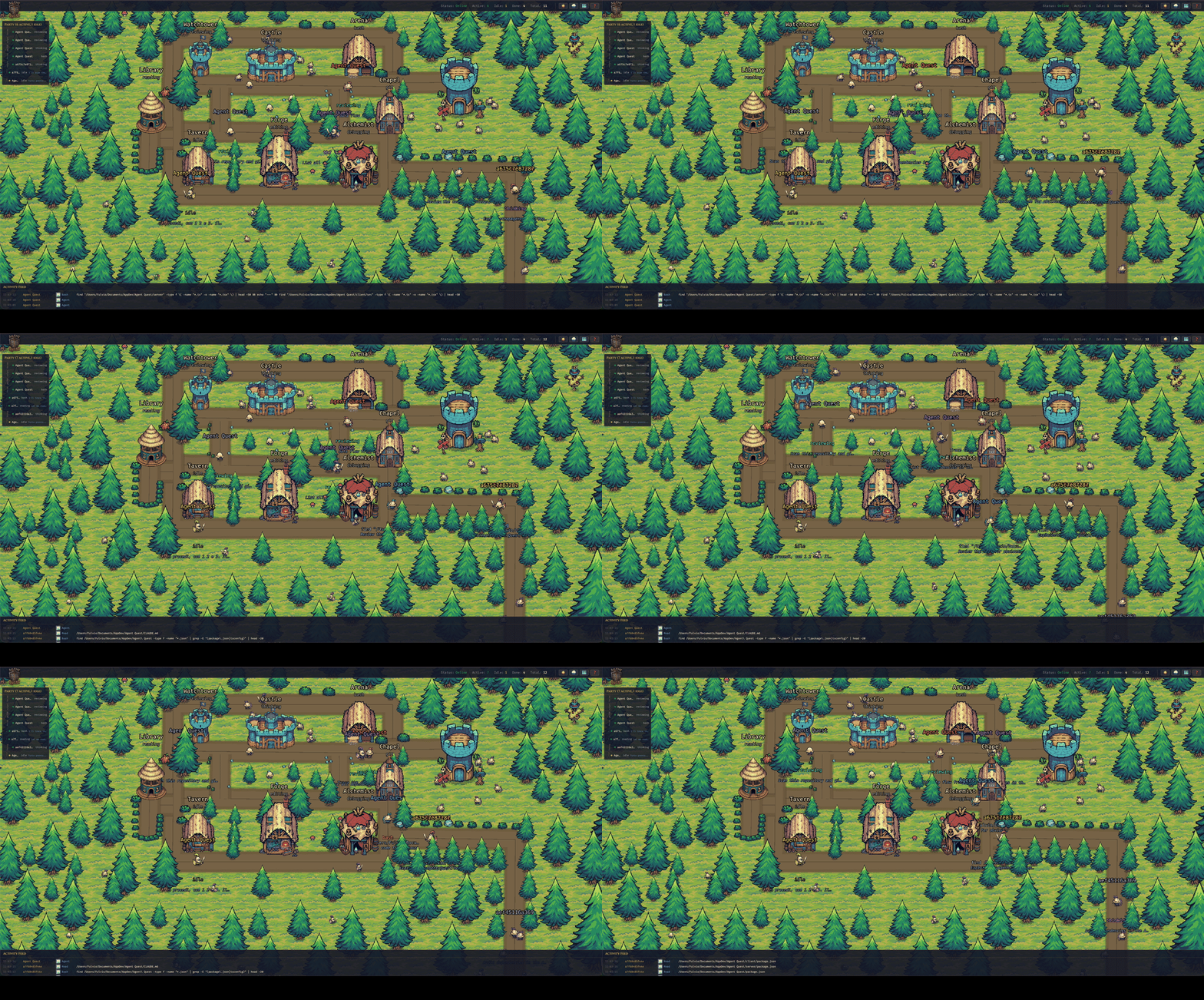
Every hero is an agent — the building it visits tells you what it's doing.
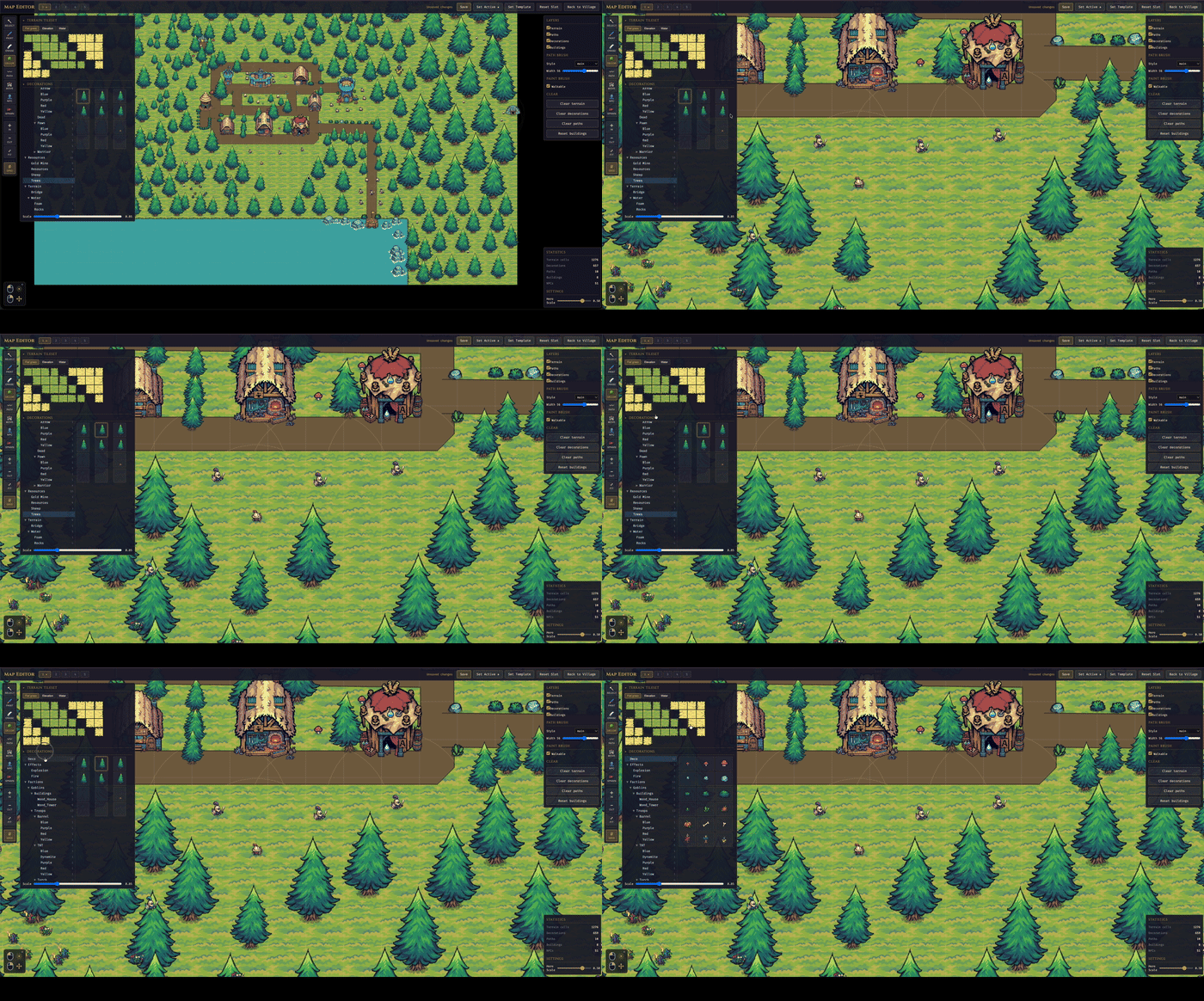
Integrated Tile Map Editor |
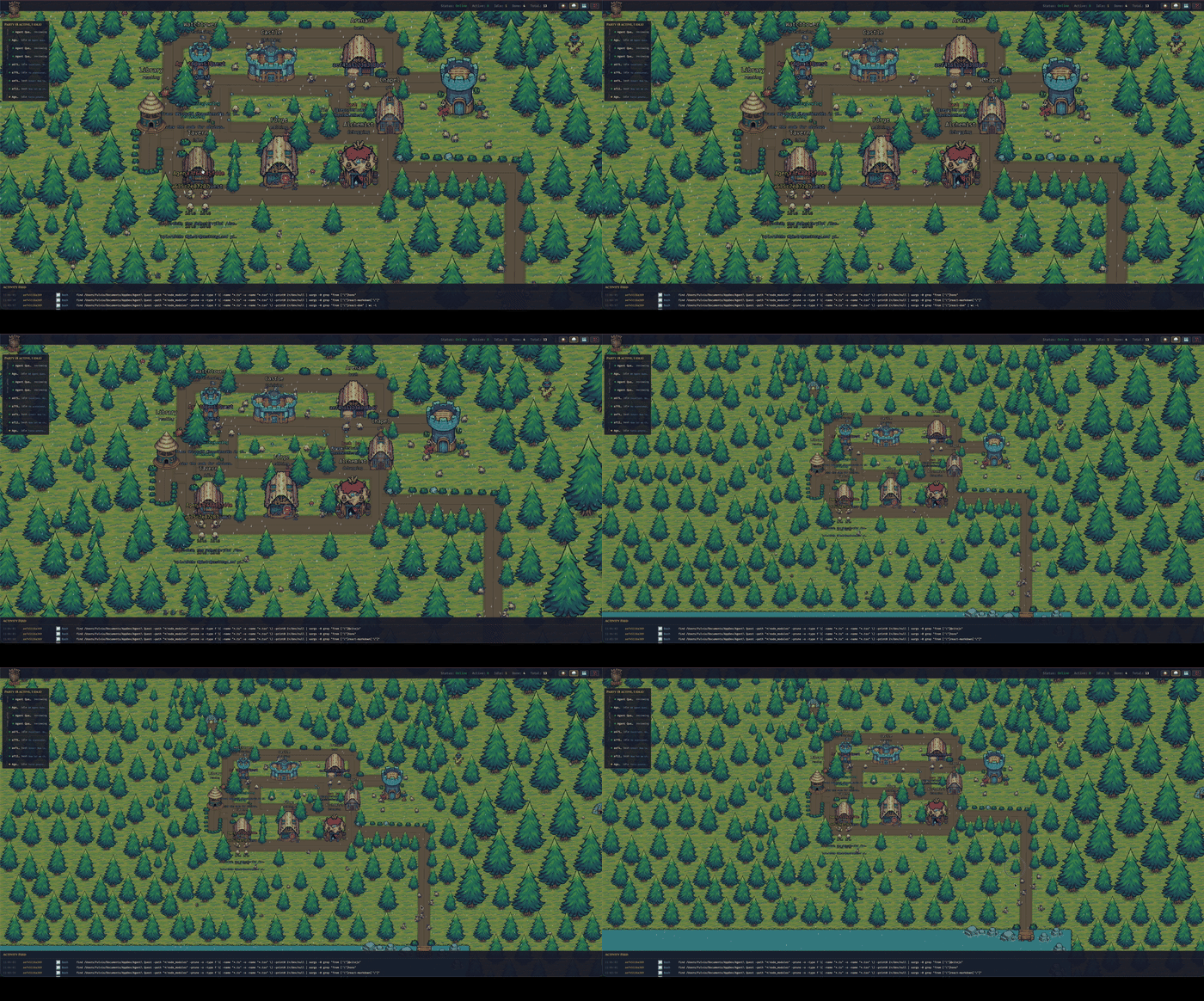
Weather effects |
Why?
Claude Code sessions happen in a terminal — useful, but not very alive. When you run several agents at once (across projects, across ~/.claude* installations), it's hard to feel what they're actually doing. Agent Quest turns that invisible activity into something you can glance at: a little village where every hero is an agent, and where they walk tells you what they're up to.
Features
- Real-time visualization of active Claude Code sessions
- Auto-discovery of every
~/.claude*directory (supports multiple installations like~/.claude-work,~/.claude-personale) - Activity feed, party bar, and detail panel alongside the village scene
- Built-in map editor for customizing the village layout
- Sub-2s latency via native WebSocket (optional lower-latency path via Claude Code
postToolUsehooks)
Requirements
Required
- Bun 1.1 or later — the runtime behind both the server and the scripts. If you don't have it:
curl -fsSL https://bun.sh/install | bash - An active Claude Code installation (one or more
~/.claude*directories with session logs). Without it the dashboard still starts, but the village stays empty and a banner tells you so. - macOS or Linux recommended — Windows via WSL2
Optional
- Node.js 20+ with npm — only if you prefer the
npm run …command form. If you only have Bun installed, everynpm run Xin this README has an equivalentbun run X.
Quick start
Agent Quest can be set up in two equivalent ways — pick the one that matches your platform:
- Manual install (classic) —
git clone+bun install+bun start. Three commands, full control, works everywhere (macOS, Linux, Windows via WSL2). - One-line install (macOS only) — a single
curl | bashthat installs Bun if missing, clones the repo, installs dependencies, creates a globalagentquestcommand, and launches the app.
They do the same work under the hood. Every daily command has an equivalent:
| With the CLI | Without (classic) |
|---|---|
agentquest |
bun start |
agentquest update |
git pull --ff-only && bun install |
agentquest update is a convenience command for end users running an installed copy that tracks origin/main. It is not the contributor workflow for feature branches.
Manual install
Three commands — works on macOS, Linux, and Windows via WSL2:
git clone https://github.com/FulAppiOS/Agent-Quest.git
cd Agent-Quest
bun install
bun start
That's it: your browser opens on http://localhost:4445 and the village appears.
Optional — create an agentquest shortcut so you can launch from any directory:
mkdir -p ~/.local/bin
ln -s "$PWD/bin/agentquest" ~/.local/bin/agentquest
After the symlink you can run agentquest (alias of bun start) and agentquest update (alias of git pull --ff-only && bun install) from anywhere.
Agent Quest ships with a bundled CC0 pixel-art sprite pack (under client/public/assets/themes/tiny-swords-cc0/), so there's nothing else to download.
One-line install (macOS only)
curl -fsSL https://raw.githubusercontent.com/FulAppiOS/Agent-Quest/main/install.sh | bash
The installer prints exactly what it's going to do and asks before touching anything. It checks/installs Bun, clones into ~/agent-quest (override with --dir <path>), runs bun install, creates an agentquest shortcut in ~/.local/bin/, and offers to launch right away. When it finishes, your browser opens on http://localhost:4445 and the village appears.
From the next session onwards:
agentquest            # same as `agentquest start` — launches and opens the browser
agentquest update     # git pull + bun install (preserves local map edits)
Troubleshooting
bun: command not found — install Bun first, then re-run the Quick start:
curl -fsSL https://bun.sh/install | bash
Cannot find module … on startup — dependencies weren't installed. From the repo root:
bun install
EADDRINUSE on port 4444 or 4445 — another process holds the port. Either free it or override the port via env (see Configuration). To see what is holding it and kill it:
lsof -ti:4444,4445 | xargs kill -9
agentquest: command not found after install — ~/.local/bin is not in your $PATH. Add it:
echo 'export PATH="$HOME/.local/bin:$PATH"' >> ~/.zshrc && source ~/.zshrc
Empty village with a "No Claude Code installation detected" banner — expected when no ~/.claude* directory with session logs exists. Install Claude Code, start a session, and heroes appear automatically (the banner disappears on its own).
Assets look broken or the app blocks at boot with "missing asset" screens — see Missing assets.
Configuration
Defaults work out of the box. To customize ports or URLs, copy the example env files:
cp server/.env.example server/.env
cp client/.env.example client/.env
| Variable | Where | Default | Purpose |
|---|---|---|---|
PORT |
server | 4444 |
HTTP + WebSocket port |
CLIENT_URL |
server | http://localhost:4445 |
CORS origin |
CLIENT_PORT |
client | 4445 |
Vite dev server port |
VITE_SERVER_URL |
client | http://localhost:4444 |
Server HTTP base |
VITE_WS_URL |
client | ws://localhost:4444/ws |
Server WebSocket URL |
Development
npm start              # server + client concurrently   (or: bun start)
npm run dev:server     # server only (:4444)            (or: bun run dev:server)
npm run dev:client     # client only (:4445)            (or: bun run dev:client)
npm run check:assets   # verify every bundled sprite is on disk (or: bun run check:assets)
cd server && bun test  # run server tests
For installed end-user copies that follow main, agentquest update runs the equivalent of git pull --ff-only && bun install while preserving local map edits. Contributors on feature branches should use normal Git commands instead.
Missing assets
If you accidentally delete or move files under client/public/assets/themes/tiny-swords-cc0/ (hero spritesheets, building PNGs, terrain, decorations), Agent Quest will tell you:
- The main app blocks at boot with a screen that lists the missing files grouped by category (hero / building / terrain / decoration) and suggests a restore command.
- The map editor shows a dismissible banner at the top with the same breakdown — the editor stays usable so you can keep working.
- Run
bun run check:assetsany time to verify the whole bundled pack ahead of starting the app. Exits non-zero with a detailed list if anything is missing — good for CI or pre-commit.
Restore with:
git checkout -- client/public/assets/themes/tiny-swords-cc0/
LAN access (view from your phone / iPad)
By default the dev servers only listen on localhost for security. To share the village with other devices on the same Wi-Fi (phone, tablet, another laptop), opt in with a single env flag:
# macOS / Linux — one-off, for this run only
AGENT_QUEST_LAN=1 agentquest          # (or: AGENT_QUEST_LAN=1 bun start)

# Permanent — decide once, then just run `agentquest`
echo "AGENT_QUEST_LAN=1" >> ~/agent-quest/server/.env
echo "AGENT_QUEST_LAN=1" >> ~/agent-quest/client/.env
agentquest
Any env var documented in this README works identically with agentquest — just prefix it on the command line, or add it to the two .env files for a persistent choice.
At startup the server prints reachable LAN URLs, for example:
[Server] LAN mode enabled — reachable from other devices at:
[Server]   http://192.168.1.42:4444 (API)  |  http://192.168.1.42:4445 (UI)
Open the UI URL on the other device. The client auto-detects the host so API and WebSocket calls go to the same Mac. The first time, macOS asks to allow incoming connections — click Allow.
Security note. LAN mode exposes your agents' tool calls, file paths and command output to anyone on the same network. Fine at home; think twice on office / café / conference Wi-Fi.
Windows
Bun officially supports Windows (1.1+), but we don't exercise this project on native Windows and a few dev-tool edge cases exist (file watching under certain paths, spawn semantics). For a frictionless experience on Windows, run Agent Quest inside WSL2:
Install WSL2 following Microsoft's guide (one command:
wsl --installin an admin PowerShell).Open your WSL2 shell (Ubuntu by default) and install Bun:
curl -fsSL https://bun.sh/install | bashFollow the Manual install steps above, inside the WSL2 shell. The one-line installer is macOS-only.
Native Windows (PowerShell / cmd.exe) should also work after this project's cross-platform shell fixes, but isn't routinely tested. If you hit a Windows-only issue, please open a ticket — pull requests welcome.
Contributing
Issues and pull requests are welcome — bug reports, feature ideas, new building sprites, extra hero classes, anything. See CONTRIBUTING.md for the short version.
Support
If Agent Quest makes your agents feel a little more alive, a beer is always welcome 🍺 — every one helps keep the updates flowing.

Credits
- Sprites, tiles, and decorations: Tiny Swords by Pixel Frog — licensed CC0 1.0 Universal (public domain dedication). Bundled under
client/public/assets/themes/tiny-swords-cc0/.
License
Reviews (0)
Sign in to leave a review.
Leave a reviewNo results found