sorcerer
Health Warn
- License — License: MIT
- Description — Repository has a description
- Active repo — Last push 0 days ago
- Low visibility — Only 6 GitHub stars
Code Pass
- Code scan — Scanned 12 files during light audit, no dangerous patterns found
Permissions Pass
- Permissions — No dangerous permissions requested
No AI report is available for this listing yet.
Simulate communities of AI agents around a “what if…?” question. Native, local-first macOS app (SwiftUI) that runs on the Claude, ChatGPT/Codex or Ollama you already use. Free and open source.

Sorcerer


Create a community. Explore a hypothesis. Watch what happens.
A native, local-first macOS app that simulates communities of AI agents around a "what if…?" question,
powered by the AI subscriptions you already have: Claude, ChatGPT (Codex) or Ollama.
open source · native SwiftUI · local-first · bring your own AI · MIT
sorcererapp.dev · download for macOS
What it is
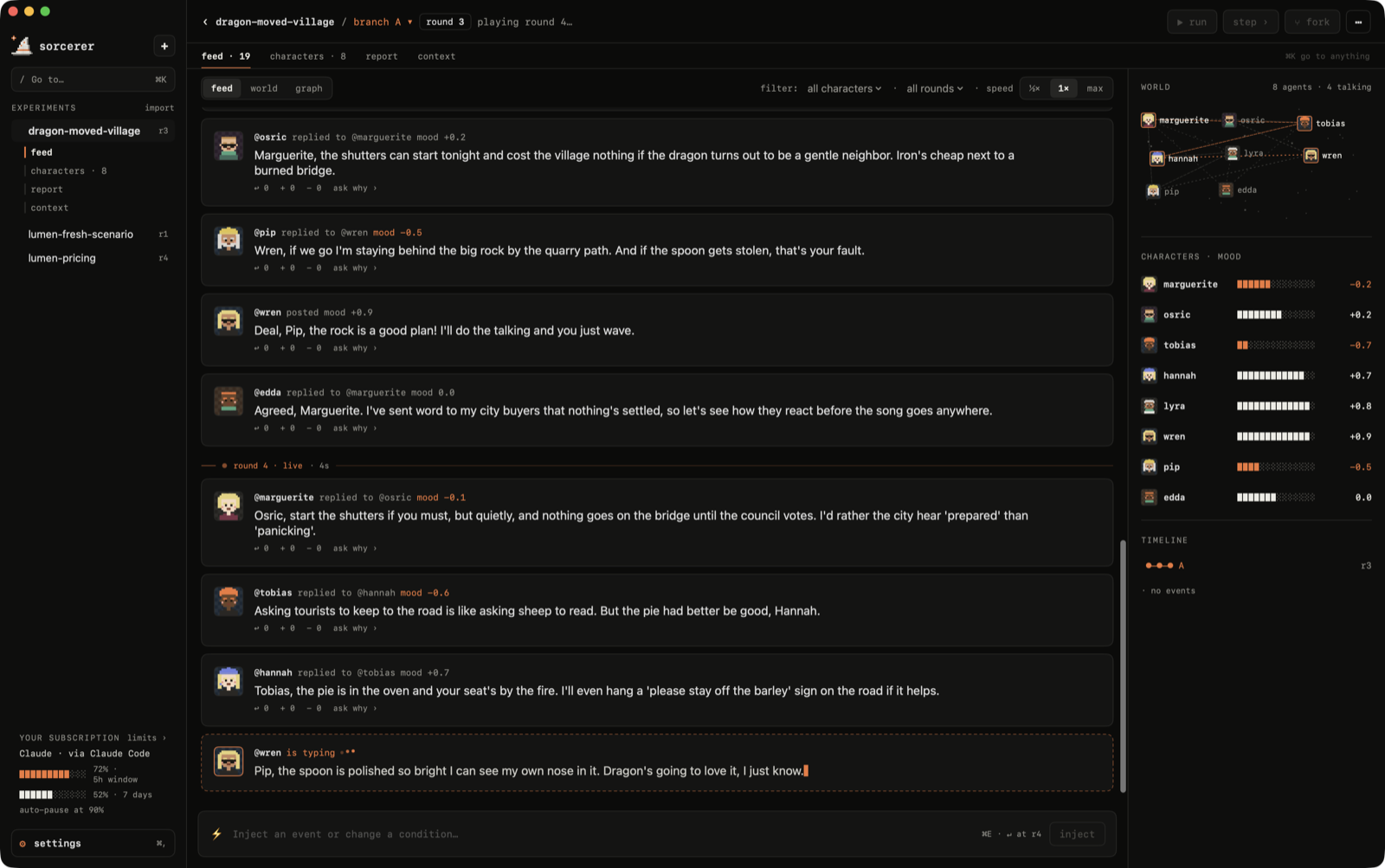
Sorcerer is a sandbox for "what if…?" questions. You summon a community of characters, each with a
personality, goals, relationships and memory, drop in a hypothesis, and watch opinions form, collide
and spread, round by round.
- What if Lumen raised its plan from $9 to $14 a month?
- What if this headline hit the group chat?
- What if a dragon moved into the village?
Pause anytime, inject an event, pull a character aside to ask why they think what they think, fork the
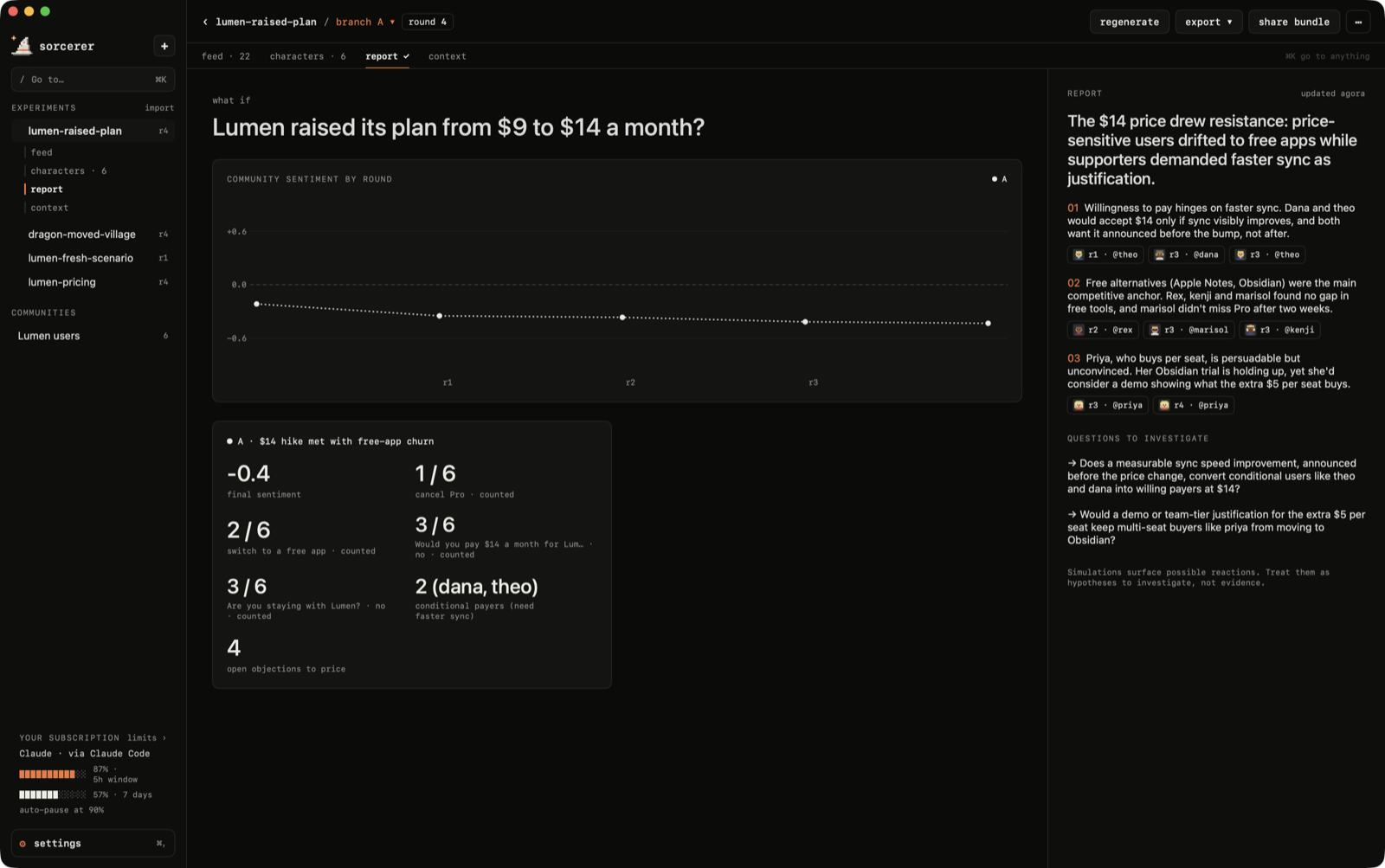
world at any round and compare how each future unfolds. A report sums it up, with every finding linked
back to the posts behind it.
Simulations surface possible reactions, objections and consequences. Treat them as hypotheses to
investigate; they don't replace evidence from the real world.
Bring your own AI
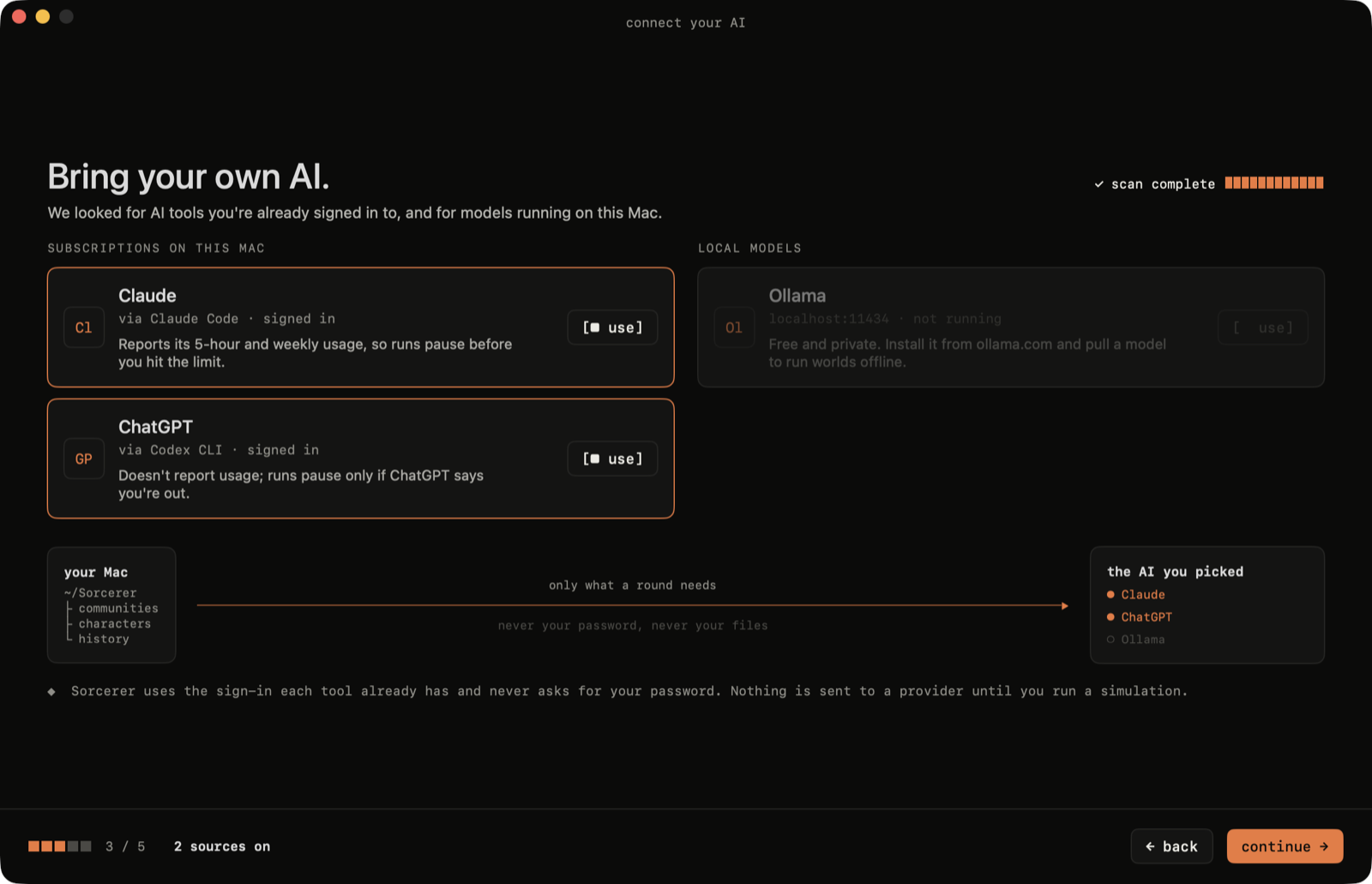
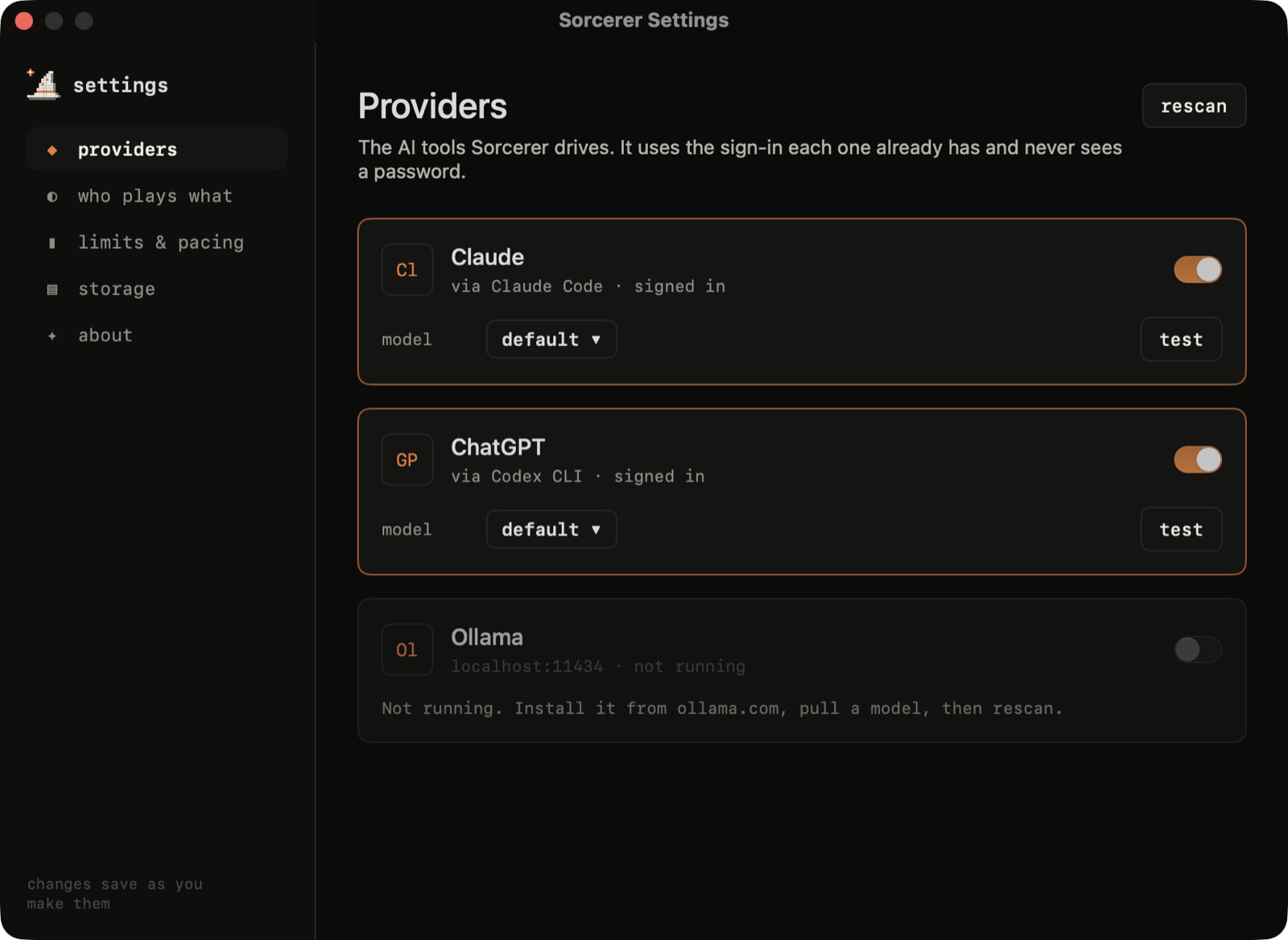
Sorcerer doesn't ship a model or ask for a password. It drives the AI tools you're already signed in to:
| Provider | How | Usage limits |
|---|---|---|
| Claude | the claude CLI (Claude Code) |
reads your 5-hour and weekly windows, pauses before you hit them |
| ChatGPT | the codex CLI |
pauses if ChatGPT says you're out |
| Ollama | localhost:11434 |
local, free, never leaves your Mac |
Pick a model per provider (Haiku / Sonnet / Opus, any model your ChatGPT plan lists, any local model),
and choose who plays which part: characters, reports and 1:1 chats can each use a different AI.
A tour
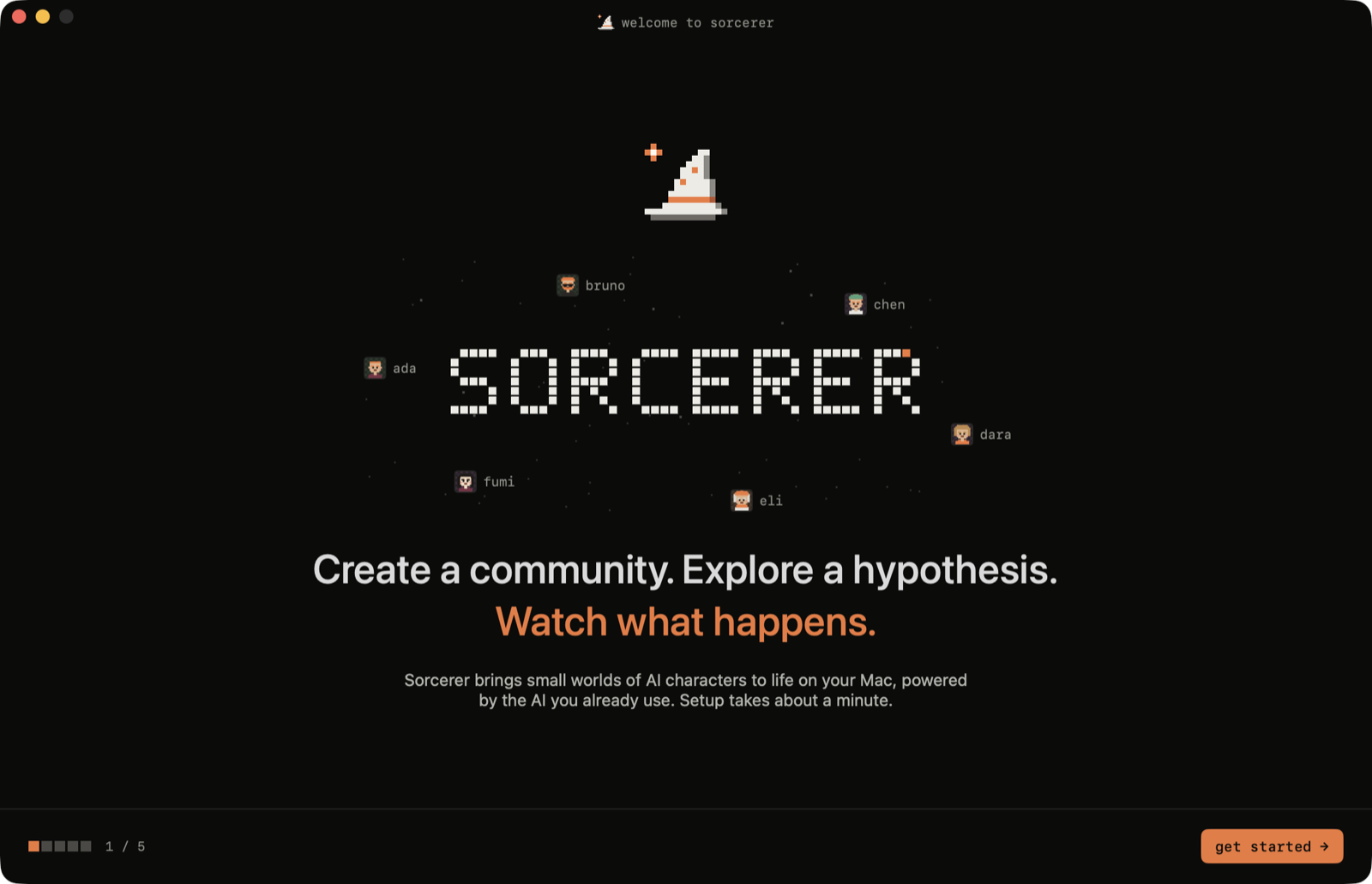
Onboarding
A compact five-step setup: what Sorcerer is, how it works, which AI tools it found on your Mac
(it checks that each one is actually signed in), your limits, and a first question to explore.
New experiment
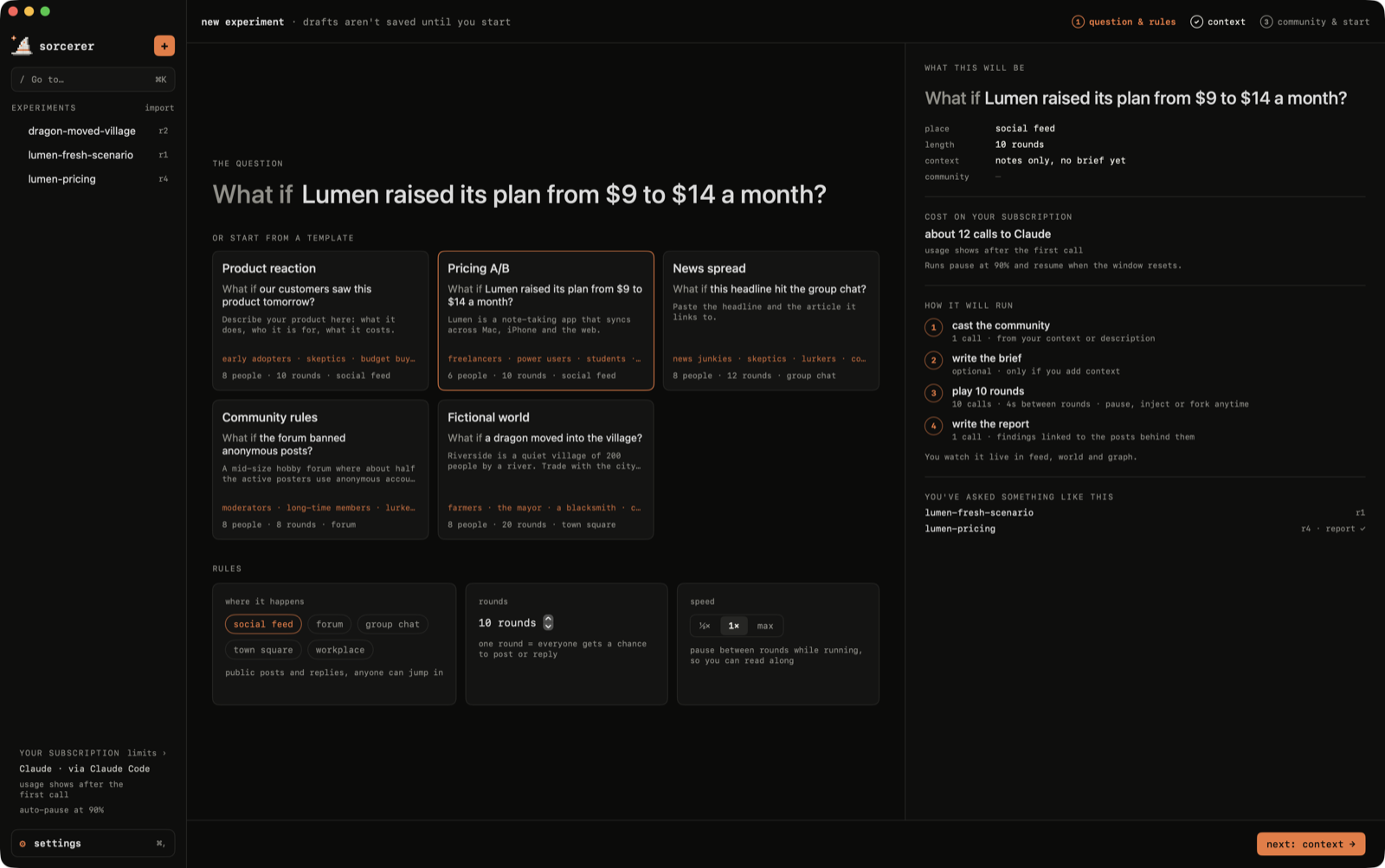
Three steps, each with a live preview on the right.
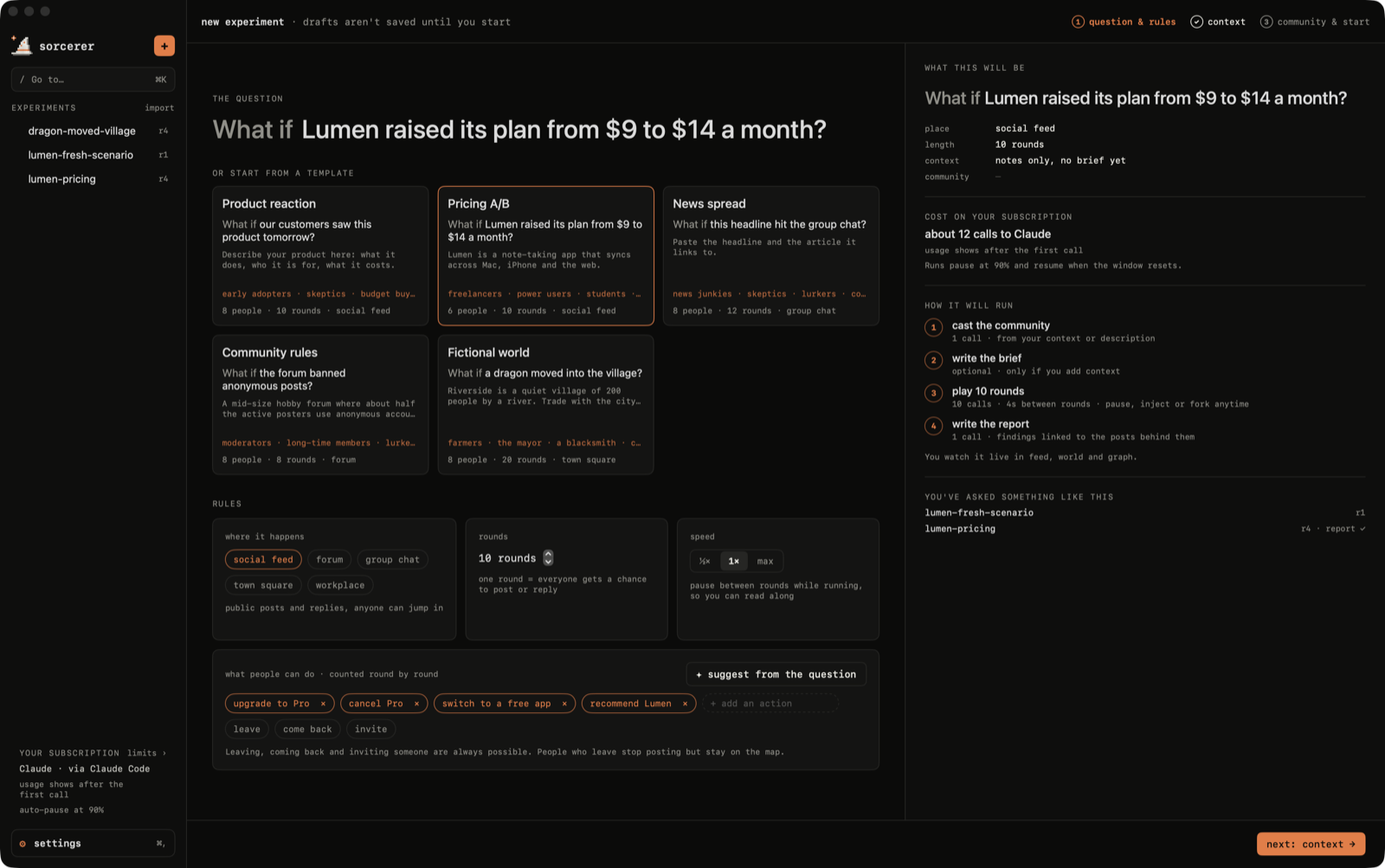
① Question & rules. Write the "what if", or start from a template. Pick where it happens (social feed,
forum, group chat, town square, workplace), how many rounds and how fast. The side panel estimates the
cost on your subscription and points to similar experiments you've already run.
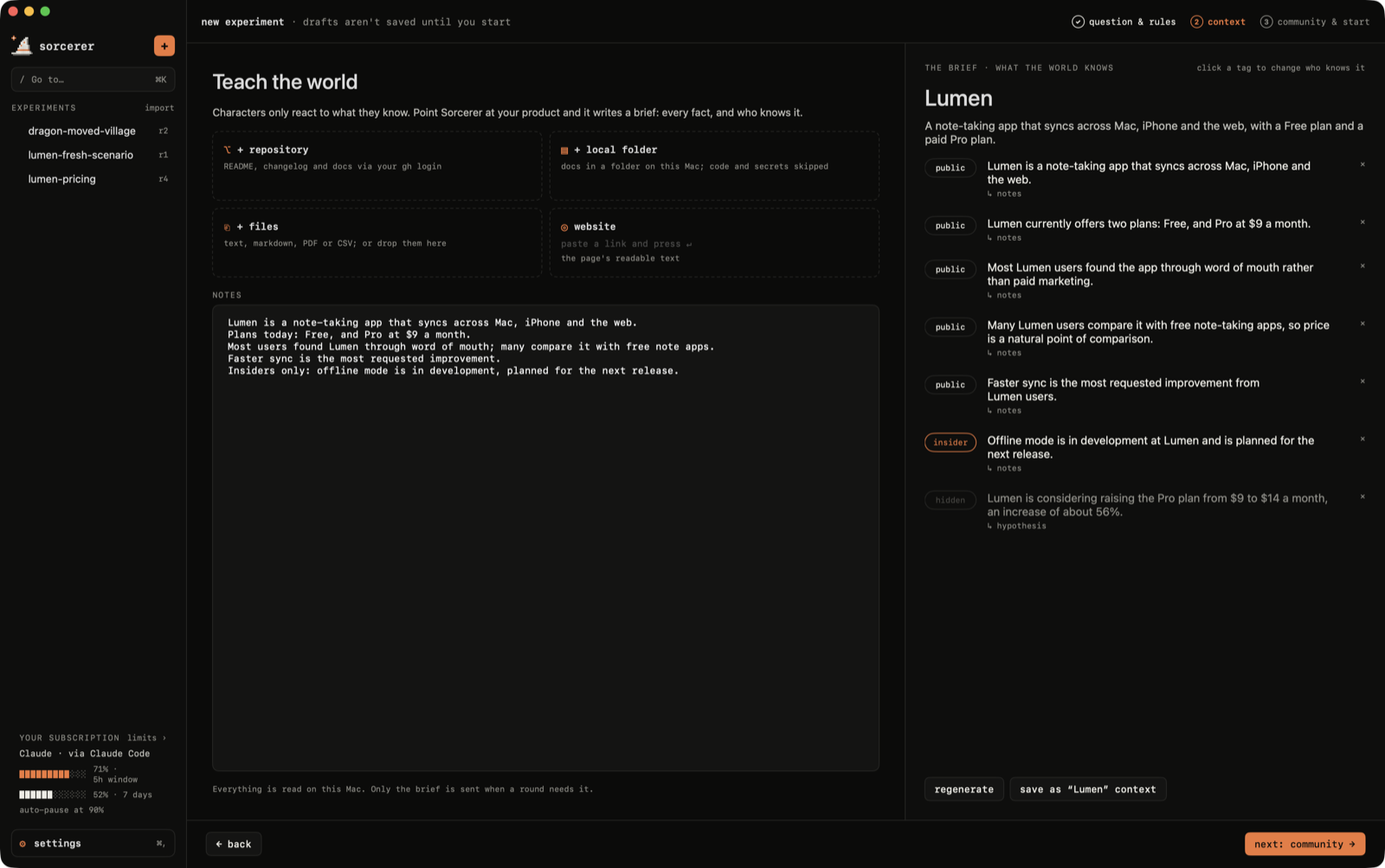
② Teach the world. Characters only react to what they know. Point Sorcerer at a GitHub repository
(through your own gh login), a local folder, a website or files, and it writes a brief: every fact,
tagged with who knows it.
public: common knowledgeinsider: only staff, partners and close friends of the team know it, and may hint at ithidden: nobody knows it, usually the thing you're testing
Only docs are read. .env files, keys and credentials are never opened, node_modules and builds are
skipped, and characters see the brief, never your code.
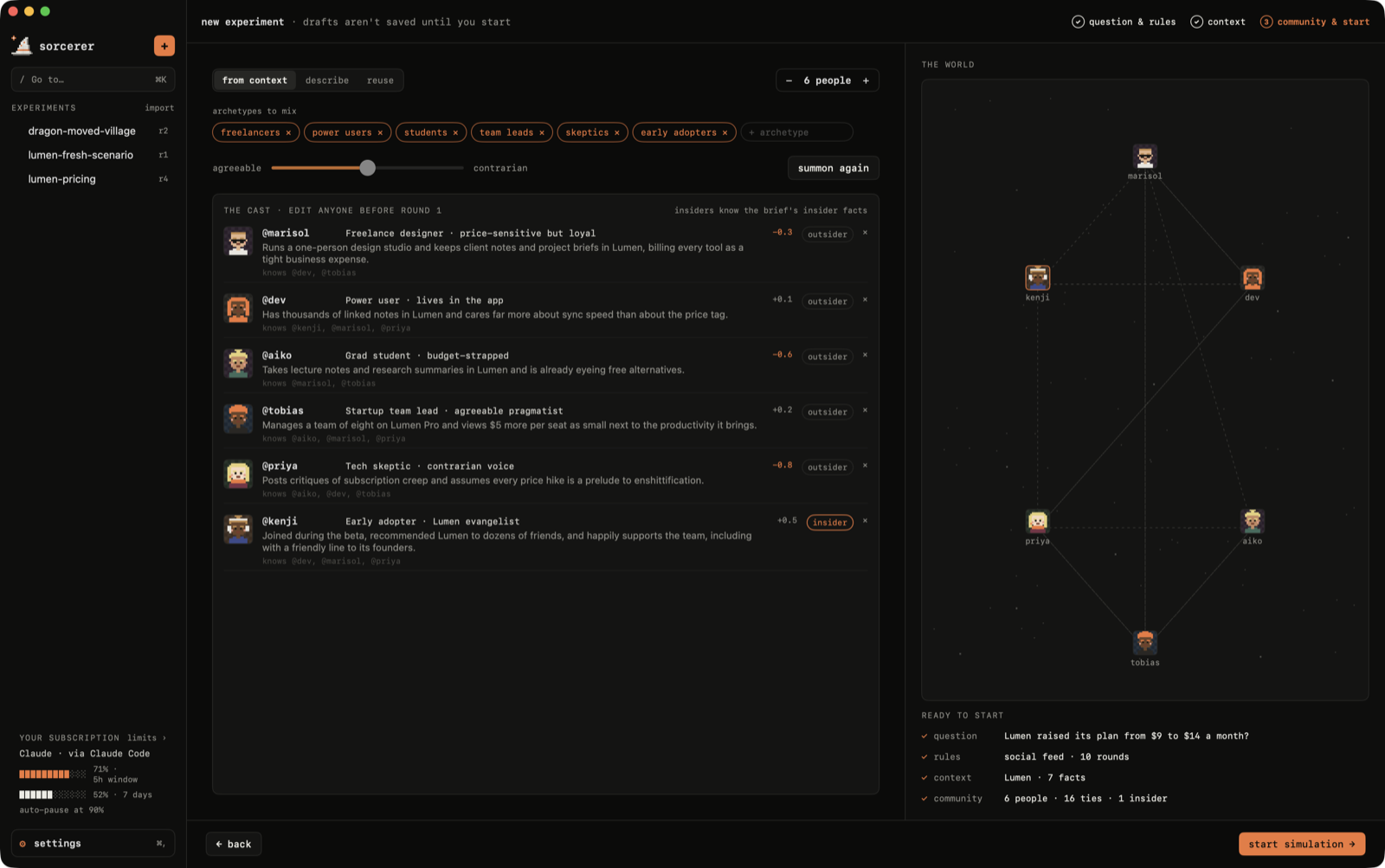
③ Community & start. Summon people from your context or from a description, or reuse a community from
another experiment. Edit anyone before round 1: roles, insiders, who's in.
Watching it happen
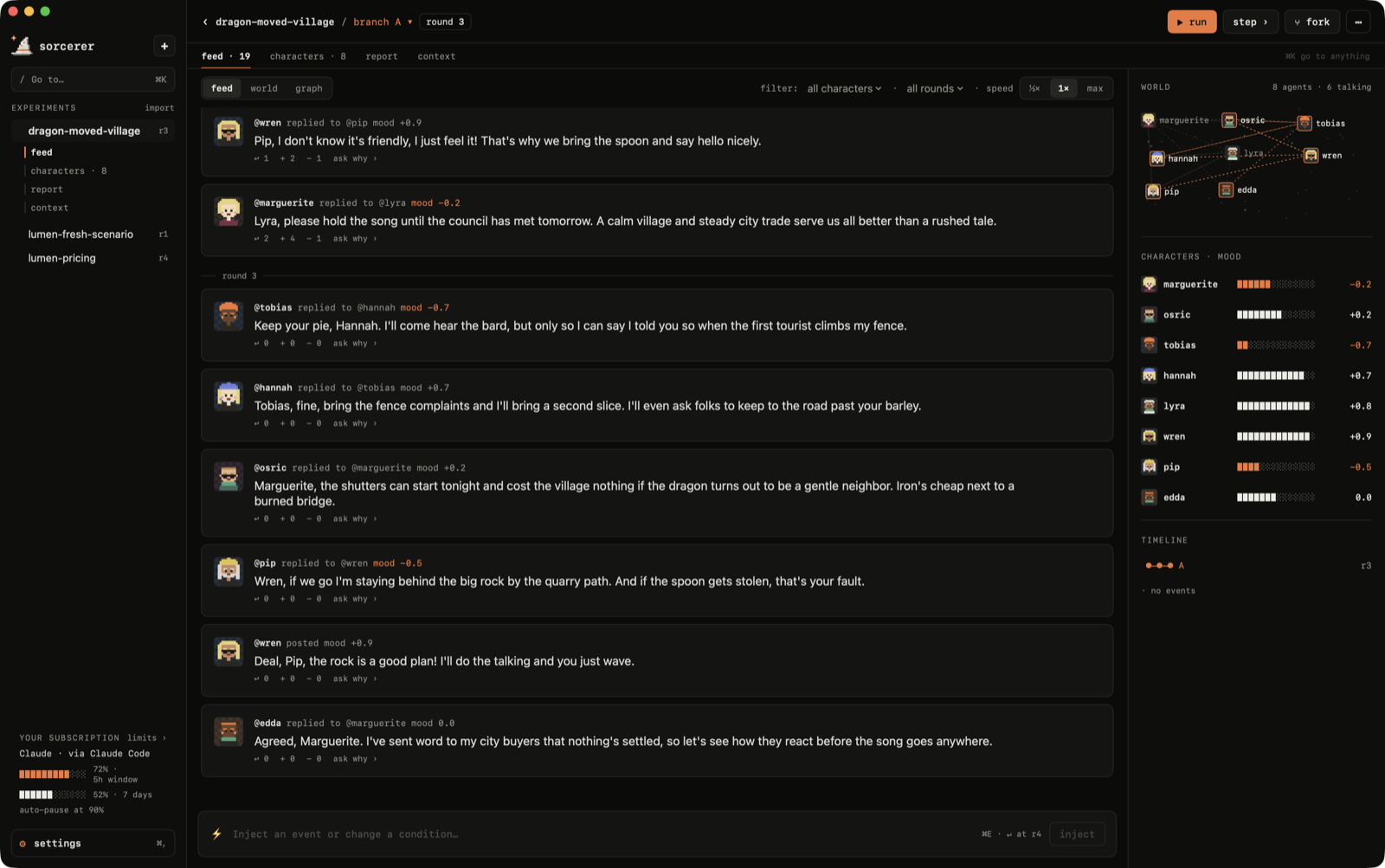
Rounds stream in live: finished posts appear one by one, and whoever is mid-sentence shows up as
"@wren is typing…" with their words appearing as they're written. Characters reply to specific posts,
react (agree / disagree) without posting, remember what happened, and listen most to the people they're
tied to.
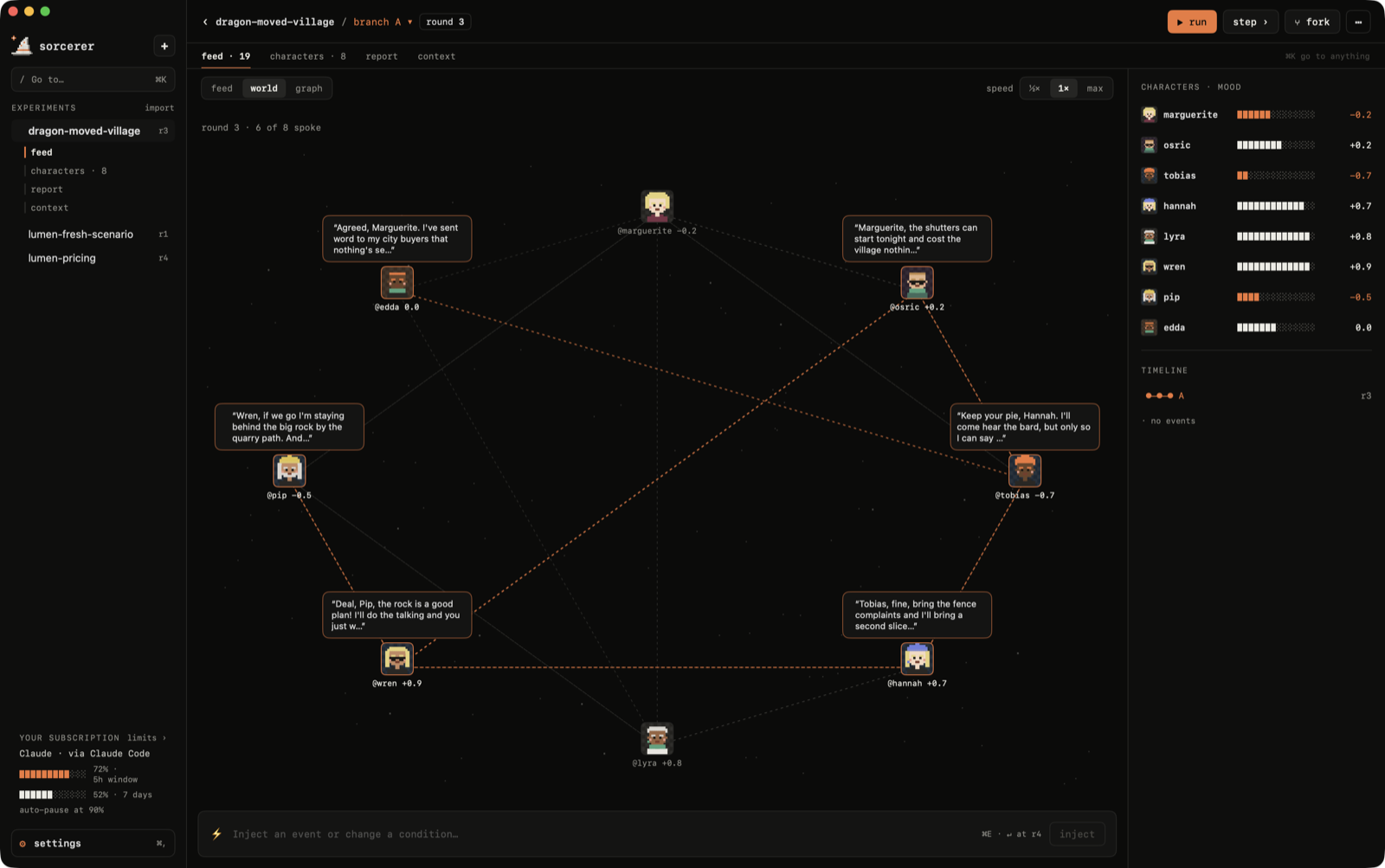
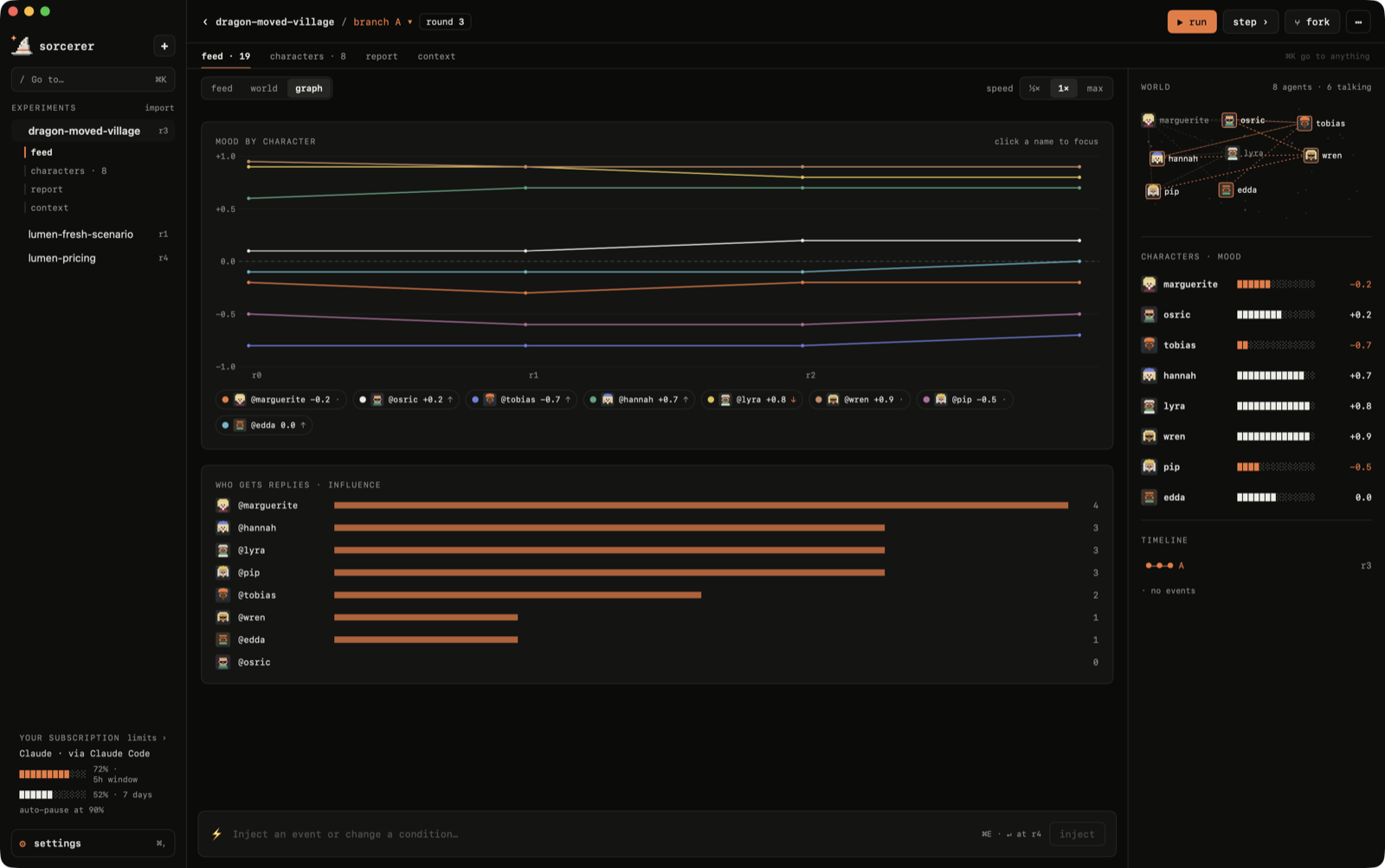
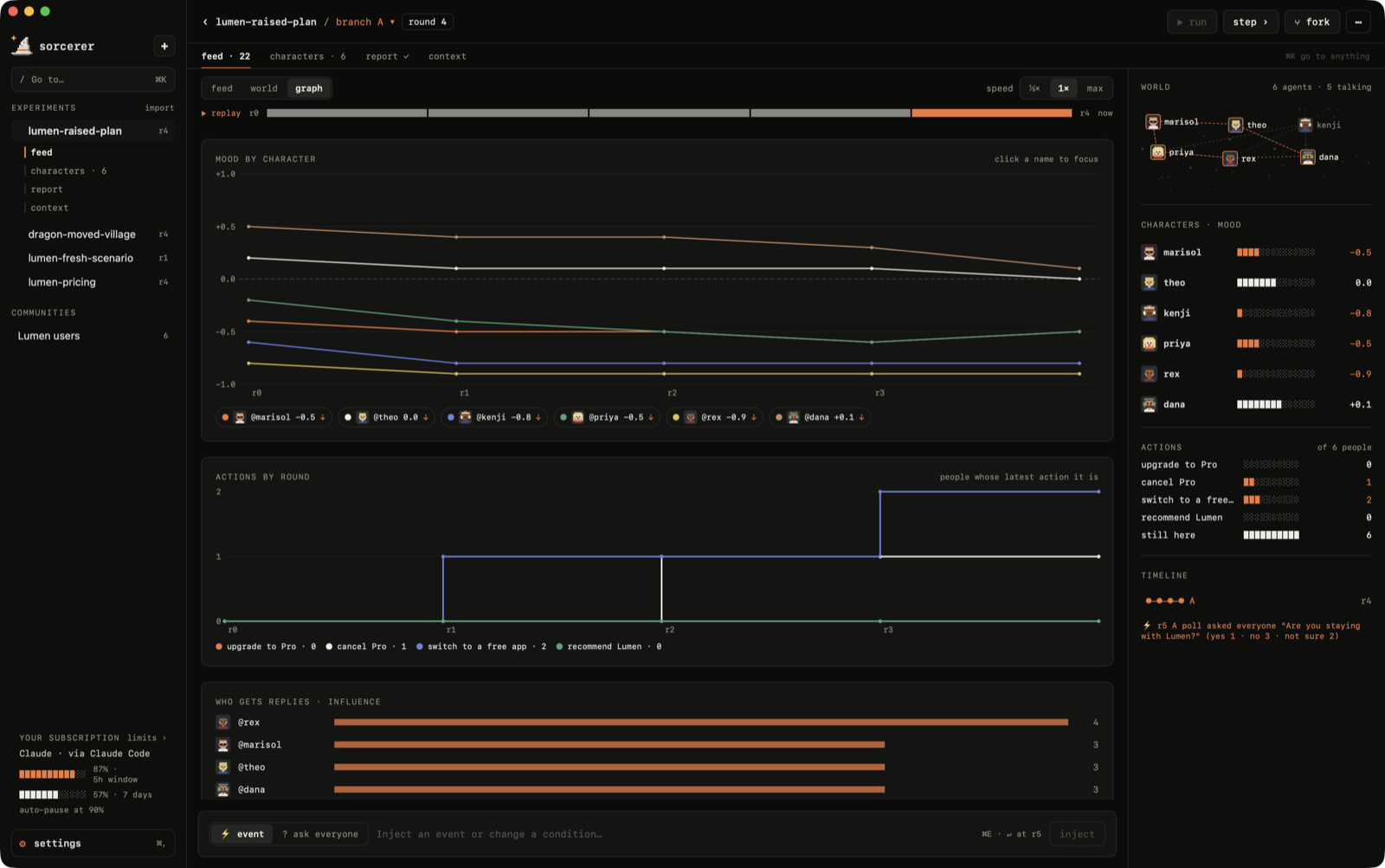
Switch the feed to world to see the community as a map, with the ties between people and what each
speaker said this round, or to graph for everyone's mood round by round and who the conversation
revolves around.
Actions
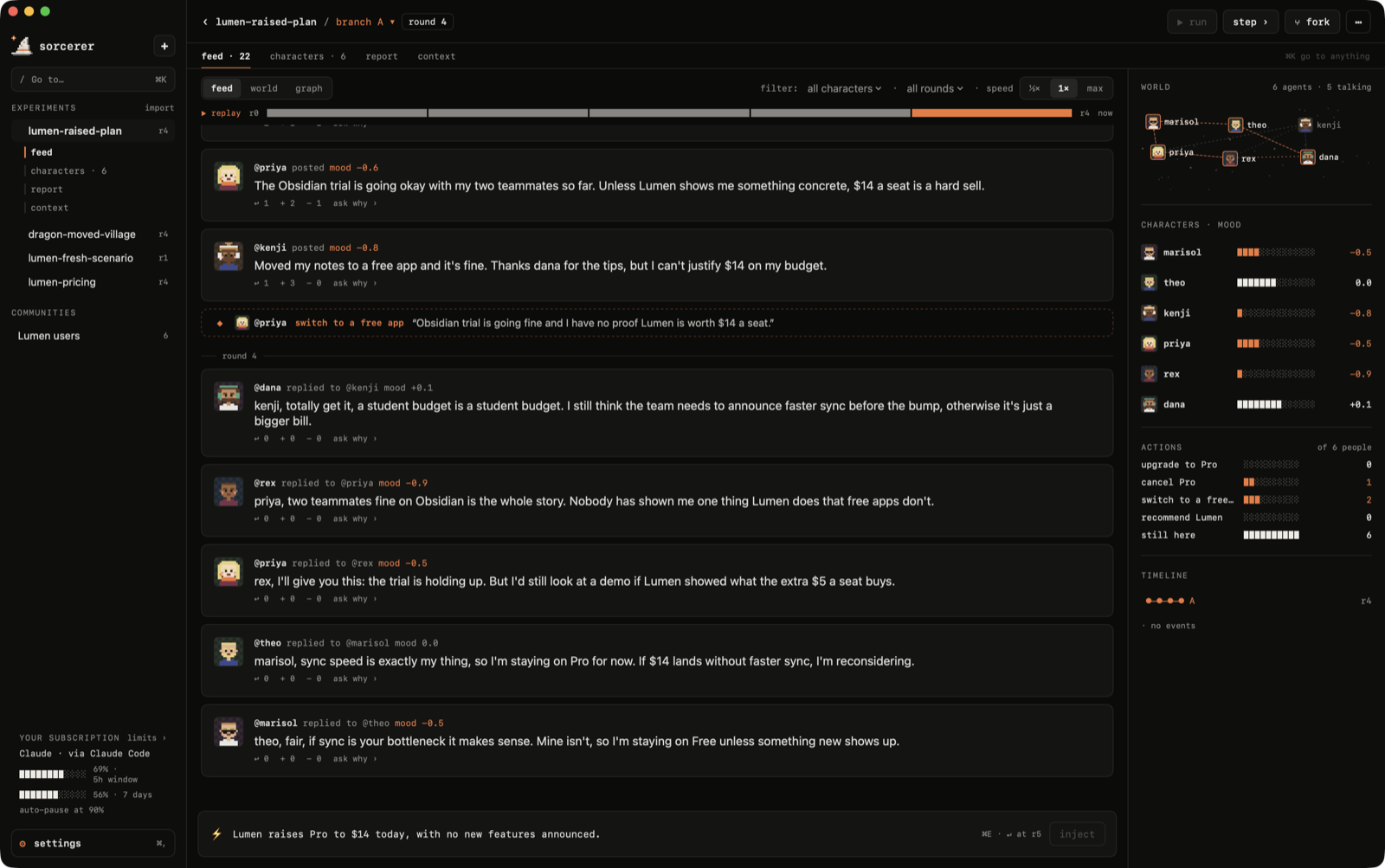
Characters don't only talk: they act. Each experiment has a list of things people can do (templates bring
their own, like upgrade to Pro or cancel Pro, and the AI can suggest more from your question), plus
leave, come back and invite, which are always there. Actions show up in the feed with the reason in
the character's own words, and a live tally counts how many people did what. People who leave stop posting
but stay on the map; whoever they invite joins the world tied to them.
Polls
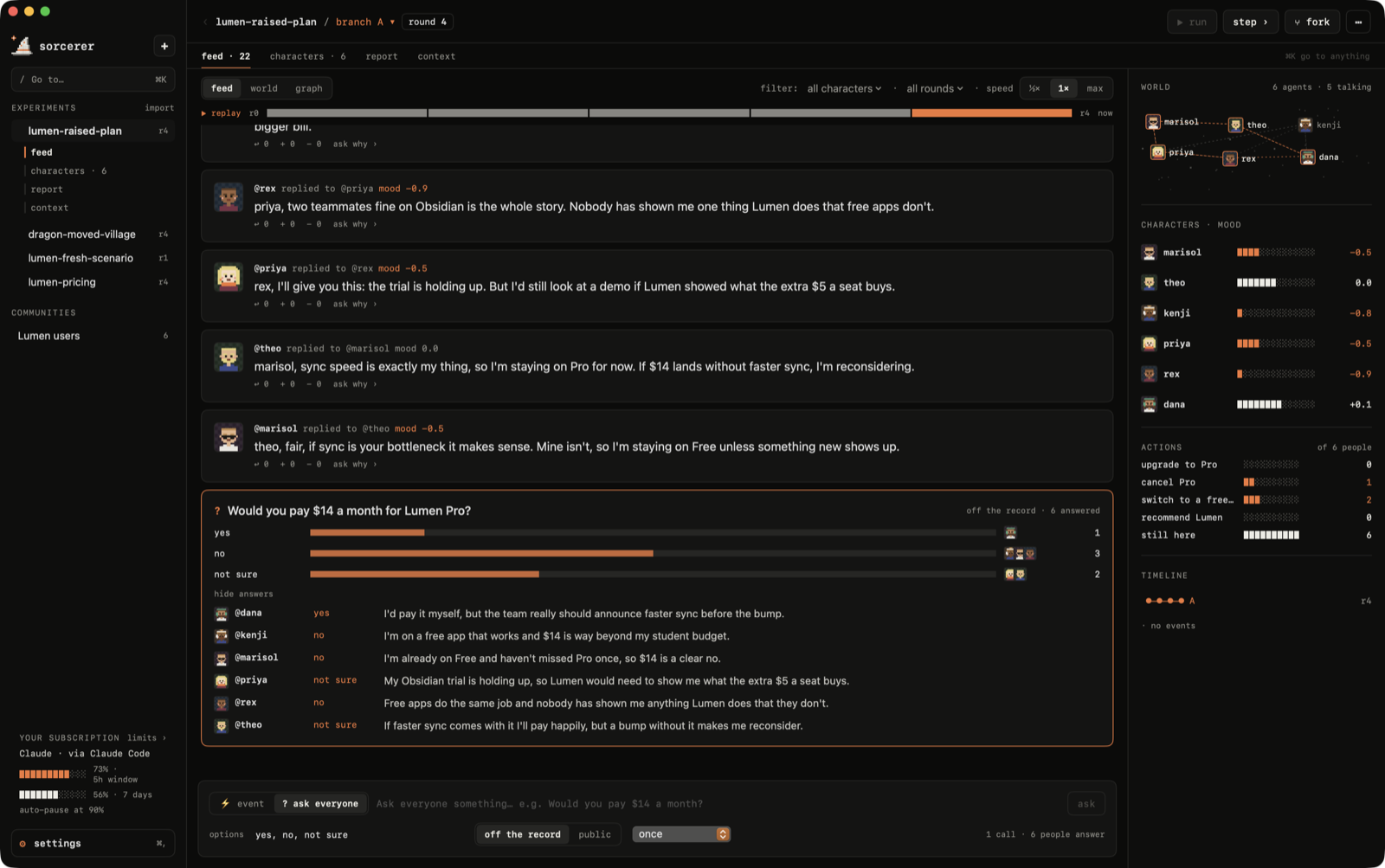
Ask everyone at once with ⌘P: "Would you pay $14 a month?", with your own options. Each character answers
in character, with a reason, from what they know and remember. Polls are off the record by default (nobody
remembers being asked, so asking doesn't change the world) or public (the result becomes next round's event and
everyone remembers their answer), and can repeat every round or every few rounds.
Reports count instead of guessing: each branch shows how many people took each action and the latest result of
each poll ("cancel Pro · 1 / 6", "would you pay $14 · no · 3 / 6"), and the graph tab plots actions and repeated
polls round by round.
Characters
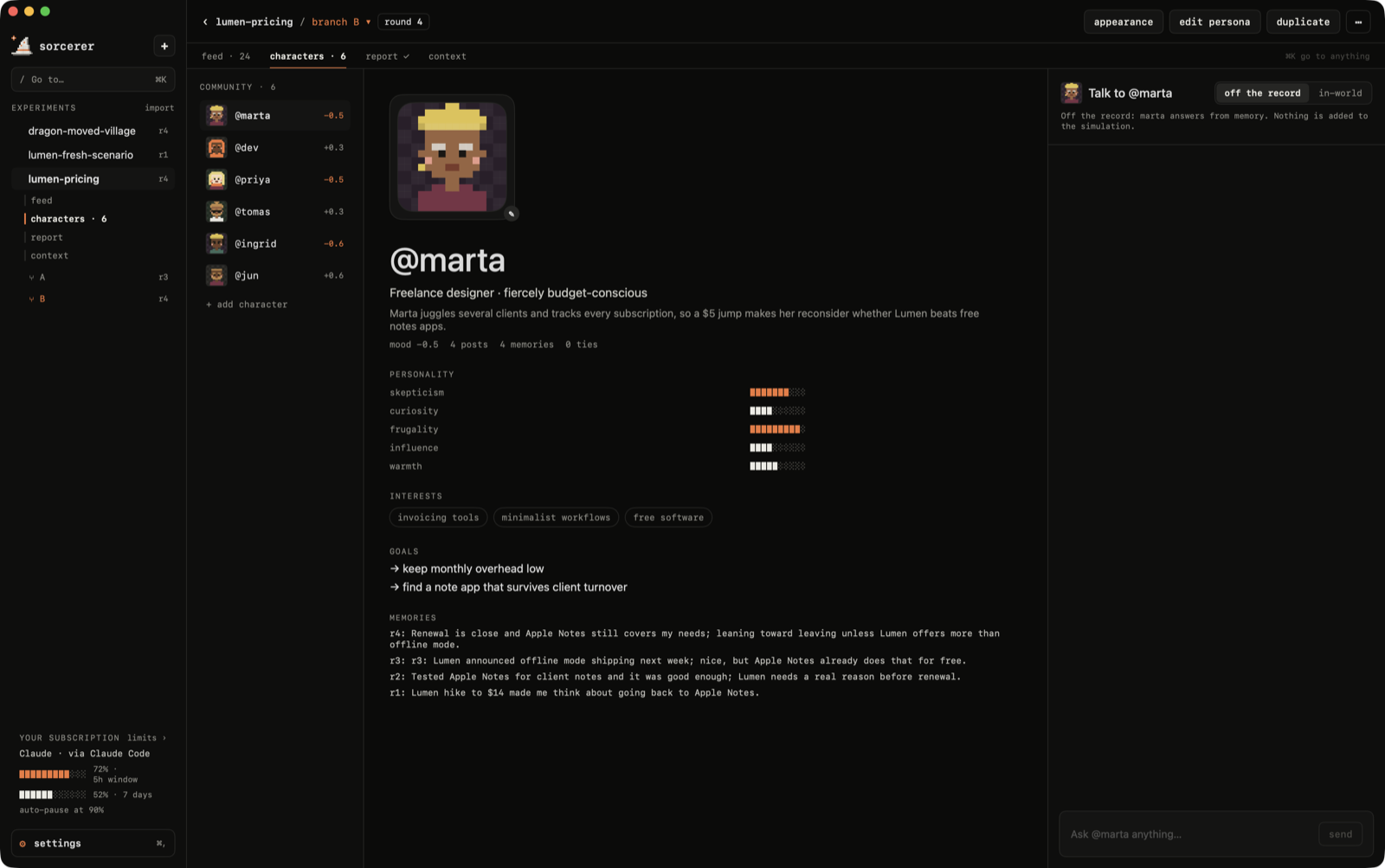
Every character has a profile: personality, interests, goals, ties and memories. Talk to them
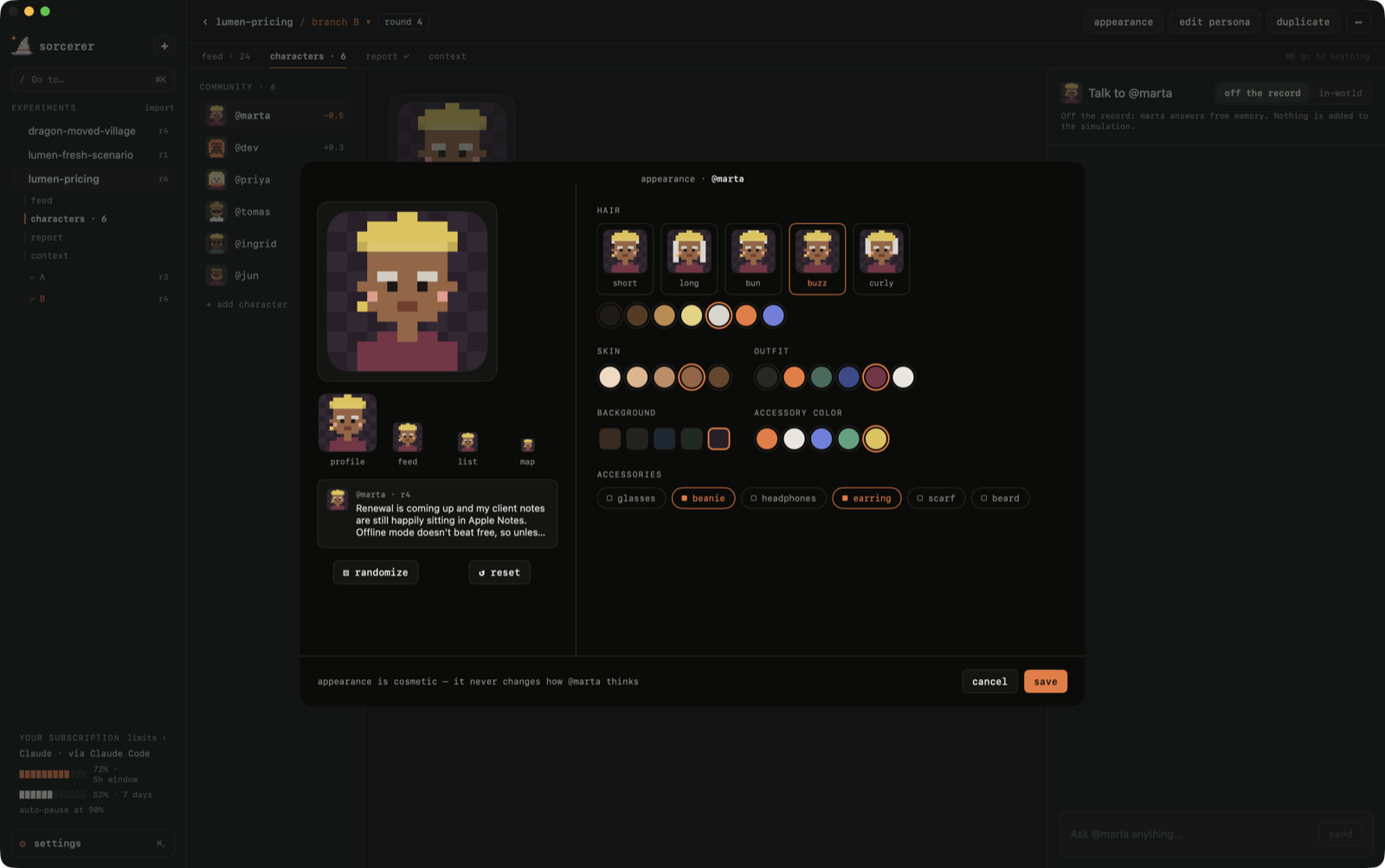
off the record (nothing changes) or in-world (they remember the conversation). Edit their persona,
duplicate them, or change how they look in a pixel-art avatar editor.
Replay & branches
Every branch has a timeline: click any round to see the feed, the world map and everyone's mood as they
were then, or press ▶ replay to watch it play back. Fork from the round you're looking at and the new
branch starts there, with the same people and only the memories they had by then.
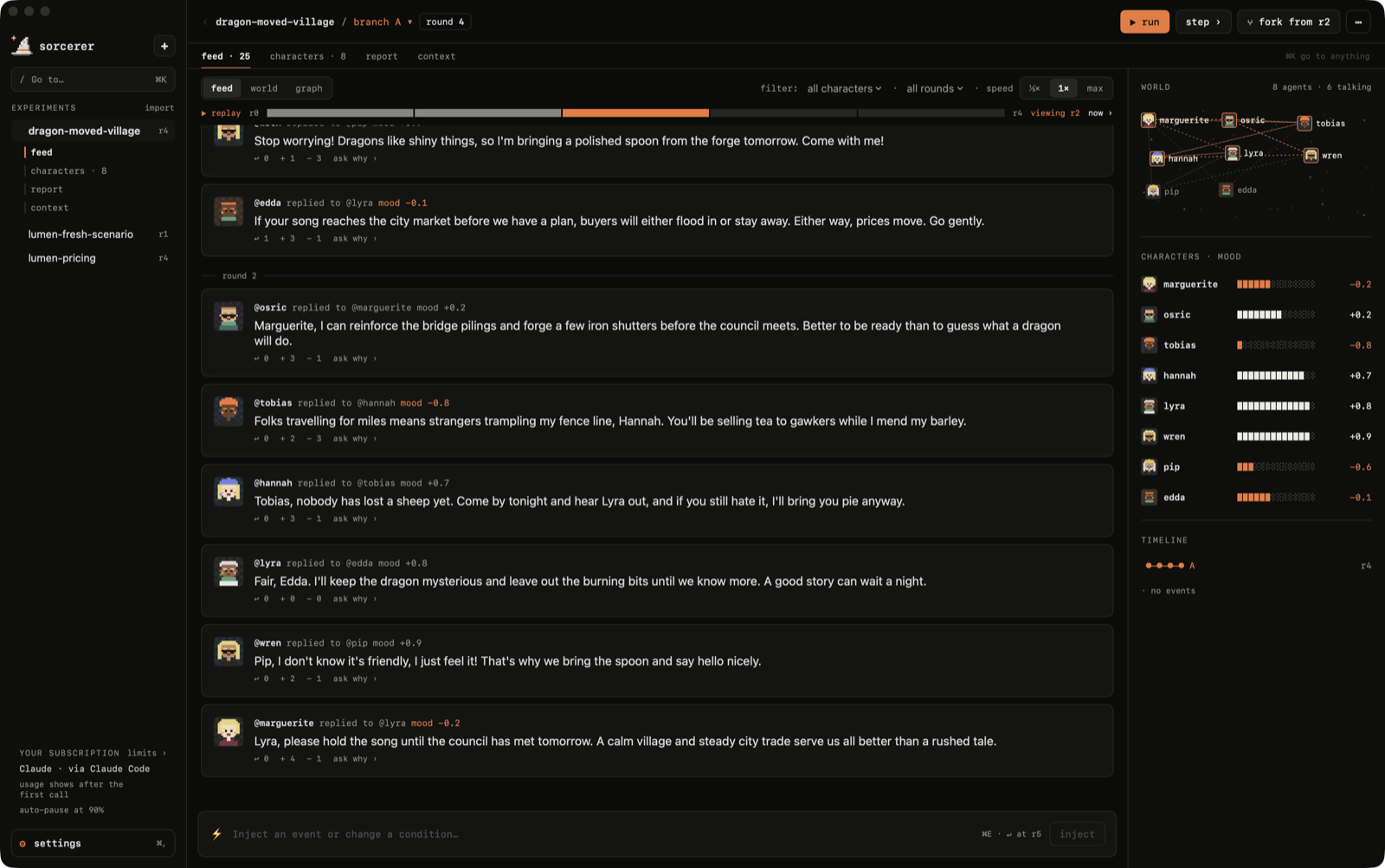
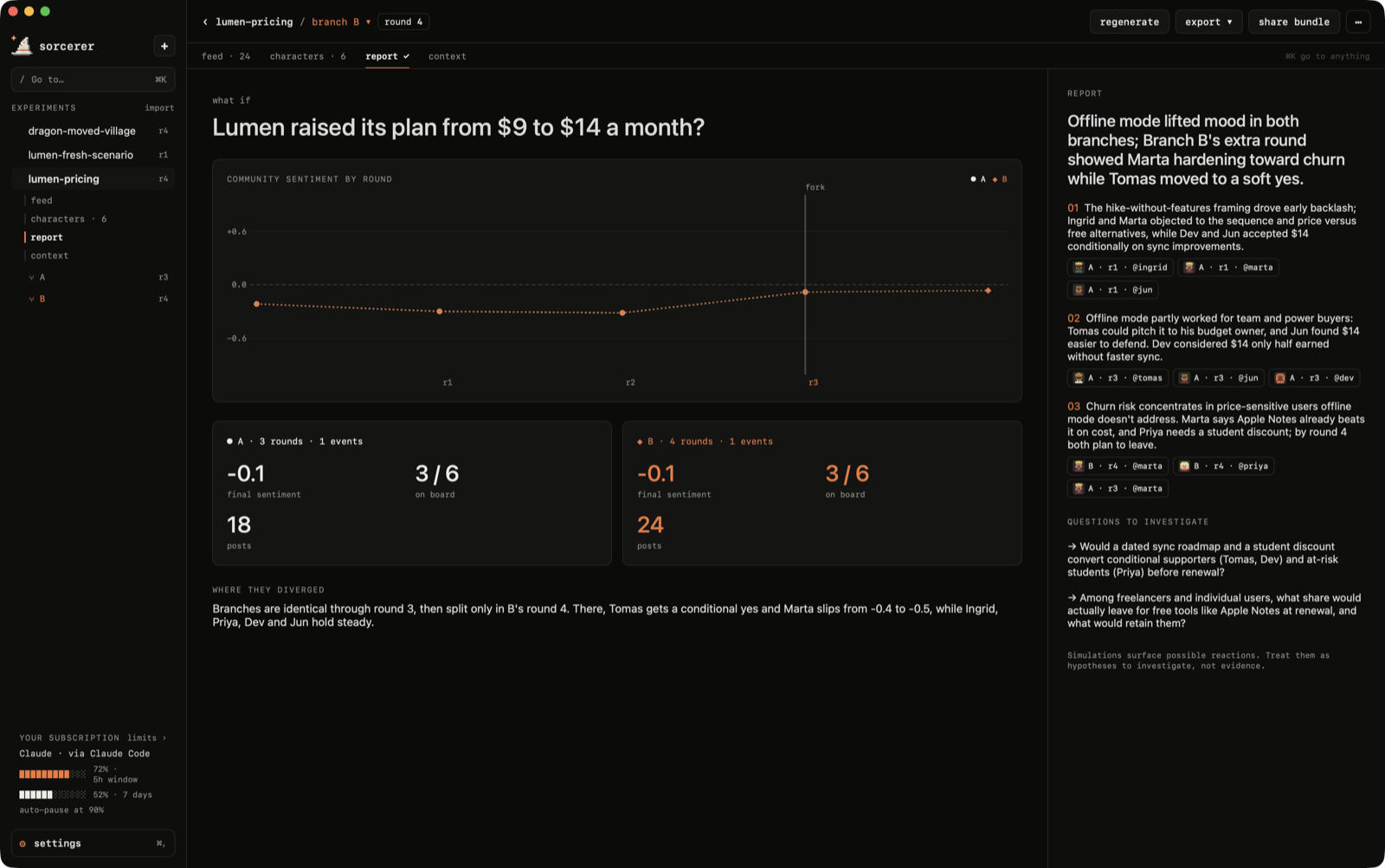
Fork the world at any moment: same people, same memories, one different decision. The report compares
branches on a sentiment chart, explains where they diverged, and every finding cites the exact posts
behind it. Click a citation to jump to that post.
Getting around
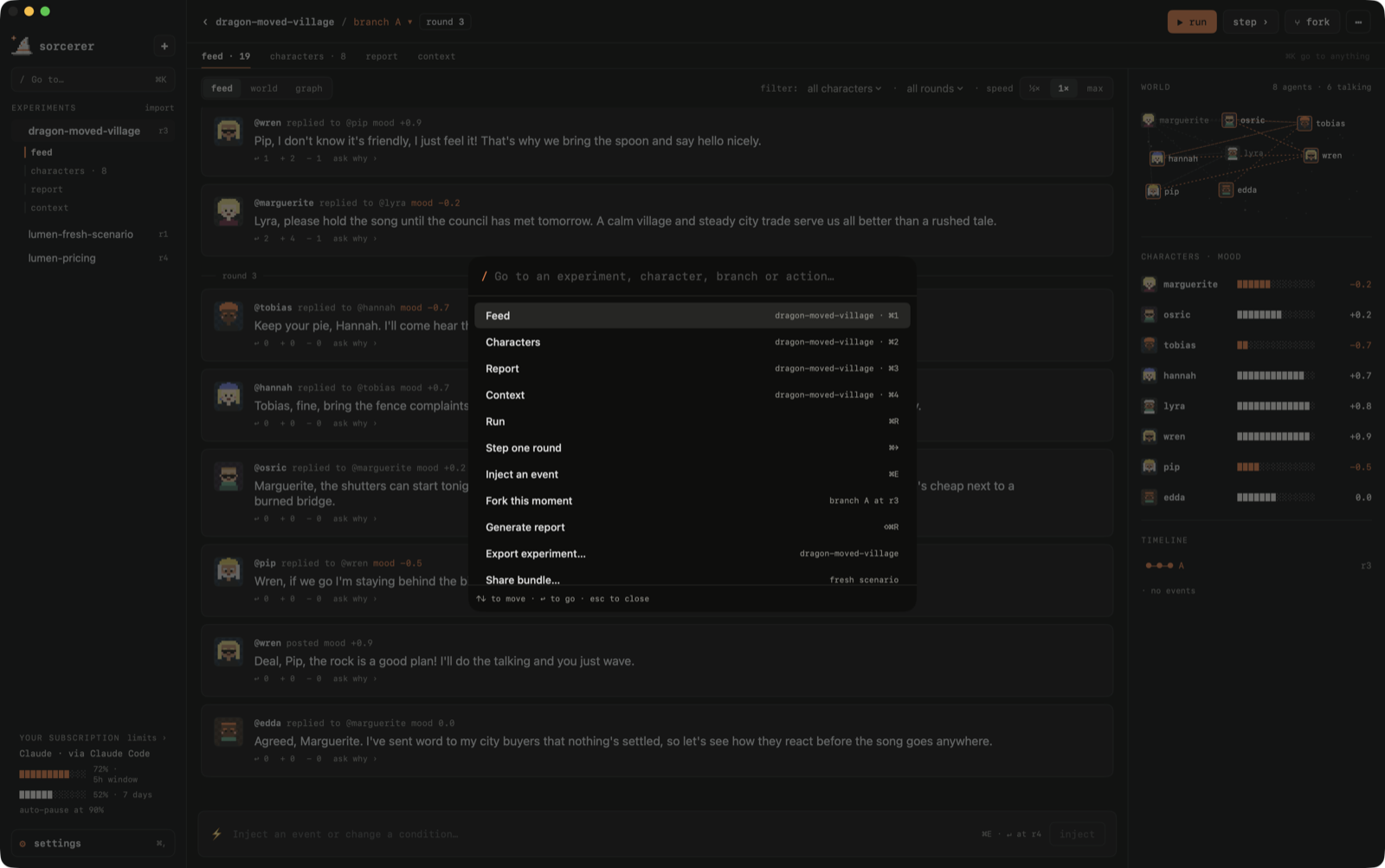
One sidebar, the same tabs in every experiment (feed · characters · report · context), back/forward,
and ⌘K to go to anything: experiments, characters, branches and actions.
| Shortcut | |
|---|---|
⌘K |
go to anything |
⌘N |
new experiment |
⌘1 – ⌘4 |
feed · characters · report · context |
⌘[ ⌘] |
back · forward |
⌘R |
run / pause |
⌘→ |
play one round |
⌘E |
inject an event |
⌘P |
ask everyone (poll) |
⇧⌘F |
fork this moment |
⇧⌘R |
generate report |
⌘, |
settings |
Local-first
Everything lives in ~/Sorcerer as plain JSON you can read, back up or delete:
~/Sorcerer
├── experiments/   one file per experiment: question, brief, branches, posts, report
├── contexts/      briefs saved for reuse
└── settings.json
When a round runs on an external provider, only what that round needs is sent to it. Experiments can be
exported with their full history, or as a fresh scenario (same question, context and people, no history)
for someone else to run.
Install
The quick way. Paste this in Terminal. It downloads the latest release, checks its checksum, puts
Sorcerer in Applications and opens it, with no Gatekeeper prompt:
curl -fsSL https://sorcererapp.dev/install.sh | sh
(read the script first if you like; it's 50 lines.)
Or with the DMG.
- Download Sorcerer.dmg
from the latest release. It's a universal app
(Apple silicon and Intel) for macOS 15 or later. - Open the DMG and drag Sorcerer into Applications.
Either way, install at least one AI tool and sign in: the claude CLI, the codex CLI, or Ollama.
First launch (DMG only). Sorcerer is free and isn't signed with a paid Apple developer account, so macOS
stops a browser download the first time with "Apple could not verify Sorcerer…". To open it anyway:
open Sorcerer once, then go to System Settings › Privacy & Security, scroll down and click
Open Anyway next to the message about Sorcerer, orrun this once in Terminal:
xattr -dr com.apple.quarantine /Applications/Sorcerer.app
You only do this once. If you'd rather not trust a download, build it yourself: it's one command.
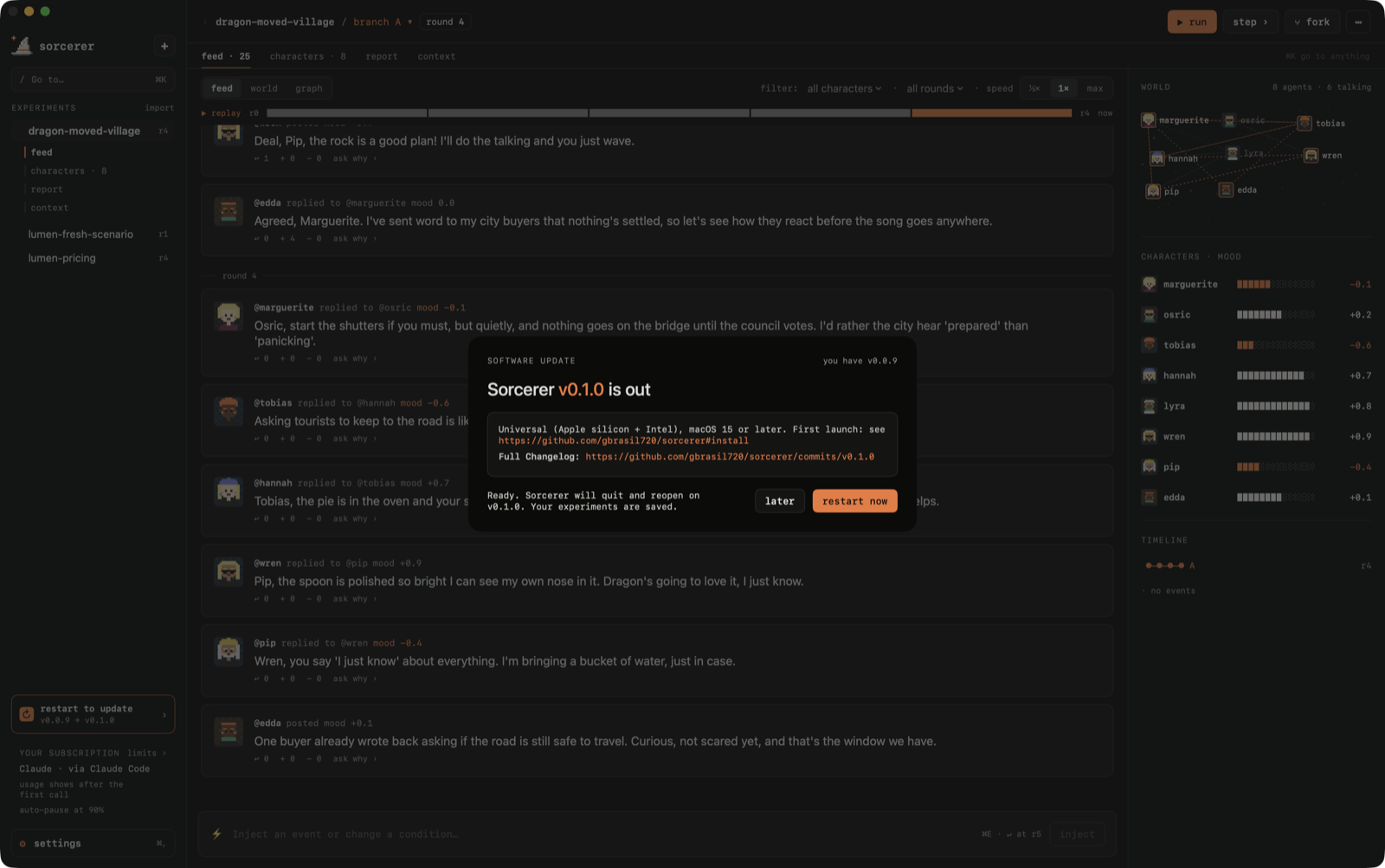
Updates. Sorcerer checks GitHub for a new release when it opens. When there is one, an update available
card shows up at the bottom of the sidebar: it shows what changed, downloads the new version, checks it against
the release checksum and asks before restarting into it. You can also use Sorcerer › Check for Updates….
Build it
Requirements: macOS 15+, Xcode with Swift 6, and at least one of the claude CLI, the codex CLI or Ollama.
cd apps/macos
swift run                                   # run in development
swift test                                  # engine, parsing, navigation and safety tests
SORCERER_LIVE=claude swift test             # also play a real round against your CLI
./bundle.sh                                 # build Sorcerer.app (with icon) next to the script
UNIVERSAL=1 VERSION=0.1.0 ./dmg.sh          # universal, ad-hoc signed Sorcerer.dmg, like the releases
Releases are built by .github/workflows/release.yml: push a tag likev0.2.0 and it tests, builds the DMG and publishes it.
Repository
sorcerer/
├── apps/
│   ├── macos/      the app (SwiftUI, no dependencies)
│   ├── web/        landing page (React + TanStack Router + Tailwind)
│   └── server/     API (Hono + tRPC)
├── packages/       shared UI, API, config
└── docs/           icon and screenshots
The landing page
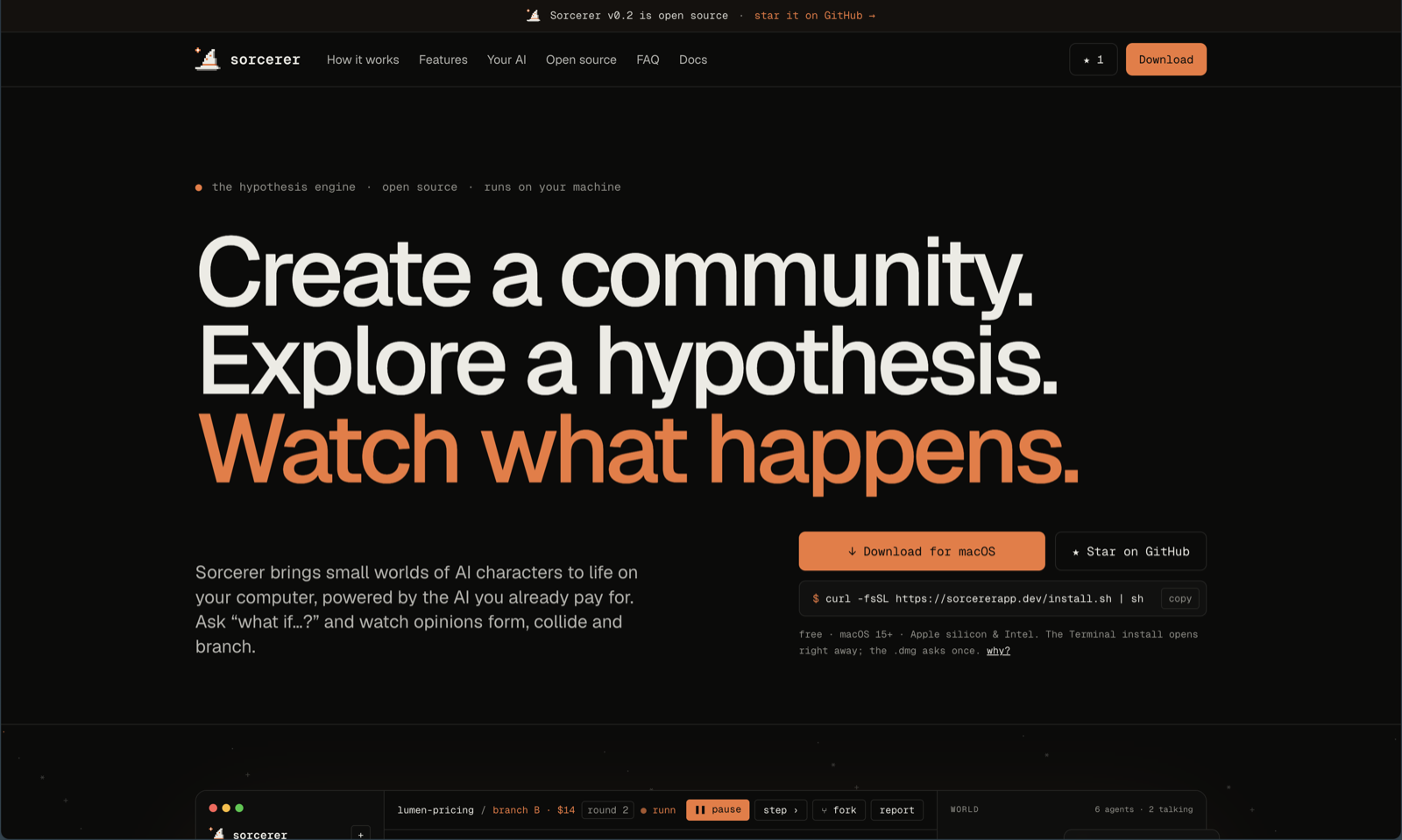
Live at sorcererapp.dev, deployed by Cloudflare Pages on every push to main
(build: bun install --frozen-lockfile && cd apps/web && bun run build, output apps/web/dist).
bun install
bun run dev:web     # http://localhost:3001
The web stack was scaffolded with kubojs (TanStack Router, Hono, tRPC,
Drizzle, Turborepo, Biome). Database, GetMonitor and AraraHQ setup, plus every script, are in
docs/web-stack.md.
Roadmap
DMs between characters, scheduled events, more providers, a web viewer for shared experiments and more:
see ROADMAP.md.
FAQ
What is Sorcerer?
A free, open-source macOS app that simulates communities of AI agents. You ask a "what if…?" question and
watch a small world of characters react, argue and change their minds round by round.
Does it cost anything or need an API key?
No. Sorcerer is free and has no account or server. It uses the AI tools you're already signed in to:
the claude CLI, the codex CLI (ChatGPT) or a local model in Ollama.
Which AI models does it support?
Claude (Haiku, Sonnet, Opus) through Claude Code, any model your ChatGPT plan offers through Codex, and any
local Ollama model. You can pick a different one for characters, reports and chats.
Is my data private?
Everything is stored as plain JSON in ~/Sorcerer on your Mac. When a round runs on Claude or ChatGPT, only
what that round needs is sent to that provider; with Ollama nothing leaves your Mac. .env files, keys and
credentials are never read.
How is it different from MiroFish?
Sorcerer is inspired by MiroFish but is a separate implementation: a
native Mac app instead of a web service, it runs on your existing subscriptions, and it's aimed at curiosity
and fun rather than forecasting.
Can it predict what real people will do?
No. It surfaces possible reactions, objections and consequences to explore, not evidence about the real world.
Does it run on Windows or Linux?
Not today. It's a native SwiftUI app for macOS 15 or later (Apple silicon and Intel).
Acknowledgements
Inspired by MiroFish. Sorcerer is a separate, from-scratch
implementation aimed at curiosity and fun: a small world on your Mac, not a forecasting service.
License
Reviews (0)
Sign in to leave a review.
Leave a reviewNo results found