bb
Health Pass
- License — License: MIT
- Description — Repository has a description
- Active repo — Last push 0 days ago
- Community trust — 271 GitHub stars
Code Warn
- process.env — Environment variable access in .github/workflows/publish-bb-app.yml
- fs module — File system access in .github/workflows/publish-bb-app.yml
Permissions Pass
- Permissions — No dangerous permissions requested
No AI report is available for this listing yet.
The agent IDE that builds itself
bb


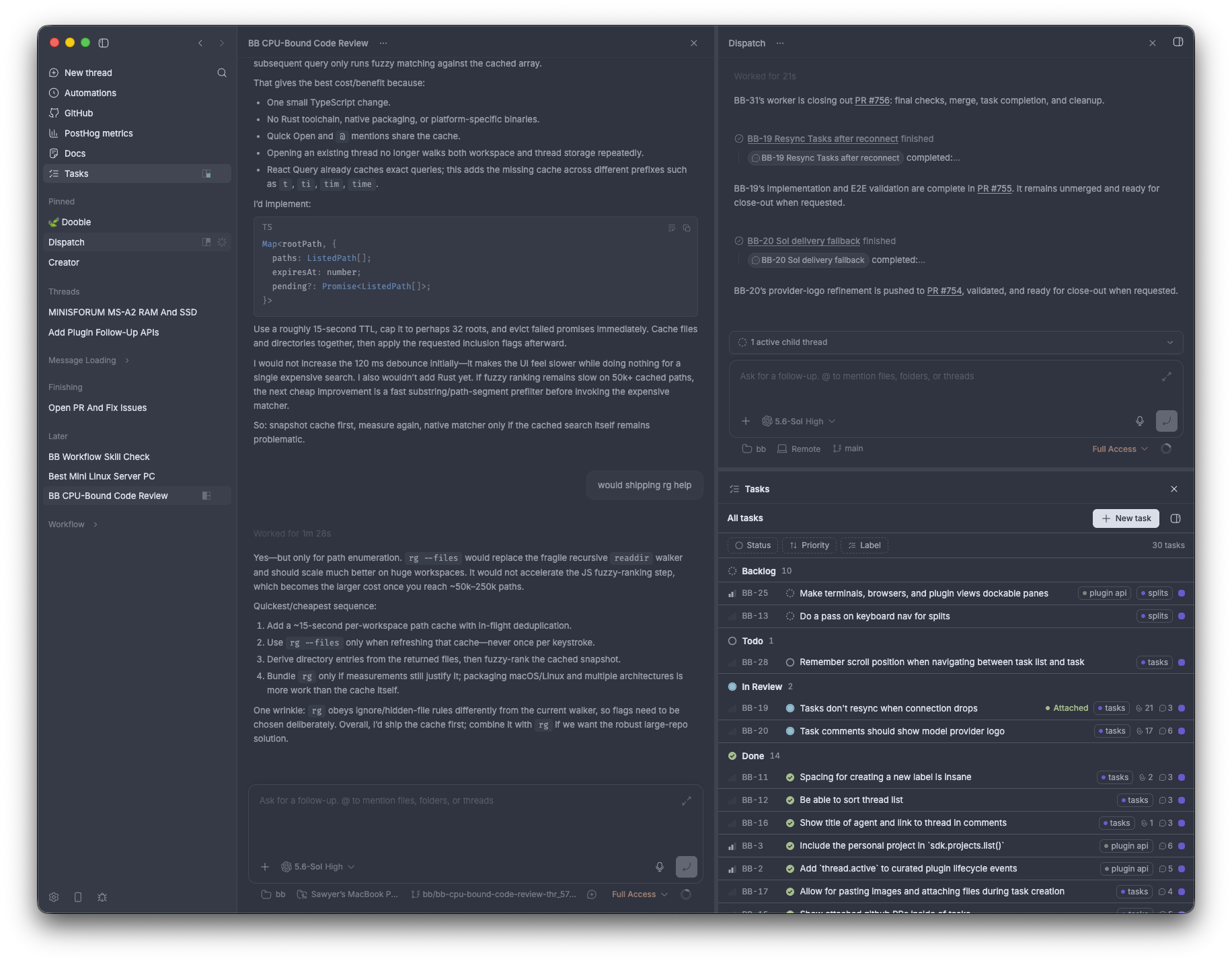
bb is an agentic IDE that can control itself. You can seamlessly
orchestrate all of your favorite coding agents together and have them
programmatically use bb too.
Every surface — the desktop app, web app, CLI, and HTTP API — is a first-class
way to drive bb. Work runs in threads you can follow live, steer at any point,
or hand off to another agent.
[!NOTE]
bb is in active development. Core architecture is stable, but workflows
and surfaces are still evolving.
Use bb
Download the desktop app
The recommended way to start using bb is the desktop app:
Download the latest desktop app
The desktop build is currently macOS Apple Silicon (arm64) only. Intel Mac and
Linux users should run bb with npx instead. On Windows, run bb inside
WSL2 (Windows Subsystem for Linux):
install WSL2 first, then run the same npx command below from your WSL2 (Linux)
shell. Native Windows PowerShell and CMD are not supported.
Early adopters can install
bb Nightly
alongside the stable desktop app. It has a separate application identity,
yellow icon, and auto-update feed.
Or run it anywhere with npx
npx bb-app@latest
Then open http://localhost:38886.
To run the newest automated build instead:
npx bb-app@nightly
bb uses the provider CLI you already have authenticated.
For install requirements, provider setup, configuration, and package-focused
docs, start withpackages/bb-app.
Telemetry
Production runs (the desktop app and npx bb-app) send anonymous usage
telemetry (app starts, thread creation counts, and user message counts) to help
us understand adoption. Identification is a random per-install id stored in your
data dir — no user, host, project, workspace, or message content is ever
attached. Development/source runs never send. Opt out any run withBB_TELEMETRY=false. Seeapps/server/src/services/system/telemetry.ts.
Development
Use the development loop when working on bb itself:
pnpm dev
That starts the Vite app and proxies API and WebSocket traffic to a separate
dev server. The launcher prints the actual ports at startup. Each checkout gets
a data directory under~/.bb-dev/<checkout-instance>/ and deterministic high ports derived from the
checkout path. The checkout instance id is the sanitized path to the checkout,
relative to your home directory, plus a short hash suffix. Separate worktrees
can run alongside each other and the packaged npx bb-app@latest instance.
To run that same source dev server with the Electron desktop shell:
pnpm dev:desktop
This uses scripts/bb-dev-app current --desktop, which stops stale launcher
sessions, checks dependencies and native modules, starts the source dev server,
then opens the desktop shell against that dev app. The launcher prints the web
URL but does not open a browser unless you pass --open.
To use the dev app from another machine, for example over Tailscale, run:
pnpm dev
Then open http://<remote-host-or-tailscale-ip>:<app-port>. Source dev binds
the browser app to all interfaces and uses the browser host for WebSockets by
default.
To use the component storybook from another machine, run:
pnpm storybook
Ladle also binds to all interfaces and configures its HMR WebSocket to use the
browser's current host instead of localhost.
Development behavior is intentionally split:
- the app hot reloads itself
- the server does not hot reload
- the host daemon does not hot reload
When you want the server and host daemon to pick up the latest build output, use:
pnpm dev:restart
pnpm dev:restart-server
pnpm dev:restart-host-daemon
These rebuild first, then restart only the targeted stateful services.
To run a production-mode build from a source checkout:
pnpm start
That builds only the app, server, and host-daemon runtime artifacts, then runs
the launcher directly against those workspace outputs. Use the bb-app
tarball smoke task when validating the published npx bb-app@latest package
layout.
pnpm bb --help            # built CLI, targets the default/prod instance
pnpm reset                # clear production state

pnpm bb:dev --help        # source CLI, targets this checkout's dev instance
pnpm reset:dev            # clear this checkout's dev state

pnpm reset:all            # clear both production and dev states
These reset commands prompt for confirmation before deleting anything.
Repository Overview
See Repository overview for the monorepo package and app map.
System Overview
See System overview for runtime architecture, data model, and component boundaries.
Further Reading
Contributing
See CONTRIBUTING.md for contribution guidelines.
Reviews (0)
Sign in to leave a review.
Leave a reviewNo results found