claude-code-statusline
Health Pass
- License — License: MIT
- Description — Repository has a description
- Active repo — Last push 0 days ago
- Community trust — 27 GitHub stars
Code Fail
- rm -rf — Recursive force deletion command in install.sh
- fs module — File system access in install.sh
- fs module — File system access in patch-statusline.sh
- fs module — File system access in tests/unit.sh
Permissions Pass
- Permissions — No dangerous permissions requested
This skill enhances the Claude Code CLI by adding a custom statusline that displays session metrics like Git state, context usage, model information, and accumulated costs.
Security Assessment
The tool operates by executing local shell commands to gather Git state and system data, which is standard for this type of utility. It does not request dangerous permissions, contains no hardcoded secrets, and does not appear to exfiltrate data over the network. However, the overall risk is rated as Medium due to its installation methods. The quick-install instructions pipe a remote script directly into bash (`curl ... | bash`). Furthermore, the automated rule scan flagged a `FAIL` for a recursive force deletion command (`rm -rf`) inside the `install.sh` script. Users should manually review the installer script before executing it to ensure the deletion commands target only the intended directories.
Quality Assessment
The project is actively maintained, with its most recent push occurring today. It is properly licensed under the permissive MIT license. Community trust is currently low but growing, as the repository has 27 GitHub stars. The documentation is clear, thorough, and offers secure manual installation alternatives for users in restricted or corporate environments.
Verdict
Use with caution: while the core utility itself is safe and well-documented, users should read through the `install.sh` script before running it to verify the flagged `rm -rf` command.
Supercharge your Claude Code CLI experience with a powerful statusline that displays key session metrics (Git state, context usage, model info and cost) at a glance — minimal setup, maximum insight.
Claude Code Statusline
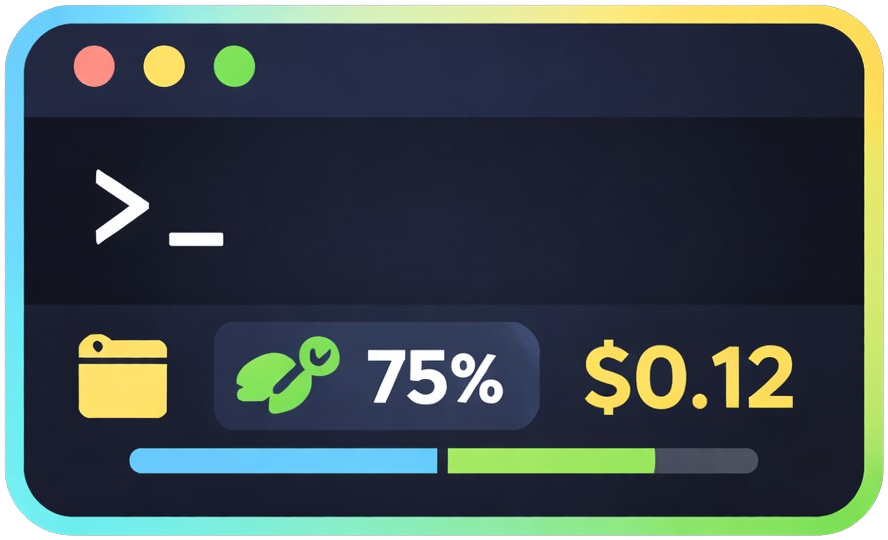
> Ridiculously simple. Surprisingly rich.


💡 What You Get
More context in Claude Code's statusline: directory, git status, file changes, model, context usage with progress bar, and cost — all visible at once.

Install with one command. Works immediately. Configure when you need it.
✨ Quick Install
macOS / Linux / WSL
curl -fsSL https://raw.githubusercontent.com/glauberlima/claude-code-statusline/main/install.sh | bash
Windows — PowerShell
irm https://raw.githubusercontent.com/glauberlima/claude-code-statusline/main/install.ps1 | iex
Windows — CMD
curl -fsSL https://raw.githubusercontent.com/glauberlima/claude-code-statusline/main/install.cmd -o install.cmd && install.cmd && del install.cmd
Windows requires Git for Windows. Install it first if you don't have it.
Manual Installation
Use this if you can't run the one-liner (corporate proxy, air-gapped environment, restricted shell).
macOS / Linux / WSL
1. Get the files
git clone https://github.com/glauberlima/claude-code-statusline.git
cd claude-code-statusline
2. Patch for language and features (optional — skip for English with messages/cost off)
# English with messages enabled
./patch-statusline.sh statusline.sh messages/en.json

# Portuguese, no cost display
./patch-statusline.sh statusline.sh messages/pt.json --no-cost

# Disable messages entirely
./patch-statusline.sh statusline.sh --no-messages
3. Copy to ~/.claude/
mkdir -p ~/.claude
cp statusline.sh ~/.claude/statusline.sh
chmod +x ~/.claude/statusline.sh
4. Add to ~/.claude/settings.json
{
  "statusLine": {
    "type": "command",
    "command": "~/.claude/statusline.sh",
    "padding": 0
  }
}
1. Download the files (run in PowerShell)
$base = "https://raw.githubusercontent.com/glauberlima/claude-code-statusline/main"
New-Item -ItemType Directory -Force statusline | Out-Null
Set-Location statusline
Invoke-WebRequest "$base/statusline.sh" -OutFile statusline.sh
Invoke-WebRequest "$base/patch-statusline.sh" -OutFile patch-statusline.sh
New-Item -ItemType Directory -Force messages | Out-Null
foreach ($lang in "en","pt","es") {
  Invoke-WebRequest "$base/messages/$lang.json" -OutFile "messages/$lang.json"
}
2. Patch via Git Bash (optional — skip for English with messages/cost off)
# Run these in Git Bash, not PowerShell
./patch-statusline.sh statusline.sh messages/en.json
3. Copy to %USERPROFILE%\.claude\ (run in PowerShell)
New-Item -ItemType Directory -Force "$env:USERPROFILE\.claude" | Out-Null
Copy-Item statusline.sh "$env:USERPROFILE\.claude\statusline.sh"
4. Add to %USERPROFILE%\.claude\settings.json
{
  "statusLine": {
    "type": "command",
    "command": "~/.claude/statusline.sh",
    "padding": 0
  }
}
Features
- 📁 Directory name
- 🌿 Git branch
- ✏️ File changes
- 🤖 Model name
- 📊 Context usage with progress bar and funny messages
- 💰 Cost tracking
Multi-language: English, Brazilian Portuguese, Spanish
⚙️ Configuration
Re-run the installer to change language or toggle features. Use the same command for your platform as in Quick Install above.
🛠️ Development
Testing
./tests/unit.sh && ./tests/integration.sh && ./tests/shellcheck.sh
ShellCheck reference: https://www.shellcheck.net/
Contributing
- Fork and create a feature branch
- Make changes and run tests
- Submit a pull request
See CLAUDE.md for architecture details and development commands.
Inspirations
License
Reviews (0)
Sign in to leave a review.
Leave a reviewNo results found