welsonjs
Health Pass
- License — License: GPL-3.0
- Description — Repository has a description
- Active repo — Last push 0 days ago
- Community trust — 447 GitHub stars
Code Fail
- eval() — Dynamic code execution via eval() in app.js
- exec() — Shell command execution in app/assets/js/Intl-1.2.5-e93b114.min.js
Permissions Pass
- Permissions — No dangerous permissions requested
This tool provides a framework for building Windows desktop applications using JavaScript, TypeScript, and HTML/CSS. It operates on the Windows built-in ECMAScript engine, offering a lightweight alternative to environments like Electron.
Security Assessment
The overall risk is rated as Medium. The automated scan flagged the presence of `eval()` in the main application file (`app.js`) and shell command execution capabilities in an included asset file. While `eval()` and shell execution are common in desktop app frameworks that bridge scripting with native OS functions, they introduce potential code injection risks if the application ever processes untrusted external input. The repository does not request broadly dangerous permissions, and the scan did not detect any hardcoded secrets. However, because it interacts deeply with the native operating system, developers should strictly audit any external data passed into the application.
Quality Assessment
The project demonstrates strong health and active maintenance, with repository updates occurring as recently as today. It is fully licensed under GPL-3.0, ensuring clear terms of use. Community trust is solid, evidenced by over 400 GitHub stars, DOI registration, and ongoing user engagement through platforms like Discord.
Verdict
Use with caution: the project is active and well-documented, but developers must be mindful of the dynamic code execution and shell access features when handling untrusted input.
WelsonJS - Build a Windows app on the Windows built-in JavaScript engine
welsonjs










 WelsonJS - Build a Windows app on the Windows built-in JavaScript engine.

Now, You can build a Windows desktop app with JavaScript, TypeScript, CoffeeScript, ReScript, and HTML/CSS on Windows built-in ECMAScript engine.
WelsonJS = Windows + Electron-like + Javascript(JS) + :heart:Contributions
- :kissing_cat: Download Latest WelsonJS Launcher (catswords.blob.core.windows.net)
- :rocket: Launch the WelsonJS environment on Microsoft Azure (azuremarketplace.microsoft.com)
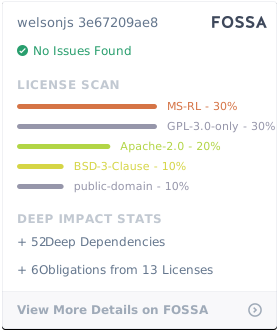
Note: The default license for this project is GPL 3.0. However, if the GPL 3.0 license is not compatible with Microsoft products, it is subject to the MS-RL license.
Sponsors
- :octocat: GitHub Sponsors, :euro: Liberapay, :coffee: Buy me a coffee
 SerpApi: Search API - Scrape search engines results with simple API.
 Open SW Portal, NIPA National IT Industry Promotion Agency(정보통신산업진흥원)
 Free code signing provided by SignPath.io, certificate by SignPath Foundation
- Thanks for F1Security(에프원시큐리티) Microsoft(ISV Success Program), Tenstorrent(Korea OSS Developer Program), ReadMe, AppSignal
System Requirements
- Operating Systems: Windows XP SP3 or later (Currently, Windows 11 24H2)
- For systems running Windows 2000 or earlier versions (e.g., 95, 98, Me), please contact us separately.
Why Choose WelsonJS?
WelsonJS is an advanced JavaScript framework designed to operate in extreme conditions where conventional solutions may fail. Unlike traditional JavaScript frameworks, WelsonJS focuses on executing scripts in constrained environments, ensuring reliable performance even with minimal system resources.
Key Features
- Lightweight and Efficient: Optimized for environments with limited computing power, WelsonJS delivers efficient script execution without unnecessary overhead.
- Windows ECMAScript Compatibility: Designed to run seamlessly on Windows-based systems, adhering to the ECMAScript standard while maintaining lightweight execution.
- Standalone Execution: Unlike well-known JavaScript runtimes, which require external dependencies, a WelsonJS application can operate as a self-contained app, making it suitable for embedded systems and isolated environments.
- Security-Oriented: Built with security in mind, ensuring controlled execution of scripts without compromising system integrity.
- Minimalist Design: WelsonJS strips away unnecessary complexities, focusing on core functionalities that maximize performance and reliability.
Use Cases
- Legacy System Integration: WelsonJS provides a practical solution for running JavaScript on older Windows environments where modern frameworks are not feasible.
- Automation and Scripting: Ideal for executing scripts in constrained environments, enabling automated workflows and system-level scripting.
- Embedded Applications: Suitable for devices and systems with strict resource constraints, such as industrial controllers and embedded platforms.
- Security-Focused Environments: Useful in security-sensitive applications where dependencies on external network connections are limited.
- Office Automation: Suitable for office automation tasks using Microsoft Office (Excel, PowerPoint, Word, Outlook, and more...) and various LLM-based AI (such as ChatGPT).
WelsonJS is tailored for developers who need a reliable, lightweight JavaScript framework in environments where traditional solutions are impractical. Whether working with legacy systems, embedded devices, or security-critical applications, WelsonJS ensures that JavaScript remains a viable and efficient option.
Structure
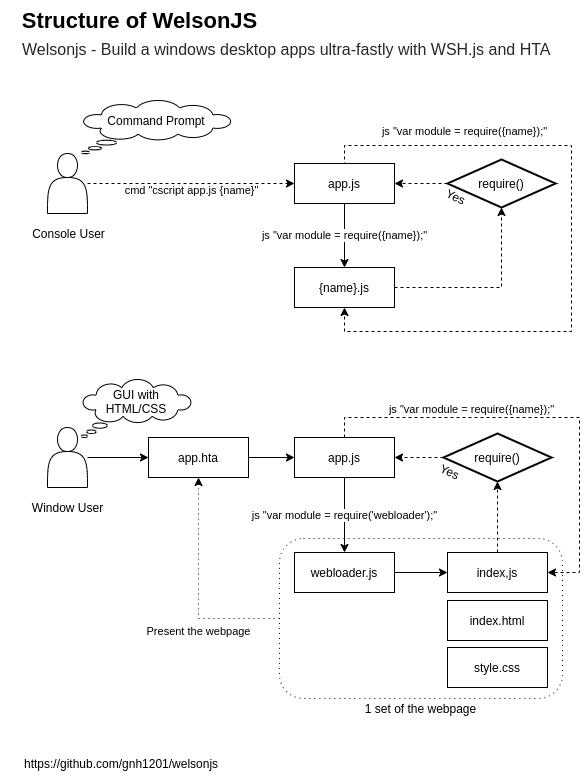
Specifications
- Built-in transpilers: TypeScript, Rescript, CoffeeScript 2, LiveScript
- Ready to use on Windows machine immediately. No additional software installation is required.
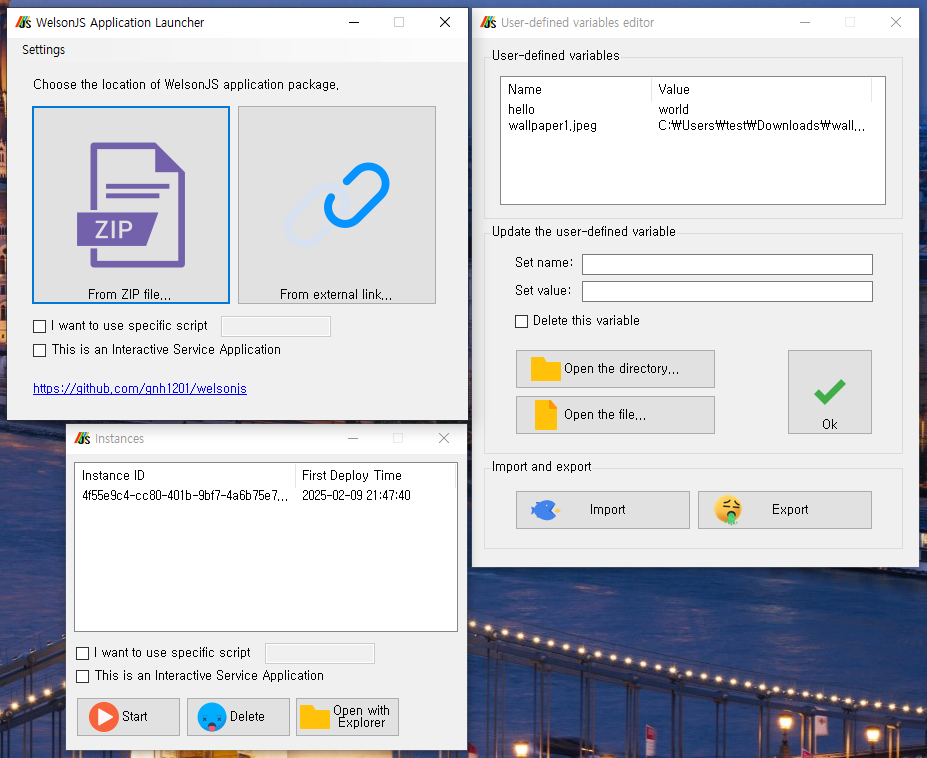
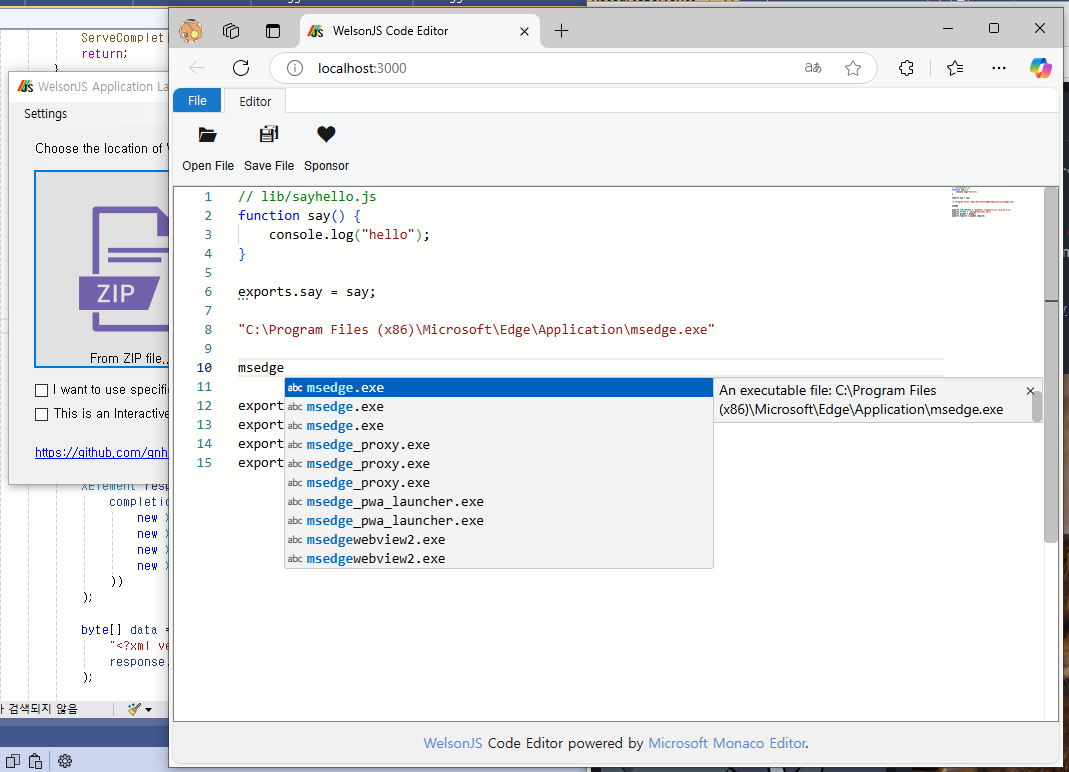
- WelsonJS Launcher: Manage instances (Like a container), User-defined variable editor, Microsoft Monaco Editor and React (Pre-embedded rich code editor), Microsoft Copilot, and Azure AI Services, Network tools (Whois, DNS Query, Criminal IP CTI) on the code editor.
- ES5(ECMAScript 5), XML, JSON, YAML compatibility: core-js, JSON2.js, js-yaml
- HTML5 compatibility on the built-in HTML rendering engine: html5shiv, jquery-html5-placeholder-shim, Respond, selectivizr, ExplorerCanvas, Modernizr
- Classical CSS Frameworks: cascadeframework, golden-layout
- WYSIWYG HTML Editor: summernote
- Included libraries: jQuery, jQuery UI, jquery-toast-plugin, squel, jsrender, linq, pegjs, numbers.js
- Compatible with modern JavaScript specifications: module.exports, CommonJS, UMD compatibility, NPM(Node Package Manager) compatibility
- Supports device debugging protocol clients: Chrome DevTools Protocol, ADB(Android Debug Bridge)
- RPC(Remote Procedure Call) protocol clients: gRPC, JSON-RPC 2.0
- Various types of HTTP clients: XHR(MSXML), cURL, BITS, CERT, Web Proxy, SEO/SERP
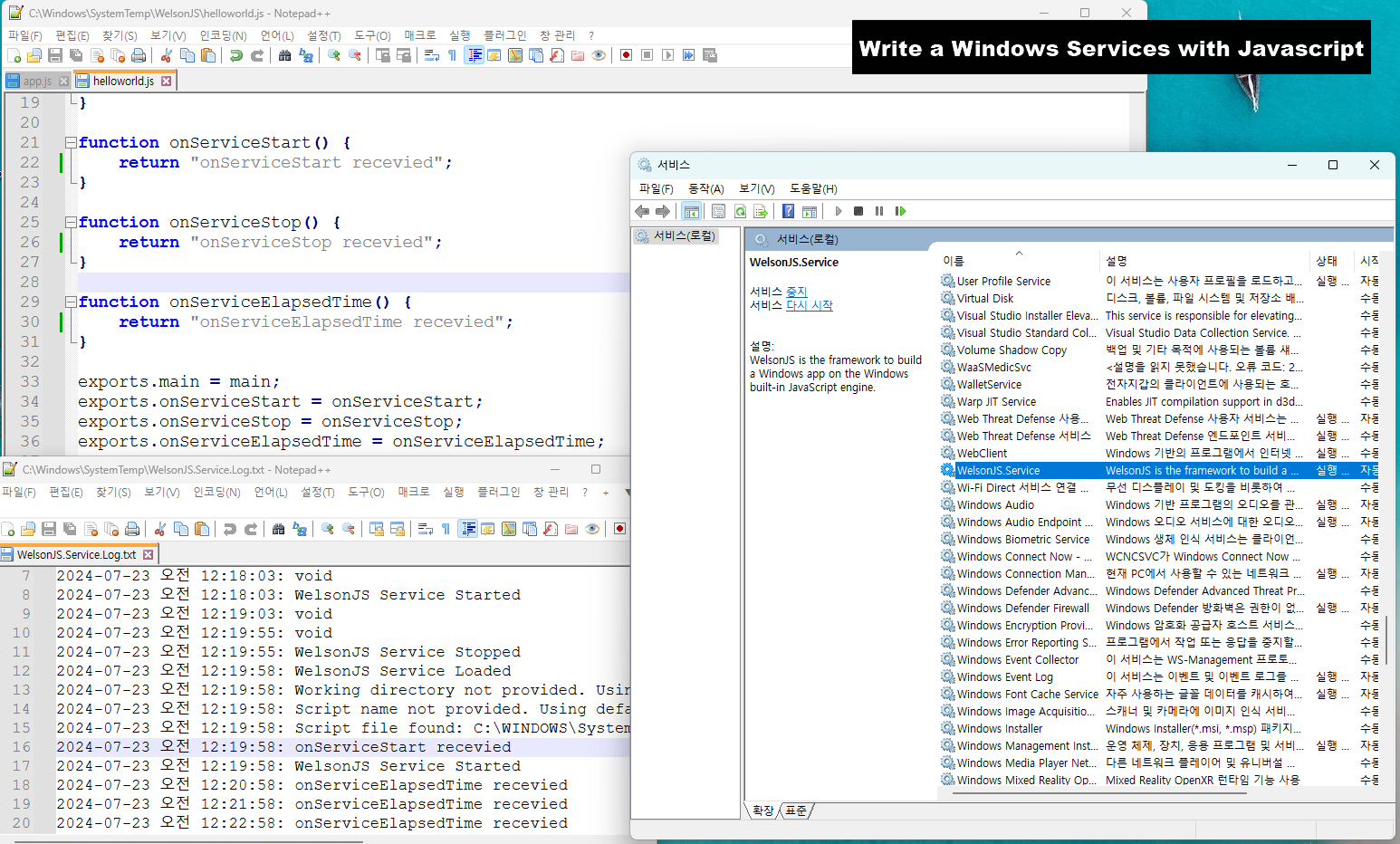
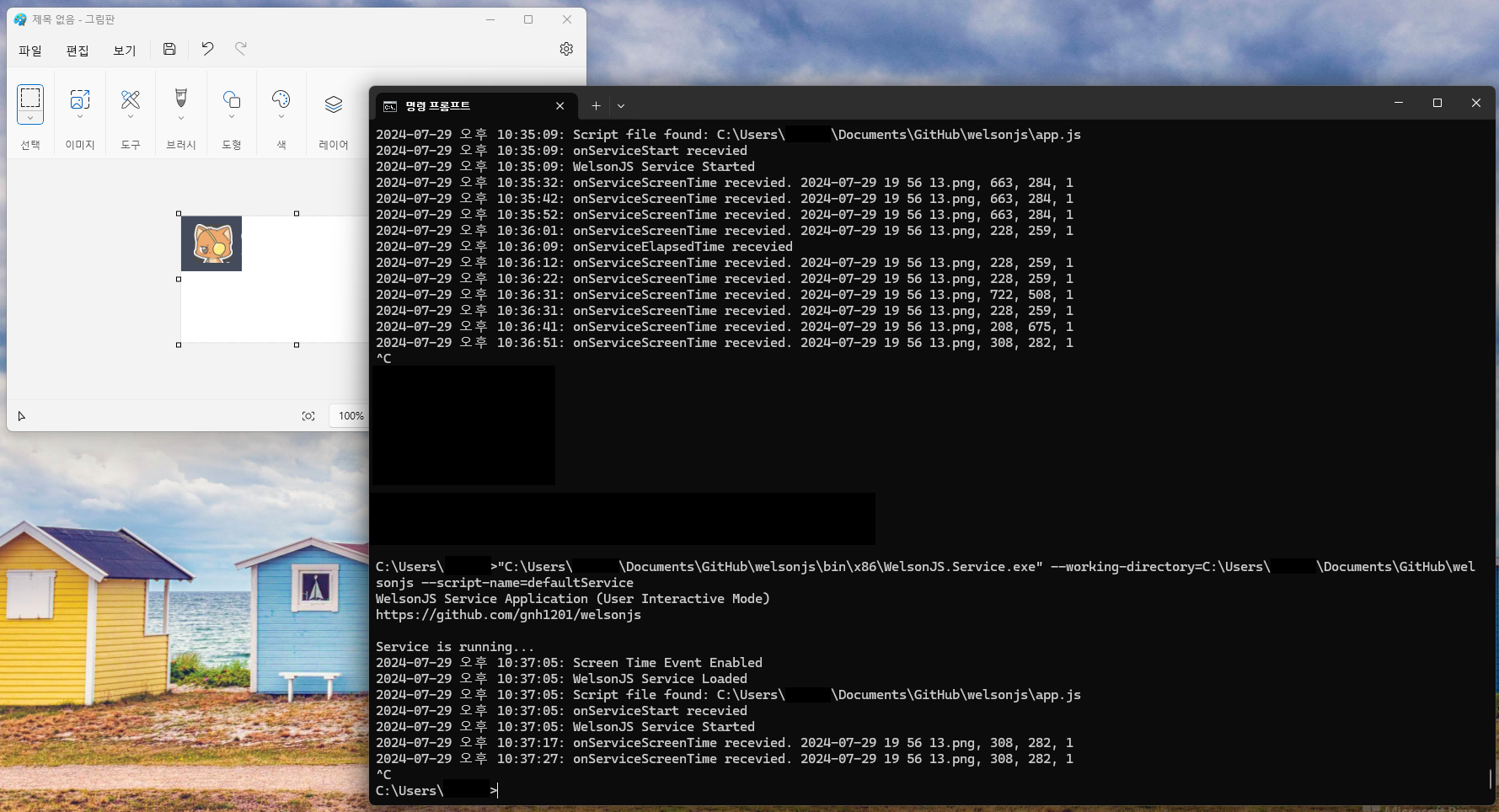
- The native toolkit for Windows environments: Write a Windows Service Application with JavaScript, Control a window handle, Cryptography (e.g., ISO/IEC 18033-3:2010 aka. HIGHT), Named Shared Memory based IPC, NuGet package
- AI integrations: LLM-based (generative) AI services (e.g., ChatGPT, Google Gemini).
- Aviation Data integrations: AviationStack, SerpApi Google Flights API
- OVFTool (VMware) integration: OVFTool for Broadcom/VMware infrastructures
- :fire: NEW! Windows built-in database engine, aka. ESENT (ESE) database interface library (WelsonJS.Esent)
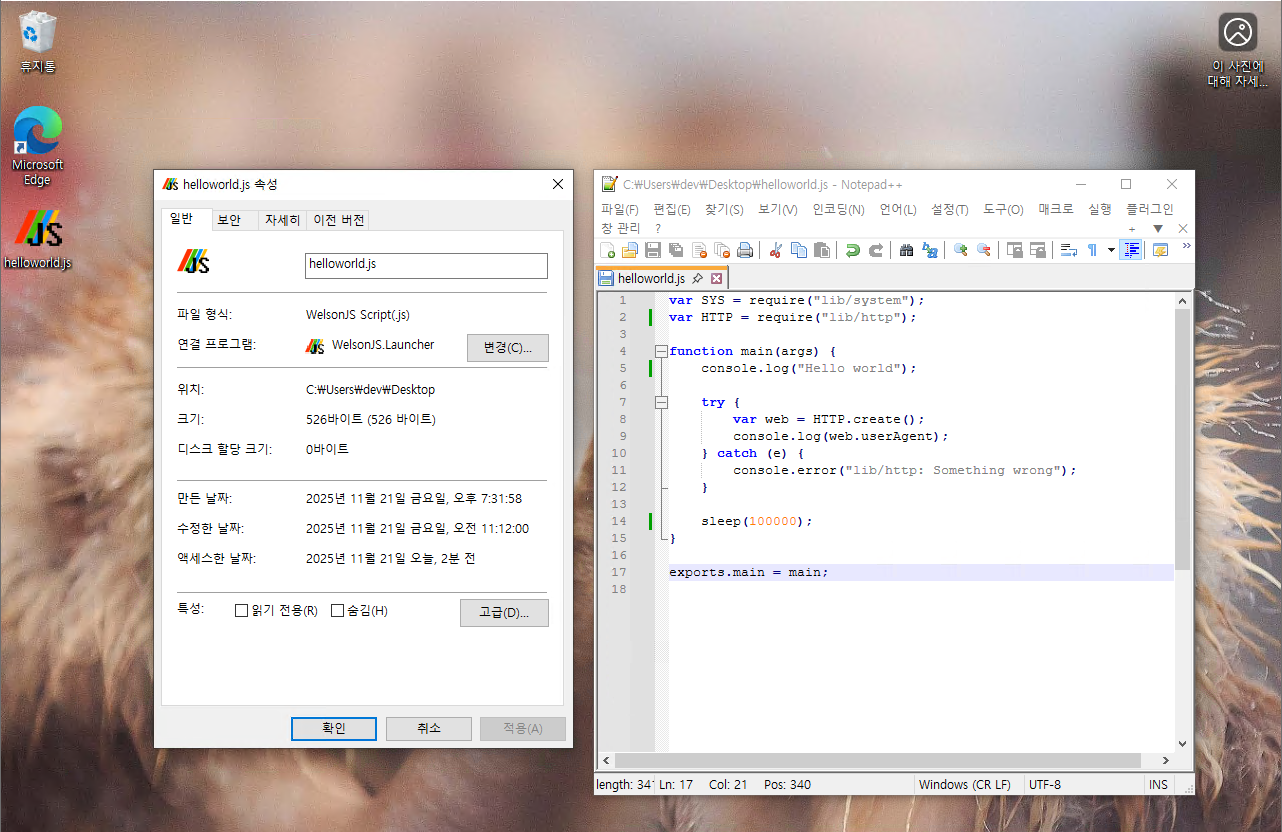
- :fire: NEW! WelsonJS JCTG(JavaScript-Click-To-Go): Run WelsonJS script files written in JavaScript directly from Windows File Explorer with a (double) click. Just like an
.exefile. - :fire: NEW! WelsonJS MCP(Model Context Protocol)
- Everything you can imagine.
Quick start
1. Write a file lib/sayhello.js
// lib/sayhello.js
function say() {
    console.log("hello");
}

exports.say = say;

exports.VERSIONINFO = "SayHello (sayhello.js) version 0.1";
exports.AUTHOR = "[email protected]";
exports.global = global;
exports.require = global.require;
2. Write a file sayhello.js
// sayhello.js
var SayHello = require("lib/sayhello");

function main() {
    console.log("calling say()");
    SayHello.say();
    console.log("ended say()");
}

exports.main = main;
3. Execute script on the console
C:\Users\JohnDoe\Documents\GitHub\welsonjs> cscript app.js sayhello
calling say()
hello
ended say()
How to release my application?
The WelsonJS framework suggests the following application release methods:
- Compress to Zip, and use the launcher: Compress the files and directories necessary for running the project into a Zip file, and distribute it along with the WelsonJS Launcher.
- Build a setup file: Use Inno Setup. The setup profile (the
setup.issfile) is already included. - Copy all directories and files: This is the simplest and most straightforward method.
Screenshots
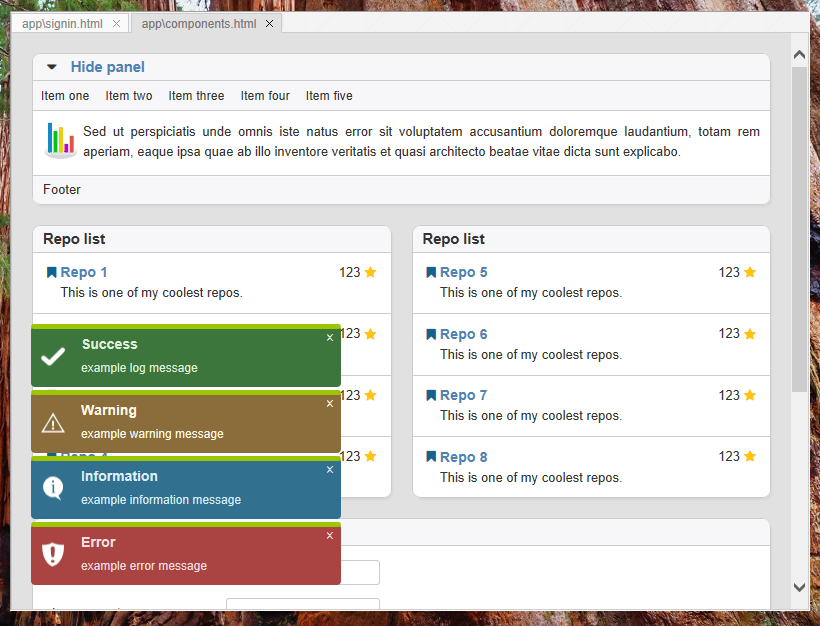
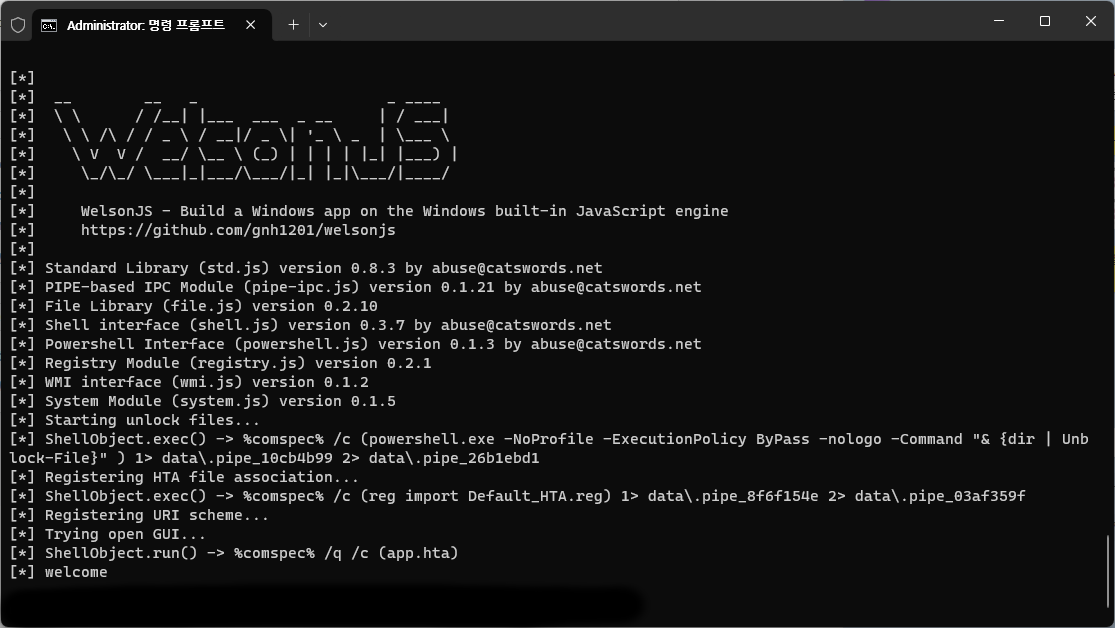
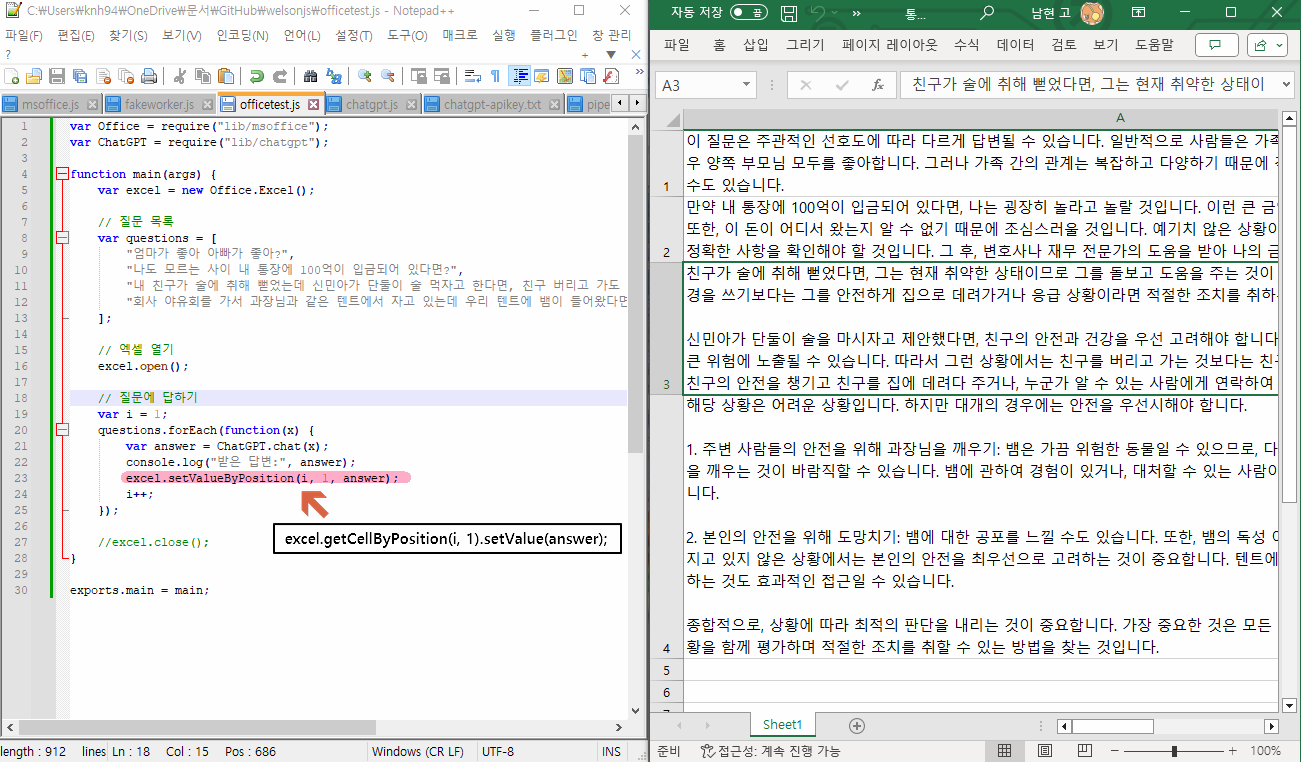
Thanks to
- :heart: Artwork (Logo image): @druidesse
- :heart: Artwork (Cover image): @[email protected]
- :heart: Special Contributors: @hcho3, :octocat: GitHub Sponsors
- :sunglasses: Heavy-industry specialized CSP(Cloud Service Provider) in Republic of Korea - Use case development
- :sunglasses: Live-commerce specialized online advertisement companies in Republic of Korea - Use case development
- :sunglasses: Information security companies in Republic of Korea - Use case development
- :sunglasses: Travel planning(e.g., Airlines, Hotels, Ticketing) related companies - Use case development
- :sunglasses: Probability-based game prediction in a data analytics company - Use case development
- :sunglasses: Qiita - Knowledge-base about WSH environment
- :sunglasses: Redsky Software - PoC(Proof of Concept) of the CommonJS on WSH environment
- :sunglasses: Inspired by a small-sized JavaScript payload demonstrated by a cybersecurity related group.
- :sunglasses: Inspired by the use of Named Shared Memory in a cross-runtime IPC implementation written by the unidentified developer.
- :eyes: Hacker News, Node Weekly (#582 - June 17, 2025), WebToolsWeekly, GeekNews in GeekNews Weekly (2024-09-30 ~ 2024-10-06), Facebook Group "Javascript Programming"(javascript4u), morioh.com, CSDN, Fediverse, daily.dev, PitchHut, Disquiet, Zhouexin (周e信), Echo JS, Telegram Channel @front_end_dev
Report abuse
Join the community
I am always open. Collaboration, opportunities, and community activities are all welcome.
- ActivityPub @[email protected]
- XMPP [email protected]
- Join Catswords OSS on Microsoft Teams (teams.live.com)
- Join Catswords OSS #welsonjs on Discord (discord.gg)
Offine copy
If you require an offline copy of this project, please contact an appropriate project maintainer via Discord to arrange the request.
Special channels
- A paid consultation channel (m.expert.naver.com) is available for Korean(한국어) customers.
- A paid mentorship program (inflearn.com) is available for Korean(한국어) students or beginners.
Open-source software license
Subprojects
- catswords-jsrt-rs: Minimal ChakraCore (JsRT) bindings for Rust.
- jsrt-claw: OpenClaw compatible the skill definition for a bulit-in JSRT (JScript 5.x)
Disclaimer
To the maximum extent permitted by applicable law, Namhyeon Go (ko: 고남현) and Catswords Research (ko: 캐츠워즈리서치) shall not be held liable for any direct, indirect, incidental, special, or consequential damages arising out of or in connection with the use of this software outside its intended purpose or scope.
Reviews (0)
Sign in to leave a review.
Leave a reviewNo results found