goloom
Health Warn
- License — License: MIT
- Description — Repository has a description
- Active repo — Last push 0 days ago
- Low visibility — Only 8 GitHub stars
Code Fail
- rm -rf — Recursive force deletion command in .forgejo/workflows/ci.yaml
- rm -rf — Recursive force deletion command in .forgejo/workflows/pages.yaml
- rm -rf — Recursive force deletion command in .forgejo/workflows/website-ci.yaml
Permissions Pass
- Permissions — No dangerous permissions requested
No AI report is available for this listing yet.
Lightweight, self-hosted social media planning for teams and AI agents — plan posts across Mastodon, Bluesky & Friendica from a single Go binary.

goloom
Lightweight, self-hosted social media planning for teams and AI agents.
Plan posts across Mastodon, Bluesky and Friendica from a single Go binary — no enterprise stack, no per-seat pricing.











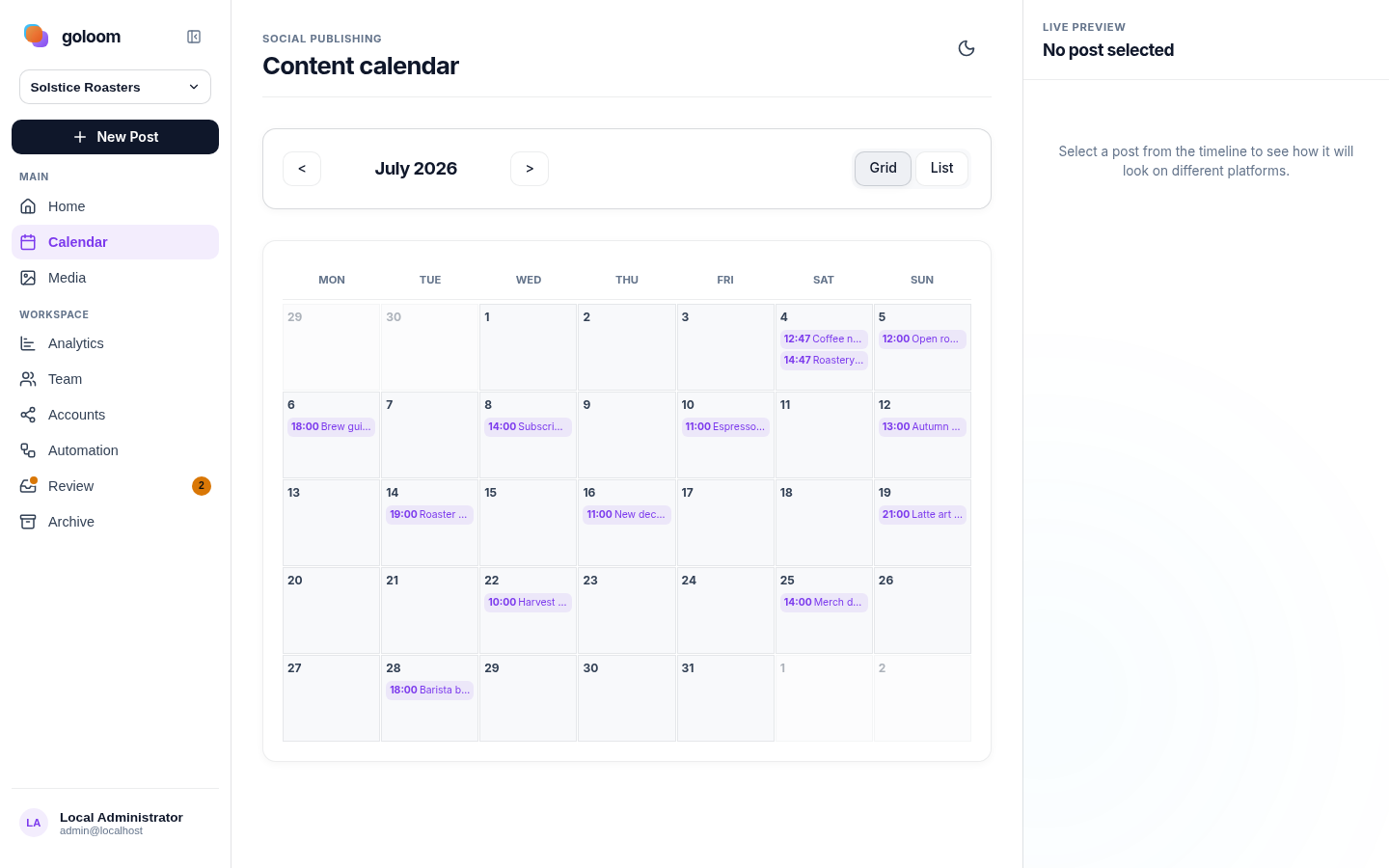
goloom is a self-hosted social media planning application built as one Go binary (API + web UI). It helps teams plan posts across multiple social accounts without the heavy infrastructure and pricing model of typical enterprise-first tools.
Why goloom exists
Most tools in this space are powerful but heavy: complex stacks, many paid tiers, and product scope optimized for large organizations.
goloom was created for one focused outcome:
- plan posts across different social media accounts
- collaborate across teams
- keep operations simple
- integrate cleanly with AI agents such as OpenClaw
Screenshots
 |
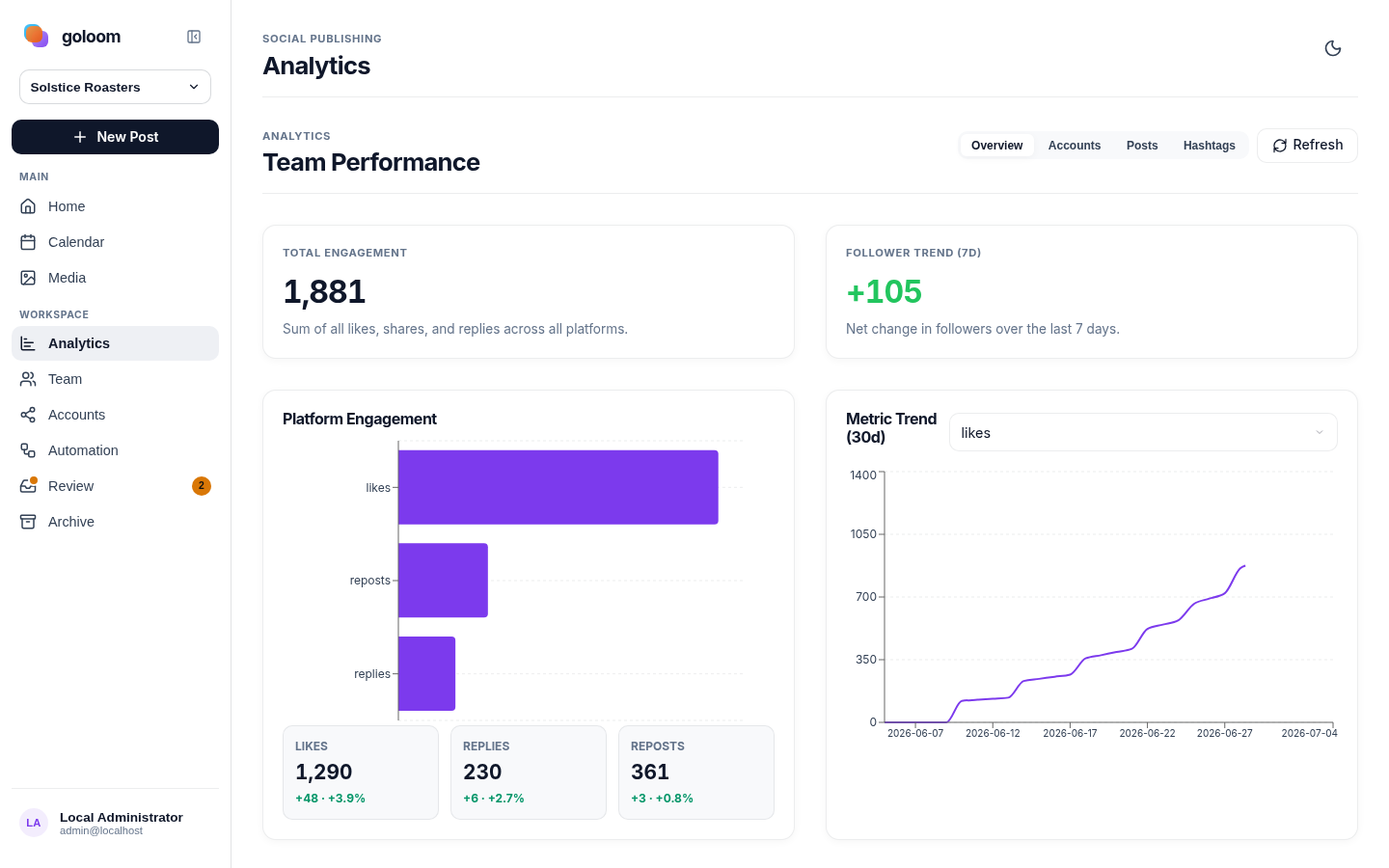 |
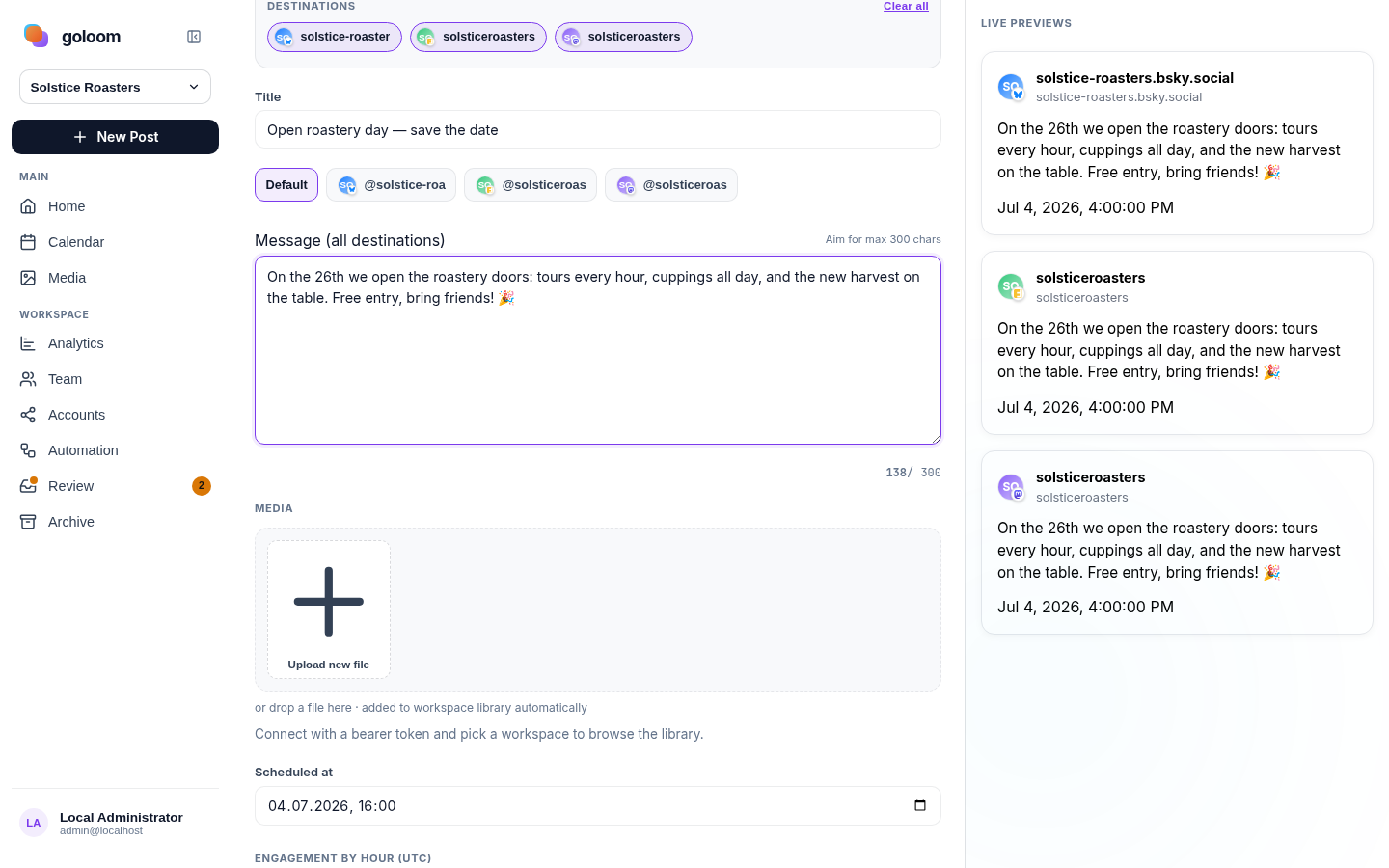
| Composer — write once, preview per platform | Analytics — engagement & follower trends |
Highlights
- Single binary deployment: UI and API in one process.
- SQLite by default: no external database needed.
- PostgreSQL optional for larger deployments.
- Team workspaces with member roles (
owner,editor,viewer). - Scheduling, validation, per-account post versions, media library.
- Built-in analytics for post and account metrics.
- API-first architecture with bearer-token auth.
- OIDC support for browser sign-in.
- Mastodon onboarding can auto-register app credentials from instance URL.
Getting Started
Three ways to run goloom — pick one (full guide:
Installation):
- Docker —
docker run ... ghcr.io/goloom-app/goloom:latest(see Docker). - Prebuilt binary — download a static Linux binary from the
latest release
(goloom_<version>_linux_amd64/arm64),chmod +x, setENCRYPTION_KEY+BOOTSTRAP_ADMIN_TOKENand run it. The web UI is embedded; data goes to./data/goloom.db(SQLite) by default. - From source — build it yourself (below).
1) Configure environment
cp .env.example .env
Set required values:
ENCRYPTION_KEY=replace-with-a-long-random-secret
BOOTSTRAP_ADMIN_TOKEN=replace-with-a-strong-bootstrap-token
2) Build and run
make build
./bin/goloom
Open http://localhost:8080.
3) Bootstrap first admin access
Use the bootstrap token in the UI Settings screen. After first login, create normal API tokens and rotate bootstrap secrets.
API Documentation
goloom API is designed for both developers and AI agents.
Professional documentation stack uses OpenAPI + Redocly.
Base paths
- Primary:
/v1/... - Alias:
/api/v1/...(same handlers, for tools expecting/api/v1)
Authentication
Use bearer tokens:
Authorization: Bearer <oidc-id-token-or-api-token>
API tokens can carry scopes and an optional team binding:
readpermits authenticated GET/HEAD requests. It is independent ofwrite
anddelete; add it when a client needs to fetch results or use AI-job SSE
(/v1/teams/{teamID}/ai-jobs/stream?token=…).writeincludeswrite:draftandwrite:schedule;deleteincludesdelete:draftanddelete:schedule.- An unscoped team-bound token retains owner-level management authority inside
its bound team when its user is an owner. Team binding limits which team it
can access; it does not make the token read-only. User roles still apply. - Admin routes and user-wide push subscriptions require an unscoped, unbound
token. Team-bound tokens cannot read/v1/users,/v1/teams,/v1/me/review-countsor/v1/me/team-notification-prefs, since those responses
aggregate data across teams. Use team-specific routes where available. - Unscoped, unbound tokens and browser sessions retain full access subject to
user roles. Restricted tokens cannot be exchanged for browser sessions.
When auto-publish saves an AI result as a draft because the job lacks scheduling
permission (including legacy jobs without an authority marker), the completed
job exposes result.notice = "saved_as_draft_without_schedule_authority".
The same non-error notice appears in the job:result SSE event. Generated result
fields are preserved; failed jobs and jobs that create no post receive no notice.
API quickstart (curl)
Health and auth status:
curl -s http://localhost:8080/healthz
curl -s http://localhost:8080/v1/auth/status
List providers:
curl -s http://localhost:8080/v1/providers
Get current identity:
curl -s \
  -H "Authorization: Bearer $TOKEN" \
  http://localhost:8080/v1/me
Endpoint groups
- Discovery:
/healthz,/v1/providers,/v1/auth/status - Identity:
/v1/me,/v1/me/api-tokens - Teams:
/v1/teams,/v1/teams/{teamID}/members - Accounts:
/v1/teams/{teamID}/accounts, OAuth start endpoints - Posts:
/v1/teams/{teamID}/posts, validation, versions, cancel - Analytics:
/v1/teams/{teamID}/analytics*, post analytics - Admin:
/v1/admin/*, provider instance management
For complete route list, see api/http.go.
API docs
The interactive API reference is rendered with Scalar and
served by the website at /api/. It reads the OpenAPI spec directly, so there is
no separate static build step.
Lint the OpenAPI spec:
make docs-api-lint
- source spec:
docs/api/openapi.yaml(single source of truth) - the spec is copied to
website/public/openapi.yamlbymake website-build
AI agent integration notes (OpenClaw and similar)
- Built-in MCP server (Streamable HTTP transport) at
/mcp(enabled by default,MCP_ENABLED), authenticated with API tokens carryingread/write:draft/write:schedule/write/deletescopes (unscoped tokens have full access). - Stable JSON responses across core endpoints.
- Predictable resource paths with team-scoped objects.
- Validation endpoint before scheduling:
POST /v1/teams/{teamID}/posts/validate. - API token lifecycle endpoints for secure agent onboarding.
Website & Documentation
The project website (Astro + Starlight) lives in website/: a marketing landing
page, the documentation (3-column Starlight layout) and the Scalar API reference at /api/.
Local dev server:
make website-dev
Build static site (includes API docs):
make website-build
Generated output: website/dist/
Deployed via GitHub Pages on push to main when website/ or docs/api/
changes: the pages.yml workflow builds the site
with make website-build and force-pushes website/dist to the org Pages repogoloom-app.github.io,
which GitHub serves at the root URL
https://goloom-app.github.io/.
Provider Support
Mastodon
- OAuth account connection
- optional automatic app registration via instance URL
- publishing and metrics (
likes,reposts,replies)
Friendica
- manual provider app credentials
- publishing and Mastodon-compatible metrics
Bluesky
- account connection with app password
- publishing and metrics support
Deployment Options
Default (single binary + SQLite)
Best for low-ops environments and small-to-medium teams.
DATABASE_URL=file:./data/goloom.db
PostgreSQL
Use when you need external DB operations and scale patterns:
DATABASE_URL=postgres://postgres:postgres@localhost:5432/goloom?sslmode=disable
Upgrading PostgreSQL to a new major version (e.g. 16 → 18) is a dump &
restore, not an in-place swap — see the
PostgreSQL major upgrade guide.
Kubernetes (Helm)
A Helm chart is provided at deploy/helm/goloom (SQLite on
a PersistentVolume, or external PostgreSQL; optional Ingress):
helm install goloom ./deploy/helm/goloom \
  --namespace goloom --create-namespace \
  --set secret.encryptionKey="$(openssl rand -hex 32)" \
  --set secret.bootstrapAdminToken="change-me-please" \
  --set config.publicBaseUrl="https://goloom.example.com"
See the Kubernetes (Helm) guide.
Production migration (Docker → Kubernetes)
If you run Goloom with Docker PostgreSQL and want to move to the homelab CNPG deployment, see docs/migrations/docker-to-kubernetes-homelab.md.
Docker
Use the published multi-arch image (linux/amd64 + arm64) from GHCR:
docker run --rm \
  -p 8080:8080 \
  -e ENCRYPTION_KEY=replace-with-a-long-random-secret \
  -e BOOTSTRAP_ADMIN_TOKEN=replace-with-a-strong-bootstrap-token \
  -v "$(pwd)/data:/app/data" \
  ghcr.io/goloom-app/goloom:latest
For production, pin a version tag (e.g. ghcr.io/goloom-app/goloom:v0.1.0)
instead of :latest. To build the image yourself: docker build -t goloom ..
Development
nix develop
make run
Frontend-only dev server:
make frontend-dev
Recommended API-doc workflow in CI:
- run
make docs-api-linton pull requests to validate the OpenAPI spec - the reference is published as part of the website (
make website-build)
Configuration
Start from .env.example. Common keys:
APP_ENV,HTTP_ADDR,PUBLIC_BASE_URLDATABASE_URLENCRYPTION_KEYBOOTSTRAP_ADMIN_*SCHEDULER_*OIDC_*MASTODON_*
Positioning vs heavy platforms
goloom is intentionally optimized for:
- lower runtime overhead
- easier self-hosting
- practical team collaboration
- API-first automation for agent workflows
If you need broad enterprise suites, many commercial upsell modules, or advanced campaign ecosystems, other products may fit better. If you need a focused scheduler with strong API ergonomics and simple ops, goloom is the target shape.
Security notes
- Provider access tokens are encrypted at rest.
- API tokens are stored as hashes.
- Set strong
ENCRYPTION_KEYand rotate bootstrap/admin secrets after setup.
Versioning & releases
goloom follows Semantic Versioning and is intentionally
pre-1.0 (0.x) — usable and self-hostable today, but breaking changes can
still land between minor versions, so pin a version and read the notes before
upgrading.
- Branching: development happens on feature branches; after testing they are
merged intomain(CI runs the full test suite on every PR). - Nightly: every push to
mainpublishesghcr.io/goloom-app/goloom:nightly,
always built from the latestmainstate (plus a per-commitnightly-<sha>tag).
Use it to try upcoming features; it is not a release. - Releases are automated from Conventional Commits
via release-please: a release PR
maintainsCHANGELOG.mdand the version; merging it tagsvX.Y.Z, publishes a
GitHub Release with prebuilt
Linux binaries (amd64/arm64), and pushes the versionedghcr.io/goloom-app/goloomimage —:latestmoves only on releases. - The running version is reported by
GET /healthzand the agent discovery doc. - The REST API has its own contract version under
/v1, independent of the app
version; it changes only on breaking API changes.
About this project
goloom grew out of my own needs as a self-hosted tool. It is built with heavy use
of AI, and I use it as a testbed for exploring methods for efficient, AI-assisted
development.
License
Licensed under the MIT License.
Reviews (0)
Sign in to leave a review.
Leave a reviewNo results found