grafioschtrader
Health Gecti
- License — License: Apache-2.0
- Description — Repository has a description
- Active repo — Last push 0 days ago
- Community trust — 26 GitHub stars
Code Gecti
- Code scan — Scanned 12 files during light audit, no dangerous patterns found
Permissions Gecti
- Permissions — No dangerous permissions requested
Bu listing icin henuz AI raporu yok.
Self-hosted web application to manage and analyse multiple portfolios across stocks, bonds, ETFs, CFDs, forex and crypto in multiple currencies — performance, dividends, asset allocation, correlation and strategy simulation.
Update to Angular 22
With GT version 0.36.7.2 the front end has switched to Angular 22 from Angular 21. Angular 22 no longer runs on Node.js 20, it requires Node.js ^22.22.3, ^24.15.0 or >=26.0.0. A classic installation therefore has to raise its Node.js installation before the next update; a Docker installation is not affected, because the front end is built inside the image.
Update to Java 25
With GT version 0.36.1 we have switched to Java 25 from Java 21. Please adjust the configuration accordingly. In addition to the configuration of Java 25, the existing Maven Installation may also need to be adapted.
Preface
- Unless otherwise described, GT will only get a new version if the new features require an update of the database. It is the goal that the master branch always contains the most reliable and feature rich source code.
- A release number has the form
major.minor.patch[.revision]. When only the last digit, the revision, changes, as in0.36.3to0.36.3.1, the release contains no Flyway database migration and only carries source changes. Every other release does update the database. - For importing transactions we refer to the gt-import-transaction-template and gt-pdf-transform projects.
Grafioschtrader (GT)
- Multi-tenancy: GT can be run for a group of investors or in single mode.
- Web application: GT is a web application and provides the clearest results using a desktop web browser.
- Multiple portfolios with currency accounts: Replicates multiple portfolios with one or more securities accounts and one or more bank cash accounts.
- Multiple currencies: Trading securities in different currencies
- Trading from the turn of the millennium: Basic support for historical price data from the year 2000 onwards, noting that obtaining price data from non-traded securities may be a problem.
- Different financial instruments: Stocks, Bonds, ETF, securities without price data, short ETF, CFD, Forex.
- Import of transactions: An import of single or multiple PDFs with securities transactions Via CSV file, account transactions can also be loaded.
- Evaluations by asset classes: Evaluations by common asset classes such as stocks, bonds, real estate, commodities, etc.
- Correlation matrices: Support for rolling correlations with different time windows.
Test Drive GT
- Check the user manual in english or german and a YouTube channel in German language which are in progress.
- GT in action with a following demo accounts or create your own account.
| Password | Language | |
|---|---|---|
| [email protected] | gt1 | German |
| [email protected] | gt2 | German |
| [email protected] | gt3 | German |
| [email protected] | gt4 | German |
| [email protected] | gt5 | English |
| [email protected] | gt6 | English |
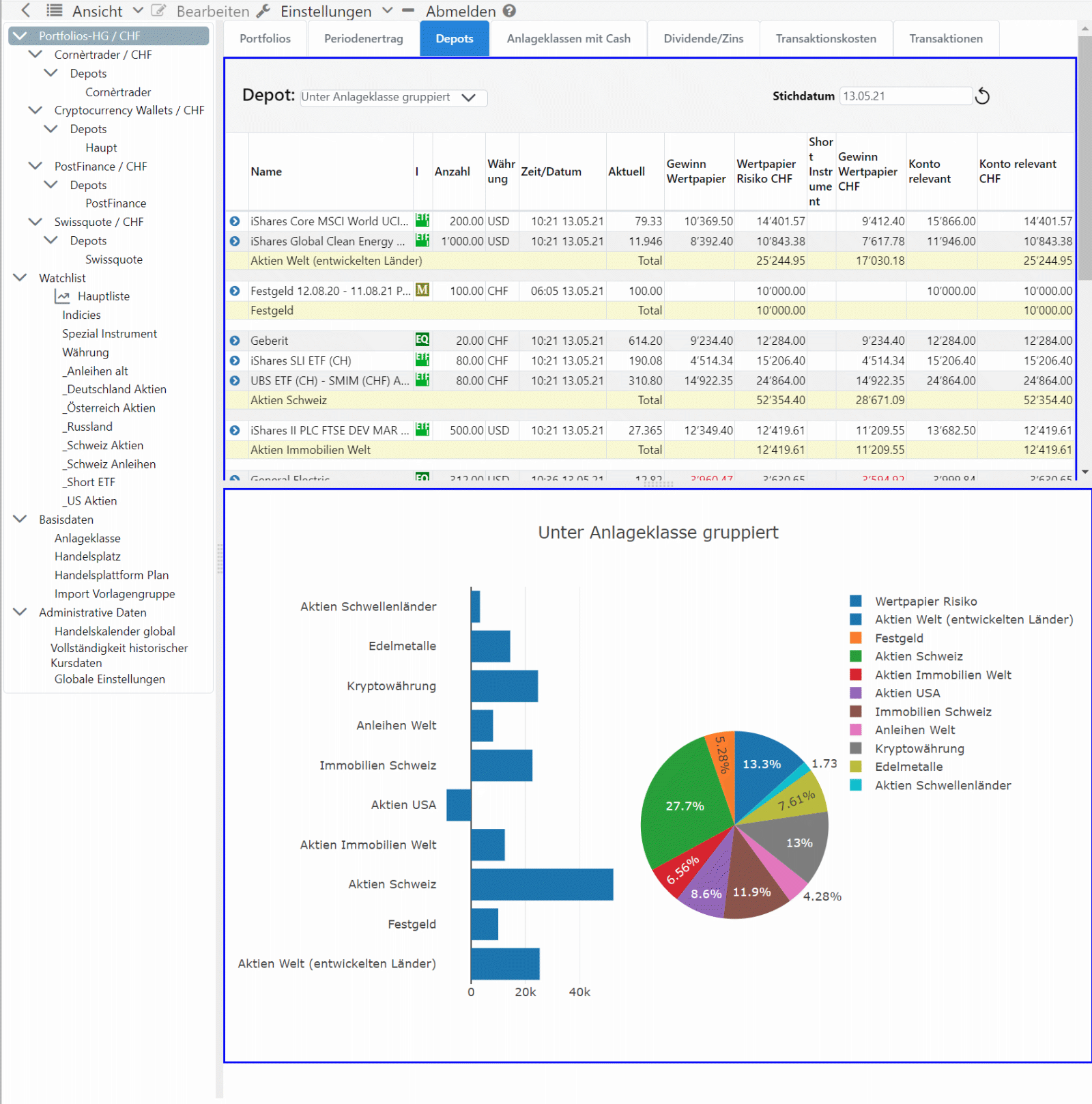
For questions or suggestions please visit the forum, German and English language are welcome.
Installation and Development
The easiest way to run your own instance is the Docker installation — one interactive script sets up the database, backend and web server with automatic HTTPS (Let's Encrypt), including Raspberry Pi and DuckDNS support. Start with Grafioschtrader with Docker in the wiki; docker/README.md is the complete reference.
For the Linux installer, the classic manual installation and for supporting the development go to the wiki of GT.

Email account
GT requires access to an Email account for user registration. For encrypting you have to proceed according to the description of chapter application.properties.
Settings for Gmail
The settings for Google's Gmail would be similar to the following. For Gmail, 2-Step verification must be activated. Afterwards a App password can be generated for a specific application. This 16-character password must be used.
spring.mail.host=smtp.gmail.com
spring.mail.port=587
[email protected]
spring.mail.password=DEC("Generated 16-character App password")
spring.mail.properties.mail.smtp.auth=true
spring.mail.properties.mail.smtp.starttls.enable=true
spring.mail.properties.mail.smtp.ssl.enable = false
Settings for Outlook
In my case, the following setting works:
spring.mail.host=smtp-mail.outlook.com
spring.mail.port=587
[email protected]
spring.mail.password=DEC(YOUR_MAIL_PASSWORD)
spring.mail.properties.mail.smtp.auth=true
spring.mail.properties.mail.smtp.starttls.enable=true
spring.mail.properties.mail.smtp.ssl.enable = false
Contributing
If you want to contribute to this project and make it better, your help is very welcome — code, tests, translations, documentation, new data feed connectors, or a good bug report.
- CONTRIBUTING.md — the short version: how to report a bug, coding style, what a pull request needs.
- Development — prerequisites, database preparation, first build and running GT locally.
- Testing — the two test stacks, Vitest, and how to turn data entered through the UI into a fixture and a test. Per stack: application · library.
- AI-assisted development — if you work with Claude Code, Codex or a similar agent.
Open questions and ideas are collected in the issues.
Yorumlar (0)
Yorum birakmak icin giris yap.
Yorum birakSonuc bulunamadi