lpm
Health Warn
- No license — Repository has no license file
- Description — Repository has a description
- Active repo — Last push 0 days ago
- Low visibility — Only 5 GitHub stars
Code Fail
- rm -rf — Recursive force deletion command in .github/workflows/release.yml
Permissions Pass
- Permissions — No dangerous permissions requested
This is a native macOS desktop application designed to manage local development environments. It allows developers to run, duplicate, and switch between projects seamlessly, specifically optimized for running parallel AI coding agents (like Claude Code and Codex) on a single codebase without context switching.
Security Assessment
The overall risk is rated as Medium. The tool inherently executes shell commands, as it acts as a terminal emulator and project manager for local services and AI agents. The automated rule-based scan did not find any hardcoded secrets, and the application does not request any explicitly dangerous system permissions.
However, a code scan flagged a recursive force deletion command (`rm -rf`) inside the GitHub release workflow. While this is common in automation scripts for cleaning up build directories before packaging a release, it always warrants slight caution. Additionally, the tool requires downloading a pre-built `.dmg` file directly from their website rather than installing it via a verified package manager, which limits the ability to audit the exact code being run locally.
Quality Assessment
The project appears to be actively maintained, with repository pushes occurring as recently as today. Despite this active development, it currently suffers from low community visibility, having only 5 GitHub stars. This means it has not been broadly vetted by a large user base. Furthermore, the repository lacks a defined open-source license. Without a license, the code is technically proprietary, and users do not have formal legal permission to use, modify, or distribute it.
Verdict
Use with caution: the active development is promising, but low community trust, a missing software license, and pre-compiled binaries from an external website mean you should proceed carefully.
Local Project Manager
lpm — Local Project Manager
One click to start, stop, or duplicate your dev projects. Run Claude Code, Codex, and other AI agents in parallel on the same codebase — no conflicts, no context switching.


A native macOS desktop app for managing your dev projects. Start, stop, duplicate, and switch between projects with a single click — with a built-in terminal optimized for AI coding agents like Claude Code and Codex.
- Start and stop your entire project with a single click
- Build fast with AI coding agents
- The best terminal for AI agents like Claude Code and Codex
- Duplicate your project instantly to build features in parallel —
run multiple agents on the same codebase without conflicts - A single workspace for all your services, terminals, and agents
- Switch between projects without losing context or running processes
- Keep long-running tasks alive across sessions
Install
Download lpm from lpm.cx, open the .dmg, and drag lpm to Applications.
Supports macOS (Apple Silicon & Intel).
See it in action
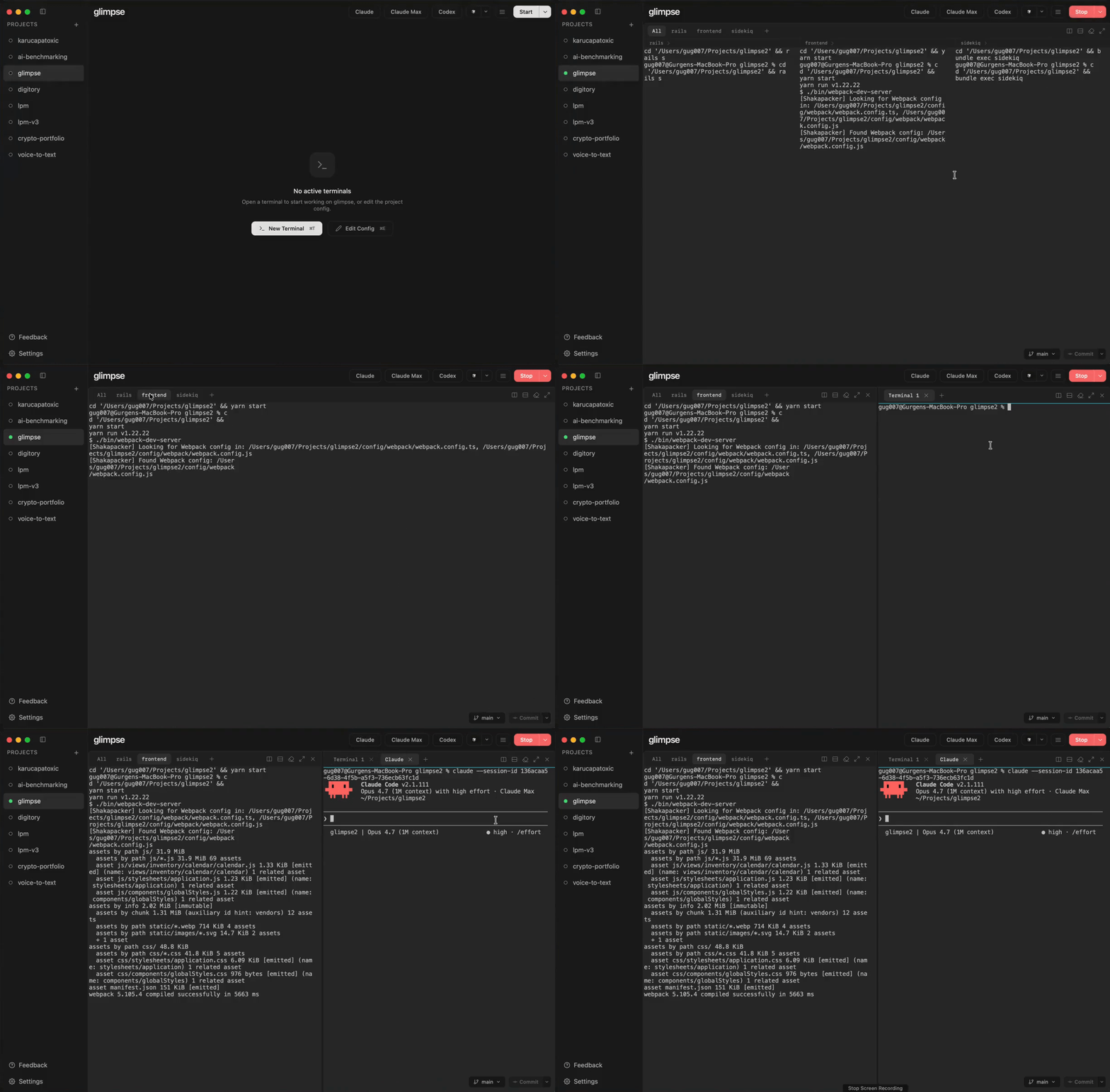
Add a project — browse to a directory, define services, save
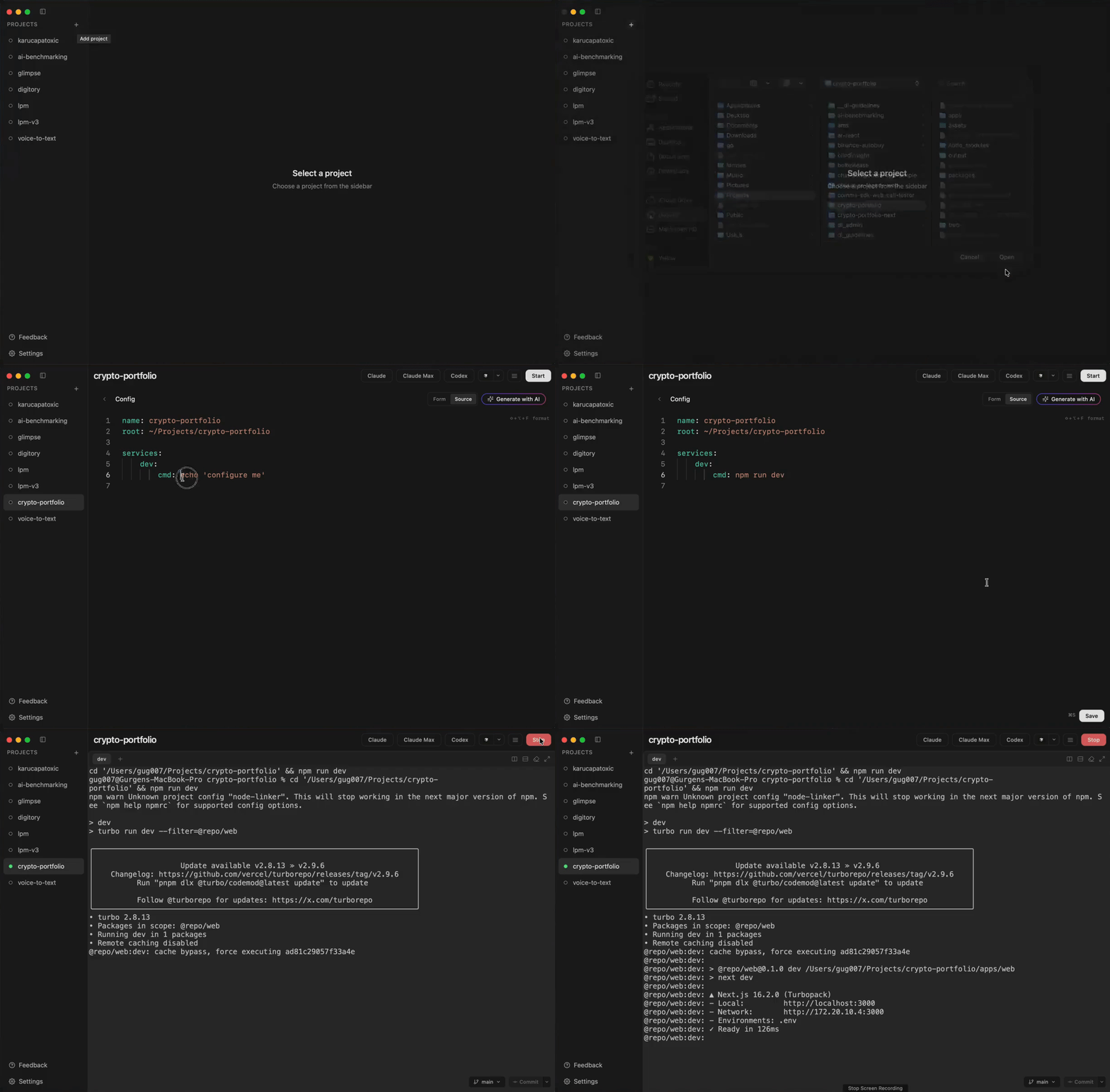
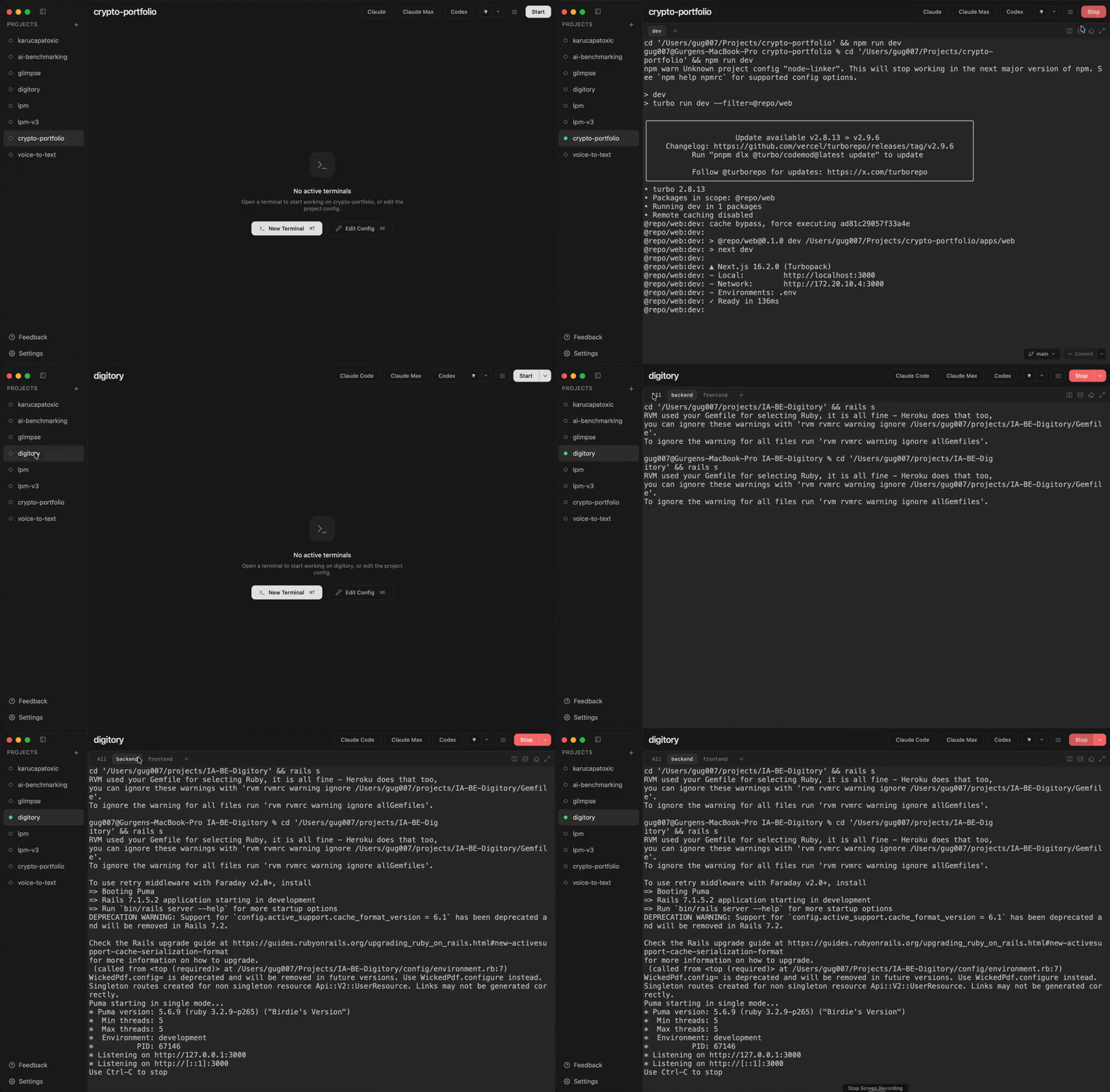
Start a project — one click, live terminal output for every service
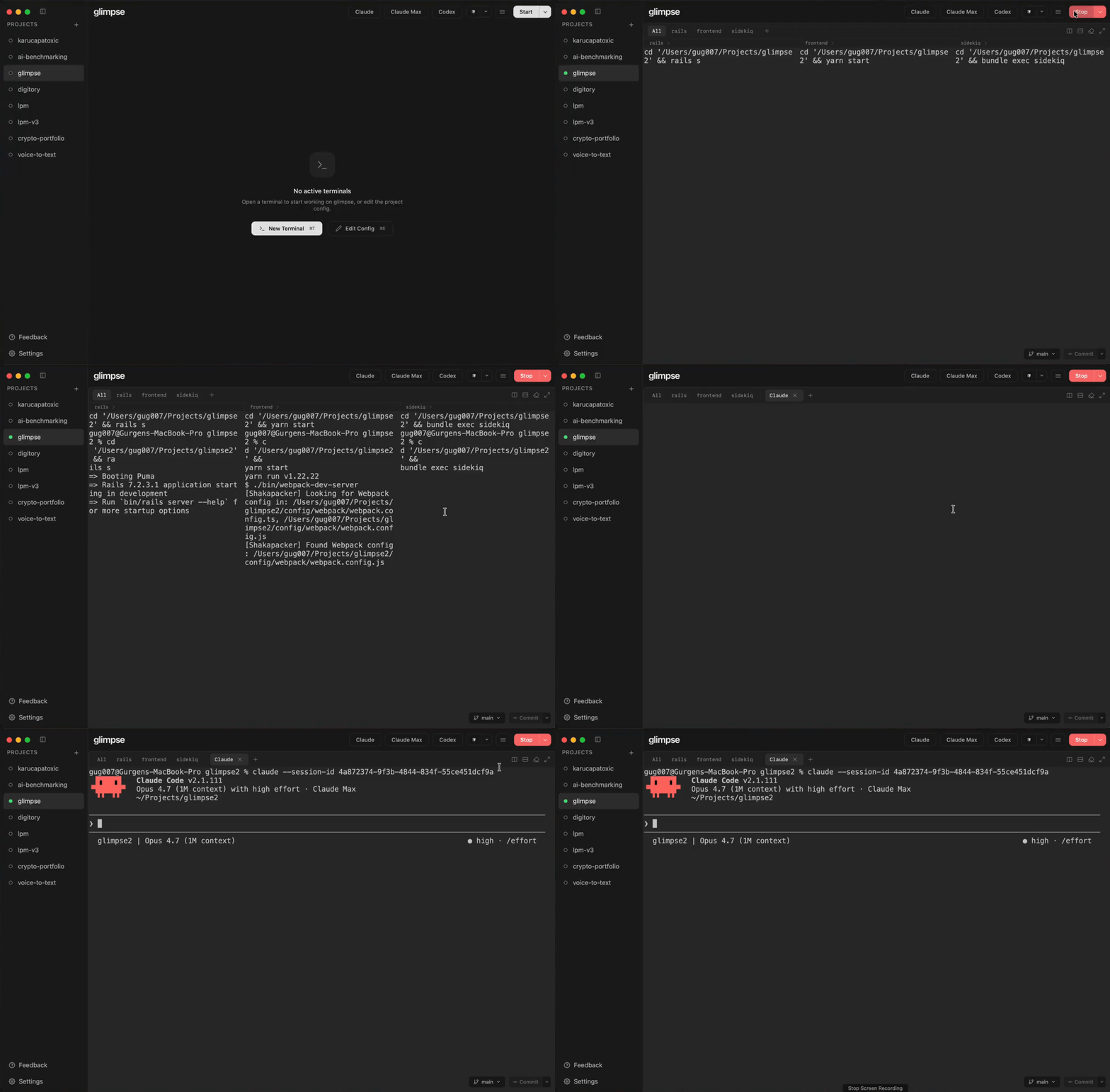
Run AI agents alongside your services — Claude Code, Codex, or any agent in the same workspace
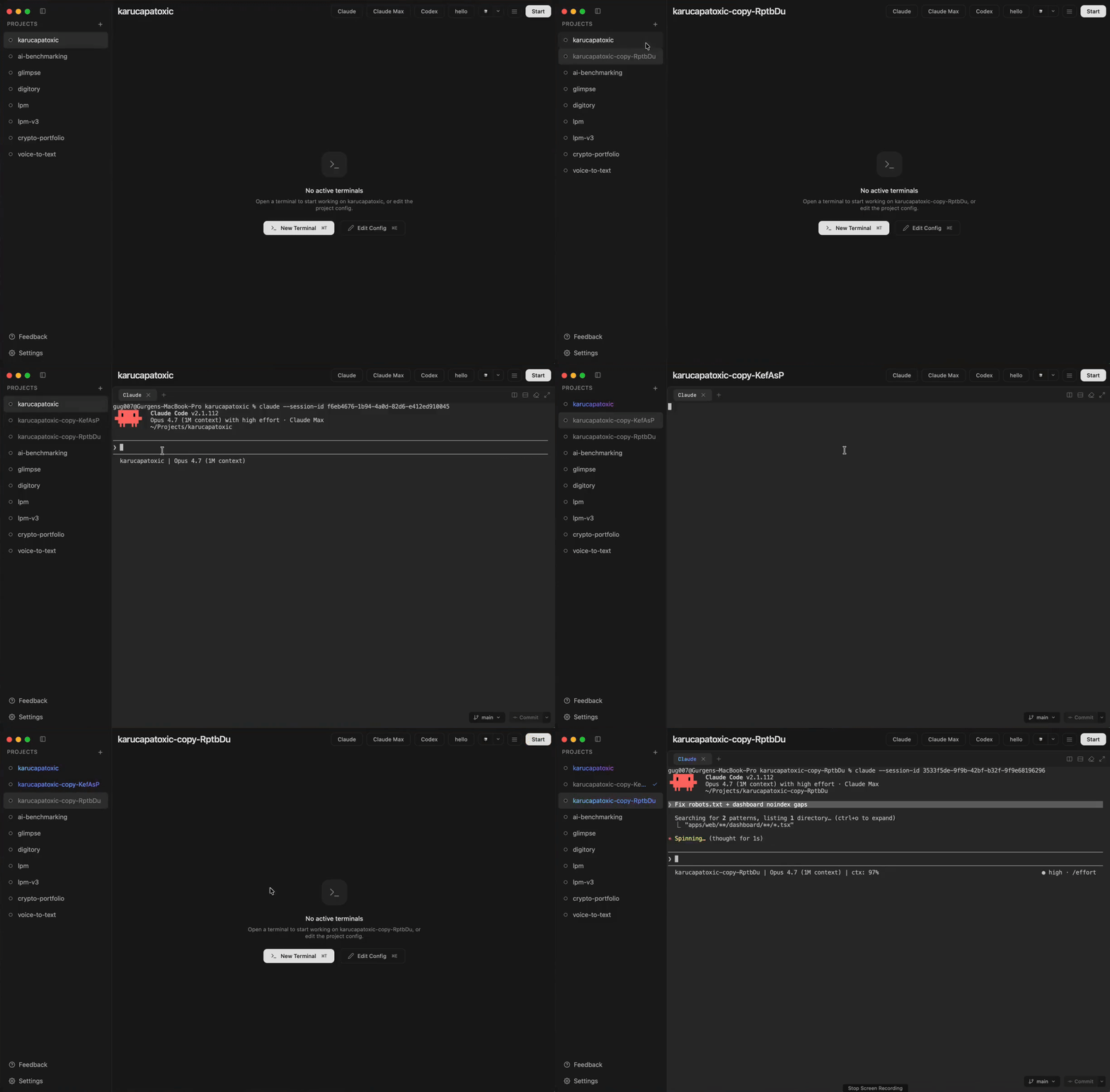
Duplicate a project — work on features in parallel, no conflicts
Fast switching — stop one project, start another in seconds
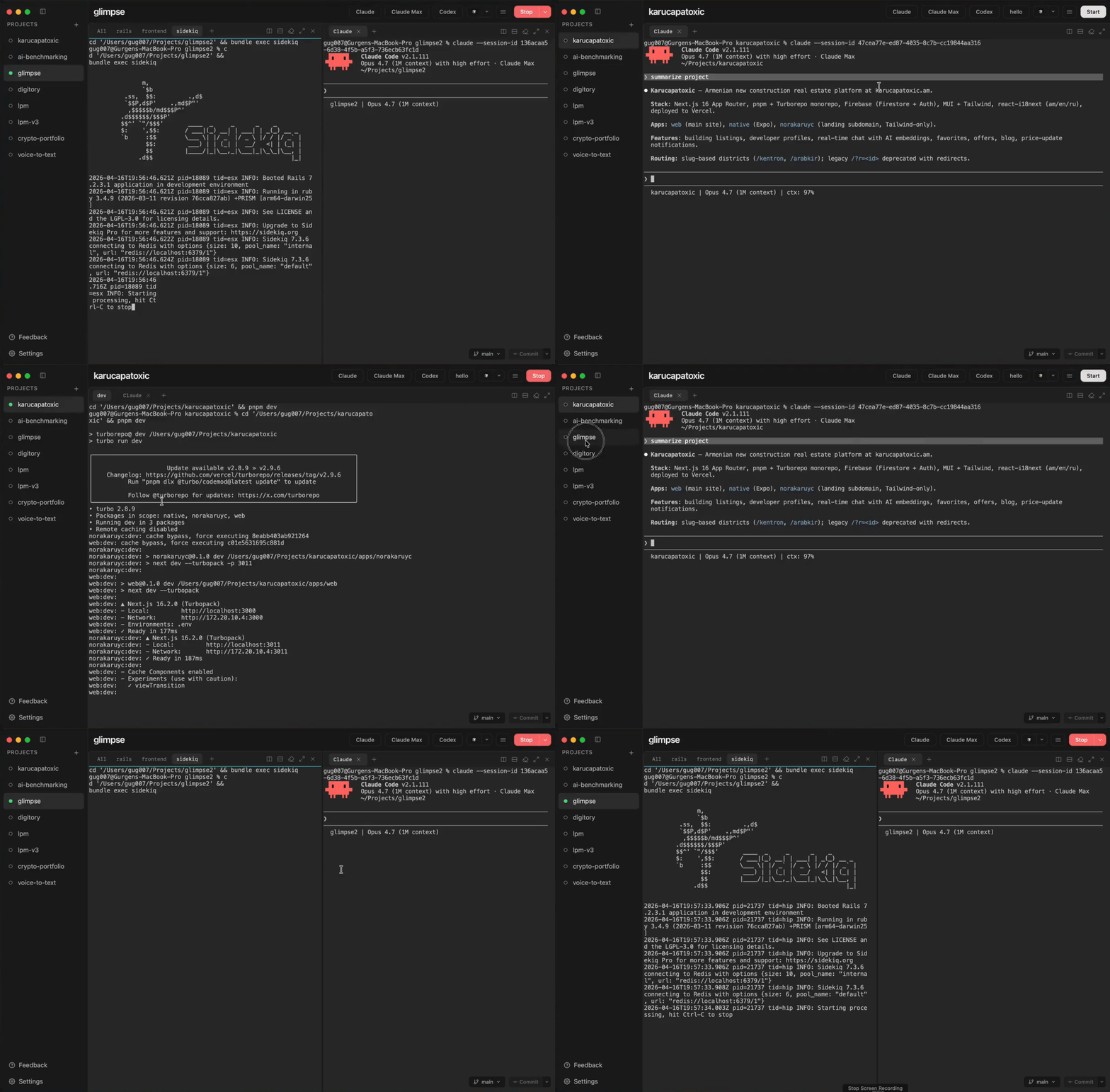
Split terminals — arrange services and agents side-by-side
Why lpm?
- Native macOS app — GUI with live terminal, config editor, notes, and theme support
- No Docker required — runs your services natively
- Auto-detects project setup — Rails, Next.js, Go, Django, Flask, Docker Compose
- Profiles for running service subsets
- Actions — one-shot commands like tests, migrations, and deploys, runnable from the Actions button
- Works with any stack — if it runs in a terminal, lpm can manage it
- CLI + App in sync — same features, same state, mix and match freely
AI Agent Skill
lpm includes an agent skill that lets your AI coding agent create and manage lpm configs for you. Install it via skills.sh:
npx skills add gug007/lpm
Then just tell your agent "set up lpm for this project" and it will analyze your codebase, discover services, and write the config.
See lpm-config/README.md for details.
CLI
Prefer the terminal? lpm also ships with a CLI that shares the same config and state as the desktop app.
See README-CLI.md for install instructions, commands, and configuration reference.
Reviews (0)
Sign in to leave a review.
Leave a reviewNo results found