SoftJL
Health Pass
- License — License: Apache-2.0
- Description — Repository has a description
- Active repo — Last push 0 days ago
- Community trust — 38 GitHub stars
Code Warn
- process.env — Environment variable access in apps/api/scripts/cleanup-stale-design-records.mjs
- process.env — Environment variable access in apps/api/src/adapters/llm/llm-scheduler.ts
Permissions Pass
- Permissions — No dangerous permissions requested
No AI report is available for this listing yet.
Self-hosted AI workspace for software engineering capstone and course projects. Generate UML models, system designs, test cases and editable DOCX specifications from requirements. Supports traceability, your own model provider and optional read-only MCP access.
English | 简体中文

SoftJL Community
An engineering workspace for capstone and course projects
Connect requirements, UML, design, tests and engineering documents with your own model service.
Review coverage · Follow changes · Explain your work








Trace your designs, guide your revisions. Review models, tests and specifications against the same requirements, follow change impacts and organize design sources you can explain in reviews and your defense.
Revise requirements, trace designs, explain your work
For software capstone projects, course projects and UML assignments, the workspace helps students check whether requirements are reflected in designs and tests, identify materials affected by changes and explain where their design decisions came from.
| What to check | How the platform helps | Supporting materials |
|---|---|---|
| Which designs need updating after requirements change | Save and confirm revised rules, then follow linked artifacts and update status | Requirement baselines, source relationships and change impact |
| Which requirements lack design or test support before submission | Locate missing or review-needed relationships in traceability matrices and check normal, exceptional and boundary tests | Coverage gaps and design content requiring review |
| Whether diagrams and specifications describe the same behavior | Generate specifications from saved models and designs, then compare diagrams and edit the text | Editable, versioned DOCX specifications |
| Which designs and acceptance criteria should guide implementation | Enable read-only MCP and connect an external Coding Agent to read complete designs, acceptance criteria and tests | Inputs for coding and actual verification in your own repository |
| How to explain design sources during a review or defense | Revisit relationships between requirements, designs and tests, together with task history | Sources for explaining design choices and test coverage |
Source links and coverage counts help locate content to inspect. Open the models to check their actual constraints and behavior. Run generated test cases against the real system; consistency between diagrams, specifications and code requires human review and execution evidence.
Project materials you can prepare
- Analysis and design: requirement rules, feasibility analysis, UML models and system designs.
- Testing and presentation: test cases, coverage matrices, traceability matrices and task records for checking your work.
- Engineering documents: feasibility reports, requirements specifications and software design descriptions, with version management and DOCX downloads; online editing requires OnlyOffice.
- Implementation inputs: saved designs and acceptance criteria for a compatible Coding Agent to use when implementing and testing in an external repository.
Review generated content, organize documents according to your school's requirements and verify the running system. Engineering specifications can support a project report; they are not a complete graduation thesis. Real-client compatibility and generated-code acceptance for Coding Agents remain pending; see the integration guide.
Overview
SoftJL Community is a self-hosted AI software engineering workspace, distributed as an independent source snapshot with a fresh Git history.
Core Capabilities
Community and Hosted Comparison
Community is the self-hosted edition in this repository. Hosted is the service available on the SoftJL website. ✅ means supported; — means not provided. Configuration and access requirements are listed below.
| Capability | Community | Hosted | Scope and requirements |
|---|---|---|---|
| 📝 Requirement rules and confirmation | ✅ | ✅ | Extraction, quality review, revision, human confirmation and acceptance criteria |
| 🧭 Feasibility: system context | ✅ | ✅ | System boundaries, external actors and interactions |
| 🧭 Feasibility: business/system flow | ✅ | ✅ | Business processes and system workflows |
| 🧭 Feasibility: implementation options | ✅ | ✅ | Candidate solutions, costs, benefits and risks |
| 📐 Complete requirement models | ✅ | ✅ | Functional structure, business flow, use cases, domain concepts, prototype navigation, deployment requirements and analysis models |
| 🏗️ Complete design models | ✅ | ✅ | Architecture, use-case realization, design classes, page navigation, database, components and deployment |
| 🧪 Test cases and coverage matrices | ✅ | ✅ | Normal, exceptional and boundary scenarios; execute generated tests against the actual system |
| 📄 Feasibility report | ✅ | ✅ | Generation, versions and DOCX downloads |
| 📄 Requirements specification | ✅ | ✅ | Generation, versions and DOCX downloads |
| 📄 Software design description | ✅ | ✅ | Generation, versions and DOCX downloads |
| ✏️ Online document editing | ✅ | ✅ | Requires OnlyOffice; configure it for Community, or use the available editing entry in Hosted |
| 🎨 Diagram editing and export | ✅ | ✅ | PlantUML editing and SVG export |
| 🔗 Source traceability and change impact | ✅ | ✅ | Artifact sources, dependencies and version changes |
| 👥 Projects and members | ✅ | ✅ | Authentication, project membership and role permissions |
| ⏱️ Generation tasks, history and retries | ✅ | ✅ | Review run records and retry failed tasks |
| 🤖 Bring your own model service (BYOK) | ✅ | ✅ | OpenAI-compatible providers, model discovery and connection tests; usage billed by the provider |
| ☁️ Website-managed models | — | ✅ | Subject to account configuration, model availability and generation entitlements |
| 💻 MCP / Coding Agent integration | ✅ (opt-in) | ✅ | Read-only access to designs, acceptance criteria, engineering constraints and tests; real-client compatibility and generated-code acceptance remain pending |
| 💳 Platform billing, payments and credits | — | ✅ | Purchases, orders and entitlements; Community does not require platform credits |
| 🛠️ Operations administration | — | ✅ | Restricted to website operators, unavailable to regular accounts |
| 📦 Open source and self-hosting | ✅ | — | Community source under Apache-2.0; manage your own services and data |
| 🌐 Online use without deployment | — | ✅ | Access the website with hosting maintained by the platform |
Edition boundaries
After the initial installation and build, use npm run dev:mcp for local MCP access. See MCP configuration for production setup.
Platform billing, payments, credit management, and the operations administration backend are excluded. Read-only MCP access is optional, with explicit project grants and the shared connection page. Authentication, project permissions, provider credential protection and generation scheduling remain available. Hosted availability depends on the current deployment, account permissions and service configuration.
Use an independent database. This distribution is not a downgrade path for an existing full-edition database. Generated models and documents require review, and tests must be executed against your actual system.
Interface Preview
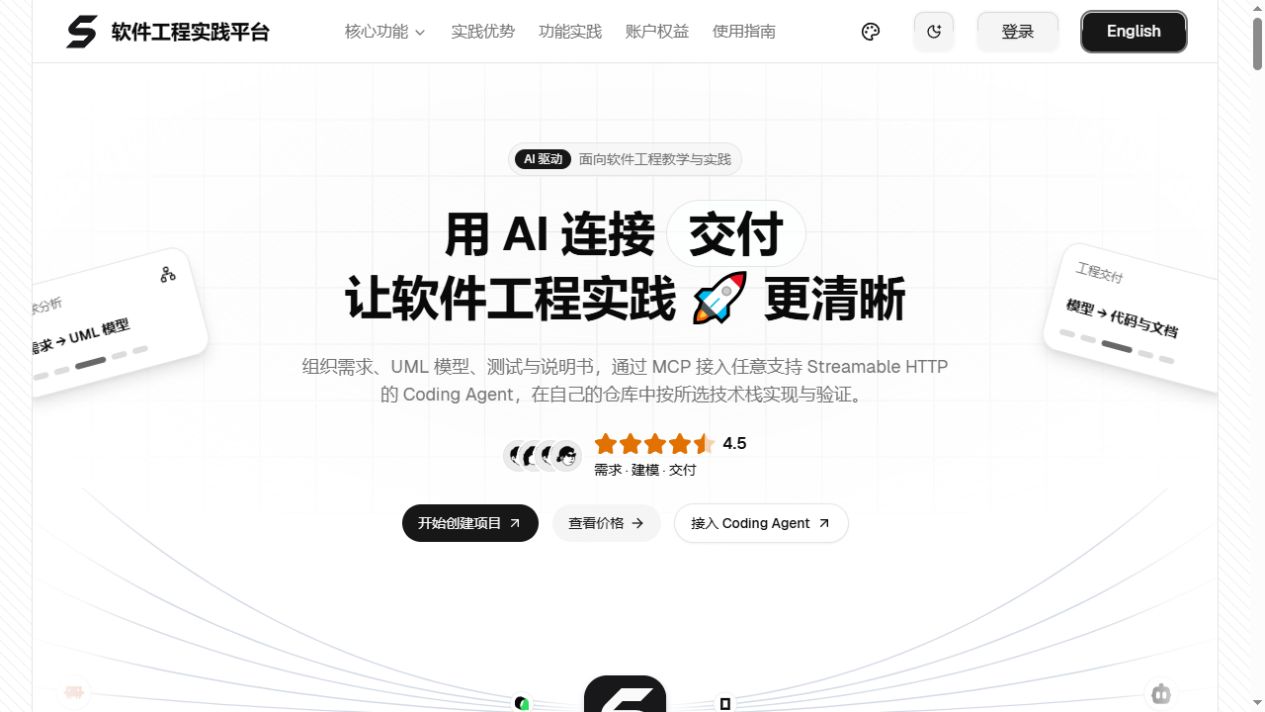
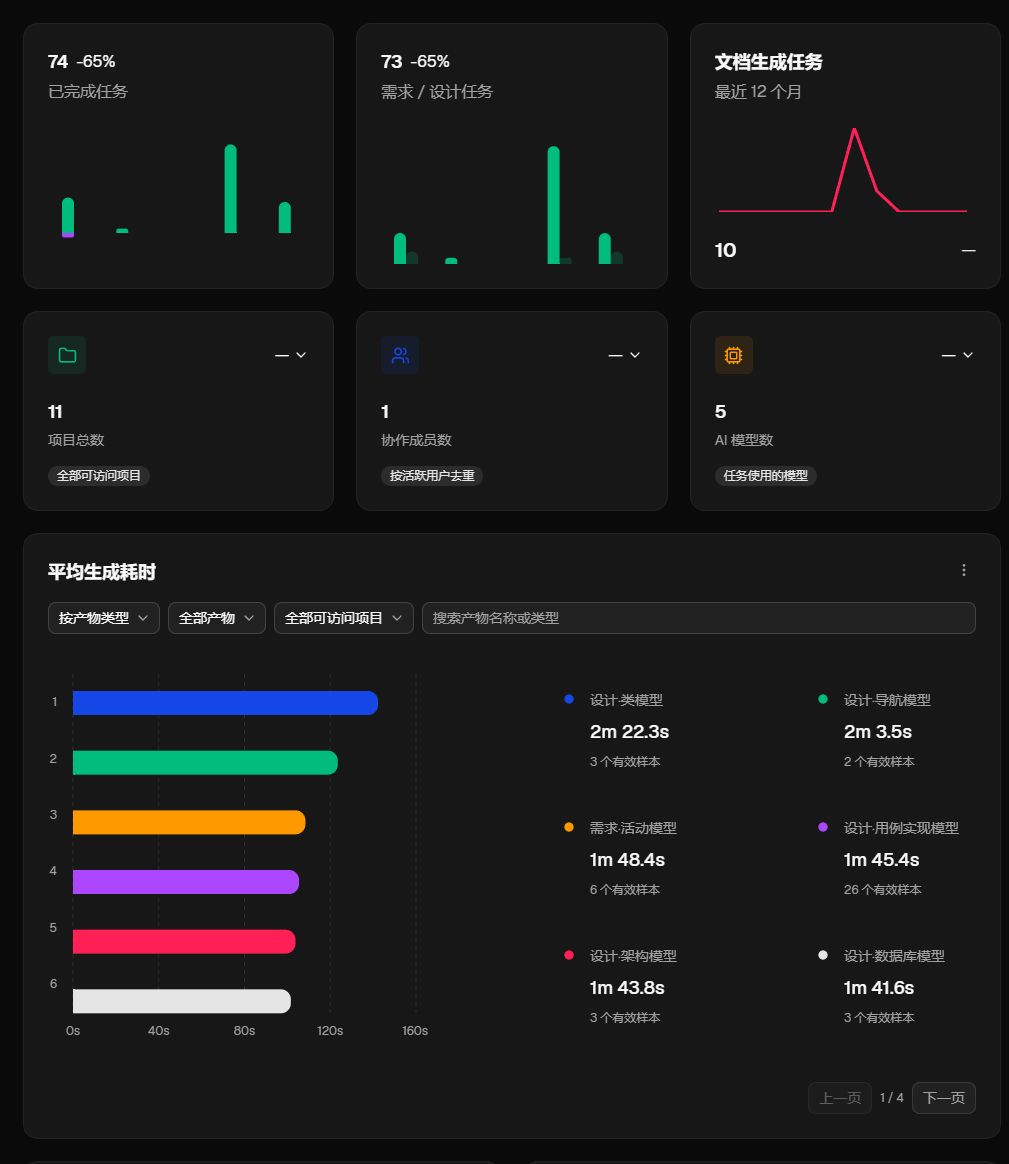
The original visual style and historical screenshots are retained. See the capability table for the current community scope.
Homepage
Project dashboard
Quick Start
Install Node.js 22, npm 10, Java 21 and Graphviz. Docker is optional for the core in-memory experience, and is used by the PostgreSQL and OnlyOffice helpers. The first renderer setup may download PDF CJK fonts.
1. Install and start core services
git clone https://github.com/guolola/SoftJL.git
cd SoftJL
npm ci
npm run dev
The root development command builds contracts and prompts automatically, then starts Web, API and rendering. Run npm run build:packages before starting individual applications or running tests.
Without DATABASE_URL, accounts, projects, provider configurations and run history are temporary and disappear when the server restarts. Document files use separate local storage and do not replace a database backup.
Web normally runs on port 3000, API on 4101 and rendering on 4002. Wait for Web to report Ready; http://localhost:3000/api/health and http://127.0.0.1:4002/health should return status: "ok".
2. Enable persistence and optional editing
With Docker running, use npm run dev:postgres for a dedicated development PostgreSQL database stored in a Docker volume. The helper's credentials are for local development only. Use a separate database for Community.
For an existing PostgreSQL server, copy .env.example to .env, configure DATABASE_URL and a generated UML_PROVIDER_CONFIG_SECRET, then run npm run dev. The root command loads this file. Keep the encryption secret stable and private; changing it prevents decryption of saved provider credentials.
Core services support document generation and downloads. For online editing, start Docker and run npm run dev:full; the helper checks OnlyOffice on port 8080 and creates or starts its container when needed. The initial image download requires network access. See production configuration for external services and deployment settings.
3. Configure a model provider
Add your provider in account model settings, test the connection and select a model. Configure persistence and encryption secrets for deployment, and disable development guest access and legacy plaintext provider settings.
Architecture
| Directory | Responsibility |
|---|---|
| apps/web | React and Next.js workspace |
| apps/api | Fastify API, generation pipelines and documents |
| apps/render-service | PlantUML rendering |
| packages/contracts | Shared schemas |
| packages/prompts | Generation prompts |
| packages/harness-e2e and packages/harness-eval | Acceptance and quality evaluation |
Common Commands
The root npm run dev builds shared packages automatically; use npm run build:packages before individual application commands and tests. Other npm scripts include build, test:contracts, test:api, test:web, test:render, typecheck:web and audit:docs. CI is included; the original production deployment workflow is excluded.
Online Access
SoftJL website offers the hosted edition, which may have different features. Run this repository locally for the community edition.
Documentation
- Contributing
- Security reporting
- Community maintenance and verification
- Documentation index
- Online user guide
License
Copyright © 2026 Software Engineering Practice Platform. Project code and documentation retain the Apache-2.0 license. Third-party templates, dependencies, fonts, icons and the PlantUML runtime retain their respective licenses; see NOTICE.
Reviews (0)
Sign in to leave a review.
Leave a reviewNo results found