code_chroma
Health Warn
- License — License: MIT
- Description — Repository has a description
- Active repo — Last push 0 days ago
- Low visibility — Only 6 GitHub stars
Code Fail
- rm -rf — Recursive force deletion command in distribution/install.sh
- rm -rf — Recursive force deletion command in distribution/velopack/pack.sh
- process.env — Environment variable access in dotnet/CodeChroma.Shell.App/smoke/smoke.mjs
- network request — Outbound network request in dotnet/CodeChroma.Shell.App/smoke/smoke.mjs
- network request — Outbound network request in dotnet/CodeChroma.Shell/Projects/tutorial-project.json
Permissions Pass
- Permissions — No dangerous permissions requested
No AI report is available for this listing yet.
Workspace for working with AI agents at a new level of abstraction. Understand, plan, direct, and review software through interactive architecture diagrams. Vibe coding speed with full control and understanding.
CodeChroma


See your codebase's architecture, let AI agents change it, and understand every change on the map.
See it in action
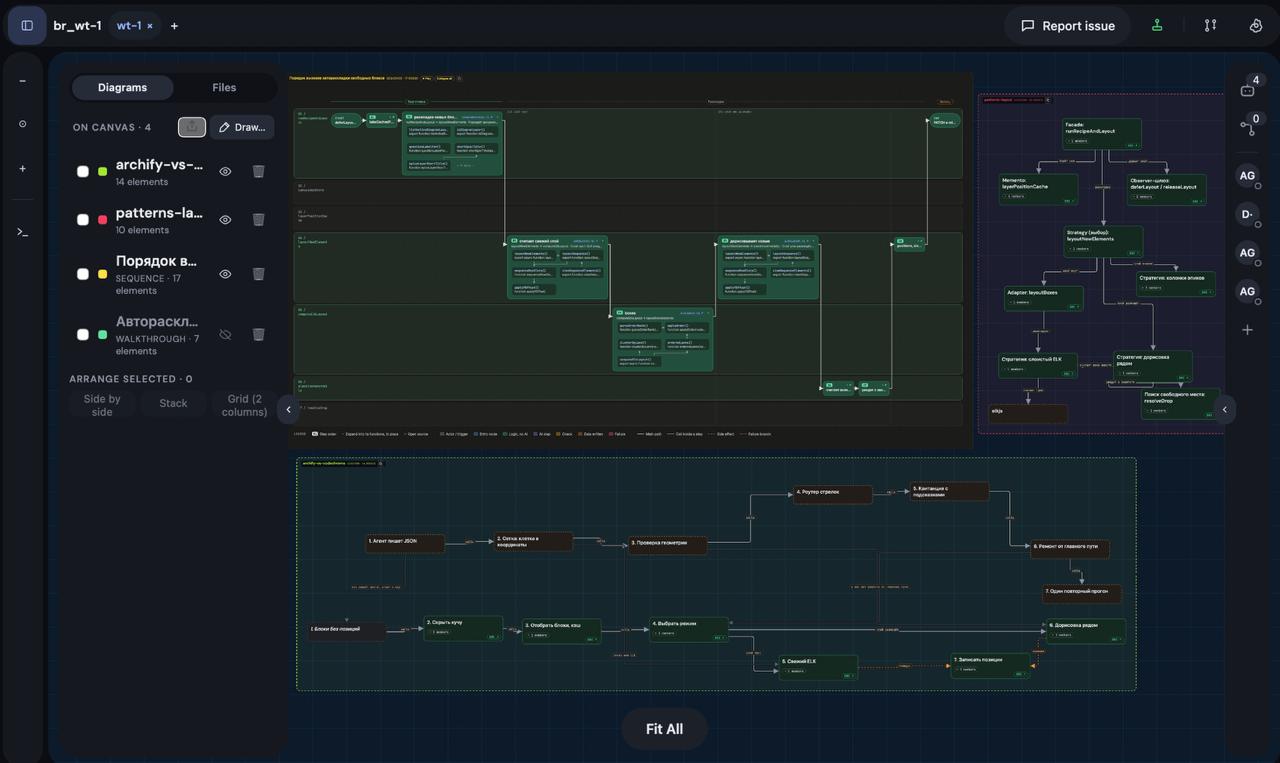
Explore your code at multiple levels at once.
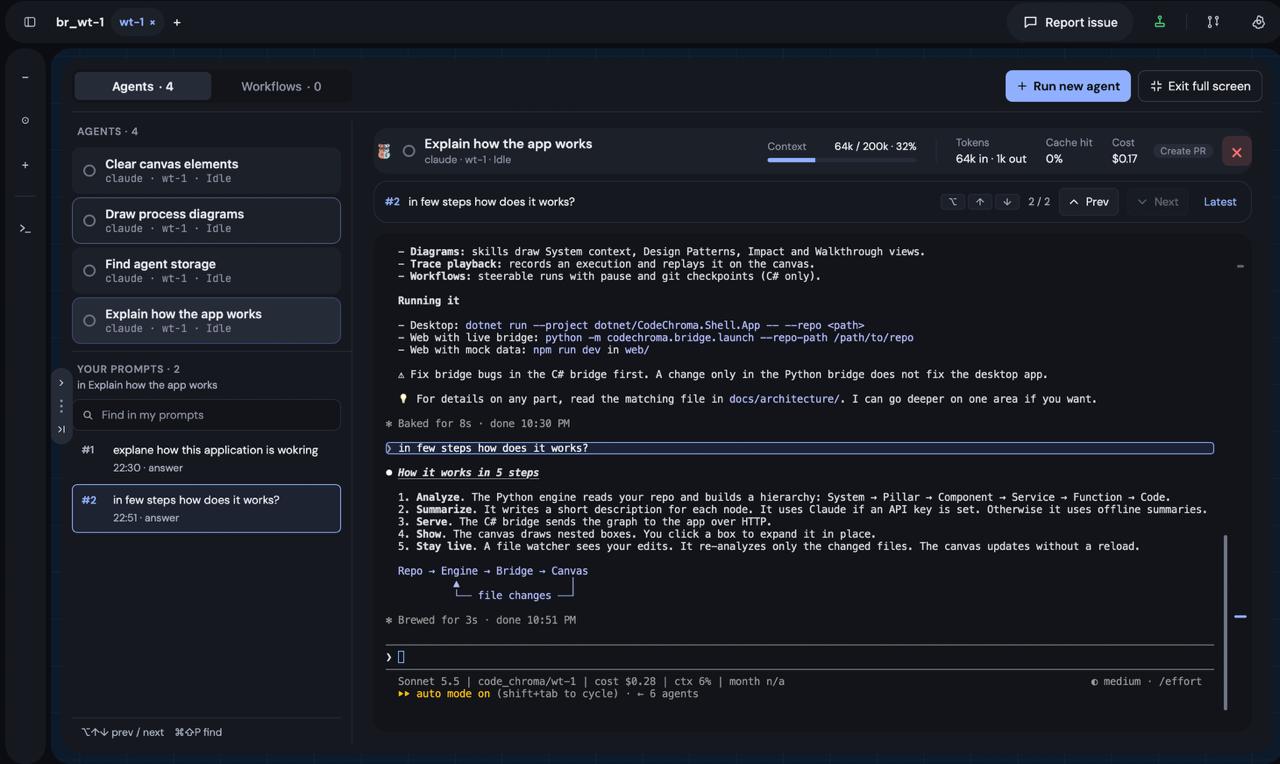
Work with multiple AI agents side by side, right in the app.
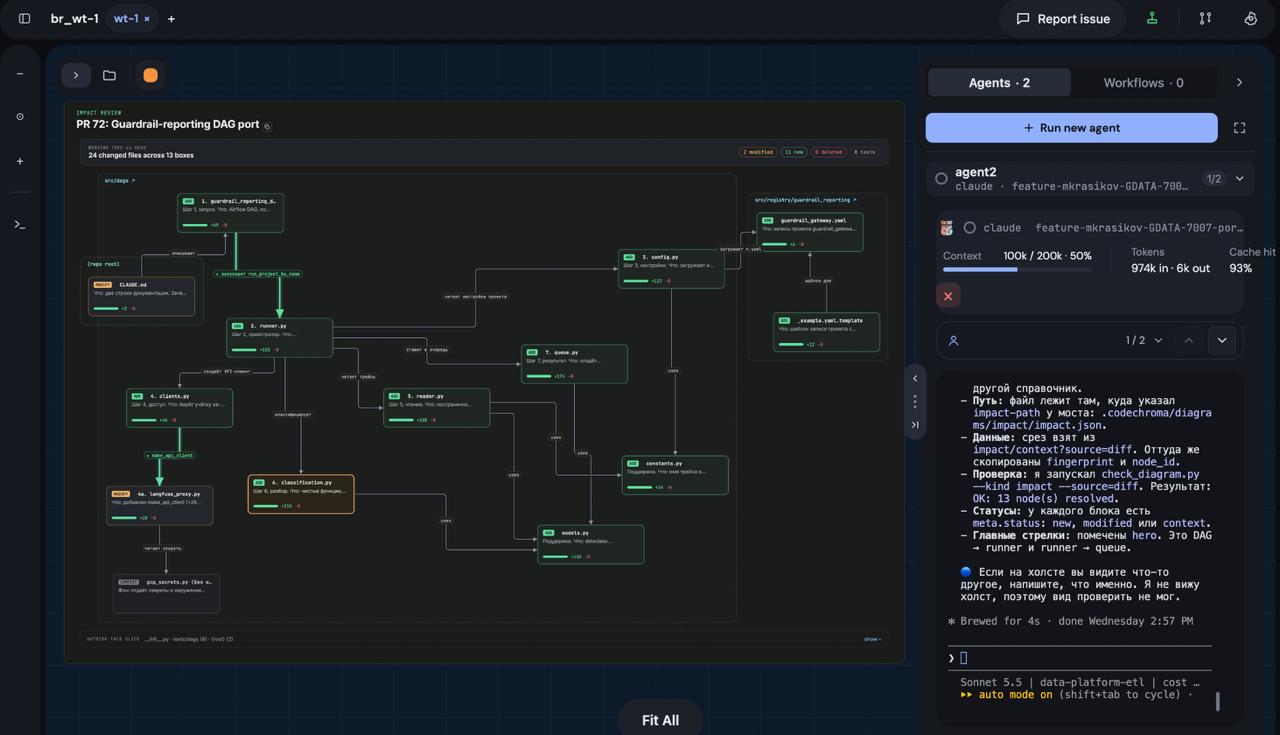
Review code and changes on the architecture map.
how it works
- Open a repo — a local folder or a GitHub URL. No API key needed.
- See its architecture — CodeChroma builds a zoomable map (System → … → Code) from the real code structure, not the folder layout.
- Launch an AI agent — start Claude Code sessions from the canvas, each in its own git worktree.
- Understand the changes — the Change Impact view shows which boxes the agent touched, and the map updates live as files change.
features
- zoomable canvas — the code hierarchy (System → … → Code) lives in a left Project tree, and every diagram (C1, patterns, epics, …) sits as a layer on the same canvas.
- live sync — edit a file and the map updates in place: new blocks appear, deleted ones fade out, no reload.
- diagrams as layers — C1, Design Patterns, Change Impact, Epics, Sequence, or a custom type — show, hide, or delete.
- AI agents — describe a diagram in plain language and a built-in agent draws it; run parallel Claude Code sessions, each in its own worktree.
- PR workspaces — paste a PR URL and browse its head as a read-only workspace.
- desktop app — a native (C# / Avalonia) double-click app and installer, no Python or Node needed.
- works with or without a key — analysis, canvas, and live sync run on a deterministic offline summarizer; set a key to unlock AI features.
install
Desktop app — one command:
| Platform | Command |
|---|---|
| macOS (Apple Silicon or Intel) / Linux (x64) | curl -fsSL https://raw.githubusercontent.com/gutzerk/code_chroma/main/distribution/install.sh | sh |
| Windows (x64) | powershell -ExecutionPolicy Bypass -c "irm https://raw.githubusercontent.com/gutzerk/code_chroma/main/distribution/install.ps1 | iex" (or run distribution/install.cmd) |
All platforms install per-user (macOS and Linux into ~/Applications) and do not request administrator
access. The installers check the SHA-256 from the release's latest.json, and also rungh attestation verify when the GitHub CLI is installed and logged in (otherwise they warn that only
the checksum was checked).
Re-running the command installs a newer version and skips the same one (--force / -Force to
reinstall).
Update: the app checks for a new release at start-up, every 6 hours and when its window regains
focus; open Updates to download, skip a version or turn on automatic download. In-app updates are
verified by SHA-256 checksum only (not signed or attested) and roll back automatically if the new
version fails to start. Uninstall:
re-run the installer with --uninstall (-Uninstall on Windows); add --purge / -Purge to also
delete settings and caches.
First launch: release builds are not yet code-signed. On macOS a browser-downloaded app may need
right-click → Open (or xattr -dr com.apple.quarantine ~/Applications/CodeChroma.app); on Windows
SmartScreen may show "More info → Run anyway"; the Linux AppImage needs FUSE (libfuse2).
From source — point it at any repo:
poetry install
cd web && npm install && cd ..
poetry run python -m codechroma.bridge.launch --repo-path /path/to/your/repo
Or open a GitHub project without cloning it yourself — --github takes a URL or owner/repo[@ref]:
poetry run python -m codechroma.bridge.launch --github owner/repo
Open the URL it prints (usually http://localhost:5173) and start clicking. See QUICKSTART.md for the full walkthrough, web/QUICKSTART.md to explore the UI offline, and CLAUDE.md for the command reference and documentation map.
docs
- QUICKSTART.md — install → launch → explore
- docs/architecture/ — one focused doc per subsystem (engine, diagrams, canvas, PR workspaces, parallel agents, desktop app)
development
poetry install
poetry run pytest           # Python tests
poetry run ruff check .     # lint
cd web && npm install
npm test                    # Vitest
npm run e2e                 # Playwright
contributing
See CONTRIBUTING.md for setup, contributor rules, checks and the PR workflow.
File issues and feature ideas under docs/planning/. See CLAUDE.md for the architecture map and repo-wide conventions.
license
CodeChroma is released under the MIT License.
Reviews (0)
Sign in to leave a review.
Leave a reviewNo results found