review
Health Warn
- License — License: MIT
- Description — Repository has a description
- Active repo — Last push 0 days ago
- Low visibility — Only 5 GitHub stars
Code Pass
- Code scan — Scanned 12 files during light audit, no dangerous patterns found
Permissions Pass
- Permissions — No dangerous permissions requested
No AI report is available for this listing yet.
Local desktop code review for Git branches and GitHub pull requests, with optional AI review

Review
Code review on your own machine.
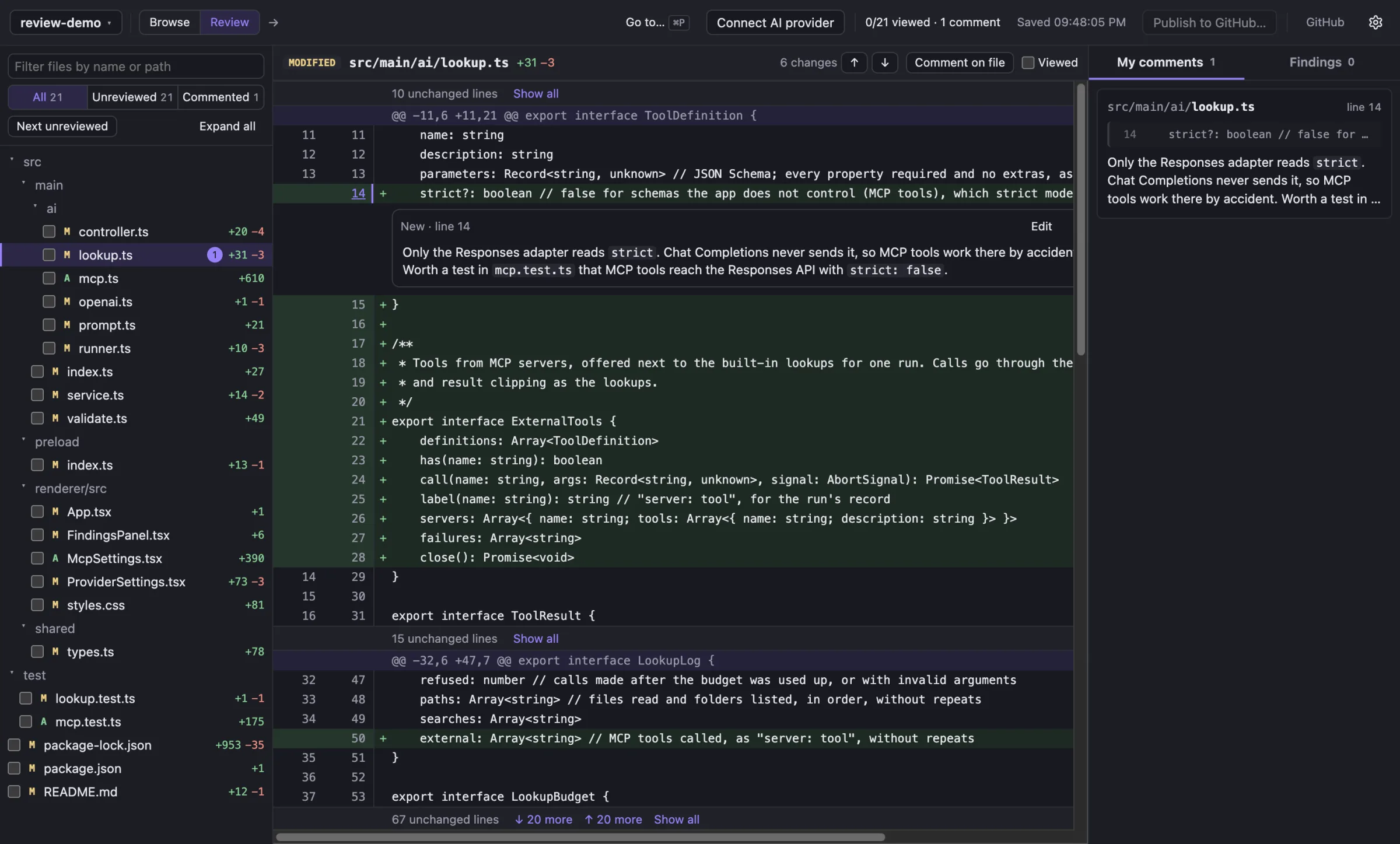
A desktop app for Git branches and GitHub pull requests: comment on any line, publish when you're ready,
and add an AI reviewer with your own model, or none.




Website · Download · User guide
Features
- Branches and pull requests in one place. Browse local branches, remotes and GitHub PRs, and press
⌘Pto jump anywhere. - Reviews pinned to exact commits. Each review compares from the merge base, so the diff doesn't move when someone pushes.
- Comments that stay local. Nothing goes to GitHub until you publish. Comments land in your pending review, and you submit it.
- Bring your own AI, or none. OpenAI, Anthropic, Gemini, OpenRouter, any OpenAI-compatible endpoint, or a local model in Ollama or LM Studio. Keys are encrypted with your system keychain.
- MCP tools. AI reviewers can call your MCP servers for context the repository doesn't have, like the ticket behind a change.
Install
Download the installer for your system from the latest release. You need Git installed.
The installers aren't signed yet, so your system asks once on first open. On macOS, go to System Settings → Privacy & Security and click Open Anyway. On Windows, click More info → Run anyway.
Build from source
Requires Node 22.12+ and Git.
git clone https://github.com/hamedghaderi/review.git
cd review
npm install
npm run dev
| Command | What it does |
|---|---|
npm run dev |
Run with hot reload |
npm test |
Run the tests (temporary repos, mock servers) |
npm run typecheck |
Type-check main and renderer |
npm run format |
Format with Prettier |
npm run dist |
Build macOS installers (dist:win, dist:linux for the others) |
Docs
- User guide: browsing, pull requests, publishing, AI review, MCP servers
- Architecture: how AI review works, code layout, how reviews are stored
- Releasing: building installers and publishing a release
Contributing
Issues and pull requests are welcome. Before opening a PR, run npm test, npm run typecheck and npm run format:check; CI runs the same three. To report a security problem, see SECURITY.md.
License
Reviews (0)
Sign in to leave a review.
Leave a reviewNo results found