deepdepcat
Health Warn
- License — License: Apache-2.0
- Description — Repository has a description
- Active repo — Last push 0 days ago
- Low visibility — Only 5 GitHub stars
Code Fail
- fs.rmSync — Destructive file system operation in bench/run_bench.mjs
- network request — Outbound network request in bench/run_bench.mjs
- network request — Outbound network request in bench/run_depwork.mjs
- process.env — Environment variable access in bench/smoke_m20_auto_procedure.mjs
- network request — Outbound network request in bench/smoke_m20_auto_procedure.mjs
- process.env — Environment variable access in bench/smoke_m20_procedure.mjs
- network request — Outbound network request in bench/smoke_m20_procedure.mjs
Permissions Pass
- Permissions — No dangerous permissions requested
No AI report is available for this listing yet.
DeepDepCat — all-in-one AI desktop workbench: Code assistant + Depwork office automation. Homepage & releases. WPS Office MCP server included (open source).
DeepDepCat
Dual-workflow AI desktop workbench — one native application for both coding and document/office automation, natively optimized for DeepSeek V4.


-lightgrey)




Why DeepDepCat
There are terminal coding agents (they only write code) and chat clients (they only talk). DeepDepCat is neither — it is both, in a single native desktop app:
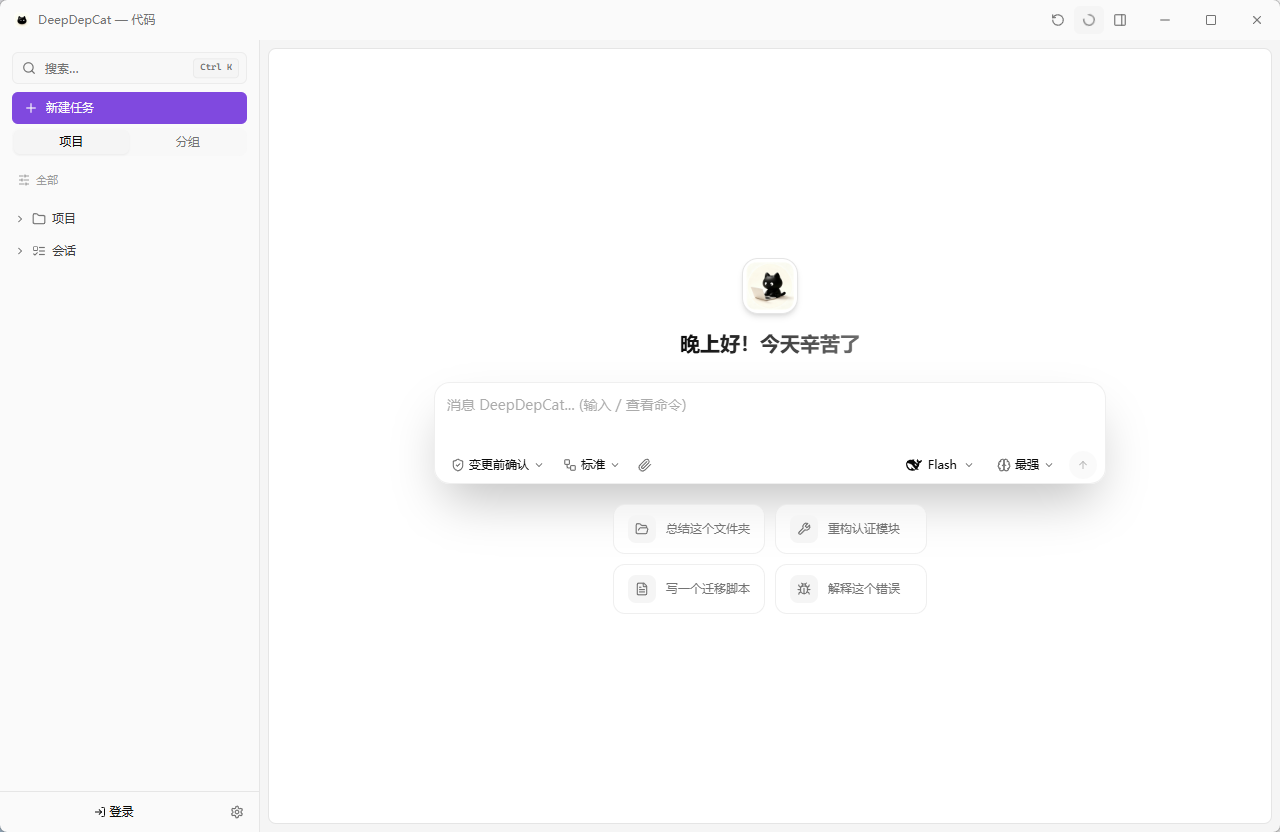
- Code workspace — LSP-driven coding agent: subagent orchestration, multi-session parallel conversations, execution strategies (plan-execute / reflexion / coordinator / generate-review), checkpoint rollback, sandboxed tool execution, and permission modes from "confirm every change" to "fully automatic".
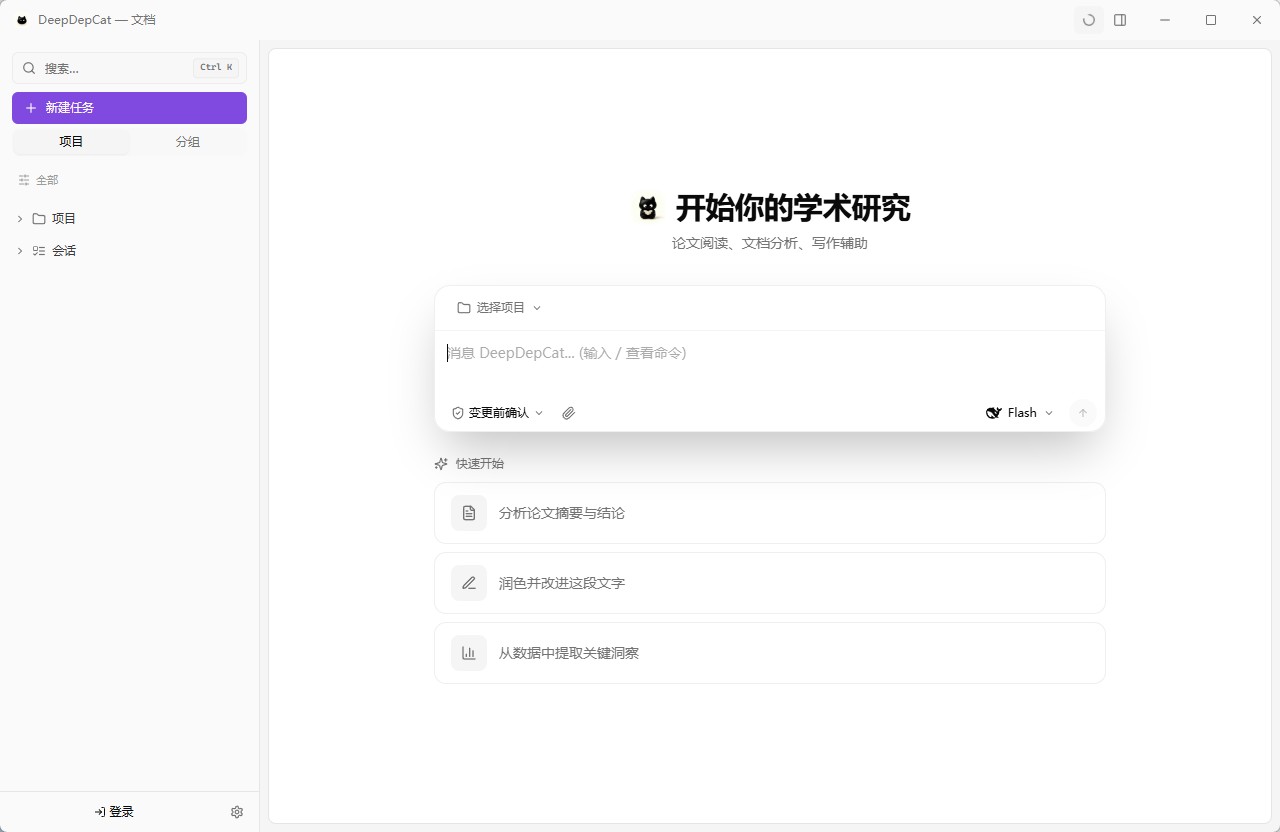
- Depwork workspace — document & office automation agent: Word/PPT/Excel generation, OCR, table processing, media conversion, desktop UI automation, batch file operations — with a live task panel showing step-by-step progress, pausable and resumable at any time.
DeepSeek V4 is not bolted on — it is the core: 1M context window, max reasoning effort, streaming thinking-mode display, and context-cache hit metrics you can actually see.
This repository is the open-source home of the DeepDepCat desktop app, released under Apache-2.0. It is also the release channel and community hub. Issues, feature requests and feedback are very welcome.
Screenshots
Quick start
- Download the latest Windows installer from Releases, or visit the official site.
- Open the app — Settings → Model Providers, select the built-in DeepSeek provider, and paste your DeepSeek API Key.
- Add models
deepseek-v4-pro/deepseek-v4-flash(1M context window by default). - Start working — Code workspace for code, Depwork workspace for documents.
Key features
| Feature | Description |
|---|---|
| Dual workflows | Coding + document/office automation in ONE app, each with its own tool chain, system prompt and agent definitions |
| Multi-session parallelism | Sessions run concurrently without blocking each other; live per-session indicators and one-click stop in the sidebar |
| Per-session terminal | A persistent interactive shell per chat session — switch sessions to switch terminals; supports python/vim/htop |
| Subagent orchestration | Complex tasks decomposed into parallel subagents with real-time activity tracking |
| Execution strategies | Standard / plan-execute / reflexion / coordinator / generate-review (independent evaluator) |
| Pause & resume | Tasks pause at checkpoints (context fully preserved) and resume anytime — not a kill |
| DeepSeek V4 native | 1M context, max reasoning effort, streaming thinking display, cache-hit metrics |
| Long-term memory | Cross-session project memory with automatic injection and Chinese-semantic retrieval (FTS5 CJK) |
| Skills & ecosystem | Own directory-based skills plus Claude/Cursor skill & plugin compatibility — zero format conversion |
| MCP support | First-class MCP (stdio / SSE / HTTP); external server tools merge into one registry |
| Checkpoint rollback | Undo any agent file change with one click — back to the pre-edit state |
| Trust & safety | 3-level permission modes (read-only / accept edits / allow all), sandboxed execution, bash AST security analysis, inline user confirmations |
| Silent updates | Small releases install automatically on exit, zero UI; major releases via the update button |
Building from source
DeepDepCat is fully open source (Apache-2.0). To build the desktop app yourself:
- Install Rust, Node.js 18+, and the Tauri 2 prerequisites.
- Run
npm install. - Run
npm run tauri build(ornpm run tauri devfor development).
Source layout: src — React frontend · src-tauri — Rust backend · depwork-mcp — WPS Office MCP server.
WPS Office MCP server
WPS Office MCP server (depwork-mcp/) — control WPS Office (Writer / Calc / Impress) from any MCP-compatible AI client: document creation & editing, export to docx/xlsx/pptx/pdf, and live typewriter-style writing into a visible window. JSON project model + deferred COM rendering — editing never requires WPS to run.
Add it to your MCP client in one block:
{
  "mcpServers": {
    "wps-office": {
      "command": "python",
      "args": ["-m", "wps_controller.mcp_server"]
    }
  }
}
See depwork-mcp/README.md for the full tool list, CLI usage and JSON project format.
Platform support
- Windows (x64) — available now (NSIS installer, silent updates)
- macOS (Apple Silicon / Intel) — cross-platform Tauri app; builds in progress
- Linux — planned
Tech stack
- Desktop shell: Tauri 2 (Rust backend + WebView2 / WebKit)
- Frontend: React 18 + TypeScript + Vite + Zustand
- Cloud backend (not in this repo): Python FastAPI + SQLite (updates, auth, telemetry, sync)
- Models: DeepSeek V4 (default), OpenAI, Anthropic, xAI Grok, local Ollama — OpenAI / Anthropic / Responses protocols
Integration guide
- DeepSeek official awesome list guide (English · 简体中文)
Co-creators


License
Apache-2.0 © 2026 hanmirage
Reviews (0)
Sign in to leave a review.
Leave a reviewNo results found