SynapsCLI
Health Warn
- License — License: Apache-2.0
- Description — Repository has a description
- Active repo — Last push 0 days ago
- Low visibility — Only 5 GitHub stars
Code Pass
- Code scan — Scanned 12 files during light audit, no dangerous patterns found
Permissions Pass
- Permissions — No dangerous permissions requested
No AI report is available for this listing yet.
A terminal-native AI agent runtime built in Rust. Interactive chat, parallel agent orchestration, and autonomous supervision — one binary, 70K lines, 1,074 tests.
The agent runtime that boots before your Node binary finishes importing.



One Rust binary. Any model. Any provider.
📖 Read the Wiki · ⚡ Quick Start · ❓ FAQ
Install
cargo install synaps # crates.io
brew install HaseebKhalid1507/tap/synaps    # macOS / Linux
yay -S synaps                               # Arch / EndeavourOS
# Debian/Ubuntu
curl -LO https://github.com/HaseebKhalid1507/SynapsCLI/releases/latest/download/synaps_amd64.deb
sudo dpkg -i synaps_amd64.deb
# Shell installer (any platform)
curl -sSL https://github.com/HaseebKhalid1507/SynapsCLI/releases/latest/download/synaps-installer.sh | sh
# From source
git clone https://github.com/HaseebKhalid1507/SynapsCLI && cd SynapsCLI
cargo build --release && ./target/release/synaps
Go
synaps login                      # OAuth with Claude Pro/Max
synaps                            # launch
Or skip OAuth — any API key works:
export ANTHROPIC_API_KEY="sk-ant-..."   # or GROQ_API_KEY, CEREBRAS_API_KEY, etc.
synaps
17 providers. 55+ models. Set a key, pick a model, go.
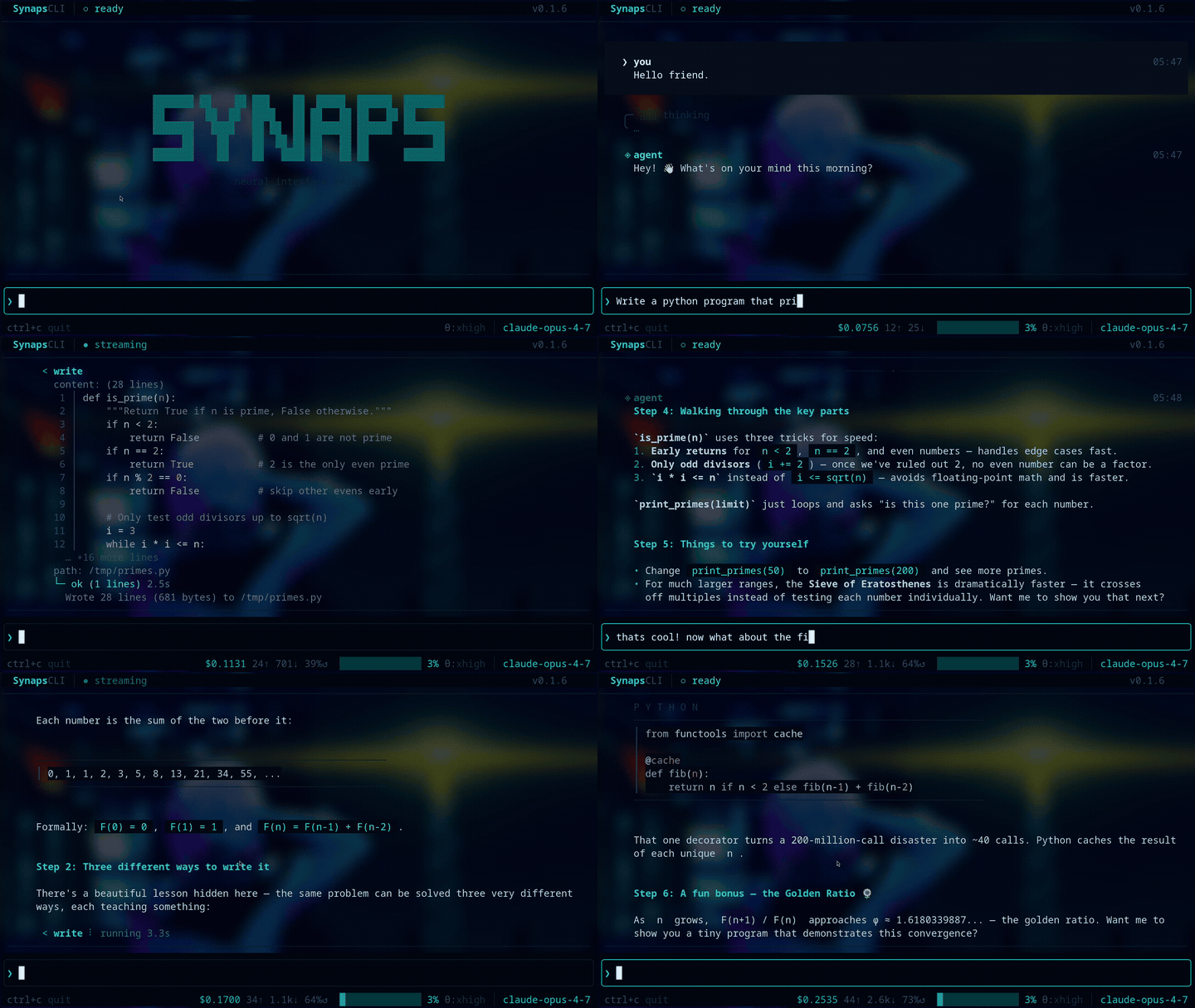
What It Looks Like
╭ ◈ 4 agents ────────────────────────────────────╮
│  ✓ spike    done                         12.3s  │
│  ⠹ chrollo  ⚙ read (tool #5)              8.1s  │
│  ✓ shady    done                          9.7s  │
│  ⠹ zero     thinking...                   4.2s  │
╰─────────────────────────────────────────────────╯
You dispatch agents. They work in parallel. You watch them think.
The Pitch
Most CLI agents are single-threaded conversations with a language model. Synaps is a harness — a place where multiple named agents live, collaborate, and persist across sessions.
Think of it like LEGO: the brain is one piece (talks to AI models), the tools are blocks (read files, run commands, search), and plugins are stickers you snap on — voice, security, memory, whatever you need. Swap the AI behind it at any time. The cool part isn't which AI you have — it's how cleverly you put your agents together.
# Dispatch a named agent with its own personality and tools
subagent(agent: "spike", task: "refactor the auth module")

# Or dispatch reactively — don't wait, steer mid-flight
subagent_start(agent: "chrollo", task: "audit this codebase for vulnerabilities")
subagent_steer(handle_id: "sa_1", message: "focus on the API routes")
subagent_collect(handle_id: "sa_1")
The big agent dispatches little helper agents — like a chef with sous-chefs. You can poke them mid-task, redirect them, or let them run. And there's a watcher that supervises the fleet so they don't crash or burn through your budget.
     🤖 Main Agent
       │ "you chop, you stir, you watch the oven"
   ┌───┼────┬──────┐
   🤖   🤖   🤖    🤖
  spike shady chrollo zero
Agents aren't anonymous forks. They're crew members with names, system prompts, specializations, and memory. You build a team, not a chatbot.
*New to AI agents? Read the ELI5. Want the full tour? Check the Wiki.*
Features
⚡ Fast. ~73K lines of Rust. Sub-100ms cold start. Single binary, no runtime dependencies.
🌐 Any model. Claude, GPT-4, Gemini, Llama, Qwen, Mistral, DeepSeek — 17 providers including free tiers (Groq, Cerebras, NVIDIA NIM). Swap mid-session with /model.
🎭 Named agents. spike, chrollo, shady, zero — each with a soul. Dispatch by name, watch them work in the live panel.
🔄 Reactive orchestration. Dispatch → poll → steer → collect. Five tools that turn fire-and-forget into collaborative multi-agent workflows.
📡 Event bus. Push events into a running session from any script, cron, or service. The agent reacts in real time.
🔌 Extensions. JSON-RPC 2.0 over stdio. Hook into before_tool_call, after_tool_call, before_message, on_message_complete, on_compaction, on_session_start, on_session_end. Build guardrails, inject context, modify tool calls.
🧠 Context that lasts. 90%+ prompt cache hit rate. /compact replaces history with a structured checkpoint. Chain sessions across days.
🤖 Autonomous mode. synaps watcher supervises long-running agents with heartbeats, crash recovery, cost limits, and session handoff.
🎨 18 themes. From neon-rain to tokyo-night. Hot-swap with /theme.
Modes
| Command | What it does |
|---|---|
synaps |
Interactive TUI — streaming, markdown, syntax highlighting, subagent panel |
synaps chat |
Headless — same engine, stdin/stdout. For scripts, pipes, CI |
synaps server |
WebSocket API with token auth, origin validation, streaming |
synaps rpc |
Line-JSON IPC — one process per thread, for bridges (Slack, Discord) |
synaps watcher |
Supervisor daemon for autonomous agent fleets |
Tools
18 built-in, zero config:
bash |
read / write / edit |
grep / find / ls |
subagent / subagent_resume |
subagent_start / _status / _steer / _collect |
shell_start / _send / _end |
connect_mcp_server |
load_skill |
Plus anything from MCP servers. connect_mcp_server and they're live.
Configuration
~/.synaps-cli/config
model = claude-sonnet-4-6
thinking = high
theme = neon-rain
context_window = 200k

provider.groq = gsk_...
provider.cerebras = csk-...

keybind.F5 = /compact
That's it. No YAML. No TOML. No JSON. Key = value. Done.
Bridge mirror (optional)
When the bridge daemon (synaps-skills) is running locally, the watcher
can mirror per-agent heartbeats over its UDS ControlSocket
(heartbeat_emit op). Off by default. Enable with:
bridge.heartbeat_mirror = true
# bridge.uds_path = /custom/path/control.sock     # default: ~/.synaps-cli/bridge/control.sock
# bridge.heartbeat_timeout_ms = 250               # connect+write+read budget
Mirroring is best-effort — the watcher never blocks or fails an agent
if the bridge UDS is missing. Seedocs/smoke/watcher-bridge.md for the
verification playbook.
Extensions & Plugins
Plugins are like stickers you snap onto your agent — want code guardrails? Stick on a security plugin. Want memory? Stick on a memory plugin. Drop a folder in ~/.synaps-cli/plugins/ and it's live on next boot.
Extensions hook into the agent loop via 7 lifecycle events. They can block tool calls, inject context, modify inputs, or just observe. Permission-gated. Sandboxed processes.
~/.synaps-cli/plugins/my-guard/
├── .synaps-plugin/
│   └── plugin.json    # manifest: hooks, permissions, keybinds
└── index.js           # JSON-RPC 2.0 over stdio
And anything in the world can poke your agent — monitoring systems, cron jobs, CI pipelines. synaps send "the website is down" --source uptime-kuma and your agent wakes up and handles it.
See docs/extensions/ for the protocol spec, or the Wiki for the full documentation — 36 pages covering everything from installation to multi-agent orchestration.
Philosophy
Synaps has opinions:
- Agents are not chat. They're autonomous programs that happen to use language models. Treat them like services, not conversations.
- Speed is a feature. If your agent runtime takes 2 seconds to boot, you've already lost the developer who wanted to use it in a git hook.
- Multi-agent is the default. Single-agent is a special case of multi-agent with n=1. The architecture should reflect that.
- The terminal is the IDE. If you need Electron to be productive, your tools are wrong.
Architecture
src/
├── main.rs          # CLI dispatch
├── engine/          # shared boot, commands, stream, session
├── runtime/         # LLM API + provider router (Anthropic native + OpenAI-compat)
├── tui/             # terminal UI, themes, settings, plugin modals
├── tools/           # 18 built-in tools
├── extensions/      # JSON-RPC extension system
├── events/          # event bus + priority queue
├── mcp/             # Model Context Protocol client
├── watcher/         # autonomous agent supervisor
├── skills/          # markdown-driven behavioral guidelines
├── memory/          # local plugin memory store
└── sidecar/         # long-running plugin companion processes
Two API paths: Anthropic (native) and OpenAI-compatible (17 providers). Both emit the same StreamEvent — the TUI and tool loop are provider-blind.
License
Apache 2.0. See LICENSE.
Because every other CLI agent was a 400MB Electron app pretending to be a terminal tool.
Reviews (0)
Sign in to leave a review.
Leave a reviewNo results found