posy
Health Pass
- License — License: MIT
- Description — Repository has a description
- Active repo — Last push 0 days ago
- Community trust — 11 GitHub stars
Code Warn
- process.env — Environment variable access in .github/assets/make-badges.mjs
- network request — Outbound network request in .github/assets/make-badges.mjs
Permissions Pass
- Permissions — No dangerous permissions requested
No AI report is available for this listing yet.
A link-in-bio page that looks hand-made. Pick a look, add your links, publish. Edit it yourself or let your AI do it.

Posy is a link-in-bio page that looks hand-made.
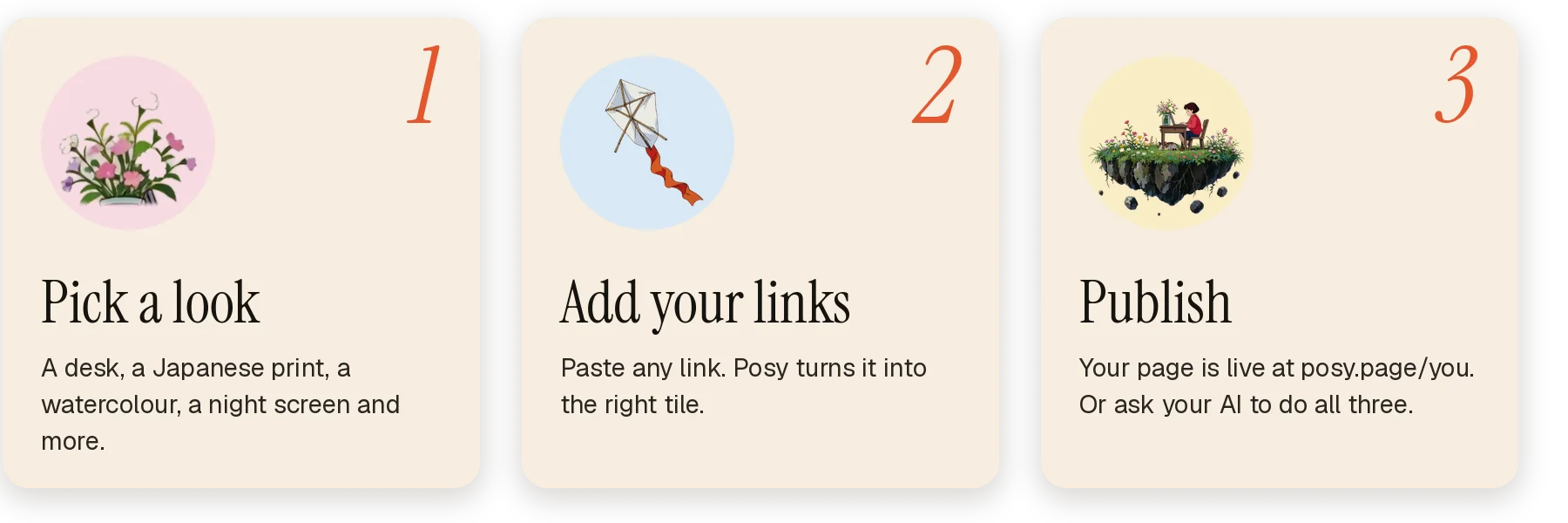
Pick a look, add your links, publish. Edit it yourself, or let your AI do it.
Free and open source. Use it at posy.page or run it yourself.





Website · Docs · Connect your AI · Self-host · Contributing







What is Posy
Posy is a link-in-bio page that looks hand-made. You pick a look, add your links, and publish.
Edit it yourself in a calm studio, or ask your AI to do it for you. Your page is one small JSON file you can take anywhere.

The looks
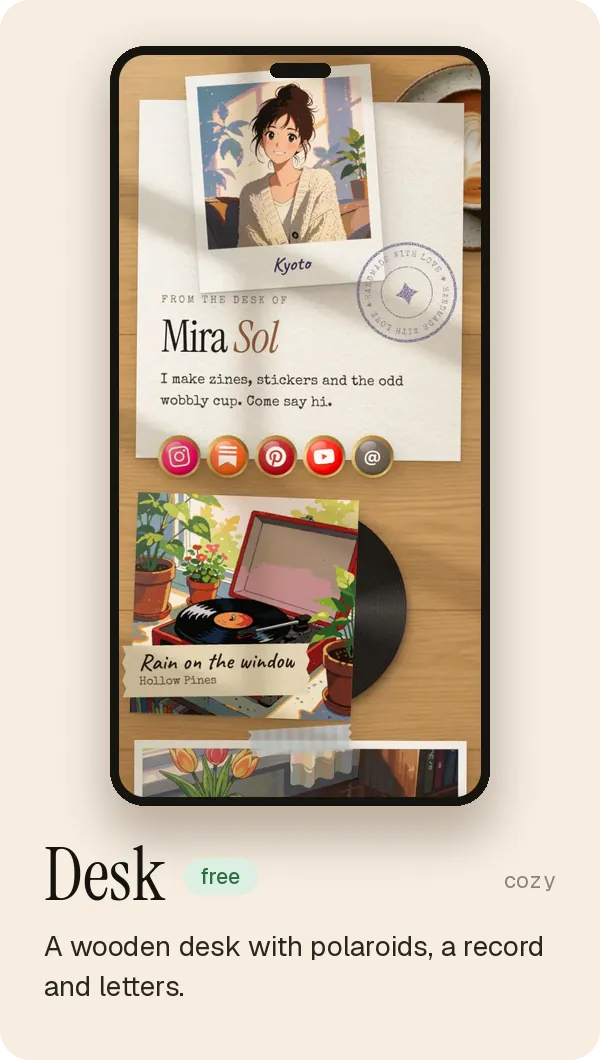
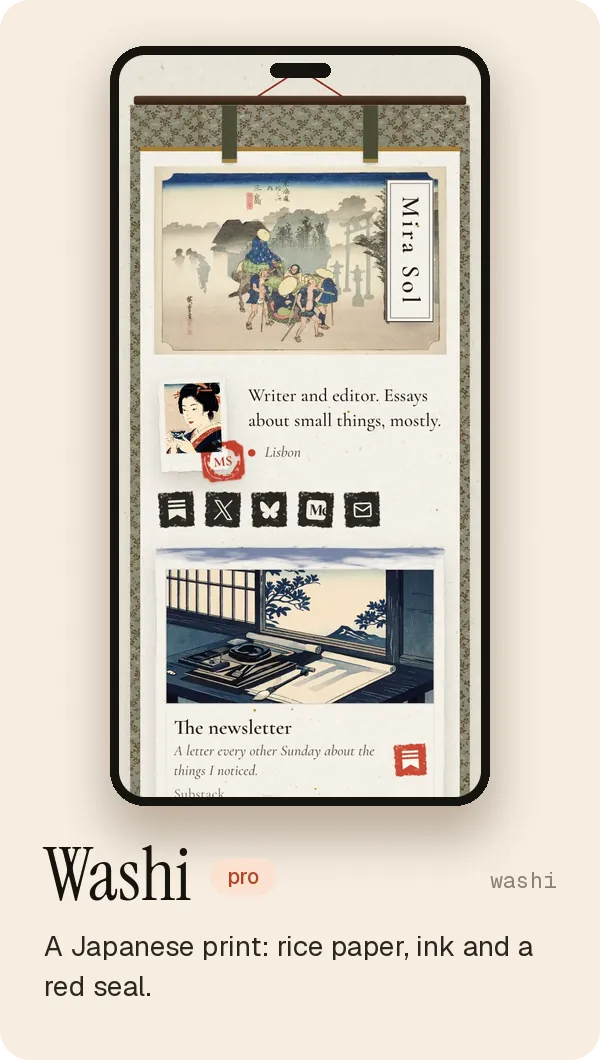
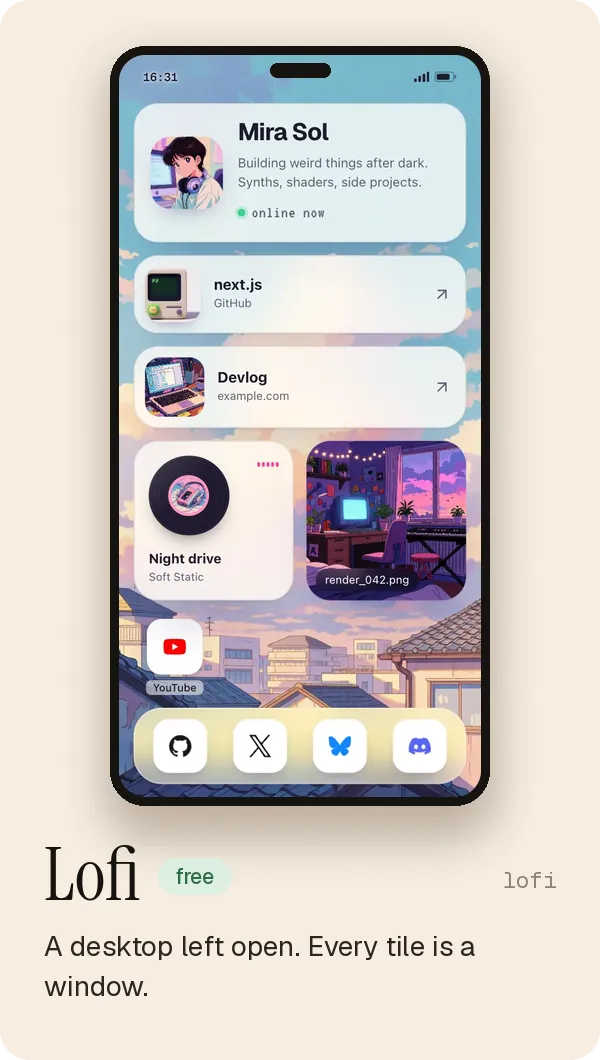
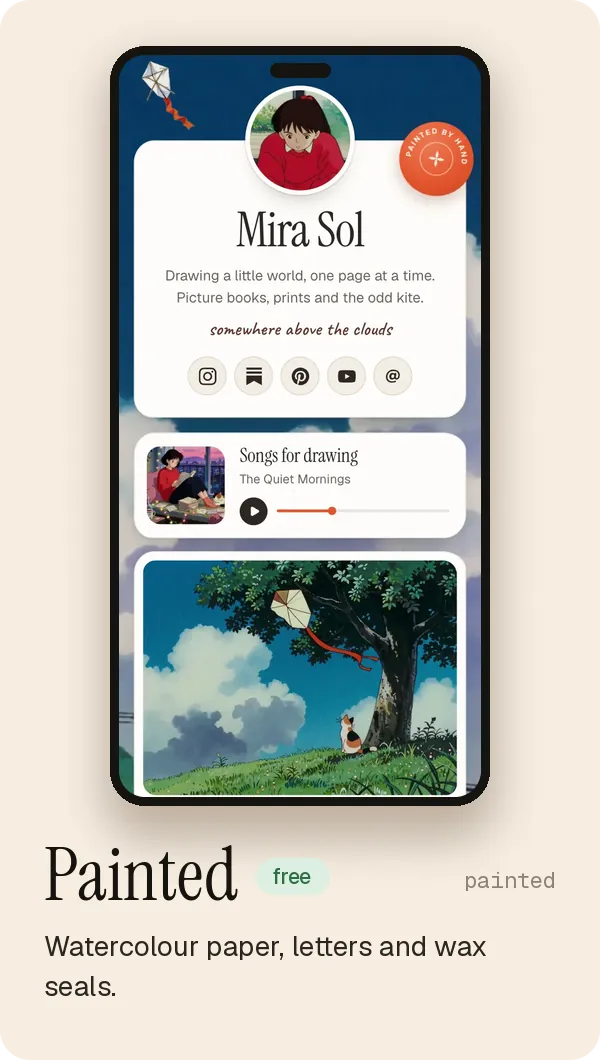
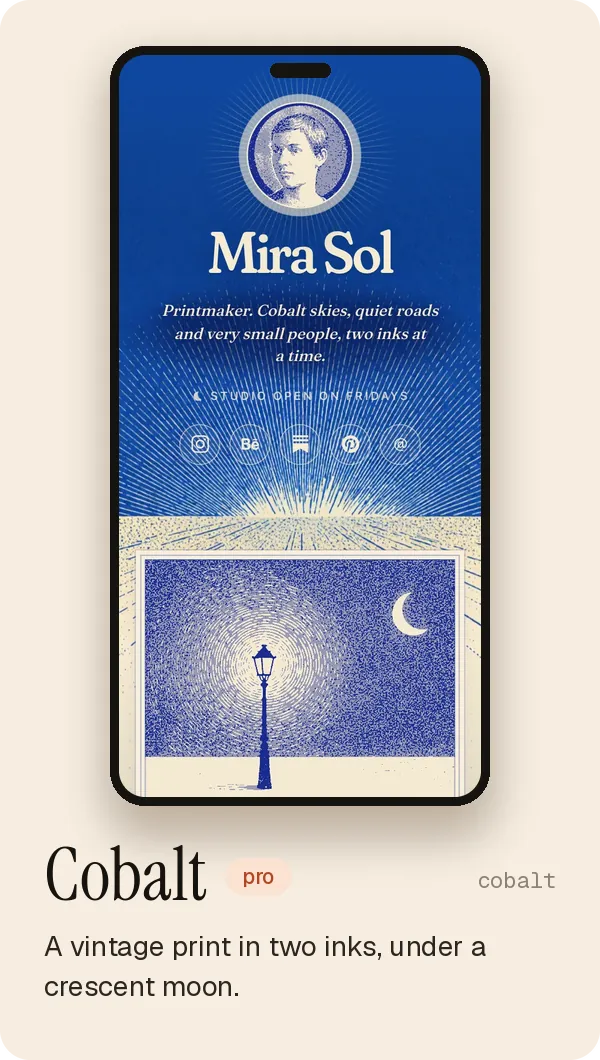
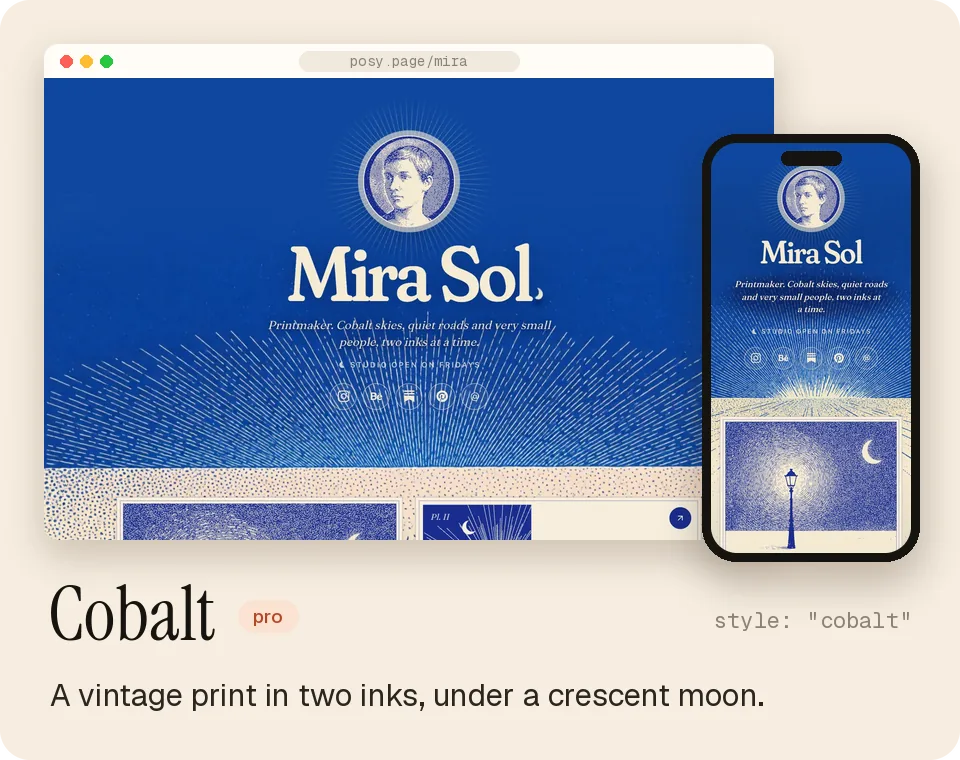
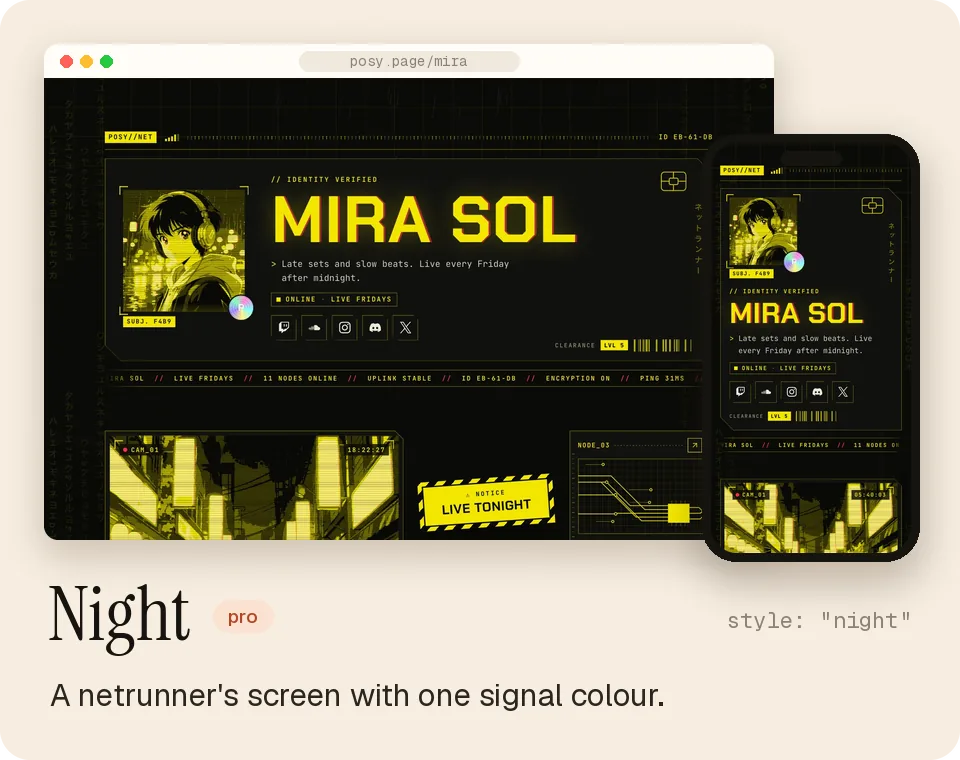
The same links, drawn as a wooden desk with polaroids, a Japanese print, a desktop left open, a watercolour, a two-ink print or a netrunner's screen.
Each look has four palettes, and you can switch any time.
 |
 |
 |
 |
 |
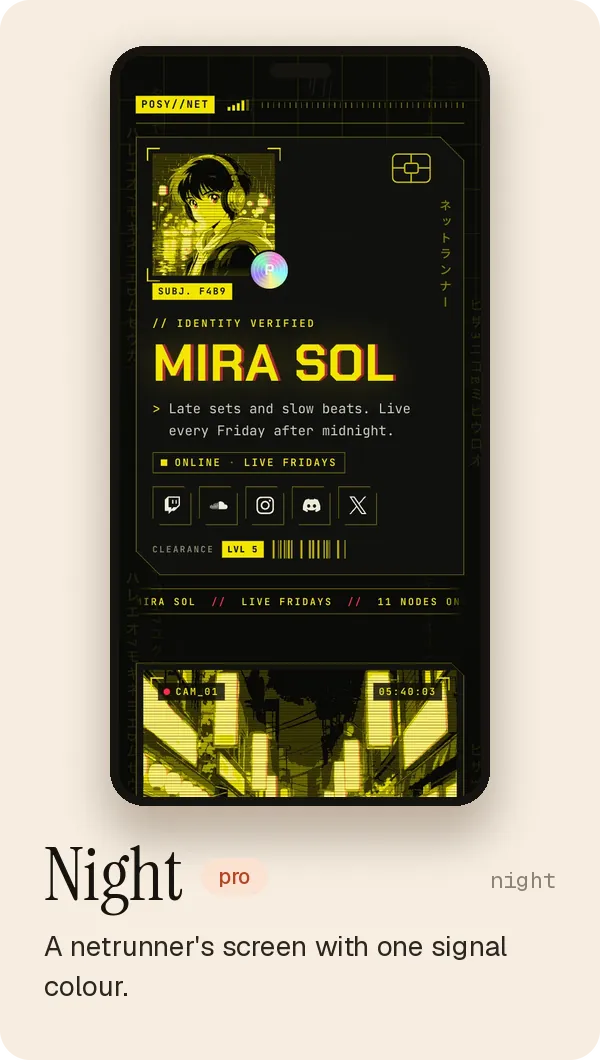 |
On posy.page, Painted, Desk and Lofi are free, and the others come with Pro. Self-hosted, every look is unlocked.
See them live in the looks gallery.
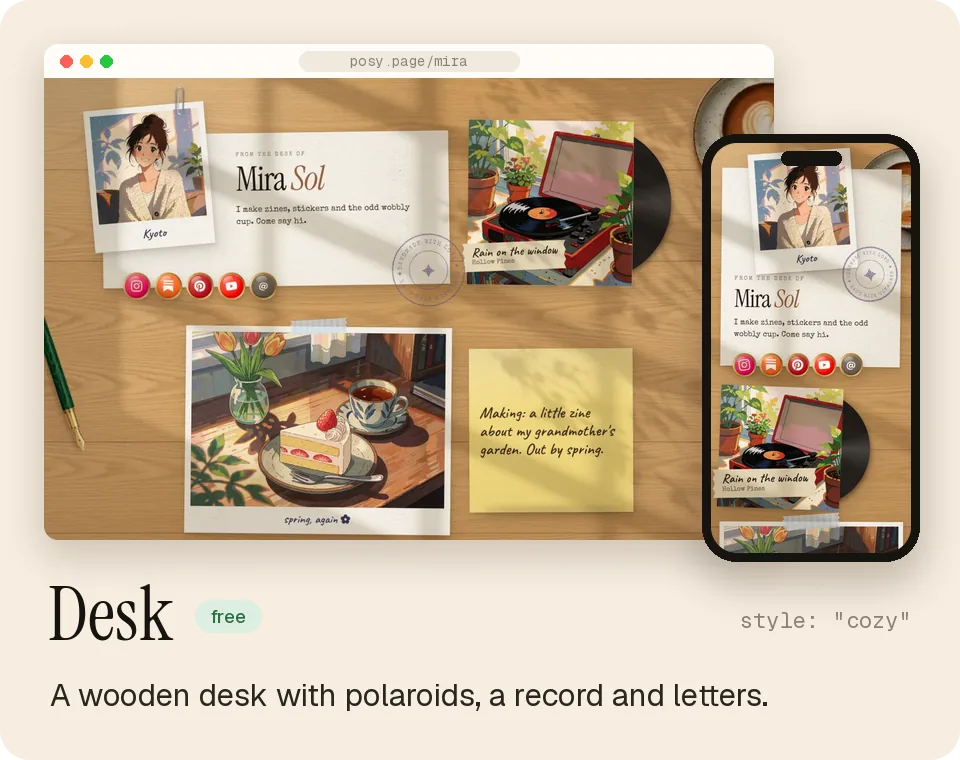 |
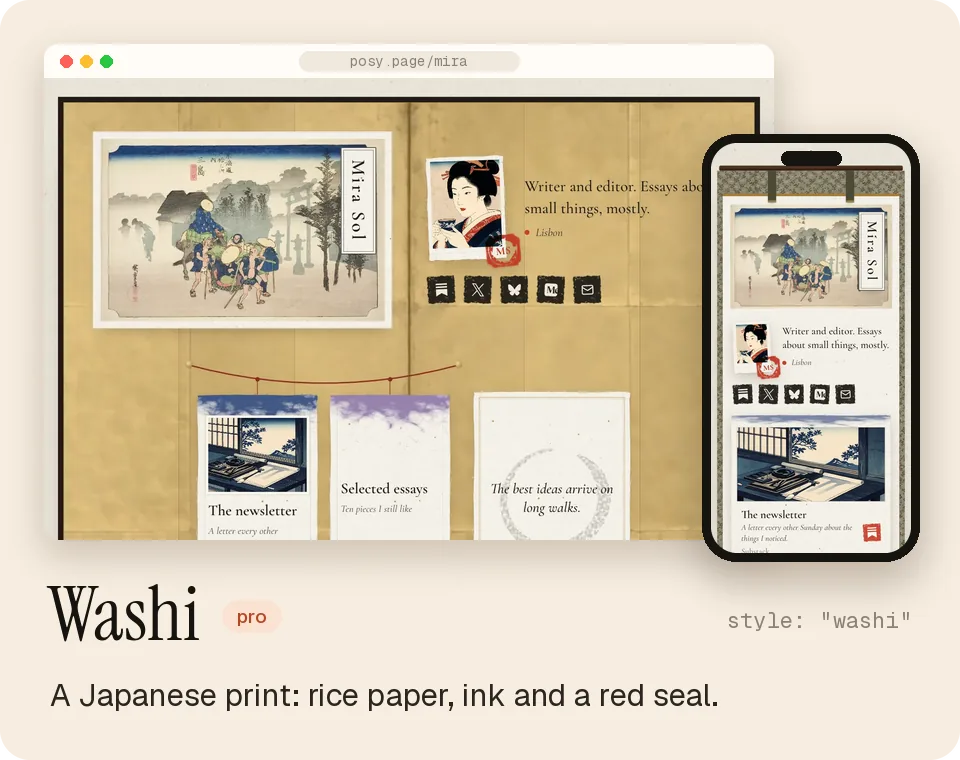 |
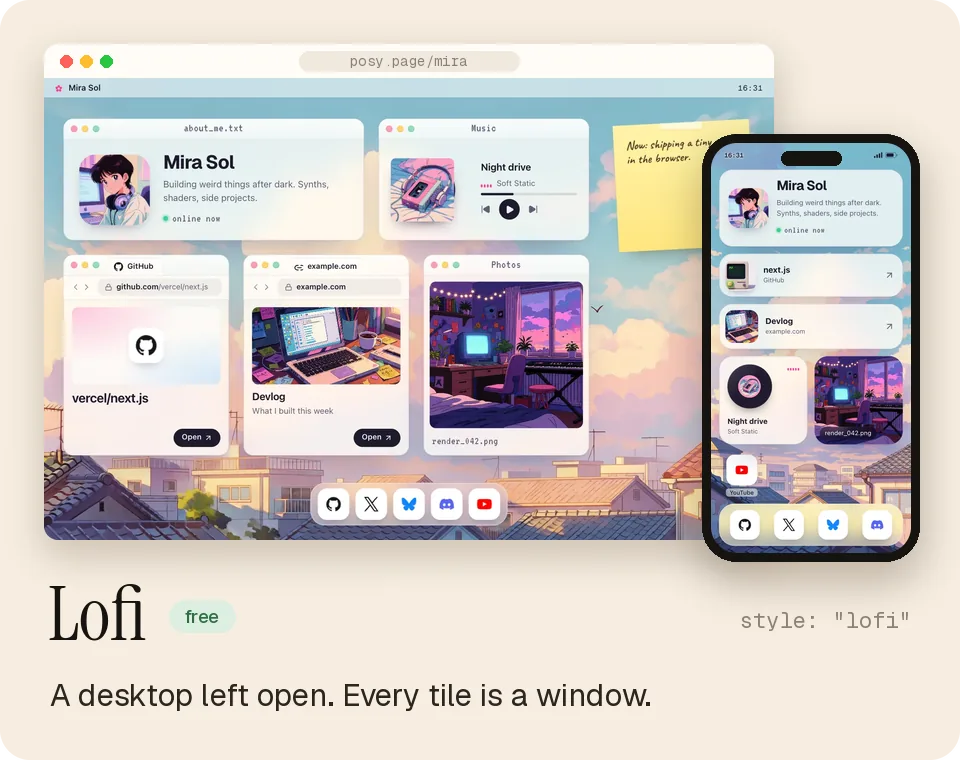 |
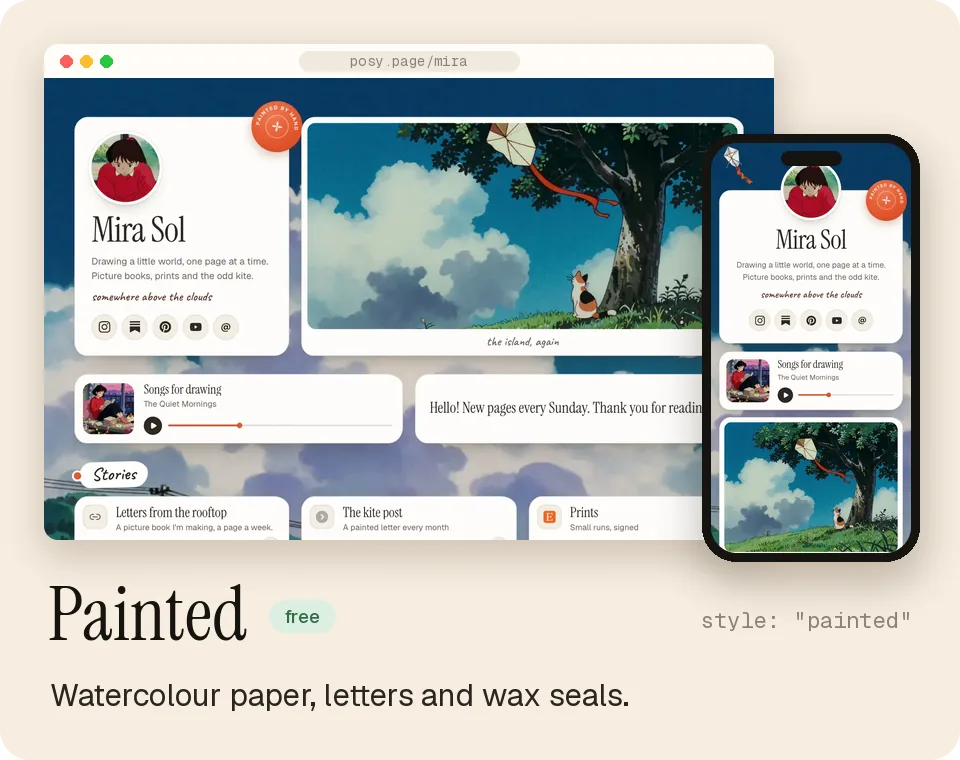 |
 |
 |
| Tile | What it shows |
|---|---|
| Link | Favicon, title and an optional preview image |
| Social | 29 platforms (X, Instagram, GitHub, LinkedIn, YouTube, TikTok, Bluesky, Threads, Substack…) and email |
| Note | Short text with bold, italic and links |
| Section | A heading that starts a new group of tiles |
| Image | Your photo or artwork, with an optional caption and link |
| Video | YouTube, loads only when played |
| Music | Spotify embed |
| GitHub | A repo with live stars and language, refreshed daily |
Three layouts: bento (a grid), list (one column) and canvas (place tiles freely). Photos can be printed natural, mono, dither or ascii.
On top of each look's palettes: Cream, Lavender, Mint, Sky, Peach, Paper, Blush, Sage, Midnight, Mocha, Dusk and Ocean, any accent colour, and font pairs.

Make your page
Claim your name at posy.page. Paste a link anywhere to add a tile, drag to arrange, and press Publish. Your page is live in a minute.
Just looking? Open posy.page/new, paste a few links and see your page before you sign up.
Free, Pro and self-hosted| posy.page Free | posy.page Pro | Self-hosted | |
|---|---|---|---|
| Tiles, editor, API, MCP, CLI | All | All | All |
| Looks | Painted, Desk, Lofi | All | All |
| Your own domain | No | Yes, HTTPS set up for you | Yes, point it at your server |
| Analytics | Basic | 12 months + CSV | 12 months + CSV |
| "Made with Posy" footer | Shown | Hide it | Hide it |
| Setup and upkeep | None | None | You |
Pro is $5 a month or $48 a year. Your page works the same everywhere: Settings → Download page.json on one, Import page.json on the other.
Connect your AI
Posy has a hosted MCP server, so your AI can make and edit your page. You sign in with your Posy account; there is no key to copy.
Everything it does lands in your draft, and nothing goes live until you, or it, publish.
https://posy.page/api/mcp
One click
A few steps


claude mcp add --transport http posy https://posy.page/api/mcp   # Claude Code, then /mcp → Authenticate
codex mcp add posy --url https://posy.page/api/mcp               # Codex
In ChatGPT, open Plugins, press +, choose Add custom MCP server, paste the URL and pick OAuth.
On your own server, use https://YOUR-POSY/api/mcp. Posy is in the official MCP registry as io.github.Himanshu-Sangshetti/posy.
No connector? Hand it a page file
Any chat can write your page as one small JSON file. Paste it at posy.page/new and it becomes a page.
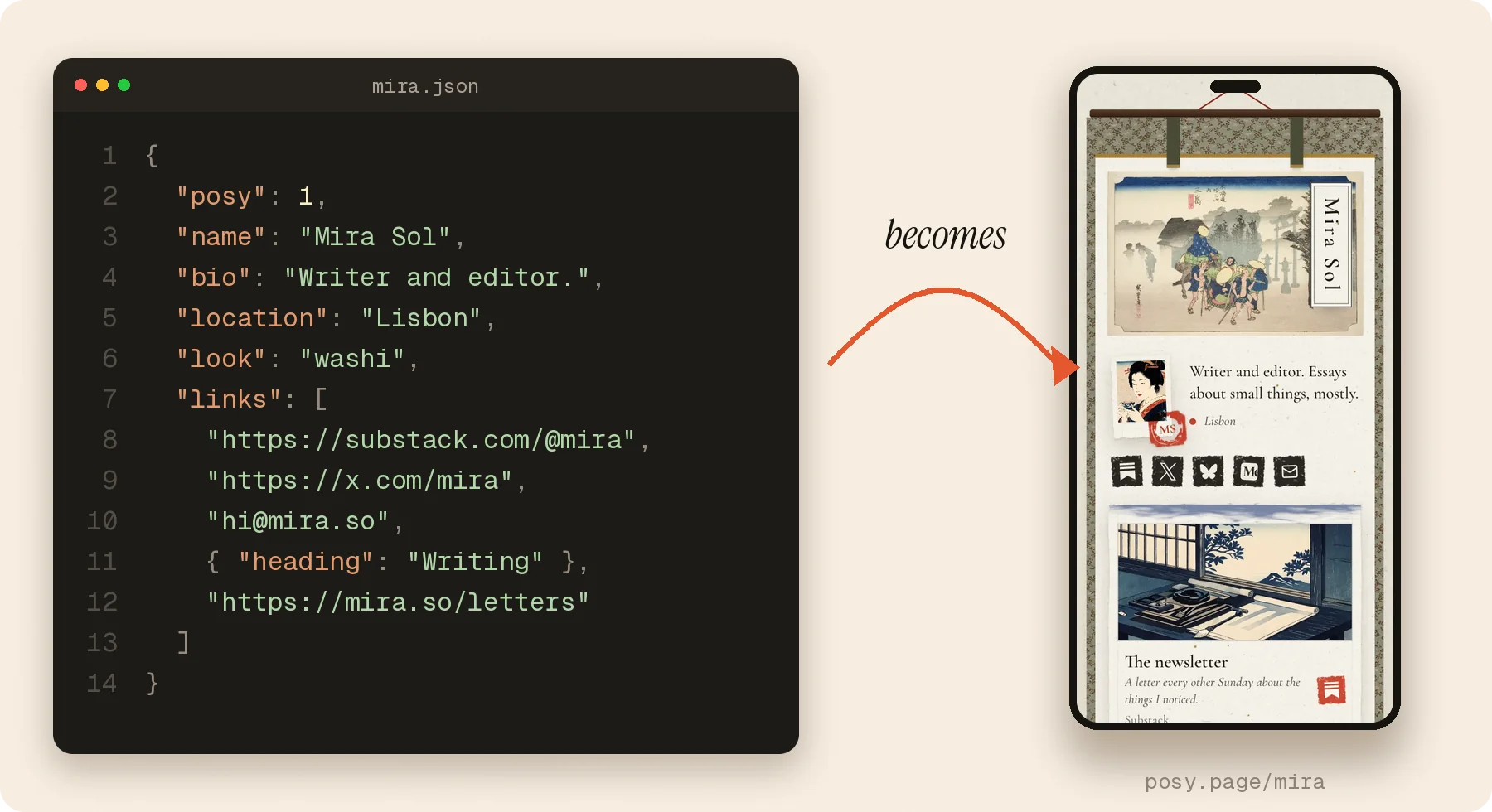
Or skip the file: an AI can hand you a link that opens a live preview, no sign-in needed.
https://posy.page/new?name=Mira%20Sol&look=washi&links=https://github.com/mira,[email protected]
{
  "posy": 1,
  "name": "Mira Sol",
  "bio": "Writer and editor.",
  "location": "Lisbon",
  "look": "washi",
  "links": [
    "https://substack.com/@mira",
    "https://x.com/mira",
    "[email protected]",
    { "heading": "Writing" },
    "https://mira.so/letters"
  ]
}
Every field: the page file.
| Tool | What it does |
|---|---|
get_page |
Your draft, public URL, and what to do next |
create_page |
Claim a username and create your page (once) |
import_page |
Load a whole page from a page file |
add_tile |
Add one link, or many at once. Posy picks the right tile |
update_tile, move_tile, remove_tile |
Change, reorder or delete a tile |
set_theme, set_profile |
Look, colours, fonts, name and bio |
publish |
Make the draft live |
list_options |
Allowed looks, palettes, fonts and sizes |
| Surface | Where |
|---|---|
| REST | /api/v1/page with a Bearer key from the Agents page. Spec: /openapi.json, guide: API reference |
| Public JSON | /api/v1/public/<username> for any published page |
llms.txt |
posy.page/llms.txt for the app, /<username>/llms.txt for any page |
| Schemas | schema/page.schema.json and /schema/brief.schema.json |
| Plugin | Claude Code and Cursor skills in plugin/ |
export POSY_URL=https://posy.page POSY_API_KEY=posy_...
npm run posy -- add https://github.com/owner/repo --size w
npm run posy -- theme --preset moonlit --layout list
npm run posy -- publish
Full guide: docs/ai-agents.md. Working on this repo with a coding agent? Read AGENTS.md.
Run it yourself
Or with Docker:
git clone https://github.com/Himanshu-Sangshetti/posy.git && cd posy
docker build -t posy . && docker run -p 3000:3000 -v posy-data:/data \
  -e NEXT_PUBLIC_SITE_URL=http://localhost:3000 -e BETTER_AUTH_URL=http://localhost:3000 \
  -e BETTER_AUTH_SECRET=$(openssl rand -base64 32) posy
Open http://localhost:3000 and sign up: the first account owns the instance, and every look is unlocked.
Domains, backups and every setting: self-hosting guide · .env.example
Built with
Next.js 16 · React 19 · TypeScript · Tailwind CSS 4 · Motion · dnd-kit · shadcn/ui · Better Auth · Drizzle + libSQL · Zod · MCP
One schema, src/lib/schema.ts, describes a page. It drives the JSON Schema, the REST API, the MCP tools and the editor, so they never drift apart.
flowchart LR
  studio["Studio<br/>(browser)"] --> app
  agent["AI agents"] -- "MCP /api/mcp" --> app
  scripts["Scripts, CLI"] -- "REST /api/v1" --> app
  app["Next.js app<br/>page schema in Zod"] --> db[("SQLite or Turso<br/>(Drizzle + libSQL)")]
  app --> files[("Uploads<br/>data dir or Vercel Blob")]
  app --> page["/username<br/>+ llms.txt + public JSON"]
| Where | What |
|---|---|
src/components/page/styles/ |
The looks, one .tsx + .css each |
src/components/studio/ |
The editor |
src/app/api/ |
REST (v1), MCP (mcp), auth and uploads |
src/lib/ |
Schema, looks, palettes, fonts, link detection |
From source: npm install && npm run dev (Node 22 or 24). Your local data lives in ~/.posy.
Contributing
Issues and pull requests are welcome. Start with CONTRIBUTING.md.
- Add a look. A look is a
.tsxand a.cssfile plus a lab page to check it in every palette. The steps: Adding a look. - Pick up an issue. Good first issues and look ideas are a nice place to begin.
- Before a PR:
npm run check,npm test, andnpm run e2efor UI changes.
Community, security and licence
- Questions and ideas: issues. Please follow the Code of Conduct.
- Found a vulnerability? See SECURITY.md and report it privately.
- Posy is MIT licensed. The art that ships with the looks is public domain, CC0, or made for Posy; every file and its source is in public/looks/CREDITS.md.
Some of it was generated with Krea 2, whose community licence allows commercial use only while your company makes under US$1M a year. Read the note in the credits file first. - Brand files and colours: BRAND.md.

Made by hand, with a cat asleep on the desk.
Reviews (0)
Sign in to leave a review.
Leave a reviewNo results found