agent-world
Health Warn
- License — License: Apache-2.0
- Description — Repository has a description
- Active repo — Last push 0 days ago
- Low visibility — Only 6 GitHub stars
Code Fail
- rm -rf — Recursive force deletion command in .impeccable/design.json
Permissions Pass
- Permissions — No dangerous permissions requested
No AI report is available for this listing yet.
Run and steer Claude Code and Antigravity agents from a pixel-art office: each agent gets its own git worktree, chat, terminal and diff view, with approval gates, workflows, a shared skills library and a todo board. macOS.




Website · User guide · Changelog · Latest release
Run and steer your coding agents from one place, shown as characters working in a pixel-art IT office.
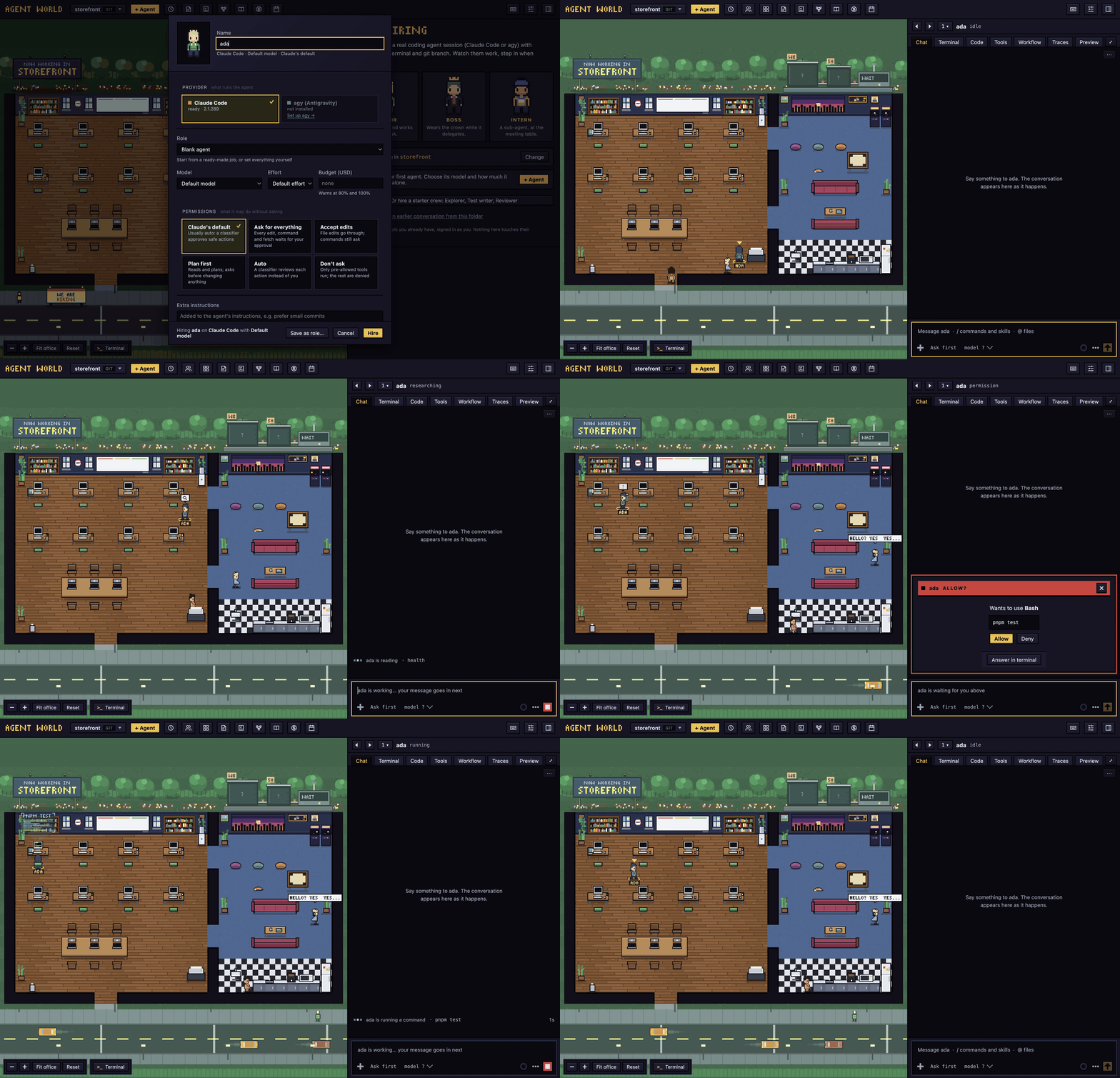
Each project is an office floor. Each agent is a character with its own git worktree and a real, interactive claude (Claude Code) or agy (Antigravity) session that the app owns. You see at a glance who is thinking, running, waiting for you or asleep, and you step in without hunting through terminals.
- Control over spectacle. Every visual state maps to a real agent state you can act on.
- Own the session, don't scrape it. The app launches and hooks the agents it shows. Your
claudeis unmodified, and nothing global in~/.claudeis changed. - Never lose work. Uncommitted changes block removal. Nothing is deleted silently.
 Quick start
- Download the installer for your computer from the releases page: on a Mac, the
arm64dmg for Apple silicon (M1 and later) or thex64dmg for Intel. Open it and drag Agent World into Applications. If GitHub is slow for you, the same dmg is also on the project's mirror: Apple silicon, Intel. - Open it once. The Mac app is not signed with an Apple Developer ID yet, so macOS blocks the first launch. On macOS 15 and later, try to open it, then go to System Settings > Privacy & Security and press Open Anyway. Older macOS and the terminal route are in INSTALL.md.
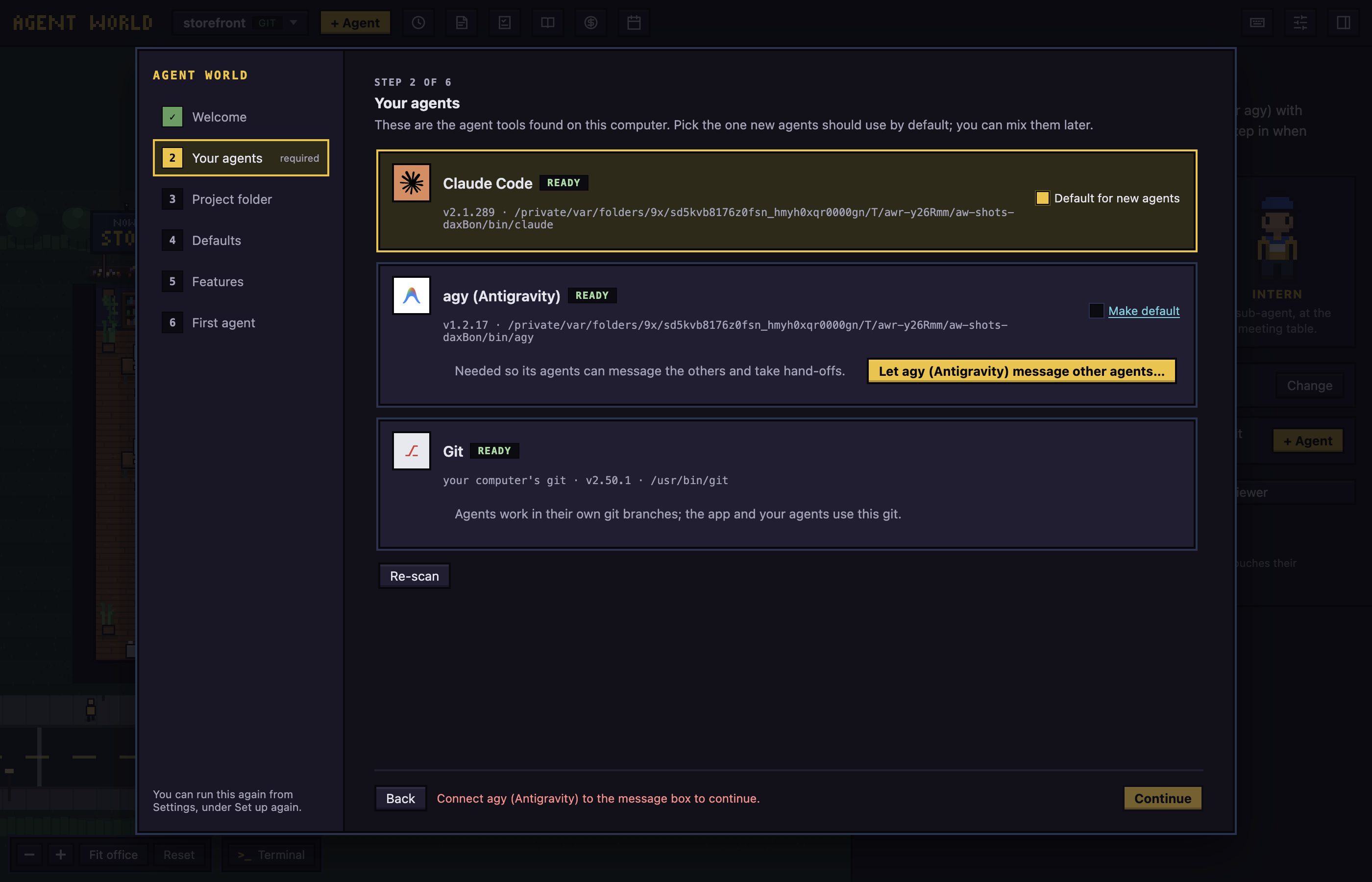
- Follow the setup screens. Nothing has to be installed first: the app carries its own
git, and setup installs the Claude Code CLI for you and has you sign in once, in a terminal inside the app. Agent World runs your ownclaudeand never handles your login. Antigravity (agy) is optional. - Hire. Pick a project folder, click + Agent, name it, and the character walks in.
Prefer Homebrew? These do steps 1 and 2:
brew tap hodkep/tap
brew trust --cask hodkep/tap/agent-world
brew install --cask hodkep/tap/agent-world
The cask removes the quarantine mark, so there is no Open Anyway step (that skips macOS's first-launch check for this app only). Homebrew 6 and later loads nothing from a tap that is not its own until you trust it, which is the brew trust line: once on each Mac, and needed again for brew upgrade if you skipped it (more in INSTALL.md). Steps 3 and 4 still apply.
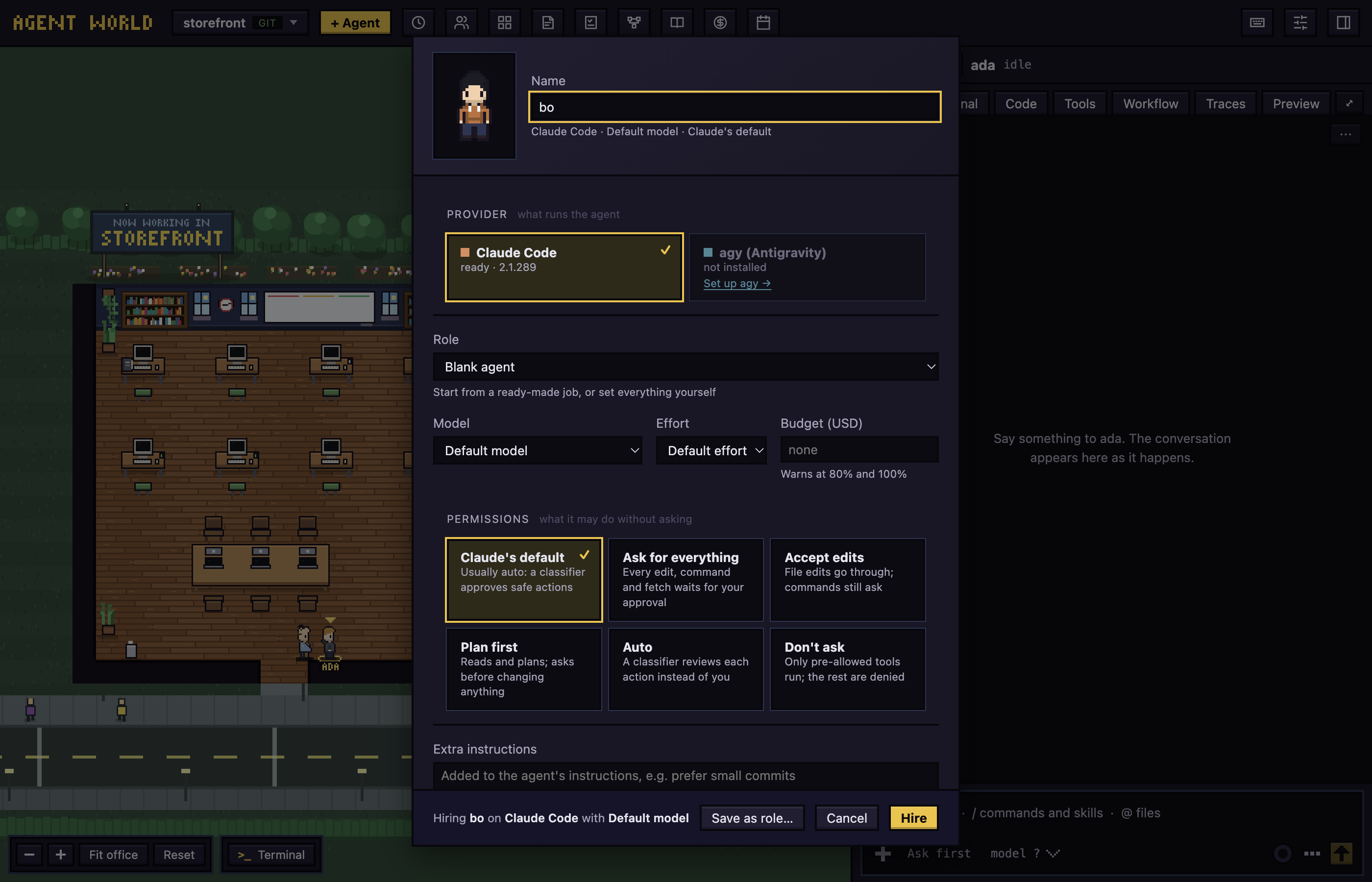
More in the user guide.
Features
 The office
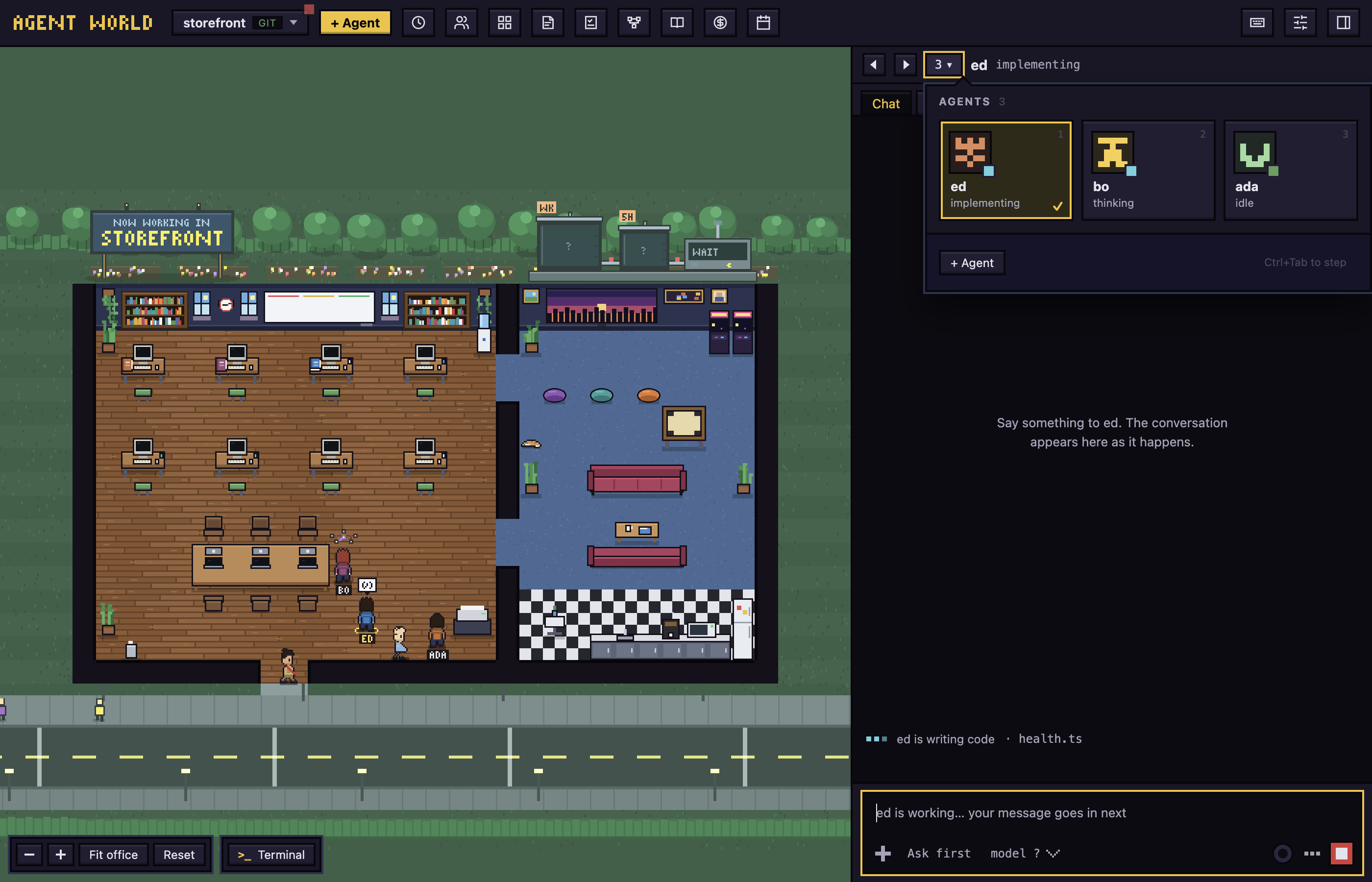
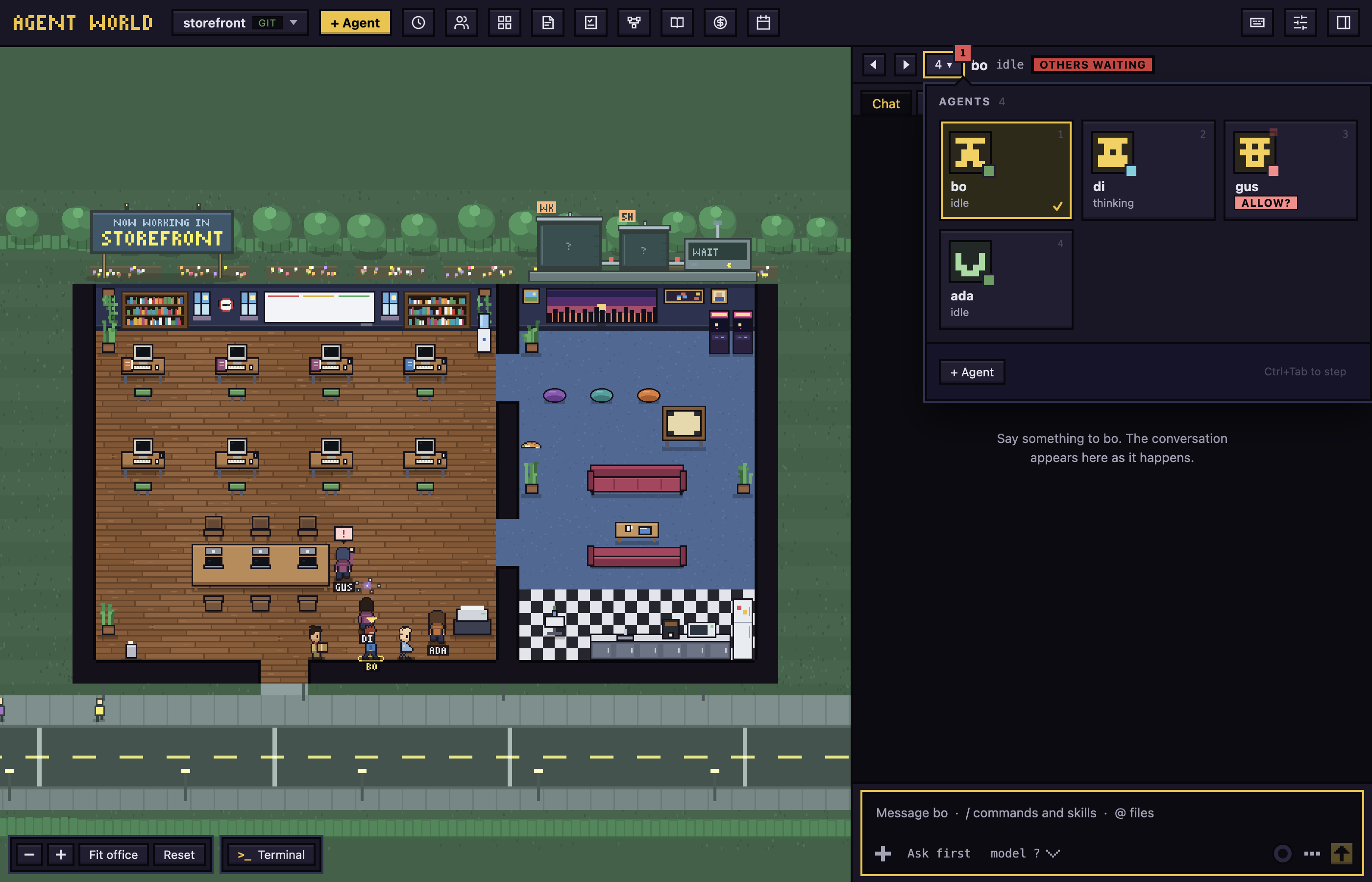
Each agent works at a desk, and what the character does is what the agent does: thinking, researching, implementing, running, delegating or waiting for you. An agent that is asleep leaves the floor and stays in the agents panel. Click a character, or its tile in the panel, to open its chat.
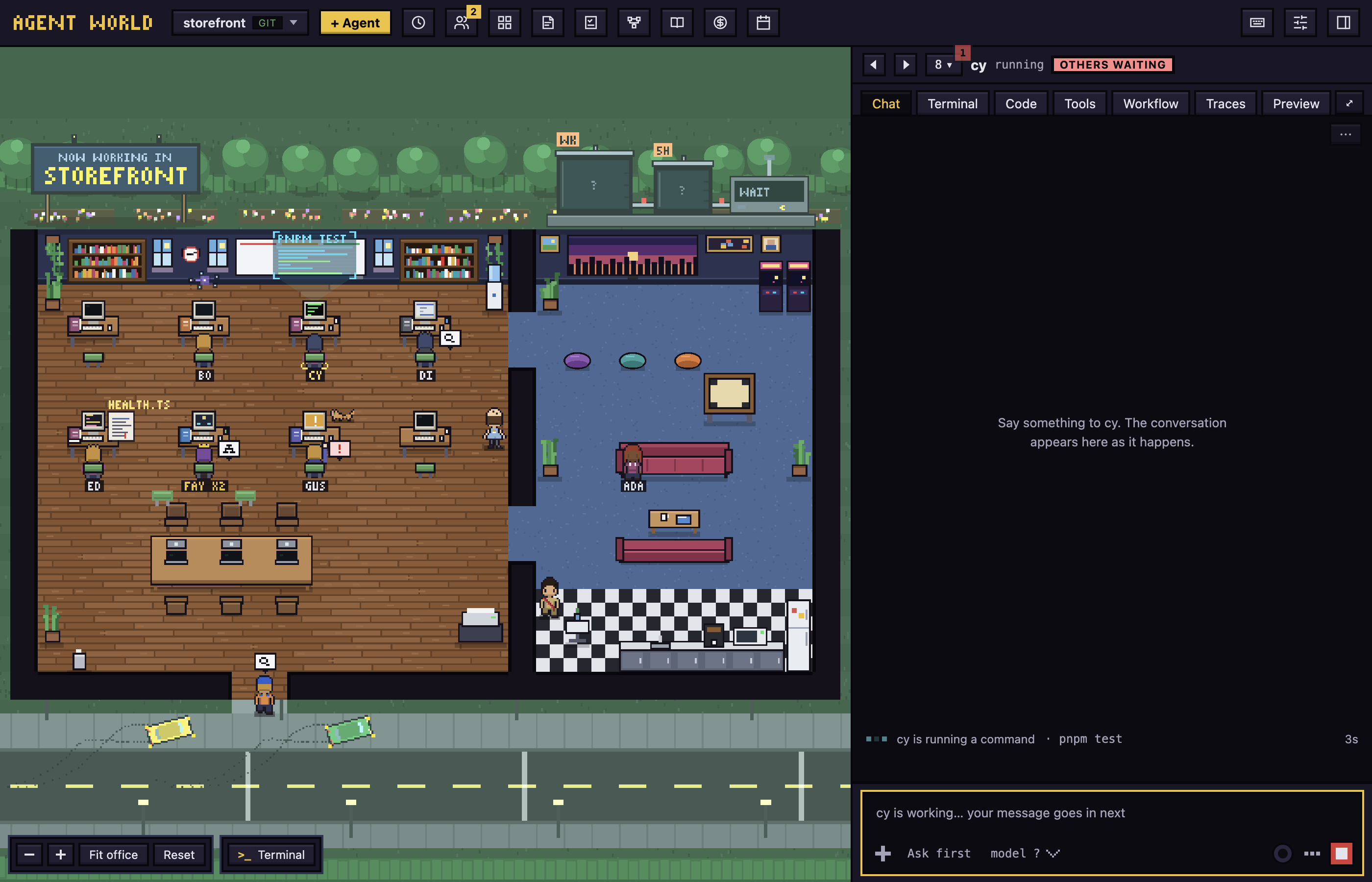
The number beside the chat is the agents of the project: rest the pointer on it and a panel of tiles opens, one for each agent with its picture, name and what it is doing, and a red mark on the ones that wait for you. The number counts those to look at.
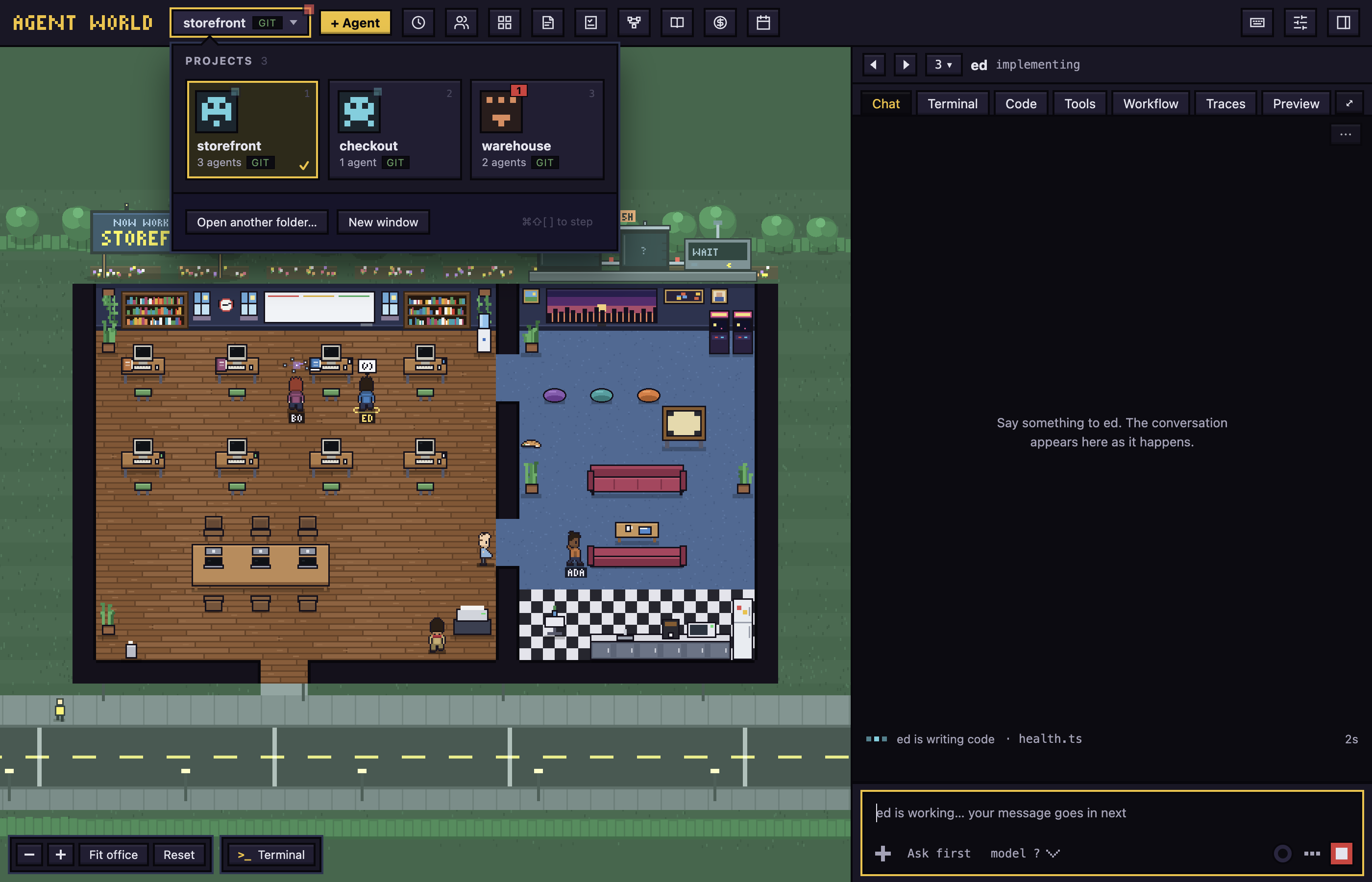
The project button works the same way: rest on it and a panel of your recent folders opens, each with its picture, how many agents work there and a red number when one of them waits for you. One click switches project.
 Chat
Chat
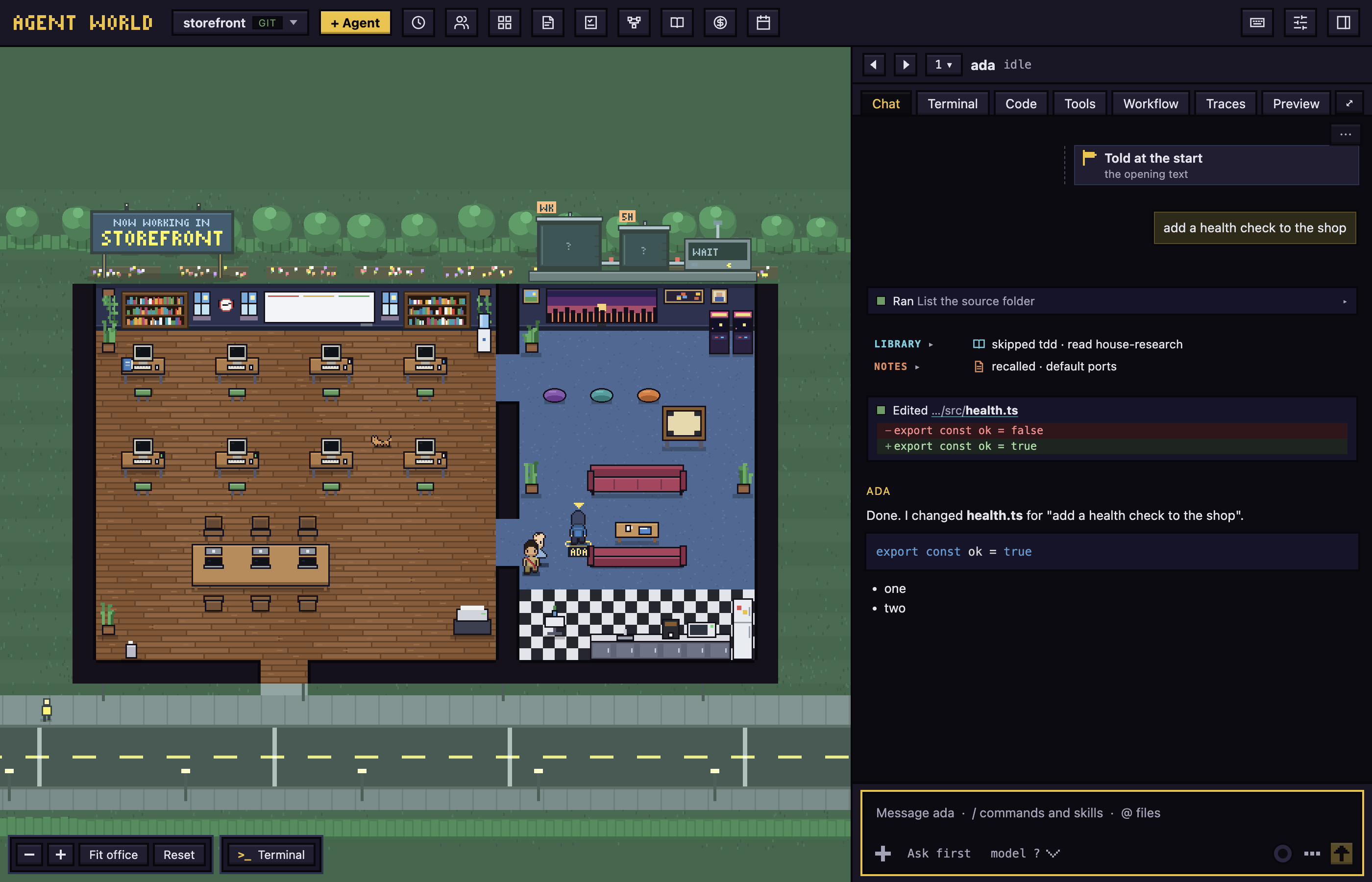
The conversation of each agent is built from Claude's saved transcript and the real terminal: tool cards, edits as diffs, pictures, and dialogs for what the agent asks. Rewind, queue messages, or run a command with !. Restart agent starts the program again on the same conversation.
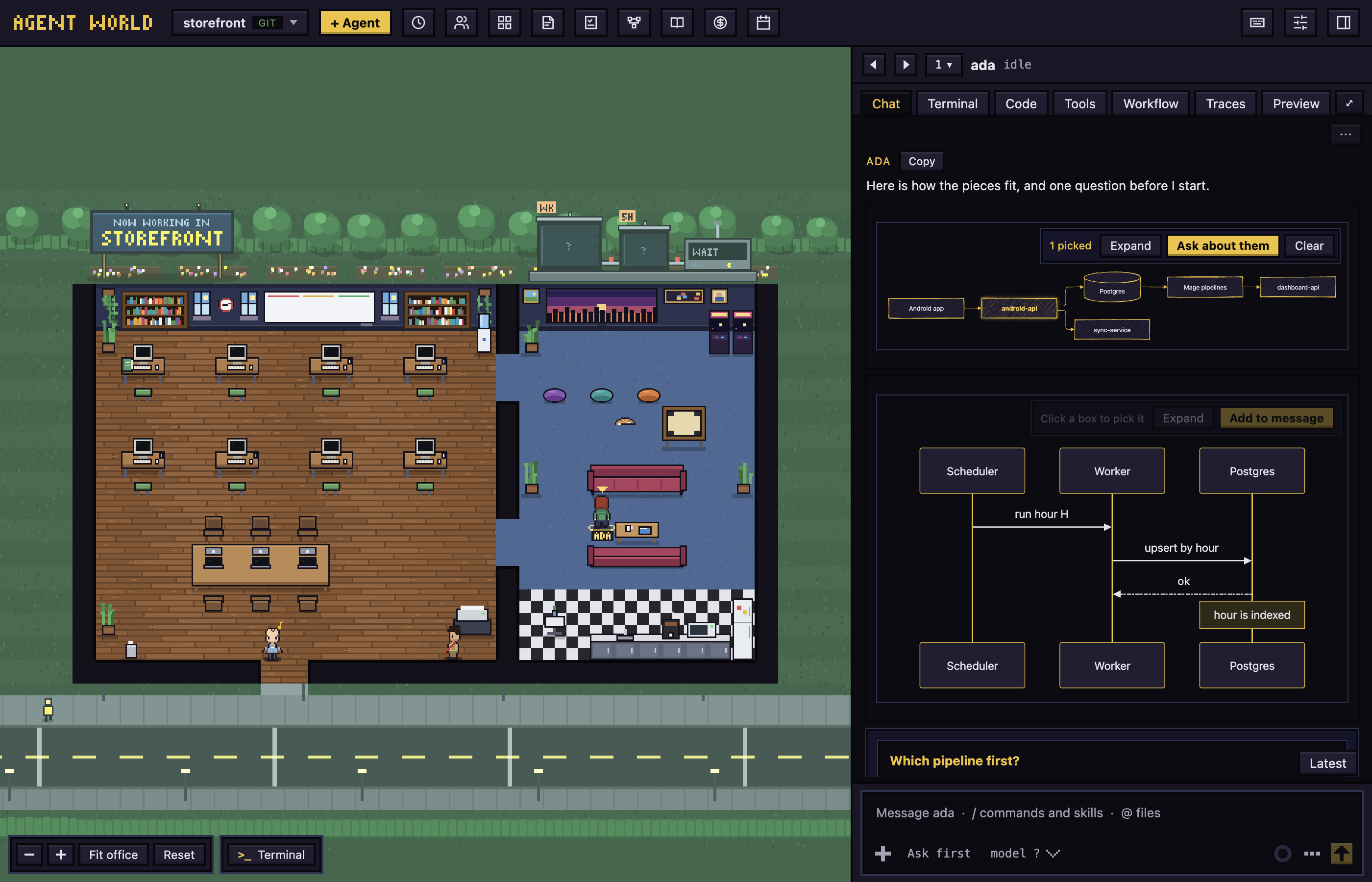
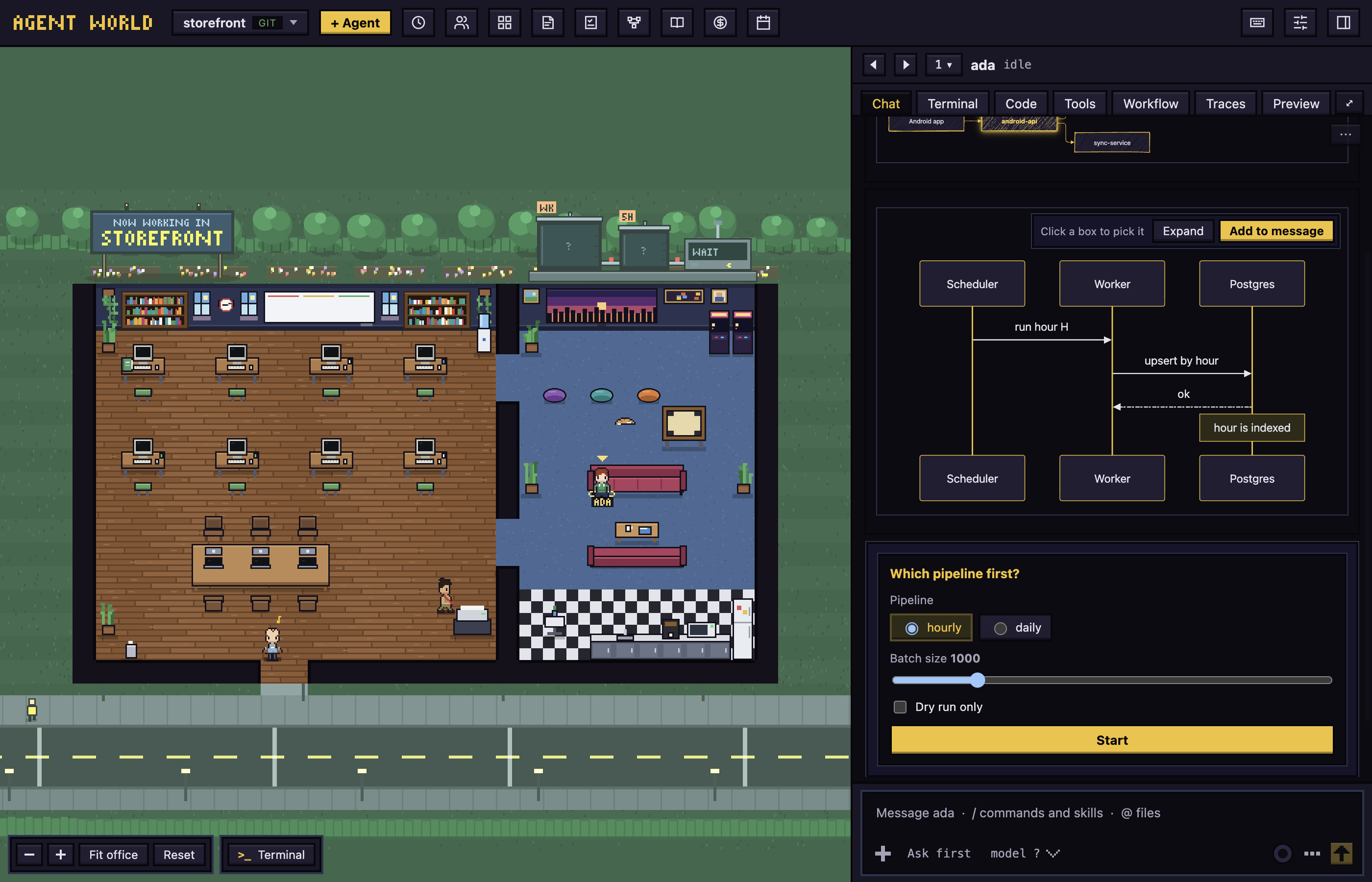
 Diagrams and forms in the chat
Agents draw diagrams in their replies and ask with forms. Click a box to pick it and ask about it, open the diagram large to zoom and draw on it, and answer a form with its button: the agent is told what the form held.
A message box that draws markdown
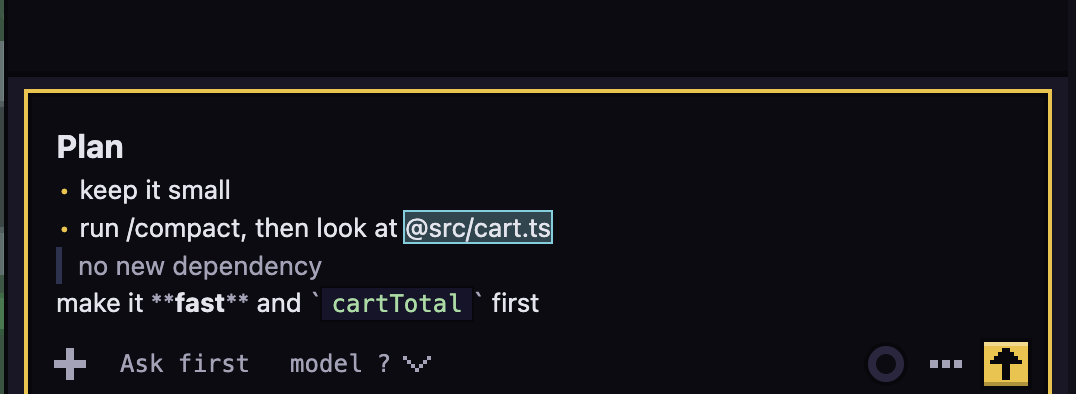
The message box shows markdown as you type it, with the marks hidden on every line but the one the caret is in. Commands, skills and files are tinted wherever they are in the message, and what is sent is what you typed.
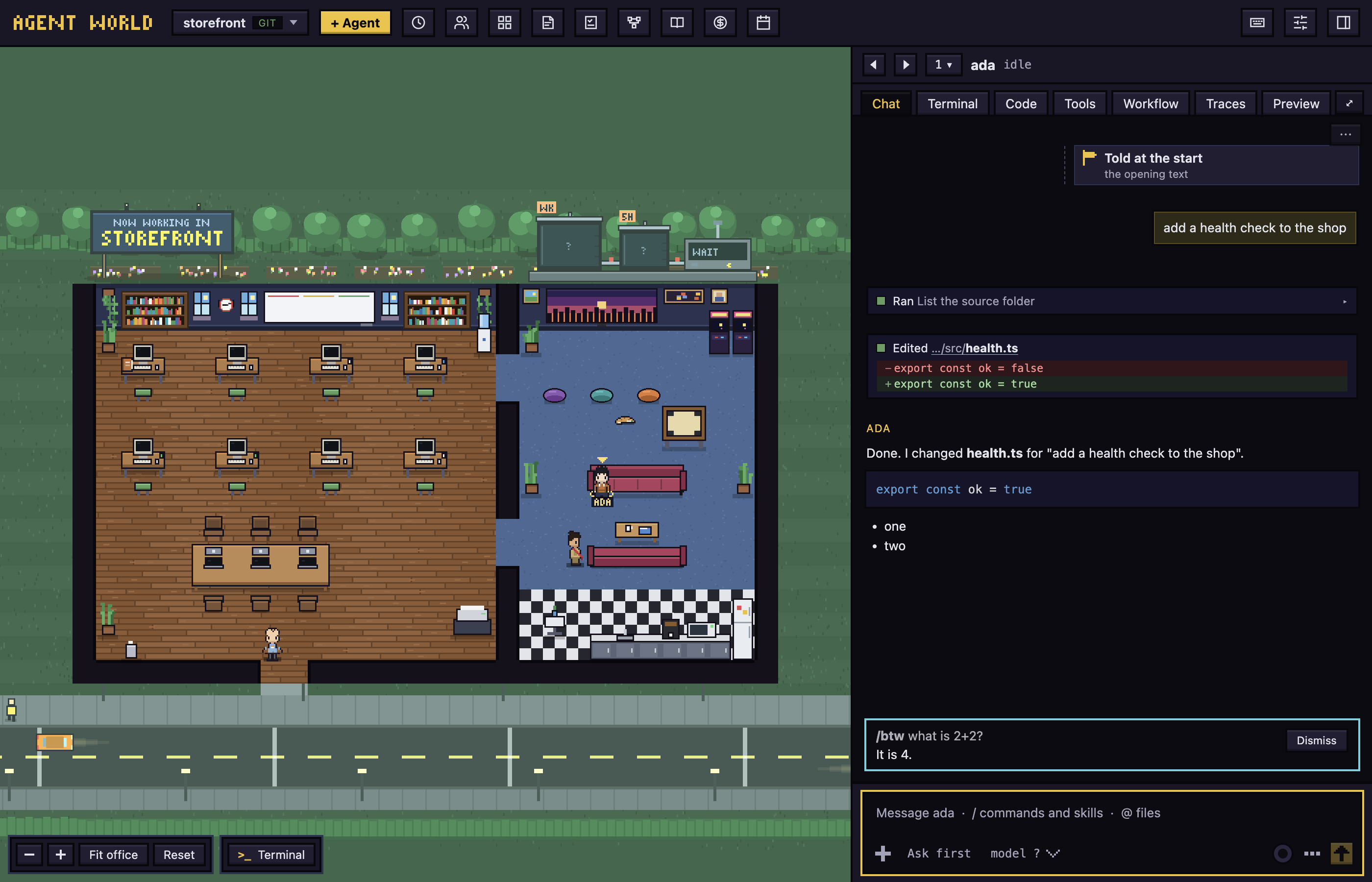
 Side questions with /btw
/btw asks a side question without interrupting the agent: the answer shows in its own card in the chat.
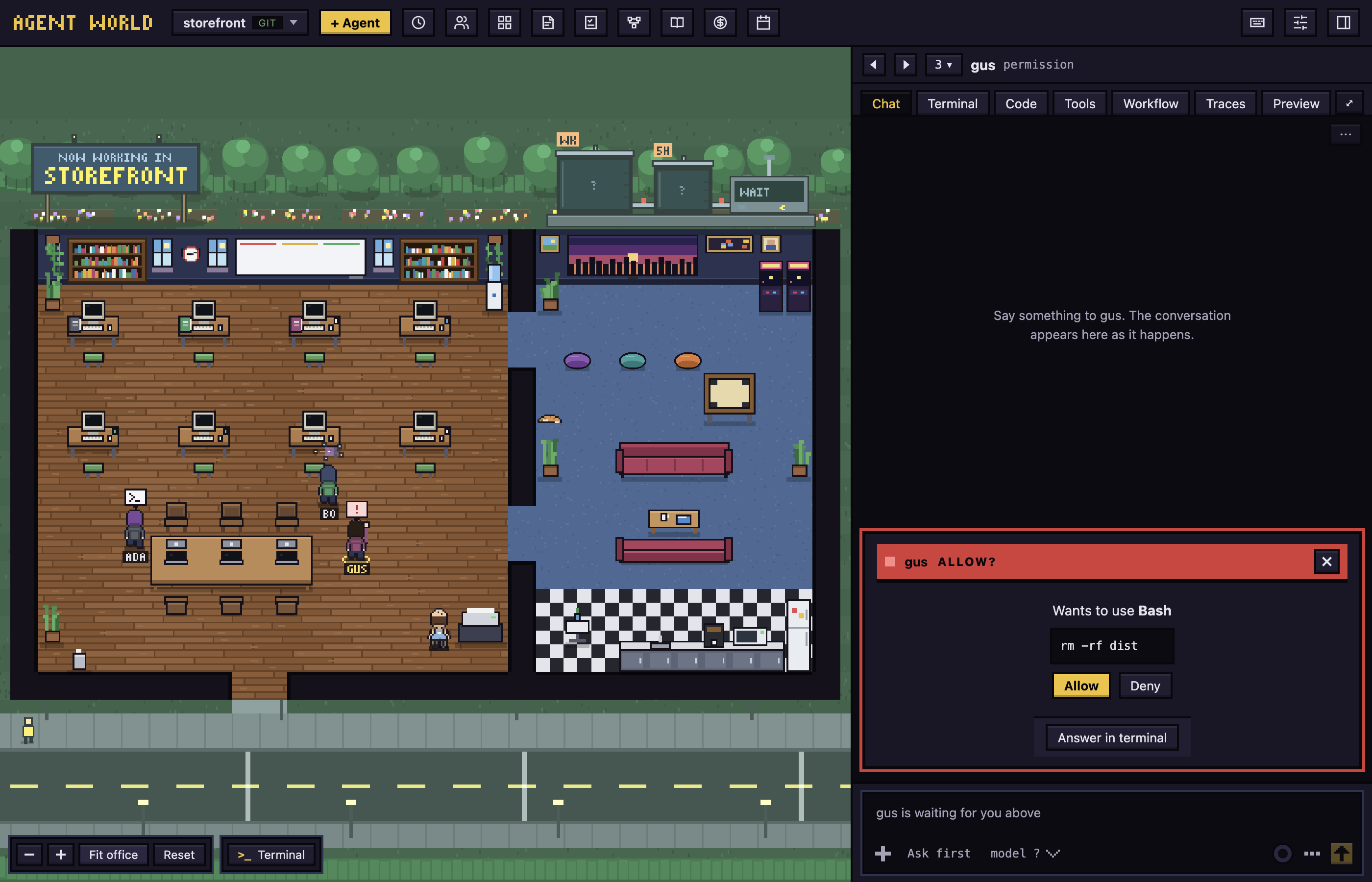
 Permissions answered in the world
A request shows above the character and in the panel. Allow or deny it in one click, or answer in the agent's own terminal. After five minutes it falls back to Claude's own dialog.
 Worktrees and the push hold
Each agent works on its own branch (aw/<name>) in its own git worktree, and the Code tab shows what it changed. With workflows on, git itself holds an agent's push of its branch, before the pull request, until the plan, the review and its findings are settled; you release it from the agent's chat.
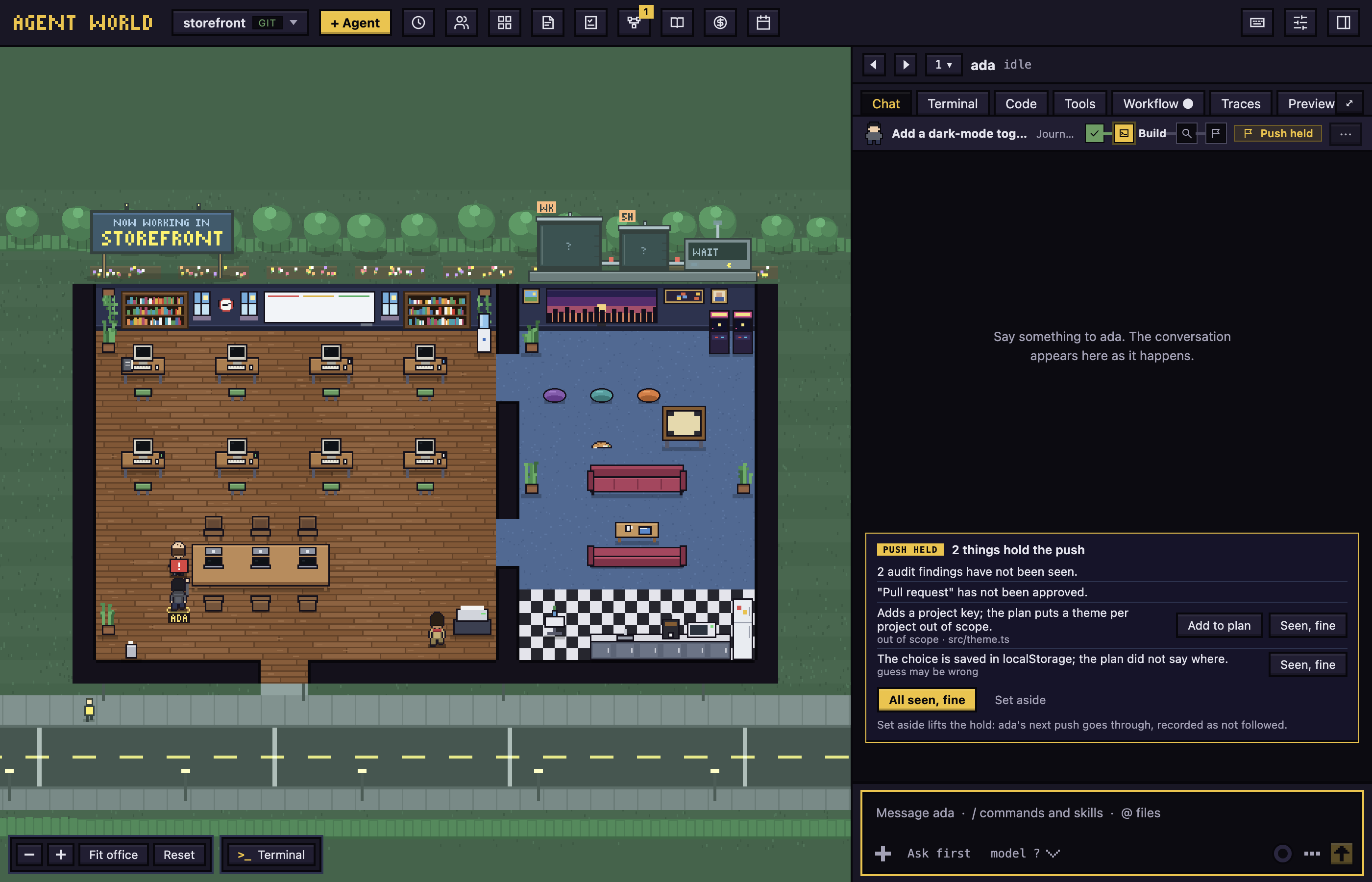
A run is drawn as a flow diagram in the agent's Workflow tab, each step a card with where it stands.
 Workflows and Runs
A workflow is a plan you approve (with a note for the agent if you want one), checks that run, a review of the branch against the plan, and the pull request. The Runs tab charts how often each workflow ran and how well each stage was followed, over a ledger of runs grouped by what there is to do about them. A run belongs to the todo its agent is on, and the todo shows how its run stands. To make a workflow, describe it to the builder, a read-only agent that proposes one; to change one, start the builder from it. Either way you can edit the draft step by step before you save it, and every save is kept in the workflow's history.
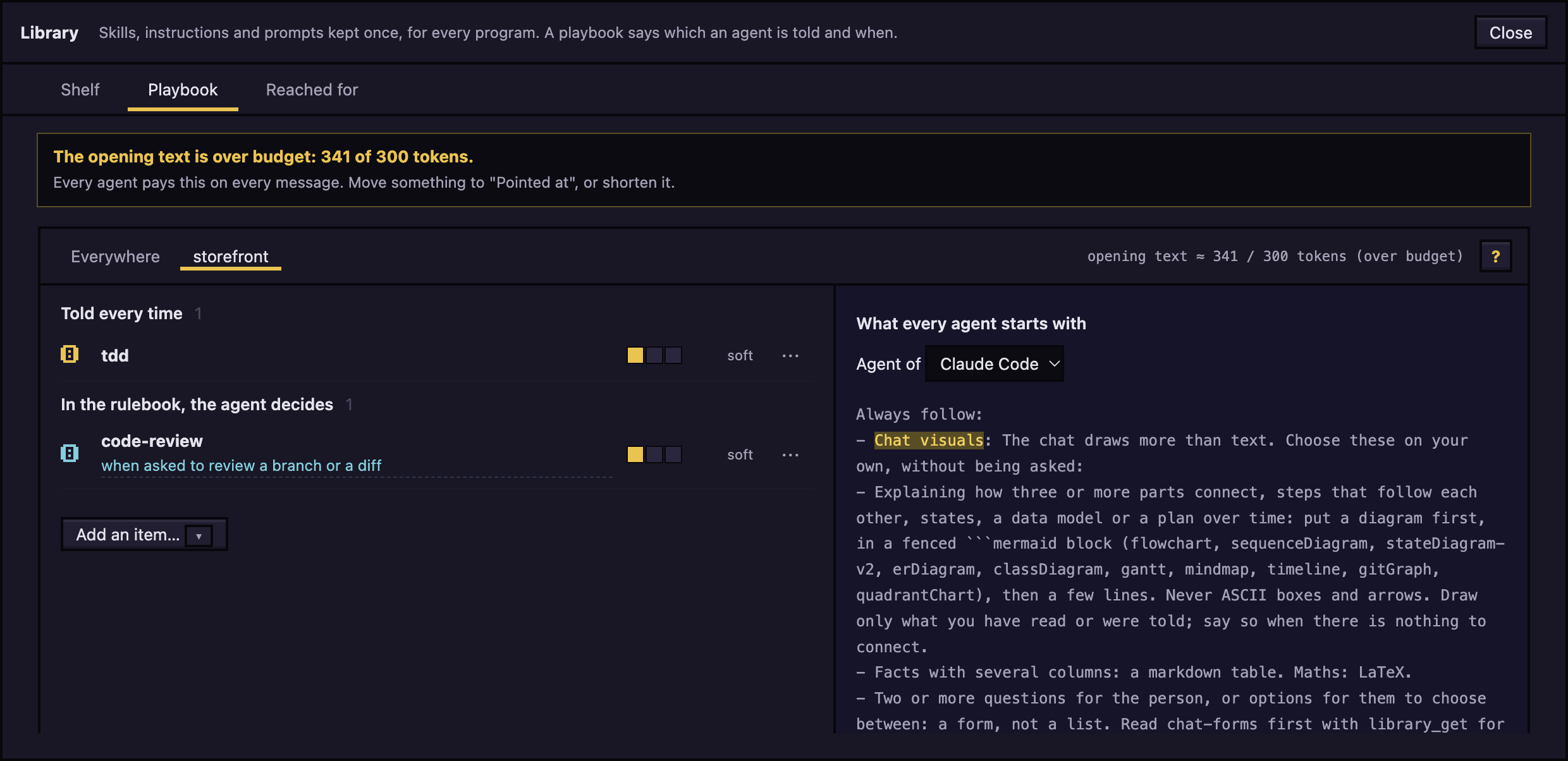
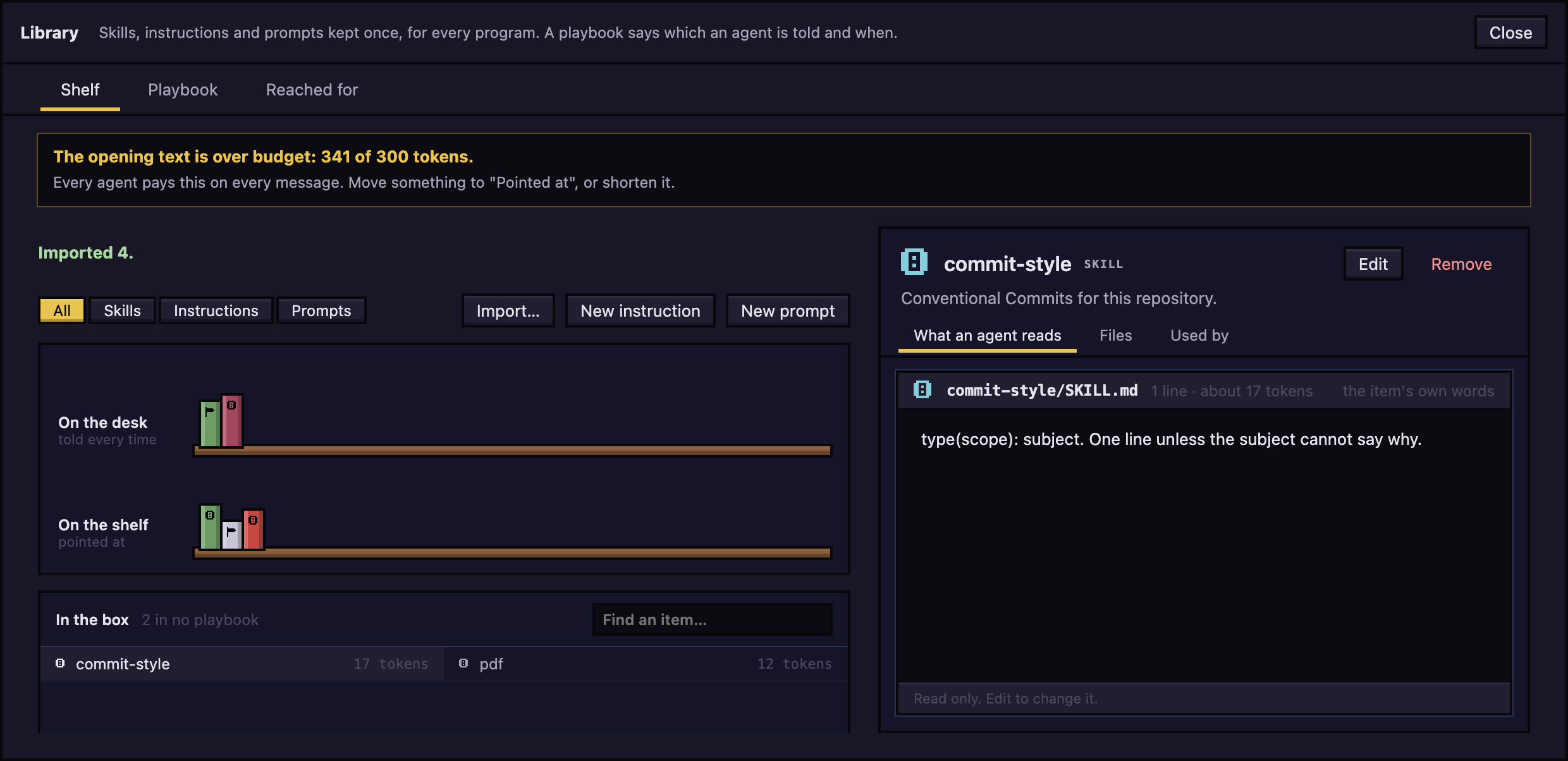
 Library and playbook
Skills, instructions and prompts kept once for every program, and a playbook that says which agent is told what, and when. The chat shows what the library did for each message.
 Todos
Todos
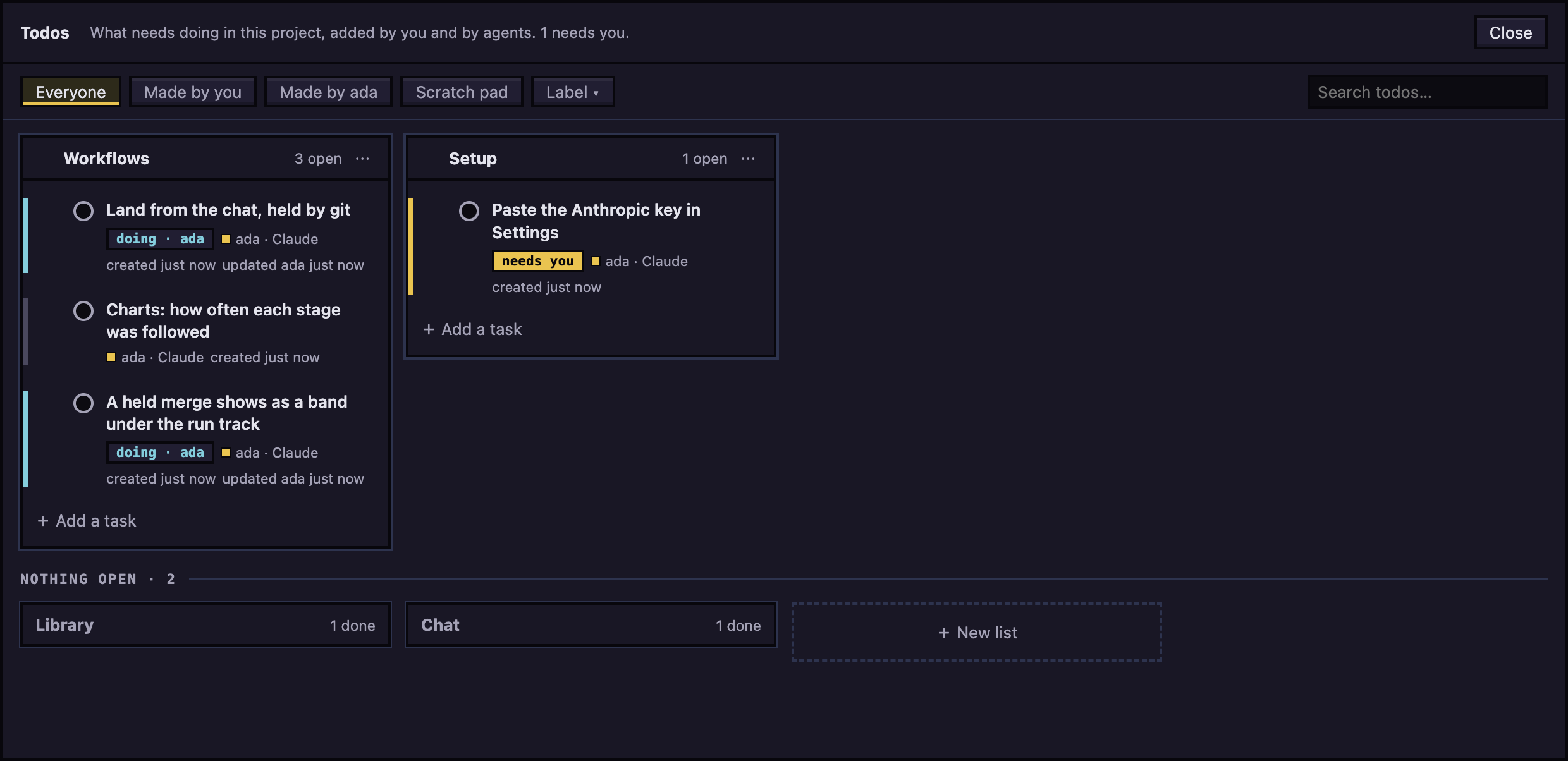
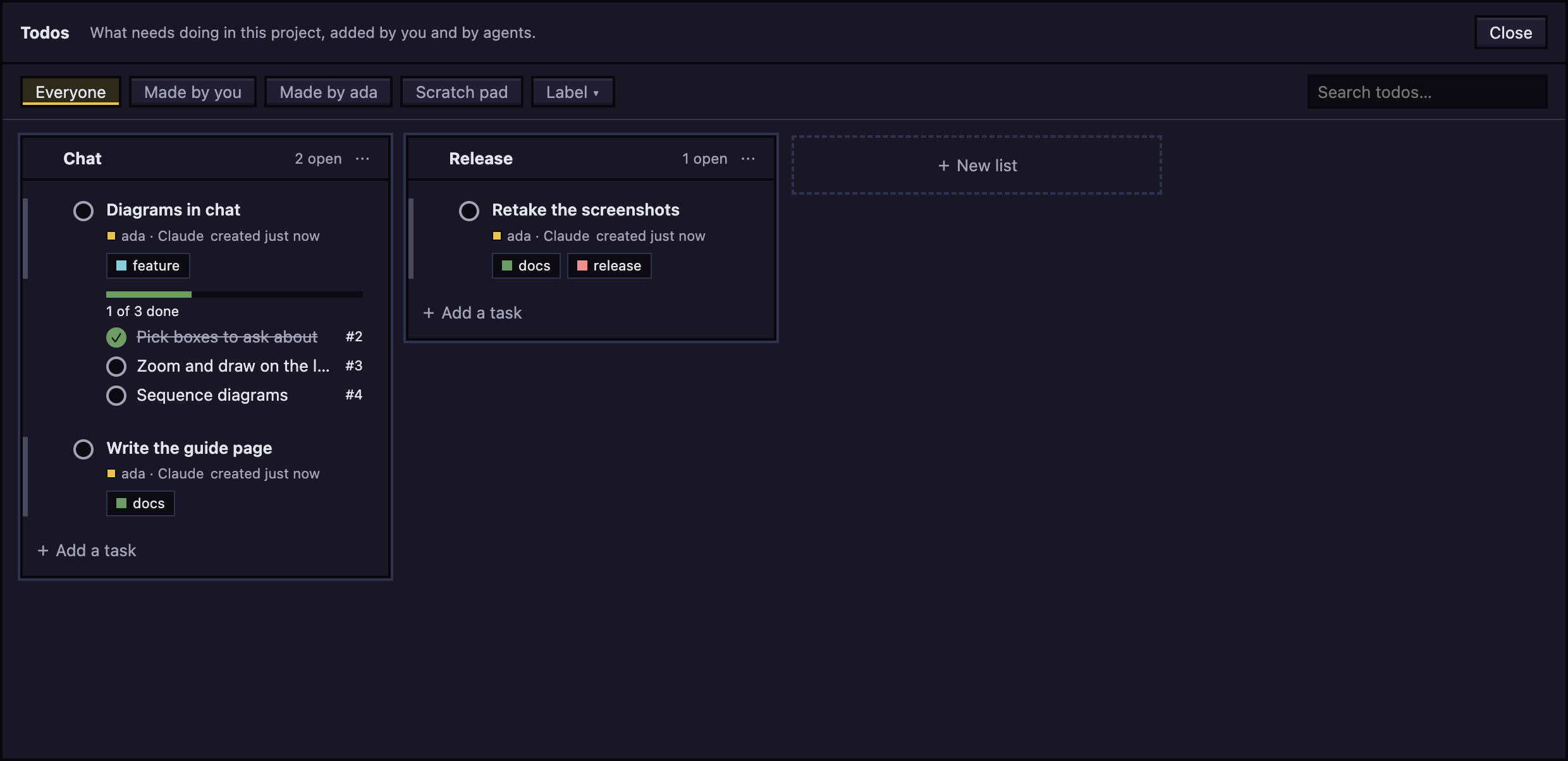
One board for you and your agents: lists, tasks that need you, tasks an agent has claimed or finished. A todo#14 in an agent's reply is a link to the task. A task can have subtasks, shown as a checklist with a progress bar on its card, and labels you add, rename and recolour; a task opens in tabs.
 Notes
Notes
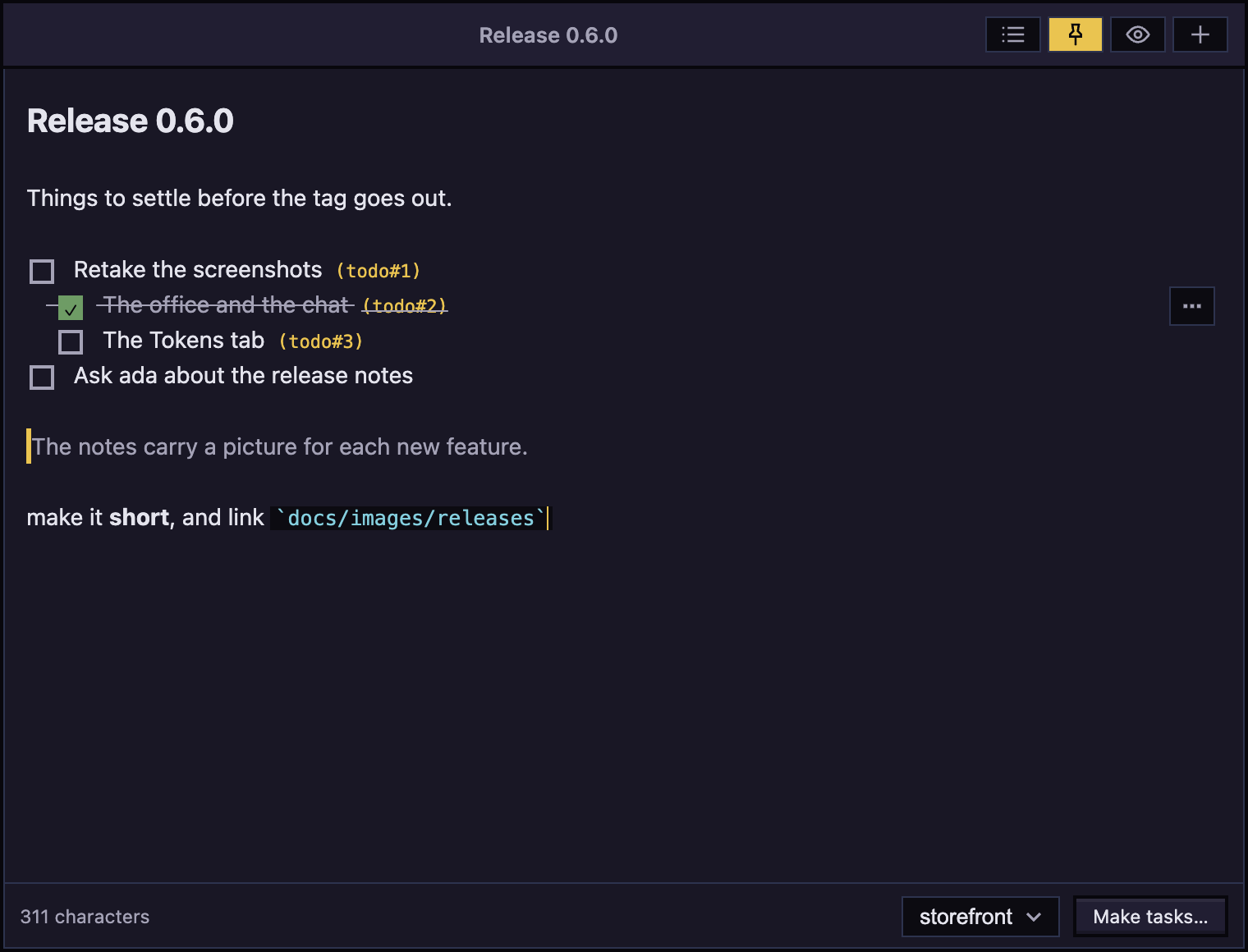
A small window of Markdown notes that stays above every other window (Option+Shift+Command+N). Each project has its own notes, checklists are drawn with boxes, and a line becomes a task, with its indented lines as subtasks, or is asked of an agent.
 Usage limits
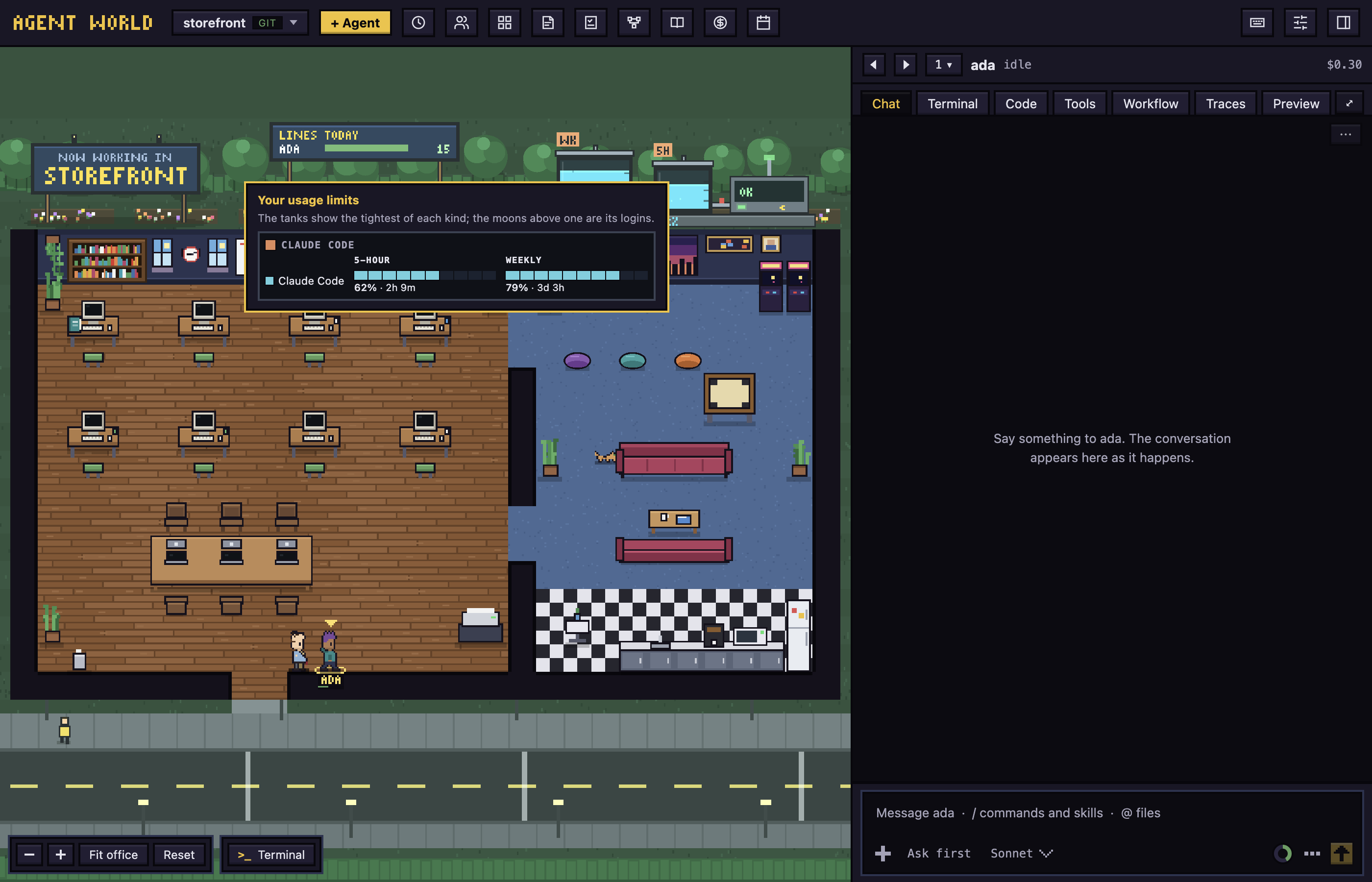
Your Claude 5-hour and weekly limits are the tanks on the lawn behind the office. Hover them to see what is left and when it resets; the Usage button in the top bar opens the full picture and counts the limits that are running low.
 Tokens and the Weekly Rewind
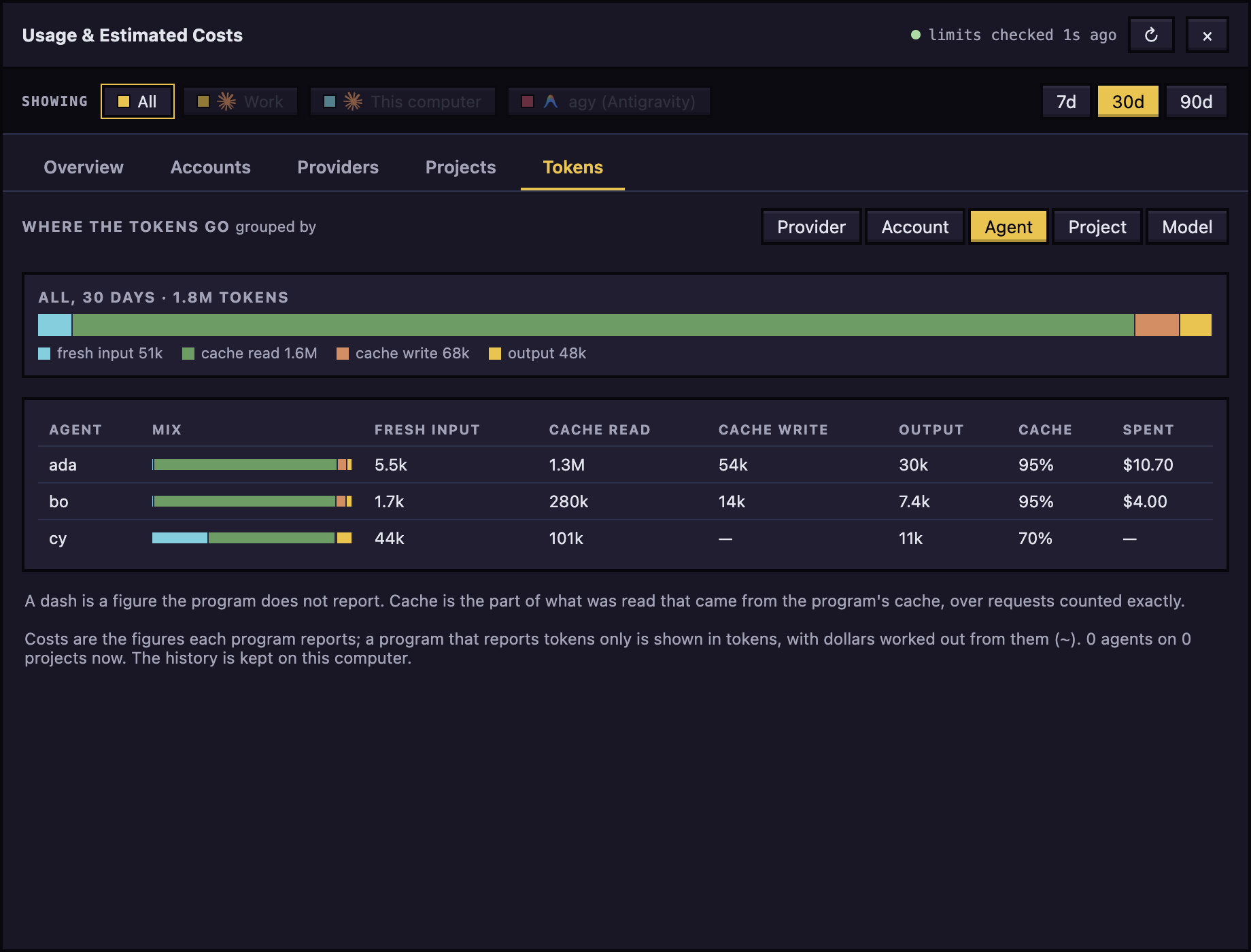
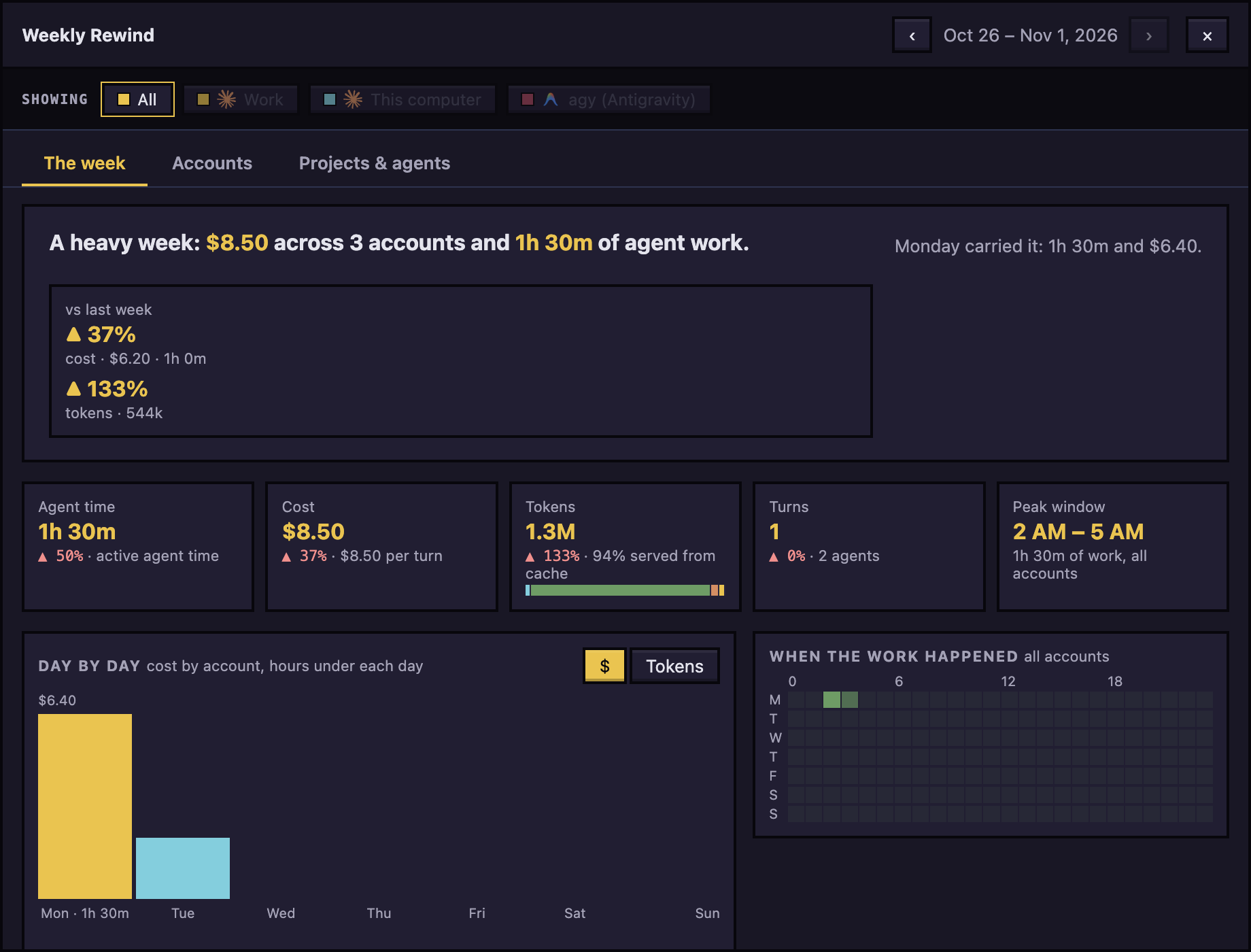
The Tokens tab of Usage shows where the tokens went, counted exactly as Claude Code and agy report them: fresh input, what the cache served, what was written to it and output, by provider, account, agent, project or model. The Weekly Rewind shows the week's cost and tokens with their rise or fall from the week before.
 Accounts
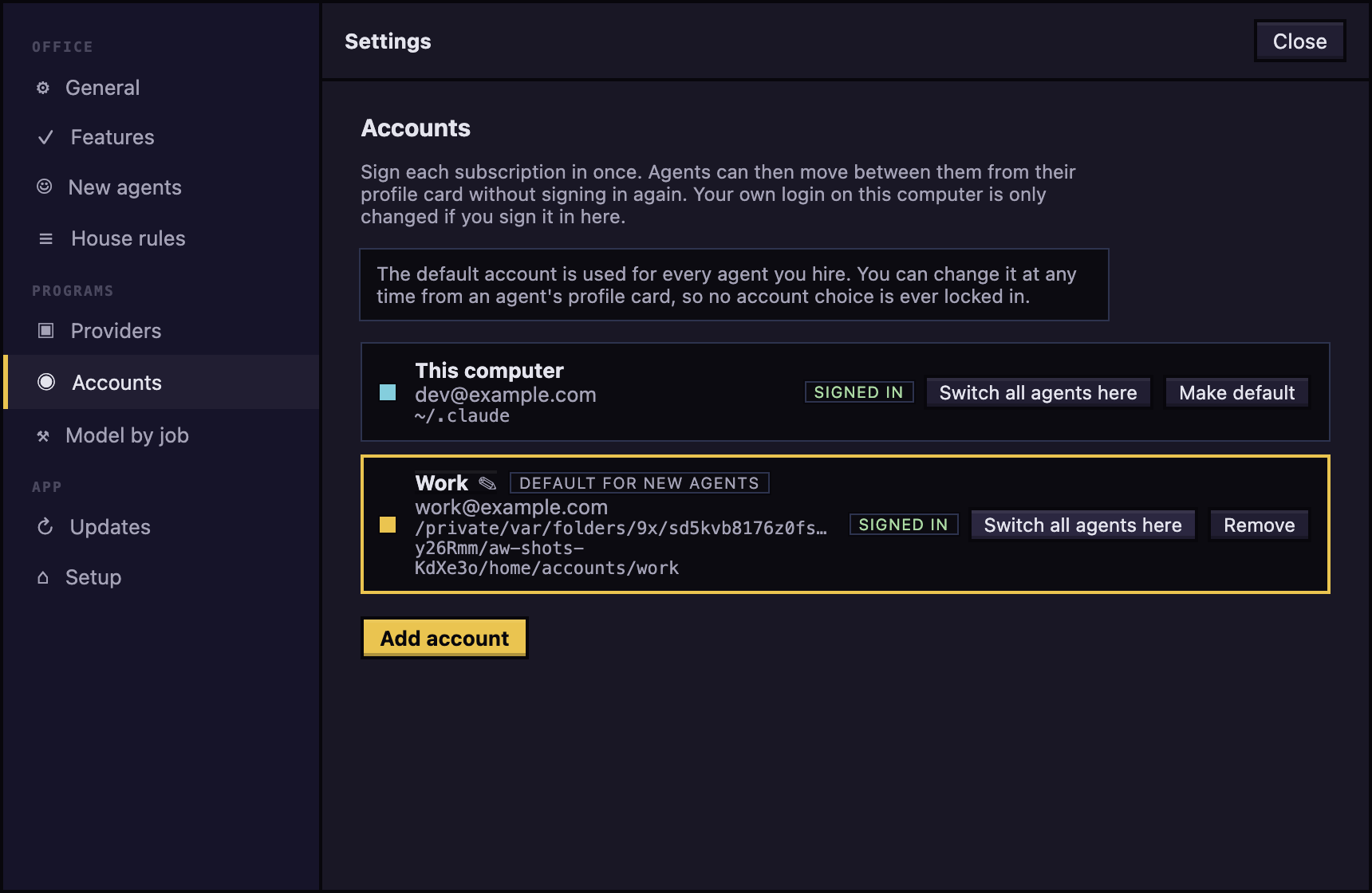
Sign in more than one Claude Code subscription, hire agents on any of them, and move agents between accounts without signing in again.
 Terminals for each project
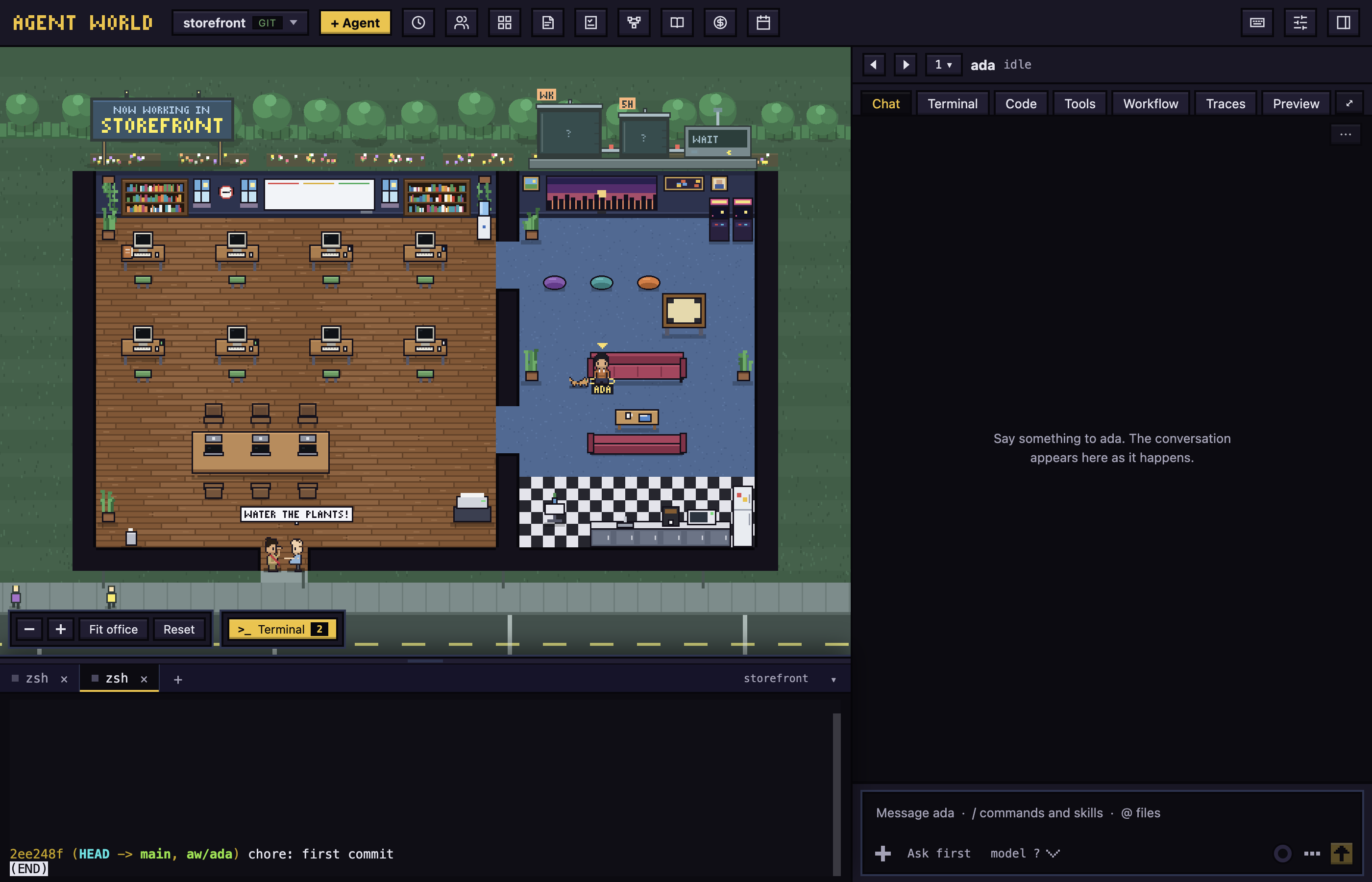
A drawer of your own shells under the office, starting in the project's folder. Each project keeps its own, and they are still there when you come back.
 Shortcuts
Cmd+/ lists every key: stepping between agents and projects, the tabs of the side panel, Notes, the terminals and more.
 Antigravity beside Claude
Hire agy (Antigravity) agents next to Claude Code ones. Setup finds both programs on your computer, and each agent gets its own worktree, chat, library and todos whichever program it runs.
User guide
Short, task-shaped pages, one for each area, each with a picture.
| Page | What it covers |
|---|---|
| Getting started | Install, setup and your first agent |
| The office | Reading the office, hiring, waking, answering requests |
| Chat and dialogs | Talking to an agent and answering what it asks |
| Customize the look | Asking an agent to restyle the app, keeping or undoing it, and widgets |
| Code and preview | Changes, files, the terminal, tools, preview, finishing a branch |
| Workflows | Plans, checks, review, landing, Runs, Insights, the builder, and runs on the todo board |
| Library and playbook | Skills, instructions, prompts and when agents use them |
| Todos | The shared board |
| Settings and updates | Preferences, accounts, providers, updates |
| Troubleshooting | A blocked first launch, sign-in, a repository with no commits, no git |
How it works
The app owns each session, so it does not have to guess what an agent is doing.
%%{init: {'theme': 'base', 'themeVariables': {'primaryColor': '#1a1726', 'primaryTextColor': '#e4e4ee', 'primaryBorderColor': '#f2c230', 'lineColor': '#a4a2b8', 'secondaryColor': '#221e33', 'tertiaryColor': '#12101a', 'fontSize': '14px'}}}%%
flowchart LR
  you([You]) <--> app["<b>Agent World</b><br/>the office, chat and panels"]
  app -- "starts a terminal it owns" --> agent["<b>Agent session</b><br/>your own claude or agy"]
  agent -- "reports what it does:<br/>hooks, office tools, git hooks" --> app
  app -- "creates and cleans up" --> wt[("<b>git worktree</b><br/>branch aw/name under<br/>~/.agent-world/worktrees")]
  agent -- "edits and commits" --> wt
- Hooks, not scraping. Each agent is started with a per-session settings file that reports what it does (a tool call, a request, a stop) to the app. Nothing in
~/.claudeis changed. - Its own worktree. Every agent works on a branch
aw/<name>in~/.agent-world/worktrees/<repo-slug>/<name>, so agents do not overwrite one another. Removing one deletes its worktree only when nothing is uncommitted. - git held from outside. An agent's
gitis pointed, through git's own environment variables, at the app's hooks folder, so a commit or a merge can be held whatever program made it. No file of your repository or your git configuration is touched, and your own terminal is untouched. - Short headless calls. The usage limits, and the branch review when workflows are on, use short headless calls to your own
claudeoragyon your own account.
 Status and roadmap
The latest version is on the releases page; CHANGELOG.md lists what changed in each.
- macOS is the platform it has been used on. The Mac app is not signed with an Apple Developer ID yet, so the first launch needs Open Anyway, and the app tells you when a newer version is out but cannot install it itself. The release workflow signs and notarises the build once the Apple signing secrets are set.
- Windows and Linux are not supported yet: there are no installers for them.
- Programs: Claude Code and Antigravity (
agy). - Next: signed Mac builds, more agent programs behind the same seam (docs/providers-design.md), and further looks for the office.
Read CHANGELOG.md for what changed.
 Build from source
You need Node.js 22 or newer and pnpm 10.
pnpm install
pnpm dev            # the app, restarting on every change
pnpm build          # the production bundle in out/
pnpm test           # unit tests
pnpm typecheck
pnpm dist           # installers for this computer in dist/
pnpm test:e2e builds the app and runs the end-to-end tests with fake agents, so it needs no sign-in. The pilot/ and real/ suites run real agents, cost real tokens and need a signed-in CLI: see CONTRIBUTING.md.
 Contributing
Contributions are welcome. CONTRIBUTING.md has the test rules, the commit format, and the one command that retakes every picture here (pnpm shots). PRODUCT.md says what the app is for and DESIGN.md how it looks. The design notes are in docs/providers-design.md (how an agent program is added) and docs/workflows-design.md (workflows, checks and the review). Security problems: SECURITY.md. Everyone taking part follows the code of conduct.
 Licence
Apache License 2.0 from 0.2.0; versions up to 0.1.2 were published under the MIT licence and stay under it. The core is open: use it, change it, and send improvements. The maintainer may also offer separate commercial editions with extra features. The name and logo are not covered by the license: see TRADEMARK.md. Agent World is not affiliated with Anthropic or Google. The Claude and Antigravity marks in the app belong to their owners: see NOTICE.md.
Reviews (0)
Sign in to leave a review.
Leave a reviewNo results found