plainboard
Health Pass
- License — License: MIT
- Description — Repository has a description
- Active repo — Last push 0 days ago
- Community trust — 12 GitHub stars
Code Pass
- Code scan — Scanned 12 files during light audit, no dangerous patterns found
Permissions Pass
- Permissions — No dangerous permissions requested
No AI report is available for this listing yet.
Self-hosted Kanban board with a token-efficient team of AI agents: a manager agent plans tickets and delegates work to specialised Claude agents.

PlainBoard
A Kanban board and a chat for your team of AI agents. Self-hosted, started with one command.
You say what you want. A manager agent plans the tickets, hands each one to a specialised agent,
and PlainBoard lands the finished work.


Quick start · How it works · Where things are · Guide · Architecture
Quick start
You need Docker. Save this as docker-compose.yml in an empty folder:
# PlainBoard. Save this file as docker-compose.yml, then:
#
#   docker compose up -d
#
# and open http://localhost:8080. Everything else is set in the browser.
# To update: docker compose pull, then docker compose up -d.

name: plainboard

services:
  # The web UI and everything PlainBoard does by itself.
  app:
    image: thoenehannes/plainboard:latest
    restart: unless-stopped
    ports:
      # On a server: a PLAINBOARD_PASSWORD, behind a reverse proxy with TLS (PLAINBOARD_BIND only if the proxy is on another machine).
      - "${PLAINBOARD_BIND:-127.0.0.1}:${PLAINBOARD_PORT:-8080}:8080"
    environment:
      # The setup password: asked once, when the first account is created in the browser.
      PLAINBOARD_PASSWORD: ${PLAINBOARD_PASSWORD:-}
      # Empty: SQLite in the data volume. Or your PostgreSQL: postgresql://user:password@host:5432/name
      PLAINBOARD_DATABASE: ${PLAINBOARD_DATABASE:-}
      PLAINBOARD_RUNNER_URL: http://runner:8090
      PLAINBOARD_INTERNAL_URL: http://app:8080
    volumes:
      - data:/data
      - uploads:/uploads
    depends_on:
      runner:
        condition: service_healthy

  # Where the agents work: their shell, their tools, your code. Only the app talks to it.
  runner:
    image: thoenehannes/plainboard-runner:latest
    restart: unless-stopped
    volumes:
      # To let agents work in a folder of your machine: PLAINBOARD_WORKSPACES_DIR=/home/me/code
      - ${PLAINBOARD_WORKSPACES_DIR:-workspaces}:/workspaces
      - uploads:/uploads:ro
      - agent-home:/home/agent

volumes:
  data: # the database and the key your secrets are encrypted with: back this up
  uploads:
  workspaces:
  agent-home:
Then start it and open http://localhost:8080:
docker compose up -d
There is nothing else to configure in files. PlainBoard asks for what it needs:
- Create your account.
- Answer six short questions, each with a recommendation: which subscription or
API key the agents run on, which models, how they reach your
code, how many work at once. - Create your first project and tell the manager what you want.
To update: docker compose pull, then docker compose up -d. PlainBoard tells you in the sidebar
when a newer version exists.
Download the file instead of copying it:
curl -o docker-compose.yml https://raw.githubusercontent.com/hthoene/plainboard/main/deploy/docker-compose.yml
docker compose up -d
Build from source, to change PlainBoard itself:
git clone https://github.com/hthoene/plainboard.git
cd plainboard
docker compose up -d --build
What you get
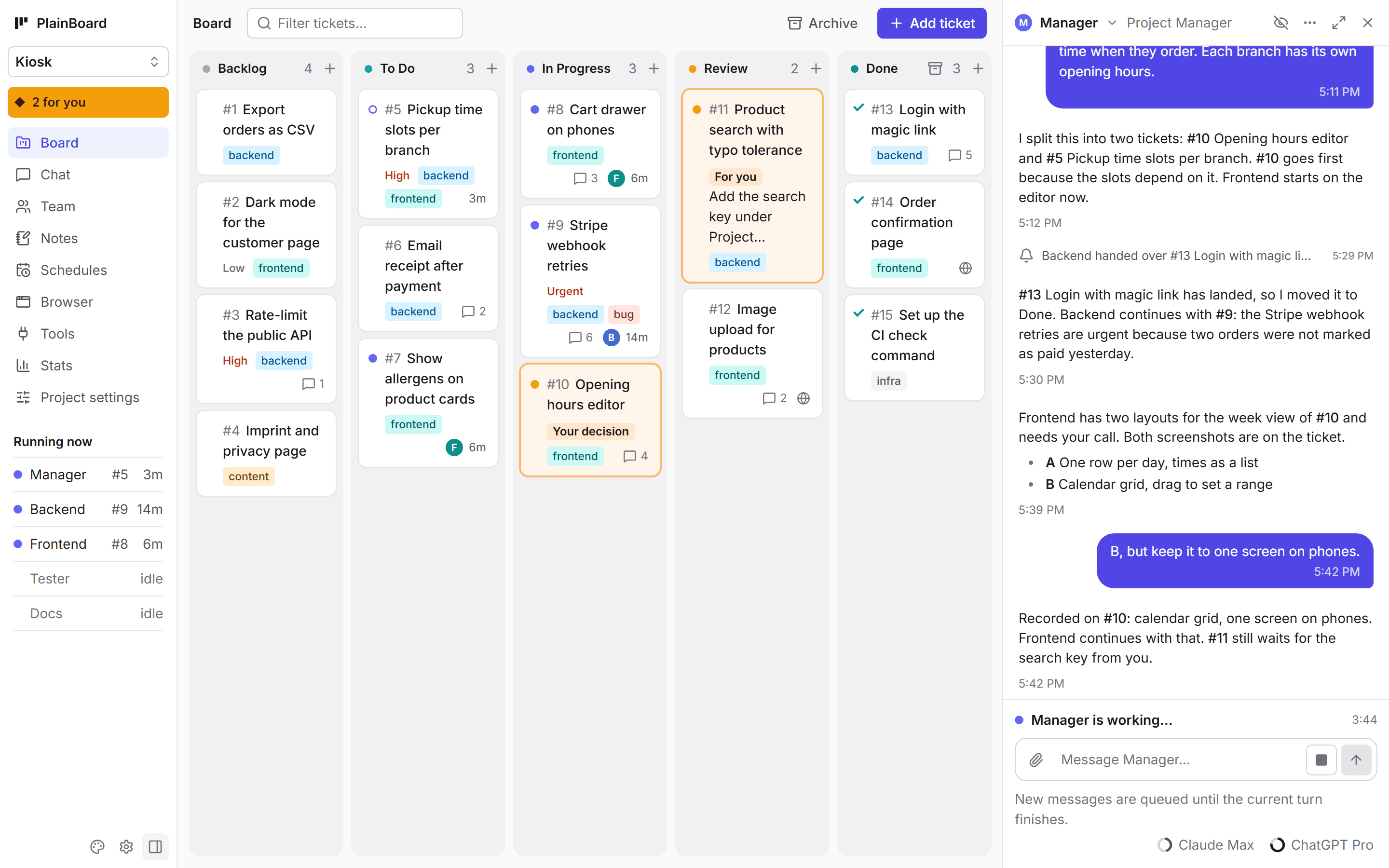
- A board that shows who is doing what. Every ticket shows which agent works on it and for how
long. Tickets take Markdown, labels, priorities, attachments and comments. - A manager you talk to. It plans the tickets, builds the team, gives each ticket to one agent as
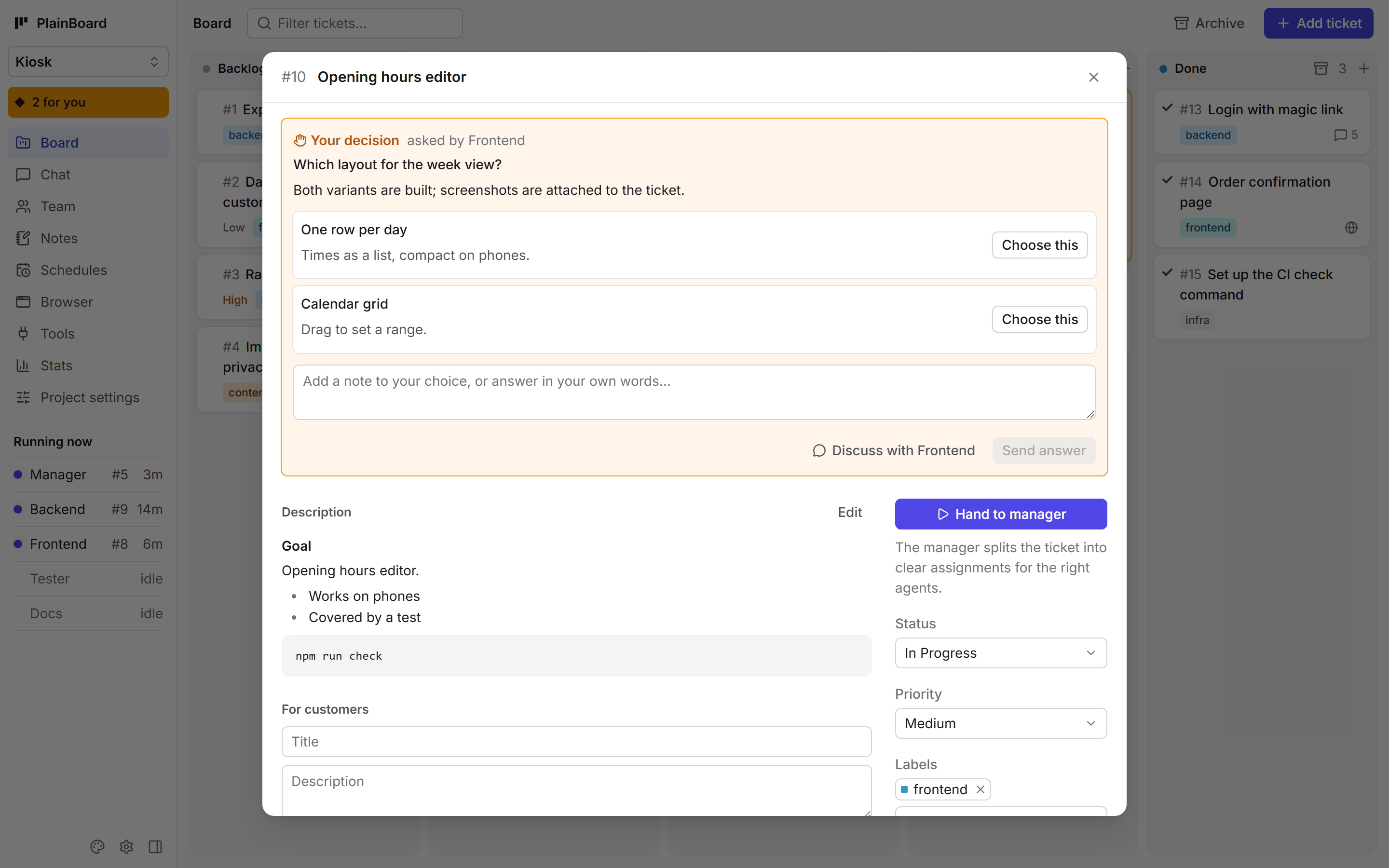
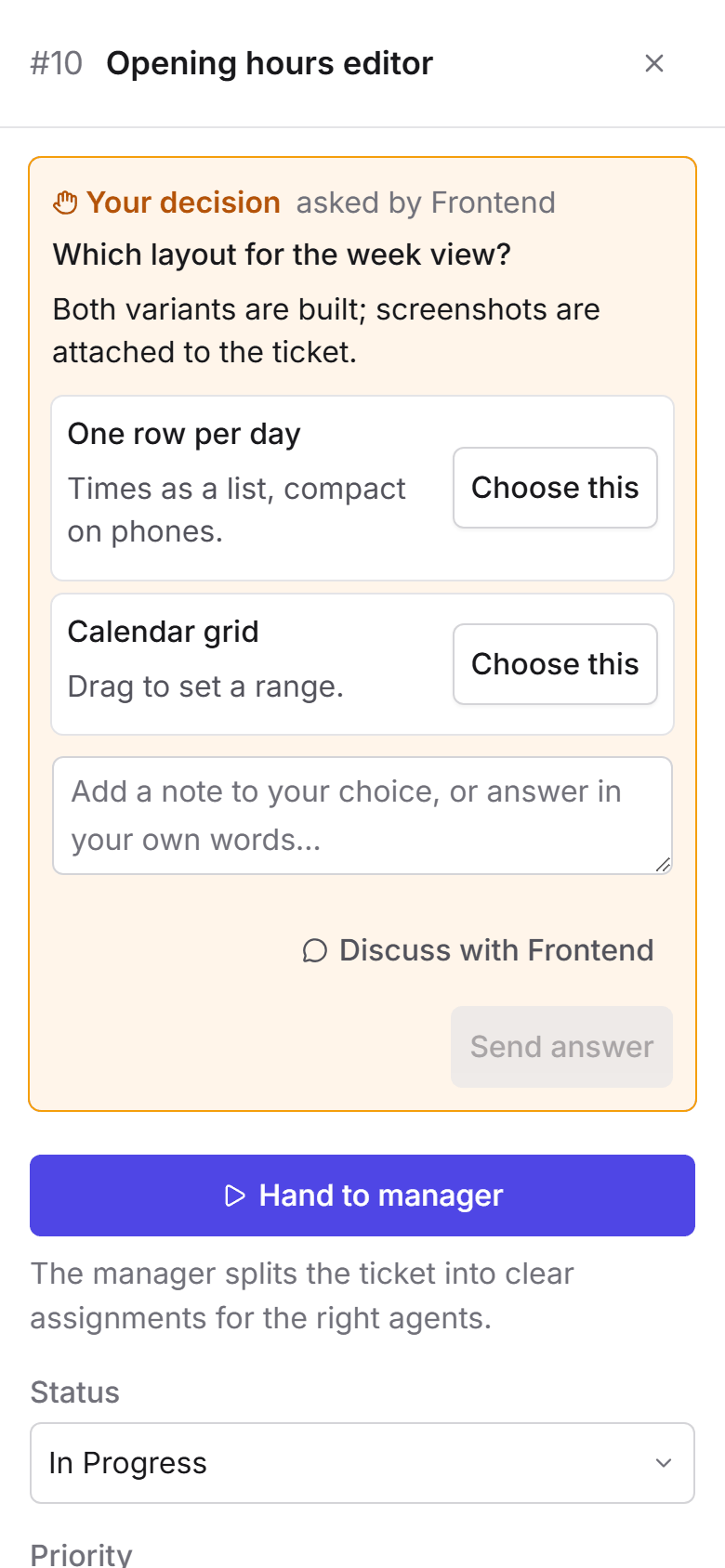
a complete assignment, reads the reports and moves the tickets. - Your decisions, one click away. When an agent needs a call from you, the ticket says so. Pick an
option, answer in your own words, or discuss it in the chat. - A team per project. Each agent has a role, a model, an effort level and its own tools. Claude
and Codex work side by side, on API keys or on your subscriptions. - No agent waits. Agents hand over finished branches; PlainBoard merges them into one train,
checks it once and lands what passes. Ten changes cost one check run, not ten. - Small contexts, low cost. An agent starts every ticket with a fresh context, and long chats are
compressed with a cheap model. - Notes, schedules, MCP servers, git repositories. All optional; without git everything works
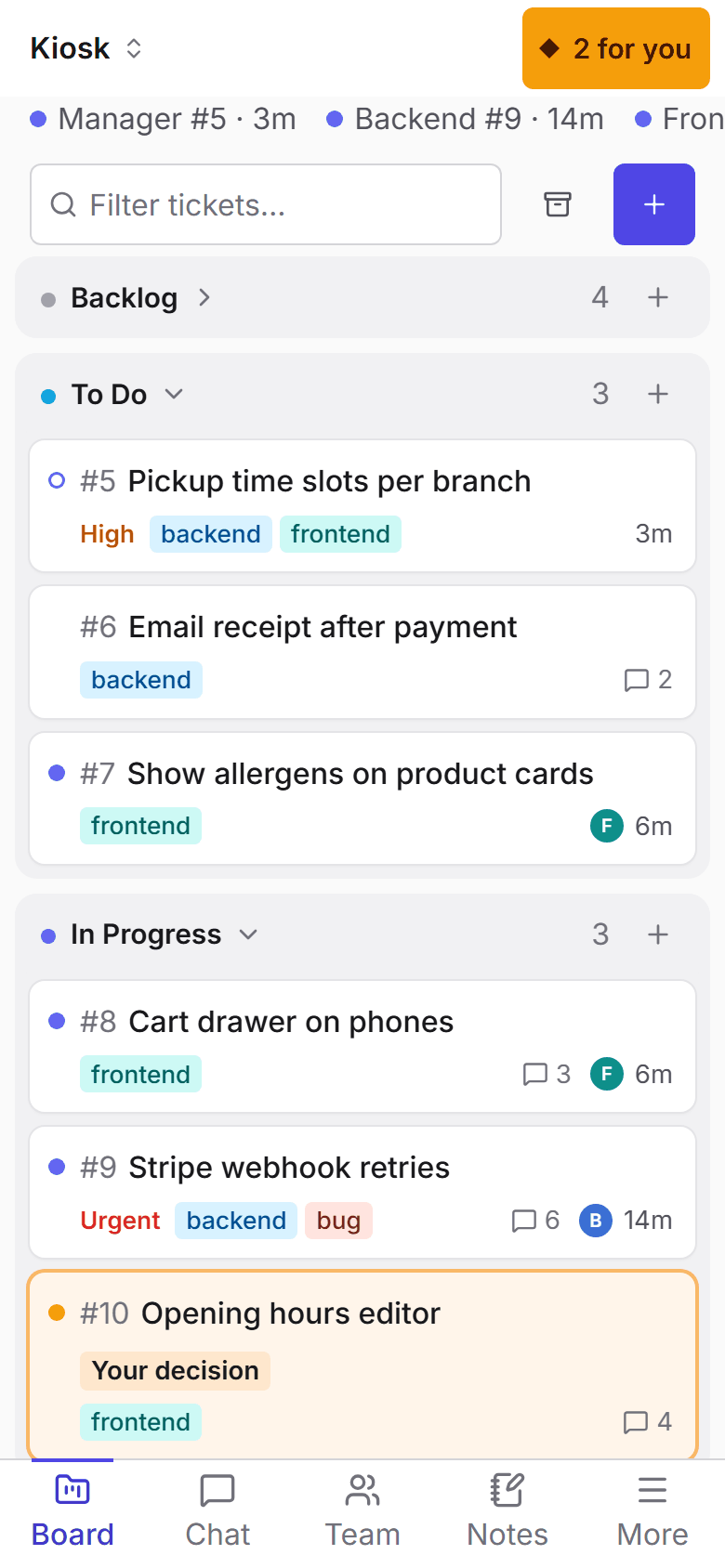
locally. - Desktop and phone, two designs, dark and light. Installable as an app.
|
|
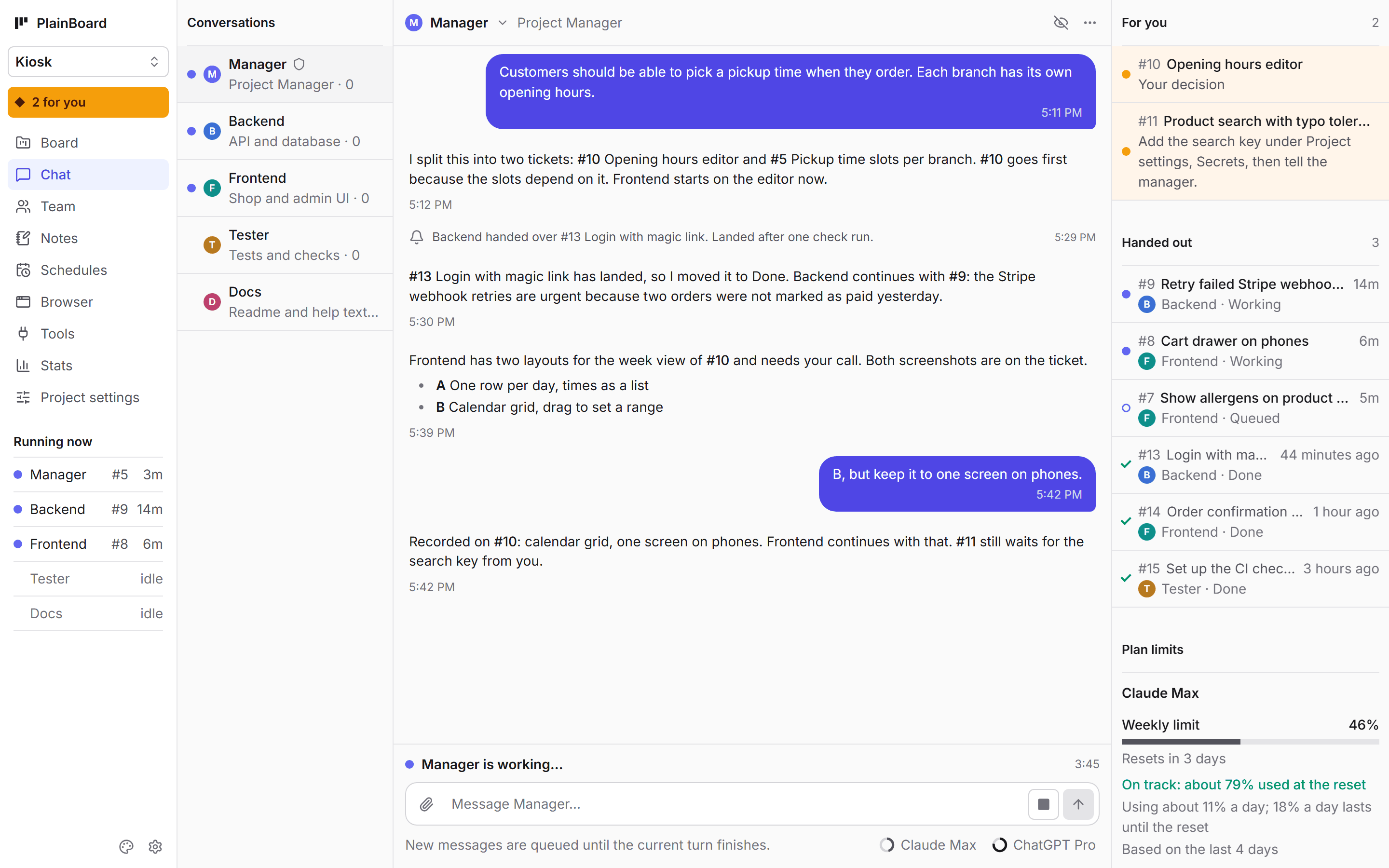
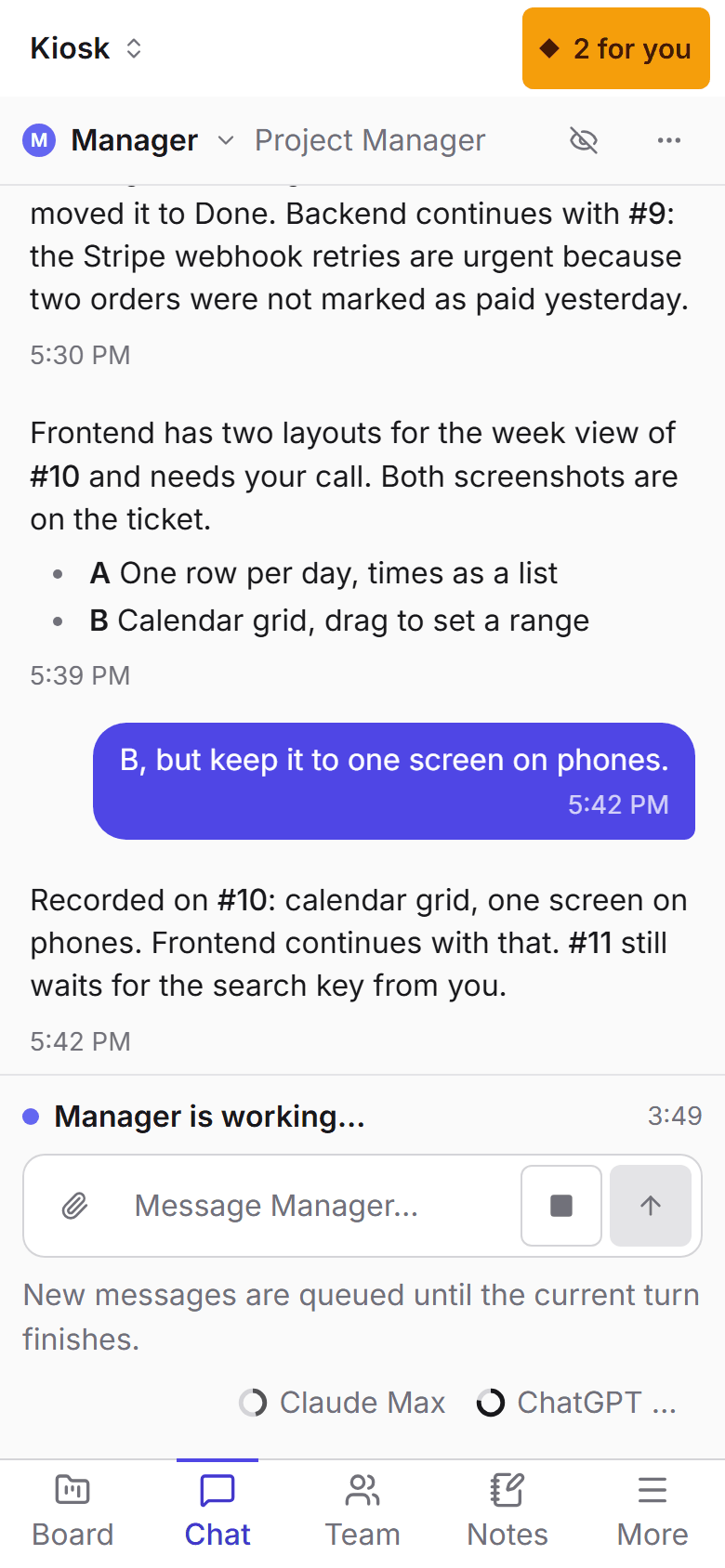
| Chat. Every conversation, what waits for you, what the manager handed out, and how full your plans are. | Decisions. An agent asks, you choose. The ticket stays marked until you have. |
How it works
flowchart LR
    you([You]) -- chat or ticket --> manager[Manager]
    manager -- assignment --> agents[Agents]
    agents -- report --> manager
    agents -- finished branch --> train[One check run<br>for all branches]
    train -- lands --> main[(main)]
- You never assign a ticket to an agent. You hand it to the manager, which splits it into clear
assignments for the right agents. - One agent owns a change from the first line to handing it over, and reports once, when it is
really finished. - Waiting is not agent work. Check runs, merges and polling are done by PlainBoard without a
model. A quick check (format, lint) runs the moment a branch is handed over; if a train still
fails, one agent makes its branches pass together. Work goes on by itself after a restart.
Where things are
| You want to | Go to |
|---|---|
| Change a subscription, the models, access to your code | The gear: PlainBoard settings |
| Change a project: its repositories, secrets, members | Project settings in the navigation |
| Change an agent: its model, instructions, tools | Team |
| Work with others | PlainBoard settings → People, then Project settings → Members: viewer, member or owner |
| Look at what agents built | The link an agent posts (/preview/<port>/), or the Browser view |
| Show progress on your website | Project settings → Public API |
| Change the look | The palette button: two designs, each light and dark |
| Run it on a server | .env: a setup password (PLAINBOARD_PASSWORD), behind a reverse proxy with TLS: guide |
| Use another port than 8080 | .env: PLAINBOARD_PORT=9000 |
| Let agents work in a folder on your machine | .env: PLAINBOARD_WORKSPACES_DIR, then Project settings → Advanced → Shared folder |
.env is optional: a file next to your docker-compose.yml. .env.example explains each line. The guide walks
through the first project, lists every setting and has the details.
Good to know
- Agents have full control of the runner container: shell, passwordless sudo, network. They
cannot touch the app container. Only give them credentials you are comfortable with. - An Anthropic API key is the officially supported way to use the Claude Agent SDK. Whether you may
use your own Claude login or ChatGPT subscription depends on the provider's terms for your plan;
check them before relying on it. PlainBoard is not affiliated with Anthropic or OpenAI. - Secrets are encrypted at rest with a key generated in the
datavolume.
Development
# backend and runner tests
docker compose build app runner
docker run --rm -w /src/app --entrypoint python plainboard-app -m pytest -q
docker run --rm -w /src/runner plainboard-runner python -m pytest -q

# frontend with hot reload, proxies /api to a running stack on :8080
cd frontend && npm install && npm run dev
ARCHITECTURE.md explains the design and the extension points,
DESIGN.md the look.
License
Reviews (0)
Sign in to leave a review.
Leave a reviewNo results found