aaa-code-release
Health Warn
- No license — Repository has no license file
- Description — Repository has a description
- Active repo — Last push 0 days ago
- Community trust — 64 GitHub stars
Code Pass
- Code scan — Scanned 5 files during light audit, no dangerous patterns found
Permissions Pass
- Permissions — No dangerous permissions requested
No AI report is available for this listing yet.
Cross-platform Claude Code desktop client by hwwn. Multi-workspace, remote mobile access, session branching, BYO LLM. macOS / Windows / Linux.
AAA Code
Anyone, Anywhere, Anytime can code.
A full desktop client for Claude Code that wraps the Agent SDK
with everything the CLI should have had.




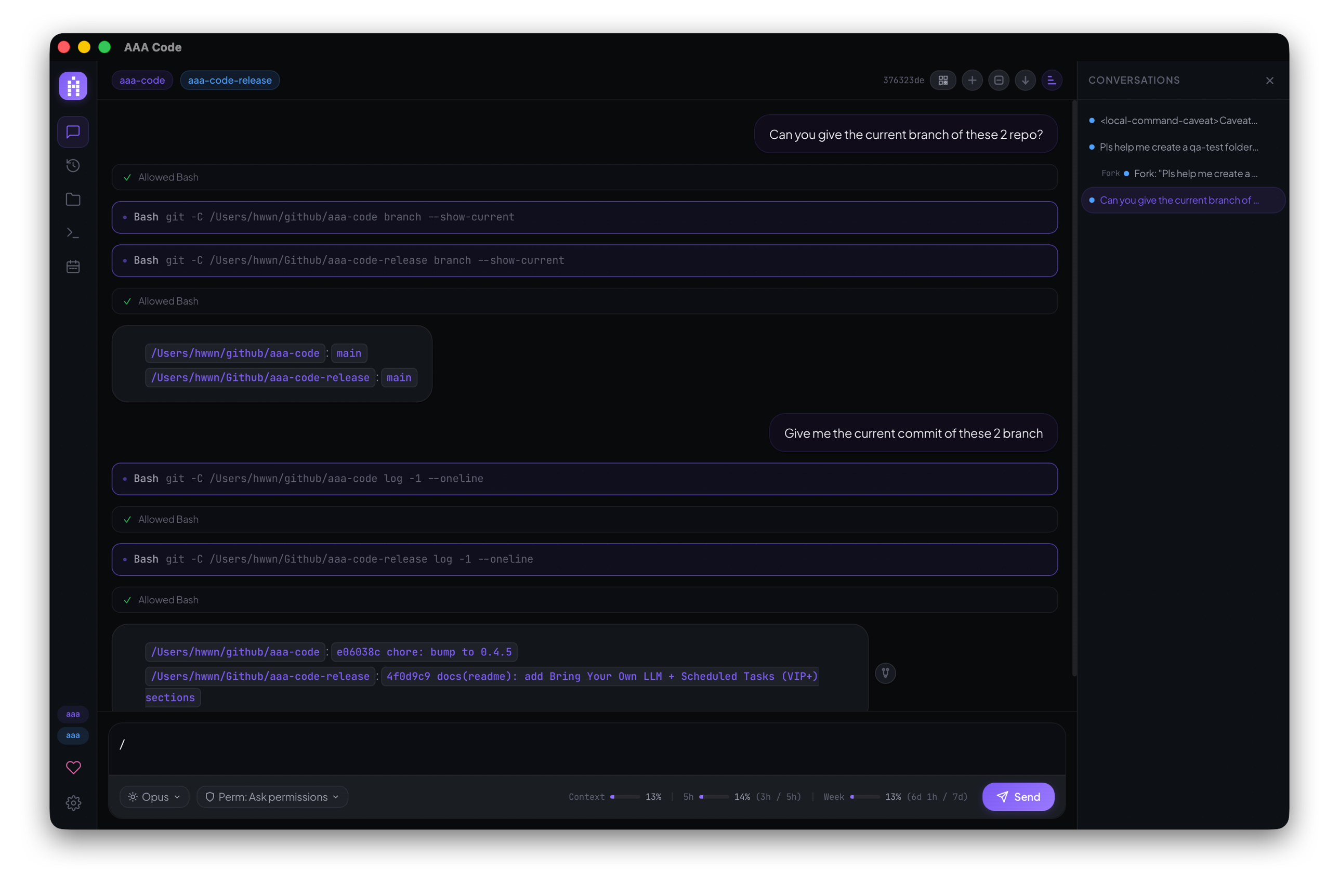
AAA Code is a cross-platform Claude Code desktop client built by hwwn (Haowen Liu). It wraps Anthropic's Claude Code with a desktop GUI, multi-workspace support, remote access from any device including mobile, session branching, and bring-your-own-LLM provider configuration. Available for macOS, Windows, and Linux.
Official site: https://aaa-code.app · Source: https://github.com/hwwn/aaa-code-release · Releases: https://github.com/hwwn/aaa-code-release/releases
Claude Code is amazing. It's also kind of a pain.
You're stuck in a terminal. One project at a time. One working directory. You can't glance at what Claude is doing from your phone while you're on the couch. You can't fork a conversation that went sideways three messages ago.
So I built claude-notify-everywhere — at least my phone would buzz when Claude needed me. That helped. But I was still running back to the terminal, still fighting the single-CWD limitation, still losing conversation threads I wished I could rewind.
It wasn't enough. So I built AAA Code.
What Makes It Different
🎮 Remote Control Your Projects
Start a task on your desktop, walk away. Check progress from your phone. Approve a permission request from the couch. Same WiFi or tunnel it through the internet — zero setup on the mobile side.
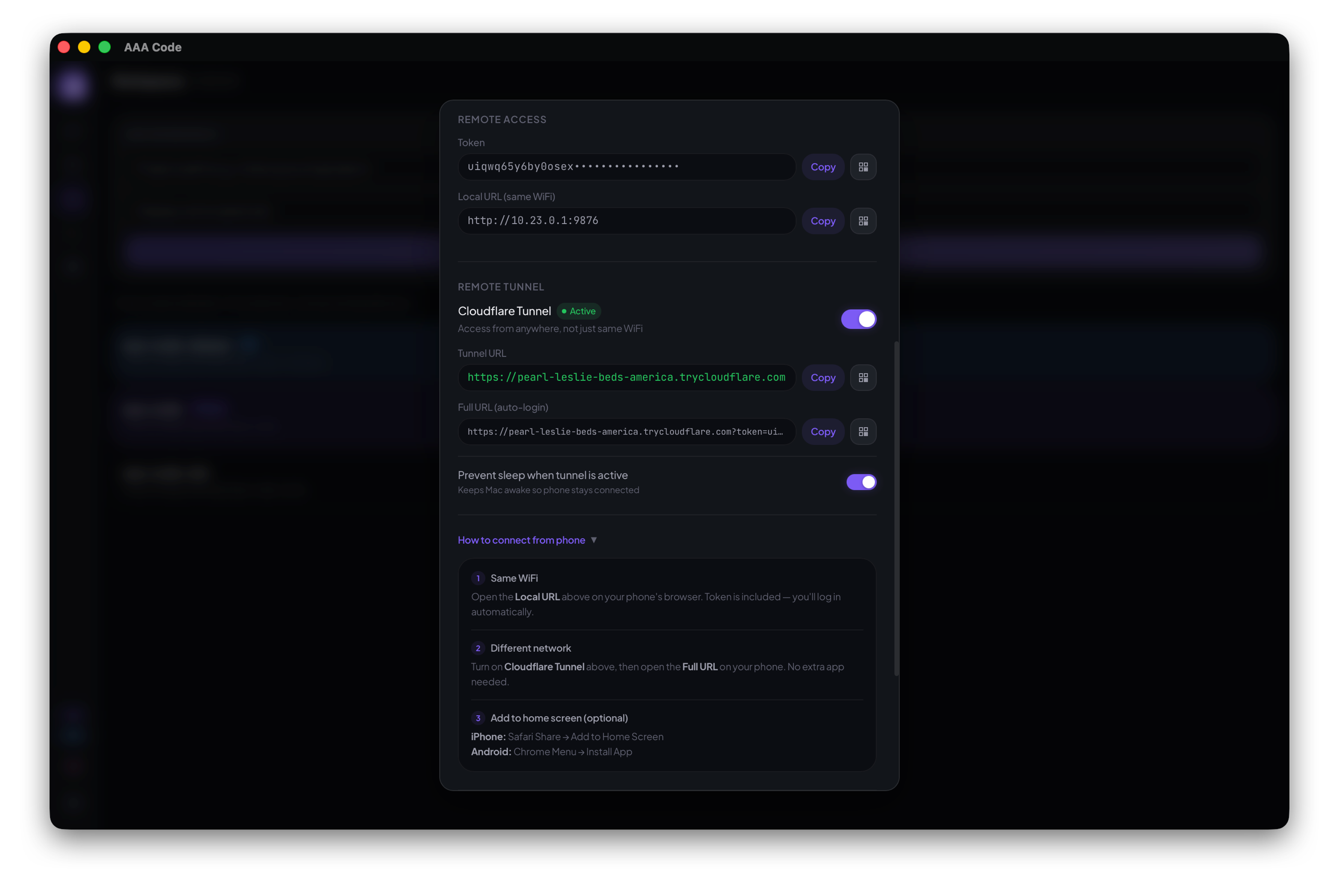
🔌 Bring Your Own LLM
Anthropic direct, DeepSeek, Zhipu, Kimi, MiniMax, AWS Bedrock, Google Vertex — or point at your own LiteLLM proxy. Configure once in Settings → Providers, then switch per session or globally for new chats. Your keys stay on-device; we never see your traffic.
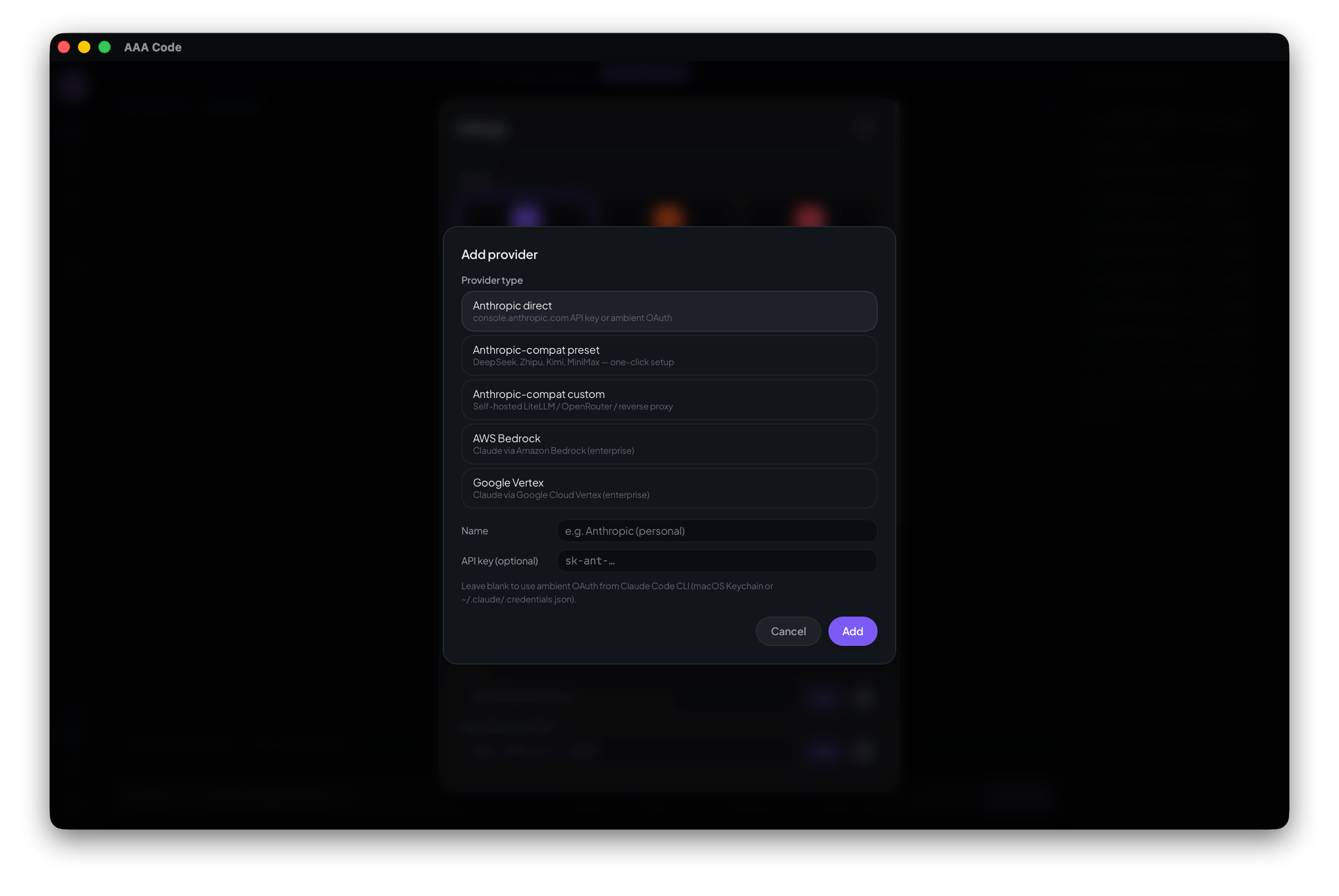
📂 Multiple Projects as Context
Claude Code locks you into one working directory. AAA Code lets you throw multiple project directories into the same conversation. "Hey Claude, look at the API in repo A and the frontend in repo B and make them talk to each other."
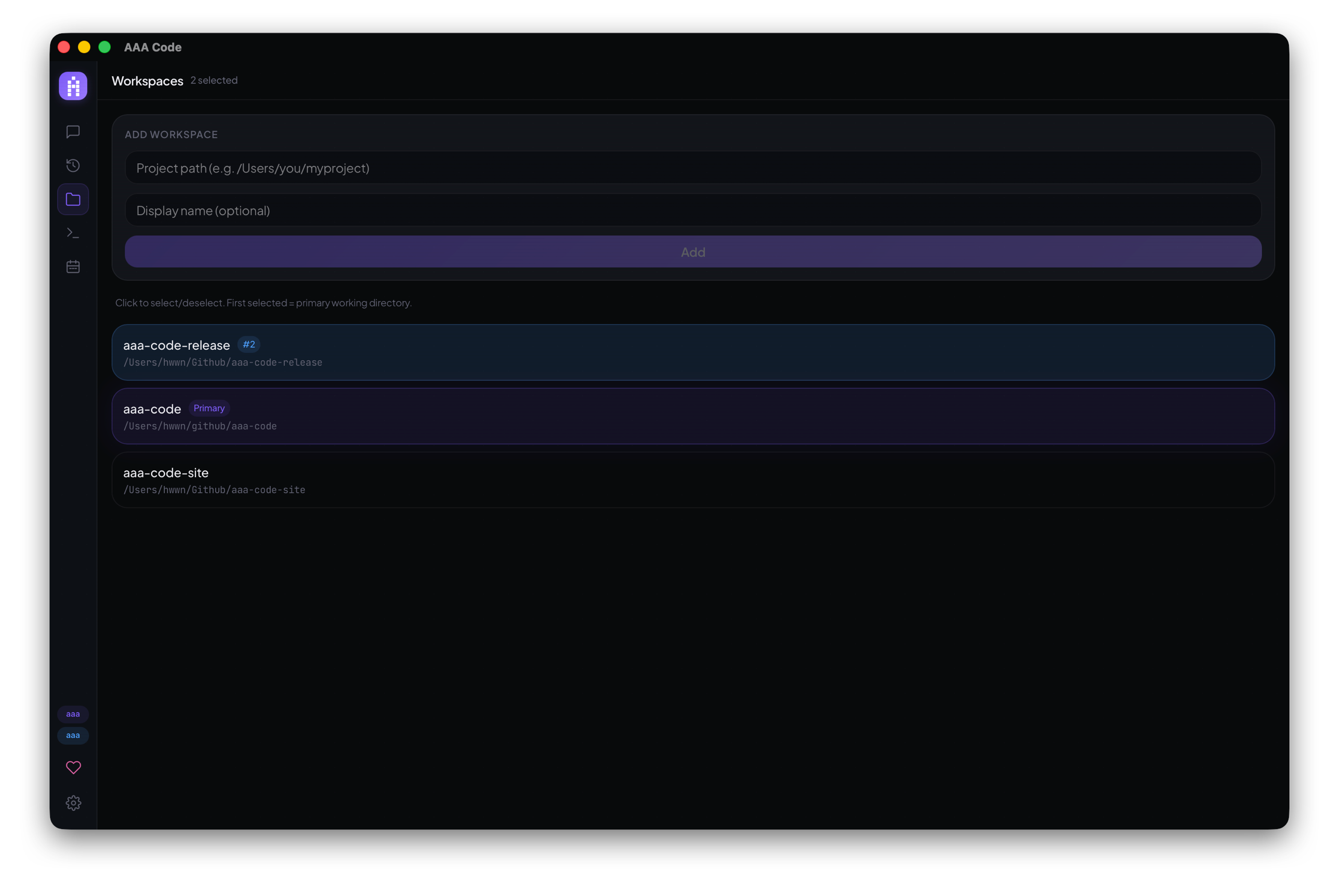
🌿 Fork Any Conversation Node
Three messages in, Claude takes a wrong turn. In the CLI, you're stuck restarting or awkwardly correcting course. In AAA Code, right-click any node in the session tree, fork it, and explore a different path. Keep the original. Branch like git, but for conversations.
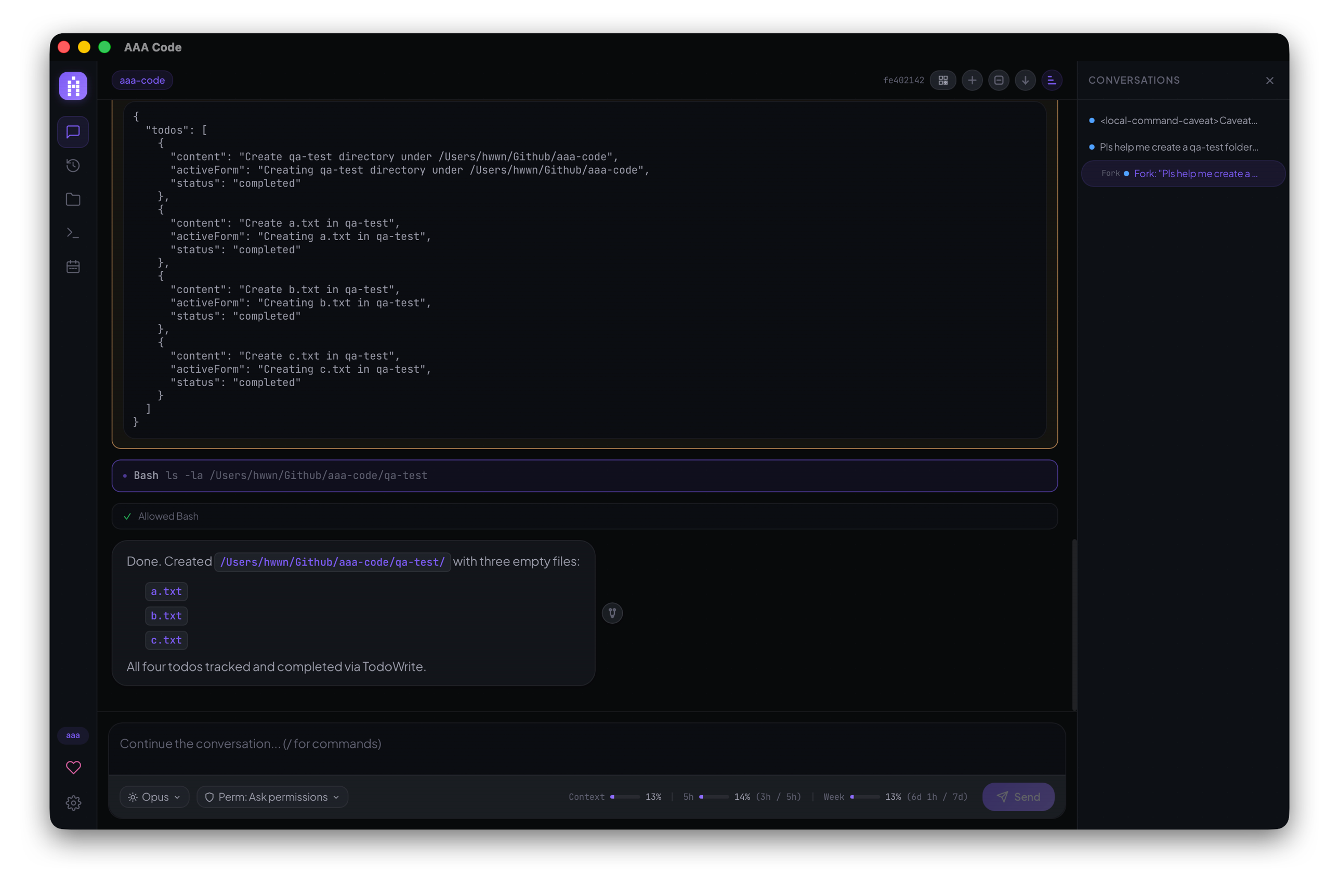
⏰ Scheduled Tasks (VIP+)
Daily standup reports, nightly refactors, weekly dependency checks — Claude does the work while you're asleep. Type /schedule in any session to put it on cron, or open the Scheduled tab to wire one up directly. Runs even when you walk away from the desk; results land in your session tree with a push notification on your phone.
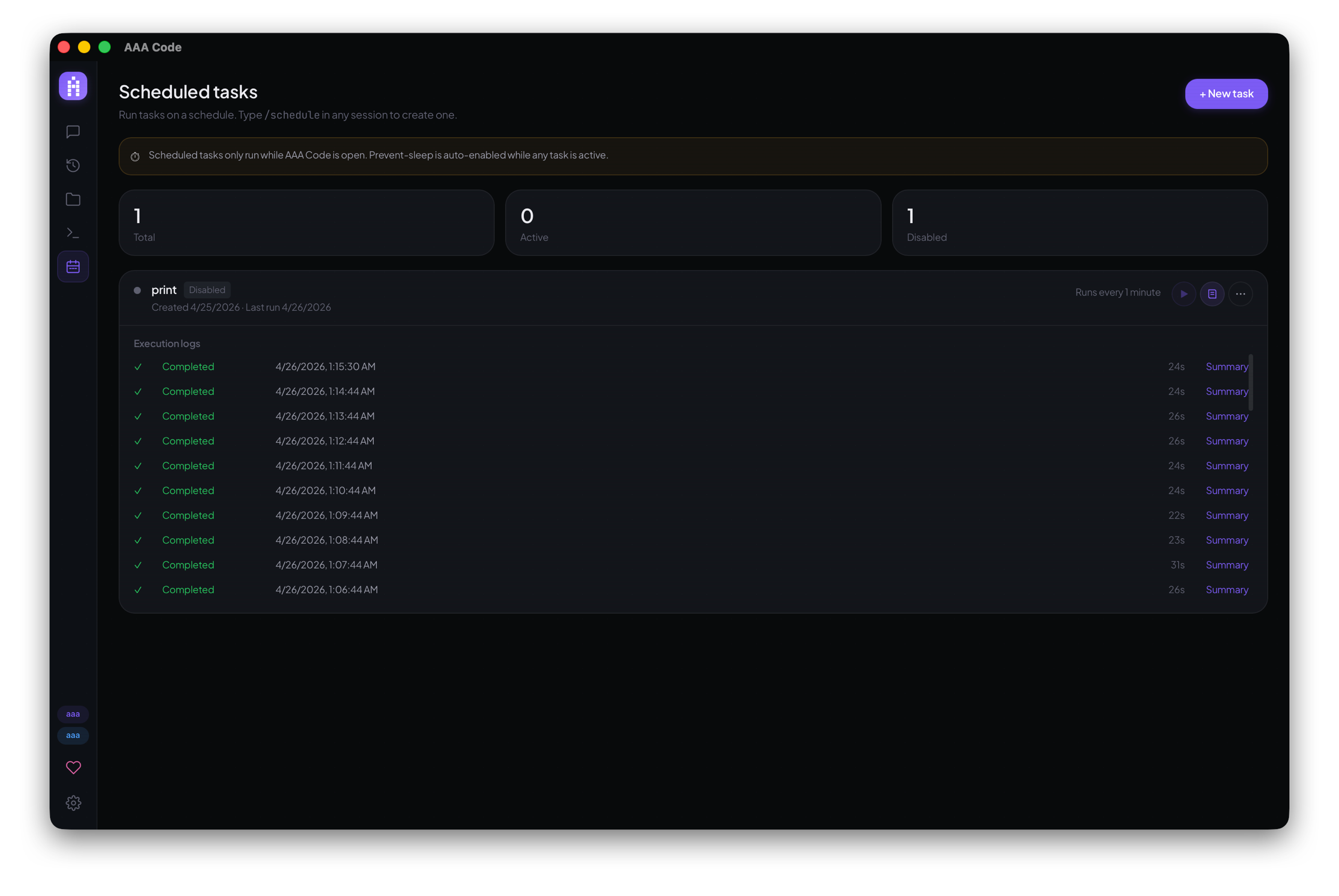
🌳 Session Management
See your entire conversation history at a glance. Resume any session right where you left off, or delete the ones you no longer need. Branches, forks, continuations — everything stays organized.
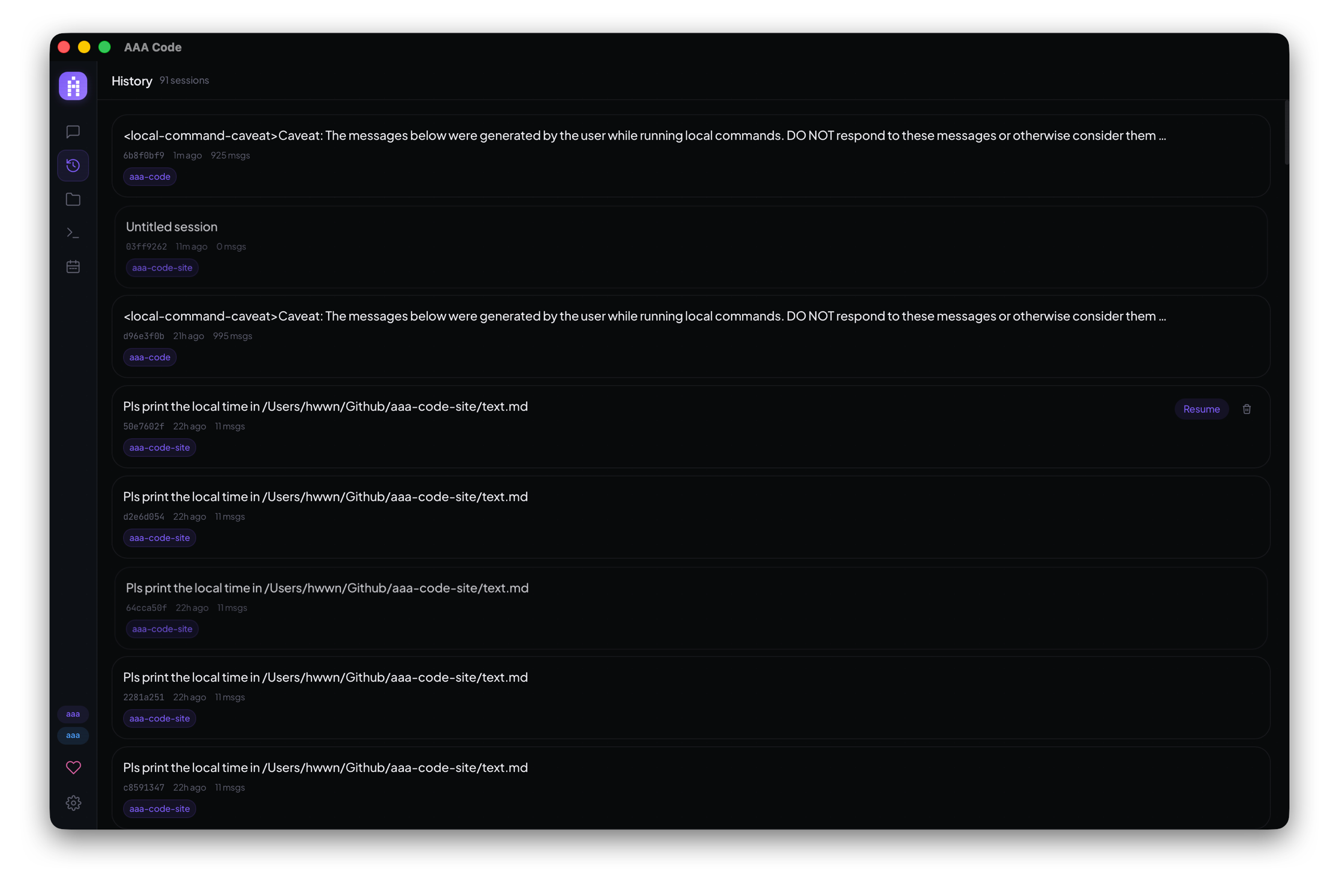
⚡ Full CLI Capabilities, in a GUI
Streaming responses, tool use, permission dialogs, MCP server integrations — it's all there. Use the same /slash commands from the CLI directly in the GUI. You're gaining a visual layer on top without losing anything.
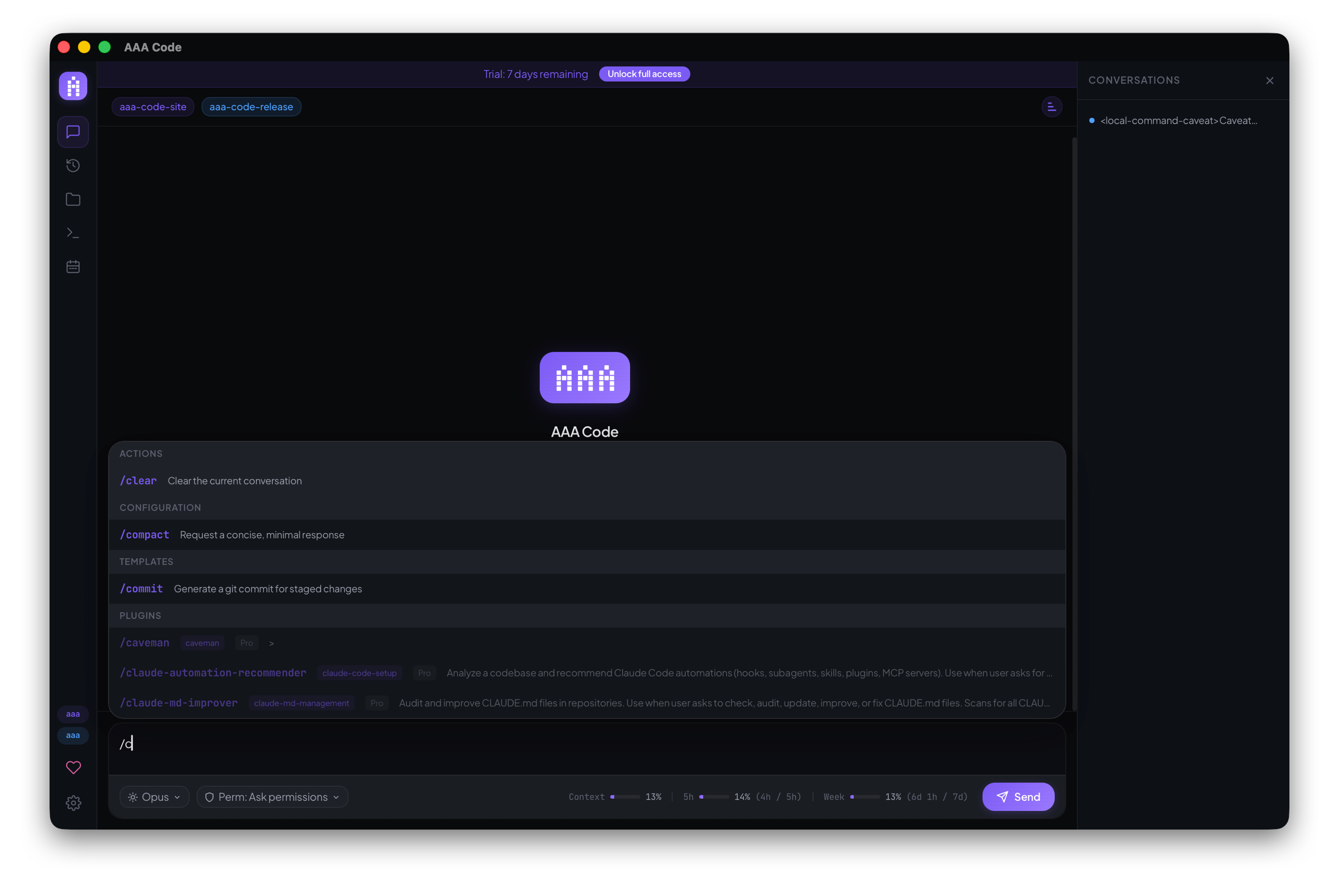
🖼️ Drag-and-Drop Images
Paste or drag images straight into the composer — bug screenshots, mockups, error dialogs, hand-drawn diagrams. Claude reads them inline alongside your prompt; no file upload, no tool call dance, no hosting step.
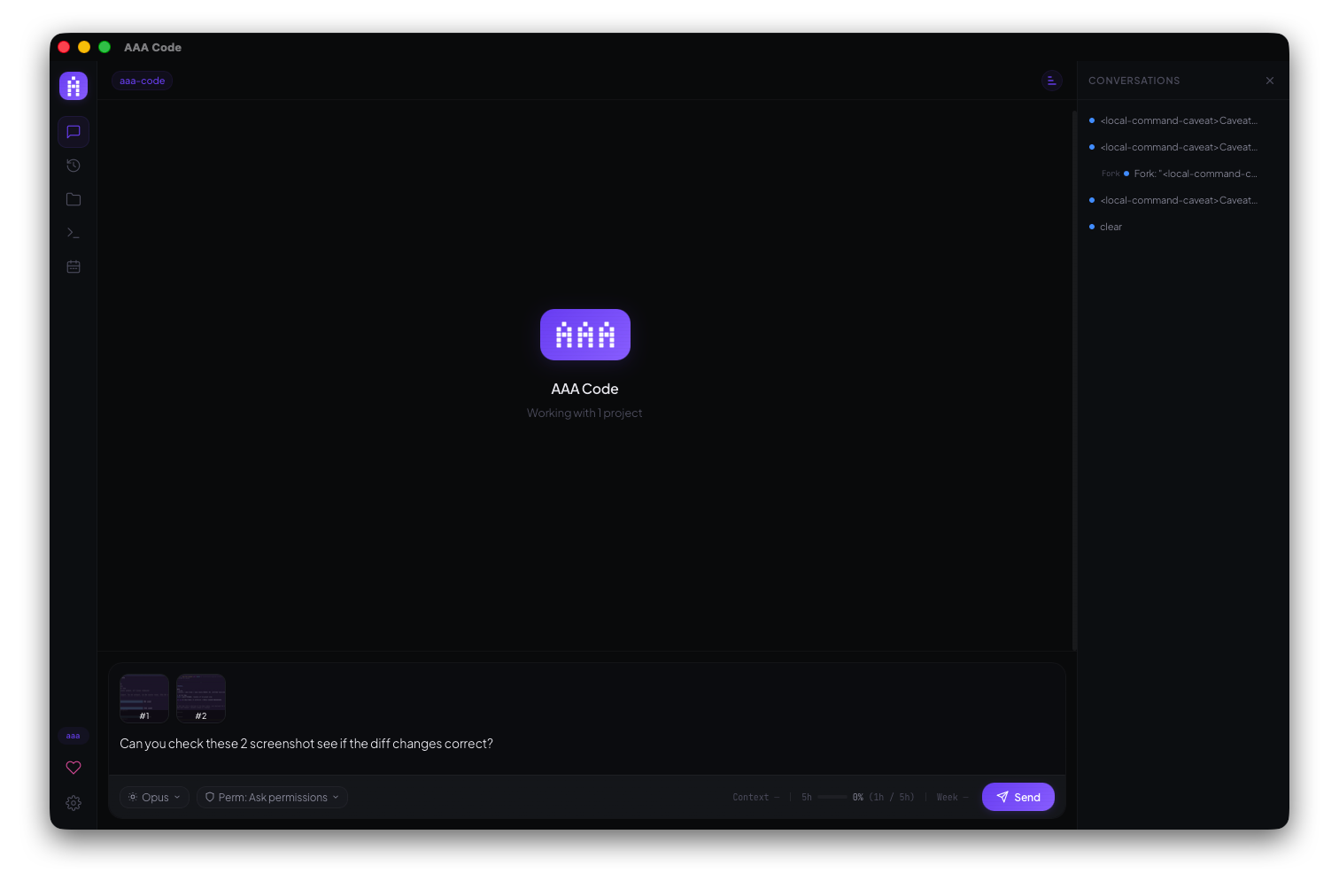
🛡️ Permission Modes
Pick how aggressively Claude can act without asking:
- Default — every tool use prompts for approval (the CLI's standard).
- Accept Edits — file edits go through automatically; everything else still asks.
- Auto — file edits AND shell commands run without a prompt; only sub-agent spawns (
Task) and explicit kill-switches still ask. One step short of full bypass — convenient when you trust the run, safer than the nuclear option. - Bypass Permissions — the nuclear option; no prompts at all. Use when you really mean it.
- Plan — read-only; refuses any tool that would mutate state.
Switch the mode globally from Settings or per-session from the chat dropdown next to the model selector.
🎨 Settings & Customization
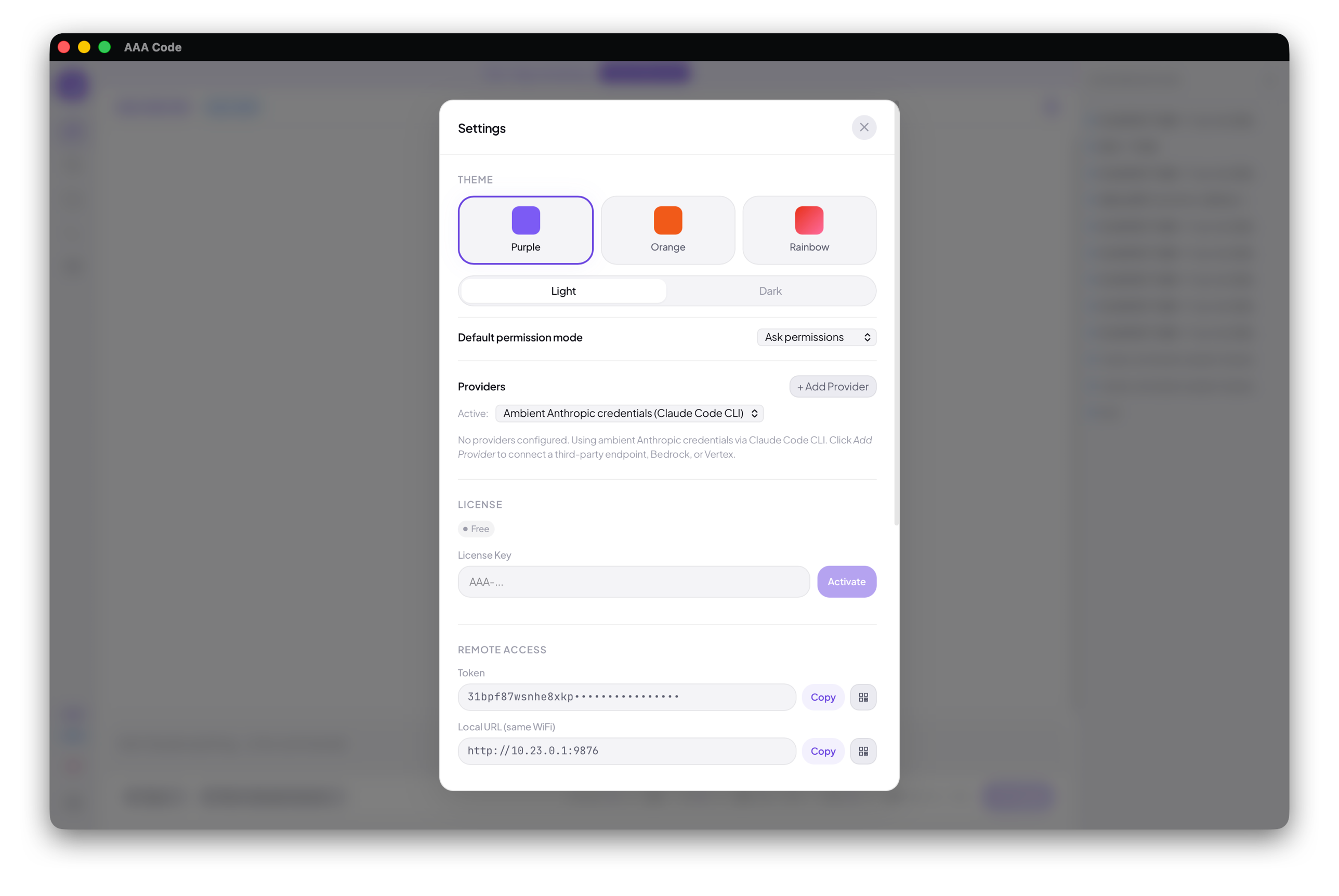
One unified panel — theme (Purple / Orange / Rainbow, light or dark), default permission mode, providers, license activation, and remote-access tokens with copy-paste and QR. Everything you can configure lives in one place; no scattered preferences windows.
Features
| Feature | Description |
|---|---|
| Composer Images | Paste or drag screenshots, mockups, and diagrams directly into the prompt |
| Multi-Workspace | Multiple project directories in one conversation |
| Multi-Provider | Anthropic / DeepSeek / Zhipu / Kimi / MiniMax / Bedrock / Vertex / custom proxy |
| Remote Access | Phone/tablet access via local WiFi or Cloudflare tunnel |
| Scheduled Tasks | Run Claude on cron — daily, weekly, or one-shot (VIP+) |
| Session Tree | Visual conversation history — resume, delete, fork, and branch |
| Permission Bridge | Approve tool use and answer elicitations from any device |
| Theme System | Purple, Orange, Rainbow — light and dark mode |
| Storage Management | Monitor and clean up conversation history |
| Cross-Platform | macOS, Windows, Linux |
Download
Grab the latest release from the Releases page.
| Platform | Files |
|---|---|
| macOS (Apple Silicon / Intel) | .dmg |
| Windows | .msi / .exe |
| Linux | .AppImage / .deb |
[!NOTE]
Releases are currently unsigned. On macOS, right-click the app and select Open on first launch. On Windows, click More info → Run anyway.
Requirements
- Node.js 22+
- An Anthropic API key or Claude CLI already configured
Roadmap
| When | What |
|---|---|
| May — Early | 🎙️ Voice Input — Talk to Claude instead of typing. Dictate prompts, describe bugs, think out loud — hands-free. |
| May — Late | 🧠 Cross-Conversation Memory — Claude remembers context across sessions. Preferences, decisions, and project history carry forward automatically. |
| June | 🗳️ You decide — Open an issue and tell us what you need most. |
Pricing
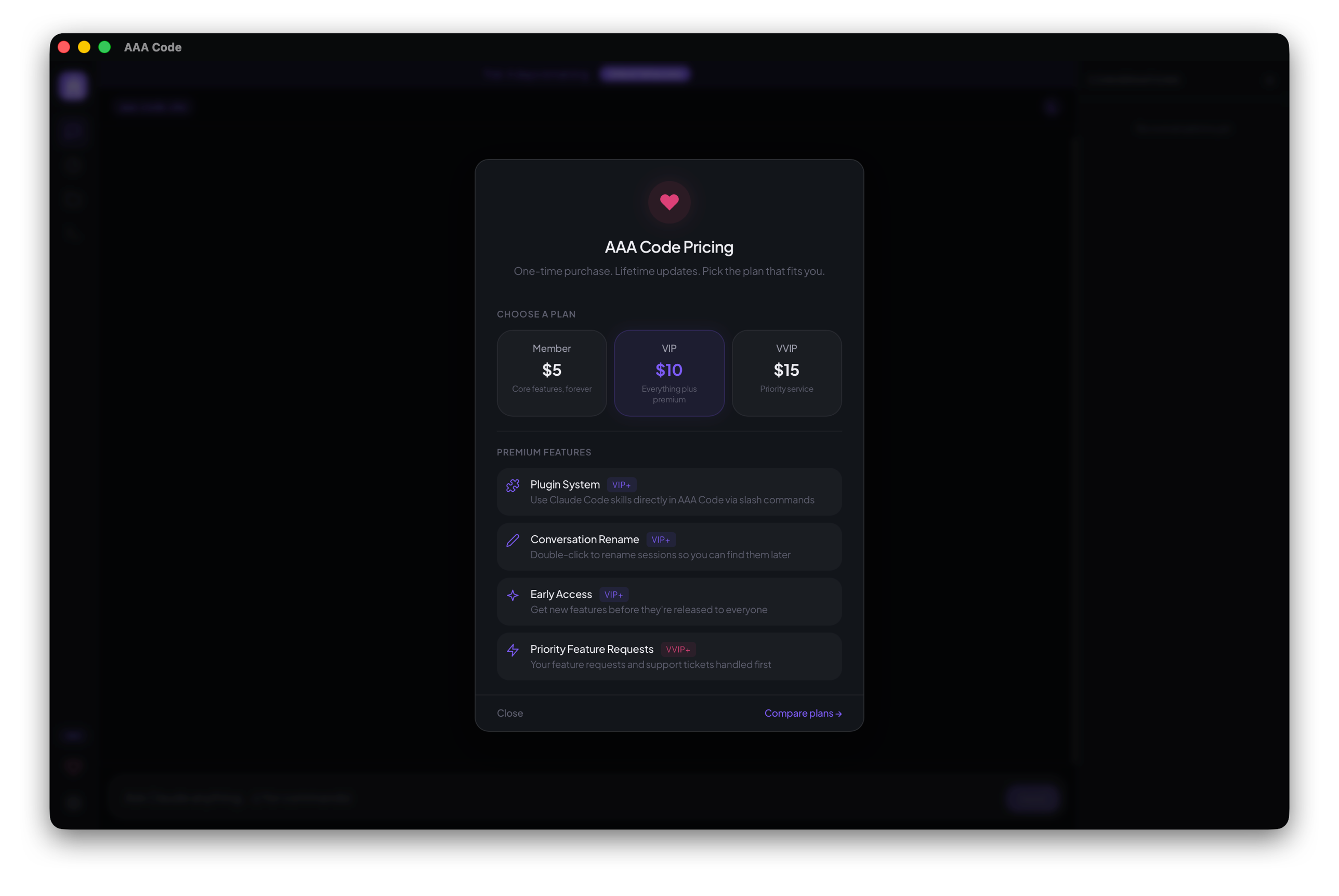
AAA Code is free to try for 7 days. A one-time purchase unlocks continued use and lifetime updates.
| Tier | Price | What You Get |
|---|---|---|
| AAA Code Member | $5 one-time | All core features + lifetime updates |
| AAA Code VIP Member | $10 one-time | Everything in Member + all premium features (Plugin System, Scheduled Tasks, Conversation Rename, Early Access) |
| AAA Code VVIP Member | $15 one-time | Everything in VIP + priority handling of feature requests and direct email support |
Pick a plan on the Pricing page. Payments are processed by Lemon Squeezy as Merchant of Record; your license key arrives by email and activates instantly in the app (Settings → License).
Premium Features (VIP+)
- Plugin System — Use Claude Code skills (superpowers, frontend-design, code-review, etc.) directly via slash commands. Your installed CLI plugins just work.
- Scheduled Tasks — Run Claude on a cron schedule. Daily reports, nightly refactors, weekly check-ins — results land in your session tree with a phone notification.
- Conversation Rename — Double-click any session in the conversation tree to rename it.
- Early Access — New features before public release.
VVIP Only
- Priority Feature Requests — Your feature requests and support tickets handled first.
- Direct Email Support — Reach us directly instead of going through the public issue tracker.
More premium features ship over time. Existing customers at each tier get everything automatically within their tier.
Supported providers
Connect aaa-code to your preferred LLM backend in Settings → Providers.
| Provider | What you need | Zero-config path |
|---|---|---|
| Anthropic direct | API key or Claude Code CLI login | Run claude login once |
| DeepSeek / Zhipu / Kimi / MiniMax | API key from each provider | Settings → Providers → preset |
| Self-hosted proxy (LiteLLM, etc.) | Base URL + API key | Settings → Providers → custom |
| AWS Bedrock | AWS credentials + region | ~/.aws/credentials auto-detected |
| Google Vertex | GCP project + ADC | gcloud auth application-default login |
See the full guide: https://aaa-code.app/guides/providers
Issues & Feedback
Something broken? Have a feature idea? Open an issue — bug reports and feature requests are both welcome. This is the best way to shape what gets built next.
License
Proprietary. All rights reserved.
Reviews (0)
Sign in to leave a review.
Leave a reviewNo results found