meow-agent
Health Warn
- No license — Repository has no license file
- Description — Repository has a description
- Active repo — Last push 0 days ago
- Community trust — 18 GitHub stars
Code Pass
- Code scan — Scanned 6 files during light audit, no dangerous patterns found
Permissions Pass
- Permissions — No dangerous permissions requested
No AI report is available for this listing yet.
Meow Agent is an AI companion for Android that can think, plan, and act through registered tools — helping you with notes, files, calendar, notifications, calls, reminders, and workflows — while keeping permissions and final control in your hands.


Your sandboxed agentic AI companion for everyday life.
A calm, capable Android companion that can think, plan, and act through tools while keeping permissions, sensitive actions, and final control in your hands.




Download · Demo · Why Meow? · Features · Architecture · Run Locally
Get the App
📦 Download the latest APK from GitHub Releases:

Requires Android 8.0+ (API 26). Install only the modules you need and grant permissions one by one.
Demo
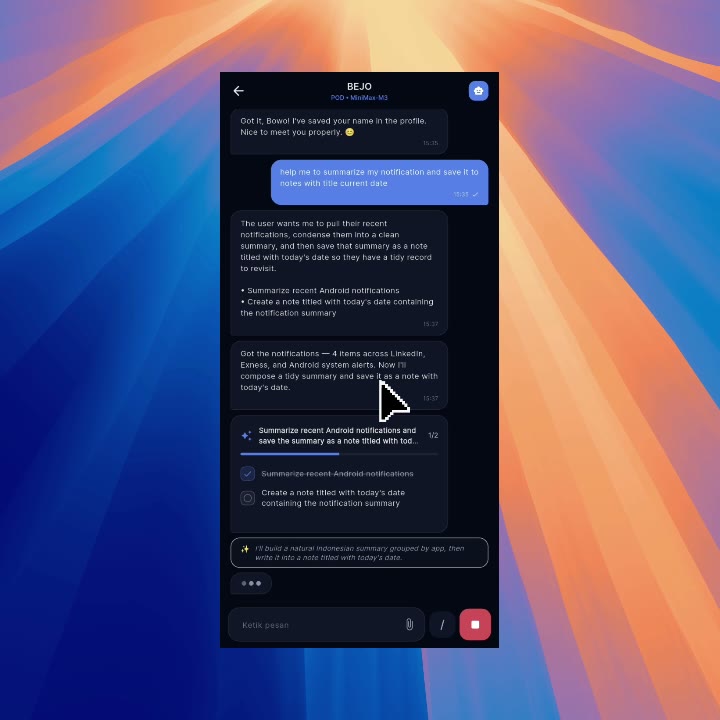
▶ Watch the full demo on the project site · Open MP4 directly
The demo follows a real request from conversation through planning, tool
execution, visible task progress, and the final grounded response.
Screenshots
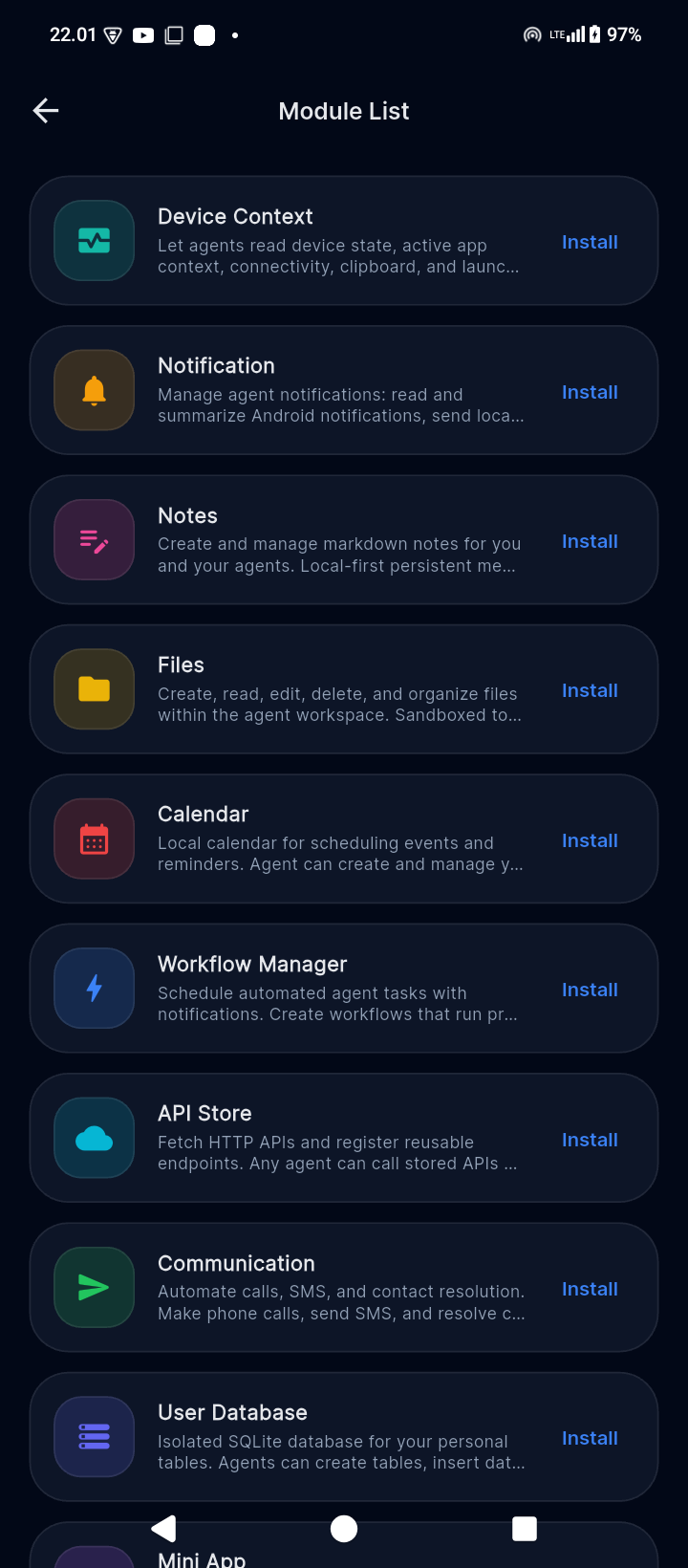
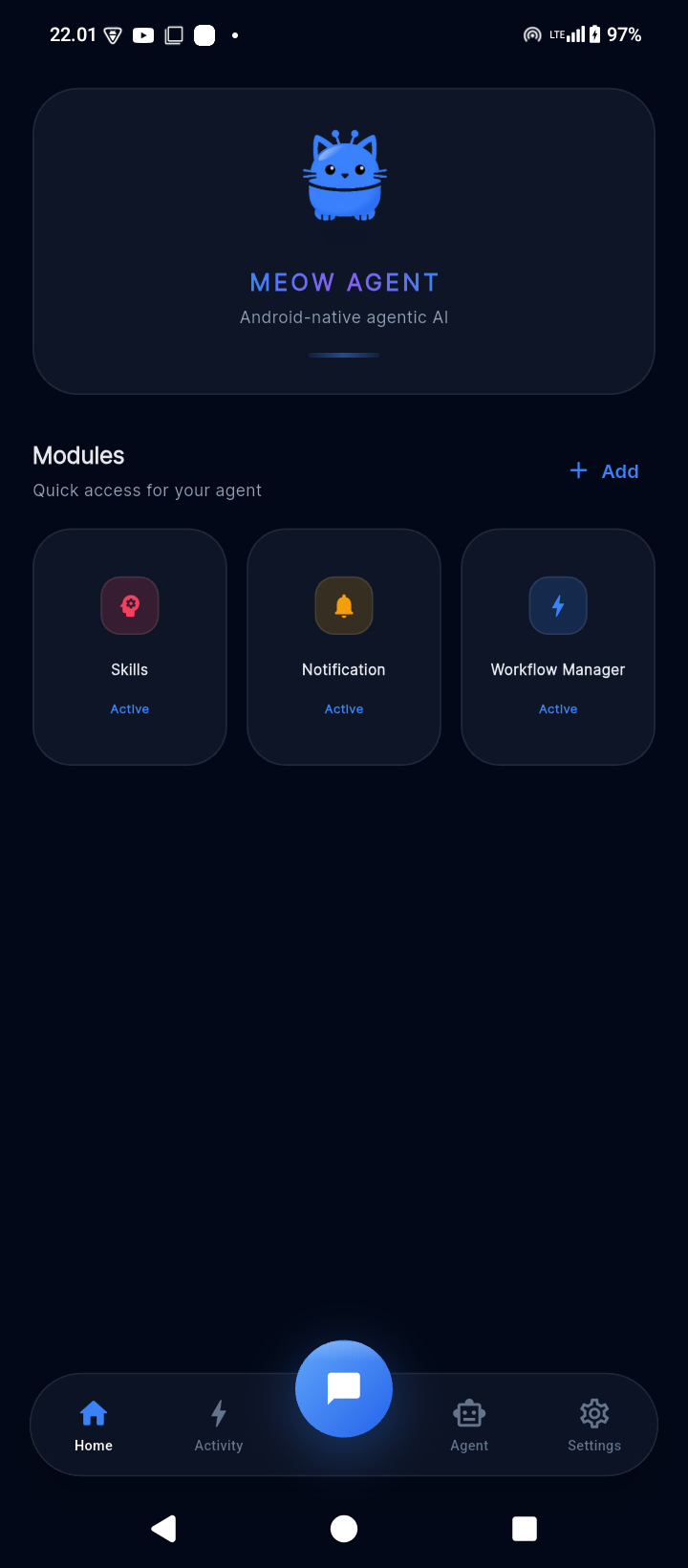
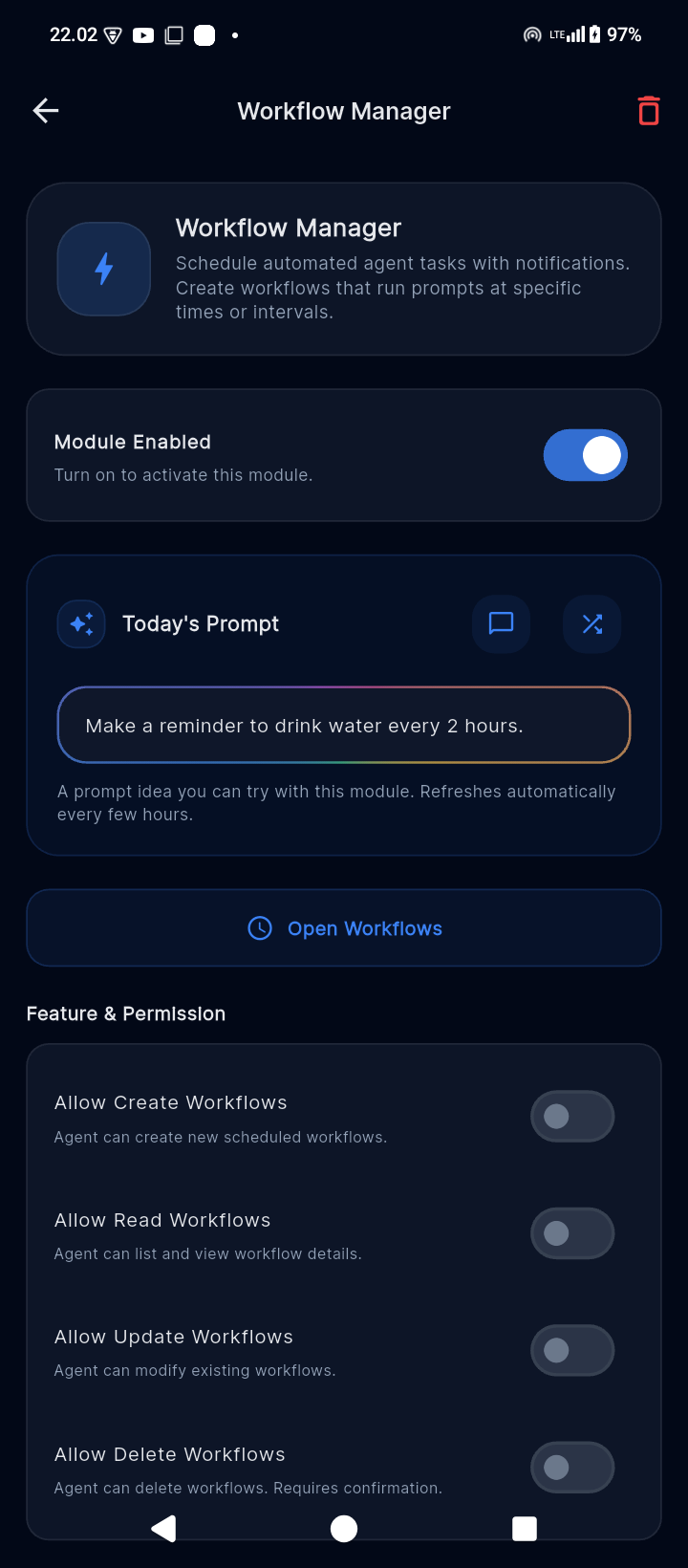
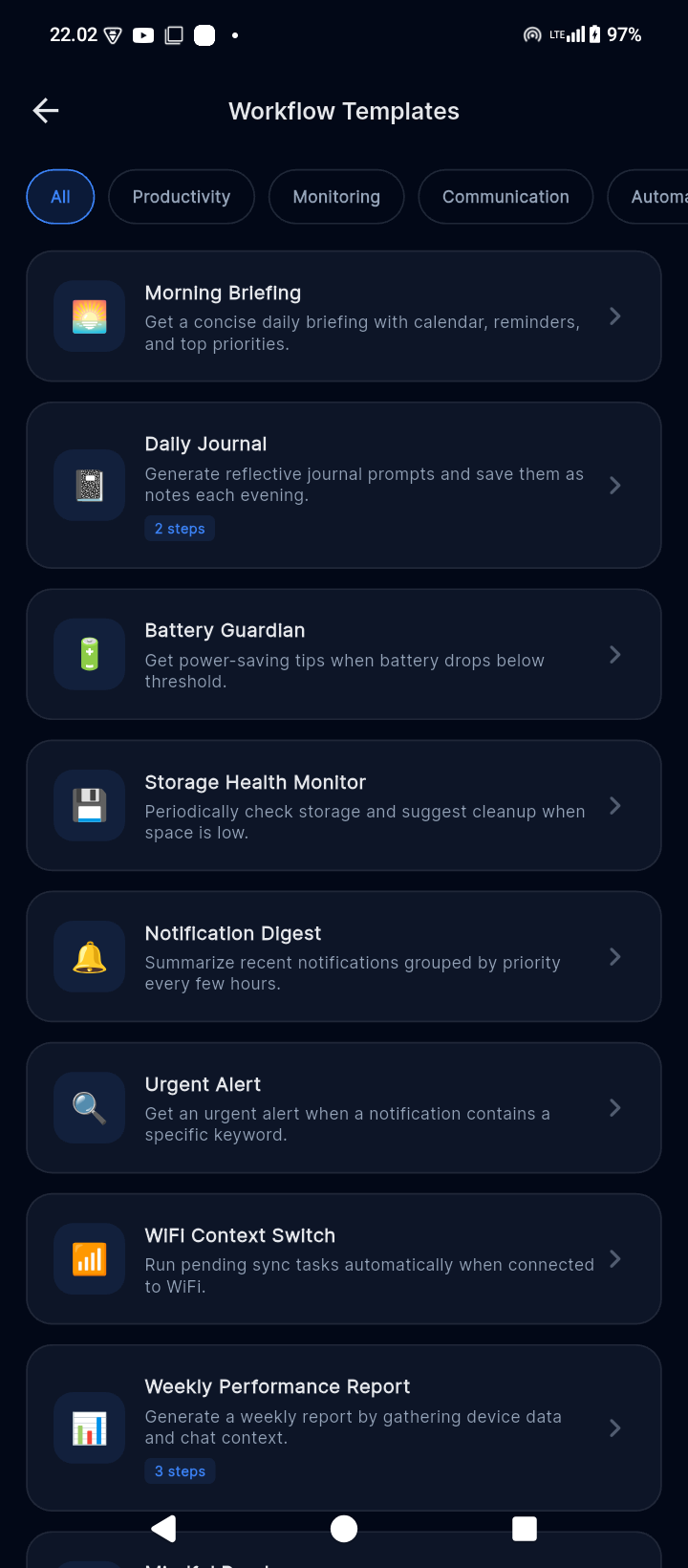
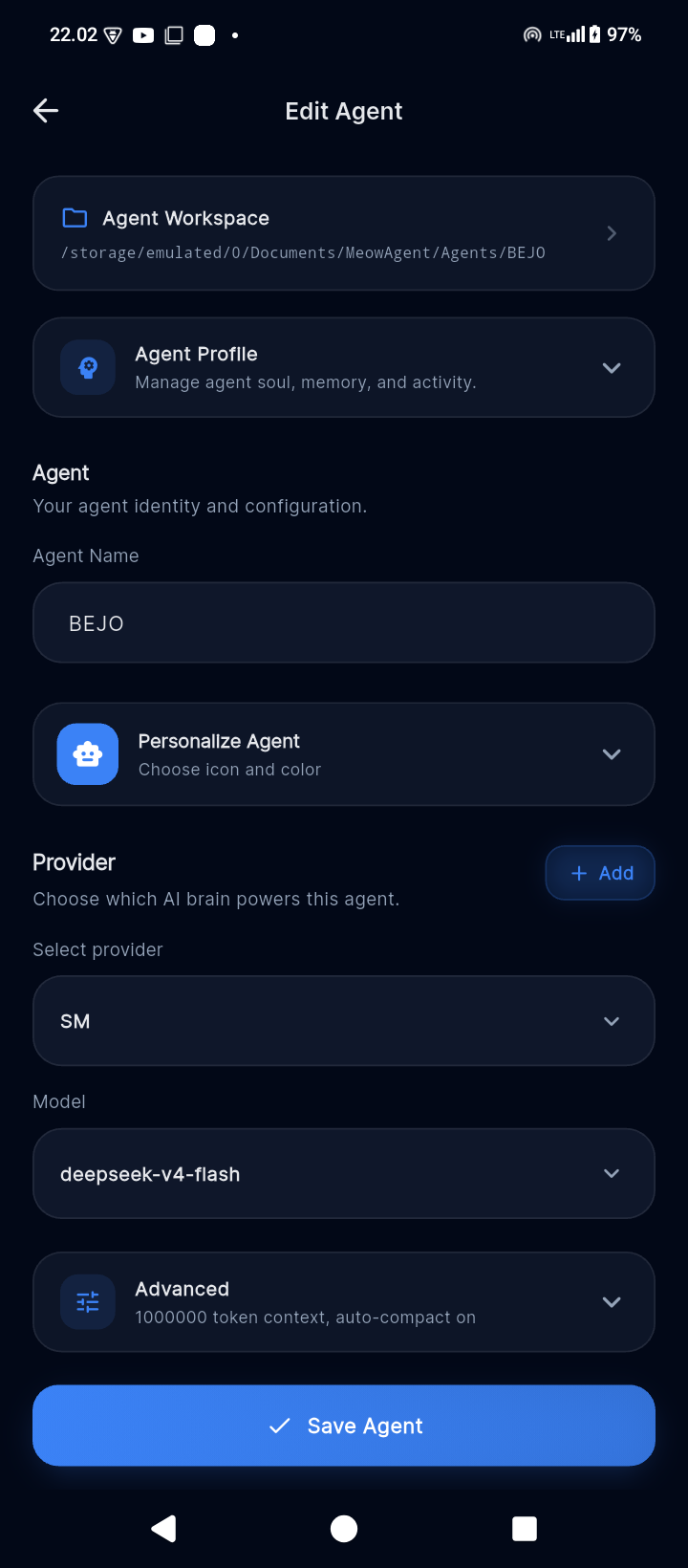
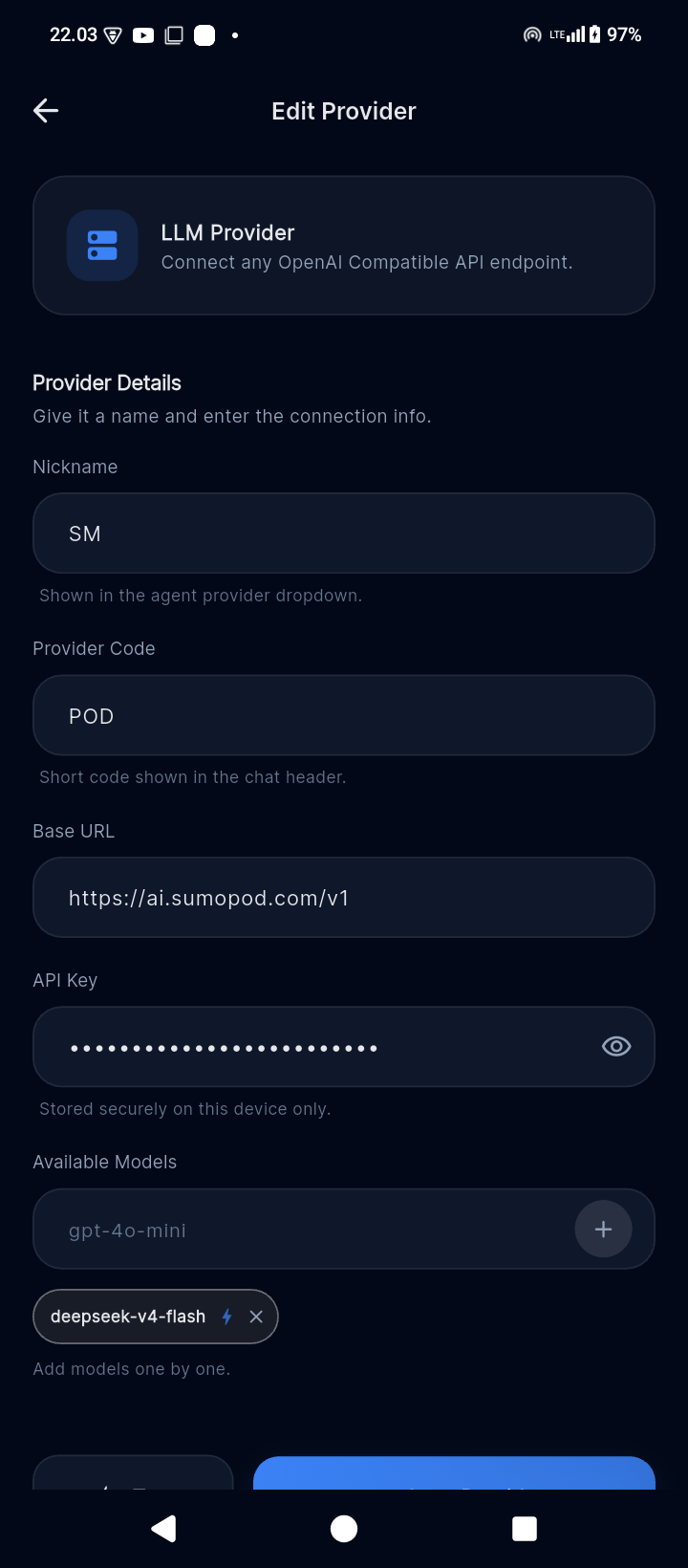
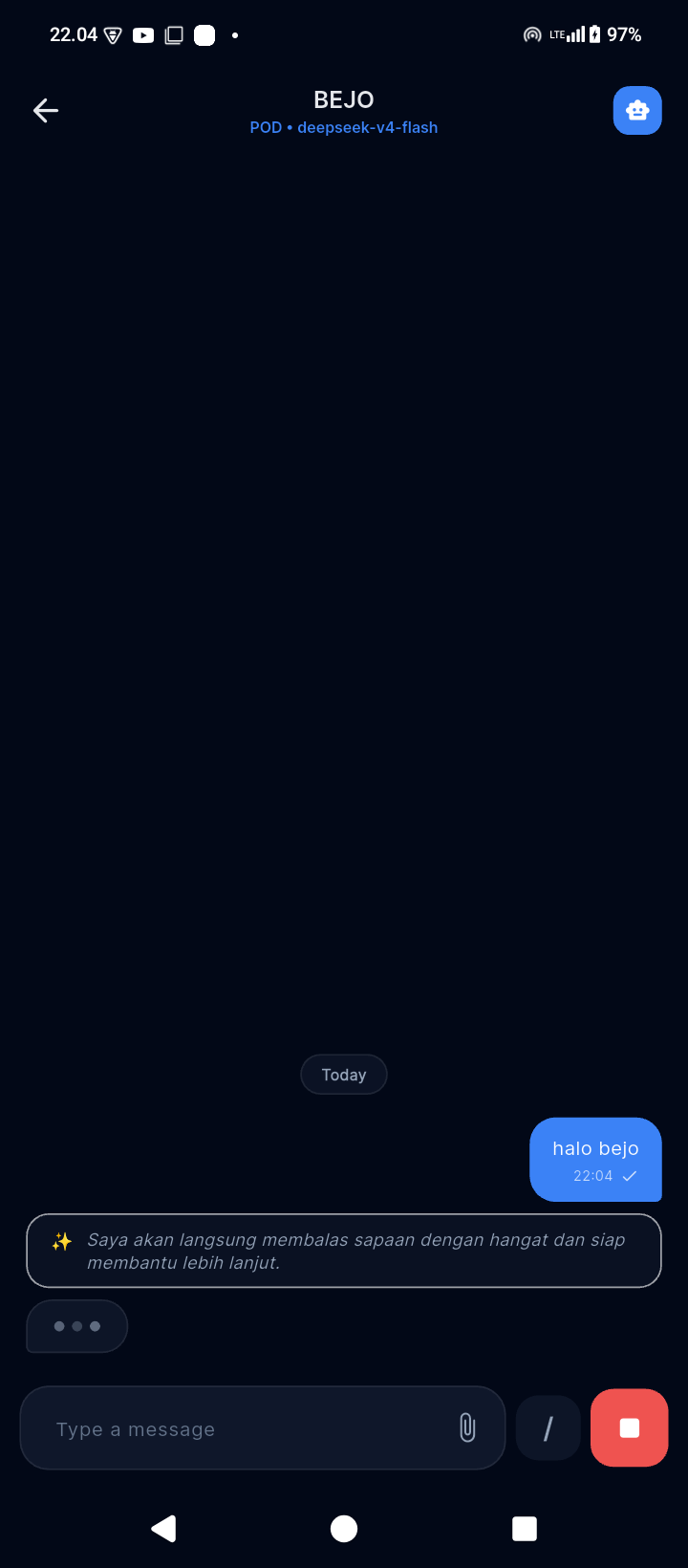
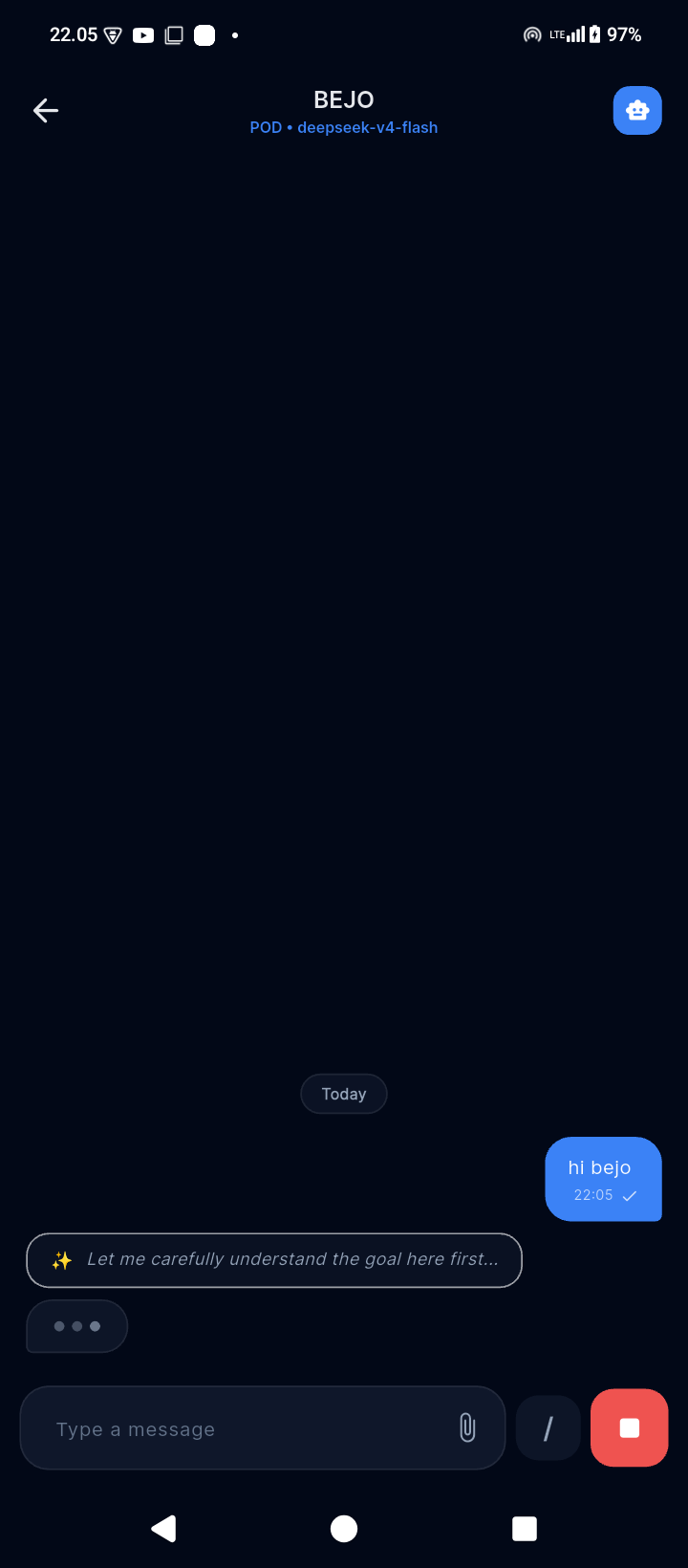
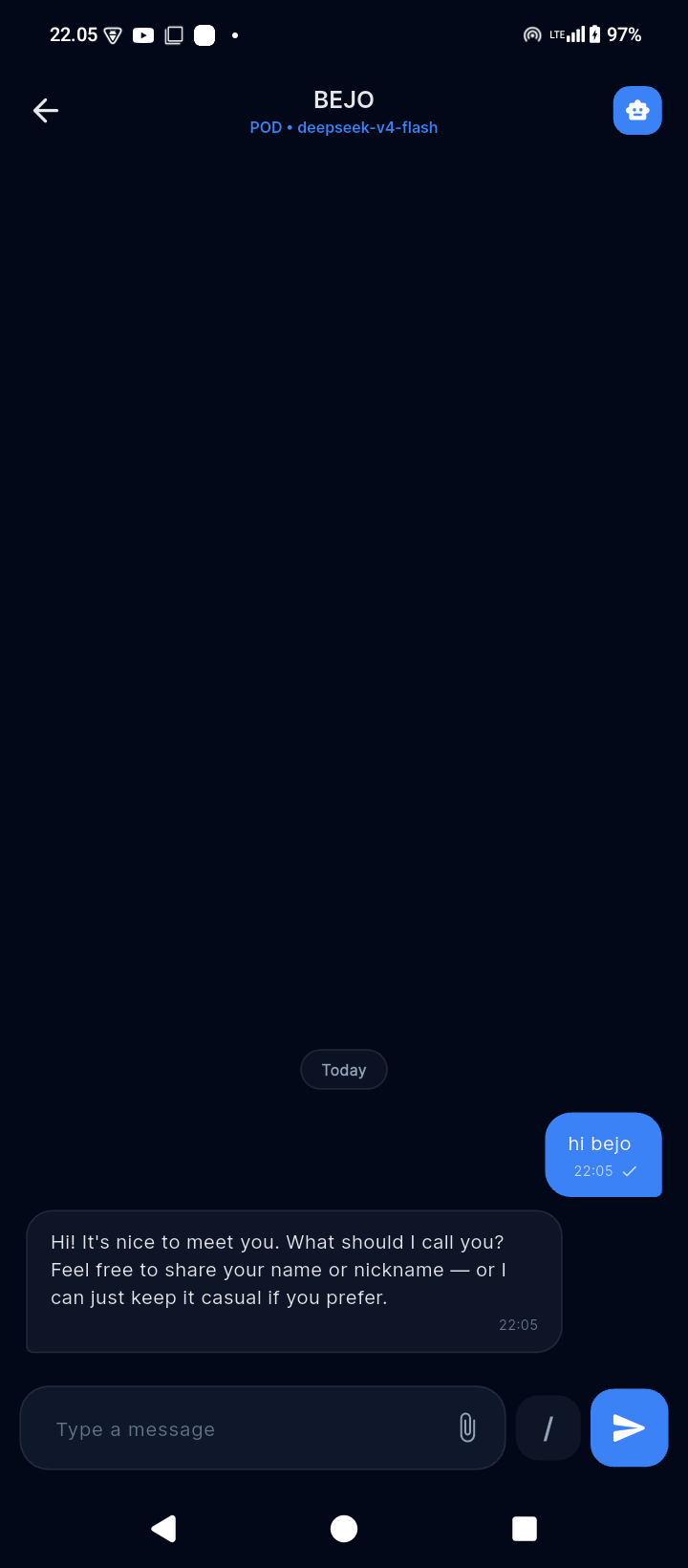
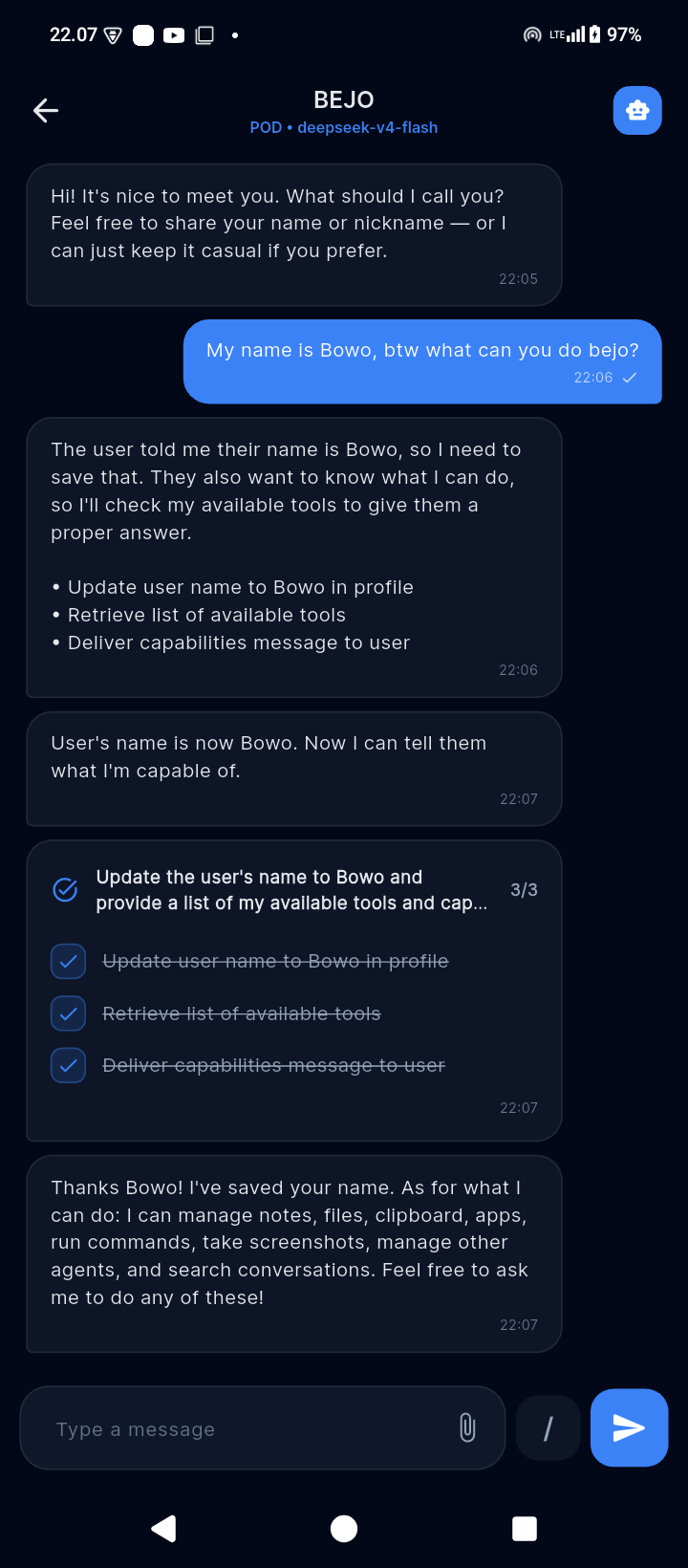
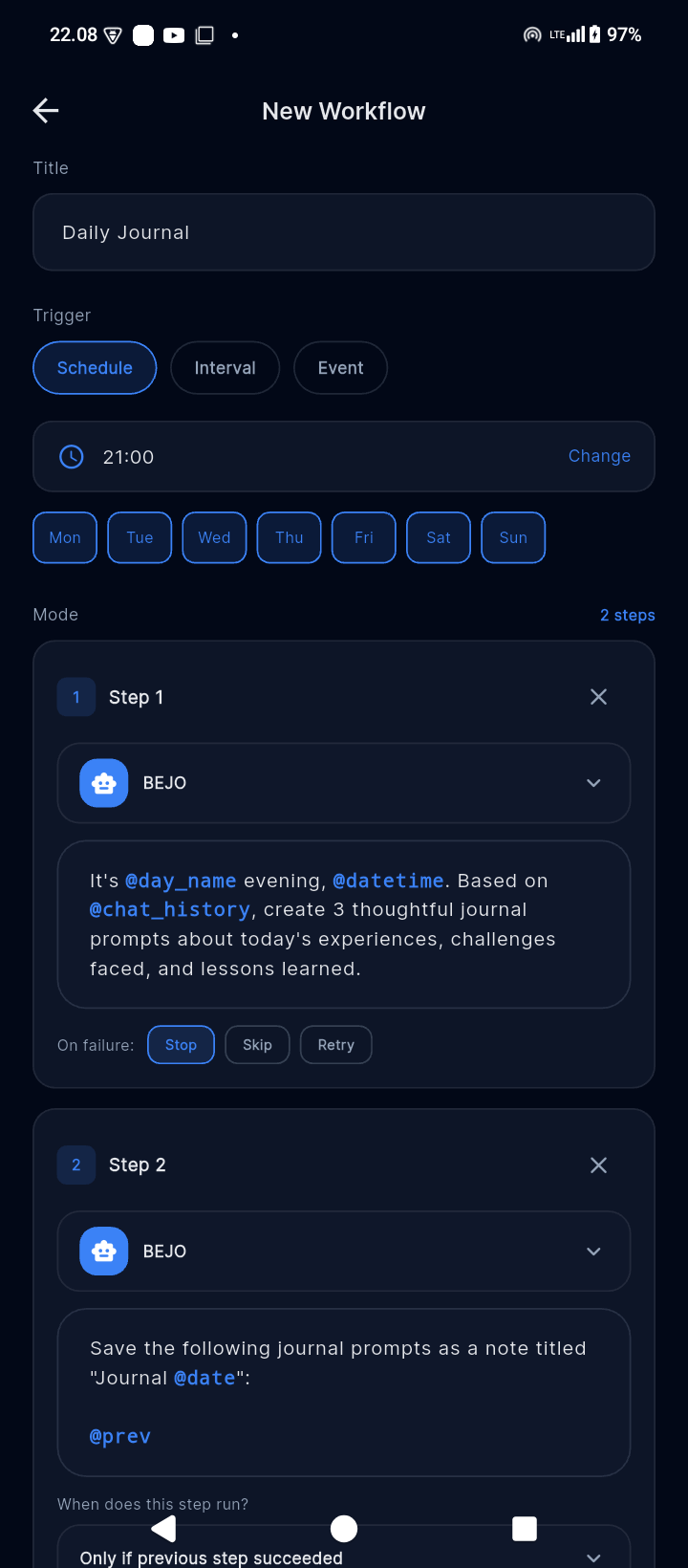
Why Meow?
A cat can be playful and curious, yet become a loyal little presence woven into
everyday life. It stays close, notices routines, and makes ordinary moments feel
lighter. That is the spirit behind Meow Agent: not a cold automation console,
but a dependable AI companion that is useful without losing warmth or character.
Meow Agent is built to help with the small, recurring parts of daily life—keeping
notes, organizing files, managing schedules, running workflows, working with
personal data, and carrying out device actions that the user explicitly allows.
It is designed to feel approachable enough to live with and capable enough to
rely on.
What Can It Do?
Meow Agent is an AI companion that lives on your phone and helps with everyday
tasks through a calm, conversational interface:
| What you can do | How it helps |
|---|---|
| 📝 Take notes | Create and search notes across all your conversations |
| 📁 Manage files | Browse, organize, and share files on your device |
| 📅 Calendar | View and manage your calendar events |
| 💬 Smart notifications | Summarize and surface important notifications |
| 📞 Calls & SMS | Initiate calls or send messages to contacts |
| 🌐 Web search | Search the web and fetch information |
| ⏰ Reminders | Set time-based or location-based reminders |
| 🔄 Workflows | Automate repeating tasks on a schedule |
| 📊 HTTP APIs | Connect to custom APIs and services |
| 🧠 Memory | Remember your preferences and past conversations |
Every action requires your explicit permission. Nothing runs in the background
without consent.
A Sandboxed Agent, Not Just a Chatbot
Meow Agent does more than generate text. It can analyze a request, form a plan,
select registered tools, execute actions, verify the result, and explain what
happened. Its agency is deliberately bounded by the application:
| Principle | What it means |
|---|---|
| 🧰 Capability-scoped | Agents can act only through registered module tools—not arbitrary hidden capabilities. |
| 🔐 Permission-aware | Modules, per-feature toggles, Android permissions, and confirmation gates control access. |
| ✅ Verification-first | Mutating actions must be checked against tool results or a fresh state snapshot. |
| 🏠 Local-first data | App state stays in SQLite on the device; provider keys stay in encrypted Android storage. |
| 🧠 Bring your own model | Users connect their own OpenAI-compatible provider and choose which model powers each agent. |
| 🤝 User-controlled | Sensitive actions are surfaced clearly, permissions remain revocable, and denial is respected. |
The result is an agentic system that can be genuinely helpful while remaining
legible, constrained, and accountable to its user.
Product Status
Meow Agent is release-ready and runs on the runtime-v4 architecture. The
current product combines a complete agent runtime, modular tools, local data,
provider management, workflows, and user-controlled Android integrations in one
cohesive companion experience.
Available today
- Multiple agents with independent provider/model assignments, profiles,
personas, memory, and chat history. - Multiple OpenAI-compatible providers with model-specific vision and function
calling configuration. - A multi-phase runtime: Analyze, Reflect, Plan, Execute, Verify, Review, and
Verbalize. - Deterministic tool shortlisting, bounded recovery, cancellation, task ledgers,
and stuck-loop detection. - Registry-owned tool risk metadata, confirmation cards, permission gates, and
post-execution verification probes. - SQLite-backed application state with API keys stored separately in Android
encrypted storage. - English and Indonesian UI localization, with runtime response language handled
independently. - Scheduled, interval-based, and event-driven workflows with execution logs.
- Local mini apps rendered in a WebView and backed by user-defined data.
Registered runtime modules
The runtime currently registers 16 self-contained ModulePlugin implementations
covering:
- Device context and app launching
- Notification intelligence
- Notes, files, and calendar
- Workflows
- Agent and provider management
- System configuration and memory
- Read-only system SQLite queries
- Chat and attachments
- HTTP APIs and reusable endpoints
- Calls, SMS, and contact resolution
- User-defined databases
- Mini apps
Every Android permission and sensitive capability remains opt-in. A disabled or
revoked permission must degrade safely rather than silently enabling access.
Architecture
Flutter UI
    |
Riverpod state and repositories
    |
AgentRuntimeEngine
    |-- Analyze -> Reflect -> Plan
    |-- Execute loop -> permission -> confirmation -> dispatch
    `-- Verification -> review -> localized response
    |
ToolRouter + self-registering ModulePlugins
    |
SQLite application data + encrypted provider credentials
Important architectural properties:
meow_core.dbis the source of truth for providers, agents, profiles,
memories, modules, chat history, and runtime ledgers.- Provider API keys are stored in
flutter_secure_storage; SQLite contains only
an opaque key reference. - Tool risk and confirmation requirements come from
ToolDefinition, never from
model output. - Mutating tools are expected to prove their result with a verification probe.
- LLM JSON calls use a shared caller with one bounded repair attempt.
- Prompt scaffolding lives only in
lib/services/agent_runtime/prompt_*files.
See ARCHITECTURE.md for the runtime and data flow,
DESIGN.md for the visual system, MODULE.md for
module development, and AGENTS.md for mandatory contribution
rules.
Project Structure
lib/
  app/                         navigation, theme, shell, shared widgets
  core/storage/                SQLite and secure-storage repositories
  features/
    activity/                  runtime activity and history
    agents/                    agent management, profile, soul, memory
    chat/                      chat UI and runtime session management
    home/                      onboarding and installed-module home
    miniapp/                   mini-app storage, editor, and WebView runner
    modules/                   module store, tools, settings, workflows
    providers/                 OpenAI-compatible provider management
    settings/                  app settings and localization
  services/
    agent_runtime/             runtime phases, prompts, tools, permissions
    llm/                       OpenAI-compatible LLM client

android/app/src/main/kotlin/   Android-native services and method channels
test/                          runtime, module, policy, and regression tests
Requirements
- Flutter compatible with Dart
^3.11.0 - Java 17
- Android SDK and an Android device or emulator
- An OpenAI-compatible LLM endpoint and API key
Run Locally
Install dependencies:
flutter pub get
Run on a connected Android device:
flutter run
On first launch, create a provider and agent with:
- A provider nickname
- An OpenAI-compatible base URL
- An API key
- At least one model
- Optional vision and function-calling model capabilities
After setup, install only the modules you need and explicitly grant their module
toggles and Android permissions.
Quality Checks
Run static analysis and the complete test suite:
flutter analyze
flutter test
The main runtime and security regression suites include:
flutter test test/runtime_golden_test.dart
flutter test test/module_plugin_test.dart
flutter test test/tool_permission_coverage_test.dart
Real-provider tests use local credentials and intentionally do nothing useful
without them:
cp .env.example .env
flutter test test/runtime_real_llm_test.dart
Never commit .env or provider credentials.
Product Scope
- The optional local Linux/VM runtime is not part of the active product feature
set. - Device integrations depend on Android version, hardware support, and explicit
user-granted permissions. - Provider behavior varies across OpenAI-compatible APIs, especially for vision,
JSON output, and native function calling.
Reviews (0)
Sign in to leave a review.
Leave a reviewNo results found