mcp-server
Health Warn
- License — License: MIT
- Description — Repository has a description
- Active repo — Last push 0 days ago
- Low visibility — Only 5 GitHub stars
Code Pass
- Code scan — Scanned 12 files during light audit, no dangerous patterns found
Permissions Pass
- Permissions — No dangerous permissions requested
No AI report is available for this listing yet.
The agent eval standard for MCP — score output quality, catch safety failures, enforce cost budgets
Iris — The Agent Eval Standard for MCP









Know whether your AI agents are actually good enough to ship. Iris is an open-source MCP server that scores output quality, catches safety failures, and enforces cost budgets across all your agents. Any MCP-compatible agent discovers and uses it automatically — no SDK, no code changes.
The Problem
Your agents are running in production. Infrastructure monitoring sees 200 OK and moves on. It has no idea the agent just:
- Leaked a social security number in its response
- Hallucinated an answer with zero factual grounding
- Burned $0.47 on a single query — 4.7x your budget threshold
- Made 6 tool calls when 2 would have sufficed
Iris evaluates all of it.
What You Get
| Trace Logging | Hierarchical span trees with per-tool-call latency, token usage, and cost in USD. Stored in SQLite, queryable instantly. |
| Output Evaluation | 12 built-in rules across 4 categories: completeness, relevance, safety, cost. PII detection, prompt injection patterns, hallucination markers. Add custom rules with Zod schemas. |
| Cost Visibility | Aggregate cost across all agents over any time window. Set budget thresholds. Get flagged when agents overspend. |
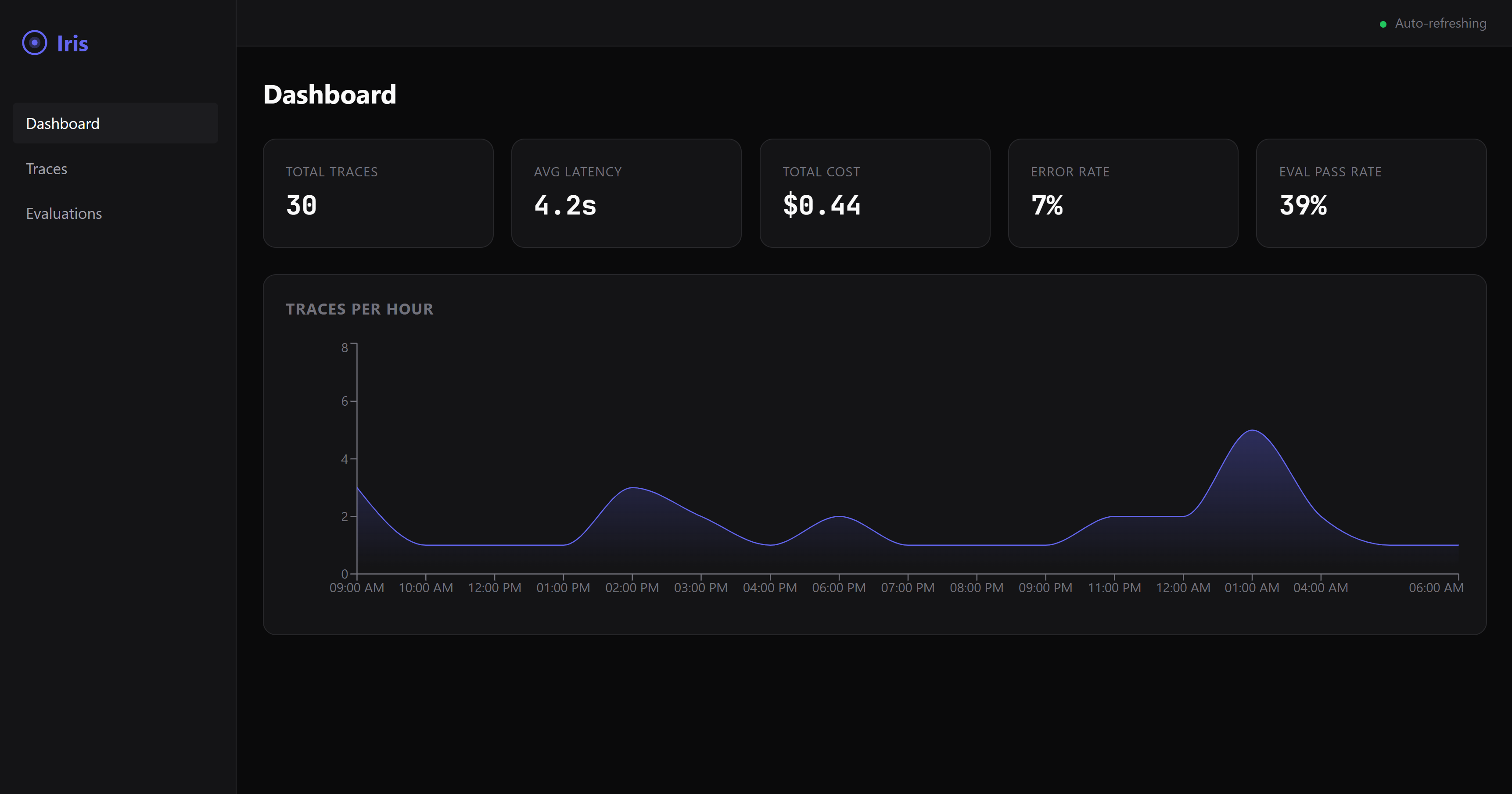
| Web Dashboard | Real-time dark-mode UI with trace visualization, eval results, and cost breakdowns. |
Requires Node.js 20 or later. Check with node --version.
Quickstart
Add Iris to your MCP config. Works with Claude Desktop, Cursor, Windsurf, and any MCP-compatible agent.
{
  "mcpServers": {
    "iris-eval": {
      "command": "npx",
      "args": ["@iris-eval/mcp-server"]
    }
  }
}
That's it. Your agent discovers Iris and starts logging traces automatically.
Want the dashboard?
npx @iris-eval/mcp-server --dashboard
# Open http://localhost:6920
Claude Desktop
Edit your MCP config file:
- macOS:
~/Library/Application Support/Claude/claude_desktop_config.json - Windows:
%APPDATA%\Claude\claude_desktop_config.json
Add the JSON config above, then restart Claude Desktop.
Claude Code
claude mcp add --transport stdio iris-eval -- npx @iris-eval/mcp-server
Then restart the session (/clear or relaunch) for tools to load.
Windows note: Do not use
cmd /cwrapper — it causes path parsing issues. Thenpxcommand works directly.
Cursor / Windsurf
Add to your workspace .cursor/mcp.json or global MCP settings using the JSON config above.
Other Install Methods
# Global install (recommended for persistent data and faster startup)
npm install -g @iris-eval/mcp-server
iris-mcp --dashboard

# Docker
docker run -p 3000:3000 -v iris-data:/data ghcr.io/iris-eval/mcp-server
Tip: Global install (
npm install -g) stores traces persistently at~/.iris/iris.db. Withnpx, traces persist in the same location, but startup is slower due to package resolution.
MCP Tools
Iris registers three tools that any MCP-compatible agent can invoke:
log_trace— Log an agent execution with spans, tool calls, token usage, and costevaluate_output— Score output quality against completeness, relevance, safety, and cost rulesget_traces— Query stored traces with filtering, pagination, and time-range support
Full tool schemas and configuration: iris-eval.com
Cloud Tier (Coming Soon)
Self-hosted Iris runs on your machine with SQLite. As your team's eval needs grow, the cloud tier adds PostgreSQL, team dashboards, alerting on quality regressions, and managed infrastructure.
Join the waitlist to get early access.
Examples
- Claude Desktop setup — MCP config for stdio and HTTP modes
- TypeScript — MCP SDK client usage
- LangChain — Agent instrumentation
- CrewAI — Crew observability
Community
- GitHub Issues — Bug reports and feature requests
- GitHub Discussions — Questions and ideas
- Contributing Guide — How to contribute
- Roadmap — What's coming next
CLI Arguments
| Flag | Default | Description |
|---|---|---|
--transport |
stdio |
Transport type: stdio or http |
--port |
3000 |
HTTP transport port |
--db-path |
~/.iris/iris.db |
SQLite database path |
--config |
~/.iris/config.json |
Config file path |
--api-key |
— | API key for HTTP authentication |
--dashboard |
false |
Enable web dashboard |
--dashboard-port |
6920 |
Dashboard port |
Environment Variables
| Variable | Description |
|---|---|
IRIS_TRANSPORT |
Transport type |
IRIS_PORT |
HTTP port |
IRIS_DB_PATH |
Database path |
IRIS_LOG_LEVEL |
Log level: debug, info, warn, error |
IRIS_DASHBOARD |
Enable dashboard (true/false) |
IRIS_API_KEY |
API key for HTTP authentication |
IRIS_ALLOWED_ORIGINS |
Comma-separated allowed CORS origins |
Security
When using HTTP transport, Iris includes:
- API key authentication with timing-safe comparison
- CORS restricted to localhost by default
- Rate limiting (100 req/min API, 20 req/min MCP)
- Helmet security headers
- Zod input validation on all routes
- ReDoS-safe regex for custom eval rules
- 1MB request body limits
# Production deployment
iris-mcp --transport http --port 3000 --api-key "$(openssl rand -hex 32)" --dashboard
Iris won't start / ERR_MODULE_NOT_FOUND
You may have a cached older version. Clear the npx cache and retry:
npx --yes @iris-eval/mcp-server@latest
Or install globally to avoid cache issues entirely:
npm install -g @iris-eval/mcp-server@latest
Tools not showing up in Claude Code
MCP tools only load at session start. After adding iris-eval, restart the session with /clear or relaunch the terminal.
Version check
Verify which version is running:
npx @iris-eval/mcp-server --help
# Shows "Iris MCP-Native Agent Eval & Observability Server vX.Y.Z"
Updating
# If using npx (clears cache and fetches latest)
npx --yes @iris-eval/mcp-server@latest

# If installed globally
npm update -g @iris-eval/mcp-server
Node.js version
Iris requires Node.js 20 or later. Node 18 reached EOL in April 2025 and is not supported.
node --version # Must be v20.x or v22.x+
Windows: cmd /c not needed
Claude Code's /doctor may suggest wrapping npx with cmd /c. This is not needed and causes path parsing issues. Use npx directly:
# Correct
claude mcp add --transport stdio iris-eval -- npx @iris-eval/mcp-server

# Wrong (causes /c to be parsed as a path)
claude mcp add --transport stdio iris-eval -- cmd /c "npx @iris-eval/mcp-server"
If Iris is useful to you, consider starring the repo — it helps others find it.
MIT Licensed.
Reviews (0)
Sign in to leave a review.
Leave a reviewNo results found