claude-bedrock
Health Warn
- No license — Repository has no license file
- Description — Repository has a description
- Active repo — Last push 0 days ago
- Community trust — 11 GitHub stars
Code Pass
- Code scan — Scanned 12 files during light audit, no dangerous patterns found
Permissions Pass
- Permissions — No dangerous permissions requested
This tool is a Claude Code plugin that transforms Obsidian vaults into a structured "Second Brain." It uses AI agents to automate knowledge management tasks like entity detection, bidirectional linking, and data ingestion from external sources like GitHub and Google Docs.
Security Assessment
The overall risk is Low. The code scan of 12 files found no dangerous patterns, hardcoded secrets, or requests for excessive permissions. However, developers should be aware that the tool inherently interacts with personal notes and vault files. Additionally, features like external source ingestion require sending requests to outside services (Confluence, Google Docs, etc.), and the setup process checks for a local dependency (`graphify`). No malicious execution or network behaviors were detected.
Quality Assessment
The project is actively maintained, with its most recent push occurring today. It has garnered 11 GitHub stars, indicating a small but present level of community trust. A major concern is that the automated health check found the repository lacks a license file (despite the README displaying an MIT badge), which could pose legal risks for commercial or distributed use. Additionally, it is written entirely in HTML, which is unusual for a backend automation tool and suggests the repository might consist mostly of prompt templates rather than compiled code.
Verdict
Use with caution — the code is safe and free of malicious behavior, but the missing license and unverified dependency requirements mean you should review the repository closely before integrating it into critical workflows.
Second Brain automation for Obsidian vaults — entity management, ingestion, compression, and sync via Claude Code skills
Bedrock
Turn any Obsidian vault into a structured Second Brain with AI agents



Bedrock is a Claude Code plugin that automates Obsidian vault management through AI-powered skills. It organizes knowledge into 7 entity types following adapted Zettelkasten principles — entity detection, bidirectional linking, ingestion from external sources, deduplication, and sync.
No build system. No runtime. Just markdown files, AI agents, and your Obsidian vault.
Features
- 6 AI-powered skills — query, teach, preserve, compress, sync, and setup
- 7 entity types — actors, people, teams, topics, discussions, projects, and fleeting notes
- External source ingestion — Confluence, Google Docs, GitHub, CSV
- Bidirectional wikilinks — automatic cross-referencing with Obsidian graph view
- Hierarchical tags — multi-dimensional filtering (
type/,status/,domain/,scope/) - Zettelkasten structure — permanent, bridge, index, and fleeting note roles
- Trunk-based git workflow — structured commit conventions built in
Installation
/plugin marketplace add iurykrieger/claude-bedrock
/plugin install bedrock@claude-bedrock
For local development:
claude --plugin-dir ./claude-bedrock
Quick Start
After installing, run the setup wizard:
/bedrock:setup
This will guide you through:
- Language selection — choose the vault content language (default: English)
- Dependency check — verify
graphifyis installed (required) - Vault objective — pick a preset (engineering team, product management, company wiki, personal second brain, open source project, or custom)
- Scaffold — create directories, templates, config, and connected example entities
The setup creates all entity directories, copies templates, generates a vault-level CLAUDE.md, and scaffolds example entities with bidirectional wikilinks so you can see the graph in Obsidian immediately.
Skills
| Skill | Purpose |
|---|---|
/bedrock:setup |
Interactive vault initialization and configuration |
/bedrock:ask |
Orchestrated vault reader — decomposes questions, searches graph and vault, cross-references entities |
/bedrock:teach |
Ingest external sources — extract and create entities |
/bedrock:preserve |
Single write point — detect, match, create/update entities with bidirectional links |
/bedrock:compress |
Deduplication and vault health — broken links, orphans, stale content |
/bedrock:sync |
Re-sync entities with external sources |
Vault Structure
your-vault/
├── actors/          # Systems, services, APIs (permanent notes)
├── people/          # Contributors, team members (permanent notes)
├── teams/           # Squads, organizational units (permanent notes)
├── topics/          # Cross-cutting subjects with lifecycle (bridge notes)
├── discussions/     # Meeting notes, conversations (bridge notes)
├── projects/        # Initiatives with scope and deadline (index notes)
└── fleeting/        # Raw ideas, unstructured captures (fleeting notes)
Each directory contains a _template.md defining the frontmatter schema for that entity type.
How It Works
Bedrock turns your vault into a living knowledge graph by combining 8 skills you invoke from Claude Code. You never write entities by hand — skills detect, create, and link them for you, with Obsidian rendering the result as a graph.
First-time use
- Open a folder you want to turn into a vault (or an existing Obsidian vault).
- Run
/bedrock:setup— answers a few questions and scaffolds directories, templates, and example entities. - Open the folder in Obsidian. You'll already see a connected graph.
Day-to-day loops
- Capture knowledge from a source — paste a Confluence page, Google Doc, GitHub repo, or local file into
/bedrock:teach. Bedrock extracts entities and writes them to the vault with bidirectional links. - Ask the vault questions — use
/bedrock:askfor anything like "who owns the billing API?" or "what's the status of project X?". It searches the graph, follows wikilinks, and answers with citations. - Keep sources fresh — run
/bedrock:syncto re-pull external sources, or/bedrock:sync --github/--peopleto surface recent activity and contributors. - Clean up drift — run
/bedrock:compressto fix broken backlinks, merge duplicates, and consolidate fragmented concepts. Run/bedrock:healthcheckfor a read-only report. - Manage multiple vaults — register several vaults with
/bedrock:vaults; target a specific one with--vault <name>.
What you get in Obsidian
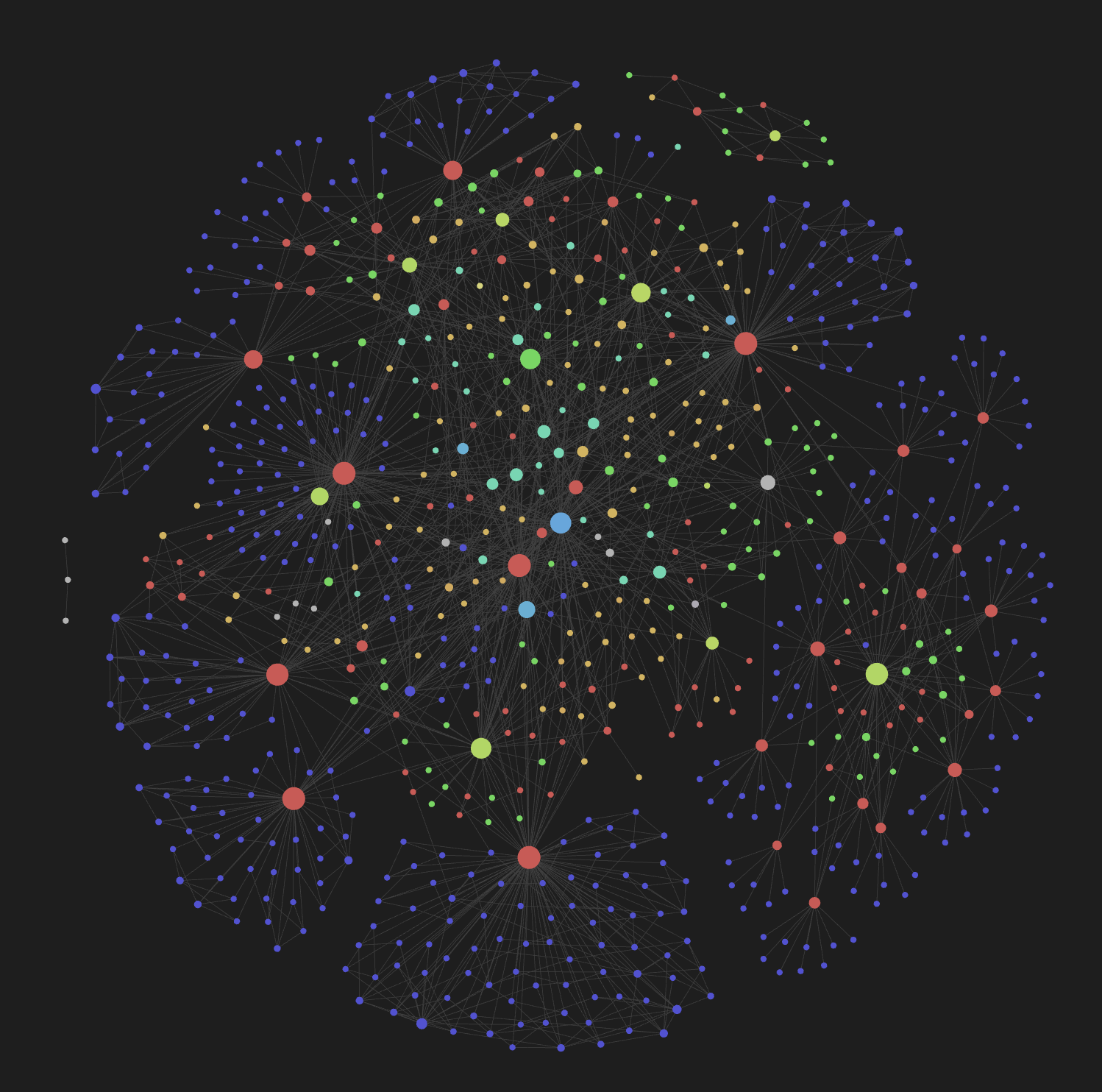
Every entity has YAML frontmatter (type, status, domain, sources), hierarchical tags (type/actor, status/active, domain/payments), and bidirectional wikilinks. The graph view becomes a navigable map of people, systems, teams, topics, and projects — updated automatically as you teach Bedrock new content.
Dependencies
| Tool | Purpose | Required? |
|---|---|---|
| graphify | Semantic code extraction and knowledge-graph pipeline used by /bedrock:teach and /bedrock:sync |
Yes |
Confluence and Google Docs ingestion are built into the plugin as internal skills (/bedrock:confluence-to-markdown, /bedrock:gdoc-to-markdown) invoked by /bedrock:teach and /bedrock:sync — no external installation required.
Configuration
Configuration is stored in .bedrock/config.json inside your vault. Run /bedrock:setup again at any time to reconfigure.
Contributing
Contributions are welcome! Here's how to get started:
- Fork the repository
- Clone your fork and install the plugin locally:
claude --plugin-dir ./claude-bedrock - Create a branch for your feature or fix
- Make your changes — skills live in
skills/, entity definitions inentities/, templates intemplates/ - Test by running the plugin against a test vault
- Open a PR against
main
Project Structure
claude-bedrock/
├── .claude-plugin/    # Plugin manifest (plugin.json)
├── skills/            # Skill definitions (SKILL.md per skill)
│   ├── setup/
│   ├── query/
│   ├── teach/
│   ├── preserve/
│   ├── compress/
│   └── sync/
├── entities/          # Entity type definitions
├── templates/         # Frontmatter schema templates
├── docs/              # Documentation assets
├── CLAUDE.md          # AI agent instructions
└── README.md
License
MIT — Iury Krieger
Reviews (0)
Sign in to leave a review.
Leave a reviewNo results found