design-os-svg-animation
Health Warn
- License — License: NOASSERTION
- Description — Repository has a description
- Active repo — Last push 0 days ago
- Low visibility — Only 7 GitHub stars
Code Pass
- Code scan — Scanned 12 files during light audit, no dangerous patterns found
Permissions Pass
- Permissions — No dangerous permissions requested
No AI report is available for this listing yet.
Deterministic vector animation and 1080p 60fps video pipeline for AI agents with virtual clock quantizing.
DESIGN:OS SVG Animation Engine (design-os-svg-animation)
Deterministic vector motion engine, virtual-clock studio player, and 1080p 60fps MP4/WebM launch-video compiler for AI agents.
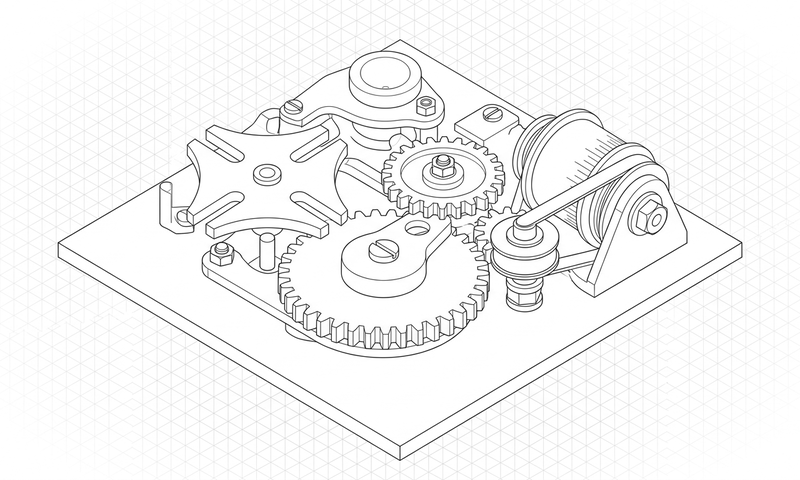
Author frame-exact UI walkthroughs, decoupled camera/pointer choreography, and 2:1 axonometric vector animations governed by a 10-gate Anti-Flop verification suite.
design-os-svg-animation is free to use and modify. Source-available under PolyForm Shield 1.0.0. Works with Claude Code, Codex, Gemini CLI and Antigravity.



Quickstart · What it makes · Install · How it works · Commands · Limits
Why this exists
When AI agents generate SVG animations or promo videos freehand, they produce jittery CSS keyframes, drifting cursor tips, fake emoji icons, and non-deterministic frame timing. design-os-svg-animation enforces a virtual clock (window.__seekToTime), decoupled camera/cursor kinematics, authentic Phosphor/SVGL vectors, and a 10-gate Anti-Flop verifier.
| Dimension | Generic AI / Manual Workflow | DESIGN:OS SVG Animation Engine (DESIGN:OS) |
|---|---|---|
| Frame Timing | Wall-clock requestAnimationFrame drift and dropped frames |
Exact integer-frame virtual clock (frame 60 == 1.000000s at 60fps) |
| Camera & Cursor Motion | Dizzying simultaneous camera pans and cursor travel | Strictly decoupled phases (camera settles before pointer travel begins) |
| Icon & Brand Fidelity | Raw emojis or hallucinated SVG paths | 100% verified Phosphor/Lucide glyphs and official SVGL brand marks |
| Click Concentricity | Cursor tips missing buttons by 15–40px | Mathematically audited concentricity (Δ <= 1.0px to ripple center) |
| Privacy & Telemetry | Opaque cloud telemetry or unverified third-party APIs | Zero telemetry — 100% local execution (PRIVACY.md audited) |
Quickstart
1. Install the plugin or CLI
In Claude Code:
/plugin marketplace add jangtrinh/design-os-svg-animation
/plugin install design-os-svg-animation@design-os-svg-animation
Or from your terminal (Codex, Gemini CLI, Antigravity, OpenCode, or standalone CLI):
git clone https://github.com/jangtrinh/design-os-svg-animation.git
cd design-os-svg-animation
python3 scripts/anti-flop-gate.py
2. Ask in plain English
Open your project in your AI coding agent and describe what you need:
"Create a 60fps SaaS product launch walkthrough with decoupled camera punch-ins, concentric cursor click ripples, and StudioPlayer controls."
"Compile our SVG motion timeline into a self-contained HTML deliverable and run the 10-gate anti-flop verification audit."
"Verify that all cursor click hotspots align within <= 1.0px of target interactive bounds across 16:9 and 9:16 safe zones."
3. Verify your setup
python3 scripts/self_check.py
What it makes
Every deliverable produced by design-os-svg-animation is backed by a deterministic verification gate rather than freehand AI guesswork.
Prompt: "Create a 60fps SaaS product launch walkthrough with decoupled camera punch-ins, concentric cursor click ripples, and StudioPlayer controls."
| Deliverable / Mode | Best for | Output Format | Verification Gate |
|---|---|---|---|
| Universal StudioPlayer HTML | Self-contained interactive promo player with transport dock and viewport auto-scaler | Single HTML + JS/CSS runtime |
Gate 9 Universal Player PASS |
| Motion IR & Walkthrough Timeline | Declarative JSON/JS choreography for camera punches and pointer clicks | Validated Motion IR JSON |
Gates 5, 6, 7, 8 PASS |
1080p 60fps 3x tmix Showreel Export |
Pure window.seek(t) headless capture with 3-subframe shutter motion blur & audio |
MP4 / GIF / Beat Sheet |
Gate 10 Showreel Anti-Flop PASS |
Featured Showreel & Interactive Suites
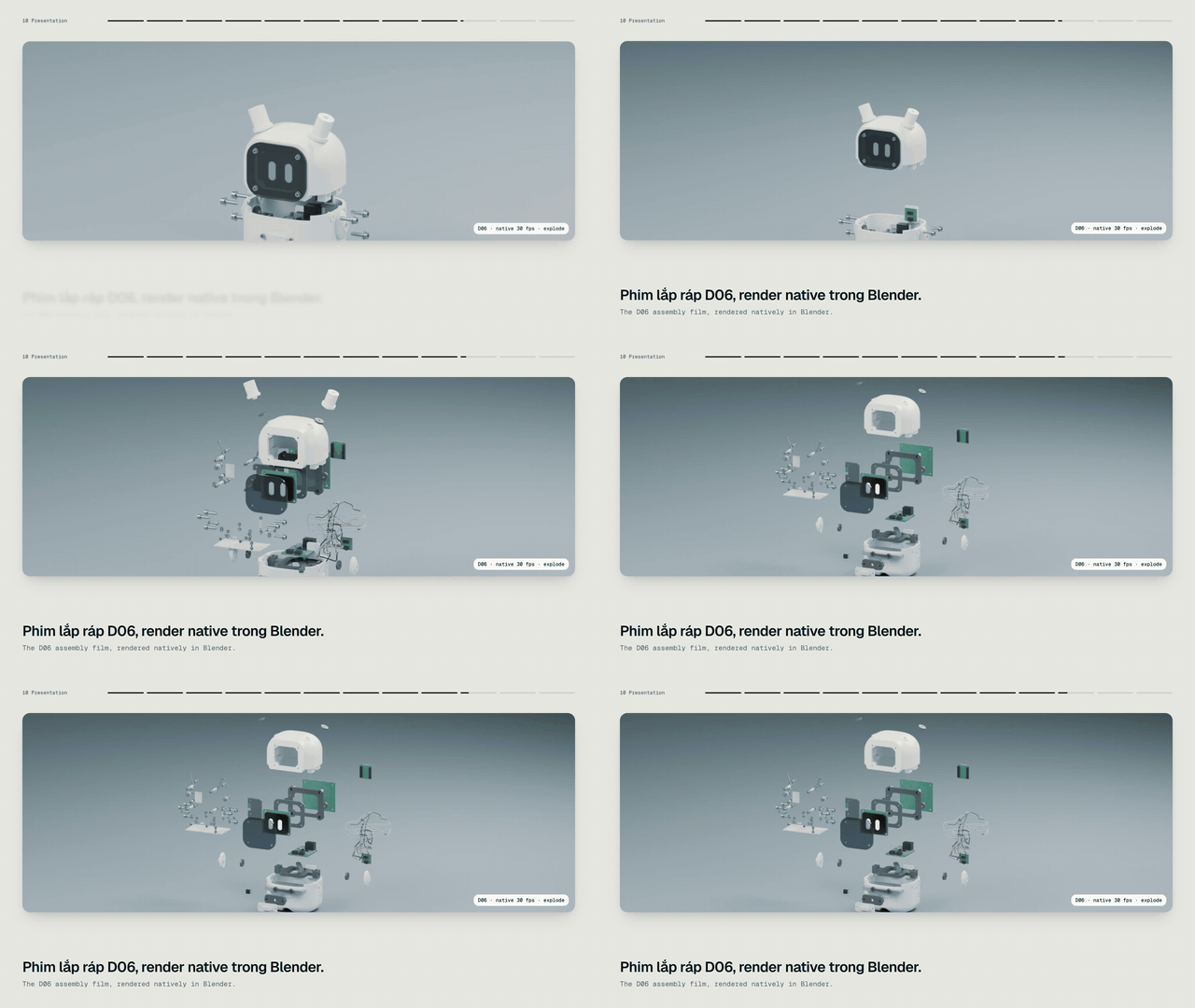
Tutorials built with the engine: DC-01 desk robot, 5:34 (9:16) · CK-001 keyboard, 2:57 (9:16) · DESIGN:OS 3D Blender promo, 30 s (9:16) · workflow: docs/tutorial-video-workflow.md

DESIGN:OS Origami CAD (15s · 120 BPM · 60fps 3x tmix · B&W + 50 Shades of Gray · SF Pro Display) — Download 1080p 60fps MP4 · Open Pure-Time window.seek(t) HTML
| Interactive Suite | Live Playground | Cover Preview |
|---|---|---|
| Grade 1 Math (25 Figures) | docs/playground/math-grade1.html |
docs/assets/math-gallery-cover.png |
| Physics Mechanics | docs/playground/physics.html |
docs/assets/physics-gallery-cover.png |
| Chemistry Reactions | docs/playground/chemistry.html |
docs/assets/chemistry-gallery-cover.png |
| Physical Education Kinematics | docs/playground/pe.html |
docs/assets/pe-gallery-cover.png |
Installation
Choose the setup that matches your AI coding agent. Every option installs the same canonical skill (skills/line-art-motion/SKILL.md) and /doctor diagnostic suite.
Claude Code
Run these two commands inside Claude Code:
/plugin marketplace add jangtrinh/design-os-svg-animation
/plugin install design-os-svg-animation@design-os-svg-animation
OpenAI Codex
Install to your personal Codex skills directory:
git clone https://github.com/jangtrinh/design-os-svg-animation.git /tmp/design-os-svg-animation
mkdir -p ~/.codex/skills/line-art-motion ~/.codex/prompts
cp -R /tmp/design-os-svg-animation/skills/line-art-motion/* ~/.codex/skills/line-art-motion/
cp /tmp/design-os-svg-animation/prompts/doctor.md ~/.codex/prompts/line-art-motion-doctor.md
rm -rf /tmp/design-os-svg-animation
Gemini CLI & Google Antigravity
git clone https://github.com/jangtrinh/design-os-svg-animation.git /tmp/design-os-svg-animation
mkdir -p ~/.gemini/skills/line-art-motion
cp -R /tmp/design-os-svg-animation/skills/line-art-motion/* ~/.gemini/skills/line-art-motion/
rm -rf /tmp/design-os-svg-animation
OpenCode, Cursor, Windsurf & Other Agent Harnesses
git clone https://github.com/jangtrinh/design-os-svg-animation.git /tmp/design-os-svg-animation
mkdir -p ~/.agents/skills/line-art-motion
cp -R /tmp/design-os-svg-animation/skills/line-art-motion/* ~/.agents/skills/line-art-motion/
rm -rf /tmp/design-os-svg-animation
Verify installation:
python3 scripts/self_check.py
Or run /doctor inside Claude Code / Codex to inspect installed skill paths, plugin manifests, and gate health.
Uninstall:
rm -rf ~/.claude/skills/line-art-motion ~/.codex/skills/line-art-motion ~/.gemini/skills/line-art-motion ~/.agents/skills/line-art-motion
Usage & Prompt Cookbook
Once installed, skills/line-art-motion/SKILL.md activates automatically when your prompt matches its domain triggers. Browse docs/cookbook.md for copy-paste prompt recipes.
Generate & Scaffold
"Create a 60fps SaaS product launch walkthrough with decoupled camera punch-ins, concentric cursor click ripples, and StudioPlayer controls."
Audit & Verify
"Compile our SVG motion timeline into a self-contained HTML deliverable and run the 10-gate anti-flop verification audit."
Export & Automate
"Verify that all cursor click hotspots align within <= 1.0px of target interactive bounds across 16:9 and 9:16 safe zones."
Commands & Diagnostics
| Command | Environment | What it does |
|---|---|---|
/doctor |
Claude Code / Codex | Read-only diagnostic check of installed skill paths, plugin manifests, and runtime prerequisites |
python3 scripts/self_check.py |
Terminal / CI | Deterministic offline verification of manifests, skill contracts, and governance files |
python3 scripts/anti-flop-gate.py |
Terminal / CI | Run all 10 Anti-Flop quality gates (Phosphor icons, SVGL brand marks, hotspot concentricity, 60fps frame determinism) |
How it works
- Intent Routing — Your AI agent matches your request against
skills/line-art-motion/SKILL.mdfrontmatter triggers. - Progressive Context Loading — Only the entry-point
SKILL.mdrouter loads initially; detailed recipes and scripts load on demand. - Deterministic Execution — Domain scripts and contracts execute locally with reproducible inputs and outputs.
- Gate Verification —
scripts/self_check.pyand domain verifiers (python3 scripts/anti-flop-gate.py) validate the artifact before completion. - Zero-Telemetry Delivery — Verified files are written directly to your workspace with zero external network calls.
User Prompt / CLI Invocation
            │
            ▼
┌───────────────────────────────────────────────┐
│ skills/line-art-motion/SKILL.md
│ Progressive disclosure router & hard rules    │
└───────────┬───────────────────────────────────┘
            │ loads on demand
            ▼
┌───────────────────────────────────────────────┐
│ python3 scripts/anti-flop-gate.py
│ Deterministic build & contract enforcement    │
└───────────┬───────────────────────────────────┘
            │ verifies
            ▼
┌───────────────────────────────────────────────┐
│ python3 scripts/self_check.py + /doctor       │
│ Zero-telemetry local verification gate        │
└───────────────────────────────────────────────┘
What loads when
design-os-svg-animation uses progressive context disclosure so your agent's context window stays fast and focused:
| File | Loaded when |
|---|---|
skills/line-art-motion/SKILL.md |
Always (~100–150 lines) — routing rules, triggers, and execution workflow |
docs/cookbook.md |
When selecting multi-step prompt recipes or domain patterns |
docs/tutorial-video-workflow.md |
When producing an A-to-Z tutorial video for a DESIGN:OS build (7 steps, owner gates, style v1) |
skills/es-tutorial-video/SKILL.md |
When turning a finished build folder into a tutorial video: shared kit promo/_tutorial-kit/, validate.mjs, look.mjs, two owner gates |
commands/doctor.md / prompts/doctor.md |
Only when running /doctor diagnostics |
llms.txt |
When indexed by AI answer engines, RAG pipelines, or repo crawlers |
File structure
design-os-svg-animation/
├── .claude-plugin/
│   ├── plugin.json                 # Claude Code plugin manifest
│   └── marketplace.json            # Claude Code marketplace catalog
├── .codex-plugin/
│   └── plugin.json                 # OpenAI Codex plugin & interface manifest
├── .agents/
│   └── plugins/marketplace.json    # Cross-agent local plugin registry
├── .factory-plugin/
│   ├── plugin.json                 # Factory / Droid plugin manifest
│   └── marketplace.json            # Factory marketplace metadata
├── skills/
│   └── line-art-motion/
│       └── SKILL.md                # Canonical agent skill entrypoint
├── commands/
│   └── doctor.md                   # /doctor diagnostic slash command
├── prompts/
│   └── doctor.md                   # Codex diagnostic prompt mirror
├── scripts/
│   └── self_check.py               # Deterministic repository & skill self-check
├── docs/
│   ├── cookbook.md                 # Copy-paste prompt recipes by job
│   └── llms.txt                    # GEO / LLM discovery index
├── PRIVACY.md                      # Zero-telemetry & local-first privacy commitment
├── SECURITY.md                     # Vulnerability disclosure & security policy
├── CONTRIBUTING.md                 # Contribution workflow & verification rules
├── CODE_OF_CONDUCT.md              # Contributor Covenant code of conduct
├── CHANGELOG.md                    # Release history
├── llms.txt                        # Root LLM indexing manifest
├── LICENSE                         # PolyForm Shield 1.0.0
└── README.md
Quality bar & Limitations
It's working if...
python3 scripts/self_check.pyprintsok: design-os-svg-animation self-check passed (line-art-motion)and exits0.python3 scripts/anti-flop-gate.pypasses with zero contract or test regressions.- Your AI coding agent loads
skills/line-art-motion/SKILL.mdautomatically when given any prompt fromdocs/cookbook.md. - Network traffic during execution remains zero (guaranteed by
PRIVACY.md).
When not to use
- Photorealistic 3D rigid-body simulations or CAD mechanical assemblies (use
design-os-3d-blender). - Static packaging dielines and print PDFs (use
design-os-origami). - Quick one-line CSS hover transitions that do not require timeline choreography or video export.
DESIGN:OS Ecosystem
design-os-svg-animation is one of the 13 source-available engines in the DESIGN:OS ecosystem:
Contributing, Governance & License
- Contributing: See
CONTRIBUTING.mdfor pull request guidelines and verification gates (python3 scripts/self_check.py). - Code of Conduct: Governed by
CODE_OF_CONDUCT.md. - Security & Privacy: Zero telemetry — see
SECURITY.mdandPRIVACY.md. - Changelog & LLM Index: Track releases in
CHANGELOG.mdand machine-readable index inllms.txt. - License: PolyForm Shield 1.0.0 © Jang Trinh. Free to use and modify, including for paid client work; you may not resell it or build a competing product from it.
If design-os-svg-animation saves you time, a star on GitHub helps other engineers and AI agents find it.

Reviews (0)
Sign in to leave a review.
Leave a reviewNo results found