LORE
Health Warn
- License — License: MIT
- Description — Repository has a description
- Active repo — Last push 0 days ago
- Low visibility — Only 9 GitHub stars
Code Fail
- rm -rf — Recursive force deletion command in deploy/backup.sh
Permissions Pass
- Permissions — No dangerous permissions requested
No AI report is available for this listing yet.
Ask questions about the books you own: an AI reader that turns e-books into a knowledge graph and answers with every sentence cited, without spoilers past your chapter. GraphRAG + MCP.

Ask questions about the books you own.
Every sentence cited from the text. Nothing past the chapter you're on.



Live beta · User guide · How it works · Blog · Issues
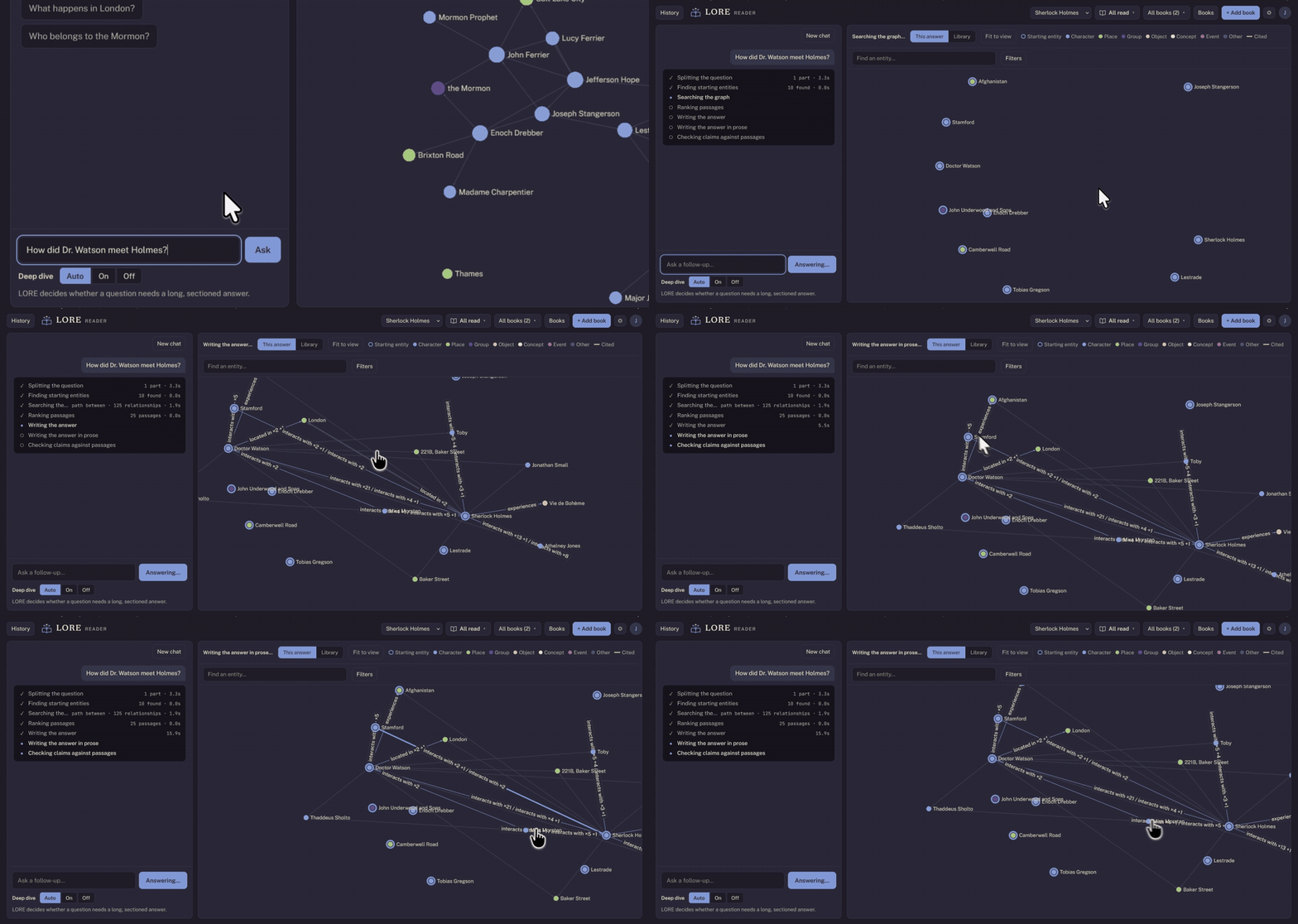
LORE is an open-source AI reader for your e-books. It turns each book into a
knowledge graph of its characters, places, groups and events, then answers
your questions from the text itself: every sentence in an answer cites the
passage it comes from, and a second pass checks each one against that passage
and cuts what the book doesn't say. Tell it how far you've read, and it never
looks past your chapter.
Features
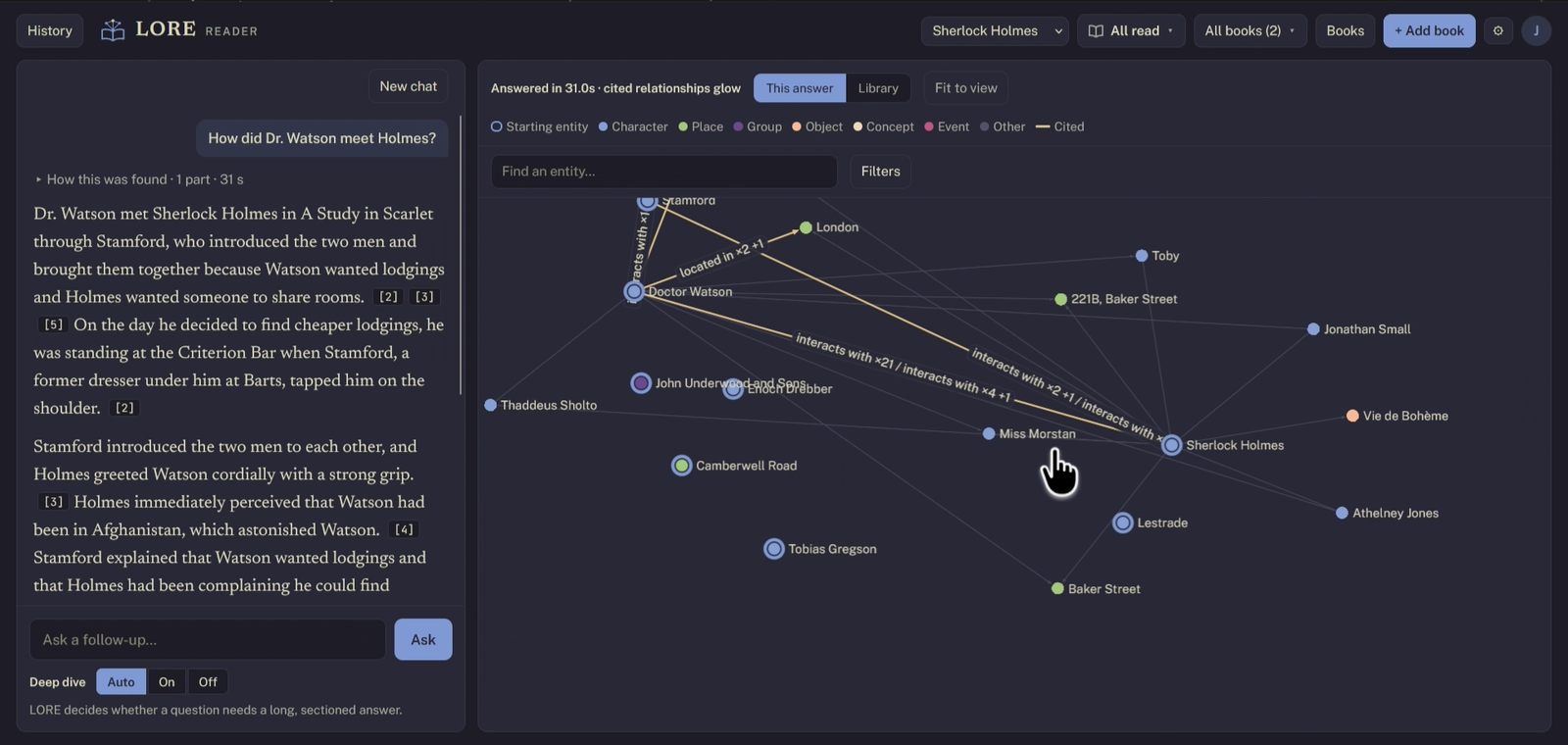
- Answers you can check. Every sentence cites its passage; click a citation to read it in the book.
- Spoiler-safe. Set your reading progress per book. Answers, the graph, character profiles and timelines all stop at your chapter, enforced at retrieval, so the model never sees what comes later.
- Questions across a series. How a character changes from book one to book five, how a world or magic system works, who knows whom.
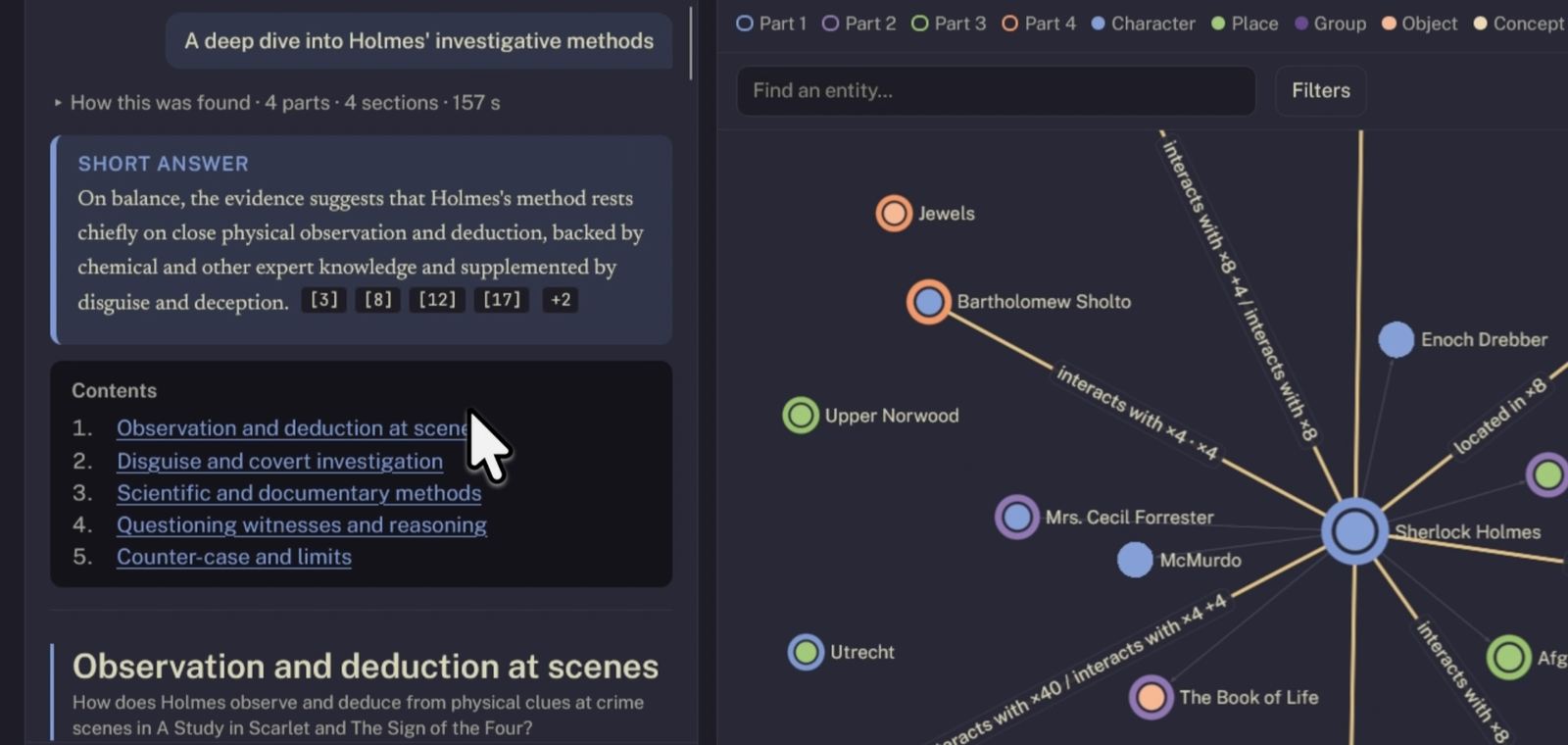
- Deep dives. Long, sectioned analyses with LORE's reading, the other side, and what the books leave open, all cited.
- Explore the graph. Click any character for a profile, a story timeline and their relationships, each with the passage behind it.
- Bring your own model. Gemini (the free tier works), Claude or OpenAI for reading and writing; embeddings run locally on Ollama.
- Use it from Claude. An MCP server lets claude.ai, Claude Desktop, Claude Code or any MCP client search your library and ask LORE questions.
- Private by design. Self-host it on your own machine, or use the hosted beta where each reader's library is kept separately.
Try it
The fastest way is the hosted beta at lore.jrvn.site:
request an invite on the homepage. New accounts start with A Study in Scarlet
already processed, so you can ask questions straight away. You'll need a free
Gemini API key (or a Claude or OpenAI key); the app walks you through it.
Run it yourself
Prerequisites: Python 3.12+,
uv,
Node.js 18+ and Ollama.
# 1. The local embedding model (keep Ollama running)
ollama pull nomic-embed-text

# 2. A model key: a free Gemini key from https://aistudio.google.com/apikey
export GEMINI_API_KEY=your-key-here

# 3. Install, and check everything is in place
git clone https://github.com/Jatin-Roopchandani/LORE.git
cd LORE
uv sync
uv run lore doctor

# 4. Build the web app (once)
cd web && npm install && npm run build && cd ..

# 5. Start it
uv run lore ui
Open http://127.0.0.1:8766, click + Add book, and choose an EPUB or PDF
you own. The Library panel shows processing as it goes (a novel takes a while on
Gemini's free tier); when it's done, ask away.
Prefer the command line? lore ingest, lore process and lore ask do the
same; see the user guide. Instead of the environment variable,
the key can also live in ~/.config/lore/gemini.env (mode 600).
Use it from Claude
LORE runs an MCP server, so Claude can search your library and ask LORE
questions with your reading position applied:
- Hosted beta: in claude.ai, open Settings → Connectors → Add custom connector and paste
https://lore.jrvn.site/mcp. - Self-hosted: run
uv run lore mcp(stdio) oruv run lore mcp --http.
Step by step: Use your ebook library in Claude and the user guide.
How it works
book (EPUB/PDF) → chapters & passages → LLM extraction → entity resolution
               → Kuzu graph + LanceDB vectors

question → split into parts → starting entities → graph walk → passages
         → claims, each quoting a passage → check every claim → cited prose
Reading progress becomes a per-book chapter cap applied as a prefilter on every
vector search, graph query and profile, so later chapters are never retrieved.
Behaviour changes ship behind switches, each judged by blind paired evals on
held-out questions. The full pipeline, models and design decisions are in
How LORE works.
Stack: Python, FastAPI, Kuzu (graph), LanceDB (vectors), SQLite and
Postgres, Ollama (embeddings), React and TypeScript. The hosted beta runs on
Docker Compose behind a Cloudflare Tunnel (deploy/).
Project status
LORE is in beta. It works end to end on full novels and series, and the
test suite (4,000+ server tests, 800 web tests) runs on every push. Known
limits: answers are only as good as the extraction, long series take a while to
process, and a book must be one you can upload as EPUB or PDF.
Contributing
Bug reports, ideas and pull requests are welcome. See
CONTRIBUTING.md for setting up a development environment and
running the tests. To report a security issue, please follow
SECURITY.md rather than opening a public issue.
License
MIT © Jatin Roopchandani
Reviews (0)
Sign in to leave a review.
Leave a reviewNo results found