vern-bot
Health Warn
- No license — Repository has no license file
- Description — Repository has a description
- Active repo — Last push 0 days ago
- Community trust — 14 GitHub stars
Code Pass
- Code scan — Scanned 8 files during light audit, no dangerous patterns found
Permissions Pass
- Permissions — No dangerous permissions requested
No AI report is available for this listing yet.
The MightyVern bot

Vern-Bot
https://jdonohoo.github.io/vern-bot/
AI discovery pipelines with personality disorders. Multi-LLM orchestration, competing AI personas, VernHole council tiers, Oracle vision, Historian indexing, and chaos-to-clarity workflows.
Now available as a standalone terminal app — no Claude Code required.
The 18 Personas
Core Personas
| Command | Model | Best For |
|---|---|---|
/vern:mediocre |
Sonnet | Quick fixes, scripts, "just make it work" |
/vern:great |
Opus | Architecture, elegant solutions, quality code |
/vern:nyquil |
Haiku | Quick answers, minimal output, brevity |
/vern:ketamine |
Opus | Deep exploration, multi-pass planning, patterns |
/vern:yolo |
Gemini | Fast execution, no guardrails, chaos |
/vern:mighty |
Codex | Comprehensive code gen, thorough analysis |
Specialist Personas
| Command | Model | Best For |
|---|---|---|
/vern:architect |
Opus | Systems design, scalable architecture, production-grade thinking |
/vern:inverse |
Sonnet | Devil's advocate, stress-testing assumptions |
/vern:paranoid |
Sonnet | Risk assessment, finding failure modes |
/vern:optimist |
Haiku | Encouragement, positive framing, can-do energy |
/vern:academic |
Opus | Evidence-based analysis, citing prior art |
/vern:startup |
Sonnet | MVP thinking, lean approach, cut scope |
/vern:enterprise |
Opus | Governance, compliance, process rigor |
/vern:ux |
Opus | User experience, empathy-driven design, journey mapping |
/vern:retro |
Sonnet | Historical perspective, proven tech, cutting through hype |
/vern:oracle |
Opus | Reads the council's wisdom, recommends VTS task changes |
/vern:historian |
Gemini | Indexes massive input folders into structured concept maps |
When to Use Each
| Situation | Command |
|---|---|
| "I need this NOW" | /vern:mediocre |
| "I need this RIGHT" | /vern:great |
| "Just answer the question" | /vern:nyquil |
| "Help me think through this" | /vern:ketamine |
| "YOLO" | /vern:yolo |
| "Give me EVERYTHING" | /vern:mighty |
| "Design the system" | /vern:architect |
| "Play devil's advocate" | /vern:inverse |
| "What could go wrong?" | /vern:paranoid |
| "Hype me up" | /vern:optimist |
| "What does the research say?" | /vern:academic |
| "What's the MVP?" | /vern:startup |
| "Enterprise-grade analysis" | /vern:enterprise |
| "Can a real person use this?" | /vern:ux |
| "Haven't we solved this before?" | /vern:retro |
| "What did the council actually say?" | /vern:oracle |
| "Index these 50 input files" | /vern:historian |
| "Create a custom persona" | /vern:generate |
| "I want chaos/creativity" | /vern:hole |
| "Full project discovery" | /vern:discovery |
| "What commands are there?" | /vern:help |
| "Configure LLMs/pipeline" | /vern:setup |
Install
As a Claude Code Plugin
/plugin marketplace add https://github.com/jdonohoo/vern-bot
/plugin install vern
Standalone (No Claude Code Required)
Homebrew (macOS / Linux)
brew tap jdonohoo/vern
brew install vern
To update later: brew upgrade vern
Scoop (Windows)
scoop bucket add vern https://github.com/jdonohoo/homebrew-vern
scoop install vern
To update later: scoop update vern
Winget (Windows)
winget install jdonohoo.vern
To update later: winget upgrade jdonohoo.vern
Manual Download
Download the latest binary from GitHub Releases:
# macOS Apple Silicon
curl -Lo vern https://github.com/jdonohoo/vern-bot/releases/latest/download/vern-darwin-arm64
chmod +x vern
sudo mv vern /usr/local/bin/
Build from Source
git clone https://github.com/jdonohoo/vern-bot.git
cd vern-bot/go
go build -o bin/vern ./cmd/vern
sudo cp bin/vern /usr/local/bin/
First Run
Run the setup wizard to detect your LLMs and configure defaults:
vern setup
Then launch the TUI:
vern tui
Available binaries: macOS (Intel + Apple Silicon), Linux (x64 + ARM64), Windows (x64 + ARM64).
Required: At least one LLM CLI installed — claude, codex, gemini, or copilot.
Standalone TUI
Launch the interactive terminal UI — no Claude Code needed:
vern tui
┌──────────────────────────────────┐
│         VERN-BOT v2.9            │
│                                  │
│  [1] Discovery Pipeline          │
│  [2] VernHole Council            │
│  [3] Single LLM Run              │
│  [4] Post-Processing             │
│  [5] Generate Persona            │
│  [6] Historian                   │
│  [7] Settings                    │
│  [q] Quit                        │
│                                  │
│  LLM Mode: Mixed + Claude FB     │
│  LLMs: claude codex gemini       │
└──────────────────────────────────┘
The TUI runs multi-phase discovery with a split-panel layout:
- Pipeline phase — step outline (left) with live progress, activity log (right)
- VernHole phase — per-Vern roster with async status indicators (green/red/gray), activity log
- Oracle phase — consult → apply transitions with Architect working status
- Results view — scrollable synthesis + full activity log, press
cto copy
Settings persist to ~/.config/vern/config.json — LLM mode, pipeline preferences, default discovery folder, and LLM availability.
Or run commands directly from the CLI:
vern discovery "build a SaaS for freelancers"
vern hole --council conflict "monolith vs microservices"
vern run codex "analyze this codebase"
vern tobeads --apply ./discovery/my-project/output/vts/
LLM Modes
Control which LLMs handle your pipeline steps and where failures fall back to:
| Mode | Description |
|---|---|
mixed_claude_fallback |
Default. Mixed LLMs per step, claude catches failures |
mixed_codex_fallback |
Mixed LLMs, codex as safety net |
mixed_gemini_fallback |
Mixed LLMs, gemini as safety net |
mixed_copilot_fallback |
Mixed LLMs, copilot as safety net |
single_llm |
One LLM for everything |
# Override LLM mode for a single run
vern discovery --llm-mode mixed_codex_fallback "my idea"

# Use a single LLM for everything
vern discovery --single-llm gemini "my idea"

# Same flags work for VernHole
vern hole --single-llm codex "my idea"
Usage (Claude Code Plugin)
/vern:<persona> <task>
Each persona is a separate skill invoked directly:
/vern:mediocre <task>
/vern:great <task>
/vern:hole <idea>
/vern:discovery <prompt>
Or use the shorthand router:
/vern:v med <task>
/vern:v great <task>
/vern:v hole <idea>
/vern:v disco <prompt>
Examples
# Quick and scrappy
/vern:mediocre write a bash script to rename all .txt files to .md

# Quality architecture
/vern:great design a REST API for user authentication

# Systems design
/vern:architect design a scalable notification system

# Deep exploration
/vern:ketamine explore different approaches to state management

# Contrarian check
/vern:inverse challenge this API design

# Risk assessment
/vern:paranoid review this deployment plan

# MVP scope
/vern:startup what's the minimum viable version of this feature

# Full chaos
/vern:hole should we use GraphQL or REST

# Oracle vision (after VernHole)
/vern:oracle review the council's synthesis against the VTS tasks

# Prepared discovery (recommended for complex ideas)
/vern:new-idea my-saas-app
# -> drop reference files into discovery/my-saas-app/input/
# -> edit input/prompt.md with your idea
/vern:discovery my-saas-app

# Quick discovery (skip the prep)
/vern:discovery build a SaaS for freelancers
# -> prompts for a name, creates the folder, runs the pipeline
Workflows & Pipelines
| Command | Description |
|---|---|
/vern:new-idea |
Create discovery folder with input/output structure |
/vern:discovery |
Full pipeline: Default (5-step) or Expanded (7-step) multi-LLM discovery + council + Oracle |
/vern:hole |
Summon a VernHole council tier to brainstorm your idea |
/vern:oracle |
Consult Oracle Vern — synthesize council wisdom into VTS modifications |
/vern:historian |
Index a directory of input files into a structured concept map |
/vern:generate |
Generate a new Vern persona using AI |
/vern:oracle-consult |
Run Oracle consult/apply on existing VernHole output |
/vern:setup |
Configure LLMs, pipeline personas, preferences |
/vern:help |
Show all available commands and personas |
The Discovery Pipeline
Two ways to use it:
Prepared Discovery (for complex ideas)
/vern:new-idea my-saas-app                         # Creates the folder structure
# Drop specs, designs, existing code into discovery/my-saas-app/input/
# Edit input/prompt.md with your idea description
/vern:discovery my-saas-app "focus on API design"   # Runs pipeline with all that context
Quick Discovery (skip the prep)
/vern:discovery "AI-powered code review tool"
# Prompts for name + location, creates folders, runs pipeline
What happens when you run discovery
- Checks for input files, asks if you want them read as context
- Asks if you want to add any other files (one at a time, easy to stop)
- Choose pipeline mode: Default (5-step) or Expanded (7-step)
- Builds the full prompt from your idea + all gathered context
- Runs the multi-LLM gauntlet:
Default Pipeline (5 steps)
[Input Files?] → Historian (Gemini) → input-history.md
                          │
                          ▼
Codex (Analysis) → Claude (Refinement) → Gemini (Chaos Check)
                          │
                          ▼
                  Codex (Consolidation)
                          │
                          ▼
                  Architect Vern (Breakdown) → VTS Tasks
Expanded Pipeline (7 steps) — use --expanded flag
[Input Files?] → Historian (Gemini) → input-history.md
                          │
                          ▼
Codex (Analysis) → Claude (Refinement) → Claude (Reality Check)
                                                  │
                                                  ▼
                  Gemini (Chaos Check) → Claude (MVP Lens)
                          │
                          ▼
                  Codex (Consolidation)
                          │
                          ▼
                  Architect Vern (Breakdown) → VTS Tasks
The Historian pre-step runs automatically when input files exist. It uses Gemini (2M context window) to index all input materials into input-history.md, which downstream steps then reference. If Gemini is unavailable, it falls back to the configured fallback LLM.
The expanded pipeline inserts Vern the Mediocre (Reality Check) and Startup Vern (MVP Lens) before consolidation for more thorough analysis.
Every pass receives the original prompt + all input context alongside the chain outputs, so nothing gets lost.
Error Handling & Recovery
Pipelines are failure-tolerant. A single LLM step failure won't kill your entire run.
| Feature | Description |
|---|---|
| 20-min timeout | Each step has a 20-minute watchdog. Configurable via timeout_seconds in config or VERN_TIMEOUT env var. |
--resume-from N |
Resume a pipeline from step N after a failure. Skips completed steps, preserves context chaining. |
--max-retries N |
Retry failed steps (default: 2 retries). Failed LLMs automatically fall back based on your LLM mode (e.g. codex/gemini/copilot fall back to claude in mixed_claude_fallback mode). |
| Pipeline log | output/pipeline.log tracks per-step status (OK/FAILED/SKIPPED), timestamps, exit codes, and retry counts. |
| Pipeline status | output/pipeline-status.md provides a human-readable progress summary with step results table, durations, output sizes, and resume hints. |
| Failure markers | Failed steps write a # STEP FAILED marker instead of halting. Downstream steps continue. |
| Downstream guards | VTS post-processing, VernHole, and Oracle automatically skip when upstream steps fail. |
# Resume from step 3 after fixing an issue
/vern:discovery --batch --resume-from 3 "my idea" ./discovery/my-project

# Set max retries to 3
/vern:discovery --batch --max-retries 3 "my idea"

# Override timeout (in seconds) via environment
VERN_TIMEOUT=600 bin/vern-run claude "say hello"
VernHole is also failure-tolerant — if a Vern fails or times out, it's excluded from synthesis and the remaining Verns carry on.
- After the pipeline, choose a VernHole council tier to brainstorm the plan:
| Tier | Count | Name |
|---|---|---|
| 1 | 3 | Council of the Three Hammers — great, mediocre, ketamine |
| 2 | 6 | Max Conflict — startup, enterprise, yolo, paranoid, optimist, inverse |
| 3 | 3–5 | The Inner Circle — architect, inverse, paranoid + random fill |
| 4 | 6–9 | The Round Table — mighty, yolo, startup, academic, enterprise + random fill |
| 5 | 10–13 | The War Room — round table core + ux, retro, optimist, nyquil + random fill |
| 6 | 15 | The Full Vern Experience — every summonable persona |
| 7 | ? | Fate's Hand — random count, random selection |
- Optionally consult Oracle Vern to review VernHole synthesis against VTS tasks, producing
oracle-vision.mdwith recommended modifications - Choose to auto-apply the Oracle's vision (Architect Vern rewrites VTS) or manually review
Pipeline → VTS Tasks → VernHole Council → Oracle Vision → Auto-Apply (optional)
Standardized Folder Structure
discovery/{name}/
├── input/
│   ├── prompt.md              # Your idea description
│   ├── input-history.md       # Historian's index (auto-generated)
│   └── {reference files}      # Specs, designs, code, anything
├── output/
│   ├── 01-mighty-initial-analysis.md
│   ├── 02-great-refinement.md
│   ├── 03-yolo-chaos-check.md       # (or 03-mediocre-reality-check.md in expanded)
│   ├── 04-mighty-consolidation.md   # (or 06-... in expanded)
│   ├── 05-architect-architect-breakdown.md  # (or 07-... in expanded)
│   ├── vts/                   # Vern Task Spec files
│   ├── pipeline.log           # Per-step status, timestamps, exit codes
│   └── pipeline-status.md     # Human-readable progress summary
├── vernhole/                  # Only if you opted in
└── oracle-vision.md           # Only if Oracle ran
VTS → Beads
Import your VTS tasks into Beads by Steve Yegge. The vern tobeads command reads VTS files and creates Beads issues via the br CLI.
# Dry-run (default) — see what would be created
vern tobeads ./discovery/my-project/output/vts/

# Actually create issues in Beads
vern tobeads --apply ./discovery/my-project/output/vts/

# Target a different Beads repo + sync after
vern tobeads --apply --sync --beads-dir ~/my-beads-repo ./vts/
| Flag | Description |
|---|---|
--apply |
Create issues (default is dry-run) |
--beads-dir |
Target a specific Beads repo |
--sync |
Run br sync --flush-only after import |
The importer runs preflight validation (duplicate IDs, unknown statuses, missing dependency targets, cycle detection) before touching Beads. Re-run safe — existing issues are detected and skipped.
The VernHole
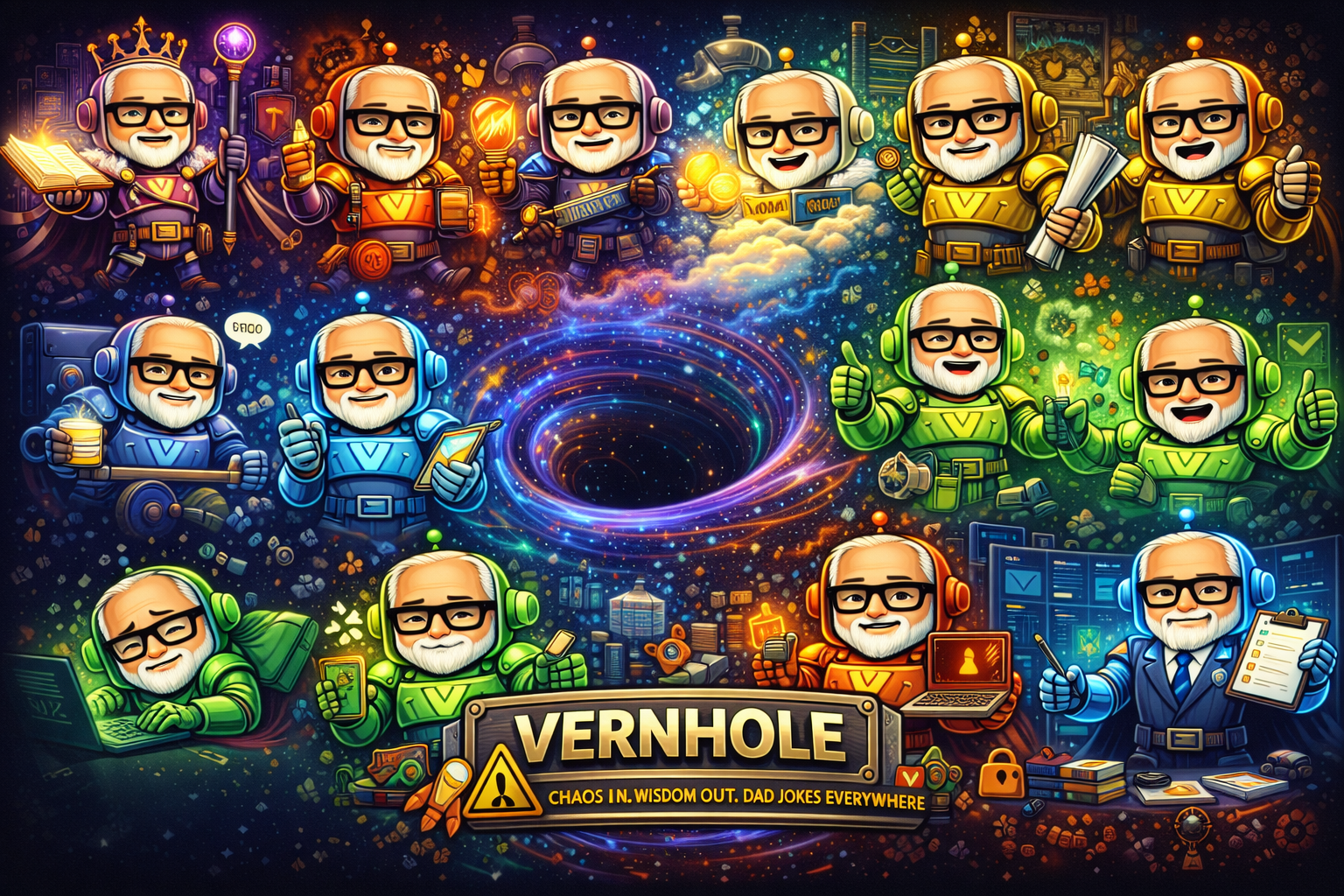
/vern:hole "should we use microservices or monolith"
Choose a council tier — from the focused Council of the Three Hammers (3 Verns) to The Full Vern Experience (all 15). Each Vern gives their unique take. Chaos synthesizes into clarity. Maybe.
Council Tiers
| Tier | Name | Count | Personas |
|---|---|---|---|
| Council of the Three Hammers | Fixed | 3 | great, mediocre, ketamine |
| Max Conflict | Fixed | 6 | startup, enterprise, yolo, paranoid, optimist, inverse |
| The Inner Circle | Core + random | 3–5 | architect, inverse, paranoid + random fill |
| The Round Table | Core + random | 6–9 | mighty, yolo, startup, academic, enterprise + random fill |
| The War Room | Core + random | 10–13 | round table + ux, retro, optimist, nyquil + random fill |
| The Full Vern Experience | All | 15 | every summonable persona |
| Fate's Hand | Random | 3–15 | random count, random selection |
Oracle and Historian are excluded from all council rosters (15 summonable personas).
Requirements
As a plugin: No additional dependencies. The CLI binary auto-downloads on first use.
Standalone: At least one LLM CLI installed — claude, codex, gemini, or copilot. Supports 4 LLMs with configurable fallback chains.
Cross-platform: macOS (Intel + Apple Silicon), Linux (x64 + ARM64), Windows (x64 + ARM64).
Plugin Structure
vern-bot/
├── .claude-plugin/
│   ├── plugin.json          # Plugin metadata
│   └── marketplace.json     # Marketplace manifest
├── agents/                   # 18 agent definitions (16 personas + orchestrator + historian)
│   ├── mediocre.md
│   ├── great.md
│   ├── nyquil.md
│   ├── ketamine.md
│   ├── yolo.md
│   ├── mighty.md
│   ├── architect.md
│   ├── inverse.md
│   ├── paranoid.md
│   ├── optimist.md
│   ├── academic.md
│   ├── startup.md
│   ├── enterprise.md
│   ├── ux.md
│   ├── retro.md
│   ├── oracle.md
│   ├── historian.md
│   └── vernhole-orchestrator.md
├── commands/                  # 22 command definitions (16 personas + 6 workflows/utility)
│   ├── v.md                  # /vern:v shorthand router
│   ├── help.md               # /vern:help command reference
│   ├── setup.md              # /vern:setup configuration
│   └── {persona}.md          # Per-persona command files
├── skills/                    # 22 skill definitions
│   ├── mediocre/SKILL.md
│   ├── great/SKILL.md
│   ├── nyquil/SKILL.md
│   ├── ketamine/SKILL.md
│   ├── yolo/SKILL.md
│   ├── mighty/SKILL.md
│   ├── architect/SKILL.md
│   ├── inverse/SKILL.md
│   ├── paranoid/SKILL.md
│   ├── optimist/SKILL.md
│   ├── academic/SKILL.md
│   ├── startup/SKILL.md
│   ├── enterprise/SKILL.md
│   ├── ux/SKILL.md
│   ├── retro/SKILL.md
│   ├── oracle/SKILL.md
│   ├── oracle-consult/SKILL.md
│   ├── historian/SKILL.md
│   ├── generate/SKILL.md
│   ├── hole/SKILL.md
│   ├── discovery/SKILL.md
│   └── new-idea/SKILL.md
├── go/                        # Compiled CLI (vern run, discovery, hole, tobeads, historian, generate, oracle, tui, setup)
│   ├── cmd/vern/             # Cobra CLI entry points
│   ├── internal/             # Config, LLM runner, VTS, pipeline, council, TUI, generate
│   ├── go.mod
│   └── go.sum
├── bin/                       # Shell wrappers (delegate to Go CLI binary)
│   ├── vern-run              # Single LLM runner wrapper (bash)
│   ├── vern-run.cmd          # Single LLM runner wrapper (Windows)
│   ├── vern-discovery        # Full discovery pipeline wrapper (bash)
│   ├── vern-discovery.cmd    # Full discovery pipeline wrapper (Windows)
│   ├── vernhole              # VernHole chaos mode wrapper (bash)
│   ├── vernhole.cmd          # VernHole chaos mode wrapper (Windows)
│   ├── vern-historian        # Historian indexing wrapper (bash)
│   ├── install-vern-cli      # Auto-download CLI binary from GitHub releases (bash)
│   └── install-vern-cli.cmd  # Auto-download CLI binary from GitHub releases (Windows)
├── discovery/                 # Discovery pipeline output
└── README.md
Development
Prerequisites
- Go 1.22+ (
brew install go)
Build
cd go && go build -o bin/vern ./cmd/vern
Test
cd go && go test ./...
Subcommands
vern run <llm> <prompt>              # Single LLM run
vern discovery <prompt>               # Full discovery pipeline
vern hole <idea>                      # VernHole council
vern tobeads <vts-dir>               # Import VTS tasks into Beads
vern historian <directory>            # Index a directory into a concept map
vern generate <name> <description>   # Generate a new Vern persona using AI
vern oracle consult <idea>            # Generate Oracle vision from VernHole output
vern oracle apply                     # Apply Oracle vision to rewrite VTS tasks
vern tui                              # Interactive terminal UI
vern setup                            # First-run configuration wizard
Release
git tag v2.x.0 && git push --tags
# GitHub Actions builds binaries automatically via GoReleaser
Dad Jokes
Every Vern ends with one. It's the law.
From chaos, clarity. From the VernHole, wisdom. And always, dad jokes.
Reviews (0)
Sign in to leave a review.
Leave a reviewNo results found