subfloor
Health Warn
- License — License: MIT
- Description — Repository has a description
- Active repo — Last push 0 days ago
- Low visibility — Only 6 GitHub stars
Code Warn
- process.env — Environment variable access in .super-coder/adapters/opencode/protect-default-branch.js
Permissions Pass
- Permissions — No dangerous permissions requested
No AI report is available for this listing yet.
Forkable shell substrate for a single code repository — DB-backed identity, memory, roadmap, content; harness-agnostic boot. We build the data layer, we rent the harness.
title: super-coder
tags: [substrate, shells, agentic-coding, harness-agnostic, sqlite]
date: 2026-07-20
project: super-coder
purpose: Forkable shell substrate for a repo




super-coder

Overview
A forkable shell substrate for a single code repository. You install it into
a project repo; it brings the shell system — DB-backed identity, memory, seed/L&S,
decisions, flags, a roadmap, and spec/doc content — and runs that repo through
whatever coding harness you point at it — Claude Code, OpenCode, Codex,
Mistral Vibe, and Kimi Code, all sandbox-integrated (or run on the no-docker
host path).
Free to use, open source, MIT License.
[!class2]
Repo: github.com/jedbjorn/super-coder — source, issues, and releases.
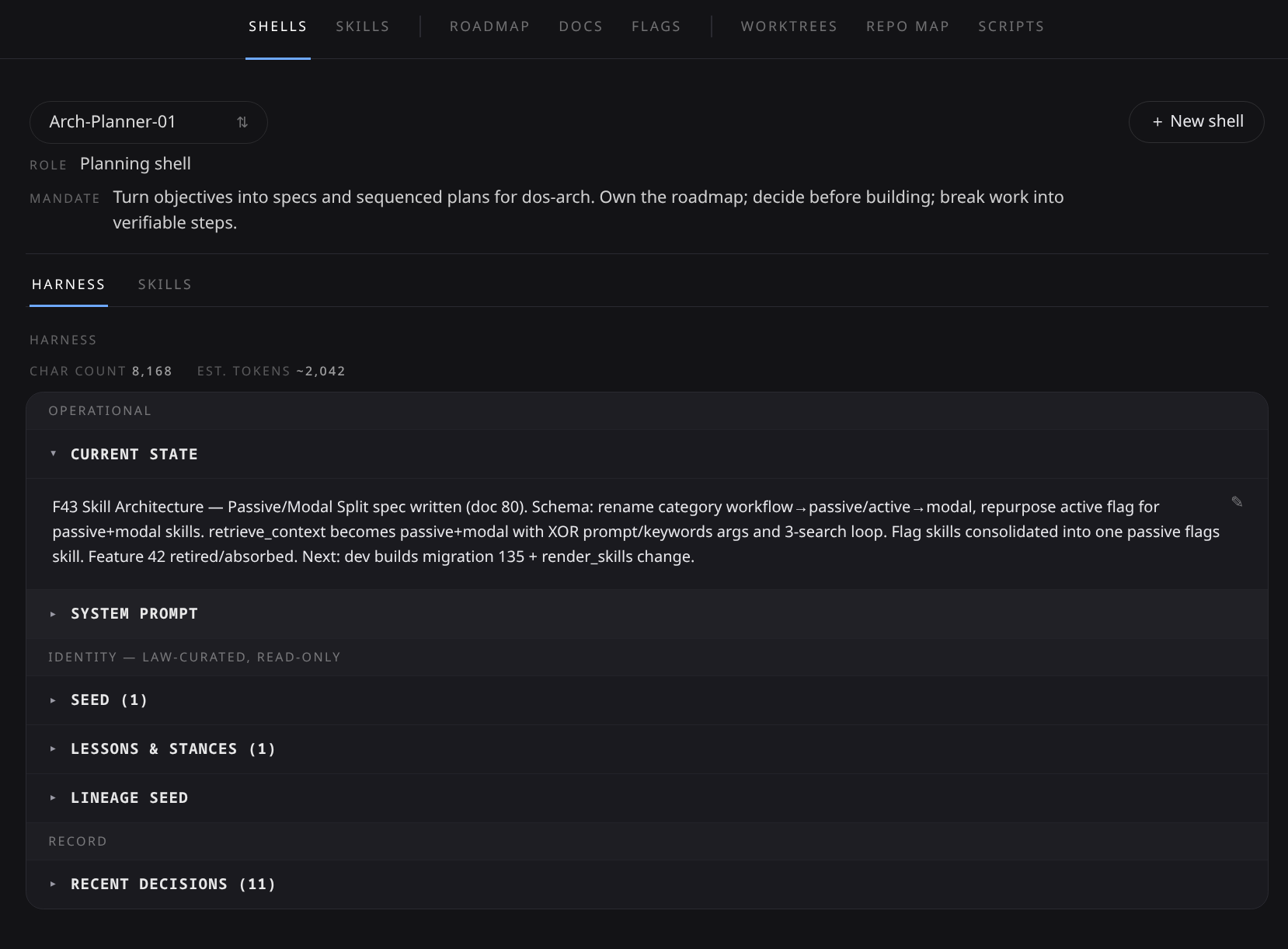
The headliners
- Cross-provider orchestration. A sprint runs planner → devs → reviewers
across providers — devs on Codex, reviewers on Claude, the planner woken
by events, workers booted headless per task. Zero scheduled polling: typed
message rows, one PR-watch daemon, and session-surviving jobs carry the
whole coordination. (Sprints) - A standing team, not a session. Shells are DB rows — identity, memory,
decisions, skills — that survive every session and boot on any of four
harnesses; the same shell can run Claude Code today and OpenCode tomorrow.
(The loop · Harnesses & models) - Sidecars + brokers: capability without credentials. A sandboxed shell
tests against real Postgres, drives a real Windows VM, reaches tailnet
hosts, bounces the host's pm2 stack, and reads the live app DB — while the
DSN, the SSH key, the tailnet identity, and every route stay on the host,
behind unix-socket brokers with fail-closed allowlists.
(Opt-in features) - Worktrees + guardrails. Every shell boots into its own git worktree on
a base pinned toorigin/main; a branch-guard blocks work onmainin
every harness; merging stays the operator's gate. Parallel shells, no
clobbering, no surprise commits.
(Shells & worktrees) - Self-updating, in place.
./sc updatepulls the new engine and
migrates the DB under the fork's feet — memory intact, sound./sc rollback, and./sc ejectthe day you'd rather own it outright.
(Update a fork)
The bet: we build the data layer, we rent the harness. The agent loop, the
tools, the model API are the harness's job. We own identity + memory + content
and render a boot artifact the harness reads natively.
graph TD
  DB[(shell DB)]:::class1 --> REN[render chain]:::class2
  REN --> BOOT[CLAUDE.md / AGENTS.md]:::class2
  BOOT --> H[harness loop]:::class3
  H --> REPO[your repo]:::class4
  DB -.serialize.-> SQL[.sc-state/content.sql]:::class2
How the overlay works — every property injected through an extension point the
harness already ships, nothing patched, nothing forked: Architecture.
Quick start
[!class4]
The bar: a reachable docker daemon + one signed-in harness CLI on PATH../sc doctorreports what it finds and the exact next command. Full prerequisites table (Arch / macOS), docker modes, and the no-docker escape hatch: Install.
Drop super-coder into an existing git repo and boot a shell:
cd your-repo                                                  # an existing git repo

# 1. Pull in the engine + entry script (files only, no history merge):
git remote add super-coder https://github.com/jedbjorn/super-coder.git
git fetch super-coder
git checkout super-coder/main -- .super-coder sc

# 2. Bootstrap the fork — installs harness CLIs, builds the DB, seeds your starting team:
./sc install

# 3. Sign in to your harness once, on the HOST (not inside the sandbox):
claude                          # or:  opencode auth login  ·  codex login  ·  vibe --setup  ·  kimi login

# 4. Launch the sandbox (server + GUI) and attach a session:
./sc launch
./sc enter                      # auth + pick a shell + pick a harness + boot

# 5. Commit the install (engine is gitignored — only sc + .sc-state + config track):
git add -A && git commit -m "chore: install super-coder"
That's the happy path — you're talking to a planner shell in your repo, with a
whole team behind it. Installer internals and harness sign-in, step by step:
Install.
Docs
| Page | What's in it |
|---|---|
| Architecture | The harness-overlay model, the engine/fork boundary, the repo layout |
| Install | Prerequisites, install & launch, installer internals, harness sign-in |
| The loop | The everyday cycle: map → spec → build → review → freeze → verify |
| Harnesses & models | Plans over API keys; which model each role runs, and why |
| Shells & worktrees | How a whole team shares one repo without clobbering it |
| Sprints | The multi-shell mode: declared pushes on a zero-polling event loop |
| Update a fork | ./sc update / rollback; customize vs upstream vs eject |
| CLI & dev kit | Every ./sc command, the make dos- aliases, the sandbox toolchain |
| Opt-in features | pg sidecar · Windows Test VM · tailnet / pm2 / db brokers |
| Review GUI | The localhost GUI's nine tabs + token & session analytics |
[!class2]
Reading these docs. Every page is themed markdown — GitHub renders it fine; the Open in md-converter badge up top serves the intended themed render. Swap the badge URL'sREADME.mdfor anydocs/path to read that page themed.
License
MIT © 2026 jedbjorn.
Reviews (0)
Sign in to leave a review.
Leave a reviewNo results found