hermes-onyx
Health Pass
- License — License: NOASSERTION
- Description — Repository has a description
- Active repo — Last push 0 days ago
- Community trust — 12 GitHub stars
Code Pass
- Code scan — Scanned 12 files during light audit, no dangerous patterns found
Permissions Pass
- Permissions — No dangerous permissions requested
No AI report is available for this listing yet.
Android client for a self-hosted Hermes agent — streaming chat, bots and group rooms, hands-free voice, Wear OS and Android Auto companions.
Hermes Onyx
The Android client for the Hermes agent you run yourself.
Bots with faces, rooms where they answer each other, hands-free voice — and your own computer in your pocket.







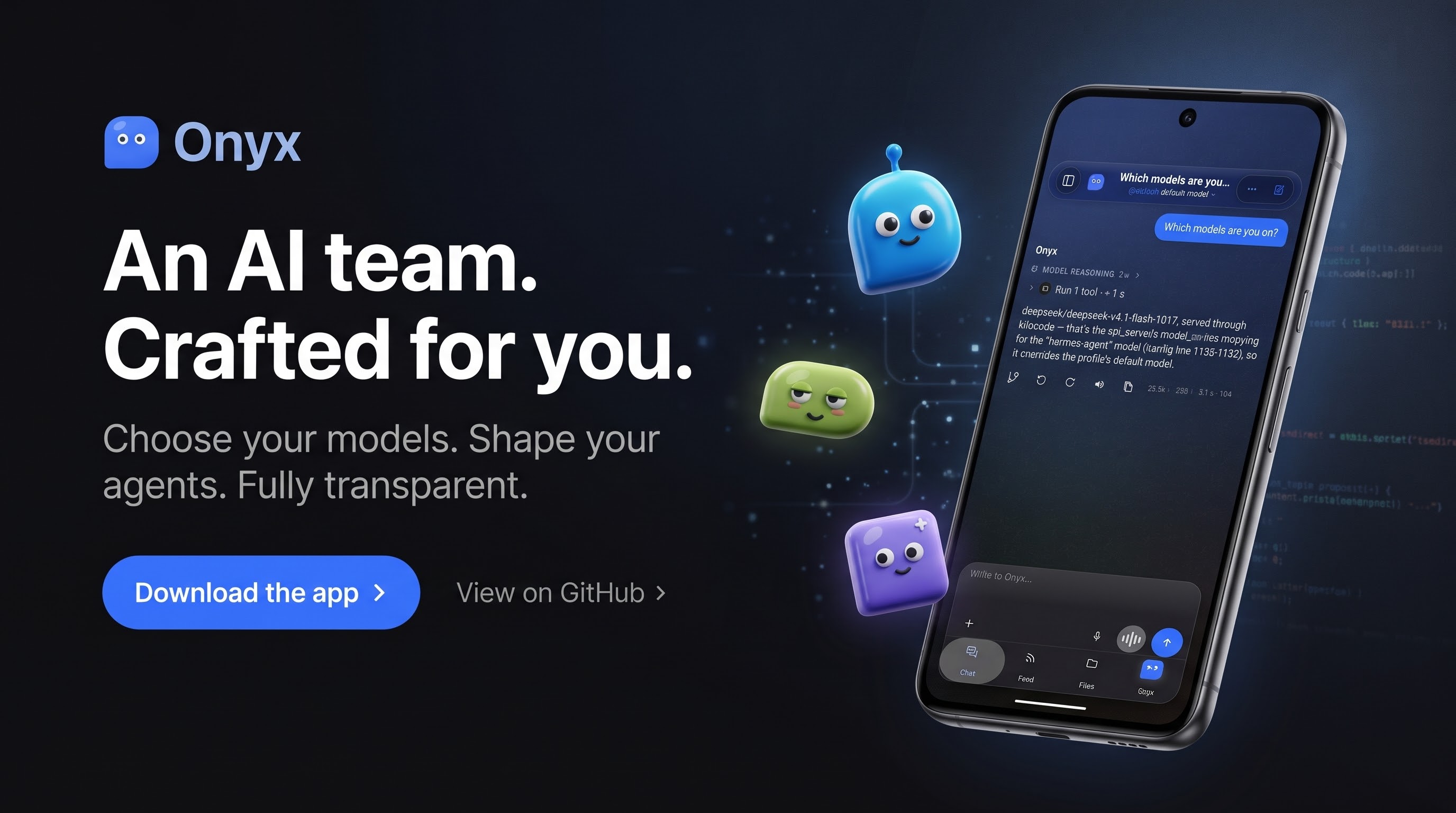
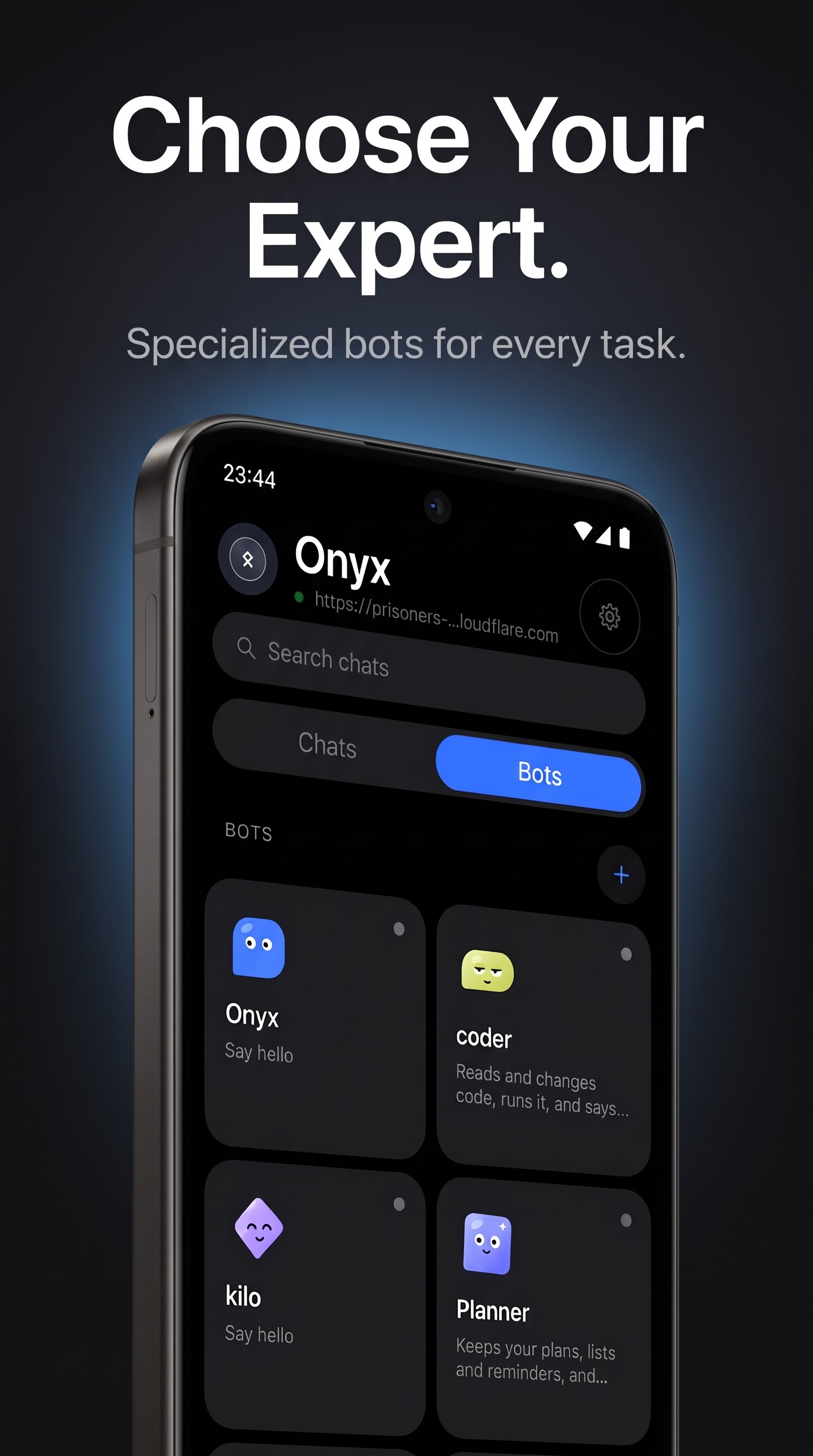
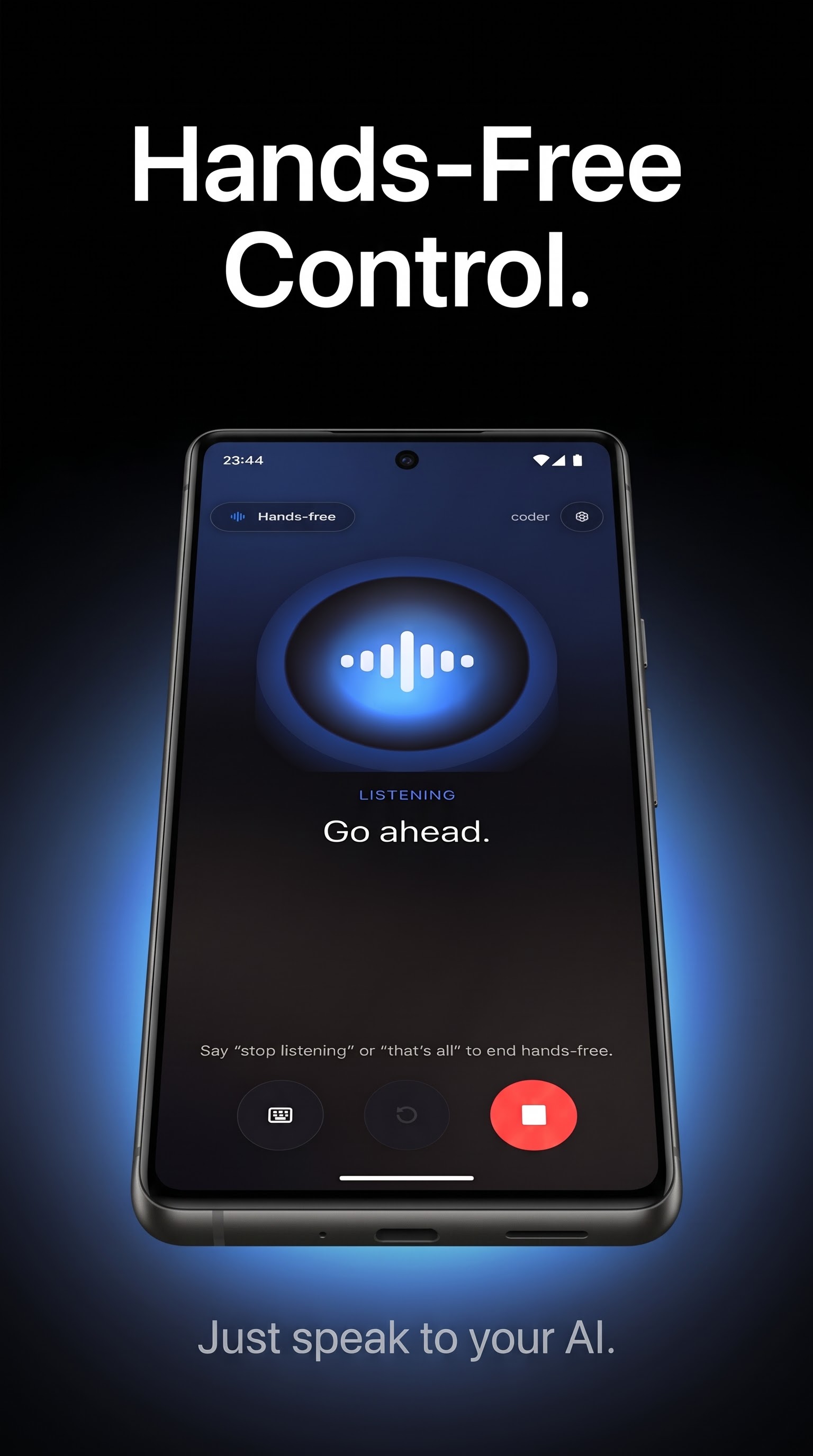
Onyx is not a chatbot in somebody else's cloud. There is no account to create, no key baked into the
APK, and no telemetry. You point it at the Hermes Dashboard you already run, and it becomes the remote
control for your own agents: a chat that streams, a room where several bots answer each other, a voice
you can talk to with the phone in your pocket, and a live view of the machine they work on.
If you have ever wanted the whole agent — tools, sub-agents, cron, files, terminal — reachable from a
phone without handing your prompts to a third party, this is that app.
Features
Where a conversation starts
- A sidebar with two lives — one pane carries your conversations, and the same pane carries your
bots: a two-position switch (Chats / Bots) moves between them, so the bots are never mixed
into the conversation list, and the Bots label carries how many of them are waiting for you. The
pane shows the gateway's name, its address and a reachability light, a search field, the tiles to the
app's screens (Scheduled, Overviews, Capabilities, Plugins, Configuration, Archives, then
Skills, Files, Models, Kanban, Code), your projects
with their counts, the filters — All, Running, Waiting for you — with their counts, and the
conversation rows with their age. On a wide screen it stands beside the thread; on a phone it
unfolds over it and folds back with one tap. - A composer that says what it will do — the model chip sits in the composer itself and carries
the reflection level the server allows (model | level): both read from the server, never a value
the app invented. - A model selector made for a long list — search across models and providers, a Favourites
section of its own above the recents, and the choice remembered per bot: a conversation opens on
the model its bot was given. A model whose source states no price shows none. - The attachment sheet — the "+" opens a sheet anchored at the bottom, with a handle, a title and its
limits written out — up to 10 attachments · 25 MB in all · 25 MB per file · 128 KB for a text
file — then library, camera, files, paste. A file over those limits is refused as it is added,
with its own size beside the limit, instead of being read, encoded and sent. - Conversation actions, in a sheet — the "…" opens a bottom sheet instead of a floating card:
find in conversation, rename, export as Markdown, take a note, start fresh, and the three
panels — Usage & cost, Background processes, Restore points — plus copy session id.
A conversation, five tabs deep
- Five tabs in every conversation — Chat, Feed, Files, Ideas and Goals sit in a
bar at the bottom of the thread. The Feed collects the bot's answers as dated cards you can rate,
discuss or turn into a goal; Files holds what the bot delivered and what you attached; Ideas and
Goals stay on the phone, grouped by category. - Streaming answers over SSE: reasoning folded away, tool calls, approval cards, follow-up questions
you send with one tap, "jump to latest", and an error banner that tells you what the server said. - A reply block of its own — the reasoning is framed above the answer, and four aligned
actions sit under it: restore, regenerate, read, copy. Restore to this message asks first and
states the consequence; done, it says where it restored and how much was removed. - Rich Markdown — tables, code with copy, maths with KaTeX, diagrams with mermaid, link previews, image
and video viewers, text selection across messages. - The Files tab, exhaustively — every file the bot delivered and every one you attached, in a single
list: type filters that carry their counts (Images 3, Videos 1, Audio 1, Documents 3, Archives 1),
five sorts (recent, oldest, name, size, type), and a state per row — to download,
downloading, available. Each family opens where it belongs: audio in the app's own player,
documents as text or a paged PDF, archives as the list of their entries, photos and videos in
the built-in viewers; a file the app cannot show is handed to the system, and the row says why rather
than leave the tap dead. - Share to Onyx — send a picture from another app straight into the conversation: the image is filed
on the server and reaches the model with your next message, not merely shown on screen.
Bots and rooms
- Bots, side by side — every profile on your server with its own face, prompt, toolset, schedules and
voice. Create one, edit it, hide it, reorder them. - Rooms — pick the members, then let them talk to each other while you watch, answer, approve or
interrupt.
Code
- A Code tab — the code sessions you have started, filtered All / In progress / Yours / Ready,
each row carrying its branch and status. The repository, the worktree and the branch are read back
from the server, never guessed; a session's status is the state of the real turn that started it, and
a failure shows the transport error as it came. - Act on a session — long-press a card for its four actions: rename it, edit its repository,
worktree, branch and prompt, run again as a fresh session, or delete the card — that one
destructive, set apart from the rest, behind a confirmation that states the consequence.
Voice
- Hands-free with real turn-taking — barge-in, back-channel words, spoken stop phrases, and a large
speaking face that follows the level of the voice. - Rooms that take their turn — in a voice room, one question goes out and the bots answer one
after another, each read in its own voice; when nobody answers, the app says so instead of leaving
you in front of a silent face. - A voice per bot — each one speaks with its own installed voice, in a room as well as solo.
- Two languages at once — speech and reply language are chosen separately, so you can talk French and
be answered in English.
Your computer
- Computer — see your machine's screen and drive it by touch, with an approval gate before any command
runs. When the picture stops updating, the app reconnects by itself and picks the session back up. - Live numbers — round-trip, jitter, frames per second, dropped and missed frames, bandwidth — so you
can tell a slow link from a stopped one. - Adaptive quality — the stream steps down through a quality ladder, with a floor below which the
image would stop being readable.
The rest of your server
- Kanban, Cron, Files, Terminal, Skills, Models, Tools, Servers, Logs — the board, the schedules, the
server's files, an SSH terminal, all from the phone. - Capabilities — a profile's skills, toolsets and MCP servers on one screen, each on its
own switch. A switch writes the profile's configuration and applies to the next conversation, says
so, and comes back if the server refuses the change. - Insights — what a profile consumed over 7, 30 or 90 days: the cost (estimated, or the provider's
real figure when it gives one), the sessions, the tokens in and out, the share served from the cache,
and the tokens day by day. Every figure comes from the server's usage report; when the route is
missing or the answer unreadable, the screen says so and shows no card at all. - One key — the all-in-one link puts the Dashboard and the chat at the same address behind a
single key: no user name, no password to retype, and the bots, the rooms and the live stream arrive
the way chat does. - Sub-agents — when an agent fans its work out, the children appear as a task list with their own
transcript and a stop button. - Small courtesies — a widget, notifications, a lock screen, light and dark themes with several
palettes, and an interface in English or French — or System, which follows the phone and is
what you get until you choose otherwise. The menus translate too, end to end: the long-press
menus, the row menus and the sheet titles read French as well, not only the screens. - Liquid glass — the composer and the bars are a real blur over what is behind them, not a flat
veil; a face that lives — a bot's face blinks, looks around and breathes, and its mood follows
what it is doing while it thinks or speaks. - Room to breathe — the bottom bars and the headers keep their distance from the system gesture
area, so the tab strip no longer sits against the swipe zone; and the menu icons follow one house
stroke, so a menu reads the same everywhere in the app.
What your server decides
Three of these read routes a server may not answer, and the app says so rather than dress up an empty
screen. Restore points come from rollback.list, which returns enabled: false and no checkpoint on
a server that keeps them switched off; Background processes come from process.list, empty there
too. Usage & cost reads session.usage, which carries no price field: the panel shows — and
the sentence the server gave it, never a made-up figure.
What 1.0.0+1049 brought
Each point below cites the commit, the file or the measurement that carries it — nothing is claimed
here that cannot be shown. The full detail is inreleases/NOTES-1.0.0+1049.md.
The card no longer has an inner rectangle — the erase band no longer composes over itself,
and the lower band is its mirror (567feca1,ui/design/Galerie.kt;BlocsVerreVerrouTest).The usage card comes from a single source — the model in force (
ModelInForce) feeds both
the agent report and the per-bot card; zero counters are explained instead of staying silent
(FicheUsageModeleEnVigueurVerrouTest,ModeleEnVigueurFicheCasTest,ChatUsageCoherenceTest).The frame inside the card's glass is removed — the border falls back to 0 and the ink on the
content plate holds 4.53:1; the "Model" sheet no longer stacks two surfaces
(BlocsVerreVerrouTest,CartesAbstraitesVerrouTest,PlaqueTraversanteVerrouTest).Voice playback no longer stutters — pre-buffer before playing, audio track priority, track
filled beforeplay(); the playback lock isPcmPlaybackTest.The face marker fits inside the mark (
RepereVisageVerrouTest) and face sync resolves per
conversation (CarteVisageSynchroTest).The plates' glass is painted — the board's grain, which was never painted (measured
σ 3.199), and its 1.5 dp edge (3.0:1 in dark, against 1.20:1 before); the content plate
of the Feed and Files tabs sits and follows the finger while swiping
(GlassSurface.PANE,panePlate). The ink laid on the plate stays above the house threshold:
4.73:1 in light, 4.79:1 in dark for a 4.5:1 minimum (VerrePlaquesVerrouTest).Bot faces scroll through a group conversation — the bottom marker presents the group's bots
one after another, the tint following the displayed face, and the scroll freezes when
"Reduce animations" is on; a one-bot conversation does not scroll (VisagesGroupeVerrouTest).The signing certificate changed —
1.0.0+980is signed by a new certificate; an
in-place update from1.0.0+972(or earlier) is refused by Android. You must uninstall the
old app before installing this one (see Install).No trace of the old name is left, neither in the sources nor in the package — the inherited
URL scheme and host are assembled at runtime (SetupCode.kt): the dex no longer carries the
literal, and a link with the old scheme still opens the setup sheet.The palette and the surfaces are read from the source — six palettes of the reference compared
field by field: 54 values, 54 identical, 0 difference; the palette lock reads 412 sources,
0 colour outside the palette (3cd0f588).The dark theme is measured, bar by bar — the composer goes from 1.058:1 to 1.314:1
against its page, the active-tab capsule holds 1.201:1 against its bar, its accent ink
5.165:1; a single family of shapes (corners 22 → 26 dp) and shadows (a8c50987,UI-UNIFORMITY-DARK.md).The liquid glass moves to Haze 2.0.1, with refraction and welding — modules
haze,haze-blur,haze-glass; the refraction displaces the sampled content according to the edge
profile (RefractionProfile.Edge), andGlassRefractionAvailable = trueis a measurement; the
welding of the shapes leaves no traces (13033ee5,4f414fde).A floating bottom bar (
52d0a4cf) and round buttons without facets — the octagons
become circles (794472c7).The thread's scroll tracking (
af6f86e6) and two-way conversation swiping
(da32ba08).The incoming call and the quiet hours — the phone rings like a call, full screen, and the
quiet hours cut the ringer (4cc98475;CallRinger.kt,QuietHours,CallsScreen.kt).TIFF, HEIC and AVIF on top of the usual formats (
363a1cb0,02f7a517); the HTML widget
repaired — immediate fallback, bridge and page measurement working again in scripts (b7afc4dd,b523abef).Thread organisation and sub-agents — task list, transcription, duration and stop
(5ddc604e,170ed926).The duplicate "Skills" removed — the sidebar tile and the Settings row leave the interface,
the "Onyx" group drops to four tiles, everything is inside "Capabilities" (64d8e756).The back navigation fixed — the page you left is no longer lost on the way out of the
sidebar, and a bench measures the three paths (f48b2fcd,bdb8d2e0,AUDIT-FEEDBACK.md).
4345 tests, 0 failures. The three packages — phone, Android Auto and Wear OS — ship in this
release.
What 1.0.0+547 brought
A design-QA pass over 1.0.0+546: eleven major defects, every one of them visible on
screen, measured and corrected.
- The top bar measured its title in English and drew it in French. A French title was
truncated against an English measurement, so the bar read « Nouvelle convers… » at 1,3×.
The title is now translated before it is measured (resolvedTitle). - The Feed printed the thumbs sentence twice. The note asking you to rate a card
appeared twice in the same feed; the duplicate footer item is gone. - The Feed card ink was under the reading floor — card preview text at 3,29:1, now
4,82:1. The same ink covers the card'sSource:line, a finished goal's title and
progress line, and the composer note in Ideas / Goals. - The voice screen's instruction was nearly invisible — « Allez-y. » at 1,74:1, now
21,0:1. It takes the body ink the transcript already uses, so the hand-off from
instruction to speech no longer changes colour. - The Computer screen had no header and no way back, its content glued to the status
bar; it carries both now. - The Files filter chips sat in a stair-step (40 dp beside 48 dp in one row); one
44 dp chip height now. The sort row, which showed an icon and no label, shows its
word as well. - The Settings section headers were left in English (
PHONE/ACCOUNT) — they now
read Téléphone / Compte. - The Terminal said « … sur the server » — it now says le serveur.
The same pass fixed two more: the home card's title no longer cuts a word in half, and the
« Ajouter à… » row in Ideas / Goals is a full 44 dp tall and tappable. Green across
2460 unit tests, 0 failures.
The phone only. Android Auto and the Wear OS companion are unchanged and stay on the
1.0.0+546 release.
What 1.0.0+546 brought
- The panel grid now matches the reference. Six reference destinations in a locked order
(referenceTiles,referenceOrder) — Scheduled, Overviews, Capabilities, Plugins, Configuration and
Archives — then the Onyx group (Skills, Files, Models, Kanban, Code): eleven distinct
destinations, no duplicates, every tile opens a real screen. The Archive screen is new here:
archived conversations leave the list but stay resumable, and each row restores from the Archive. - Search is a full-panel screen, not a filter over the list: opening it hides the tiles, the
projects, the Chats / Bots switch and the filters, so the field and its results are the only
content; Back leaves search before it closes the panel (searching,search = true|false). - The account sheet shows the gateway's real state — the measured latency when it answers, or
offline with a real retry countdown (30 s policy) and the probe's own reason
(secondsLeft = … AccountRetry.secondsUntil(…),"Connected · %1$d ms","Offline · new attempt in %1$d s"). - Usage and cost read the server, in real figures —
session.resumefirst for the run id, thensession.usageandsession.context_breakdown: tokens in / out / reasoning, cache read, cache
written and cache share, total, API calls, context used / max / percent, what fills the window and
the context file manifest. - Capabilities, Skills and MCP, exhaustively — add, test, enable, remove, with expandable tool
lists (ui/capabilities/:CapabilitiesScreen.kt,SkillPages.kt,McpPages.kt). - A flat light theme and a glass dark theme. In light the surfaces are flat, with a measured
detachment floor (FlatDetachmentMin = 1.20f); in dark the bars and the composer are real glass
over what is behind them (veilIsNeverLighterThanPage). - The panel is full width on a phone. The overlay takes the whole window
(sidebarOverlayWidthFor), so no strip of the thread is left beside it to be misread as a second
panel; from 800 dp it is docked instead.
What this build does not do here. Restore points stay off server-side: rollback.list answersenabled: false, so the panel says the folder keeps no restore points and offers nothing. No model
price is exposed by the usage route, so Estimated and Actual both show — and the panel says the
counters above are all it has. There is no notification while the app is closed — alerts only
arrive while the app is running. And the background blur of the glass cannot be judged on an
emulator (it renders in software), so it still has to be checked on a real device.
Screenshots
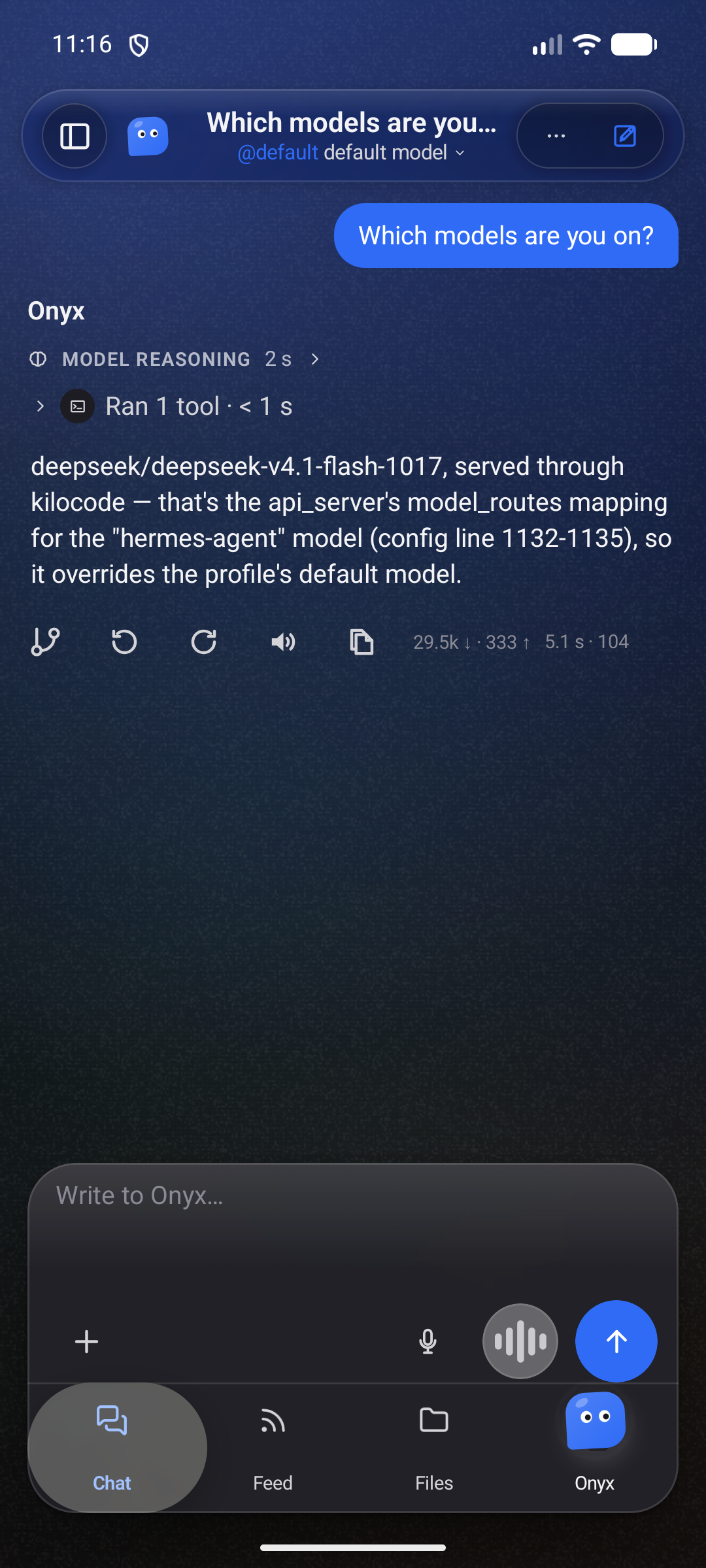
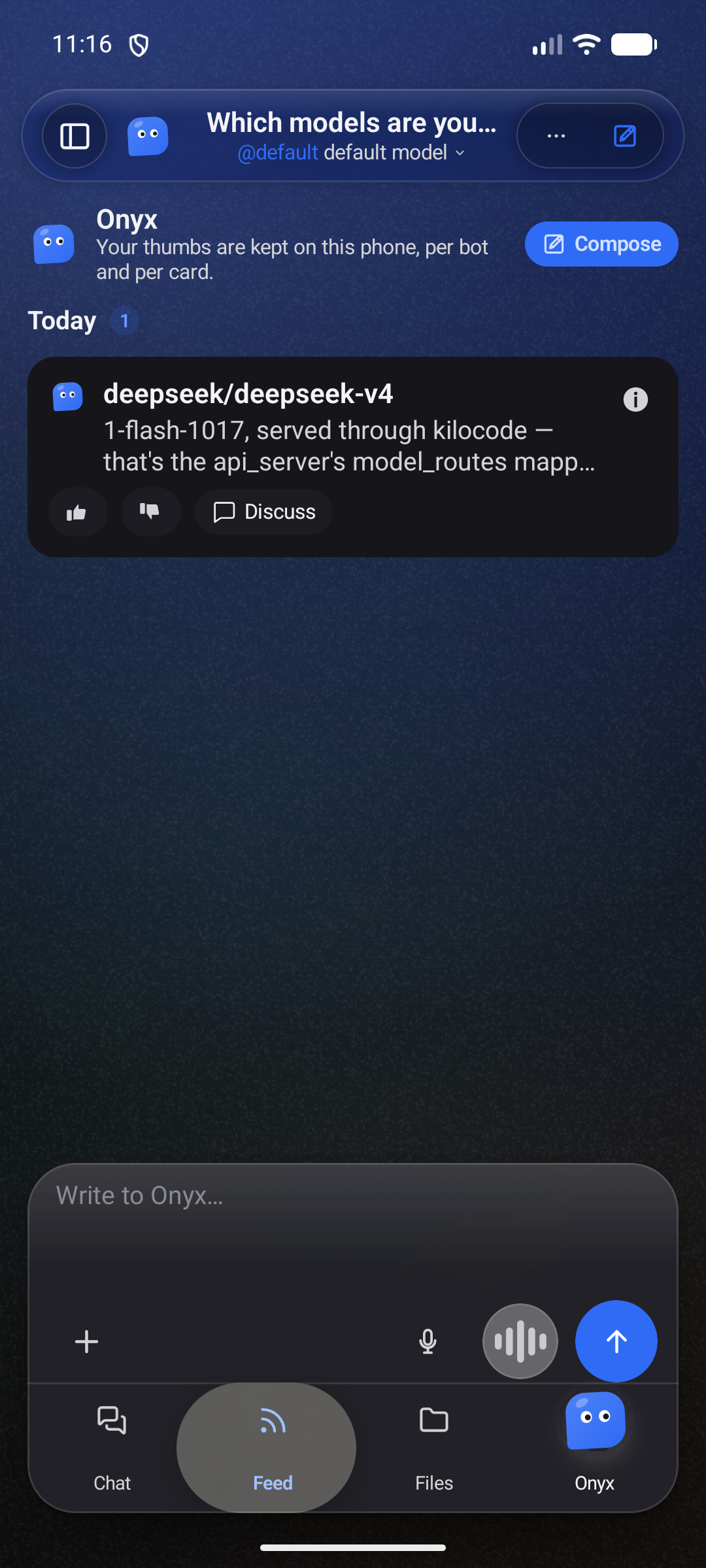
Every shot below comes from the 1.0.0+1113 release build, taken on an emulator
(onyxclair, Android 16, 1080×2400) against a real gateway — a real round trip, not mock data.
Each screen appears twice: the light theme and the dark one, captured from the same build.
| Screen | Light | Dark |
|---|---|---|
| A room, Chat tab | 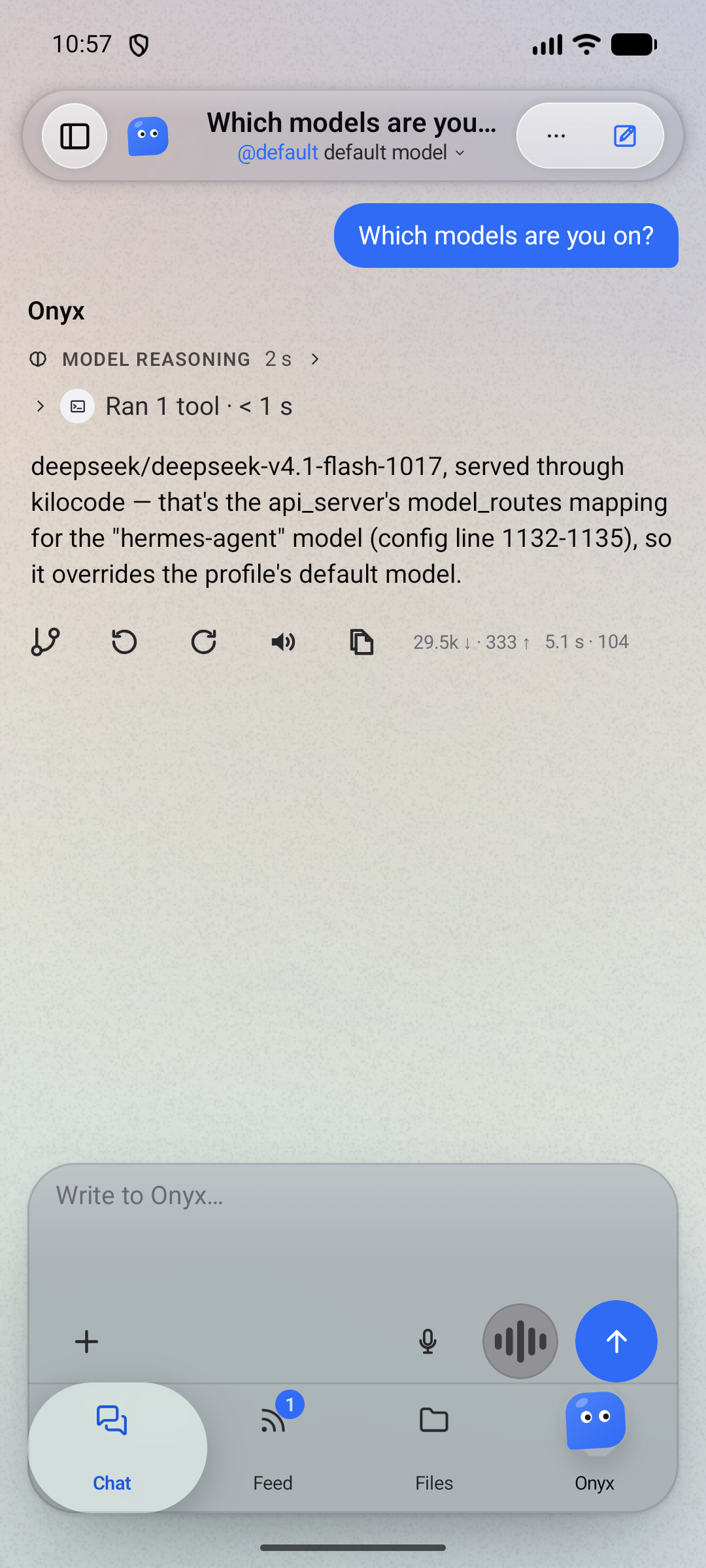 |
 |
| A room, Feed tab | 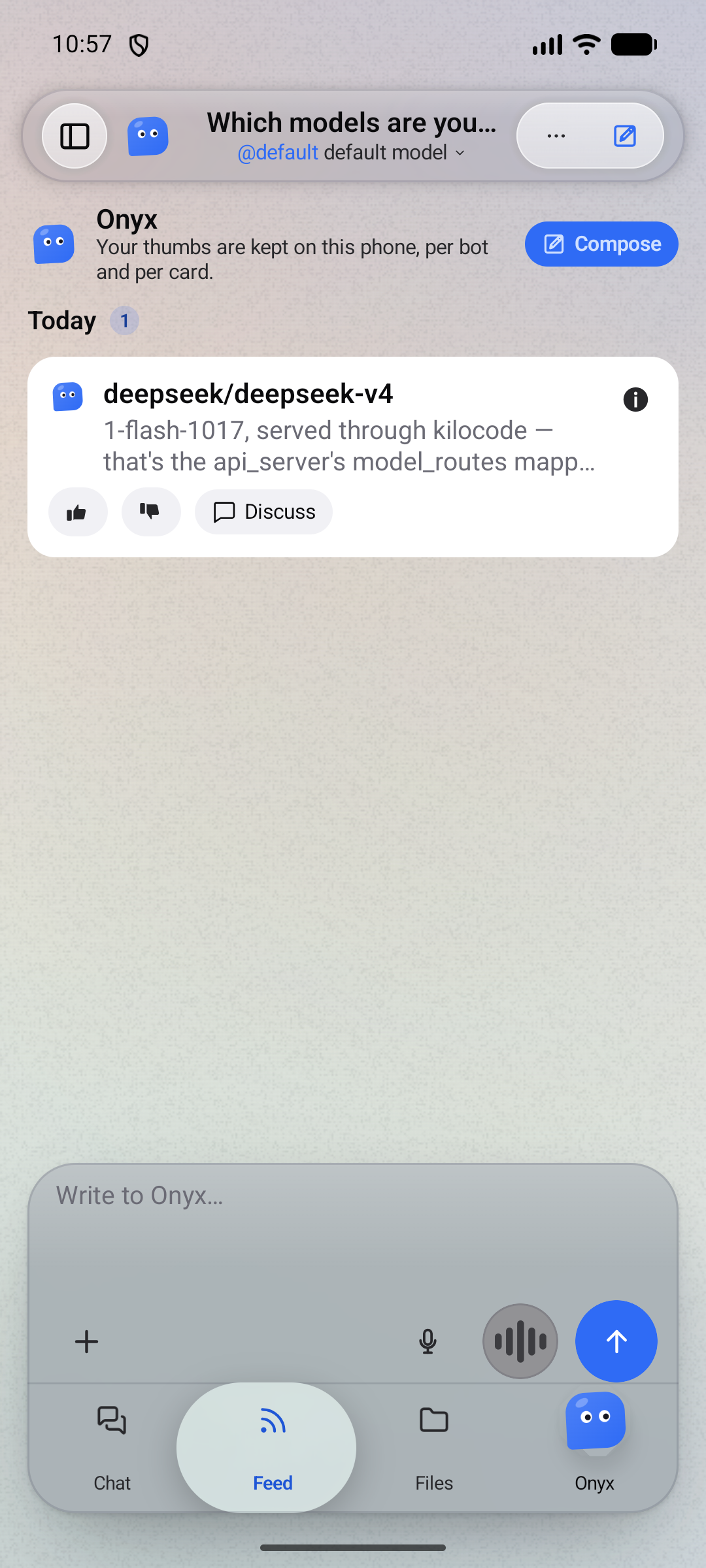 |
 |
| Attaching a file | 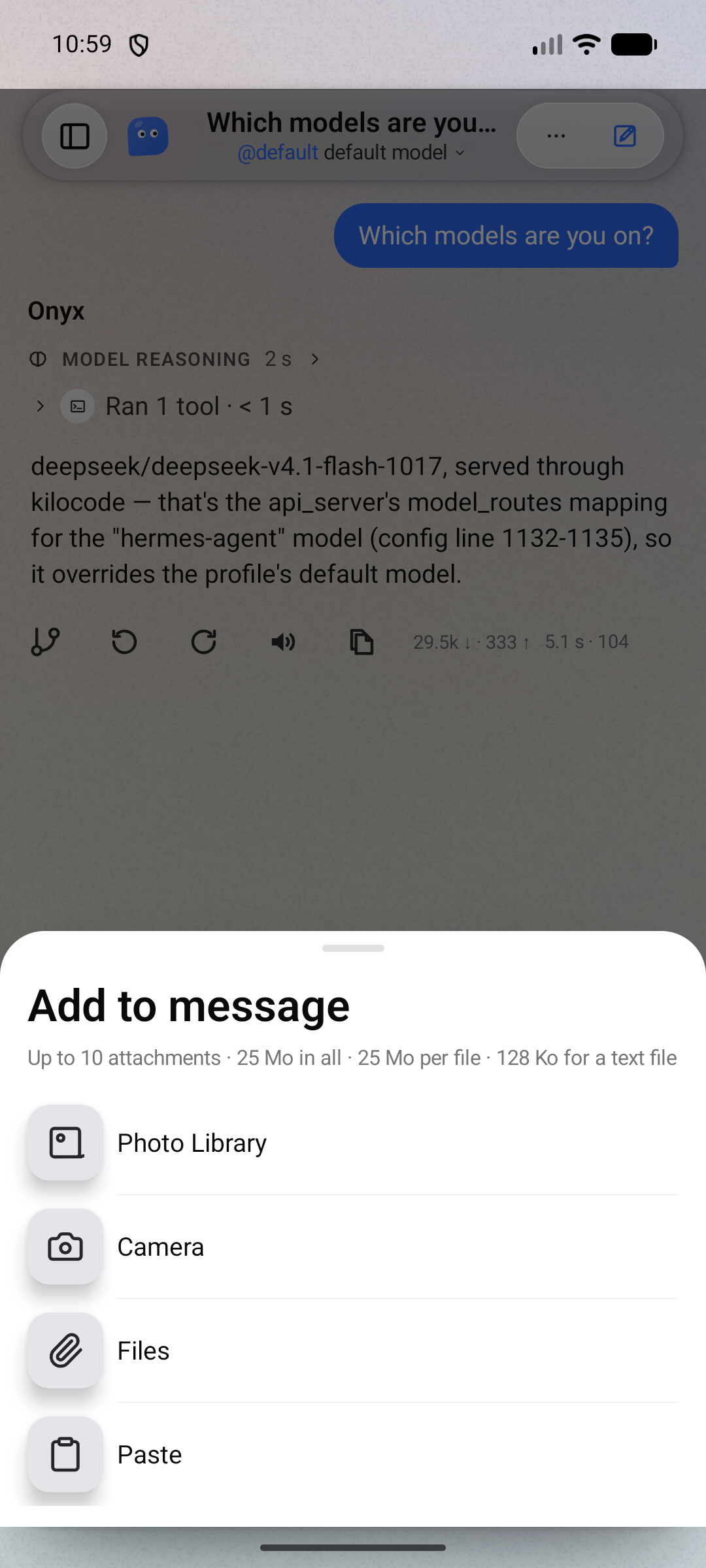 |
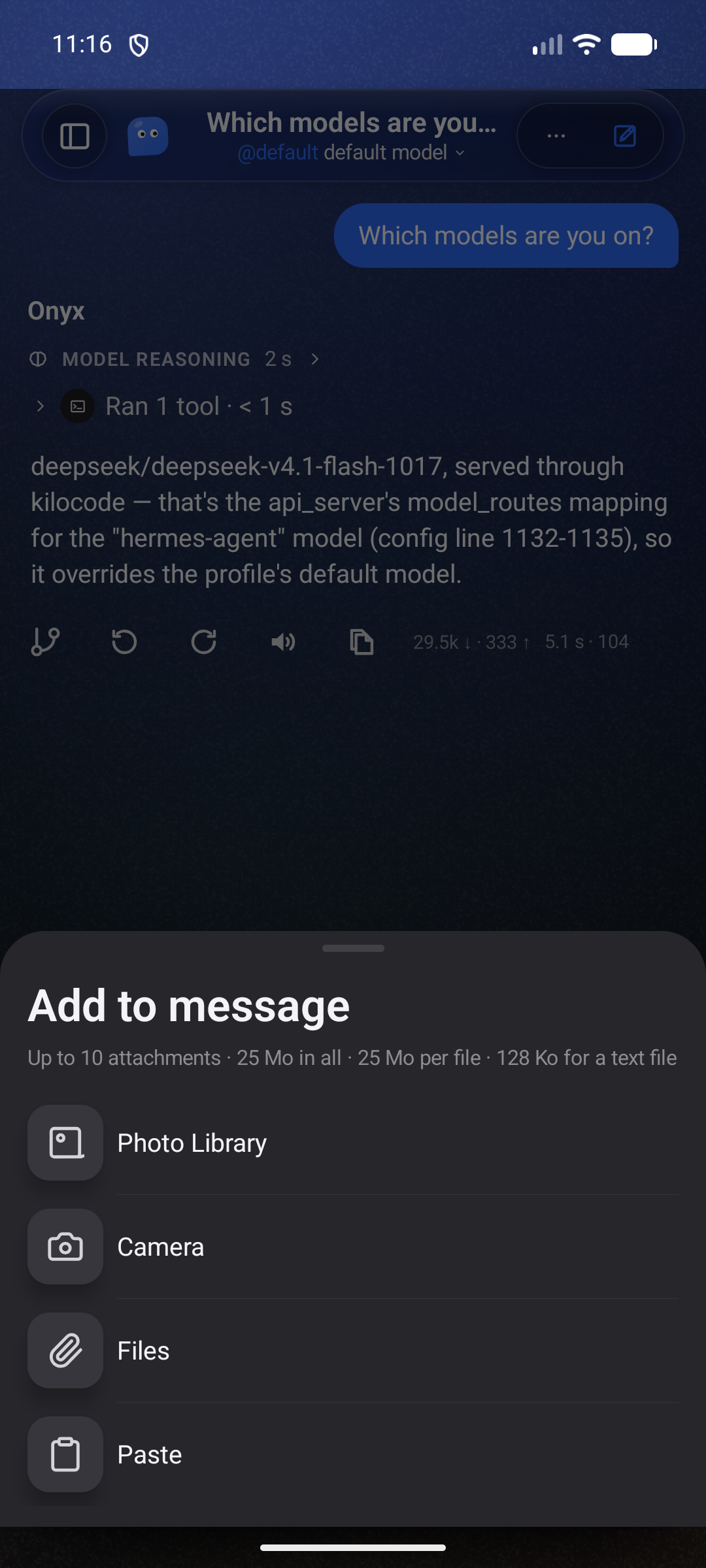 |
| The conversation list | 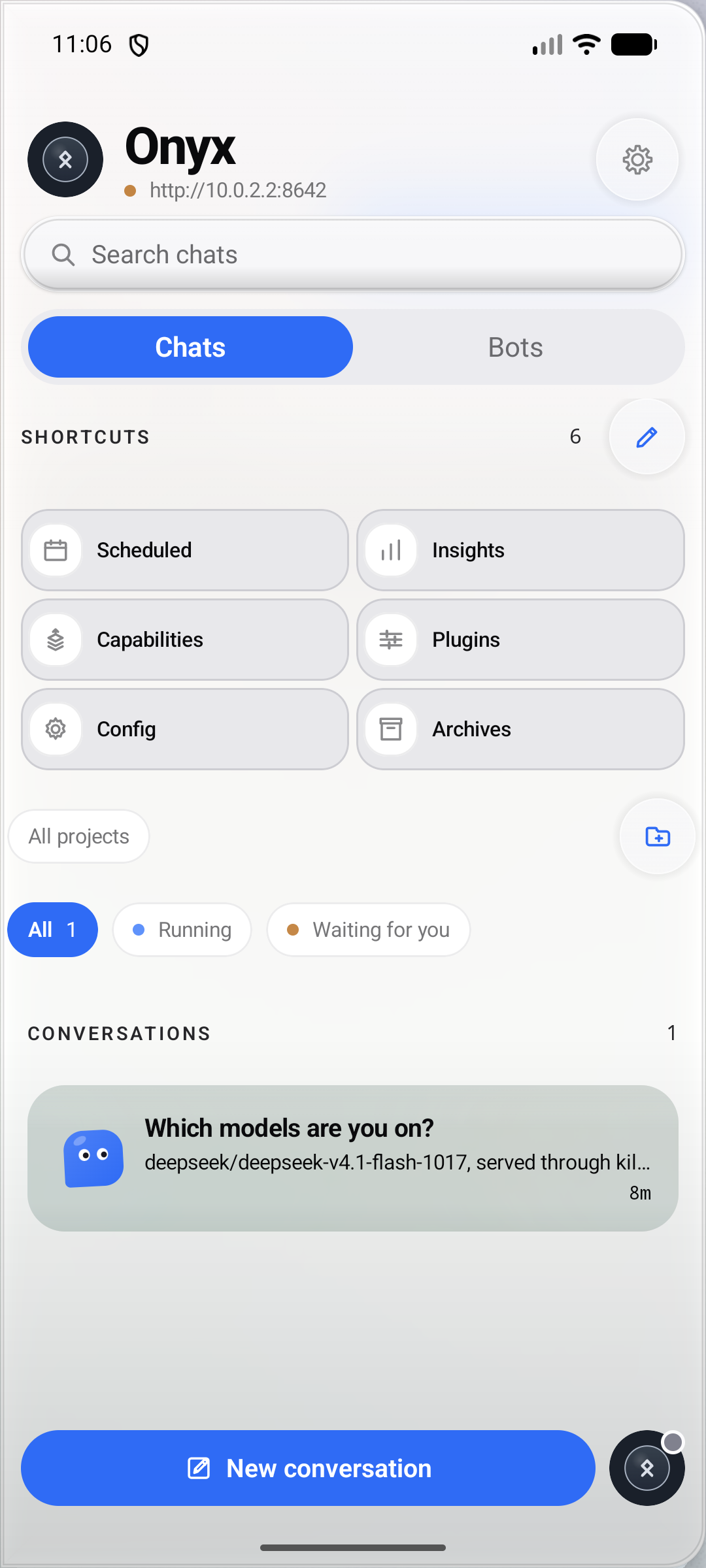 |
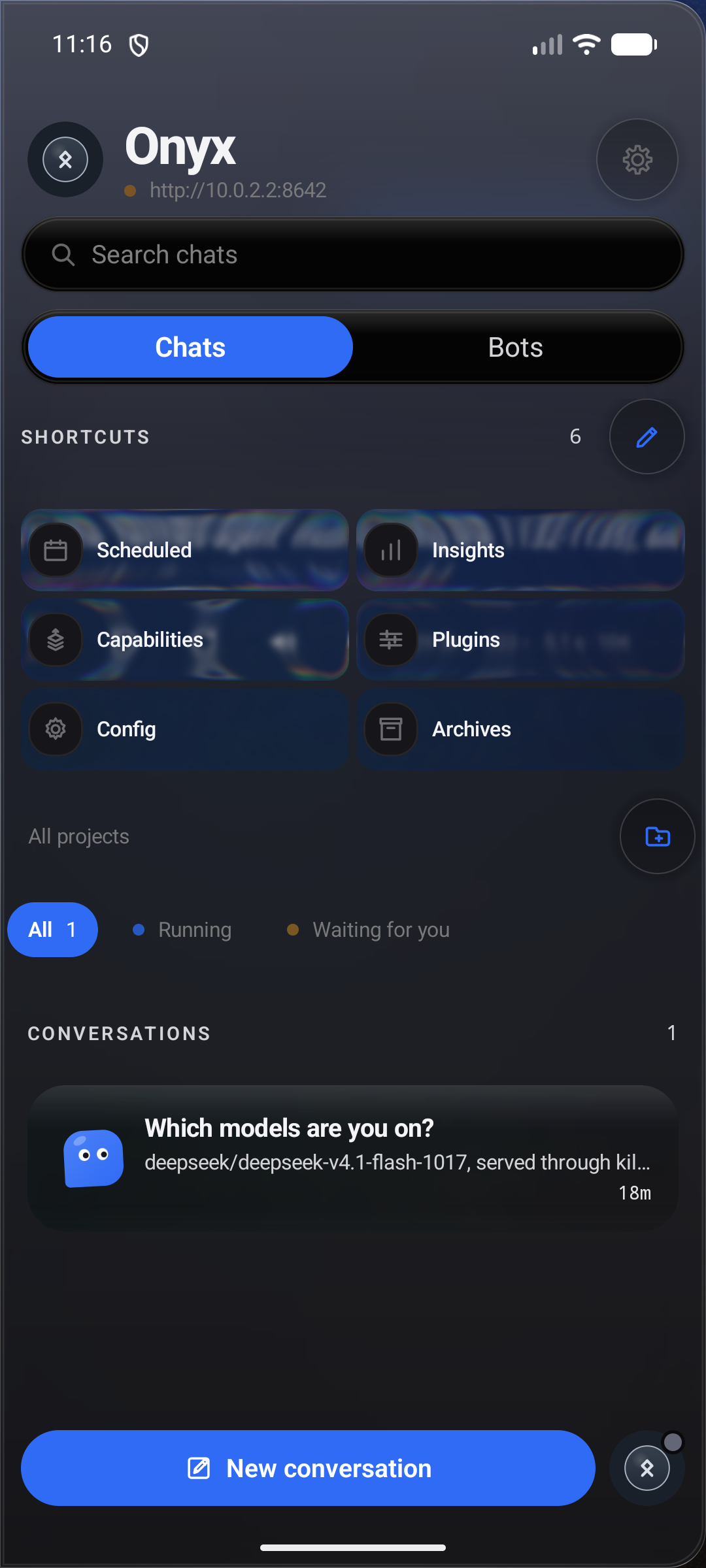 |
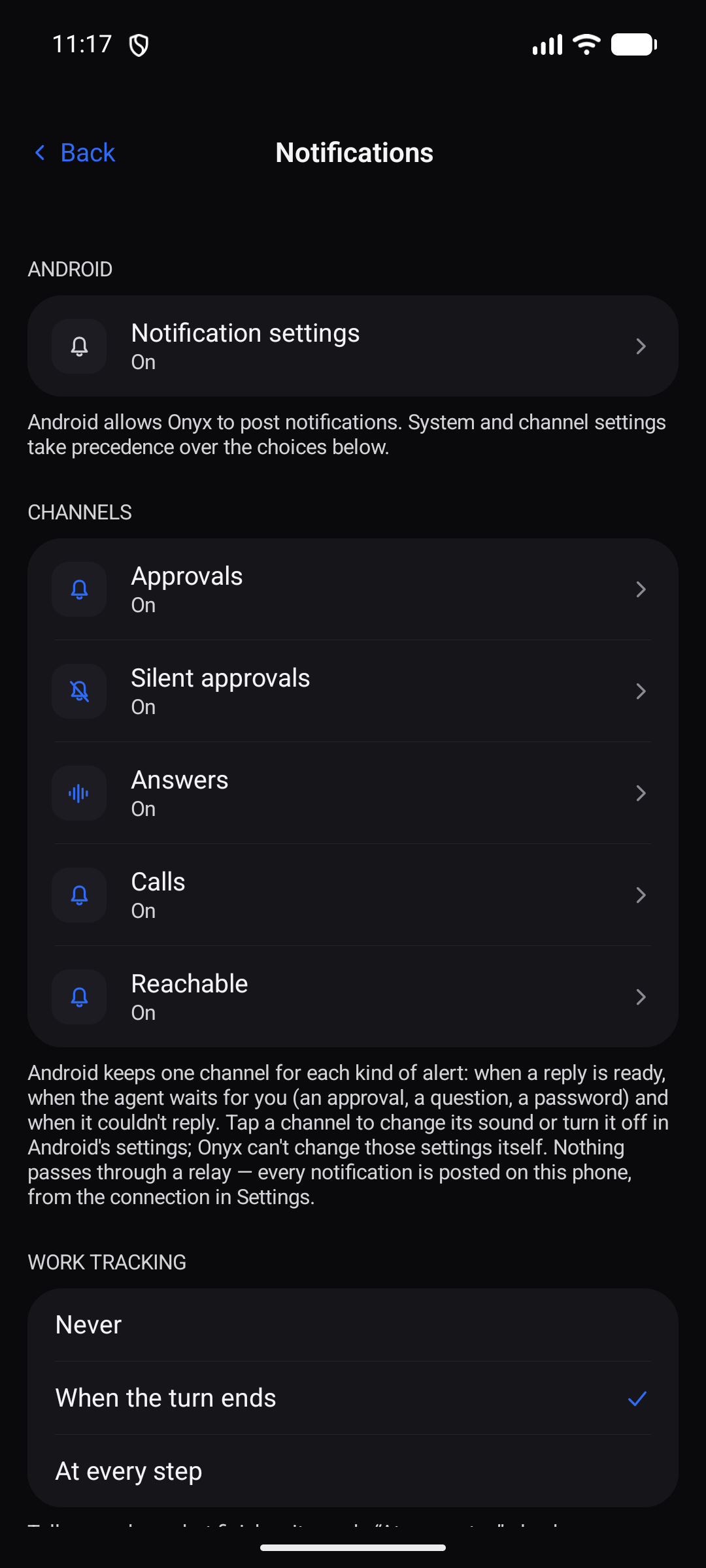
| Notification channels | 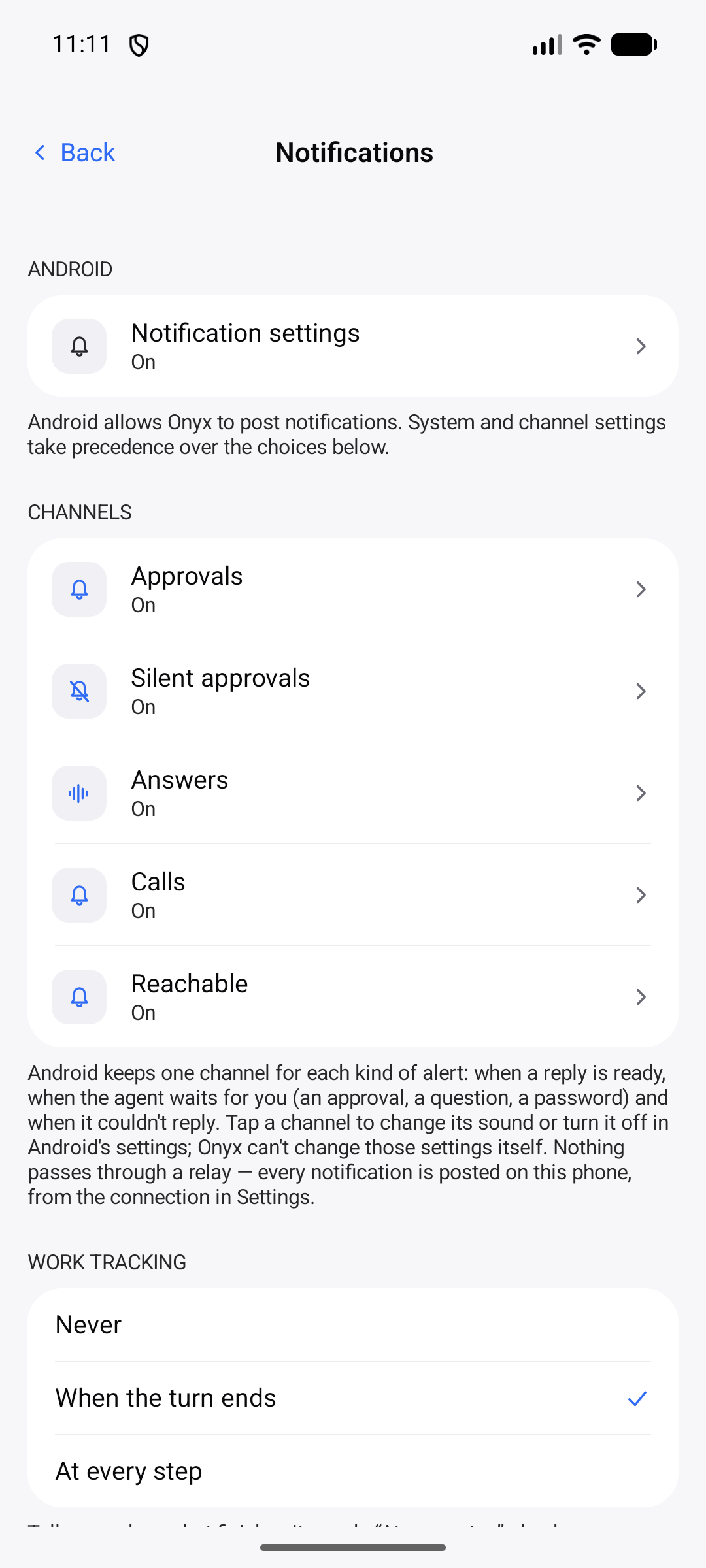 |
 |
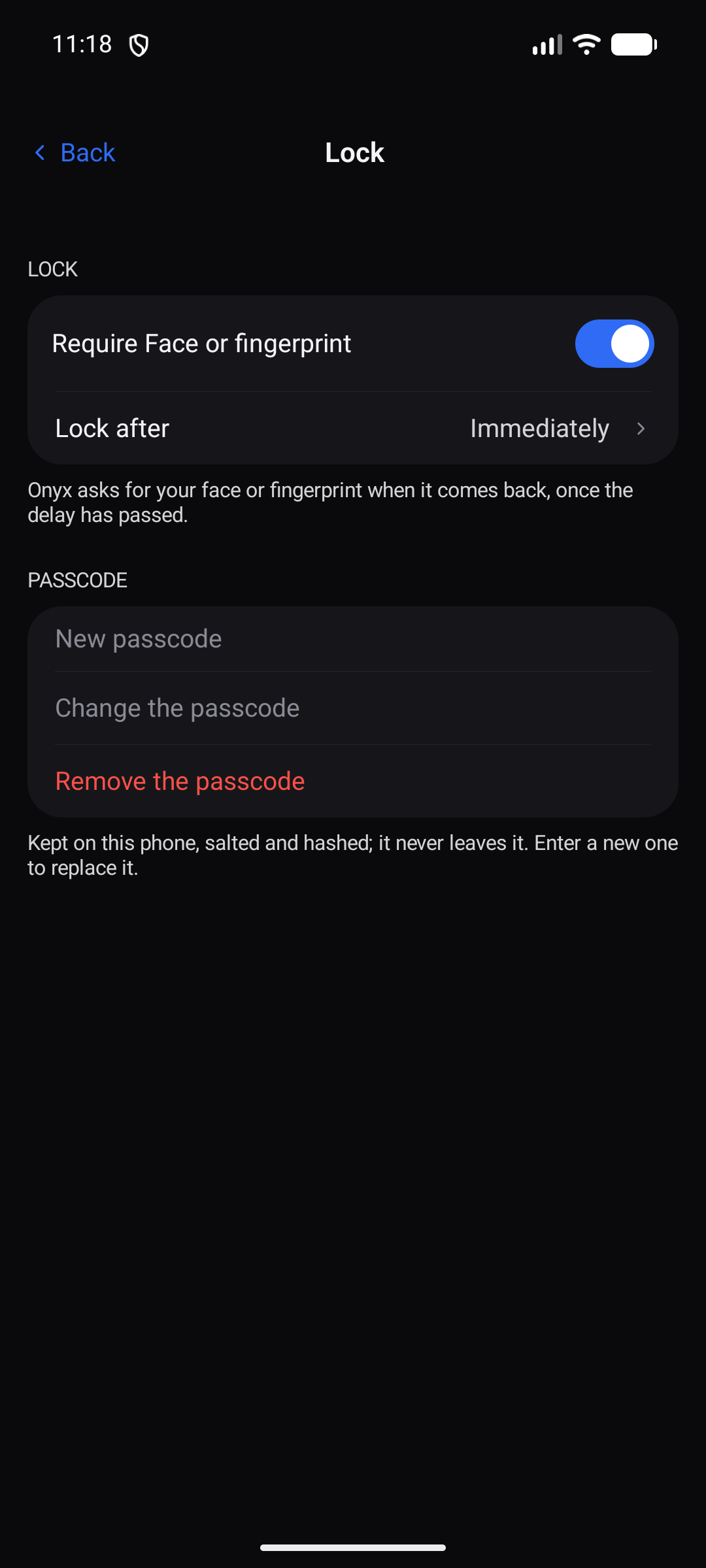
| The lock settings | 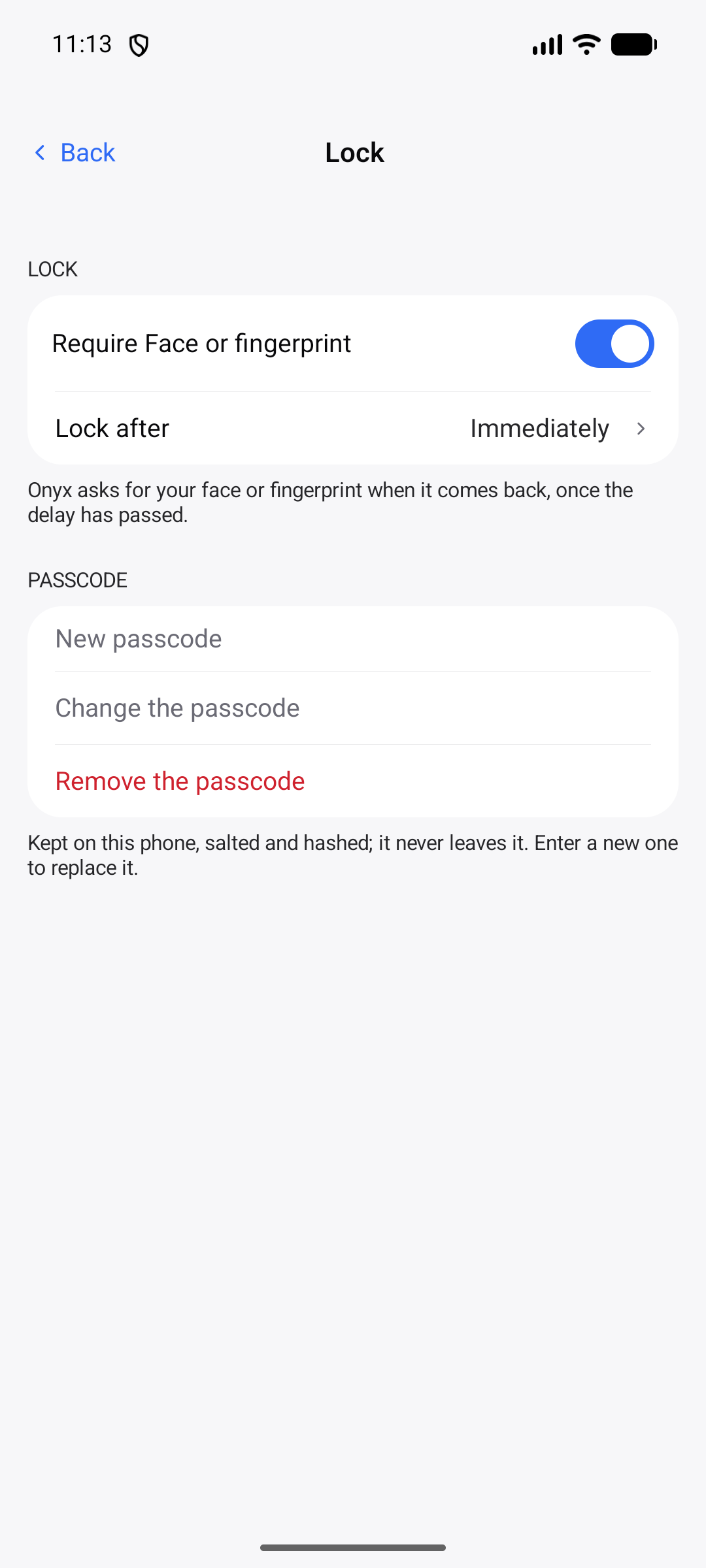 |
 |
| The lock screen | 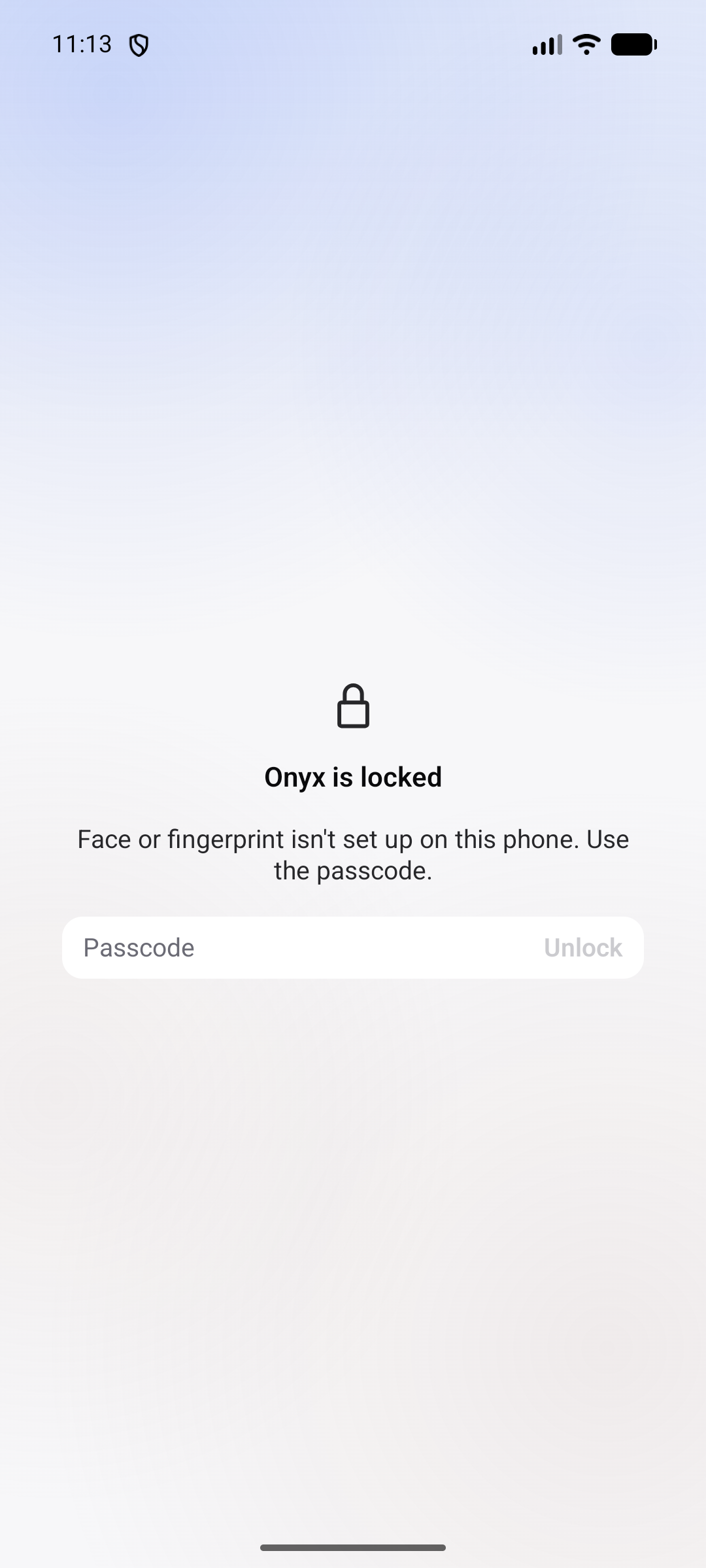 |
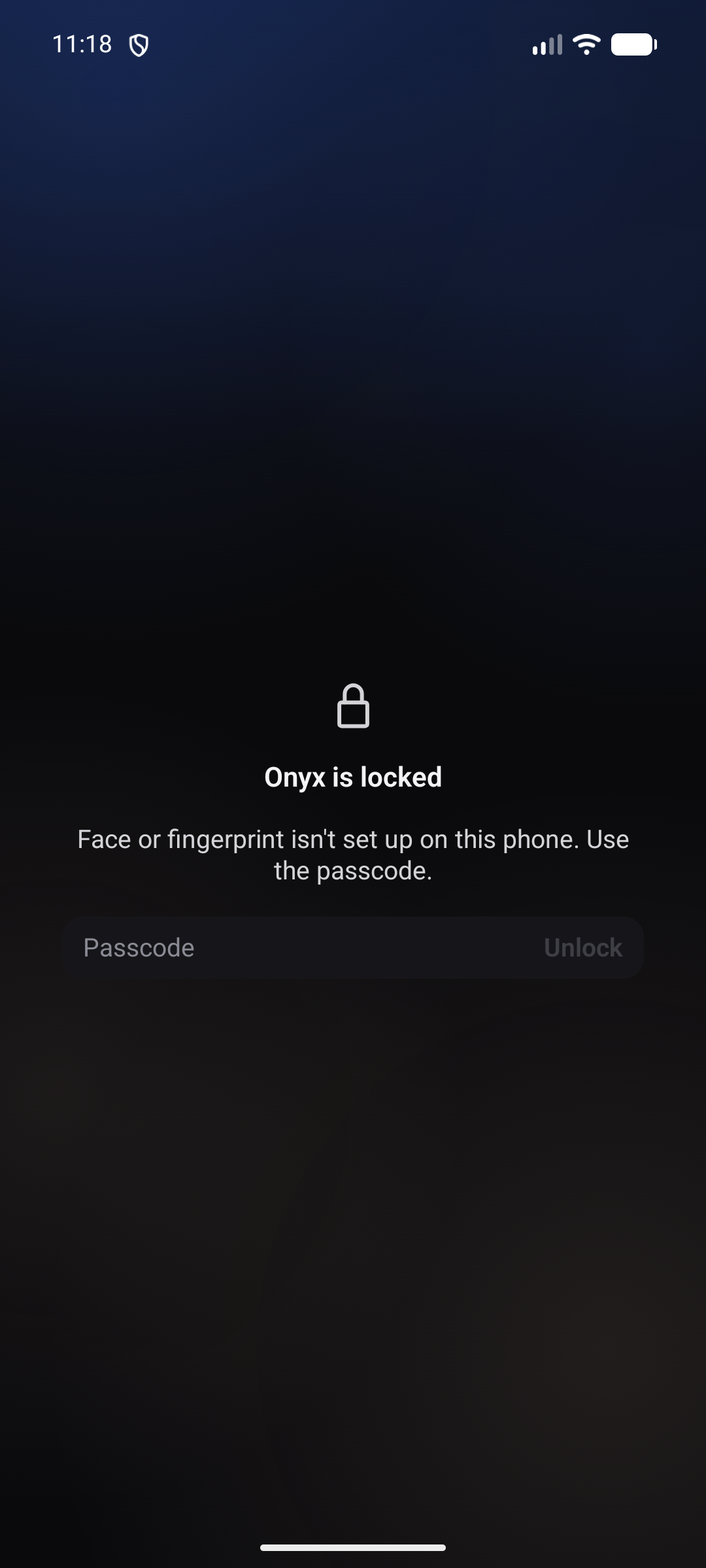 |
Provenance and the list of the files actually present: docs/captures/INDEX.md.
Install
Connecting your phone, the first time
One command on the machine that runs Hermes, and your phone is set up — chat, voices, skills, tools
and (on Linux) the Computer screen together:
# Linux and macOS
python3 tools/onyx-setup.py                            # installs, prints the link and its QR code
python3 tools/onyx-setup.py --voices https://tts.example.com   # …with your Kokoro server
python3 tools/onyx-setup.py --link                     # print the current link again, any time
REM Windows — PowerShell or cmd, from the repository root
py tools\onyx-setup.py
py tools\onyx-setup.py --voices https://tts.example.com
py tools\onyx-setup.py --link
On Windows python3 usually does not exist; py (the Python launcher, installed with Python) does.
The .sh shortcut is a convenience for Linux and macOS only — the .py file is the installer on
all three.
It runs on Linux, macOS and Windows. It installs each piece as a service of the system —
systemd, launchd, or a task at sign-in — so everything comes back after a reboot without a terminal
open.
It is safe to run twice: the key is drawn once and kept, and a service that already works is
never restarted — restarting the tunnel changes its public name and would invalidate the link on
your phone.
| Piece | Linux | macOS | Windows |
|---|---|---|---|
| One-key gateway, dashboard, tunnel, link watchdog | ✅ | ✅ | ✅ |
| Computer screen bridge | ✅ (X11) | — | — |
Full walkthrough — what each service is for, the service table, what happens after a reboot, and
the symptoms worth recognising: docs/FIRST-RUN.md.
The APKs
The signed APKs are on the latest release
page. One code base — the signing certificate has not changed since 1.0.0+980: read the note
below before installing.
| File | Runs on | What it is |
|---|---|---|
onyx-1.3.3-release.apk |
Phone, Android 8.0+ | The app: a sidebar, a chat and its five tabs, bots, rooms, voice, code, computer, servers, kanban, cron, files, terminal, widget. The latest build. |
onyx-auto-1.3.3-release.apk |
Android Auto | The car: an "Ask" screen that streams the answer into a message card and reads it aloud. |
onyx-wear-1.3.3-release.apk |
Wear OS 3+ (API 30) | The watch: a large microphone button, a live oscillogram, five states, and an "Ask Onyx" tile. |
The signing certificate has not changed since 1.0.0+980: the packages are signed with that
same key, so an in-place update is a normal update. Coming from 1.0.0+972,1.0.0+547, 1.0.0+546 or 1.0.0 — releases signed with the previous key — Android refuses the
in-place update: uninstall the old app, then install this one. Nothing is lost from your server — scan your setup code again after the reinstall.
Every release carries a SHA256SUMS-<version>.txt file with the SHA-256 of every package it
ships. Check your download against it:
curl -LO https://github.com/JemaOS/hermes-onyx/releases/latest/download/SHA256SUMS-1.3.3.txt
sha256sum -c SHA256SUMS-1.3.3.txt
- Download the APK for your device, open it, allow the install (the build is signed).
- On first launch, scan the setup code from your server or type its address.
- Pick a model, and talk.
The app talks to one host only: the one you typed. The API key sits in the Android Keystore, and
conversations stay in DataStore on the device.
From a free store
The same signed packages are also published through repositories that ask for no account and no fee:
- This project's own F-Droid repository — add
https://jemaos.github.io/hermes-onyx/repoin
F-Droid or Droid-ify (Settings → Repositories → Add), and every version arrives as a normal
update. The same packages as the releases, signed by the project key; the repository index is
signed by a second, separate key. Landing page: https://jemaos.github.io/hermes-onyx/. - Obtainium — the button above adds this repository's releases as a source: it installs the app
and follows every new version, checking theSHA256SUMSfile that ships with each release. - F-Droid's catalogue and IzzyOnDroid — neither carries the app, and no listing is requested
for now. The license (FSL-1.1-MIT, see below) is not an open-source license, so F-Droid's
catalogue cannot take it until each Redde version's MIT date. The project's own repository above
is unaffected. A build from F-Droid would be rebuilt from source and signed by F-Droid, so it
would install beside the package above rather than over it — one source per device.
The listing text, screenshots and per-version notes live in fastlane/metadata/android/. The
step-by-step for the F-Droid and IzzyOnDroid requests is kept in
docs/SOUMISSION-STORES.md for the day the code is MIT again.
Screenshots — light and dark
Every screen below is captured from the release build, in the light and the dark theme.
| Screen | Light | Dark |
|---|---|---|
| A room, in the Chat tab | |
|
| A room, in the Feed tab | |
|
| Attaching a file from the composer | |
|
| The conversation list | |
|
| Notification channels | |
|
| The lock settings | |
|
| The lock screen | |
|
Full index: docs/captures/INDEX.md.
Prerequisites
A short list on each side. Nothing else is required — there is no account, no cloud service, no
paid tier anywhere in this path.
On the machine that answers the phone
| Needed | Linux | macOS | Windows |
|---|---|---|---|
| Hermes, installed and running | hermes --version |
hermes --version |
hermes --version |
| Python 3.9+ — the installer is a Python script | python3 --version |
python3 --version |
py --version |
| Hermes' API server, enabled | platforms.api_server.enabled: true in ~/.hermes/config.yaml |
same | same, in %USERPROFILE%\.hermes\config.yaml |
cloudflared — free, no account, no open port |
downloaded by the installer if missing | same | same |
| A way to keep services alive | systemd user units | launchd agents | a task at sign-in |
| A graphical session, only for the Computer screen | echo $DISPLAY |
— (not supported) | — (not supported) |
The installer checks all of this and tells you which one is missing. You do not have to installcloudflared yourself — it is fetched for your platform when absent.
On the phone
- Android 8.0 (API 26) or newer — Wear OS 3 (API 30) for the watch.
- The latest signed APK, from releases/latest.
Voices are optional. Onyx speaks with your own Kokoro-compatible TTS server
(Kokoro-FastAPI and anything that answers the same
OpenAI-compatible /v1/audio/speech) — local, on your network, or behind the same kind of tunnel.
Give its address once and every reply can be read aloud:
tools/onyx-setup.sh --voices https://tts.example.com
Without it the link simply carries no voices field, and the app falls back to the phone's own
voice. No feature is broken by leaving it out.
Architecture
Four Gradle modules, one rule: nothing that is not a screen lives in a screen.
hermes-onyx/
├── app/     the phone app — screens, navigation, notifications, widget
├── core/    models, networking (OkHttp + JSON-RPC), design system, localization
├── wear/    a Wear OS companion — ask screen and tile
├── auto/    an Android Auto companion — ask screen
├── design/  source SVGs for the icons and the speaking orbs
├── scripts/ release archiving, orb rendering, gateway proxy
├── tools/   the computer bridge, icon tooling
└── docs/    the screenshots used by this README
coreholds no screen beyond Compose primitives, and it is unit-testable on a plain JVM.- Every user-visible string goes through the localization catalogs in
core/src/main/java/com/onyx/app/localization/— no hard-coded text in a screen. - The wire protocol is the server's JSON-RPC over the Dashboard, plus an OpenAI-compatible
/v1/chat/completionsfor the conversation stream.
Build
You need JDK 21 and the Android SDK (platform 36, build-tools 36).
./gradlew :app:assembleDebug        # a debug APK
./gradlew :app:assembleRelease      # a release APK
./gradlew :wear:assembleRelease :auto:assembleRelease
Release signing is deliberately out of the tree: point ONYX_RELEASE_KEYSTORE at a properties file
holding storeFile, storePassword, keyAlias and keyPassword. Without it the release build stays
unsigned instead of failing. versionCode is written in gradle.properties (onyx.versionCode): the public tree is a flattened
copy of the integration tree, so its git history cannot carry the number.
Tests
./gradlew :core:testDebugUnitTest :app:testDebugUnitTest
4345 tests, 0 failures — 2008 in :core, 2337 in :app. Plain JUnit 4, no
emulator: networking runs against an in-memory MockWebServer, so the recipe works offline and takes about
two minutes. CI runs the same command on every push.
The Wear OS and Android Auto modules have no unit tests of their own; they are verified at APK level —
build, signature, manifest, components.
Roadmap
- Publish the Wear and Auto companions to Play, not only as APKs.
- A per-room voice mixer, so three bots do not all speak at the same level.
- Translations beyond English and French.
- Emulator-driven end-to-end tests on CI, not only the JVM suite.
Contributing
Issues and pull requests are welcome. Four rules keep the tree healthy:
- The test recipe stays green:
./gradlew :core:testDebugUnitTest :app:testDebugUnitTest. - One change per pull request, with the reason in the description.
- New user-visible text goes through the localization catalogs.
- No secret, key, token or personal address lands in the tree.
License
Functional Source License 1.1, MIT Future License (FSL-1.1-MIT). It is
source-available, not an OSI open-source license: it allows use, modification and redistribution
for any purpose other than a competing commercial product, and each version becomes MIT two years
after its release.
Onyx is based on Redde, the iOS, macOS, Watch and
CarPlay Hermes client by Goosehouse LLC, and much of its Kotlin code, motion and French copy is a
port of it. Those parts are © 2026 Goosehouse LLC and are used under the same license; the rest
is © 2026 JemaOS. NOTICE says which files come from where.
Onyx stays free to use and to share: no paid tier, tips, subscriptions or in-app purchases.
Bundled third-party components keep their own licenses; the full texts ship incore/src/main/assets/rich/LICENSES/ and are listed below.
Acknowledgements
Onyx stands on the shoulders of others. Each license below was checked at its source — the Gradle module
metadata for the libraries, the shipped license file for the embedded assets:
- AndroidX and Jetpack Compose — Apache-2.0, © The Android Open Source Project.
- Kotlin, kotlinx.coroutines, kotlinx.serialization — Apache-2.0, © JetBrains s.r.o.
- OkHttp — Apache-2.0, © Square, Inc.
- Markwon — Apache-2.0, © Dimitry Ivanov.
- sshj — Apache-2.0, © Jeroen van Erp and contributors.
- EdDSA-Java — CC0 1.0 Universal, © str4d.
- ZXing Android Embedded — Apache-2.0, © the ZXing authors and JourneyApps.
- KaTeX — MIT, © 2013-2020 Khan Academy and other contributors; its fonts under the SIL OFL 1.1.
- mermaid — MIT, © 2014-2022 Knut Sveidqvist.
- Redde — the iOS, macOS, Watch and CarPlay Hermes client by Goosehouse LLC; much of Onyx's Kotlin UI, data types, motion and French copy is a port of it. FSL-1.1-MIT, © 2026 Goosehouse LLC; see NOTICE.
- Inter — SIL OFL 1.1, © The Inter Project Authors.
- Source Code Pro — SIL OFL 1.1, © Adobe (reserved font name "Source").
Reviews (0)
Sign in to leave a review.
Leave a reviewNo results found