gsd-pi-config
skill
Warn
Health Warn
- No license — Repository has no license file
- Description — Repository has a description
- Active repo — Last push 0 days ago
- Community trust — 20 GitHub stars
Code Warn
- process.env — Environment variable access in .github/workflows/release.yml
Permissions Pass
- Permissions — No dangerous permissions requested
Purpose
This tool is a native desktop application built with Tauri and React that provides a graphical user interface for managing GSD-2 configuration files, skills, agents, and API keys locally on your machine.
Security Assessment
Overall Risk: Medium. The application requires local installation and directly handles highly sensitive data. It is designed to read and write to local YAML configuration files, manages subagent definitions, and interacts directly with the operating system's secure keychain to store API keys. It also features a functionality to export these keys into a local shell file (`env.sh`). While the automated code scan (12 files) found no dangerous hardcoded secrets, malicious patterns, or dangerous permission requests, the tool's deep integration with local system files and secure credential storage warrants a manual code review. You should verify exactly how it handles the keychain interactions before entrusting it with your provider credentials.
Quality Assessment
The project appears to be in active development, with its last commit pushed very recently. The codebase utilizes a highly modern technology stack (React 19, Tailwind CSS 4, Tauri 2). However, community visibility and trust are currently very low, represented by only 8 GitHub stars. A significant concern for enterprise or open-source adoption is the complete lack of a defined software license in the repository, which means default copyright restrictions strictly apply and legal usage rights are unclear.
Verdict
Use with caution; the code appears clean and the project is active, but you should manually review its credential-handling logic before storing live API keys, and be aware of the unlicensed status.
This tool is a native desktop application built with Tauri and React that provides a graphical user interface for managing GSD-2 configuration files, skills, agents, and API keys locally on your machine.
Security Assessment
Overall Risk: Medium. The application requires local installation and directly handles highly sensitive data. It is designed to read and write to local YAML configuration files, manages subagent definitions, and interacts directly with the operating system's secure keychain to store API keys. It also features a functionality to export these keys into a local shell file (`env.sh`). While the automated code scan (12 files) found no dangerous hardcoded secrets, malicious patterns, or dangerous permission requests, the tool's deep integration with local system files and secure credential storage warrants a manual code review. You should verify exactly how it handles the keychain interactions before entrusting it with your provider credentials.
Quality Assessment
The project appears to be in active development, with its last commit pushed very recently. The codebase utilizes a highly modern technology stack (React 19, Tailwind CSS 4, Tauri 2). However, community visibility and trust are currently very low, represented by only 8 GitHub stars. A significant concern for enterprise or open-source adoption is the complete lack of a defined software license in the repository, which means default copyright restrictions strictly apply and legal usage rights are unclear.
Verdict
Use with caution; the code appears clean and the project is active, but you should manually review its credential-handling logic before storing live API keys, and be aware of the unlicensed status.
Desktop configuration manager for GSD-Pi preferences — Tauri + React GUI for ~/.gsd/preferences.md, with skills, agents, and keychain-backed API keys.
README.md
GSD2 Config
Desktop configuration manager for GSD-2 preferences. A native Tauri app that gives you a structured GUI over the YAML preferences file you'd otherwise hand-edit, plus a library view for skills, agents, and API keys.
Screenshots
| General | Models | API Keys & Auth |
|---|---|---|
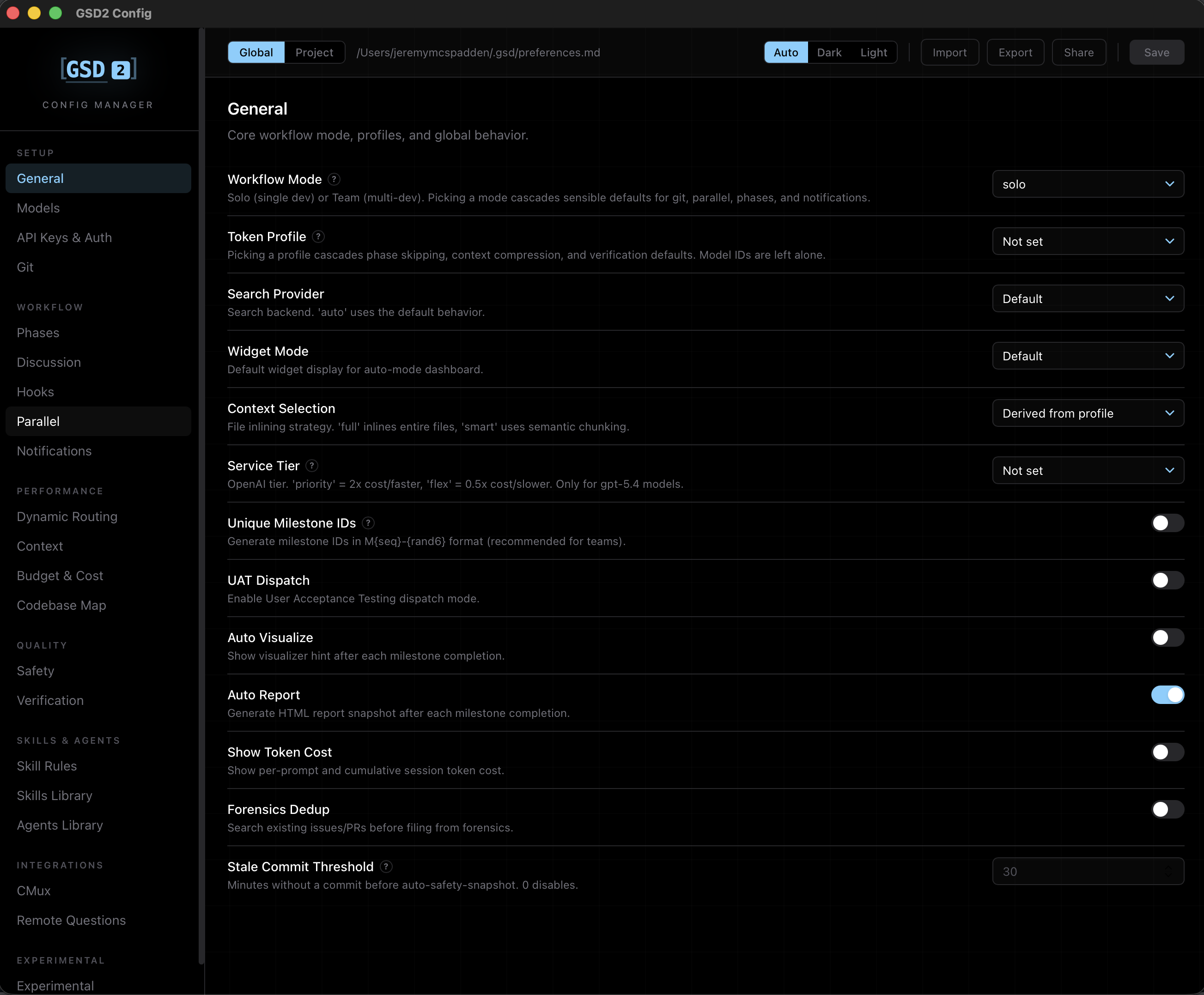 |
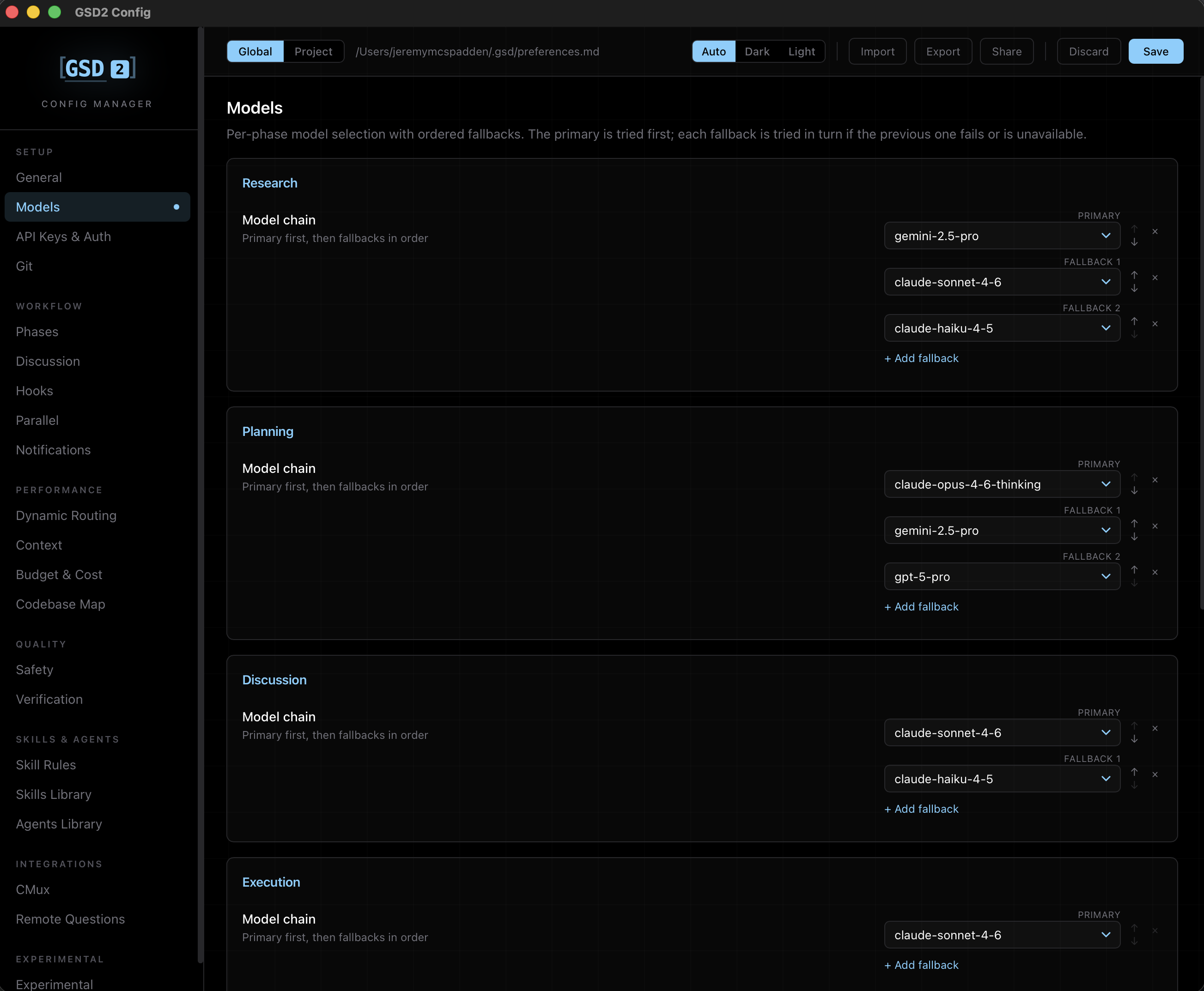 |
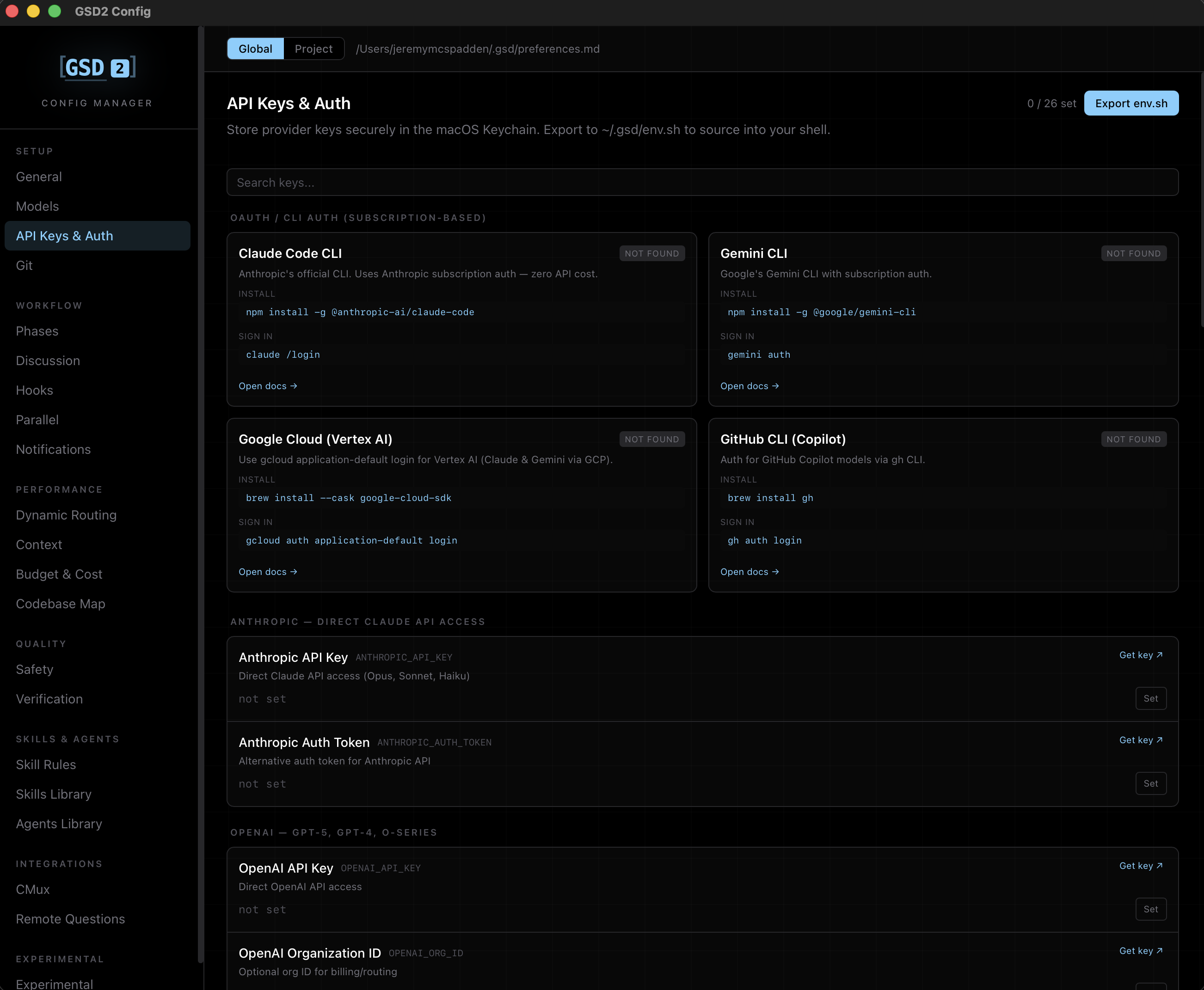 |
| Workflow mode, profiles, and global behavior toggles. | Per-phase model selection with ordered fallback chains. | Keychain-backed provider keys and CLI auth status. |
What it does
- Edit preferences visually. Every field in
.gsd/preferences.md(or~/.gsd/preferences.md) is exposed across organized sections — models, git, hooks, parallel execution, safety, verification, routing, and more. - Global or project scope. Toggle between editing your global preferences or a per-project file. Recent projects are remembered.
- Skills library. Browse, edit, create, and delete
SKILL.mdfiles in~/.claude/skills/and<project>/.claude/skills/. Legacygsd-*bundled skills are filtered out. - Agents library. Same workflow for
.claude/agents/*.mdsubagent definitions. - API keys via OS keychain. Store provider keys (Anthropic, OpenAI, etc.) in the system keyring and export them to a sourceable
~/.gsd/env.shshell file (mode0600). - Presets. Import/export
.preset.mdfiles for sharing configurations, or copy a redacted YAML block to the clipboard with the Share dialog (secrets are scrubbed before it leaves the app). - Atomic, snowflake-safe writes. Saves go through an atomic write path and stringy IDs (Discord channel IDs, etc.) survive round-trips without numeric truncation.
Tech stack
- Tauri 2 (Rust backend, system-native window)
- React 19 + TypeScript + Vite 8
- Tailwind CSS 4
keyringcrate for OS keychain access
Getting started
Prerequisites
- Node.js 20+
- Rust toolchain (stable)
- Tauri 2 prerequisites for your platform — see tauri.app/start/prerequisites
Install & run
npm install
npm run tauri dev
The dev server runs on port 1420. The app window opens automatically once the Rust backend compiles.
Build a release bundle
npm run tauri build
Bundles land in src-tauri/target/release/bundle/.
Keyboard shortcuts
| Shortcut | Action |
|---|---|
⌘K |
Open command palette (jump to any field) |
⌘S |
Save changes |
⌘⇧Z |
Discard changes |
[ / ] |
Previous / next section |
Project layout
src/                 React frontend
  components/        Sidebar, Palette, ShareModal, FormControls
  components/sections/  One file per preferences section
  hooks/             useDirty (change tracking)
  lib/               keyboard, presets, theme, validators, tauri listeners
  types.ts           TypeScript mirror of the GSD-2 preferences schema
src-tauri/           Rust backend
  src/lib.rs         Tauri command handlers (preferences, skills, agents, keys)
  src/core.rs        YAML serialization, frontmatter parsing, atomic writes
  tauri.conf.json    Window config & bundle settings
Where preferences live
- Global:
~/.gsd/preferences.md - Project:
<project>/.gsd/preferences.md
Both are markdown files with a YAML frontmatter block — fully compatible with hand editing if you ever need to drop into a text editor.
License
MIT © Jeremy McSpadden
Reviews (0)
Sign in to leave a review.
Leave a reviewNo results found