work-canvas-skill
Health Pass
- License — License: Apache-2.0
- Description — Repository has a description
- Active repo — Last push 0 days ago
- Community trust — 12 GitHub stars
Code Pass
- Code scan — Scanned 1 files during light audit, no dangerous patterns found
Permissions Pass
- Permissions — No dangerous permissions requested
No AI report is available for this listing yet.
Turn an agent's work: progress, reviews, research, comparisons into a single self-contained, reviewable HTML page (a work canvas). An Agent skill.
🛰️ work-canvas
Turn an agent's work — progress, debugging, analysis, comparisons, decisions — into a single, self-contained, reviewable HTML page you open in a browser.
English | 中文

When a long or messy task is better seen than read line-by-line in a terminal, work-canvas has the agent render its own work as one offline-openable HTML "work canvas".
| Light | Dark |
|---|---|
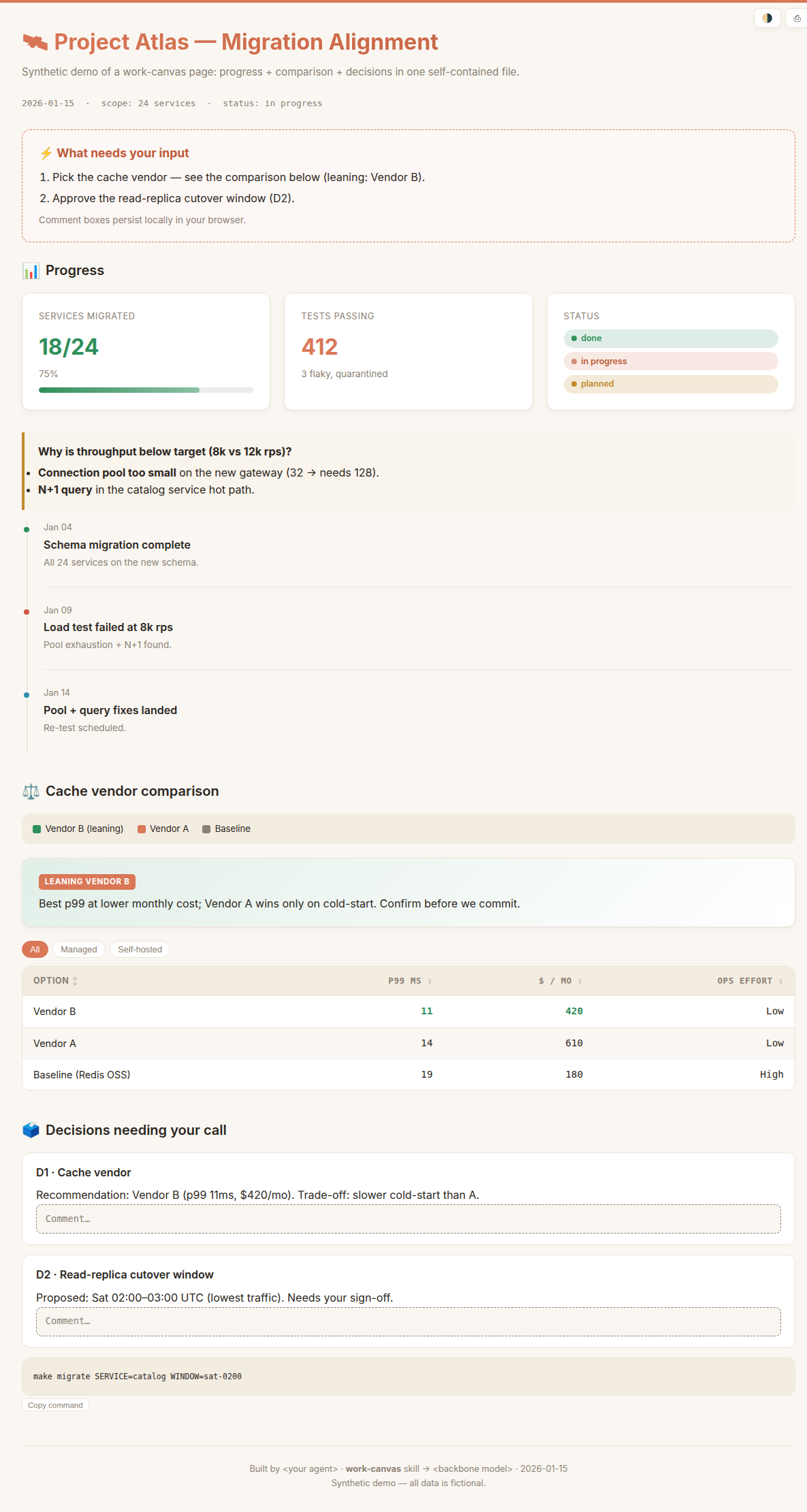 |
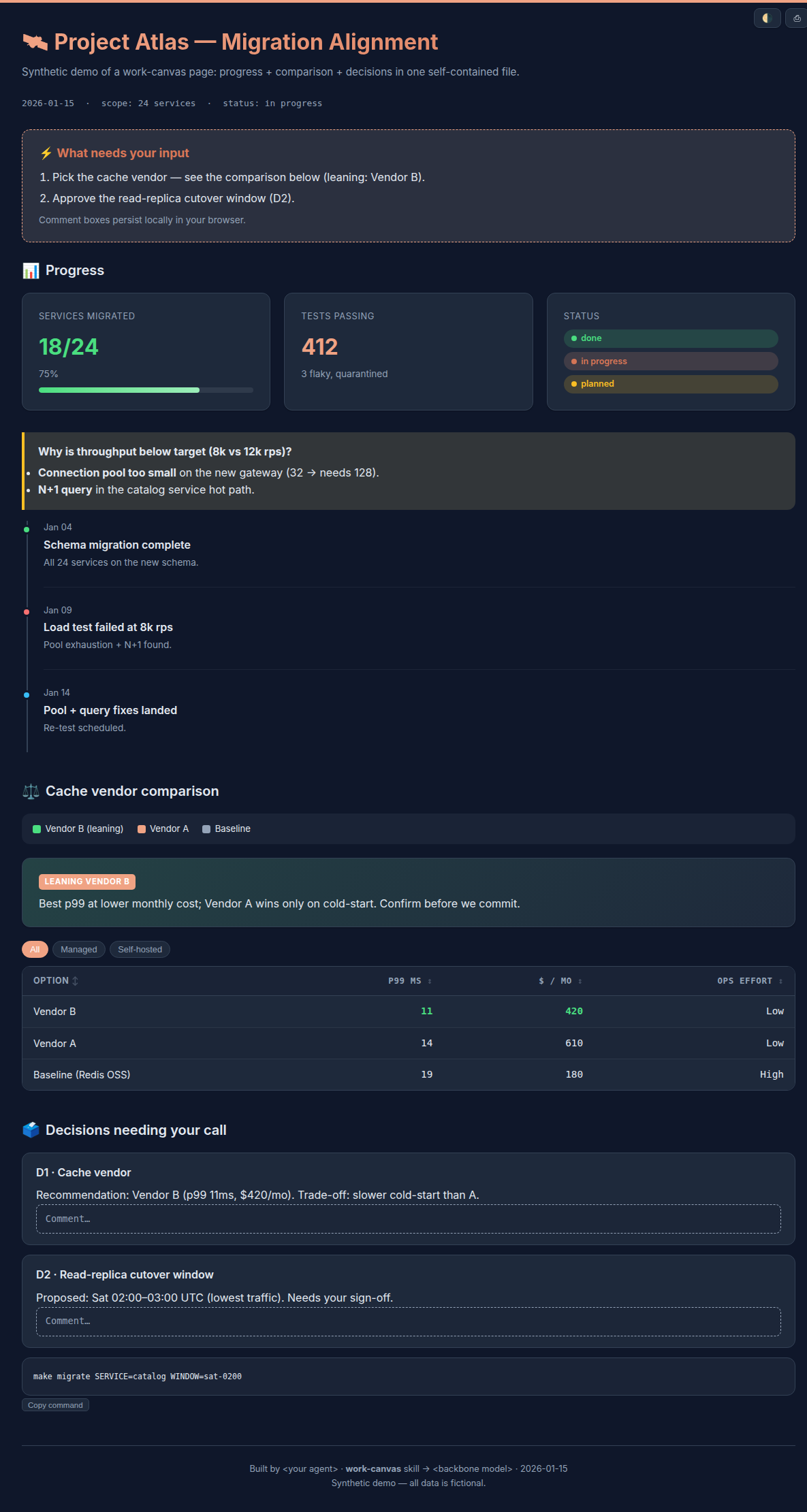 |
Why
Inspired by the idea (popularized by Andrej Karpathy) that an agent's output is often better rendered as a visual page than read as a wall of text. Terminal logs are the wrong medium for long, multi-subsystem, trial-and-error work — you want the whole picture, what broke, and what needs your input, in one glance.
What it produces
Three artifact types, each with a ready-made section skeleton and components:
- Progress / status report — KPI cards, a debugging timeline, status badges, action items with the next command attached.
- Review / decision memo — a verdict plus numbered decisions with inline, persistent comment boxes you can mark up; tabs or a sidebar for long content.
- Comparison / leaderboard — sortable / filterable tables with cost & latency columns, side-by-side panels, and an image lightbox.
Every page is one self-contained file (inline CSS/JS, embedded media, no CDN) that opens by double-click, offline. Light theme by default, dark via a toggle.
Install
This skill is agent-installable. The repo ships a packaged work-canvas.skill — a zip of just the skill folder (SKILL.md + assets/ + references/, no repo extras), so it's the cleanest thing to install.
Paste the following to your coding agent (Claude Code, Codex, Pi, OpenCode, …):
Download https://raw.githubusercontent.com/JingbiaoMei/work-canvas-skill/main/work-canvas.skill
(it's a zip). Extract it, and install the resulting `work-canvas/` folder for all my local
coding agents — copy it into each tool's skills directory (e.g. ~/.claude/skills/,
~/.codex/, ~/.agents/), as each tool expects. Then tell me where you installed it.
The .skill unzips to a clean work-canvas/ folder, ready to drop into any agent's skills directory.
Use
Once installed, just ask — the skill triggers on intent:
- "Make a work-canvas progress report for this benchmark run."
- "Give me a reviewable HTML to align on the design and decide next steps."
- "Build a comparison canvas of these three options."
- Use
/goalfor a long task; when the goal ends, the agent generates a
work-canvas progress/status report for that goal.
Or open examples/demo.html to see a rendered example.
What's in the box
SKILL.md                 router + workflow + conventions
assets/
  base.css               dual-theme design system (inlined into the page)
  interactions.js        opt-in vanilla-JS modules: theme · tabs · sort/filter · lightbox · copy · scrollspy · persist
  starter.html           copy-and-fill skeleton
references/
  progress-report.md     section skeleton + component recipes, one per type
  review-decision.md
  comparison.md
examples/
  demo.html / demo.zh-CN.html   synthetic showcase (EN / 中文), no real data
work-canvas.skill        packaged skill bundle
Principles (enforced for every page)
- Self-contained single file, offline-openable.
- Provenance footer — which agent + model + date built it.
- Surface only real open questions — never pad with already-resolved decisions.
- Never confuse the reader — a legend wherever a color or letter encodes meaning.
- Non-destructive — never edits your source files; shows paste-ready output instead.
License
Apache-2.0 © 2026 Jingbiao Mei
Reviews (0)
Sign in to leave a review.
Leave a reviewNo results found