DeepDeck
Health Warn
- License — License: MIT
- Description — Repository has a description
- Active repo — Last push 0 days ago
- Low visibility — Only 5 GitHub stars
Code Fail
- exec() — Shell command execution in apps/desktop/build/after-sign.cjs
- process.env — Environment variable access in apps/desktop/scripts/write-vibeloft-telemetry-config.mjs
- process.env — Environment variable access in apps/desktop/src/main/auto-update.ts
Permissions Pass
- Permissions — No dangerous permissions requested
No AI report is available for this listing yet.
DeepDeck — an extensible desktop workspace for DeepSeek Harness.

DeepDeck
A native-feeling desktop client for DeepSeek Harness.
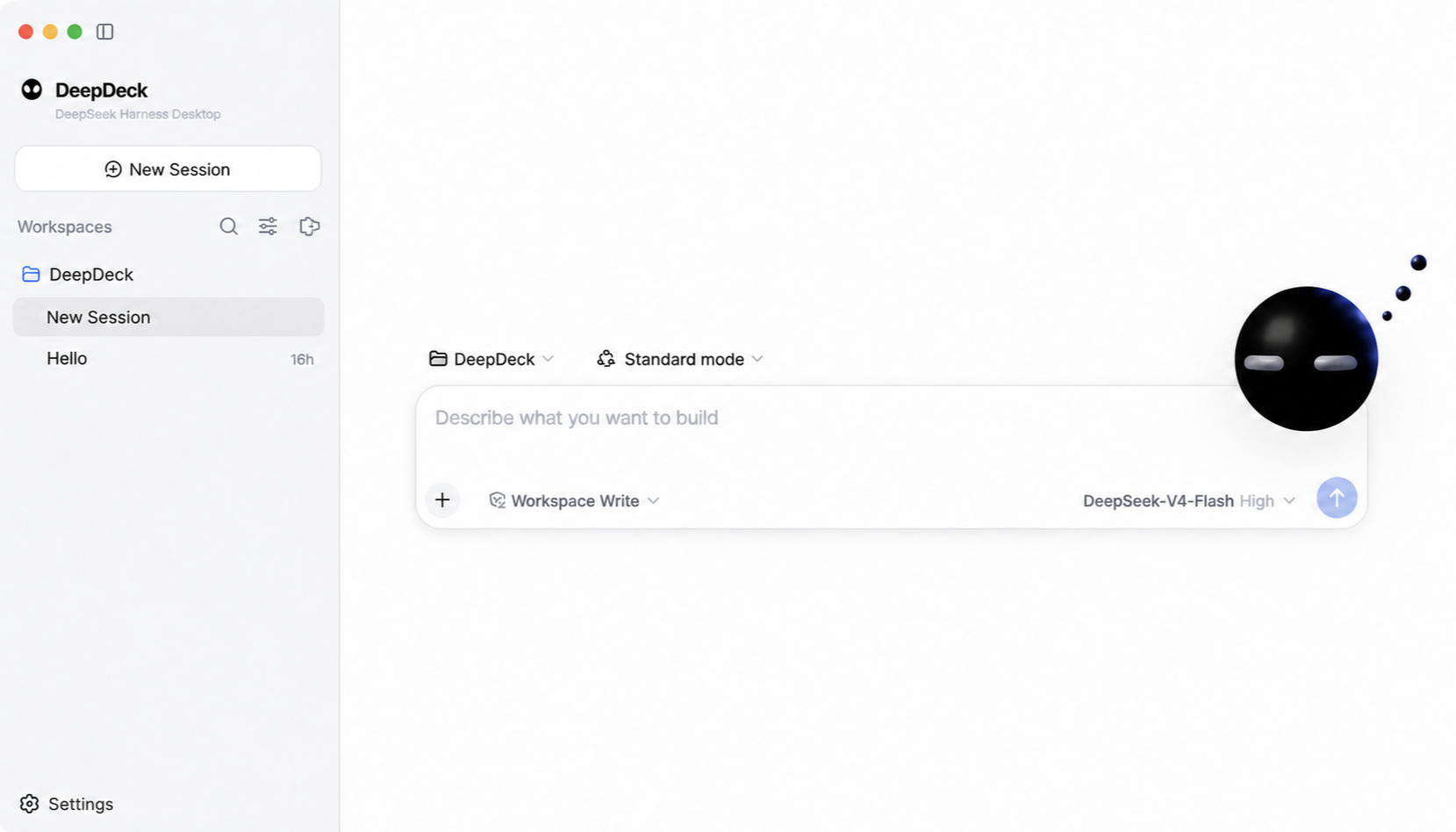
DeepDeck is a native-feeling desktop client built on DeepSeek Harness. The upstream project is pinned as a shallow Git submodule at vendor/deepseek-harness; this repository owns the desktop lifecycle, plugin-composed interface, branding, packaging, and automatic-update layer. dsh-codex-connect remains a separate pinned checkout and is preloaded as an ordinary Cordis bundle.
DeepDeck reuses the official web profile and its complete plugin-composed UI. The desktop host starts the Harness process on an OS-assigned loopback port, waits for it to become ready, then opens the local UI in the application window. Closing the app shuts the Harness process down cleanly.
Plugins can be discovered and installed from the dshfind-backed market in Settings → Apps. DeepDeck treats dshfind as a discovery catalog: it validates the selected GitHub repository and DSH bundle, previews the build plan, installs dependencies with lifecycle scripts disabled, and requires confirmation before running the plugin's own build script. Trusted local plugin source can also be compiled from Settings → Plugins → Bun Builder.
First run
Prerequisites: Node.js ^22.19.0 or >=24.0.0, Corepack, and Git.
git submodule update --init --depth 1
pnpm install
pnpm bootstrap
pnpm start
pnpm bootstrap installs and builds the pinned Harness and Codex Connect sources, then builds the desktop app. Later pnpm start runs reuse the existing desktop artifacts while source, build configuration, and dependencies are unchanged; relevant changes or missing artifacts trigger a rebuild automatically. Use pnpm start:rebuild to force a desktop rebuild.
The desktop uses the standard Harness home ($DSH_HOME, or ~/.dsh when unset), so profiles, model settings, credentials, patches, and installed plugins remain compatible with the upstream CLI. Set DSH_HOME before launch if an isolated desktop profile is desired.
Branding
User-facing branding lives outside the upstream submodule in branding/brand.json. Replace the referenced wordmark, mark, favicon, and app icon files to rebrand the desktop without editing vendor/deepseek-harness. Set DESKTOP_BRAND_PATH to load a different manifest at launch.
Useful commands
pnpm start             # reuse fresh artifacts, rebuild changed code, and launch
pnpm start:rebuild     # force a desktop rebuild and launch
pnpm start:packaged    # rebuild and launch the packaged desktop client
pnpm check             # type-check desktop main, preload, and renderer code
pnpm test              # run focused desktop tests
pnpm package:local     # build and verify an unsigned local macOS package
pnpm package:mac       # build signed production macOS packages
pnpm harness:build     # rebuild the pinned Harness checkout
See docs/architecture.md for the dependency boundary and the plugin integration direction.
Desktop updates
Packaged builds check for an update shortly after launch. When a release is available, the desktop sidebar shows an update indicator; the user starts the download explicitly and sees native updater progress. After the download completes, the desktop safely stops its Harness process, installs the update, and restarts automatically. Development launches do not contact an update service.
electron-updater reads the release provider generated into app-update.yml by the packaging pipeline. DEEPSEEK_DESKTOP_UPDATE_URL can override that provider with a generic HTTP(S) feed for controlled builds and update testing. Production updates are published to https://deepdeck-updates.getmegaportal.com. The feed contains platform metadata, signed artifacts, and blockmaps; macOS releases include the ZIP update target alongside the DMG.
See docs/release.md for the signed release process and rollback model.
License
DeepDeck is available under the MIT License. The pinned DeepSeek Harness submodule and other third-party dependencies retain their own licenses.
Reviews (0)
Sign in to leave a review.
Leave a reviewNo results found