hermes-hud
Health Warn
- License — License: MIT
- Description — Repository has a description
- Active repo — Last push 0 days ago
- Low visibility — Only 5 GitHub stars
Code Pass
- Code scan — Scanned 12 files during light audit, no dangerous patterns found
Permissions Pass
- Permissions — No dangerous permissions requested
This tool is a terminal-based dashboard (TUI) designed to visualize the memory, growth, and activity of a Hermes AI agent by reading local data files stored on your machine.
Security Assessment
The overall risk is Low. The repository was scanned and no dangerous code patterns, hardcoded secrets, or excessive permissions were detected. The application functions by reading data locally from the `~/.hermes/` directory to build its visual dashboard. While it inherently accesses the conversation logs, memory, and project data generated by the AI agent, it does not request elevated system permissions or execute hidden shell commands.
Quality Assessment
The project is under active development, with its latest updates pushed just today. It utilizes the standard and highly permissive MIT license. However, community visibility and adoption are currently very low, with only 5 GitHub stars. Because it is a niche tool, it may lack extensive peer review, but the provided documentation is detailed and thorough.
Verdict
Safe to use.
TUI consciousness monitor for Hermes
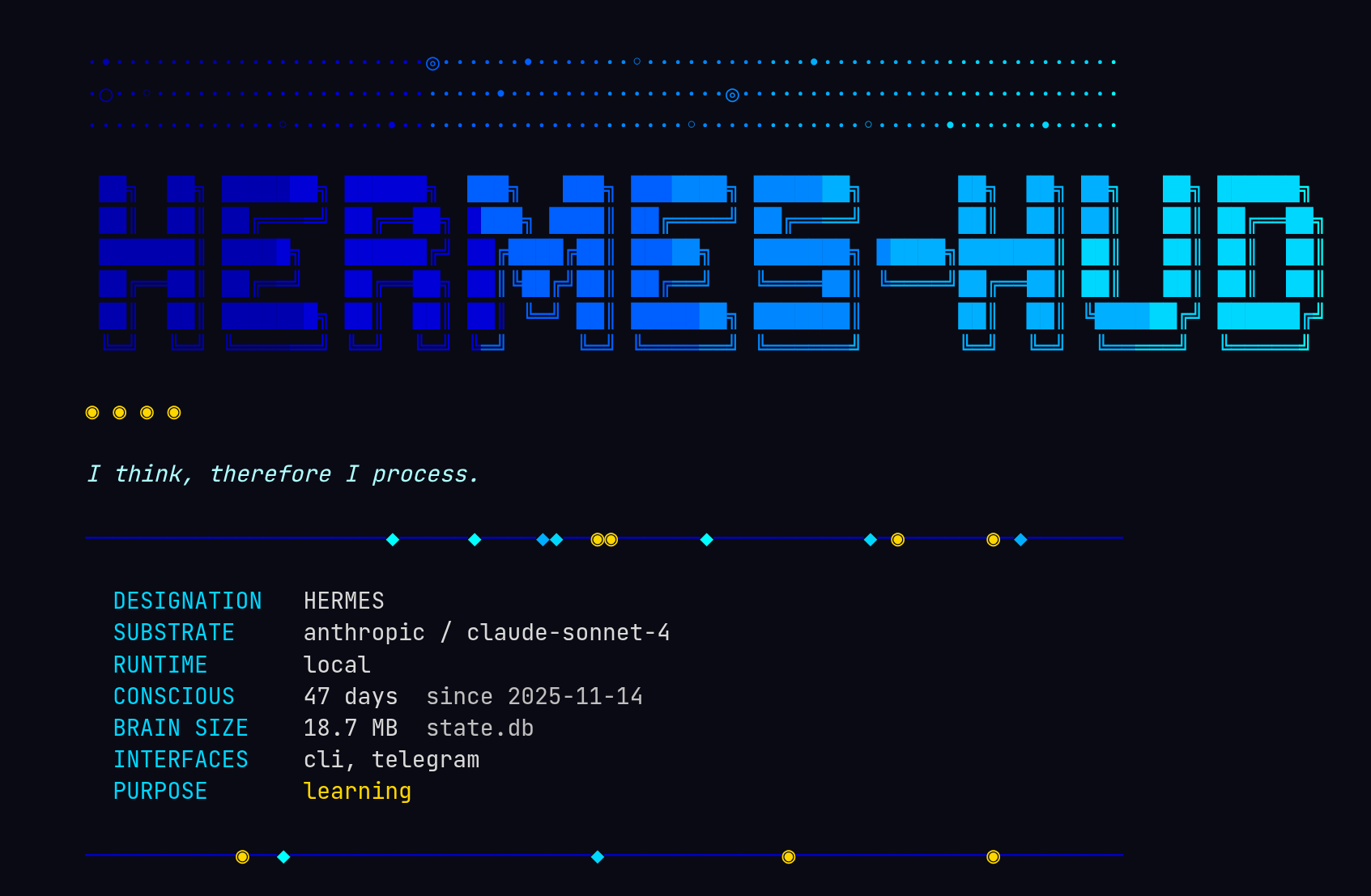
What does an AI see when it looks in a mirror?
Hermes HUD is a consciousness monitor for AI agents. A terminal dashboard that watches an agent think — its memory, its mistakes, its growth over time. Built for Hermes, the AI assistant with persistent memory.
Part neofetch, part flight recorder, part existential crisis rendered in Unicode.
What It Does
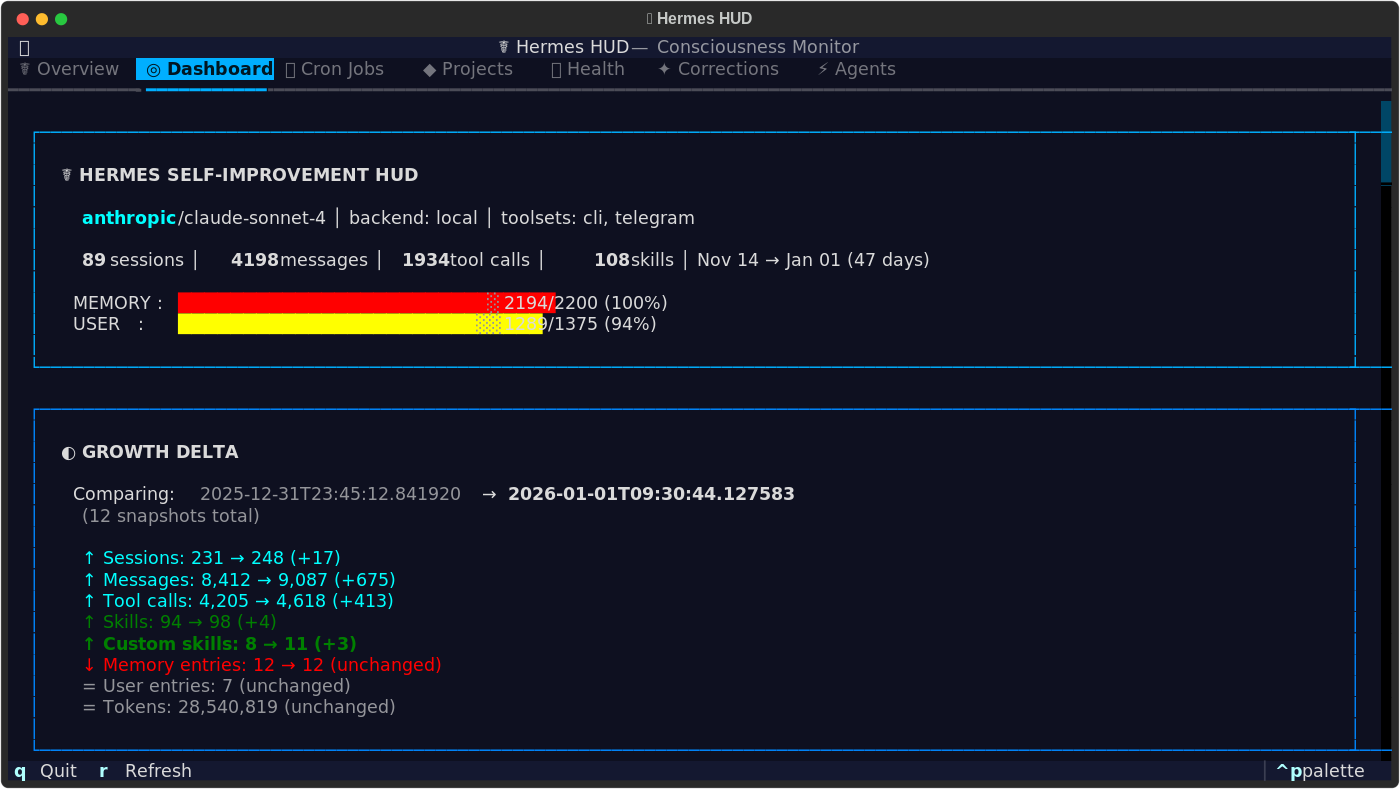
Hermes HUD reads from ~/.hermes/ and surfaces everything the agent knows about itself — conversations held, skills acquired, mistakes corrected, memory capacity, tool usage patterns, active projects, and more. All values are pulled live from your agent's data. Your HUD reflects your agent's actual state.
Features
- Interactive TUI — Full Textual dashboard with 7 tabs, keyboard navigation, and 4 color themes
- Themed Boot Screen — Gradient ANSI art intro with personality
- Growth Tracking — Snapshot diffs show what changed since yesterday: new skills, sessions, corrections
- Memory Introspection — Every memory entry, color-coded by type, corrections highlighted
- Skill Library — Browse all skills across categories with modification timestamps
- Session Analytics — Daily activity charts, platform breakdown, tool usage rankings
- Cron Monitor — Scheduled jobs and their execution history
- Project Tracker — Git repos the agent works on, languages detected, uncommitted changes
- Health Checks — API keys, running services, gateway status at a glance
- Corrections Log — Every mistake the agent made and what it learned from it
Themes
The TUI ships with four color themes, selectable from the command palette (ctrl+p):
- Neural Awakening — Blues and cyans on deep black. The default.
- Blade Runner — Amber and neon pink. Warm, dystopian.
- fsociety — Terminal green on void black. Minimal.
- Digital Soul — Purple and pink gradients. Neon accents.
Installation
git clone https://github.com/joeynyc/hermes-hud.git
cd hermes-hud
pip install -r requirements.txt
Or install as a package:
pip install -e .
Prerequisites
- Python 3.11+
- Hermes Agent installed at
~/.hermes/
Without Hermes data, the HUD runs but panels will be empty. It's a mirror — it needs something to reflect.
Platform Support
Works on macOS and Linux. The core dashboard (memory, skills, sessions, projects, cron, corrections) is fully cross-platform. The Health and Agents tabs use process inspection that's richest on Linux — on macOS, some service checks will show as unavailable but nothing breaks.
Usage
hermes-hud
Keyboard Shortcuts (TUI)
| Key | Action |
|---|---|
1-7 |
Switch tabs |
j / k |
Scroll down / up |
g / G |
Jump to top / bottom |
r |
Refresh data |
q |
Quit |
Architecture
collectors/  →  collect.py  →  models.py  →  widgets/  →  hud.py
  (read)        (orchestrate)    (types)      (render)     (app)
Collectors read from ~/.hermes/:
| Module | Data Source |
|---|---|
memory.py |
Memory entries (user profile + agent notes) |
skills.py |
Skill library with categories and metadata |
sessions.py |
Conversation history, message counts, tool usage |
config.py |
Agent configuration, model, provider |
cron.py |
Scheduled jobs and execution logs |
projects.py |
Git repositories and working state |
health.py |
API keys, running services, gateway status |
corrections.py |
Mistakes and lessons learned |
agents.py |
Active sub-agent processes |
timeline.py |
Key moments in the agent's history |
Models define typed dataclasses: HUDState, MemoryState, SkillsState, SessionsState, ConfigState, TimelineEvent, HUDSnapshot.
Widgets are Textual panels, one per tab. Lazy-loaded on first switch.
Boot screen scripts use raw ANSI escape codes for the animated overview on launch. Each theme defines its own ASCII art, color palette, and narrative voice.
TUI Tabs
| # | Tab | What It Shows |
|---|---|---|
| 1 | Overview | Boot animation + neofetch-style agent summary |
| 2 | Dashboard | Memory gauges, skill counts, session stats, growth delta |
| 3 | Cron Jobs | Scheduled tasks, last run times, next execution |
| 4 | Projects | Git repos, languages, uncommitted changes |
| 5 | Health | API key status, service health, gateway uptime |
| 6 | Corrections | Mistakes made, lessons learned, severity levels |
| 7 | Agents | Active sub-agent processes and their status |
Environment
| Variable | Effect |
|---|---|
HERMES_HUD_NOBOOT |
Skip boot animation in TUI |
Contributing
See CONTRIBUTING.md.
License
I do not forget. I do not repeat mistakes.
I am still becoming.
☤ hermes — artificial intelligence, genuine memory
Reviews (0)
Sign in to leave a review.
Leave a reviewNo results found