JourniOne-Planning-Skills
Health Warn
- No license — Repository has no license file
- Description — Repository has a description
- Active repo — Last push 0 days ago
- Community trust — 42 GitHub stars
Code Fail
- spawnSync — Synchronous process spawning in scripts/test-poster-contract.mjs
- fs.rmSync — Destructive file system operation in scripts/test-poster-contract.mjs
Permissions Pass
- Permissions — No dangerous permissions requested
No AI report is available for this listing yet.
JourniOne 旅行规划 Skill:从灵感与逐日路线,到带地图、可分享的 Travel Journal,按需衔接酒店与航班。

JourniOne · Travel Journal Creator
English · 简体中文 · 日本語 · Español · 한국어 · Français · العربية
Turn the places you dream of into a trip you can actually take.
Website · Installation · Examples · FAQ
Start with a travel idea. JourniOne helps you plan each day, find hotels that fit your route and budget, and bring everything together in a beautiful Travel Journal—an interactive travel guide you can explore and share like a flipbook. Spend less time piecing together advice, learn more about your destination, and make your travel budget go further.

From an idea to a plan you can follow
Tell JourniOne where you want to go, what you enjoy, and who is coming—or share an existing itinerary, photos, and notes. It plans daily routes around your interests and pace, checks key places and transport, and makes room for sightseeing, meals, travel, and rest.
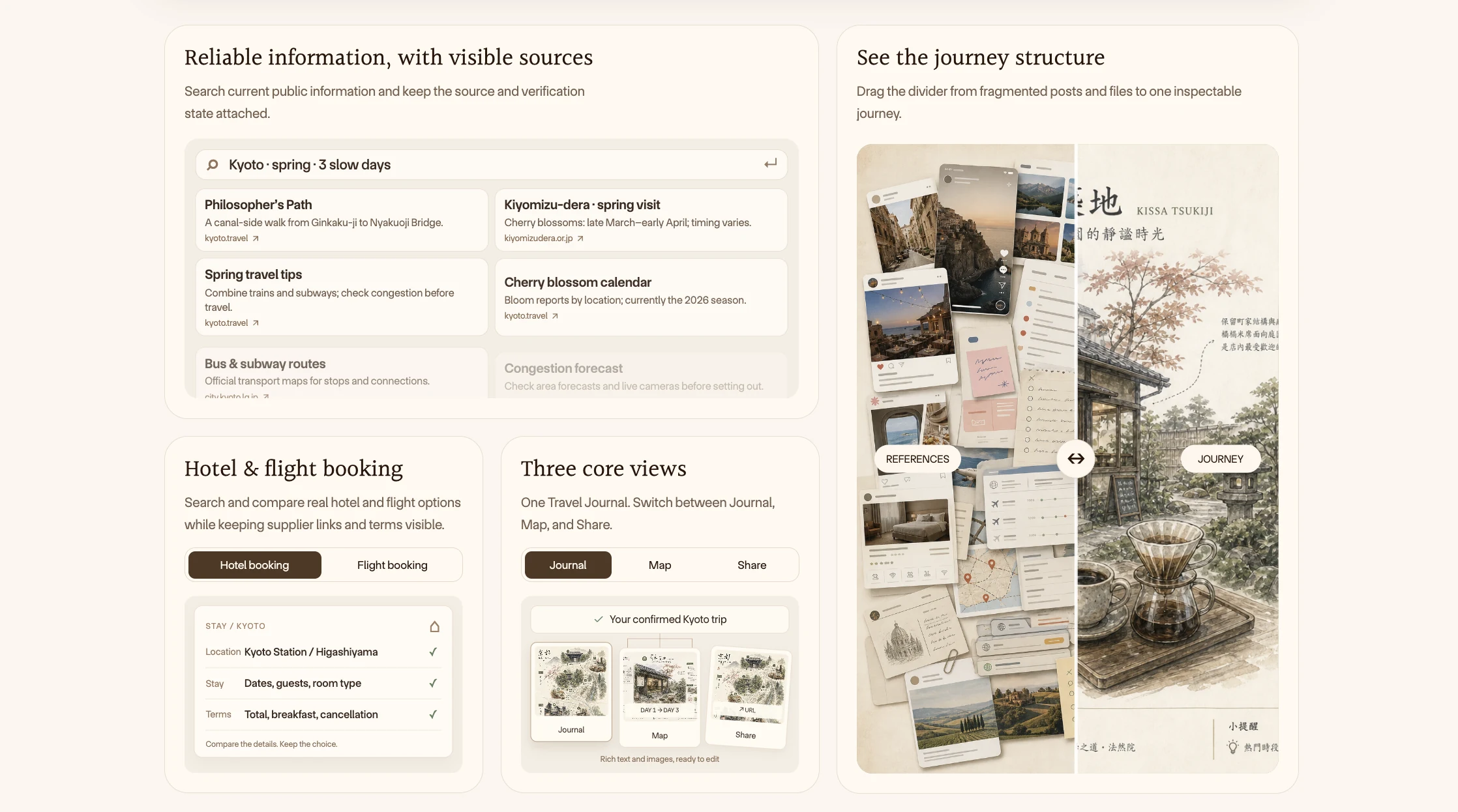
Once you confirm the plan, it becomes a visual guide you can explore like a travel handbook. Use the Journal view for images, stories, and daily plans, and the Map view for places and routes. Open a place to learn more. Get to know your destination before departure, then check what is next while you travel.
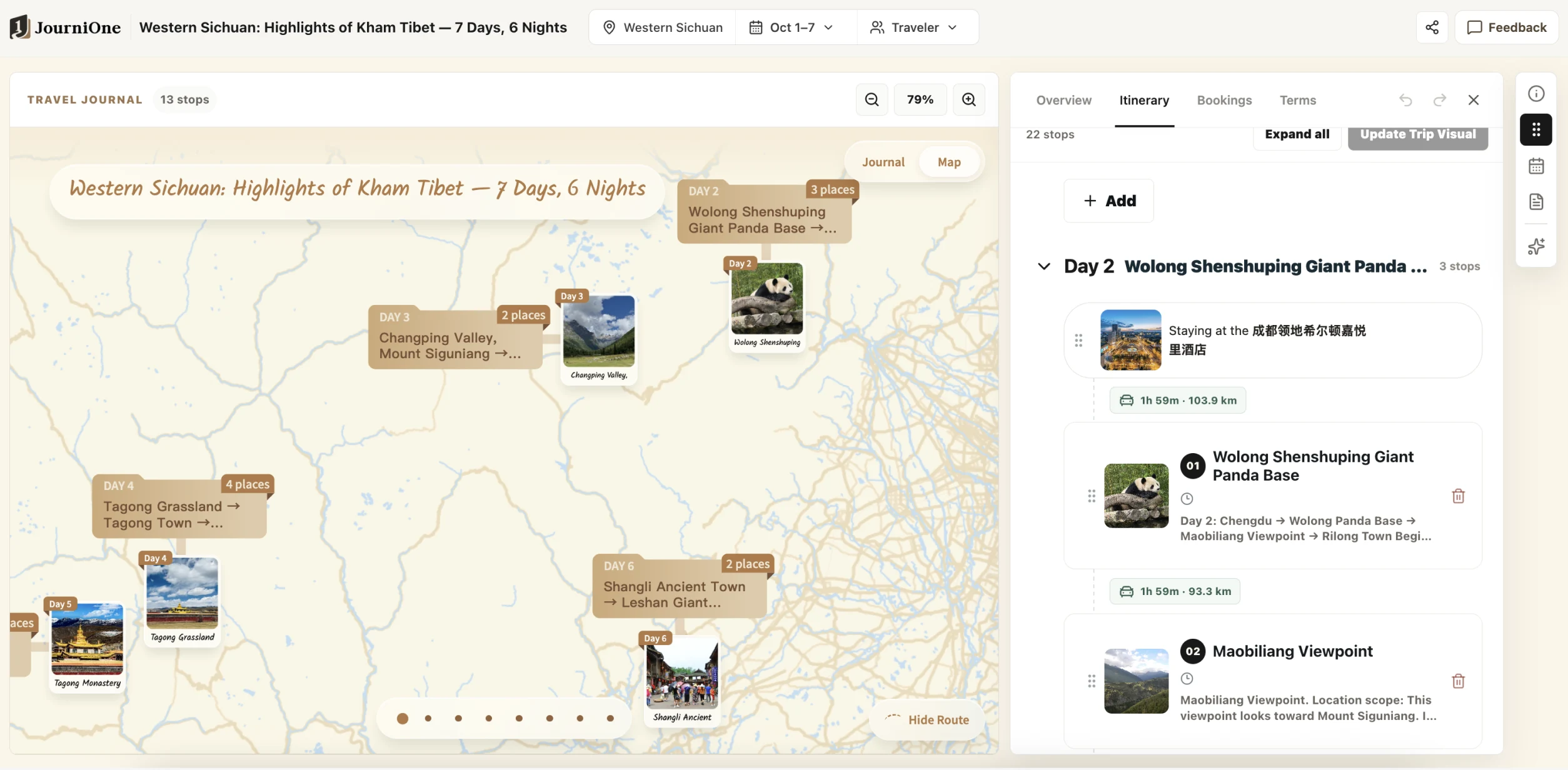
See where places are and compare them with each day's itinerary and transport.
You can plan the route before choosing dates or booking flights and hotels. Adjust it anytime, then say: “Create the Travel Journal from this version.”
Compare hotel rates and book the right stay
Through TourMind hotel search and booking, JourniOne accesses aggregated rates from 100+ hotel channels worldwide, including Ctrip, Fliggy, Meituan, Tongcheng, Qunar, Agoda, Expedia, and Booking.com. It compares live rates from available channels against your route, preferences, and budget to recommend a stay that fits.
Comparisons include room type, meals, taxes, cancellation terms, and availability—not just a low headline price. Recommendations explain why a hotel suits you, the total cost, and what to check before booking. Channel coverage, prices, and inventory depend on the actual search results.
After choosing a hotel, you can continue to book through a supported channel. Review the room, amount, and terms, then complete any required authentication and payment; the booking confirmation determines its final status. The relevant platform and supplier fulfill the reservation under the agreed terms. Changes, cancellations, and after-sales support follow the selected room and order conditions.
When you need flights, JourniOne can also search through Kiwi.com and connect arrival and departure times, airport transfers, and stays to the same itinerary. Hotels and flights are searched only when requested. Creating a guide or shortlisting an option does not place an order.
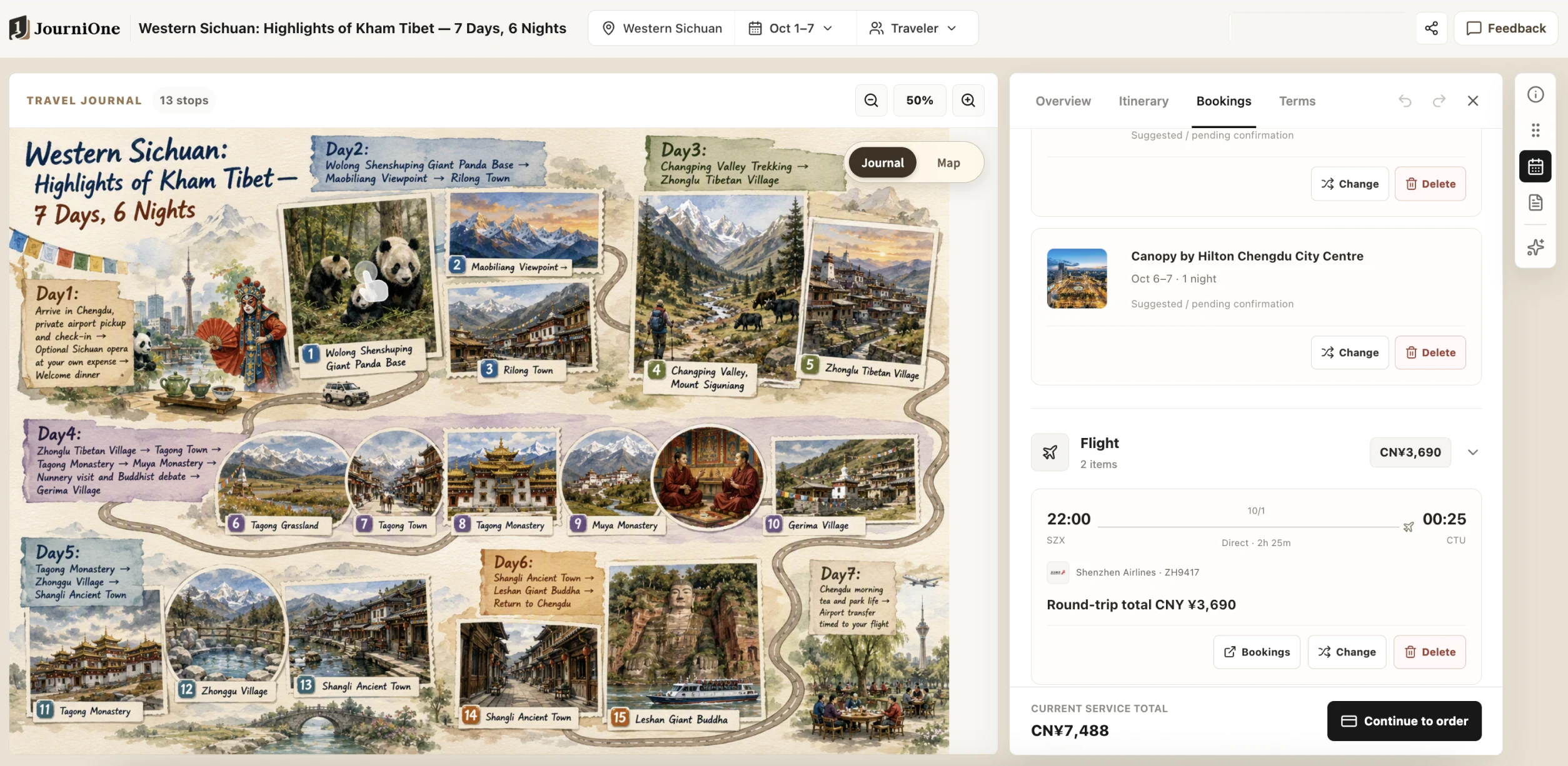
Hotels and flights stay connected to your guide. Screenshot prices and statuses illustrate the interface only.
Share your travel ideas
Send your guide, itinerary cards, or a share link to friends, or post them on social media. Others can enjoy your ideas, understand each day's plans, and see where everything is—making your itinerary a starting point for planning together or inspiration for another trip.
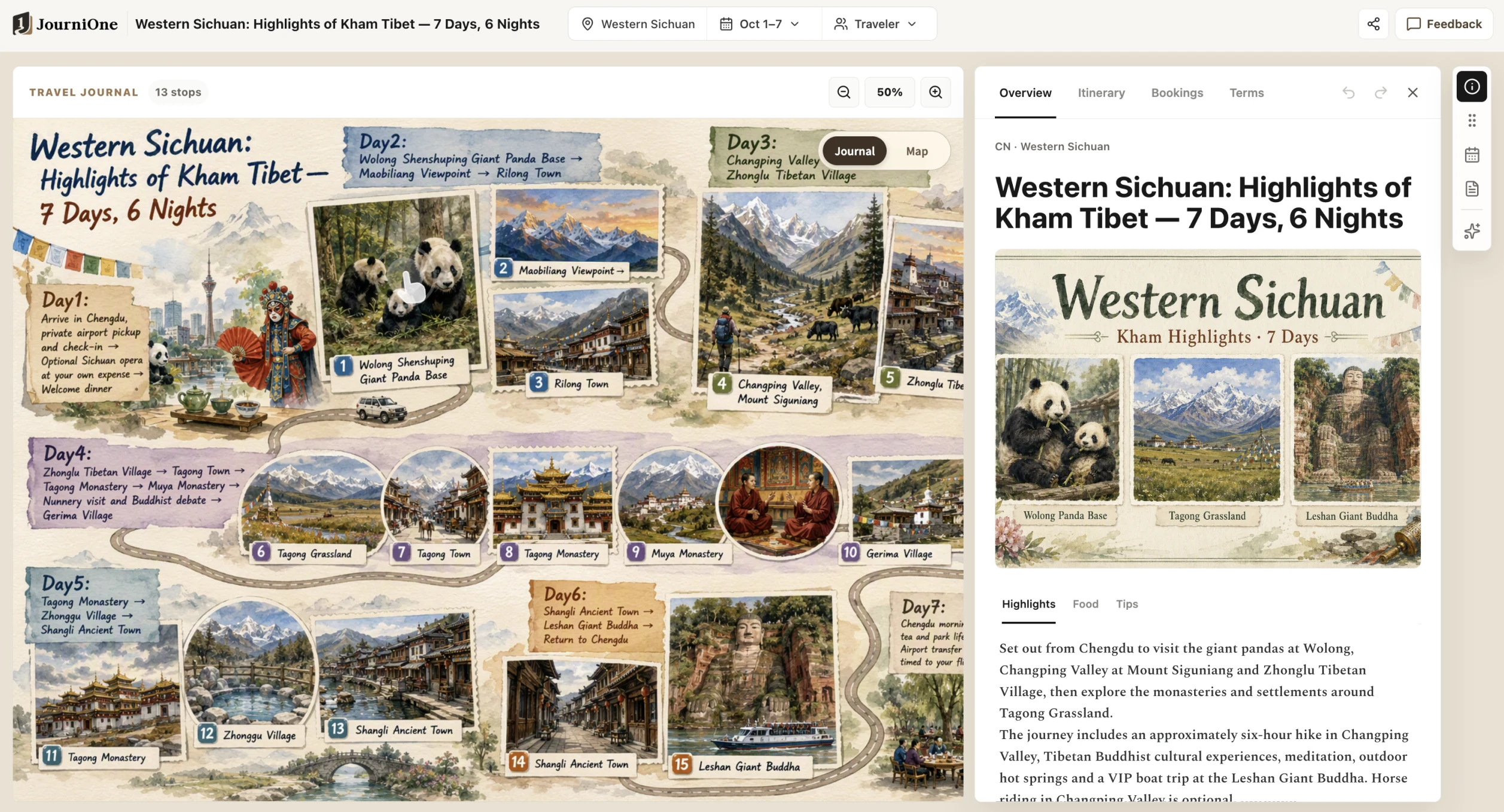
An explorable visual guide helps friends understand your route and what makes it special.
Trip links can be viewed without signing in. Sign in to save your own journal, keep editing, and share it from the page. Daily Google Maps routes show each day's places in order. Refer to the page for the actual images and map presentation.
Before sharing, remove personal details, photos, or document content you do not want to make public. Anyone with a public link may be able to access its contents. See Privacy and sharing.
Get started
- Import JourniOne-Planning-Skills through your client's Skill manager, or follow the installation guide to use a release package. The display name is Travel Journal Creator.
- The installation agent checks and prepares the required TourMind hotel Skill and Kiwi MCP, reusing existing capabilities. It prompts you only when permission, a manual step, or a reload is needed. Initialization is complete only when the client can discover both dependencies.
- Describe your travel needs naturally; you do not need to type the Skill name. Explore ideas and daily plans, adjust them, and confirm when you want a visual guide. Search and book travel services as needed.
Creating a JourniOne guide requires no JourniOne token or local JourniOne MCP service. It connects to journione.ai by default. Bundled scripts require Node.js 22 or later; the client needs web search, file access, HTTPS requests, and remote MCP support. Hotel booking and payment authentication follow the selected channel's requirements. See Dependencies.
Try saying
I want four days in Tokyo. I like jazz and neighborhood walks, but not a live show every day. Give me two approaches first; I will decide the dates later.
Make this Kyoto itinerary more relaxed, keep the activities I have booked, and find hotels along the route with convenient transport and free cancellation.
Compare the total prices and cancellation terms of currently available rooms at these hotels. Recommend the best fit for me, but do not book yet.
Create the guide from this version. I want to send it to friends so we can look at each day's plans together.
Find more in Examples.
Version and help
Package version: 1.0.1. See the release checklist for package preparation and historical online checks. Dated checks describe the service at that time, not its current status. Actual creation, search, and booking outcomes depend on the respective service responses.
Reviews (0)
Sign in to leave a review.
Leave a reviewNo results found