wp-sites-hq
Health Pass
- License — License: GPL-3.0
- Description — Repository has a description
- Active repo — Last push 0 days ago
- Community trust — 10 GitHub stars
Code Pass
- Code scan — Scanned 12 files during light audit, no dangerous patterns found
Permissions Pass
- Permissions — No dangerous permissions requested
No AI report is available for this listing yet.
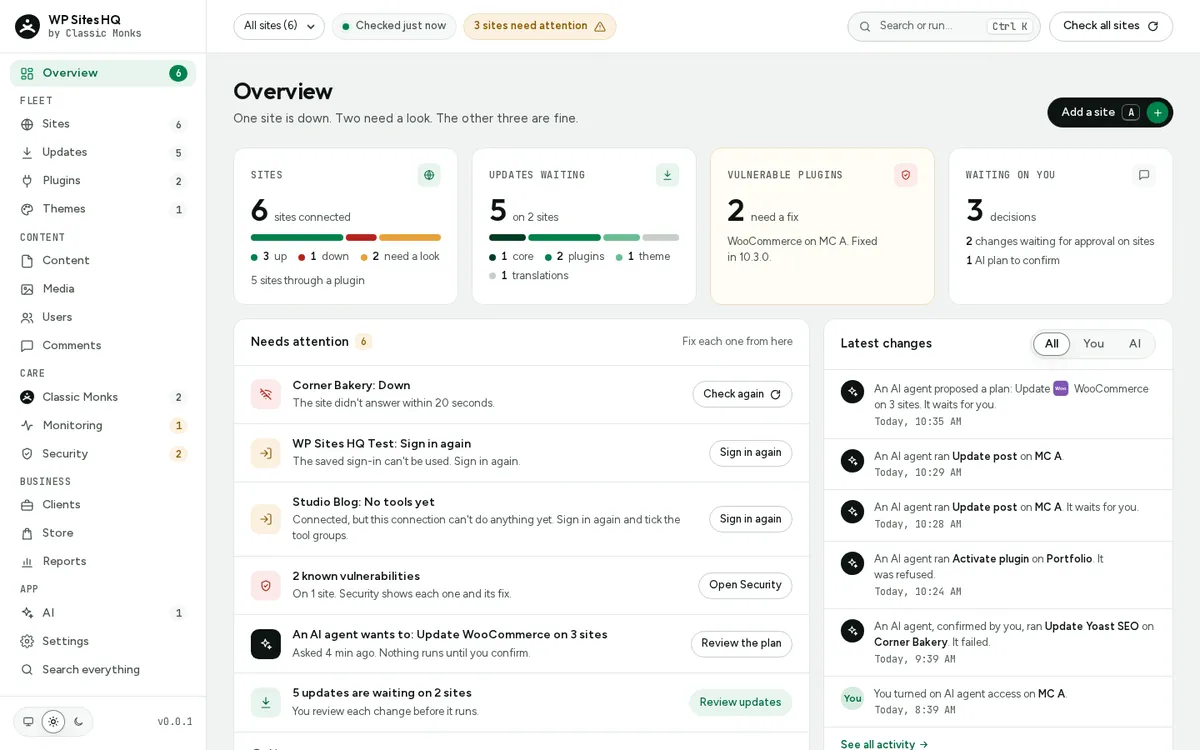
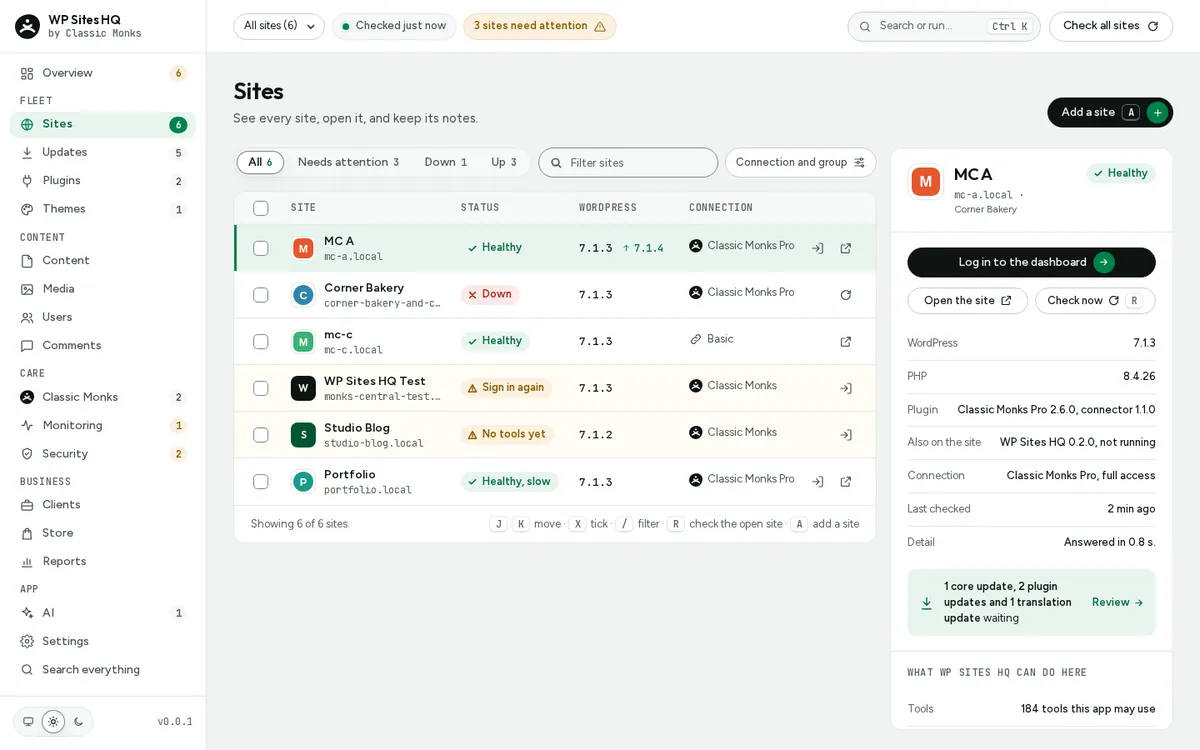
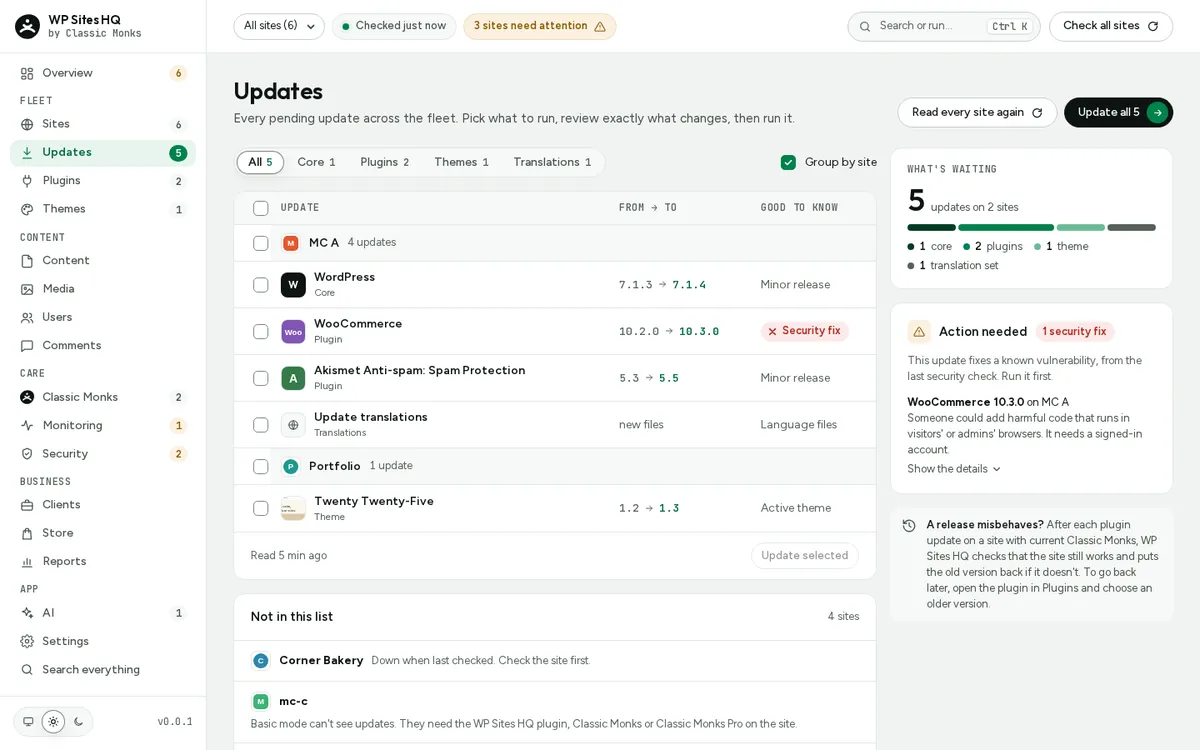
WP Sites HQ: a free, open-source desktop app to manage every WordPress site you run. Updates, plugins, content, monitoring and AI agents for macOS, Windows and Linux.
WP Sites HQ
Every WordPress site you run, in one app on your computer. Free, open source,
nothing to host.
Updates, plugins, themes, content, people, monitoring, client reports and AI
agents for 3 to 300 WordPress sites, from one desktop app on macOS, Windows and
Linux. No account, no cloud, no per-site price: your sites and their keys stay
on your computer (privacy).
Website: wpsiteshq.com. Status: 0.5.1 beta.
Install
Download the installer for your computer (macOS, Windows, Linux) from the
latest release.
For the most tools on a site, also install the
WP Sites HQ plugin.
The builds aren't code-signed yet, so macOS and Windows warn you the first time;
the install guide shows the one-time steps (macOS Open
Anyway, Windows SmartScreen, Linux AppImage, .deb and .rpm). The app updates
itself from GitHub Releases, and checks each update's signature first.
macOS says Apple could not verify WP Sites HQ
The macOS build is ad-hoc signed, not signed by an Apple-registered developer,
so the first open is blocked once. To open it:
- Drag WP Sites HQ from the
.dmginto Applications and open it.
When macOS says it could not verify the app, click Done. - Open System Settings > Privacy & Security, scroll down to Security
and click Open Anyway next to "WP Sites HQ was blocked". Confirm with
your password or Touch ID.
If macOS instead says "WP Sites HQ is damaged and can't be opened" (older
builds, or a download that lost its signature), the app isn't damaged. Click
Cancel (not "Move to Bin"), then run this in Terminal and open it again:
xattr -cr "/Applications/WP Sites HQ.app"
This removes the "downloaded from the internet" mark macOS put on the app.
If it still won't open, runcodesign -dv "/Applications/WP Sites HQ.app" 2>&1 | head -5 and include
what it prints in an issue.
Signed and notarised macOS builds will remove these steps.
Your sites need WordPress 7.1 or newer. With the
Classic Monks plugin on a site you get everything;
any other site connects in Basic mode (an application password) with fewer
tools.
Documentation: docs/site (build it with mdbook serve docs/site).
Build from source
crates/core: store, vault, network, core lock, local socket, sites (OAuth and Basic mode)crates/cli: thewpshqcommand (wpshq doctor,wpshq core,wpshq status,wpshq run,wpshq mcp)crates/app: the desktop app (Tauri 2)ui/: the app's web UI (React + TypeScript)
scripts/sidecar.sh               # once after cloning: the app needs the wpshq command beside it
cargo test --workspace
cd ui && npm ci && npm test
cargo run -p monks-cli -- doctor https://example.com
ui/node_modules/.bin/tauri dev   # the app, from the repo root
scripts/bundle.sh                # installers for this computer, in target/release/bundle
Linux needs the WebKitGTK 4.1 development packages for the app. See
CONTRIBUTING.md for the checks every change passes.
AI apps (wpshq mcp)
wpshq mcp is an MCP server on stdio for Claude Code, Claude Desktop, Cursor
and VS Code. It reaches every site through the running app (or starts a core
without a window), always as an agent:
claude mcp add wp-sites-hq -- wpshq mcp
or in an MCP config file: {"mcpServers": {"wp-sites-hq": {"command": "wpshq", "args": ["mcp"]}}}.
Five tools: sites_list, site_describe, run_ability, plan_changes,plan_status. Agents read every site. A change on one site needs AI agent
access for that site (turned on in the app, under AI) and the site's own
approval. Changes on many sites become a plan that runs only after you
confirm it in the app; no tool can confirm it.
Linux notes: docs/dev-linux.md.
Safety and monitoring
- Safe plugin updates. With Classic Monks 2.6 or newer on the site, each plugin
update is checked: the site must work before it, the site checks itself right
after it in the same request and puts the old version back if the new one fails
to load, and WP Sites HQ then loads the home page and reads the error log. A
rolled back update says why in the job. - Security. Once a day each site's WordPress, plugins and themes are looked up
in WPVulnerability (free, no key). The same
answers show plugins WordPress.org closed or nobody released for two years.
Classic Monks Pro compares files with WordPress.org's checksums. - Monitoring. Every 5 minutes each home page is loaded (up or down, how fast,
certificate expiry); domains are looked up over RDAP once a day; Google
PageSpeed runs on request for public sites (no key, so Google's shared daily
limit applies). Closing the window keeps WP Sites HQ in the tray, still
checking, with a desktop notice when a site goes down or comes back.
Content and business
- Content. Schedule entries, edit custom fields, put an earlier version back,
bring entries back from the trash, change many entries at once, and publish one
post on several sites in one job. Ctrl K searches every site's posts and pages,
plus your sites, plugins, themes and clients. - Plugins. Install a plugin or theme from a zip on your computer (Classic Monks
2.6 or newer), or a saved bundle of plugins in one go. - Clients and costs. Give sites to clients, track what each site costs you and
what clients pay, and export or import the whole list (JSON or CSV, never
passwords). - Store. A WooCommerce site's revenue, orders and low stock, and its products'
prices and stock, changed as a job (Classic Monks Pro). - Reports. Classic Monks' own reports per site (pages not found, searches,
unused media, logins, two-factor), and a monthly report per client as HTML and
PDF in Downloads, with your name, footer and colour, and white label. - Search numbers, off by default. Google Search Console through your own Google
OAuth client (read-only, kept in the keychain), and AgentedSEO on sites that have
it. Turn either on in Settings.
More
- Changelog
- Contributing
- Security: report problems privately
- Privacy
Licence
GPL-3.0-or-later. See LICENSE. Copyright (C) 2026 Good Monks.
Reviews (0)
Sign in to leave a review.
Leave a reviewNo results found