Drissionpage-MCP-Server
Health Pass
- License — License: NOASSERTION
- Description — Repository has a description
- Active repo — Last push 0 days ago
- Community trust — 90 GitHub stars
Code Pass
- Code scan — Scanned 12 files during light audit, no dangerous patterns found
Permissions Pass
- Permissions — No dangerous permissions requested
No AI report is available for this listing yet.
DrissionPage MCP Server · Browser automation for Claude Code, Codex, and MCP clients
DrissionPage MCP Server
Professional browser automation for Codex, Claude Code, and MCP clients powered by DrissionPage




Official Repositories: GitHub | GitCode
🧭 Client Setup Navigation
- Install + screenshot walkthrough
- Codex CLI/IDE quick setup
- Codex CLI/IDE integration example
- Claude Code setup
- Cursor setup
- Claude Desktop setup
- Troubleshooting
🚀 What is DrissionPage MCP?
DrissionPage MCP Server is a local Model Context Protocol (MCP) server that brings DrissionPage browser automation tools to Codex CLI/IDE, Claude Code, Claude Desktop, and other MCP clients.
Unlike screenshot-based approaches, it provides structured, deterministic web automation through 29 tools plus MCP Resources/Prompts that leverage the efficiency of DrissionPage, a high-performance browser automation framework.
🌟 Why Choose DrissionPage MCP?
- LLM-Optimized: Works with structured data instead of requiring vision models
- Deterministic: Reliable element selection with CSS/XPath normalization for LLM-friendly selectors
- Fast & Lightweight: Built on DrissionPage's efficient engine with minimal overhead
- Type-Safe: Full type hints and Pydantic validation for all tools
- Open-source Friendly: Includes compatibility notes, troubleshooting, and CI checks for maintainable contributions
- Easy Integration: Simple
pip install+ Codex TOML or MCP JSON configuration
✅ Quality and Real-World Validation
DrissionPage MCP is backed by a strict regression suite and browser-backed scenario checks:
- Strict automated tests: unit, protocol, schema snapshot, response-contract, resource/prompt, release-metadata, security-policy, browser-integration, and coverage checks run in CI.
- 95% coverage floor: CI enforces the current 95% coverage threshold and uploads coverage reports.
- Real browser verification: Chrome/Chromium-backed integration tests exercise the same MCP tools exposed to clients.
- Scenario validation: the playground MCP Lab covers realistic forms, commerce pages, social feeds, timelines, dynamic waits, iframe cases, and recovery paths without depending on public demo websites.
⚡ First Success Path
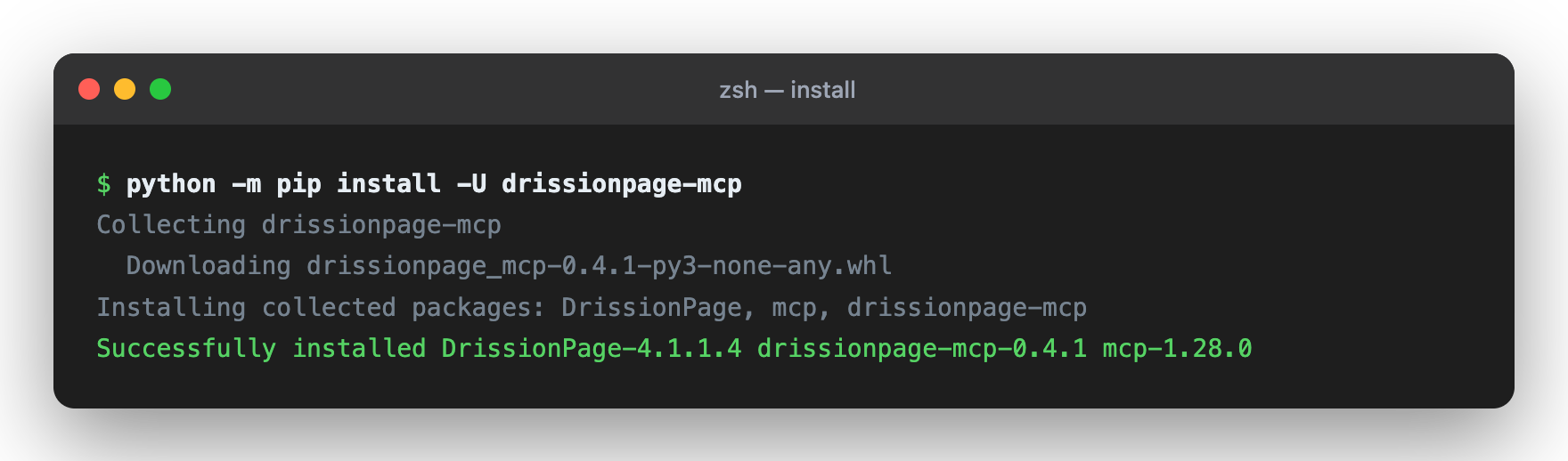
# Install from PyPI
python -m pip install -U drissionpage-mcp

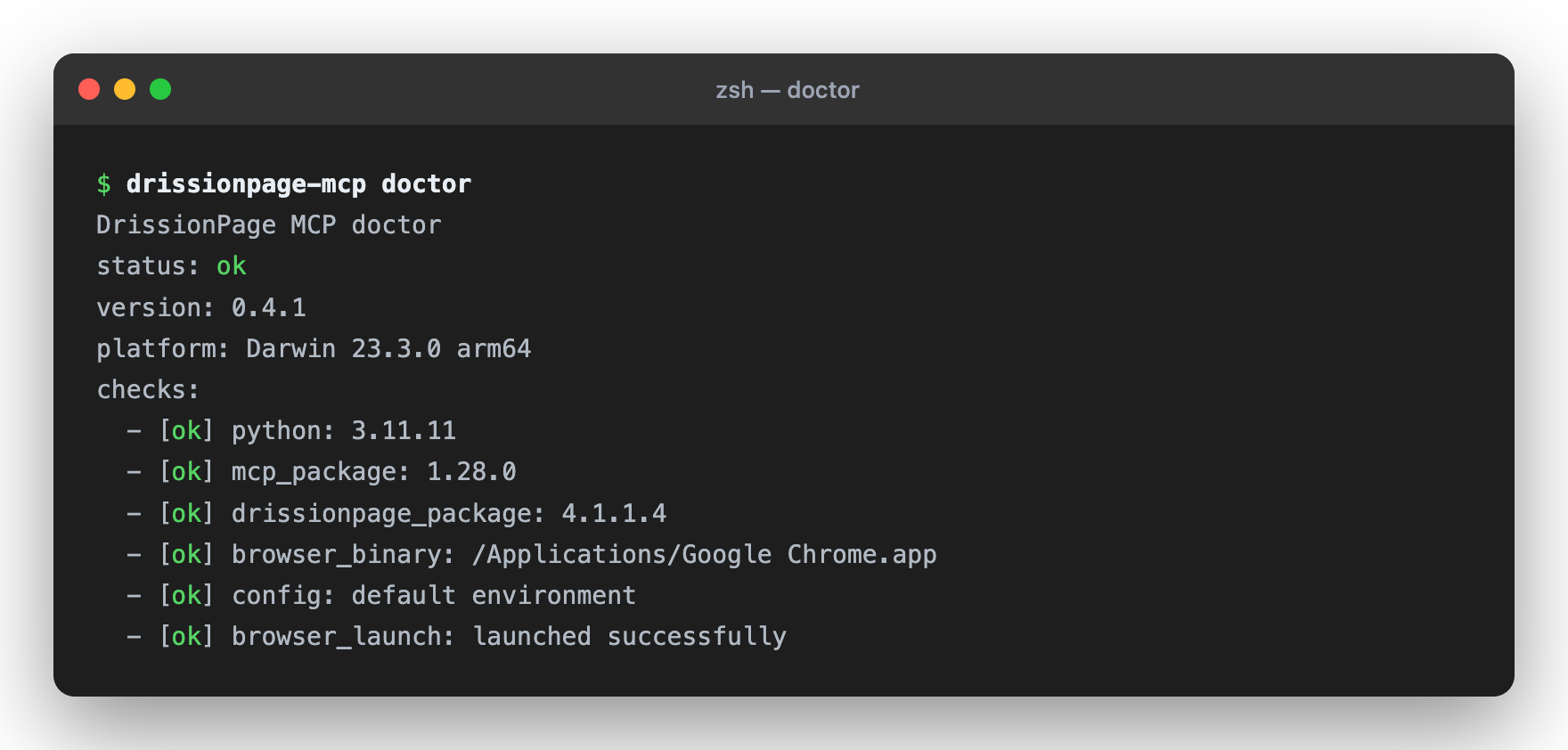
# Verify package and environment
drissionpage-mcp --version
drissionpage-mcp doctor
Then add the Codex or MCP client configuration below and restart your client.
📦 Setup in Codex CLI/IDE (30 seconds)
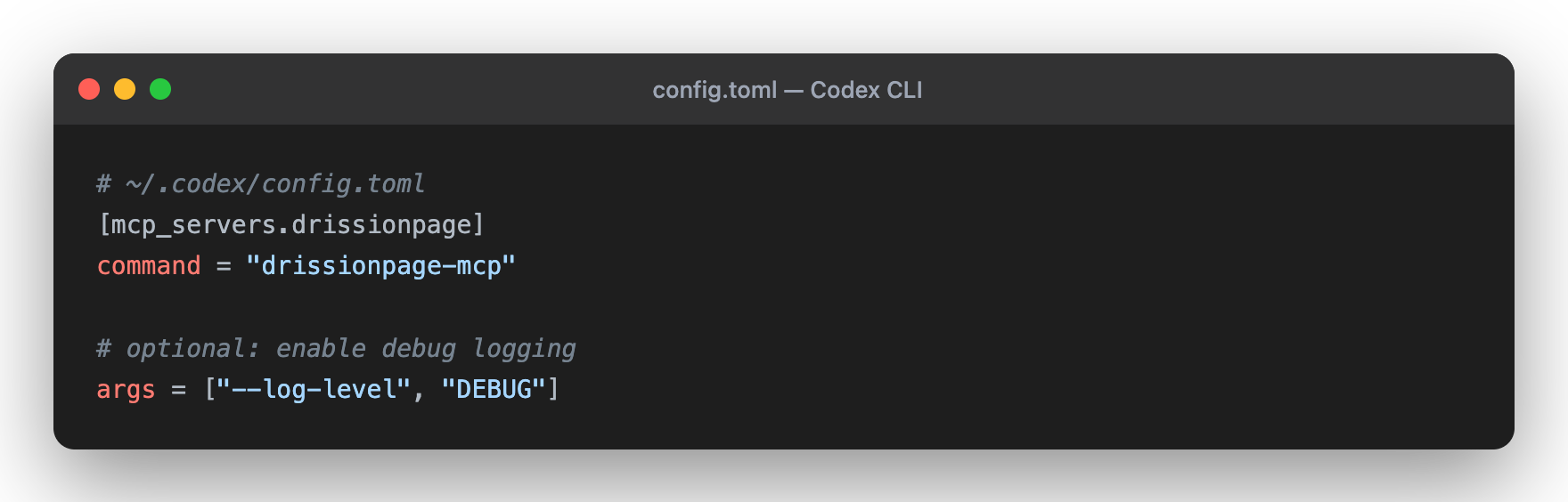
Codex supports local stdio MCP servers through config.toml; the CLI and IDE extension share the same MCP configuration.
Edit Codex configuration:
- User-level:
~/.codex/config.toml - Project-level:
.codex/config.tomlinside a trusted project
- User-level:
Add this configuration:
[mcp_servers.drissionpage]
command = "drissionpage-mcp"
startup_timeout_sec = 20
tool_timeout_sec = 60
Restart Codex. In the TUI, run
/mcp; from a shell, runcodex mcp list.
For Claude Code, Claude Desktop, and other JSON-based MCP clients, see Integration Examples.
🎯 Quick Examples
Navigate and Screenshot
"Visit https://example.com and take a screenshot for me"
Search and Extract
"Go to Wikipedia, search for Python, and get the first paragraph"
Form Automation
"Fill out the form at https://httpbin.org/forms/post and submit it"
Data Scraping
"Get the top 10 news headlines from news.ycombinator.com"
🛠️ 29 Powerful Tools + MCP Resources/Prompts
🌐 Navigation (4 tools)
page_navigate- Navigate to any URL; optionally open it in a new tab withnew_tabor return anobservechange summarypage_go_back/page_go_forward- Browser historypage_refresh- Reload current page
🗂️ Tab Operations (3 tools)
tab_list- List open browser tabs with stable MCP tab IDstab_switch- Switch to a tab returned bytab_listtab_close- Close one tab without closing the whole browser
🎯 Element Interaction & Extraction (8 tools)
element_find- Find one element by CSS selector or XPath; bare selectors likeh1are treated as CSSelement_find_all- Extract bounded repeated elements with text, attributes, and recommended selectorselement_click- Click any elementelement_type- Input text into elementselement_get_text- Get element or page textelement_get_attribute- Get an HTML attributeelement_get_property- Get a live DOM property such as an input valueelement_get_html- Get element or page HTML
🧾 Form Operations (1 tool)
form_inspect- Inspect forms and controls with labels, selectors, requirements, options, and safe optional values
📸 Page Operations (8 tools)
page_screenshot- Capture full page or viewportpage_snapshot- Return a bounded page outline with headings, links, buttons, inputs, forms, and selector recommendationspage_observe- Return a compact page fingerprint with URL, title, counts, visible text samples, active element, and recent console summarypage_evaluate- Run bounded JavaScript in the current page and return a JSON-safe resultpage_resize- Adjust browser windowpage_click_xy- Click by coordinatespage_close- Close browserpage_get_url- Get current URL
🧪 Debug / Observability (1 tool)
page_console_logs- Read bounded browser console messages with level filtering, cursor pagination, and limits
⏱️ Wait Operations (4 tools)
wait_for_element- Wait for element to appear (with timeout)wait_for_url- Wait until the current URL contains textwait_until- Wait for observable conditions such as clickable, hidden, stable, text, or URL matcheswait_time- Delay execution
🧩 MCP Resources and Prompts
- Resources:
drissionpage://session/summary,drissionpage://session/history,drissionpage://page/current,drissionpage://tools/catalog,drissionpage://policy/summary - Prompts:
browser_navigate_and_summarize,browser_extract_structured_data,browser_fill_form_safely,browser_debug_page_issue
📚 Documentation
| Guide | Description |
|---|---|
| README.md | Installation, tools, and architecture |
| docs/compatibility.md | Supported Python, DrissionPage, MCP, and browser versions |
| docs/tool-contract.md | Public MCP tool names, inputs, annotations, and response shape |
| docs/troubleshooting.md | Doctor command, browser startup, and client setup fixes |
| CHANGELOG.md | Release notes |
🏗️ Architecture
Built with clean, modular design:
DrissionMCP/
├── drissionpage_mcp/
│   ├── cli.py              # Entry point
│   ├── server.py           # MCP server
│   ├── context.py          # Browser management
│   ├── response.py         # Response formatting
│   ├── tab.py              # Page operations
│   └── tools/              # 29 automation, tab-management, page-understanding, form, debug, and observable-action tools
├── tests/                  # Unit tests
└── playground/             # MCP Lab business-scenario playground
Key Principles:
- ✅ Type-safe Pydantic models for all tools
- ✅ Async/await throughout
- ✅ Clean separation of concerns
- ✅ Comprehensive error handling
- ✅ Unit and protocol test coverage for core tool registration/response behavior
🔧 Configuration
Codex CLI / IDE (Recommended)
[mcp_servers.drissionpage]
command = "drissionpage-mcp"
startup_timeout_sec = 20
tool_timeout_sec = 60

# Optional browser/runtime environment variables:
# [mcp_servers.drissionpage.env]
# CHROME_PATH = "/custom/path/to/chrome"
# DP_HEADLESS = "1"
# DP_NO_SANDBOX = "1"
You can also add it with the Codex CLI:
codex mcp add drissionpage -- drissionpage-mcp
If Codex/Cursor/Claude Desktop is launched from a GUI and cannot see your shellPATH or virtualenv, use the absolute Python executable instead:
[mcp_servers.drissionpage]
command = "/absolute/path/to/python"
args = ["-m", "drissionpage_mcp.cli"]
startup_timeout_sec = 20
tool_timeout_sec = 60
JSON MCP Clients
{
  "mcpServers": {
    "drissionpage": {
      "command": "drissionpage-mcp"
    }
  }
}
Advanced JSON Setup
{
  "mcpServers": {
    "drissionpage": {
      "command": "drissionpage-mcp",
      "args": ["--log-level", "DEBUG"],
      "env": {
        "CHROME_PATH": "/custom/path/to/chrome"
      }
    }
  }
}
Absolute-Python fallback for GUI clients:
{
  "mcpServers": {
    "drissionpage": {
      "command": "/absolute/path/to/python",
      "args": ["-m", "drissionpage_mcp.cli"],
      "env": {
        "CHROME_PATH": "/custom/path/to/chrome",
        "DP_HEADLESS": "1",
        "DP_NO_SANDBOX": "1"
      }
    }
  }
}
📋 Requirements
- Python 3.10+ (3.11+ recommended)
- Chrome or Chromium browser
- Any MCP-compatible client: Codex CLI/IDE, Claude Code, Claude Desktop, Cursor, VS Code, etc.
🧪 Testing
Verify Installation
# Environment diagnostics; add --launch-browser for a browser startup check
drissionpage-mcp doctor
drissionpage-mcp doctor --launch-browser

# Source checkout tests
python -m pip install -e ".[dev]"
python -m pytest tests/

# Coverage report (CI enforces the current 95% floor and uploads coverage.xml)
python -m pytest tests/ --cov=drissionpage_mcp --cov-report=term-missing --cov-report=xml

# Browser-backed MCP Lab scenario checks
DP_HEADLESS=1 python playground/run_mcp_lab.py --all --json
GitHub Actions runs lint, unit, protocol, package, browser integration, and
coverage jobs. Codecov is configured through codecov.yml and the CI workflow.
Try It Out
# No-browser MCP registry check
python playground/run_mcp_lab.py --case registry

# Local deterministic site check
python playground/run_mcp_lab.py --case site

# Browser-backed form inspection scenario
DP_HEADLESS=1 python playground/run_mcp_lab.py --case form-inspect
🚀 Use Cases
✅ Automated Testing - Test web applications
✅ Data Scraping - Extract structured data from websites
✅ Form Automation - Fill and submit forms
✅ Monitoring - Check for updates or changes
✅ Screenshot Verification - Capture and verify page state
✅ Content Analysis - Analyze web content programmatically
🐛 Troubleshooting
Tools Not Loading?
drissionpage-mcp --version
Should output the installed package version, for example drissionpage-mcp 0.5.3.
Browser Issues?
# Check browser installation
which google-chrome    # Linux
which chromium         # macOS
Codex / MCP Client Not Finding Server?
- Codex: run
codex mcp list; in the TUI, run/mcp - JSON clients: verify config file path and JSON syntax
- Restart Codex or your MCP client after changes
- Check logs:
drissionpage-mcp --log-level DEBUG
See docs/troubleshooting.md for the complete troubleshooting guide.
📊 Project Status
| Component | Status |
|---|---|
| Core Features | ✅ Complete |
| Testing | ✅ Strict unit/protocol/schema checks plus browser-backed scenarios |
| Documentation | ✅ Setup, compatibility, troubleshooting, and public tool contracts |
| Package | ✅ PyPI metadata and build checks |
| Status | 🟡 Beta; real browser behavior depends on local Chrome/Chromium and target sites |
Version: 0.5.3 | License: Apache 2.0 | Maintained: ✅ Active
🗺️ Roadmap
Current (v0.5.3)
- 29 core automation, tab-management, page-understanding, form-inspection, and console-observability tools with removed alias surface
- stdio MCP server integration
- Doctor diagnostics for local setup
- Stable JSON mirror,
structuredContent, and typed per-tool MCPoutputSchema - Structured recovery hints in
error.details.hintsfor common failures - Balanced
page_snapshotoutput so link-heavy pages still expose controls and forms -
form_inspectread-only form inventory with labels, selectors, requirements, options, and safe optional values - Tab management with
tab_list,tab_switch,tab_close, andpage_navigate(new_tab=true) - Observable actions with
page_observe,page_evaluate,wait_until, and optionalobserve=truechanges on navigation, click, and type - Console observability with
page_console_logs, console summary inpage_observe, and console change fields inobserve=true - Redacted session history resource and response size metadata for bounded outputs
- Opt-in local safety policy for navigation and screenshot paths
- Resources, prompts, eval harness, compatibility, and troubleshooting documentation
- PyPI distribution
Future (v0.5+)
- Form handling utilities
- File upload support
- Shadow DOM selectors
- Session persistence
- Proxy support
- Network interception
📖 Integration Examples
Codex CLI / IDE
[mcp_servers.drissionpage]
command = "drissionpage-mcp"
startup_timeout_sec = 20
tool_timeout_sec = 60
Verify with:
codex mcp list
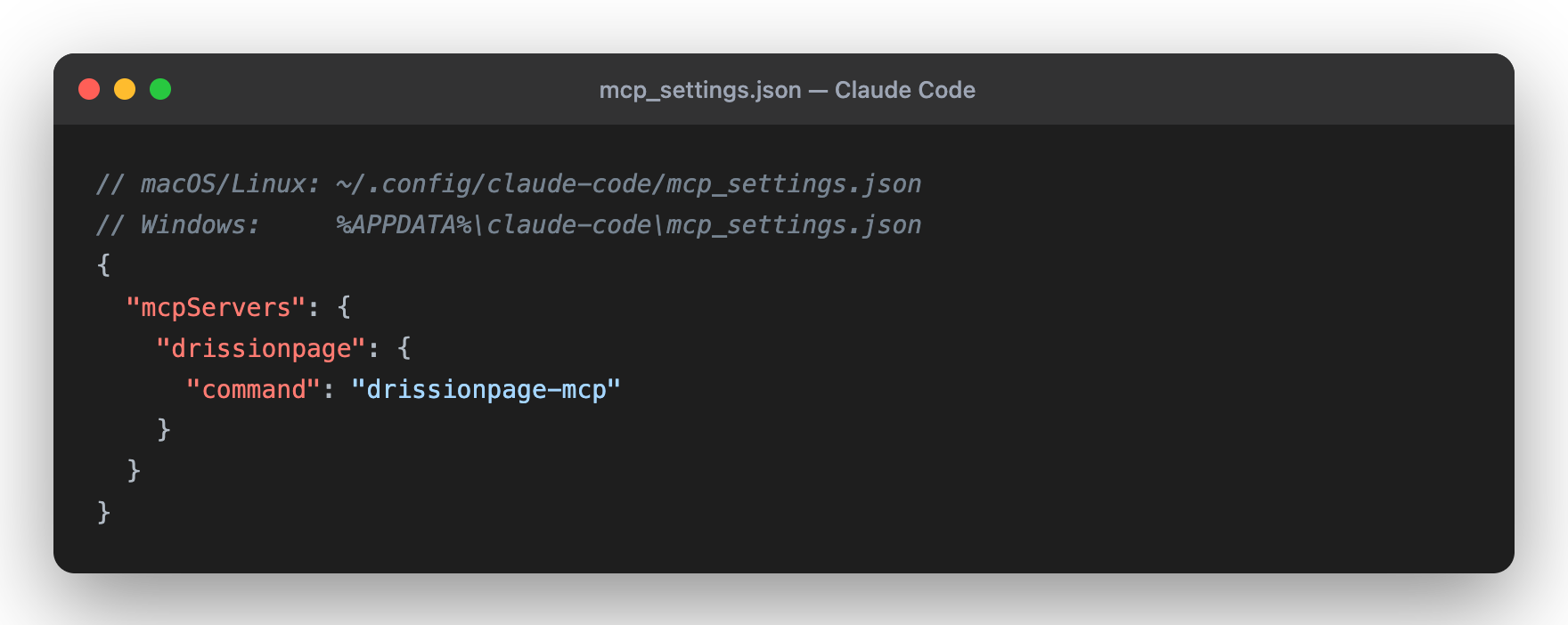
Claude Code
{
  "mcpServers": {
    "drissionpage": {
      "command": "drissionpage-mcp"
    }
  }
}
Config file: ~/.config/claude-code/mcp_settings.json (macOS/Linux) or%APPDATA%\claude-code\mcp_settings.json (Windows).
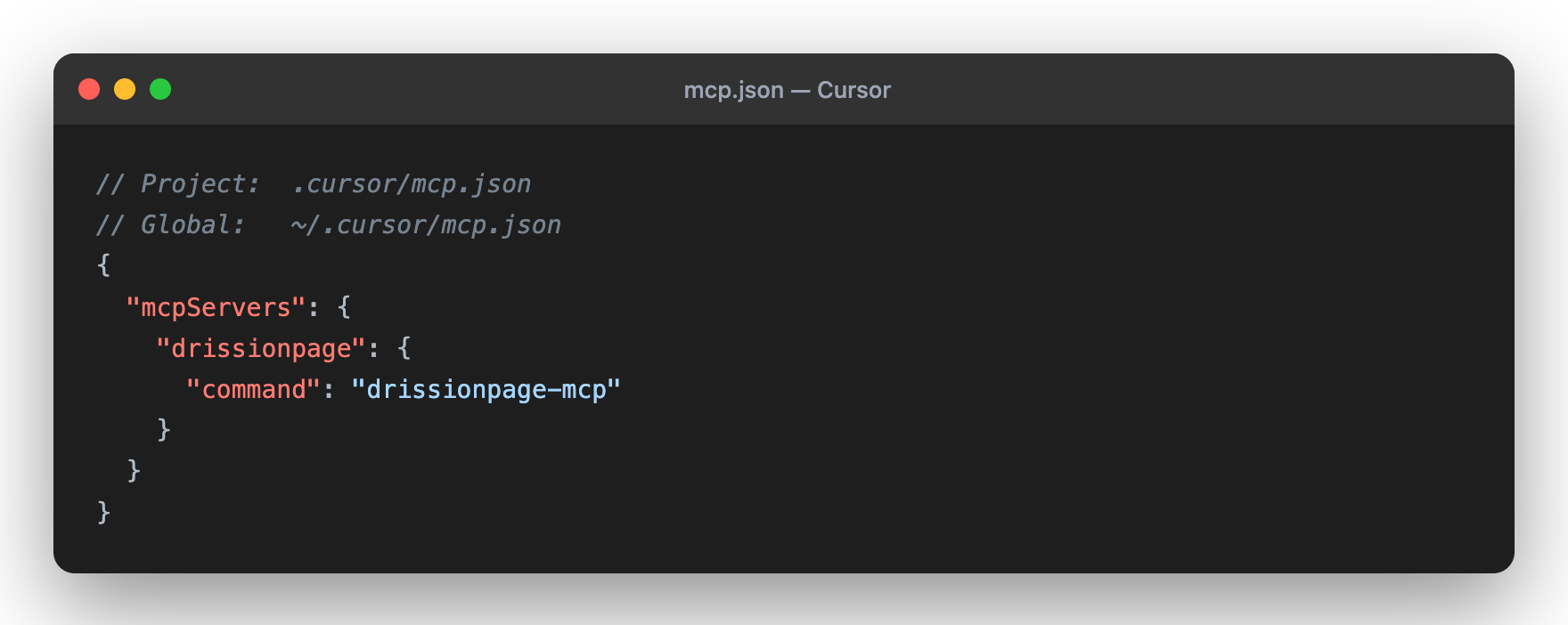
Cursor
{
  "mcpServers": {
    "drissionpage": {
      "command": "drissionpage-mcp"
    }
  }
}
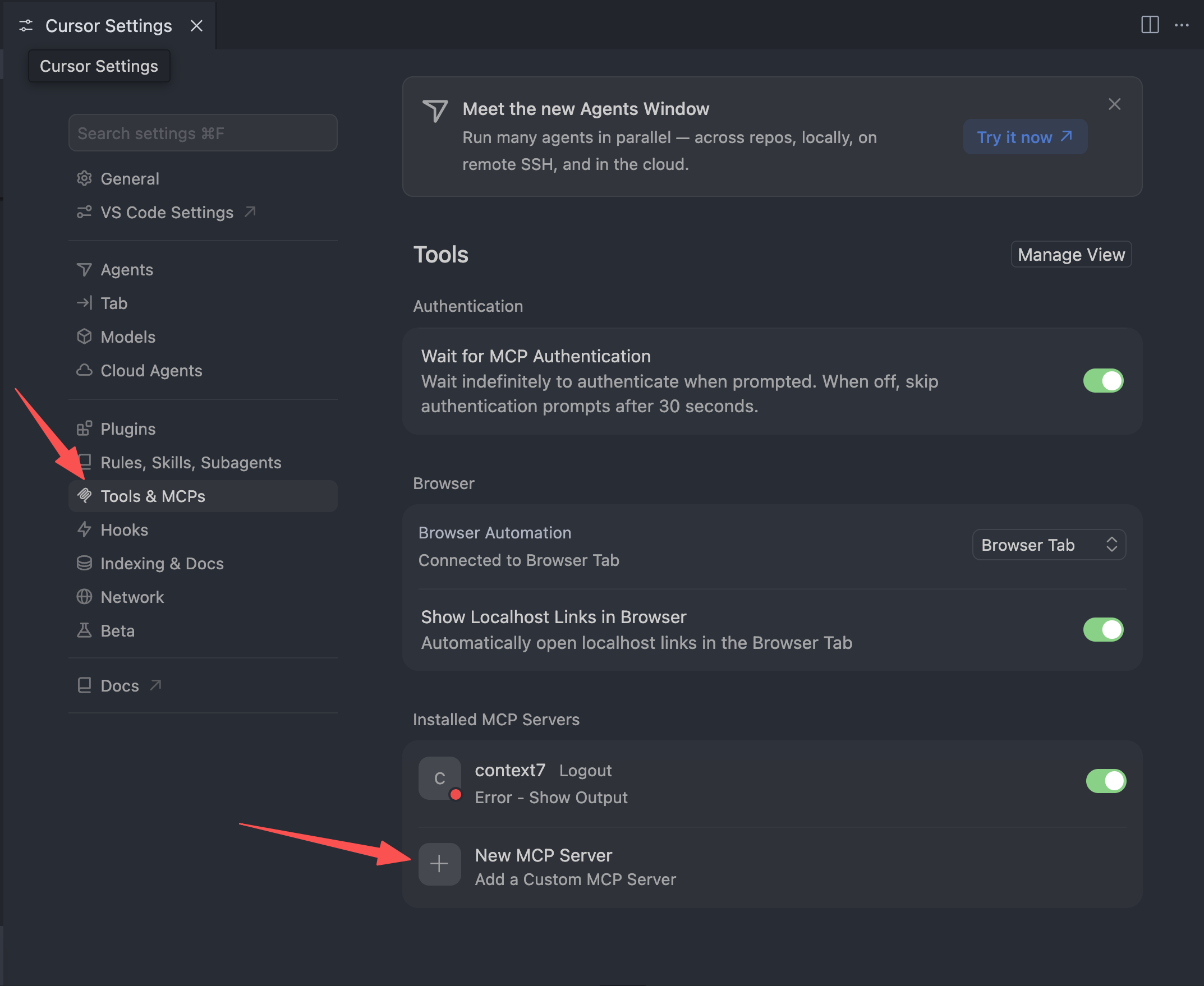
Config file: ~/.cursor/mcp.json (global) or .cursor/mcp.json (project). You
can also add it from Cursor Settings → Tools & MCPs → New MCP Server.
Claude Desktop
{
  "mcpServers": {
    "drissionpage": {
      "command": "drissionpage-mcp"
    }
  }
}
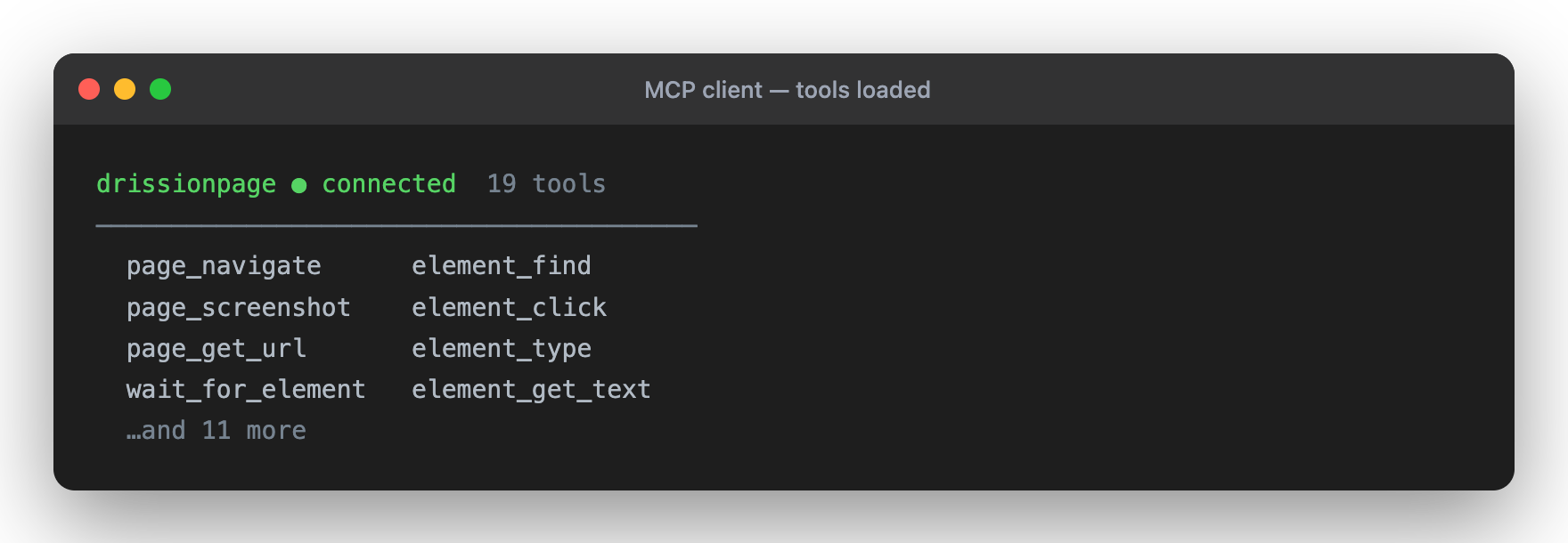
Once connected, the tools load automatically:
🤝 Contributing
Contributions are welcome!
- Fork the repository
- Create a feature branch
- Make focused changes
- Run the relevant checks
- Submit a pull request
See CONTRIBUTING.md for setup, validation, and compatibility expectations.
🔒 Security
- Runs locally in your environment
- Uses a local browser that may have access to authenticated sessions, cookies, downloads, and page content
- Can open and interact with any site reachable from the local machine
- Does not require external API credentials
Best Practices:
- Use a dedicated browser profile for sensitive workflows
- Review MCP client prompts before allowing actions on authenticated or production systems
- Respect website terms of service, robots.txt, and rate limits
- See SECURITY.md for reporting and safe-usage guidance
📄 License
Licensed under Apache License 2.0 - see LICENSE
📈 Statistics
🌟 Show Your Support
If you find this project useful, please consider:
- ⭐ Starring on GitHub
- 📤 Sharing with your network
- 💬 Leaving feedback or suggestions
- 🐛 Reporting issues to help improve
Made with ❤️ by Wukunyun
Ready to automate your workflows? Install now: python -m pip install -U drissionpage-mcp
🆕 Latest Version: v0.5.3
Released on 2026-07-02. This release adds browser console observability on top of the 0.5 tab, form, page-understanding, and observable-action workflow:
page_console_logsreads bounded current-tab console messages withlevel,since, andlimitparameters.page_observenow includes a compact console summary with recent messages, warning/error counts, and a cursor.page_navigate,element_click, andelement_typewithobserve=truenow include console change fields:console_errors_added,console_warnings_added, andnew_console_messages.page_observe,page_evaluate, andwait_untilremain the main tools for checking dynamic page state after actions.tab_list,tab_switch, andtab_closemanage tabs opened by MCP tools or normal page interactions such astarget="_blank"links.drissionpage://session/historyrecords recent actions with sensitive arguments redacted and compact observable-change summaries when present.page_snapshot,element_find_all, andform_inspectincludemeta.approx_tokensand size metadata for better response budgeting.- Failure payloads include machine-readable
error.details.hints; timeout hints point towait_untilfor condition-specific waits. MCP_ARGUMENT_INVALIDprotects strict schemas and points clients toward exact snake_case field names.- Browser startup hints point to
drissionpage-mcp doctor --launch-browser,CHROME_PATH,DP_HEADLESS, andDP_NO_SANDBOX. - The top-level JSON_RESULT envelope, strict input schemas, and typed
outputSchemacontracts remain unchanged; the public registry now has 29 tools.
Reviews (0)
Sign in to leave a review.
Leave a reviewNo results found